Tired of dealing with spam and junk registrations on your BuddyPress site? You’re not alone. Spam becomes a real headache fast once a community website starts growing, especially if you haven’t put anything in place to deal with it. Here’s how to protect your BuddyPress community from spammers.

Protecting Your BuddyPress Community
Here’s how to lock down specific BuddyPress components from logged-out visitors and keep spammers from getting a foothold.
Why Privacy Matters for Your Community
A community website can genuinely move the needle for a business, giving members a place to talk, share interests, and build real connections. But that openness cuts both ways: the same accessibility that makes a community valuable also gives spammers an easy target for scraping information or dropping junk content.
That’s why protecting your community matters. A well-protected community keeps the site safe, lets members speak freely, and builds real trust in the space.
Keep Your BuddyPress Community Private
Locking things down matters because a BuddyPress community holds a lot of member data that needs protecting, and because your members’ safety depends on it.
By default, BuddyPress components, groups, member profiles, activity, are all public and viewable by anyone, logged in or not. That makes enabling privacy on these components one of the more important things you can do for a BuddyPress-powered network.
Controlling Privacy on Your BuddyPress Community
One straightforward way to control privacy is to lock down specific components so only registered users can view them, redirecting everyone else to the login page. The BuddyPress Lock plugin does exactly this. See how to install the BuddyPress Lock plugin to get started.
Once it’s active, go to Settings > BuddyPress Lock. You’ll find four main settings groups:
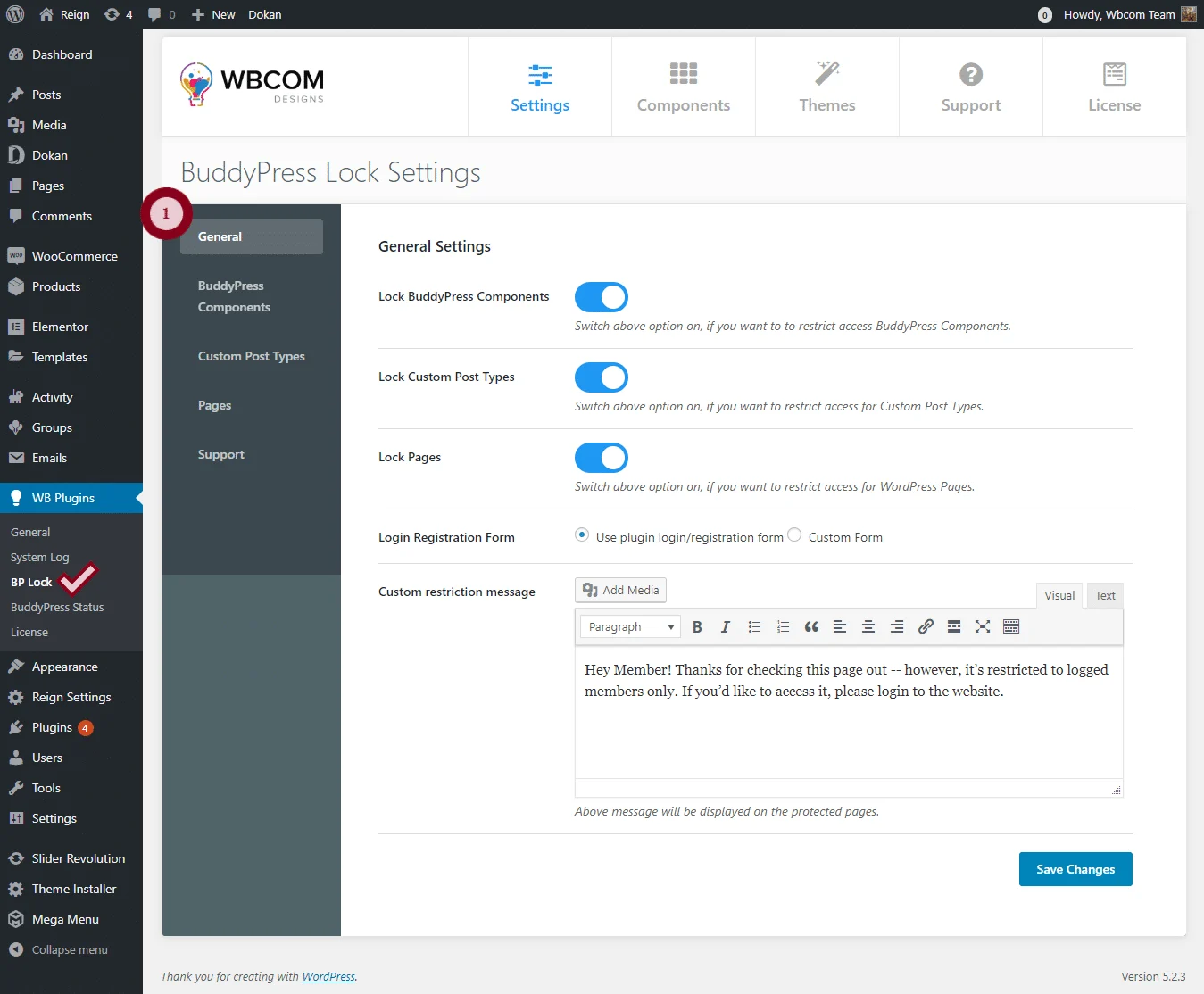
General
Turn locking on or off for BuddyPress components, custom post types, and WordPress pages, and set a custom message to show on locked pages.
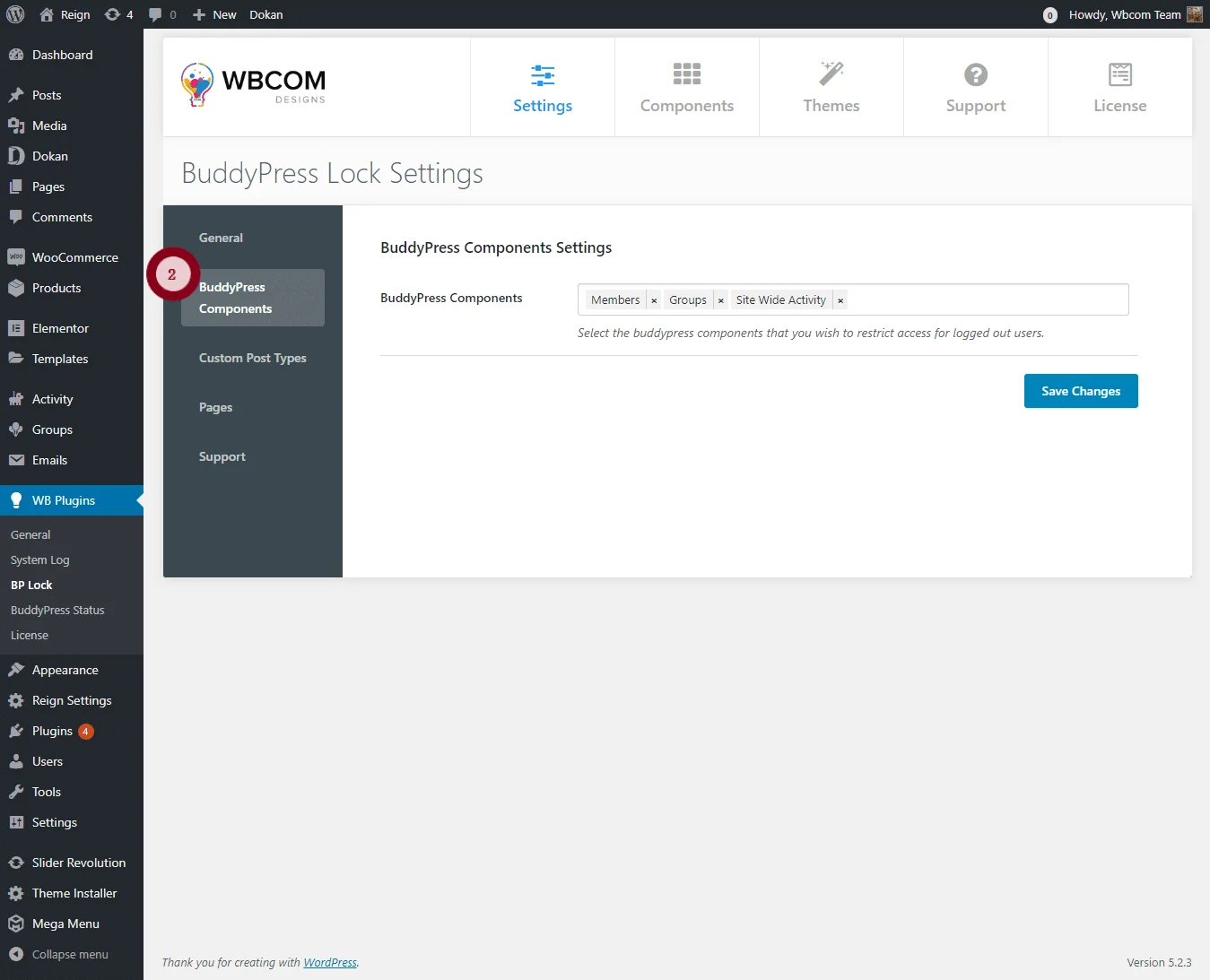
BP Components
Choose exactly which BuddyPress components get locked for logged-out visitors.

Custom Post Types
Select which custom post types should be locked for logged-out visitors.
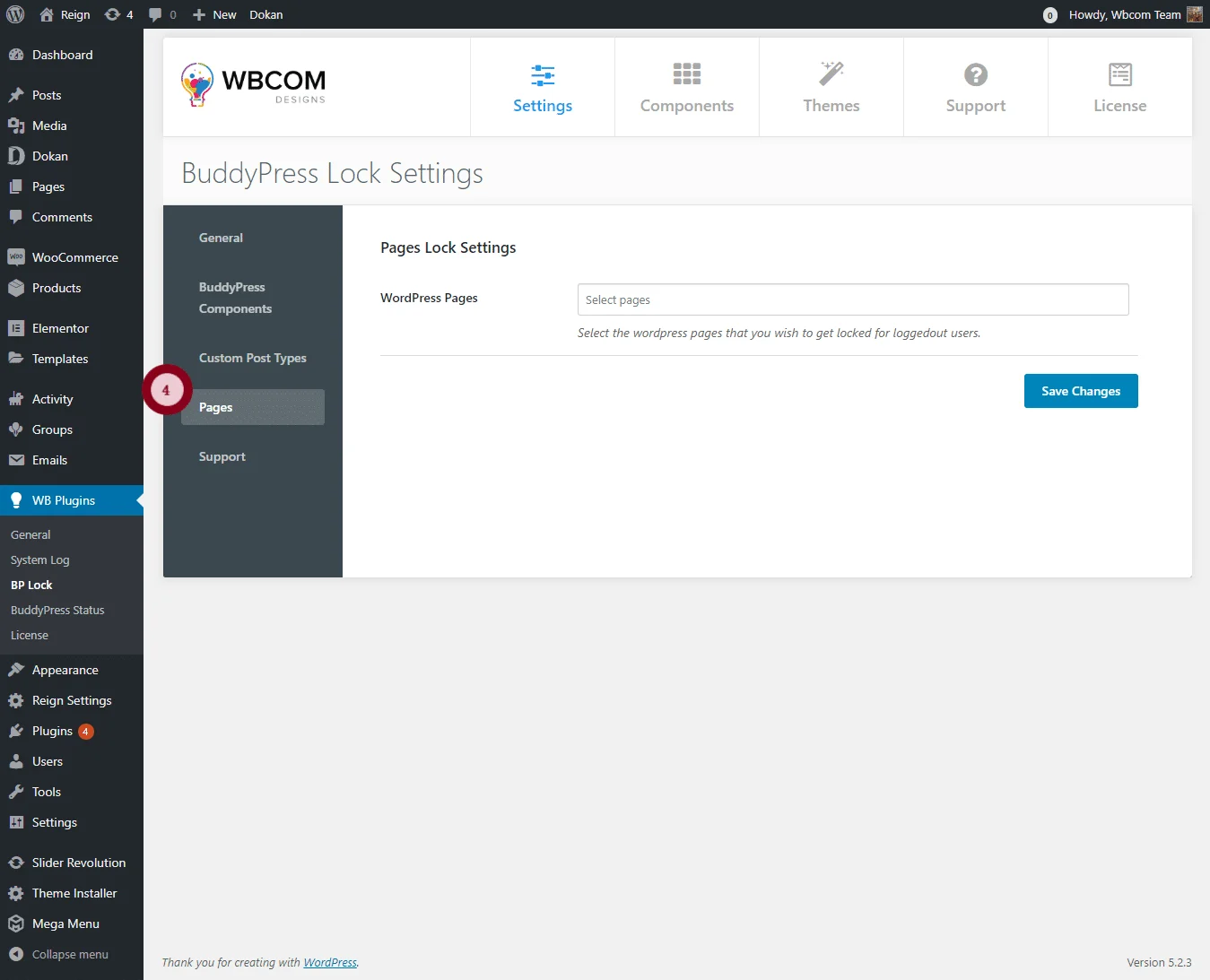
Pages
Select which specific pages should be locked for logged-out visitors.
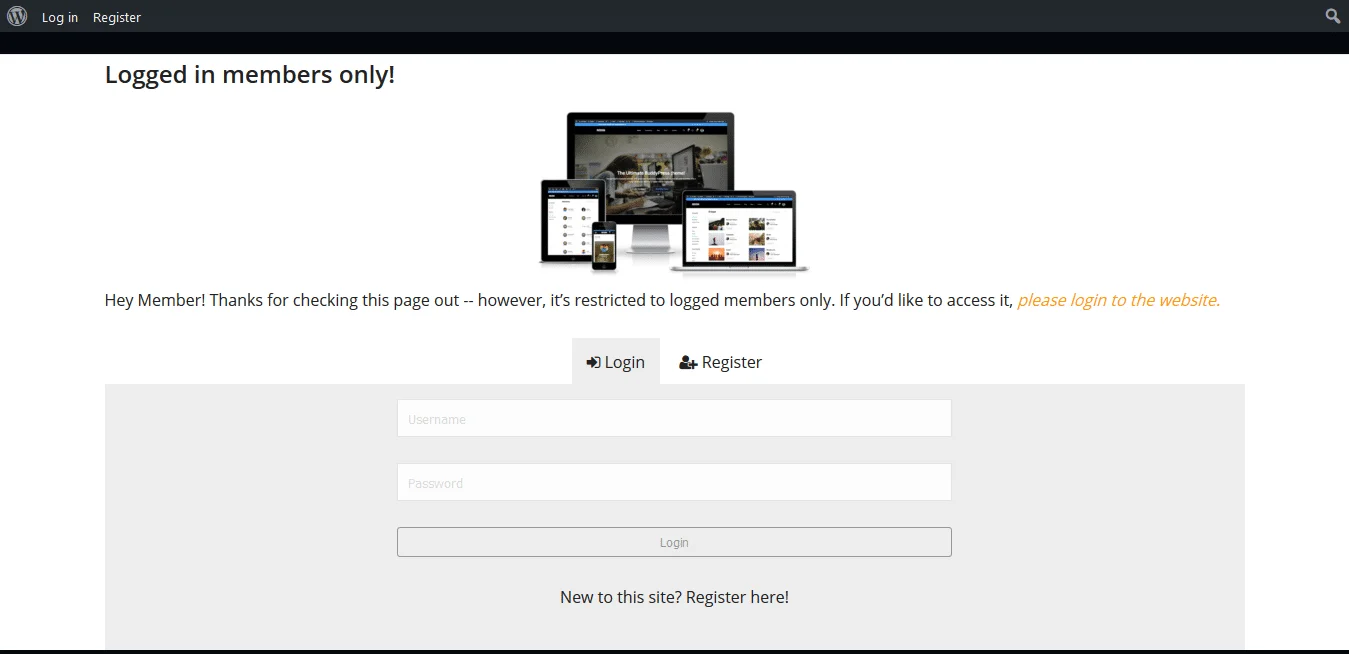
Once locked, none of these components show up for logged-out visitors. Instead, they see your custom message, like this:

Bottom Line
With this plugin, you can lock down whatever pages, posts, and components you want, no membership plugin required, and keep your community safe from spam without adding friction for real members.
Interesting Reads:
How To Add Moderation Features To Your BuddyPress Community Website
















