Building an online course platform is no longer reserved for big marketplaces. With WordPress, you can create a branded learning experience, own your customer data, and keep your margins. The key is knowing what features matter, how to structure the site, and which tools form a dependable stack.
This guide shows how to create an online course platform in WordPress with a clear, repeatable process. You will learn the essential pages, the recommended tool stack, the build steps, and the launch checklist. If your goal is a professional platform that scales, start here.
What an online course platform really needs
A course platform is more than a page with videos. At a minimum, you need discovery, checkout, and learning flows that feel seamless. Students should be able to browse courses, compare options, enroll, and immediately access lessons without friction.
Instructor profiles and clear course structure matter because they build trust. Students want to know who is teaching, what outcomes they will get, and how the curriculum is organised. Progress tracking, certificates, and completion milestones help keep learners motivated.
Community features drive retention. Discussion groups, activity feeds, and direct communication increase course completion and lifetime value. A platform without community often feels transactional; a platform with community becomes a destination.
Finally, a credible platform needs operations: support, analytics, and quality assurance. Clear policies, timely responses, and stable performance build confidence and reduce refunds.
Core pages and flows
- Homepage with a clear promise and primary CTA
- Course catalog with categories, filters, and search
- Course detail page with outcomes, curriculum, and instructor bio
- Checkout or enrollment page with minimal friction
- Learning area with progress indicators and easy navigation
- Community hub and member profiles
Plan your platform: goals, audience, and content model
Start with the audience. Are you teaching creators, professionals, students, or niche practitioners? Your audience shapes everything from course length to pricing. Define the transformation you want students to achieve and the skill level they begin with.
Choose your course format early. Self-paced courses scale well, while cohort-based programs drive higher engagement. Many platforms blend both by offering self-paced modules plus live Q and A sessions or community challenges.
Next, map your content model. Break the curriculum into modules, lessons, and assessments. Decide where assignments, quizzes, certificates, or downloadable resources fit. A strong content model reduces rework later and makes the course builder faster.
Validate your idea before building. Run a short survey, offer a beta cohort, or pre-sell a pilot course. The feedback you collect will influence the final platform features and your pricing strategy.
Define success metrics
Set the metrics you will track so your platform decisions align with growth. Typical metrics include enrollment conversion rate, lesson completion rate, community participation rate, and refund rate. If you launch without metrics, you may optimise the wrong things.
Recommended WordPress stack for a full platform
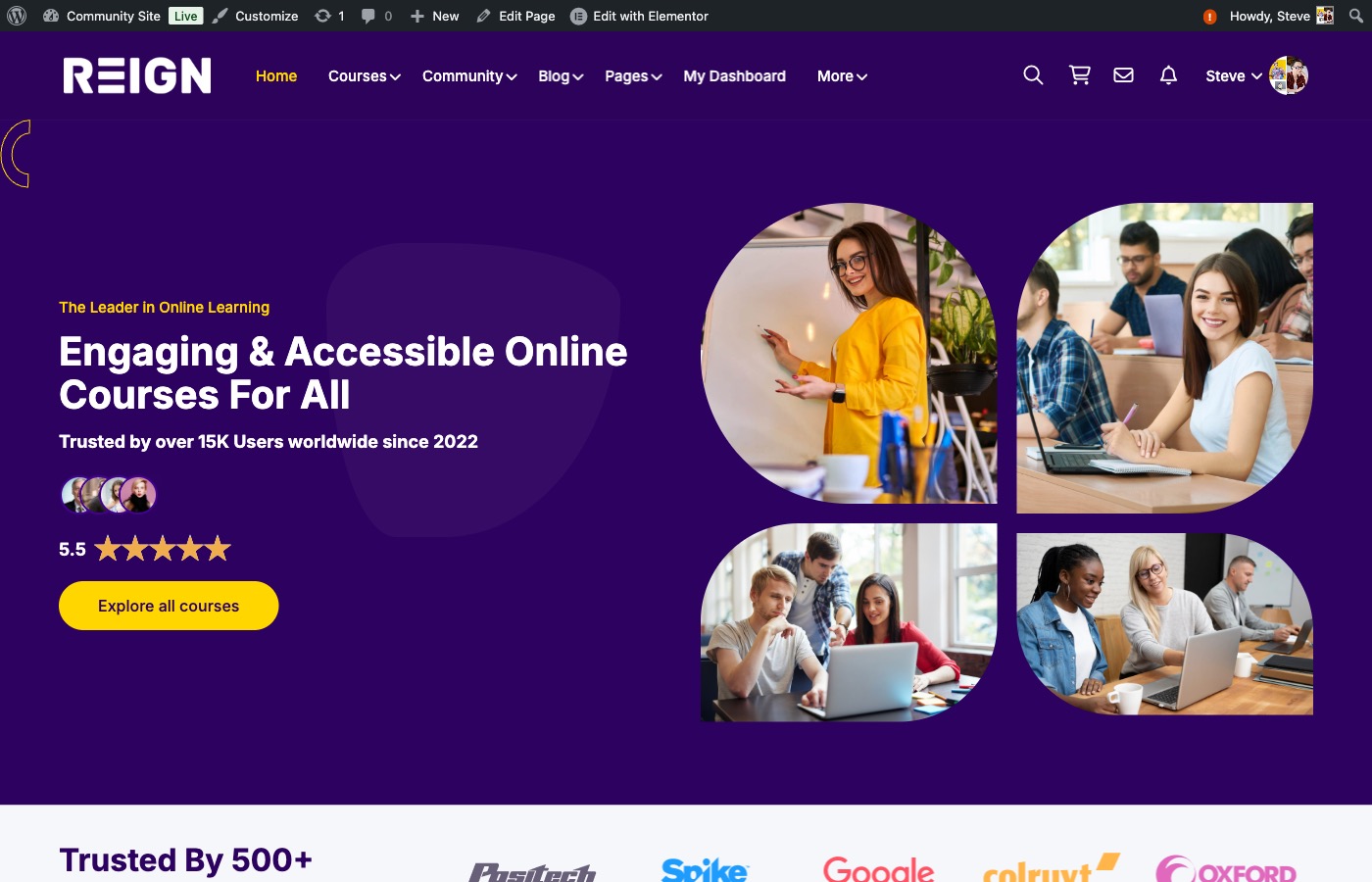
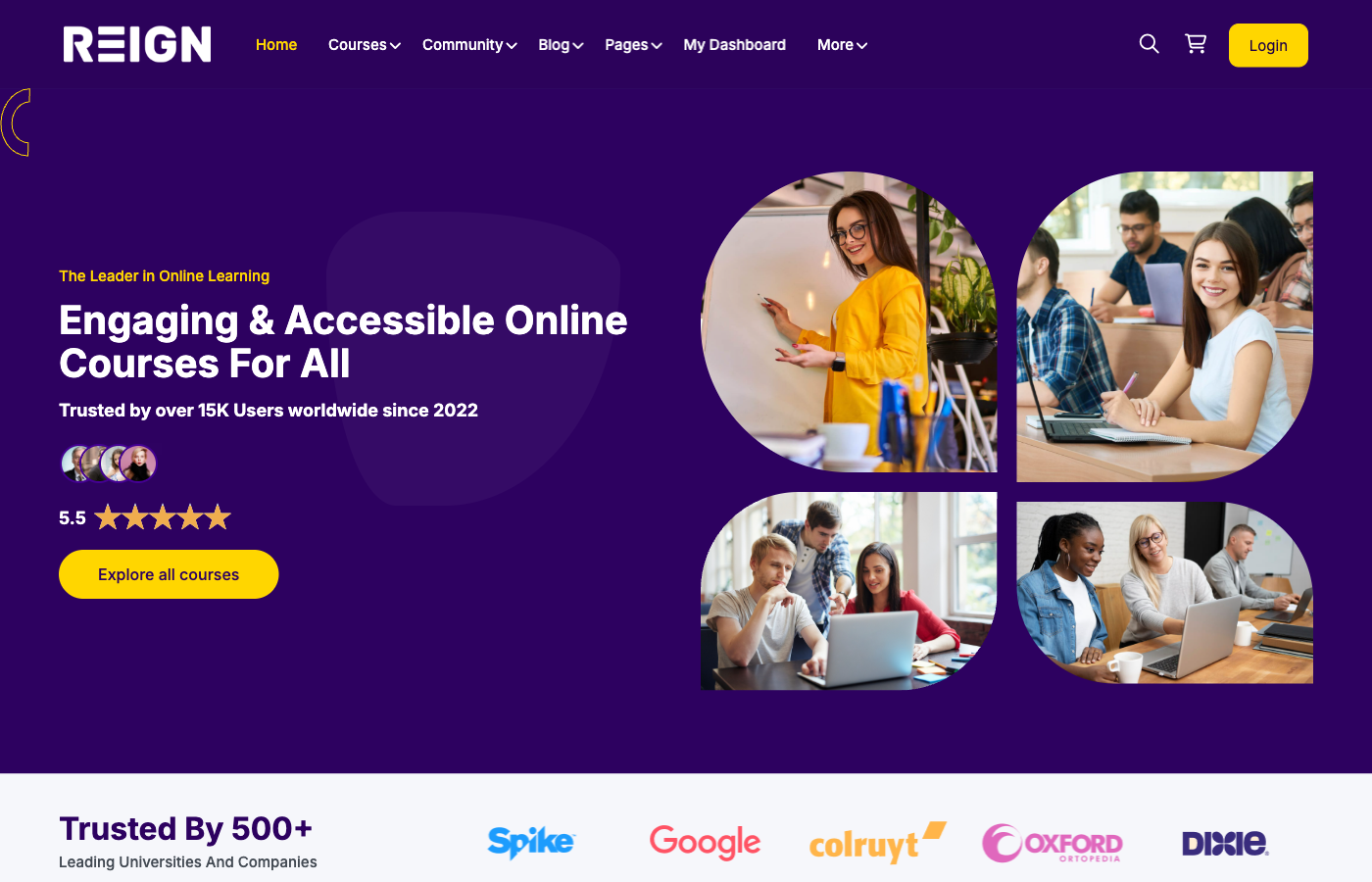
To create a polished platform, you need a theme and plugins that complement each other. Reign provides the community-first design layer and layout flexibility for course catalogues and member areas. It is optimised for social learning experiences.
LearnDash is the learning management system. It handles lessons, quizzes, assignments, completion rules, and course access logic. It is reliable, widely supported, and flexible enough for both simple and advanced learning paths.
BuddyPress adds the social layer: member profiles, activity feeds, groups, and messaging. This is what turns a simple course site into an engaged learning community. Together, Reign + LearnDash + BuddyPress gives you the full platform foundation.
Depending on your business model, you may add WooCommerce for payments, a membership plugin for recurring access, and an email service provider for onboarding. Keep the core stack lean at launch to reduce complexity.
Why this stack works
- Reign creates a modern, social-first design without heavy custom development
- LearnDash gives granular control over lessons, quizzes, and access rules
- BuddyPress powers profiles, groups, and engagement loops
- The stack is modular, so you can add or remove features as you scale
Step-by-step build: from WordPress setup to launch
Start with hosting that can handle media, traffic spikes, and community activity. A managed WordPress host with caching, SSL, and backups will save time. Make security a priority with strong passwords, updates, and a basic security plugin.
Install WordPress, then add the Reign theme, LearnDash, and BuddyPress. Configure BuddyPress first so user profiles and groups are ready. Then configure LearnDash course settings, access rules, and payment integration.
Create core pages: a homepage, course catalogue, course detail template, instructors page, community hub, and contact page. Set the navigation to highlight the catalogue and community. This is the foundation of your platform UX.
Test the full learning flow with a sample course. Ensure a new user can register, buy or enroll, access lessons, and receive progress updates. Fix any friction before you start marketing.
Document your setup and keep a checklist. When you add more courses or team members, clear documentation prevents errors and ensures a consistent user experience.
Implementation steps at a glance
- Install WordPress and activate Reign
- Install LearnDash and configure course settings
- Install BuddyPress and set up profiles and groups
- Create key pages and menus
- Build a pilot course and test enrollment
- Prepare your onboarding emails and support docs
Build your course catalogue and sales pages
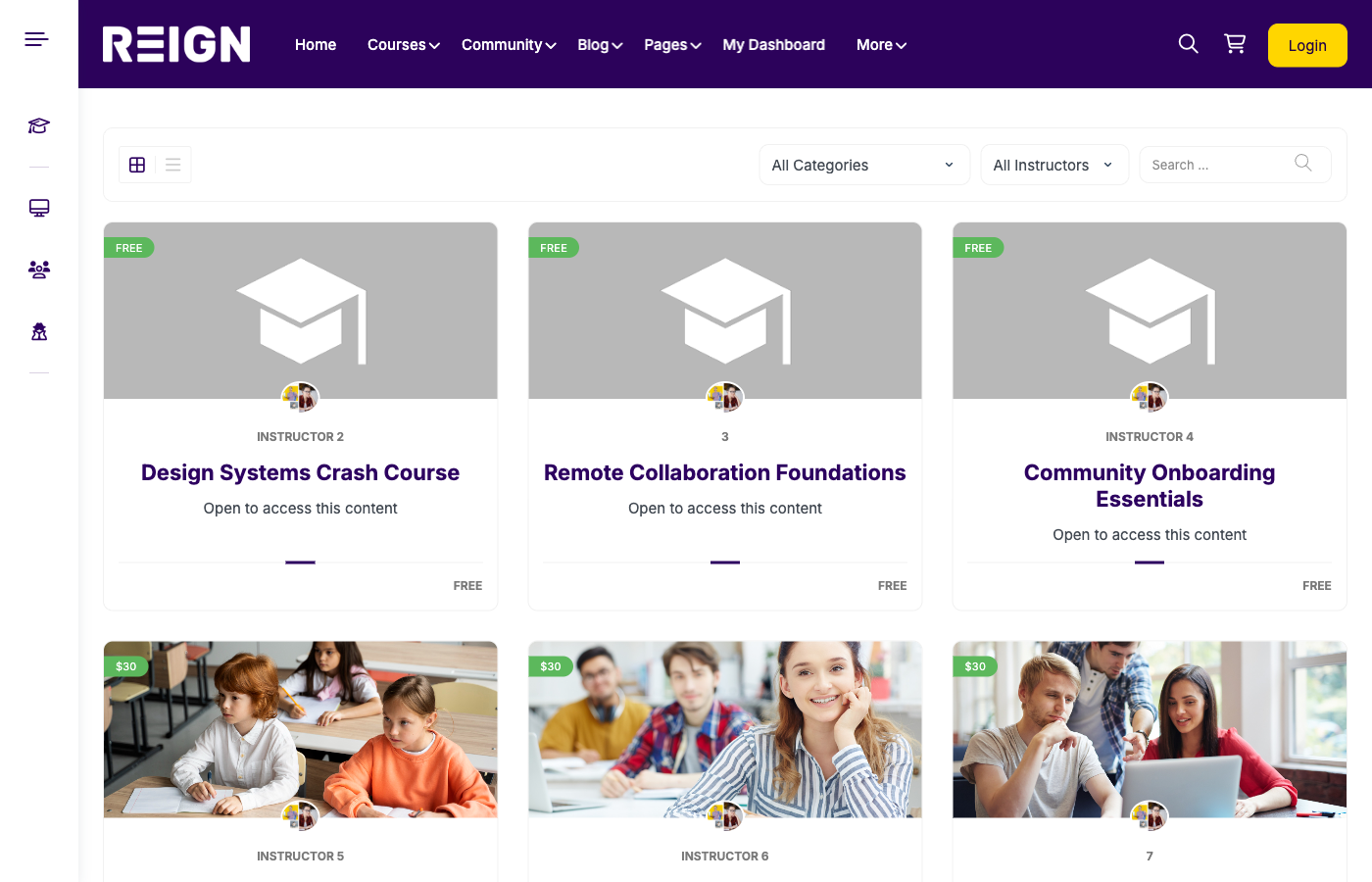
Your course catalog is the storefront. Use a clean grid layout with filters by topic, level, and format. Add search so students can quickly find what they need. Keep the catalogue uncluttered and prioritise the most popular courses.
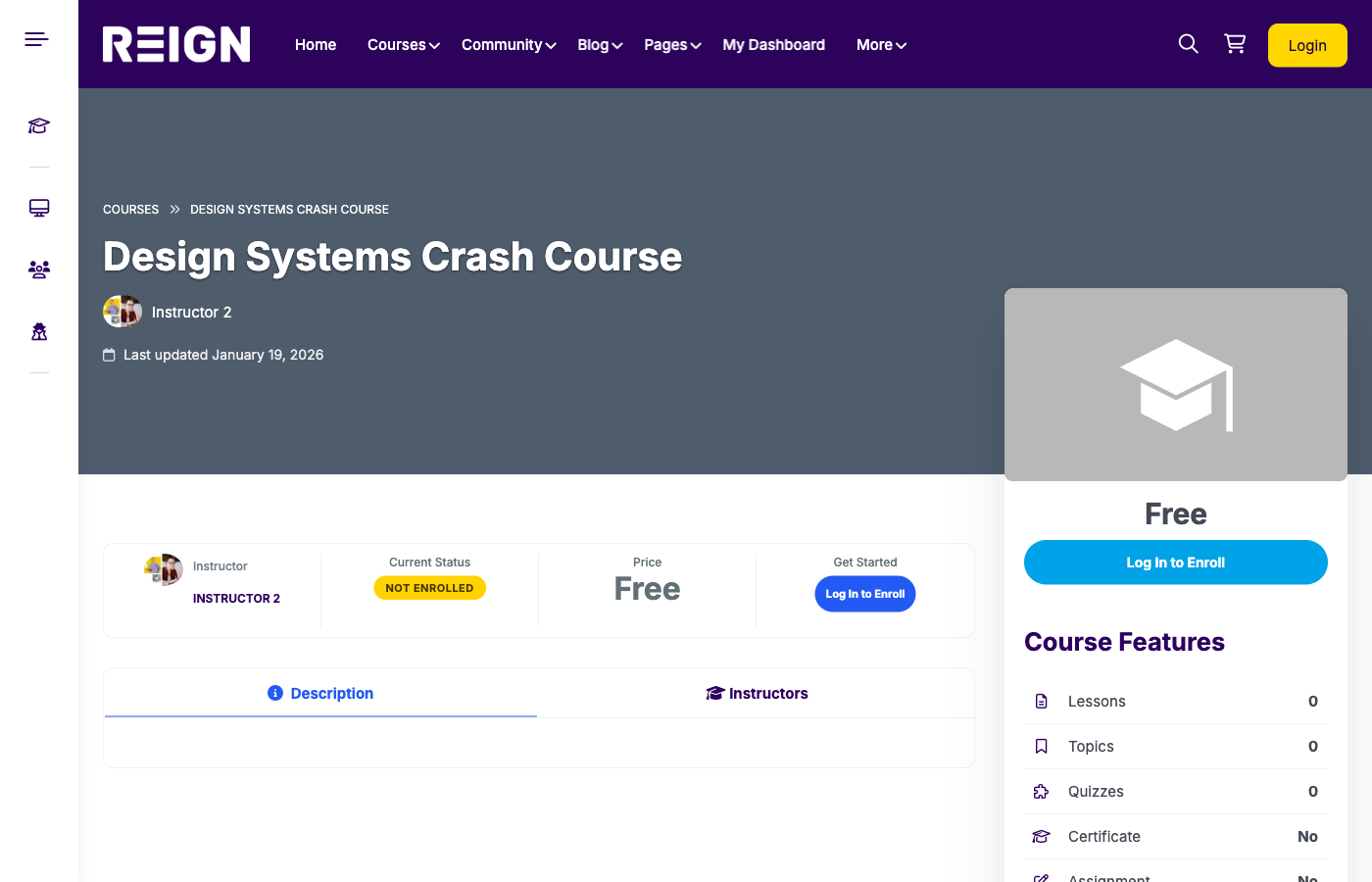
Course detail pages should be conversion focused. Include learning outcomes, curriculum breakdown, instructor bio, and social proof. Use clear call-to-action buttons for enrollment and pricing clarity.
Include media previews such as lesson samples or short teaser videos. Students convert faster when they understand your teaching style and the depth of the course. Use FAQs near the CTA to address objections without adding friction.
Write course descriptions like sales pages, not like documentation. Lead with transformation, show the curriculum, and close with a clear action. Avoid jargon and keep the promise specific.
High-converting course page elements
- Outcome-focused headline and subhead
- Three to five bullet outcomes
- Curriculum preview with lesson counts and duration
- Instructor credibility and bio
- Social proof: testimonials, ratings, or results
- Clear price and CTA buttons above the fold
Add community features that increase completion
Community keeps learners active between lessons. Create groups for each course or cohort so students can share progress, ask questions, and get feedback. A simple activity feed helps people see new discussions and feel momentum.
Offer instructor access through scheduled Q and A sessions, office hours, or discussion threads. The feeling of direct access improves perceived value and encourages referrals. Community guidelines and moderation keep the space constructive.
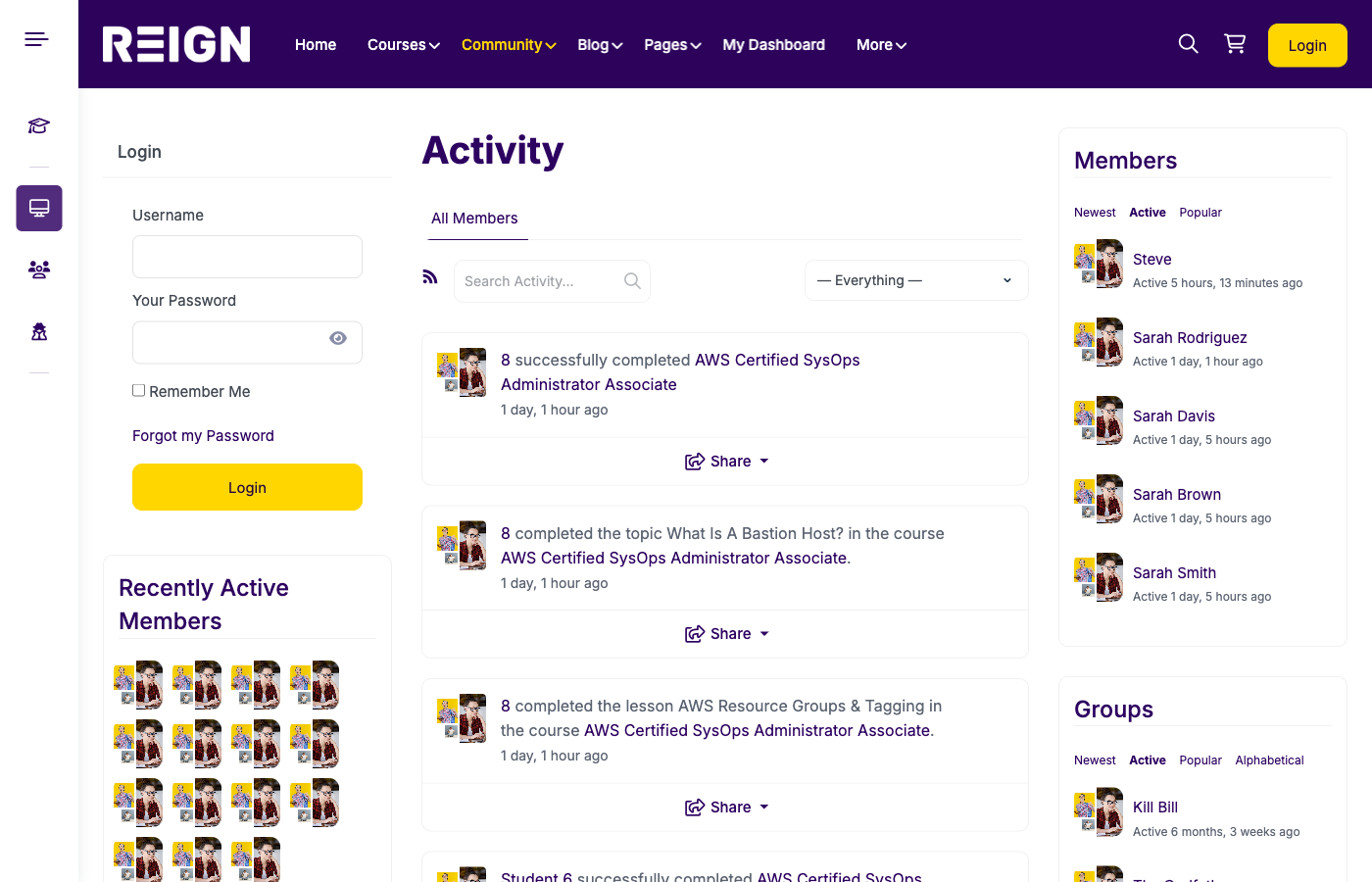
Use badges or milestones to celebrate progress. Small recognition moments improve completion and word of mouth. BuddyPress can integrate with gamification plugins if you want to add points or achievements later.
Design the community around outcomes. Create prompts, weekly challenges, or peer-review threads so students have a reason to return even when they are busy.
Assessments, certificates, and learning outcomes
Assessments verify progress and make your platform feel credible. Use short quizzes, practical assignments, or project submissions. LearnDash gives you flexible quiz types and completion rules.
Certificates are valuable for professional learners. Offer certificates after key milestones or final projects, and include clear criteria so students know what they must complete.
Outcomes should be measurable. Instead of vague results like “be better at marketing,” define outcomes such as “launch a conversion-focused landing page” or “build a five-email onboarding sequence.” This makes your course easier to sell and improves completion.
Monetization options and pricing strategy
You can monetize with one-time purchases, memberships, or bundles. One-time courses are simple to sell, while memberships provide recurring revenue and community access. Bundles increase average order value by combining related courses.
Offer limited-time coupons for launches and early adopters. Consider free trials for memberships or low-cost starter courses as lead magnets. Make the path to upgrade clear once students see results.
Set refund policies that protect your business while maintaining trust. Use clear terms and a support channel so students feel confident buying. If you sell globally, ensure payment gateways and tax settings are configured properly.
Test pricing in phases. Start with an introductory price, gather testimonials, and then increase pricing as the perceived value grows. Pricing changes are easier when you communicate outcomes clearly.
Pricing examples
- Starter course: low cost entry point to build trust
- Signature course: your main offer with full support
- Membership: ongoing access to all courses and community
- Bundle: packaged courses for a specific outcome
Information architecture and UX best practices
Strong navigation prevents overwhelm. Use a simple top menu with Courses, Community, About, and Support. In the learning area, keep lessons organized by module and display progress indicators clearly.
Mobile experience matters. Many students watch lessons on phones or tablets, so ensure your theme is responsive, buttons are large enough, and media loads quickly.
Use consistent visuals and messaging across pages. A unified design builds trust and reinforces your brand, especially when students move between catalog pages and lesson content.
Reduce steps to enroll. Every extra click lowers conversions. Minimize popups, keep the CTA consistent, and make the pricing transparent from the start.
Performance, security, and scalability
Video hosting is often the heaviest part of a platform. Use a dedicated video host or CDN and embed content on lessons instead of uploading large files directly to WordPress.
Enable caching and image optimization to keep pages fast. A slow catalog hurts conversions and a slow lesson page increases drop-off. Monitor load times after every major update.
For security, keep WordPress, themes, and plugins updated. Use two-factor authentication for admins and create backups before major releases. A secure platform protects your reputation.
Plan for growth. If you expect large cohorts or an active community, choose hosting that can scale and use a monitoring tool so you can address issues before users notice them.
Go-to-market: growth and retention basics
Start with a simple onboarding sequence. Send a welcome email, show how to access the community, and highlight the fastest win inside the course. Early success improves long-term retention.
Use SEO and content marketing to attract organic traffic. Publish guides, tutorials, and case studies that target your audience search intent. Each article should link back to relevant courses and the platform homepage.
Track engagement metrics such as lesson completion, community activity, and refund rates. Analytics help you prioritize improvements and identify which courses deserve promotion.
Encourage referrals by rewarding students who invite others. Offer a bonus lesson, a discount, or community recognition. Referral loops can be a powerful growth lever.
Retention ideas that work
- Monthly challenges inside the community
- Progress check-ins and milestone emails
- New lessons released on a predictable schedule
- Live Q and A sessions for high-ticket courses
Operations and student support
Great support reduces churn. Create a knowledge base with common questions, and set expectations for response times. Even a small team can handle support well with templates and a clear workflow.
Use feedback loops. Ask for feedback after each module and collect testimonials when students achieve results. These insights help you improve the platform and increase conversions.
Set up analytics for course performance, community engagement, and sales. A simple dashboard can show which courses need updates and which marketing channels perform best.
Plan for maintenance. Schedule monthly checks for plugins, backups, and security. A reliable platform is a growth asset.
Checklist and FAQ for a smooth launch
Pre-launch checklist
- All courses and lessons are published and tested
- Payment gateways and checkout flows are working
- Emails and notifications are configured
- Community guidelines and moderation rules are set
- Core pages are linked and mobile friendly
- Video hosting and media delivery are optimized
- Backup and security settings are verified
FAQ
How long does it take to build a course platform? With a clear plan and the right stack, a basic platform can launch in a few weeks. Complex marketplaces take longer.
Do I need a developer? Most of the build can be done with plugins and theme settings. A developer helps with custom workflows or integrations.
Can I scale later? Yes. Start lean, then add memberships, cohorts, or advanced community features as demand grows.
What is the best LMS for WordPress? LearnDash is a widely used LMS with robust course controls, quizzes, and reporting, which makes it a strong fit for scalable platforms.
Can I launch without community? You can, but community typically improves retention and referrals. Even a simple group and activity feed can create momentum.
Conclusion
Creating an online course platform in WordPress is about combining the right structure, the right tools, and a community-first mindset. When your platform is designed for discovery, learning, and engagement, it becomes more than a course site. It becomes a brand.
Ready to launch a modern course platform? Build it on WordPress with Reign + LearnDash + BuddyPress for a polished, scalable, community-driven experience.