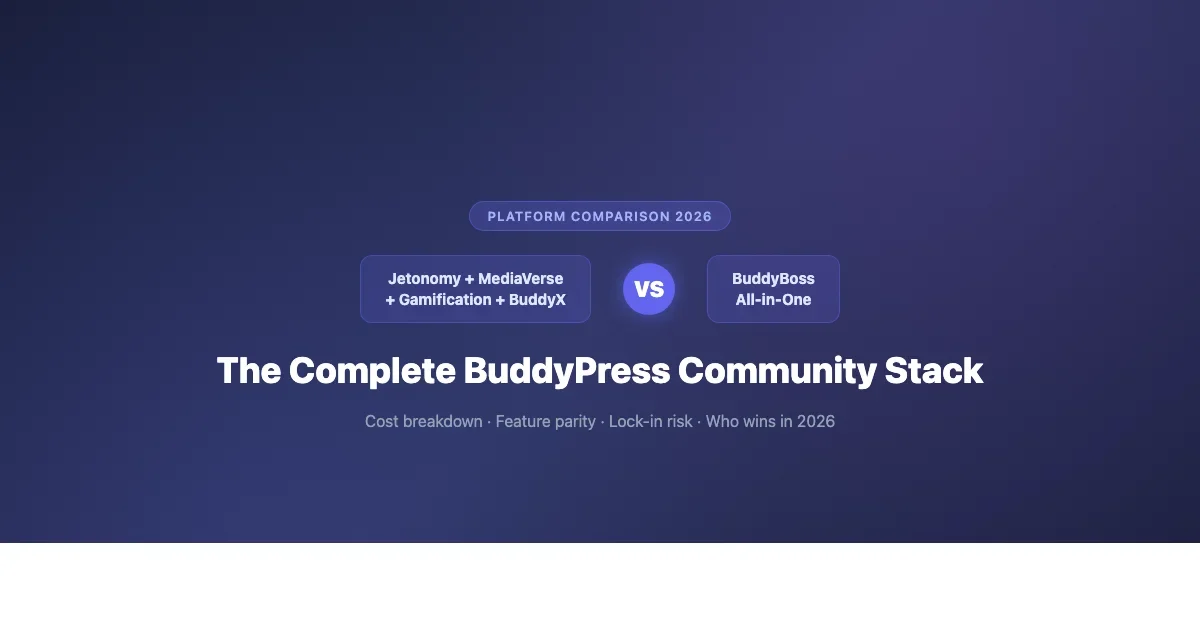
The Complete BuddyPress Community Stack: Jetonomy + MediaVerse + Gamification vs BuddyBoss All-in-One
BuddyBoss is a polished all-in-one platform. The modular BuddyPress stack (Jetonomy, WPMediaVerse, Gamification, BuddyX) costs less and gives you more control. Here is a real cost and feature breakdown to help you choose.

BuddyBoss costs $228 per year for a single site. The equivalent modular BuddyPress community stack built with Jetonomy, WPMediaVerse, BuddyPress Gamification, and BuddyX Pro costs between $0 and $256 per year depending on which components you actually need. That price difference does not tell the complete story, but it is an honest starting point before we work through feature parity, developer flexibility, support tradeoffs, and what lock-in actually costs when your community grows and requirements change.
Community platform decisions are rarely reversed cleanly. You build member data, forum history, gamification records, and engagement patterns on top of whichever architecture you choose. Switching platforms two years later is expensive in both developer time and community disruption. Getting this decision right at the start matters significantly more than saving a few months of subscription fees. This comparison of the BuddyPress community stack vs BuddyBoss is designed to give you what you need to make that call clearly, not to sell you on either approach.
What Each Stack Actually Includes
The Modular BuddyPress Community Stack
The modular approach uses BuddyPress core (free, open source, maintained by Automattic and a large contributor community) as the social foundation, then adds purpose-built plugins for each feature area your community actually needs. You are not paying for a bundle that includes features you may never use, and each component can be updated, replaced, or removed without forcing changes to the rest of your community architecture.
Here is what a complete modular BuddyPress community stack looks like in 2026:
- BuddyPress core (free), Member profiles with extended profile fields (xProfile), activity streams, friend connections, group management, private messaging, notifications, and a developer API that follows WordPress coding standards throughout. BuddyPress has been in active development since 2009 and runs on millions of sites. It handles community databases with tens of thousands of members when hosted on appropriate infrastructure.
- Jetonomy ($79/yr per site), A forum and Q&A engine built from the ground up for BuddyPress communities. Jetonomy provides threaded discussions, accepted answer flagging, upvoting and downvoting on posts and replies, tag-based organization, and private group forums that respect BuddyPress group privacy settings automatically. It uses native BuddyPress hooks rather than layering on top of the BuddyPress activity feed as a workaround, which means forum activity integrates naturally with member notifications and the site activity stream.
- WPMediaVerse ($79/yr per site), A social media sharing and gallery system for BuddyPress communities. Members can upload photos and video, create albums, react to media with emoji, and share media to the activity stream. Privacy controls follow BuddyPress group settings. The media activity integrates with notifications so members know when someone reacts to or comments on their uploads. This is the functional equivalent of what BuddyBoss includes in its media module, with more granular group-level privacy controls.
- BuddyPress Gamification via GamiPress with BuddyPress add-on (~$39/yr), Points, badges, ranks, and leaderboards tied specifically to BuddyPress community activity events. The BuddyPress-specific integration hooks mean gamification events fire correctly on profile completions, friend connections, group joins, forum posts (via Jetonomy), media uploads (via WPMediaVerse), and custom events you define. This is significantly more configurable than BuddyBoss’s built-in gamification.
- BuddyX Pro theme ($59/yr per site), A community-first WordPress theme designed specifically for BuddyPress deployments. Includes mobile-responsive layouts optimized for community interaction patterns, a dark mode option, component-level visibility controls for showing or hiding individual BuddyPress elements without custom CSS, and tested compatibility with Jetonomy, WPMediaVerse, and GamiPress out of the box.
Total annual cost for a complete BuddyPress community stack with all four premium components: approximately $256 per year for a single site. A lean build, BuddyPress core plus BuddyX Pro for the theme, without forum, media, or gamification add-ons, runs under $60 per year. The modular nature means you can start lean and add capability as your community demonstrates what members actually need, rather than paying for the full bundle from day one.
BuddyBoss Platform: The All-in-One Approach
BuddyBoss takes a fundamentally different approach: one purchase covers their entire feature set. The BuddyBoss Platform plugin is currently priced at $228 per year for a single site license. That price includes the following features out of the box, without requiring additional plugin purchases:
- Social profiles with custom profile fields, profile photo, and cover image support
- Activity feeds with emoji reactions, media attachments, and @mentions
- Groups with subgroup support, a genuine advantage over BuddyPress core, which requires an additional plugin for subgroup functionality
- Forums built on a modified and restyled version of bbPress, integrated visually with the BuddyBoss interface
- Courses integration with progress tracking, optimized specifically for LearnDash and LifterLMS
- Basic gamification: points and badges based on activity, though with less configuration depth than GamiPress
- Native mobile app builder for iOS and Android, this is an additional purchase at approximately $499 per year, but it is BuddyBoss’s most meaningful competitive differentiator and worth factoring into your platform evaluation even if you do not need it immediately
- BuddyBoss Theme, included in the platform license at no additional cost
- Members directory with advanced filtering, member type support, and profile visibility controls
- Media uploads including photos, documents, and video via integration with external video providers
The mobile app is the one capability in the modular BuddyPress ecosystem that has no equivalent at a comparable price. Third-party solutions like AppPresser provide BuddyPress mobile app functionality, but they require significantly more configuration and start at around $299 per year for the base tier, with higher tiers needed for full BuddyPress feature coverage.
Feature-by-Feature Comparison: BuddyPress Stack vs BuddyBoss
Feature | BuddyPress Community Stack | BuddyBoss Platform |
|---|---|---|
Member profiles + xProfile fields | BuddyPress core (free) | Included |
Activity feeds | BuddyPress core (free) | Included with reactions |
Groups | BuddyPress core (free) | Included + subgroups natively |
Forums / Q&A | Jetonomy ($79/yr) | Modified bbPress (included) |
Media sharing + albums | WPMediaVerse ($79/yr) | Basic photos/docs (included) |
Gamification depth | GamiPress + BP addon (~$39/yr) | Basic points/badges (included) |
Theme | BuddyX Pro ($59/yr) | BuddyBoss Theme (included) |
Native mobile app | AppPresser (~$299/yr) or none | BuddyBoss App (~$499/yr addon) |
LMS integration | Any WordPress LMS plugin | Optimized for LearnDash/LifterLMS |
Subgroups (native) | BP Group Hierarchy plugin needed | Native support included |
Developer API access | Full WordPress + BP hooks (open) | Partial (some core APIs closed) |
Annual cost (single site, no app) | $0 to $256 | $228 |
Annual cost (with mobile app) | ~$555 | ~$727 |
Developer Flexibility and Long-Term Lock-In Risk
This is the most important part of the BuddyPress community stack vs BuddyBoss comparison for teams who plan to build on top of their community platform, and it deserves more detailed treatment than a bullet point comparison provides.
What Open Source Actually Means for Your Community
BuddyPress is fully open source under the GPL license, maintained by Automattic with contributions from the WordPress community. Every hook, filter, template file, and database table is documented in the BuddyPress Codex and accessible to any developer. You can override any template by copying it into your child theme directory. You can intercept any BuddyPress action or filter using standard WordPress development patterns that any competent WordPress developer already knows.
Community member data lives in database tables that follow WordPress naming conventions and documented schemas: wp_bp_xprofile_data for profile fields, wp_bp_groups and wp_bp_groups_members for group membership, wp_bp_activity for the activity stream, wp_bp_messages_messages for private messages. Any developer who has worked with WordPress for more than a few months can open these tables, understand the schema, and write queries against them without needing to read proprietary documentation or reverse-engineer anything.
This matters for integrations. If you need to export member data to a CRM, sync community membership with an external subscription system, or build a custom reporting dashboard for community engagement metrics, you can do all of that with standard WordPress development practices. No special API keys, no vendor permission, no rate limits beyond what your own server can handle.
The Closed-Source Tradeoff with BuddyBoss
BuddyBoss uses a closed-source plugin model. While the WordPress database layer is accessible, BuddyBoss stores community data in ways that do not always map cleanly to standard WordPress or BuddyPress schemas. Several of their features use internal hooks that are not part of any documented public API. Developers building custom functionality on BuddyBoss sites regularly encounter situations where the documented approach does not work, and the actual implementation requires examining BuddyBoss’s compiled or minified code to understand what is happening internally.
This creates a specific kind of maintenance risk. When BuddyBoss releases a major update, custom code that relied on an undocumented internal hook may break without any warning, changelog entry, or migration guide. For small communities with limited customization, this risk is manageable. For communities that have invested significantly in custom member features, integrations, or reporting tools, it represents a real ongoing liability that compounds over time.
Migration risk is also asymmetric. Moving away from the BuddyPress modular stack to any other platform is a known, documented process. Moving away from BuddyBoss requires mapping proprietary data structures to whatever your destination platform expects, which typically requires custom migration scripting, testing, and community downtime.
When BuddyBoss Is the Right Choice in 2026
BuddyBoss is the better option when several specific conditions apply to your situation:
- You need a branded native mobile app and do not have the budget or development capacity to configure, maintain, and iterate on a third-party solution like AppPresser
- Your team is not developer-heavy and you want a single support relationship rather than managing support tickets across multiple plugin vendors with different response times
- You are building an online course platform on LearnDash and need LMS-community integration that works out of the box without custom development
- You are launching on a compressed timeline and want a tested, well-documented platform with an established community of practitioners who can answer questions
- Your customization needs are moderate and fit within BuddyBoss’s existing UI patterns and feature set
- You are building a paid membership or e-learning community where the LMS and community combination is the complete product offering
BuddyBoss is genuinely well-built software. The interface is polished, the onboarding process is more guided than assembling and configuring a modular stack from scratch, and the mobile app is a real product that community managers can work with directly without developer involvement. For teams where speed to launch, mobile app availability, and a single vendor relationship matter more than long-term developer flexibility, BuddyBoss is a rational and defensible choice.
When the Modular BuddyPress Community Stack Is the Better Fit
The modular approach delivers more value in a different set of circumstances:
- You want to pay only for the features your community actually uses, rather than subsidizing a full-featured bundle
- Your developers need complete, documented access to every layer of the platform for custom integrations, reporting tools, or member-facing features
- You are running a multi-site network where per-site licensing costs multiply quickly across dozens or hundreds of sites
- Long-term data portability is a hard requirement due to regulatory compliance, enterprise procurement standards, or explicit exit strategy planning
- Your community’s forum or Q&A experience is a core differentiator, and Jetonomy’s more focused approach serves your members better than BuddyBoss’s restyled bbPress
- You want the flexibility to swap or upgrade individual components as better options become available, without rebuilding the entire community platform
- Your existing WordPress plugin stack already covers some of what BuddyBoss bundles, making the all-in-one price less competitive than it first appears
The quality of the individual components in the modular stack also matters here. Jetonomy, WPMediaVerse, and BuddyX Pro are built specifically for BuddyPress and maintained by teams who understand the BuddyPress architecture deeply. They hook into BuddyPress natively, respect group privacy settings automatically, integrate with the BuddyPress notification system, and connect with member profile data without requiring custom glue code. This is not a collection of generic WordPress plugins duct-taped together to approximate community functionality.
Real Cost Scenarios for 2026
Scenario 1: Lean Community (Forum + Profiles, No App)
You want member profiles, an activity stream, groups, and a quality forum or Q&A system. You do not need media sharing galleries, complex gamification, or a mobile app at launch.
- BuddyPress community stack: BuddyPress core (free) + BuddyX Pro ($59/yr) + Jetonomy ($79/yr) = $138/yr
- BuddyBoss: $228/yr. You are paying for media features, built-in gamification, and LMS integration that you do not need at this scale.
- Stack advantage: $90/yr
Scenario 2: Full-Featured Community (No App)
You want the complete stack: profiles, activity, groups, forums, media sharing, gamification, and a polished theme. No mobile app needed.
- BuddyPress community stack: BuddyPress (free) + BuddyX Pro ($59/yr) + Jetonomy ($79/yr) + WPMediaVerse ($79/yr) + GamiPress BP addon ($39/yr) = $256/yr
- BuddyBoss: $228/yr. Slight cost advantage of $28/yr, but with less media privacy control and significantly less gamification configurability.
- BuddyBoss wins on price by $28/yr. BuddyPress stack wins on feature depth in media and gamification.
Scenario 3: Full Community with Native Mobile App
- BuddyPress community stack: $256/yr + AppPresser base tier (~$299/yr) = ~$555/yr
- BuddyBoss: $228/yr + BuddyBoss App (~$499/yr) = ~$727/yr
- Stack advantage: ~$172/yr. BuddyBoss App is generally considered more polished and requires less ongoing maintenance than AppPresser, but the BuddyPress route costs roughly $170 less per year.
Migration Considerations
If you are currently running BuddyBoss and considering a migration to the modular BuddyPress community stack, here is what that process actually involves.
WordPress user accounts transfer cleanly. They live in standard wp_users and wp_usermeta tables that BuddyPress reads natively. BuddyBoss-specific profile field data (stored in BuddyBoss’s own xprofile-adjacent tables) requires mapping to BuddyPress xprofile fields and custom migration scripting. Group memberships and group data need similar migration work. Forum content migrates relatively cleanly since both BuddyBoss and BuddyPress use bbPress for underlying forum storage, though BuddyBoss adds custom meta that does not transfer automatically. Gamification records and BuddyBoss-specific activity meta will not migrate without explicit scripting.
Realistic estimate: budget for 15 to 25 hours of developer time for a migration from an established BuddyBoss site to the BuddyPress community stack, depending on how much custom BuddyBoss data and configuration your site has accumulated. Plan for a testing period on a staging environment before any live migration.
If you are starting fresh or migrating from a completely different platform like a Facebook Group, Circle community, or Slack workspace, the BuddyPress modular stack is the lower-risk choice. You build on open, documented architecture from day one. For a broader view of where community platforms stand in 2026, our comparison of the major creator community platforms provides useful context for understanding what BuddyPress-based communities offer compared to closed SaaS alternatives.
Frequently Asked Questions
Can I use Jetonomy on a BuddyBoss site?
Jetonomy is built for BuddyPress and uses BuddyPress hooks for forum and group integration. Since BuddyBoss is built on top of BuddyPress, Jetonomy will sometimes load on a BuddyBoss site, but you are likely to encounter conflicts in the forum and group areas where both systems try to control the same functionality. Most sites run either BuddyBoss with its built-in forum or BuddyPress with Jetonomy. Running both simultaneously is not a supported configuration.
Is BuddyBoss built on BuddyPress?
Yes. BuddyBoss originated as a fork of BuddyPress and continues to use BuddyPress as its foundation. BuddyPress plugins will often work with BuddyBoss because of this shared base, but compatibility is not guaranteed since BuddyBoss modifies BuddyPress core behavior in significant ways. BuddyBoss has diverged substantially from core BuddyPress over the past several release cycles, which is why data portability between the two is more complex than it might initially appear.
Which platform performs better for SEO?
Both platforms produce similar HTML output for community pages. SEO performance is primarily determined by server speed, theme code quality, and content strategy rather than by which community plugin you use. BuddyX Pro includes structured data markup for community pages. BuddyBoss Theme includes similar support. The meaningful SEO difference is in forum content structure: Jetonomy’s Q&A format generates content that maps naturally to FAQ schema markup, which can improve rich result appearances for communities that generate significant forum-based content.
Can you migrate from BuddyBoss to BuddyPress without losing member accounts?
Member accounts transfer without issues since they are stored in standard WordPress user tables that both platforms use identically. BuddyBoss-specific profile field data, group membership history, activity records, and gamification points require custom migration scripting to map to BuddyPress equivalents. Budget realistically for 15 to 25 developer hours on a site with significant BuddyBoss history, plus a staging environment testing period before migrating production data.
The Decision: BuddyPress Community Stack vs BuddyBoss
Neither platform is the wrong answer. The decision depends on which set of tradeoffs aligns with your community’s specific situation.
Choose BuddyBoss if you want a single vendor relationship, faster time to launch, a polished native mobile app path, and tight LearnDash integration. You accept some constraints on deep customization and long-term data portability in exchange for a more guided setup experience and a larger support community around the all-in-one platform.
Choose the modular BuddyPress community stack (Jetonomy + WPMediaVerse + BuddyPress Gamification + BuddyX Pro) if you want to pay only for what you use, retain full developer access at every layer of the stack, and keep your community data in standard, documented formats that any WordPress developer can work with. Total cost is comparable for full-featured builds, significantly lower for lean builds, and even lower with a mobile app if AppPresser fits your requirements.
The deeper consideration is time horizon. If you are building a community you expect to operate and iterate on for five-plus years, the open architecture of the BuddyPress modular stack gives you substantially more freedom to adapt as community platforms, member expectations, and your own product requirements evolve. If you are launching something with a two-year horizon and mobile is a priority, BuddyBoss may be the faster path to a complete product.
Have questions about which approach fits your specific situation? Leave a comment below with your community’s use case and we will help you think through the decision.