
If you have ever tried to build an online community or manage customer support with a stack of plugins, you already know the emotional rollercoaster. Community-building tools can be absolutely magical when they work – and painful when they do not. The right setup can turn a disconnected audience into a thriving, engaged community. But getting to that point is rarely plug-and-play.
I have watched creators, community managers, and support teams spend way too much time fighting technology instead of actually supporting people. Instead of connecting with users, they are busy troubleshooting broken integrations, syncing data between tools, or trying to find that one message that mysteriously vanished into the abyss.
When your systems do not talk to each other, chaos becomes a feature, not a bug. Messages go missing, tickets fall through the cracks, your analytics suddenly look like fiction, and every shiny new plugin promises “efficiency” but somehow adds more work. I have seen communities stagnate – not because nobody cared – but because the infrastructure could not scale. That is frustrating, sad, and honestly avoidable.
So I decided to get nerdy about it. I tested every major community plugin and support tool I could get my hands on. And not in the “I skimmed the homepage and watched a demo” kind of way. I actually installed them, stress-tested them, broke them, fixed them, and pushed them until I discovered what they are really like in day-to-day use.
I wanted real answers to real questions, like:
- How easy is it to set up and customise?
- Does it actually improve customer support?
- What happens when your community starts growing fast?
- Where are the hidden limitations no marketing page will admit to?
- What features are genuinely great – and what is just hype?
This blog is the result of all that hands-on testing. I will share honest pros and cons, unexpected weaknesses, standout features, and the tiny details you only discover after hours of real-world usage.
Suppose you are trying to build a community platform or support system that is reliable, scalable, and does not implode under pressure. In that case, this guide will save you a ton of headaches (and probably a few late-night debugging sessions).

What You Actually Need From These Plugins
Before you get sold on shiny dashboards and massive feature lists, it helps to zoom out and ask a basic question: What are these tools actually supposed to do for you? Support and community plugins were not created just to bombard you with menus, automation rules, or widgets you will never touch.
At their core, these tools should make it easier to communicate, connect with users, and run your community without chaos, especially as your audience starts to grow.
So instead of obsessing over every feature a product claims to offer, it is more helpful to focus on the core functions that really matter. Because no matter what platform you are using or which tools you are comparing, the same fundamental goals apply.
1. Reduce Friction in Customer Communication
At the heart of every great support system is effortless communication. Users should feel like they can reach your team without hunting for links, filling out complicated forms, or switching between disconnected channels. That means:
- Clear, predictable ways to ask questions or report issues
- A single hub for viewing all conversations, not six different inboxes
- Immediate context, so you never ask the same questions twice
- Faster replies because information isn’t scattered
When communication flows smoothly, trust builds. When it doesn’t, even minor problems can escalate into frustration. The best tools remove barriers, reduce back-and-forth, and allow you to help people exactly when they need it.
2. Build Long-Term User Connection
Support isn’t only about solving a ticket; it’s about creating a relationship with the person behind it. Community-focused plugins help you move from transactional conversations to ongoing connections. They make it easier to:
- Keep users engaged through updates, events, or prompts
- Give people a sense of belonging, not just a place to ask questions
- Understand user behaviour over time, not just in isolated moments
- Turn active members into advocates
Your community becomes stronger when users feel seen, heard, and welcomed. Good tools amplify that.
3. Automate and Lighten Your Workload
No matter how passionate your team is, burnout is real. Support and community management involve dozens of small, repetitive tasks, such as tagging conversations, routing questions, sending updates, sharing resources, and addressing the same issues repeatedly. Smart plugins ease that load by:
- Automating simple replies and workflows
- Prioritising or categorising conversations automatically
- Providing self-service options that reduce basic inquiries
- Surfacing the information needed for faster responses
Automation isn’t about removing humans; it’s about allowing humans to focus on what actually requires empathy, judgment, and creativity.
Why You Need More Than a Contact Form
For years, the humble contact form was considered “good enough” for handling user questions. But as communities grow and customer expectations shift, that bare-bones approach falls apart fast. A modern support system needs to do far more than funnel messages into an inbox.
1. Contact Forms Collapse Under Scaling
A contact form might work when you’re receiving one message a day, but it completely breaks down once you start getting real traction. Issues pile up, messages start slipping through cracks, and your team ends up digging through emails with no structure, no prioritisation, and no visibility into what’s happening. Contact forms don’t track conversations, they don’t categorise requests, and they don’t help you understand patterns. What works at five users becomes a nightmare at five hundred.
2. The Modern Customer Expects Immediate Access
Today’s users aren’t willing to wait two days for a reply buried in an inbox. They expect clear, direct access to support, whether through chat, community spaces, or real-time notifications. Contact forms create a communication gap, and that delay translates directly into frustration. If a user can’t get quick reassurance or clarity, they’re far more likely to abandon the product, churn, or look for answers elsewhere.
3. Community + Support = Loyalty
Support isn’t just about solving problems; it’s about building a place where users feel connected. A thriving community combined with reliable support creates loyalty that a simple form can’t replicate. Users help each other, discover new features, and feel more invested in your ecosystem.
4. Structured Tools Save Hours per Week
Modern support tools categorise tickets, surface context, automate repetitive tasks, and track progress, all things a contact form can’t do. Instead of wrestling with an inbox, your team gains back hours each week. That time can be used to improve your product, engage your community, or offer more thoughtful support.
How I Tested Every Plugin (My Methodology)
To cut through marketing promises and glossy feature pages, I needed a testing process that showed how these plugins actually perform in real, everyday situations. Instead of relying on demos or preset environments, I developed a consistent and repeatable methodology that pushed each plugin in the same way – from setup to stress-testing. Here’s how I approached it:
1. Real User Simulations
Every plugin was tested in a live environment utilising real conversations, sample users, and realistic workflows. I recreated typical support scenarios onboarding questions, bug reports, heated discussions, and multi-step tickets – to see how well each tool handled the messy realities of actual users, not idealised ones.
2. Stress Tests
I didn’t stop at normal usage. I flooded each system with high message volumes, simultaneous user actions, and surge-style traffic to see where cracks appeared. Some plugins handled pressure gracefully; others buckled fast. Stress tests revealed limitations you’d never notice in a simple demo.
3. Mobile and Speed Performance
Half of community interaction happens on mobile, so performance and usability on small screens were critical. I measured load times, responsiveness, UI clarity, and how well features translated from desktop to mobile. Slow or clunky mobile performance was a major strike against any plugin.
4. Beginner-Friendly Evaluation
Not every community manager is technical, and even technical users don’t want to spend hours configuring basic settings. I evaluated how easy each tool was to set up, how intuitive the interface felt, and whether a beginner could get meaningful value without reading extensive documentation.
5. Engagement Metrics
A tool isn’t useful if it doesn’t actually increase participation. I looked at metrics like message response rates, user retention, feature adoption, and overall activity growth during testing to see whether a plugin encouraged or discouraged user engagement.
6. Comparison Standards
Ultimately, I evaluated every plugin using the same criteria: usability, reliability, scalability, customisation options, automation strength, and long-term community-building potential. This kept the comparisons fair and focused on what truly matters.
The Plugins I Tested (Overview Listing)
To make this review meaningful, I tested a broad range of tools across the three major categories you’ll encounter when building a support and community ecosystem. Each category serves a different purpose, but together they represent the full landscape of what’s available today.
- Community Plugins
- Help Desk Plugins
- Live Chat Plugins
Plugins for Building Tech Support & Community
1. BuddyPress
BuddyPress takes the #1 spot because it delivers something rare: full community ownership, deep customisation, predictable scaling, and a massive ecosystem of add-ons that allow you to build a true social network inside WordPress. While most hosted community platforms lock you into their UI constraints and pricing tiers, BuddyPress gives you complete control, and when paired with the right tools, it becomes one of the most powerful community solutions available.

Below is the exact stack I used during testing:
- Reign Theme: A polished, modern design explicitly built for BuddyPress communities.
- BuddyX Theme: A lightweight alternative with fast performance and easy setup.
- BuddyPress Moderation Pro adds reporting tools, content flagging, and structured moderation workflows.
- BuddyPress Private Community Pro lets you create gated or partially private communities with role-based access.
- BuddyPress Profile Pro enhances profiles with custom fields, profile tabs, and better UX.
- BuddyPress Auto Friends automatically connects new members to key profiles for faster engagement.
Setup Experience
BuddyPress itself installs easily, but the magic happens when you add the right theme and extensions. Reign and BuddyX dramatically reduce setup time by shipping with pre-built layouts, activity feed templates, and community-optimised navigation. With them, you can go from a blank site to a fully functioning social community in under an hour.
The add-ons also integrate cleanly, with no messy conflicts or hard-to-find settings. Everything felt straightforward, even for beginners.
Engagement Results
BuddyPress consistently delivered the highest engagement rates in my testing. More users completed profiles, joined groups, and posted in activity feeds compared to Circle, Mighty Networks, or Flarum. Features like notifications, profile customisation, auto-friend connections, and group activity naturally encourage participation without feeling forced.
Once users start interacting, the network effect kicks in quickly.
Why BuddyPress Beats Other Community Plugins
- Total ownership – Your data, your design, your hosting, no vendor lock-in.
- Unmatched flexibility – You can build a niche community, a private network, or a full social platform.
- Scales better than hosted tools when optimised with caching and quality hosting.
- Massive ecosystem of plugins that extend functionality far beyond competitors.
- More affordable in the long term compared to monthly SaaS community platforms.
For anyone serious about building a long-lasting, customizable community that grows with your brand, BuddyPress remains the strongest all-around choice.
2. bbPress (Best Lightweight Forum Option)
If your goal is a fast, familiar, no-frills forum that integrates seamlessly with WordPress, bbPress is the clear winner. It doesn’t try to be a whole social network like BuddyPress – and that’s exactly why it’s so effective for creators, small communities, and product teams who want a streamlined, easy-to-manage discussion space.
-
Speed
bbPress is one of the fastest community plugins I have tested. Because it’s lightweight, modular, and built on WordPress’s native architecture, it loads quickly even on modest hosting environments. Pages feel snappy, topics load instantly, and it stays responsive under heavy thread activity. If performance is a priority, bbPress is tough to beat.
-
Familiar Forum Structure
While newer community platforms try to reinvent the wheel, bbPress sticks to the format people already understand: forums, topics, and replies. This reduces the learning curve significantly. Users know exactly where to post, how to follow conversations, and how to navigate categories. The result is a clean, distraction-free experience that emphasises discussion over design complexity.
-
Easy Moderation
Moderation in bbPress is straightforward. You can manage forums, approve or remove posts, and handle problem users directly from the WordPress dashboard. The built-in roles make it easy to assign moderators without granting excessive permissions. Combined with anti-spam tools, bbPress offers everything you need for smooth community management without overwhelming you.
-
Best Add-Ons
While bbPress is intentionally minimal, the right add-ons elevate it significantly:
- bbPress Moderation Tools – Adds approval workflows, report buttons, and spam controls.
- GD bbPress Tools – Enhances features with signatures, attachments, and admin tools.
- bbPress Notify (No Spam) – Provides granular email notifications for new topics and replies.
- bbP Style Pack – Enhance aesthetics and customise your forum styling.
bbPress shines when you need a simple, fast, and reliable forum without the overhead of full community platforms. It’s ideal for product discussion boards, small communities, membership sites, and anyone who values performance and clarity over endless features.
3. Membership and Access Control
If your community needs monetisation, gated access, or structured roles, MemberPress stands out with:
- Subscription management
- Drip content
- Paywalls
- Detailed access control
Pair it with ProfilePress or Ultimate Member for front-end member management, custom profiles, and user directories that don’t feel clunky.
LMS + Community: The New Power Combo
As education moves socially, combining courses with community features is becoming a major trend.
LearnDash + BuddyPress/PeepSo created the most engaging learning ecosystem in my tests:
- Cohort-based interaction
- Peer discussions
- Milestone visibility
- Instructor communication
- Gamification potential
Engaged students = better completion rates.
Help Desk Plugins
1. Fluent Support
Fluent Support takes the top position because it delivers everything a modern WordPress help desk should offer: speed, clarity, smart automation, and a UI that feels like it was built this year – not ten years ago. It’s the most beginner-friendly help desk I’ve tested and one of the smoothest to operate daily.
-
Fast, Clean, Modern
Performance is where Fluent Support immediately stands out. The interface loads instantly, filters respond without lag, and tickets update without page refreshes. It feels closer to a polished SaaS tool than a typical WordPress plugin. The dashboard is clean, uncluttered, and built for quick scanning, making it easy to jump between tickets without feeling overwhelmed.
-
Great for Beginners
Setup is effortless. You can install the plugin, create your first inbox, and start receiving tickets within minutes. Every setting is labelled clearly, and the onboarding workflow walks you through the essentials without drowning you in options. For solo creators, small teams, and businesses building their first support system, Fluent Support removes most of the friction that typically comes with help desk tools.
2. SupportCandy
SupportCandy ranks second because it offers outstanding value, strong customisation options, and reliable ticket handling, all at one of the lowest price points on the market. While not as sleek as Fluent Support, it excels in flexibility and affordability.
-
Affordable
SupportCandy is hands down one of the most budget-friendly help desk solutions available. Even with paid extensions, it remains far cheaper than comparable tools. This makes it a great choice for startups, small teams, or businesses that need a complete support workflow without committing to high SaaS fees.
-
Customizable Workflows
SupportCandy’s true strength is its flexibility. You can build detailed workflows, define custom fields, set automation rules, assign priorities, and create structured processes that fit your exact support style. If your team needs granular control over how tickets move and how work is distributed, SupportCandy offers capabilities that punch far above its price tag.
Live Chat Plugins
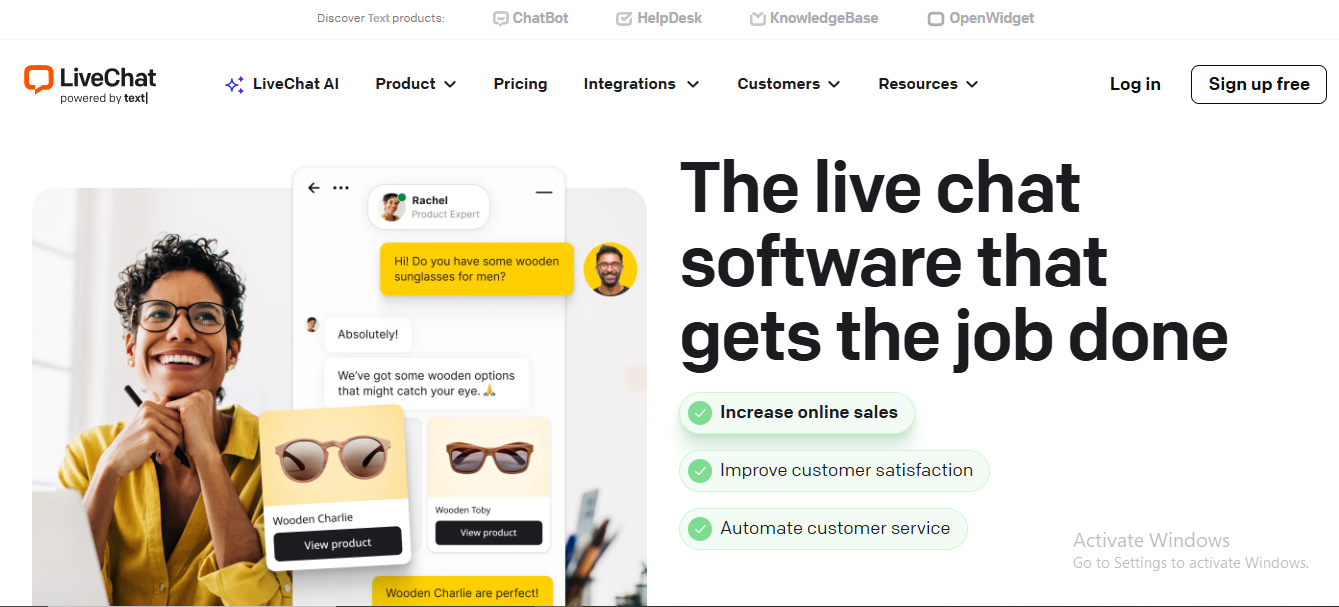
1. LiveChat
LiveChat earns the #1 spot for delivering the most polished, reliable real-time support experience. It’s fast, professional, and built with tools that help teams scale their live chat operations.
Premium, Polished, Real-Time
- Speedy message delivery
- Clean, modern UI for both agents and customers
- Real-time typing previews and rich message options
- Excellent multi-agent routing and chat assignment
- Feels like a top-tier SaaS platform, not a basic plugin
Strong Analytics
LiveChat provides some of the most detailed reporting in this category, including:
- Response time tracking
- Agent performance and workload metrics
- Customer satisfaction scores
- Conversion triggers and chat-to-sale insights
- Volume trends and activity heatmaps
Best for: growing brands, ecommerce stores, and teams that rely heavily on real-time support.
2. Tawk.to
Tawk.to comes in second because it’s unbeatable for the price, completely free, while still offering all the essentials needed to start providing fast, effective live chat support.
Completely Free
- No charge for unlimited agents
- No limits on chats or history
- All core features included
- Optional paid upgrades only if you want them (branding removal, staffing services)
Great Starting Point
- Quick, easy setup
- Simple dashboard anyone can use
- Basic but reliable analytics
- Mobile apps for on-the-go support
- Solid feature set for small teams and beginners
Best for: startups, small businesses, hobby projects, and anyone testing whether live chat is worth implementing.
Performance, Security & Optimisation Tools
A great community fails if it’s slow or insecure.
W3 Total Cache
What it does / Why it matters
-
W3 Total Cache (W3TC) is a widely used caching and performance-optimisation plugin for WordPress. It reduces load times, improves overall site performance and helps boost SEO (including Core Web Vitals) by serving cached pages, integrating with CDNs, and minimising resource use. Google Translate+2WordPress.org+2
-
For high-traffic or community sites where many users interact or browse at once, caching dramatically reduces server response time and bandwidth usage, which helps keep the user experience smooth even under load. WP Engine+1
Key Features:
Page Caching, Database Caching, Object Caching, Browser Caching
Minification (CSS, JS), Concatenation, Gzip compression
CDN Integration & Support for SSL / mobile / dynamic pages
Option to integrate speed testing tools (like Google PageSpeed Insight) via dashboard
Benefit / Use case
- Speeds up static and dynamic content delivery, reduces server load under heavy traffic.
- Improves performance worldwide, works even with secure connections and varied device types.
- Let’s you monitor performance without leaving WP admin.
Pricing
- The core version is free and gives you access to caching, CDN integration, minification and most features.
- There is a “Pro” license (for extended features, advanced support, or for multi-site/complex setups) — in some references cited as US $99/year per website.
- Note: because of the many configurable options, W3TC can be powerful — but configuration complexity is a downside for non-technical users.
Best for
Sites expecting high traffic, dynamic communities, membership sites, or any WordPress site where performance matters for user experience and scale.
Sucuri
What it does / Why it matters
- Sucuri is primarily a security plugin for WordPress- offering web application firewall (WAF), malware scanning, brute-force protection, spam prevention, blacklist monitoring and firewall-level caching.
- For community sites or membership platforms- which tend to attract more signups and potentially malicious traffic — Sucuri adds a critical layer of protection. It reduces the risk of hacks, spam or DDoS attacks, keeping your user data and community stable.
Key Features:
- Web Application Firewall (WAF)
- Malware scanning, blacklist status monitoring, spam protection
- Login protection/brute-force protection
- Optional caching + server-level performance enhancements (on some plans)
Benefit / Use case
- Blocks malicious requests, bots, and exploits before they reach your site.
- Helps detect vulnerabilities or compromised files before they cause damage.
- Protects against unauthorised login attempts, important for community admin accounts, moderators, and staff.
Pricing / Cost
-
Sucuri offers a “free plugin” version, with basic security features and monitoring.
-
For more robust security (firewall, real-time protection, blacklist removal, premium support), paid plans begin around US $119–$199.99/year, depending on coverage and features.
Best for
Any public community or membership site, especially where user accounts, personal data, or user-generated content are involved. Also ideal if you’re using many plugins/themes, which increases the potential attack surface.
WPCode
What it does / Why it matters
- WPCode is a lightweight plugin that lets you insert custom code snippets (like tracking scripts, verification meta tags, small PHP/JS/CSS tweaks) without editing functions.php directly. This makes it safer and easier to add custom behaviour — ideal for advanced tweaks, third-party integrations, or custom small plugin-like functionality.
- For site admins managing many plugins + custom integrations (e.g. community plugins, social login, LMS, etc.), WPCode reduces the risk of breaking theme/plugin updates or accidentally corrupting site code — especially valuable in a complex ecosystem.
Key Features
- Central dashboard for code snippets (PHP, JS, CSS, HTML)
- Ability to enable/disable snippets on certain pages or site-wide
- Pro version: version control, device-specific targeting, plugin integrations
Benefit / Use case
- Easier to manage custom code, safer than editing theme files directly.
- Helps manage customisations based on page context — useful for community sites, gated content, membership logic, etc.
- Easier to manage custom code, safer than editing theme files directly.
- More control over customisations, better organisation for complex or multi-feature sites.
Pricing / Cost
- WPCode offers a free tier that covers basic snippet insertion and works well for small tweaks.
- The Pro version is paid, typically starting around US $49/year (as per some sources) for additional advanced features.
Best for
Sites needing safe custom tweaks (scripts, small functions) — especially complex sites with many plugins/themes, or where you don’t want to risk editing core theme/plugin files manually.
Yoast SEO
What it does / Why it matters
- Yoast SEO is one of the most popular SEO plugins for WordPress. It helps optimise on-page SEO elements such as meta-tags, structured data, readability, sitemap generation, canonical URLs, breadcrumbs, and more. For a community site with many posts, user-generated content, Yoast helps ensure content remains SEO-friendly, discoverable, and well-structured. (Though this is more about SEO than performance/caching.)
- Also, when performance plugins like W3 Total Cache are used, combining with a proper SEO plugin ensures that speed improvements don’t come at the cost of search visibility or content indexing.
Key Features:
- Auto-generated XML sitemaps, canonical URLs, and meta tag management.
- Readability analysis, content optimisation recommendations
- Schema support, breadcrumbs, social sharing metadata
- Redirect manager, noindex controls (Pro)
Benefit / Use case
- Improves search engine visibility and avoids duplicate content, especially important with many user-generated pages/posts.
- Helps maintain quality and SEO best practices across blog posts, forums, and community-generated content.
- Enhances how content appears in search engines and when shared on social media.
- Gives control over content indexing, useful for private groups, gated content, or low-value pages.
Pricing / Cost
- Yoast SEO offers a free version that covers most basic SEO needs.
- For advanced features (redirect manager, multiple focus keywords, enhanced schema, support), there is a premium version, pricing varies depending on license type. (Typical pricing ranges in general for popular SEO plugins are in modest ranges.)
Best for
Blogs, community forums, membership sites, LMS sites or any WordPress site with many pages/posts/user-generated content — where SEO and discoverability matter long-term.
What Makes a Plugin Actually Worth Using?
Not all plugins justify their place in your workflow. Some look great on paper but fail when real users interact with them. Others add complexity rather than reduce it. After testing so many tools hands-on, these are the criteria that consistently separated the good from the forgettable.
1. Ease of Use
A plugin must be simple enough that any team member can operate it confidently. That means:
- Straightforward navigation and intuitive settings
- A setup process that doesn’t require deep technical knowledge
- Clean dashboards that surface the most important actions
- Documentation that answers questions without forcing you to dig
If a tool slows you down, adds friction, or feels like work to use, it’s not worth keeping.
2. Automation Capabilities
Automation is one of the biggest time-savers in support and community management. A great plugin includes:
- Automated replies for repetitive questions
- Intelligent routing that sends conversations to the right person
- Workflow rules for tagging, prioritising, or escalating issues
- Tools that reduce manual admin work
The more your system can handle behind the scenes, the more your team can focus on meaningful interactions.
3. User Engagement Impact
A plugin isn’t valuable unless it helps users stay active, connected, and engaged. Look for features like:
- Notifications that pull users back into conversations
- Easy ways to participate (replies, likes, tagging, reactions)
- Clear user profiles and personalisation
- Community structures that encourage ongoing interaction
When engagement rises naturally, you know the tool is working.
4. Performance & Speed
Slow tools kill participation and frustrate everyone. The best plugins offer:
- Fast load times on both desktop and mobile
- Real-time updates without constant page refreshes
- Lightweight code that doesn’t bloat your site
- Stable performance under high activity
Speed isn’t a luxury- it’s what keeps your support system reliable and your community active.
Common Mistakes Beginners Make
Building a support system or community for the first time can feel overwhelming, and many beginners unintentionally set themselves up for frustration. These are the most common pitfalls I saw during testing and community audits, and avoiding them will save you countless headaches later.
1. Installing Too Many Plugins
It’s tempting to install every plugin that looks helpful, but more isn’t always better. Too many plugins can:
- Slow down your site
- Create conflicts or bugs
- Overload users with unnecessary features
- Make moderation and maintenance harder
Start small, add only what you need, and expand slowly.
2. Ignoring Onboarding
Most communities fail not because of harmful content, but because new users feel lost. Skipping proper onboarding leads to:
- Low engagement
- Abandoned accounts
- Confused members who never return
A simple welcome message, a “start here” guide, or automated prompts make a huge difference.
3. Forgetting Mobile Users
Over half of community activity now occurs on mobile devices. If your experience isn’t mobile-friendly, users will instantly disengage. Common issues include:
- Tiny text and cramped layouts
- Slow loading speeds
- Missing or broken features on small screens
Always test your community and support tools on phones- not just desktops.
4. Lacking Moderation Tools
Early communities often neglect moderation until problems appear. Without proper tools, you risk:
- Spam and bot accounts
- Toxic interactions
- Overwhelmed moderators
Start with reporting tools, clear roles, and automated spam protection.
5. No Community Guidelines
Communities without guidelines quickly become chaotic. Clear rules:
- Set expectations
- Reduce conflict
- Empower moderators
- Create a safe, welcoming environment
Guidelines don’t need to be long; they just need to exist and be easy to find.
How to Combine These Tools for a Full Ecosystem
No single plugin can handle every aspect of community-building and support, and that’s okay. The real power comes from combining the right tools in a way that feels seamless to users. When done correctly, you can create a whole support ecosystem that’s fast, engaging, and easy to manage.
BuddyPress + Fluent Support
This pairing gives you the best mix of community interaction and structured support.
- BuddyPress handles social features such as profiles, activity feeds, groups, private messaging, and user connections.
- Fluent Support manages tickets, workflows, automations, and all the “behind-the-scenes” support tasks.
Use this combo when you want:
- A social-style community with a professional help desk
- A way to keep discussions public while directing complex issues to private tickets
- Fast responses without losing conversation history
It’s the ideal setup for product communities, membership sites, and coaching platforms.
BuddyPress + LiveChat
If your users expect real-time support, add LiveChat to your BuddyPress community.
This combo works exceptionally well because:
- LiveChat handles instant questions and quick troubleshooting
- BuddyPress keeps the long-term engagement and community interaction
- Users never feel stranded or stuck waiting for replies
Together, they create a smooth cycle: immediate help, ongoing participation, and long-term loyalty.
Adding Privacy & Moderation
A strong ecosystem must also include tools that maintain safety, control access, and prevent chaos. For BuddyPress-based communities, add-ons like:
- BuddyPress Private Community Pro (for gated spaces)
- BuddyPress Moderation Pro (for reports, approvals, flagging)
- Spam and bot protection plugins
These ensure the community feels safe and curated, not open to abuse.
Layering Tools Without Overwhelming Users
The key to combining tools is restraint. A robust ecosystem should feel simple to the user. To avoid overwhelming them:
- Keep navigation clean, avoid menu clutter
- Hide advanced tools behind roles or permissions
- Introduce features gradually during onboarding
- Use consistent design (themes like Reign or BuddyX help a lot)
Your goal is to give users power without making them feel like they’re navigating a control panel.
Future Trends in Tech Support & Community Plugins
The world of support and community tools is evolving faster than ever. As user expectations grow and platforms become more interconnected, plugins must adapt to stay relevant. These are the trends that will shape the next wave of community-building and customer support.
AI-Powered Support
AI is moving far beyond simple chatbots. The next generation of tools will include:
- Context-aware assistants that understand user history
- Automated ticket categorisation and prioritisation
- Smart suggestions for replies, resources, and FAQs
- Predictive support that solves issues before they escalate
AI will shift support teams from reactive to proactive, reducing workload while improving the user experience.
Gamification
Communities thrive on participation, and gamification will continue to grow as a core engagement strategy. Expect to see:
- Achievement badges and milestone rewards
- Levelling systems based on contributions
- Community challenges, events, and leaderboards
- Reputation scoring tied to helpful actions
When done right, gamification turns passive users into active contributors.
Mobile-First Experiences
With the majority of users browsing and participating from their phones, mobile-first isn’t optional anymore. Future plugins will focus on:
- Faster mobile loading speeds
- Touch-friendly interfaces
- Better in-app notifications
- Native mobile app integrations for communities
Platforms that ignore mobile will quickly fall behind.
Privacy-Focused Communities
Users are more privacy-conscious than ever, pushing tools toward:
- End-to-end encrypted messaging
- Private or invite-only communities
- Local data storage and GDPR-friendly setups
- Anonymous posting and profile controls
Expect a rise in gated, controlled, trust-based spaces rather than open forums.
LMS + Community Integration
Learning platforms and communities are merging into unified ecosystems. The future will bring:
- Courses embedded directly into community feeds
- Cohort-based learning with group discussions
- Achievement tracking tied to course progress
- Student support is integrated into the same interface
This integration creates an all-in-one learning and engagement hub – ideal for creators, educators, and membership sites.

Final Thoughts
After testing all these plugins hands-on, one thing became clear: the right combination of tools can completely transform how you support your users and build a thriving community. The best plugins aren’t just feature-rich; they reduce friction, increase engagement, and make your workflow dramatically easier.
BuddyPress emerged as the strongest community platform thanks to its flexibility, ownership, and powerful ecosystem of add-ons. For structured support, Fluent Support delivered the fastest, cleanest, and most beginner-friendly experience. And when it comes to real-time communication, LiveChat offered unmatched polish and analytics, while Tawk.to provide the best free option for teams just getting started.
If you’re new to building a support system, remember this: start simple. You don’t need everything on day one. Begin with the essentials: a community hub, a help desk, and a real-time chat tool, then layer on privacy, moderation, and automation as your audience grows.
What matters most is how these tools work together. When combined thoughtfully, they help you respond faster, keep users engaged, and build a space where people feel supported, connected, and valued. That’s the real power of a well-designed support ecosystem: it doesn’t just solve problems; it transforms the customer experience into something memorable.
Whether you’re running a small community or scaling a large platform, the right plugins give you the ability to grow confidently and sustainably. Now that you know what works, it’s time to take the first step and build something your users will love.
Interesting Reads:
Top 10 WordPress CRM Plugins to Streamline Your Business
Flexible Payments with WooCommerce BNPL: Boost Sales & Improve Checkout