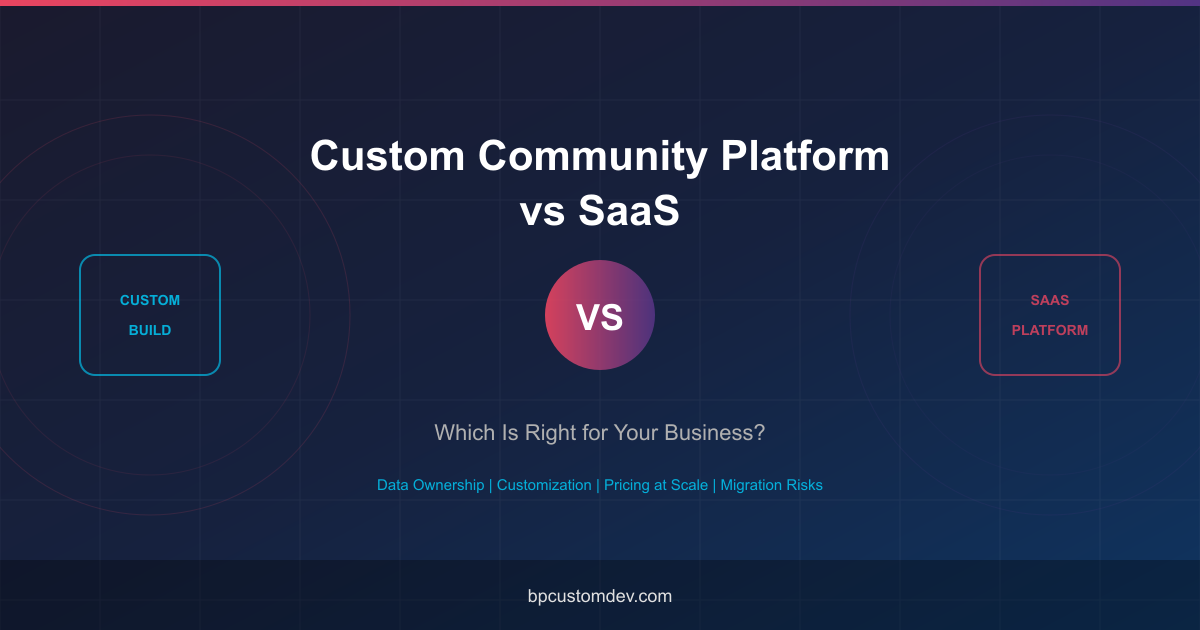
Choosing between a custom community platform vs SaaS is one of the most consequential technology decisions your business will make. With platforms like Circle, Mighty Networks, Skool, and Bettermode competing for your attention, the promise of a ready-made community is tempting. But what happens when you outgrow that solution, need features the vendor does not offer, or want full ownership of your data and brand? This comprehensive guide breaks down the real trade-offs so you can make an informed decision.
Why This Decision Matters More Than You Think
A community platform is not just another SaaS subscription. It is the infrastructure your members interact with daily, the system that holds your most valuable asset (your audience data), and the foundation on which your engagement, retention, and revenue strategies are built. Getting this decision wrong can mean costly migrations, frustrated members, and months of lost momentum.
Whether you are a coach launching your first membership community, a mid-size brand building a customer success hub, or an enterprise creating an internal collaboration platform, this guide will help you understand when a SaaS community platform is the right choice and when investing in a custom-built solution delivers better long-term value.
Understanding the Two Approaches
What Is a SaaS Community Platform?
A SaaS (Software as a Service) community platform is a hosted, subscription-based solution where the vendor builds, maintains, and hosts the software. You pay a monthly fee and get access to a set of features within the vendor’s ecosystem. Popular options include Circle, Mighty Networks, Skool, Kajabi, and Bettermode (formerly Tribe).
Think of it like renting an apartment: you move in quickly, the landlord handles maintenance, but you cannot knock down walls or redesign the kitchen.
What Is a Custom Community Platform?
A custom community platform is purpose-built software developed specifically for your business requirements. Built on open-source foundations like WordPress with BuddyPress, or other frameworks, a custom platform gives you complete control over features, design, data, and infrastructure. You own the code, the database, and every aspect of the member experience.
This is like building your own house: it takes more time and investment upfront, but you own the property, can modify anything, and are never at the mercy of a landlord’s decisions.
SaaS Community Platforms: Pricing and Features Compared
Before diving into the comparison, let us look at what the leading SaaS community platforms actually cost and what they offer at each tier.
| Platform | Starting Price | Growth/Pro Plan | Enterprise | Member Limit | Transaction Fees |
|---|---|---|---|---|---|
| Circle | $89/mo (Basic) | $199/mo (Professional) | $399/mo (Business) | Unlimited on all plans | 0.5% on Basic |
| Mighty Networks | $41/mo (Community) | $99/mo (Business) | $360/mo (Path-to-Pro) | Unlimited | 2-3% on lower tiers |
| Skool | $99/mo (single plan) | N/A | N/A | Unlimited | 2.9% + payment fees |
| Kajabi | $149/mo (Basic) | $199/mo (Growth) | $399/mo (Pro) | 10,000 on Basic | 0% |
| Bettermode | Free (limited) | $49/mo (Plus) | Custom pricing | Varies by plan | 0% |
Prices as of February 2026. All prices reflect annual billing where available; monthly billing is typically 20-30% higher.
The Hidden Cost of SaaS at Scale
What the pricing tables above do not show is how costs compound as your community grows. Consider this scenario: you run a membership community with 5,000 paying members at $50/month.
- Monthly revenue: $250,000
- Circle Business plan: $399/mo + 0% transaction fees = $4,788/year
- Mighty Networks Community plan: $41/mo + 3% transaction fees = $90,492/year
- Skool: $99/mo + 2.9% transaction fees = $88,188/year
- Custom platform: Hosting + maintenance = $6,000-18,000/year (after initial build)
At scale, the percentage-based transaction fees on some SaaS platforms can dwarf even the cost of building a custom solution. This is why understanding the full cost of building a custom community platform is essential before making your decision.
The Seven Critical Comparison Factors
Pricing is just one dimension. Let us examine the seven factors that should drive your custom community platform vs SaaS decision.
1. Data Ownership and Portability
This is arguably the most important factor and the one most businesses overlook until it is too late.
| Aspect | SaaS Platforms | Custom Platform |
|---|---|---|
| Data location | Vendor’s servers | Your servers (cloud or on-premise) |
| Database access | Limited or none (API-only) | Full direct database access |
| Export capability | CSV exports (often limited) | Complete database backups |
| Member data | Profiles, but engagement data may be locked | Every data point you collect |
| Content data | Exportable but format varies | Full content in your database |
| Analytics data | Dashboard only, no raw data | Full raw analytics data |
| GDPR compliance | Dependent on vendor | Fully in your control |
“Your community data is your most valuable business asset. When you hand it to a SaaS vendor, you are trusting them with the lifeblood of your business. That is fine when you are starting out, but becomes a serious risk as you scale.”
With a custom platform, you maintain complete ownership of all member data, engagement metrics, content, and analytics. If you ever want to change hosting providers, merge platforms, or integrate with other business systems, you have unrestricted access to everything.
2. Customization and Feature Flexibility
Every SaaS platform imposes boundaries on what you can customize. These boundaries may not seem important when you launch, but they become painful as your community matures and your needs become more specific.
| Capability | Circle | Mighty Networks | Skool | Custom Platform |
|---|---|---|---|---|
| Custom branding | Logo, colors, domain | Logo, colors, domain | Minimal | Unlimited |
| Custom features | Limited to roadmap | Limited to roadmap | None | Anything you can code |
| White-labeling | Business plan only | Path-to-Pro only | No | Full white-label |
| Custom workflows | Basic automations | Basic automations | None | Any workflow |
| Third-party integrations | Zapier, limited native | Zapier, limited native | Minimal | Any API or plugin |
| Custom member roles | Predefined roles | Predefined roles | Admin/Member only | Unlimited custom roles |
| Custom content types | Posts, events, courses | Posts, courses, events | Posts only | Any content type |
A custom community platform vs SaaS comparison becomes starkly clear when you need something the vendor has not built yet. With SaaS, you submit a feature request and wait. With custom, you build it on your timeline.
3. Pricing at Scale
SaaS platforms typically use tiered pricing that increases with your member count, feature usage, or revenue. Custom platforms have a higher upfront cost but more predictable and often lower long-term costs.
| Time Horizon | SaaS (avg. mid-tier) | Custom Platform |
|---|---|---|
| Year 1 | $2,400 – $4,800 | $15,000 – $60,000 (build + hosting) |
| Year 2 | $3,600 – $7,200 (growing) | $3,000 – $12,000 (hosting + maintenance) |
| Year 3 | $4,800 – $12,000 (scaling) | $3,000 – $12,000 (hosting + maintenance) |
| 3-Year Total | $10,800 – $24,000 | $21,000 – $84,000 |
| 5-Year Total | $21,600 – $60,000+ | $27,000 – $108,000 |
The crossover point where custom becomes more cost-effective typically occurs between year 2 and year 4, depending on your scale and feature requirements. For communities generating significant revenue through memberships or courses, the crossover comes much sooner because of transaction fee savings.
4. Migration Risks and Vendor Lock-In
Vendor lock-in is the silent risk that few businesses consider when choosing a SaaS platform. Here is what migration actually looks like:
- Content migration: Most platforms allow basic content export, but formatting, media attachments, and structured data often break during migration.
- Member migration: You can export member data, but you cannot export passwords. Every member must reset their credentials, which typically causes 15-30% member loss.
- URL and SEO migration: All your community content URLs change. Without careful redirect planning, you lose search engine rankings built over months or years.
- Integration migration: Every webhook, Zapier flow, and third-party integration must be rebuilt from scratch.
- Mobile app impact: If the SaaS platform provided a branded app, that disappears entirely when you leave.
- Historical data: Engagement history, activity feeds, and analytics data are often impossible to migrate completely.
With a custom platform, migration risk is dramatically lower because you own all the data and infrastructure. If you want to change hosting providers or technology components, the transition is controlled and gradual.
5. API Access and Integration Depth
Modern businesses need their community platform to integrate with CRMs, email marketing tools, payment processors, analytics systems, and more. The depth of integration possible varies significantly.
- Circle: REST API available on Professional plan and above. Webhook support. Zapier integration.
- Mighty Networks: Limited API. Zapier integration. No direct database access.
- Skool: No public API. Minimal integration options.
- Bettermode: GraphQL API available. Webhook support. SSO options.
- Custom platform: Full REST API, direct database access, unlimited webhook endpoints, any SSO protocol, custom middleware, event-driven architecture — whatever your business requires.
For businesses that rely on deep integrations — syncing member data with Salesforce, triggering automations based on community activity, building custom analytics dashboards — a custom platform provides vastly more flexibility.
6. White-Labeling and Brand Control
For businesses where brand perception is critical — agencies, enterprises, educational institutions — the ability to fully white-label the platform matters enormously.
SaaS platforms offer varying degrees of branding control, but there are always limitations. Custom domains are standard, but removing all traces of the vendor brand (powered-by badges, email footers, login page branding, mobile app store attribution) typically requires the highest-tier plans, if it is possible at all.
A custom platform is inherently white-labeled. There is no vendor branding to remove because you built it. Your members see your brand at every touchpoint.
7. Performance, Reliability, and Control
With a SaaS platform, you share infrastructure with every other customer. During peak usage times, you may experience slowdowns. If the vendor has an outage, your community goes down too, and you have no ability to fix it.
With a custom platform, you control the hosting environment. You choose your server specifications, CDN configuration, caching strategy, and scaling approach. You can optimize specifically for your traffic patterns and member behavior.
Decision Framework: When SaaS Wins vs When Custom Wins
Neither option is universally better. The right choice depends on your specific circumstances. Here is a practical decision framework.
Choose SaaS When:
- You are validating a community concept — Speed to market matters more than customization. You need to test whether your audience will engage before investing in infrastructure.
- Your budget is under $10,000 total — SaaS platforms let you launch for $50-200/month while you build revenue. A custom platform requires meaningful upfront investment.
- Standard features meet your needs — If your community fits neatly into the discussion forums + courses + events model that most SaaS platforms provide, you may not need customization.
- You have no technical team — If you are a solopreneur or small team without any development capability, a SaaS platform removes the technical burden entirely.
- You need to launch in days, not months — SaaS platforms can be configured and launched in a weekend. Custom platforms take weeks to months.
Choose Custom When:
- Data ownership is non-negotiable — Regulated industries, enterprise clients, or businesses where member data is a core asset should retain full control.
- You need unique functionality — Marketplace features, proprietary matching algorithms, gamification systems, custom content types, or industry-specific workflows require custom development.
- You are building a revenue engine — When your community directly drives significant revenue through memberships, courses, or commerce, the long-term cost savings and revenue optimization of a custom platform pay for themselves.
- Brand experience is a differentiator — If a generic community experience undermines your premium positioning, you need full design and UX control.
- You plan to scale to thousands of members — At scale, SaaS costs escalate while custom platform costs remain relatively flat. The crossover point typically happens sooner than businesses expect.
- Deep integrations are required — Complex workflows involving CRMs, ERPs, custom analytics, or proprietary business systems need more integration depth than SaaS APIs typically provide.
- You want to own the intellectual property — With custom development, the platform itself becomes a business asset you own, can license, or can sell.
Real-World Scenarios: Making the Right Choice
Let us walk through three common scenarios to illustrate how this decision plays out in practice.
Scenario 1: Solo Coach Launching a Membership Community
Profile: Sarah is a business coach with 2,000 email subscribers. She wants to launch a $49/month membership community with courses, live events, and discussion forums.
Best choice: SaaS (Circle or Mighty Networks)
- Budget is limited ($200-300/month is her max)
- Needs to launch within 2 weeks
- Standard features (forums, courses, events) cover her needs
- No technical team available
- Still validating whether her audience will pay for community access
Annual cost: ~$2,400-3,600/year with Circle or Mighty Networks
Reassessment trigger: When she hits 500+ paying members and starts feeling the feature limitations or when transaction fees begin eating into margins significantly.
Scenario 2: Mid-Size Brand Building a Customer Success Community
Profile: TechFlow is a B2B SaaS company with 8,000 customers. They want a customer community for peer support, knowledge sharing, product feedback, and reducing support tickets.
Best choice: Custom platform
- Needs deep integration with their existing product (SSO, in-app community access)
- Requires custom roles tied to their subscription tiers
- Must sync with Salesforce for customer health scoring
- Brand experience must be seamless and on-brand
- Compliance requirements mandate data ownership
- Budget available: $40,000-80,000 for initial build
Annual cost after build: $8,000-15,000/year for hosting and maintenance
ROI calculation: If the community reduces support tickets by even 15%, the savings alone justify the investment within the first year.
Scenario 3: Enterprise Creating an Internal Collaboration Hub
Profile: GlobalCorp is a 5,000-employee company that needs an internal community platform for cross-department collaboration, knowledge management, employee engagement, and innovation programs.
Best choice: Custom platform (clearly)
- Security and compliance requirements eliminate most SaaS options
- Must integrate with Active Directory, SharePoint, and internal tools
- Needs custom workflows for project proposals, idea voting, and resource sharing
- On-premise or private cloud hosting required
- Budget: $80,000-200,000+ for a comprehensive solution
Per-user cost comparison: At 5,000 users, even a $200,000 custom build works out to $40/user for the first year, $4/user/year for maintenance. Most enterprise SaaS community platforms charge $5-15/user/month, meaning $300,000-900,000/year.
The Hybrid Approach: Starting SaaS, Migrating to Custom
Many successful businesses use a phased approach:
- Phase 1 — Validate (Months 1-6): Launch on a SaaS platform to validate the community concept. Test engagement, content types, and revenue models with minimal investment.
- Phase 2 — Plan (Months 6-12): Once you have proven product-market fit and understand exactly what your community needs, begin planning the custom platform. Document every feature you use, every limitation you have hit, and every integration you wish you had.
- Phase 3 — Build (Months 9-15): Develop the custom platform while the community continues running on SaaS. This eliminates downtime and lets you build with real-world requirements.
- Phase 4 — Migrate (Months 12-18): Execute a planned migration with proper member communication, data transfer, and redirect strategy. Run both platforms in parallel briefly for a smooth transition.
This approach minimizes risk while ensuring you end up with the right long-term solution. The key is to plan for migration from day one, even if you start with SaaS. Choose SaaS platforms with good data export capabilities and avoid building extensive custom integrations that will be abandoned during migration.
What a Custom Community Platform Actually Includes
If you are considering the custom route, here is what a well-built custom community platform typically includes:
Core Community Features
- Member profiles with custom fields and privacy controls
- Activity feeds with real-time updates
- Discussion forums with categories and moderation tools
- Groups (public, private, hidden) with group-specific content
- Private messaging and notifications
- Member directory with search and filters
- Content sharing with rich media support
Engagement and Monetization
- Membership tiers with gated content
- Course delivery and learning management
- Event management (virtual and in-person)
- Gamification (points, badges, leaderboards)
- Payment processing (subscriptions, one-time, trials)
- Affiliate and referral systems
Administration and Analytics
- Admin dashboard with community health metrics
- Moderation tools (content review, user management, automated filters)
- Custom analytics and reporting
- Email notification system with preferences
- SEO optimization for public-facing content
- Automated onboarding workflows
Common Myths About Custom Community Platforms
Let us address some misconceptions that often discourage businesses from considering custom solutions.
Myth 1: “Custom platforms take forever to build”
Reality: Using established open-source foundations like WordPress with BuddyPress, a full-featured community platform can be launched in 6-12 weeks. You are not building from scratch — you are assembling proven components and customizing them to your needs.
Myth 2: “You need a huge team to maintain it”
Reality: A well-built custom platform on WordPress requires the same maintenance as any WordPress site: updates, backups, security monitoring, and hosting management. This can be handled by a single part-time developer or a maintenance retainer with a development partner.
Myth 3: “SaaS platforms are always more secure”
Reality: SaaS vendors have dedicated security teams, but they are also larger targets. A properly configured custom platform with managed WordPress hosting, SSL, firewalls, and regular updates is equally secure. You also have the advantage of being able to implement security measures specific to your risk profile.
Myth 4: “Custom means you miss out on innovation”
Reality: The WordPress and BuddyPress ecosystem is constantly evolving with thousands of developers contributing improvements. You get the benefit of community-driven innovation while maintaining the freedom to add your own features on top.
How to Evaluate Your Needs: A Practical Checklist
Use this checklist to determine which approach is right for your business right now:
- Budget: Do you have $15,000+ available for a custom build, or do you need to start under $200/month?
- Timeline: Do you need to launch in days/weeks, or can you plan a 6-12 week build?
- Features: Can off-the-shelf features cover 90%+ of your requirements?
- Scale: Do you expect 100+ paying members within the first year?
- Revenue: Will the community generate $10,000+/month in revenue within 12 months?
- Integrations: Do you need to connect with more than 3 external systems?
- Data requirements: Does your industry have compliance requirements around data storage?
- Brand: Is a fully branded, white-labeled experience important to your positioning?
- Long-term vision: Is this community central to your business model for the next 3-5 years?
If you answered “yes” to 5 or more of the last 6 questions, a custom platform is likely the better investment. If your answers lean toward budget constraints and speed, start with SaaS and plan your migration path.
Frequently Asked Questions
How long does it take to build a custom community platform?
A custom community platform built on WordPress with BuddyPress typically takes 6 to 12 weeks for the initial launch, depending on the complexity of your requirements. Basic community features (profiles, forums, groups, messaging) can be ready in 4-6 weeks. More advanced features like custom gamification systems, marketplace functionality, or complex integrations extend the timeline. The advantage is that you can launch with core features and add capabilities iteratively.
Can I migrate from Circle or Mighty Networks to a custom platform later?
Yes, migration is possible but requires careful planning. Most SaaS platforms allow you to export member data and content in CSV format. The main challenges are: members need to reset passwords (expect 15-30% temporary drop-off), content formatting may need adjustment, and all URLs change (requiring 301 redirects for SEO). We recommend running both platforms in parallel for 2-4 weeks during transition and communicating clearly with members throughout the process.
What ongoing maintenance does a custom community platform require?
Ongoing maintenance for a custom WordPress-based community platform includes: WordPress core, theme, and plugin updates (monthly), security monitoring and patching (ongoing), regular backups (daily automated, weekly verified), hosting management and performance optimization (quarterly), and feature enhancements as needed. Most businesses budget $500-1,500/month for maintenance, which is comparable to mid-tier SaaS subscription costs but with the added benefit of full ownership and customization.
Is a custom platform more secure than a SaaS solution?
Security depends more on implementation than on the build-or-buy decision. SaaS platforms benefit from dedicated security teams but are also larger, more attractive targets. A custom platform with managed WordPress hosting (like Cloudways, Kinsta, or WP Engine), proper SSL configuration, web application firewall, regular updates, and security monitoring achieves enterprise-grade security. The advantage of custom is that you can implement security measures specific to your needs and compliance requirements, and you maintain full control over incident response.
What is the break-even point where custom becomes cheaper than SaaS?
The break-even point varies based on your specific situation, but typically falls between 18 and 36 months. For communities generating significant revenue (with transaction fee-based SaaS platforms), the break-even can be as early as 12 months. The key variables are: the initial custom build cost, your SaaS plan tier, transaction fees on revenue, and how quickly your community scales. For a detailed cost analysis specific to community platforms, read our guide on what it costs to build a custom online community platform in 2026.
Making Your Decision: Next Steps
The custom community platform vs SaaS decision comes down to your specific situation: your budget, timeline, technical requirements, growth trajectory, and long-term vision. Neither option is inherently better. What matters is choosing the right approach for where you are now while keeping the door open for where you want to be.
If you are leaning toward a custom solution, or if you are currently on a SaaS platform and feeling the limitations, the most valuable next step is a conversation with a development team that understands both worlds. We have built custom community platforms for coaches, brands, and enterprises, and we have helped businesses migrate from every major SaaS community platform.
We can help you evaluate your requirements, estimate costs specific to your situation, and determine the right approach whether that is SaaS now with a migration plan, or going custom from the start.