Why Online Elections Matter for Community Organizations
Running elections in an online community presents a unique challenge. You need the legitimacy and structure of a formal voting process, but you cannot hand out paper ballots or set up polling booths. Your members are spread across time zones, some check in daily and others once a week, and the entire process needs to happen within the platform they already use.
Many community organizations, nonprofits, professional associations, alumni networks, open-source projects, hobbyist clubs, need to elect board members, committee chairs, or group leaders on a regular basis. When these elections happen through email threads or informal show-of-hands in a video call, you end up with low participation, questionable legitimacy, and members who feel the process was not fair.
A proper election system built into your BuddyPress community solves all of these problems. Voters access the ballot through the same platform they use every day. Every eligible member gets one vote. Results are tallied automatically. And the entire process is transparent from start to finish.
WB Polls provides the polling infrastructure you need to run elections inside BuddyPress. While it was not designed exclusively as an election tool, its features, one-vote-per-member enforcement, timed polls, group-level restrictions, and result display options, map perfectly to election requirements.
Planning Your Election: Before You Create a Single Poll
A successful election starts well before anyone casts a vote. You need to define the positions, establish eligibility rules, set a timeline, and communicate the process to your community.
Define the Positions
Start by clearly documenting what positions are up for election. For each position, specify:
- The title and responsibilities of the role
- The term length (one year, two years, etc.)
- Any eligibility requirements for candidates (minimum membership duration, activity level, etc.)
- Whether the incumbent is eligible for re-election
Post this information as a BuddyPress activity item or group announcement well in advance of the election. Members need time to understand what they are voting for and whether they want to run.
Establish Your Timeline
A well-run election has distinct phases with clear dates. Here is a timeline that works well for most BuddyPress communities:
- Announcement phase (2 weeks before nominations open): Announce the upcoming election, describe available positions, and explain the process.
- Nomination phase (1-2 weeks): Accept candidate nominations or self-nominations.
- Candidate presentation (3-5 days): Candidates share their platforms or statements.
- Voting window (5-7 days): The formal election poll is open.
- Results announcement (1 day after voting closes): Publish results and introduce the winners.
Structuring Election Polls with Candidates
When it is time to create the actual election poll in WB Polls, structure matters. How you set up the poll directly affects the legitimacy and clarity of the election.
One Poll Per Position
If you are electing multiple positions (president, vice president, secretary, etc.), create a separate poll for each position. This keeps each vote focused and prevents confusion. Members can clearly see which candidates are running for which role.
Candidate Names as Poll Options
Each poll option should be a candidate’s name, optionally with a brief identifier. For example:
- Sarah Mitchell (Community Lead since 2024)
- David Chen (Outreach Committee Chair)
- Maria Santos (New Member Mentor)
Keep the identifiers short. The detailed candidate statements should be in the poll description or linked from the activity post, not crammed into the option text.
Include a “None of the Above” Option
For elections where it matters, consider adding a “None of the above” or “Abstain” option. This lets members participate in the voting process without endorsing any specific candidate, and it gives you data about voter satisfaction with the candidate pool.
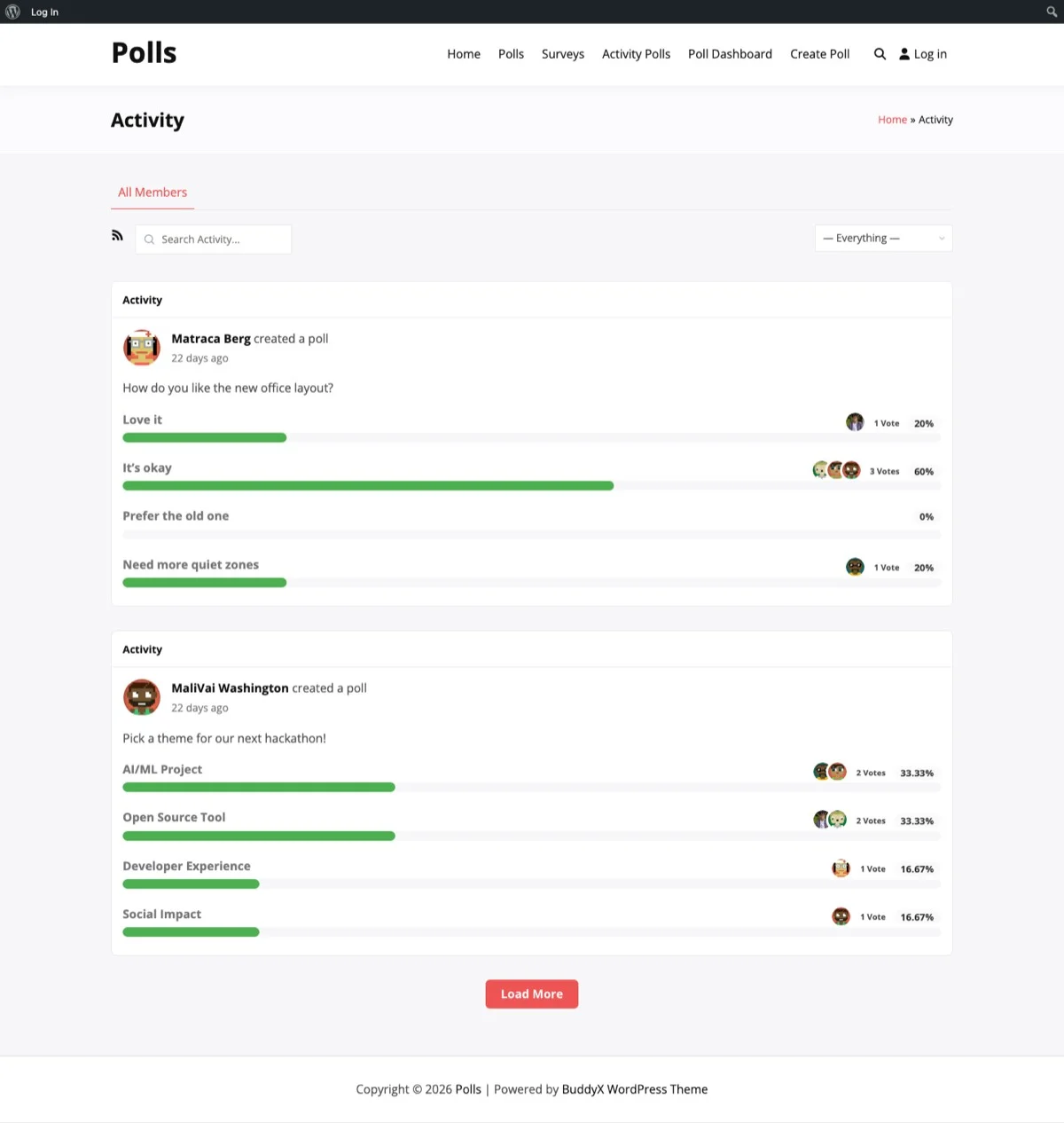
An election poll in the BuddyPress activity feed where members can view candidates and cast their vote directly.
Voter Eligibility: Who Gets to Vote
Not every registered user on your site should necessarily vote in every election. Voter eligibility rules add legitimacy to your elections and prevent gaming.
Membership Duration Requirements
Many communities require members to have been active for a minimum period before they can vote. This prevents someone from creating an account solely to influence an election outcome. A common threshold is 30 days of membership, though your community might warrant a longer or shorter period.
While WB Polls does not have a built-in membership duration check, you can implement this through BuddyPress member types. Create a member type called “Eligible Voter” and assign it to members who meet your duration requirement. Then restrict election polls to members of that type.
Group Membership as Eligibility
For group-level elections (electing group admins or committee chairs), BuddyPress group membership naturally handles eligibility. Create the election poll inside the group, and only group members can see and vote on it.
This is one of the strongest advantages of running elections through BuddyPress rather than an external tool. Your membership structure already defines who has a stake in the outcome.
Role-Based Restrictions
For organizational elections where different tiers of membership exist, use WordPress roles to control who can vote. For example:
- Board elections: Only “Full Members” can vote, not “Associate Members” or “Trial Members.”
- Committee elections: Only members of the relevant department or working group can vote.
- Advisory votes: Open to all registered members, including associates.
Preventing Duplicate Votes: One Member, One Vote
The integrity of any election depends on ensuring each eligible voter can cast exactly one vote. This is where WB Polls provides a critical technical foundation.
Built-In Duplicate Vote Prevention
WB Polls ties each vote to a logged-in BuddyPress user account. Once a member has voted on a poll, they cannot vote again. The system records the vote against their user ID, making it technically impossible to cast a second ballot on the same poll.
This is a significant advantage over informal methods. With email voting, someone might send multiple replies. With comment-based voting, a member might comment more than once. WB Polls enforces one-vote-per-member at the database level.
Preventing Multi-Account Voting
The one vulnerability in any online voting system is members creating multiple accounts. There are several strategies to mitigate this:
- Email verification: Require email verification during registration. This does not prevent multi-account creation entirely, but it adds friction.
- Admin approval: Require manual admin approval for new member registrations during election periods.
- Membership duration requirements: As mentioned above, requiring a minimum membership period before voting eligibility makes last-minute account creation ineffective.
- Activity requirements: Require members to have a minimum level of community activity (posts, comments, group participation) before they can vote.
The Nomination Phase: Gathering Candidates
Before the vote, you need candidates. A structured nomination process adds legitimacy and ensures the best candidates surface.
Self-Nomination
The simplest approach: create a BuddyPress activity post or group discussion announcing that nominations are open, and ask interested members to reply with their intent to run. Set a clear deadline for nominations to close.
Peer Nomination
In some communities, members nominate others rather than themselves. This surfaces candidates who might not self-promote but are widely respected. When using peer nominations, always confirm with the nominated person that they accept the nomination before adding them to the ballot.
Using WB Polls for Nominations
Here is a creative approach: use WB Polls itself for the nomination phase. Create a multi-select poll listing all eligible members and ask the community to select who they think should run. The top vote-getters become the official candidates for the election poll.
This two-stage process, a nomination poll followed by an election poll, adds democratic legitimacy and often surfaces strong candidates who would not have self-nominated.
Candidate Statements
Once nominations close, give each candidate a defined window (three to five days) to prepare and publish a statement. These statements should answer:
- Why they are running
- What they plan to focus on if elected
- Their relevant experience or contributions to the community
Post candidate statements as BuddyPress activity items or in a dedicated group. Link to these statements from the election poll description so voters have easy access to the information they need.
Sealed vs. Real-Time Results
One of the most important decisions in running an election is whether to show results as they come in or keep them sealed until voting closes.
The Case for Sealed Results
In most elections, sealed results are the right choice. Here is why:
- Prevents bandwagon voting: When voters see a candidate with a strong lead, some will vote for the leader simply because they want to be on the winning side. Sealed results eliminate this bias.
- Encourages full participation: If one candidate has an insurmountable lead by day two, members who prefer a different candidate might not bother voting. Sealed results keep the outcome uncertain, motivating everyone to participate.
- Protects voter privacy: When results update in real time and only a few people have voted, it can be possible to deduce who voted for whom. Sealed results prevent this.
- Adds gravitas: A formal results announcement feels more legitimate than a slowly shifting bar chart.
The Case for Real-Time Results
Real-time results can work for less formal elections or advisory votes where you want to build excitement and engagement. Watching the vote tally shift can drive participation as members rally support for their preferred candidates.
Use real-time results for informal group-level elections or advisory polls. Use sealed results for board elections, leadership positions, and any vote where the outcome carries significant consequences.
Configuring Result Visibility in WB Polls
WB Polls allows you to control when results become visible. For election polls, set results to display only after the poll closes. This gives you sealed-ballot functionality without any custom development.
Running the Election: Day-by-Day Walkthrough
Here is a practical walkthrough of running a board election from start to finish using WB Polls on BuddyPress.
Two Weeks Before: Announce
Create an activity post (or group announcement for group-level elections) explaining:
- Which positions are up for election
- The complete timeline (nomination dates, candidate presentation, voting window, results)
- Eligibility requirements for both candidates and voters
- How to nominate yourself or someone else
Week One: Nominations
Open nominations via a designated activity thread or a WB Polls nomination poll. Monitor daily and acknowledge each nomination publicly. At the end of the nomination period, confirm all candidates and publish the final candidate list.
Days 8-12: Candidate Presentations
Each candidate publishes their statement. Encourage community members to ask questions via comments. This is the equivalent of a debate period, give candidates and voters space to engage.
Days 13-19: Voting Window
Create the election poll in WB Polls with the following settings:
- Single-choice selection (one vote per position)
- Results hidden until poll closes
- Poll timer set to close at the end of the voting window
- Clear candidate names and brief identifiers as options
Post reminders at the start of the voting period, midway through, and 24 hours before voting closes. Use BuddyPress activity posts for these reminders.
Day 20: Results
When the poll closes, the results become visible automatically. Create a formal results announcement as an activity post. Congratulate the winners, thank all candidates, and announce when the new terms begin.
Archiving Election Results
Election results are part of your community’s history. Archiving them properly serves several purposes:
- Transparency: Members can verify past elections and see the history of community leadership.
- Precedent: Past election participation rates and margins help you plan future elections better.
- Accountability: Elected leaders serve a defined term, and the record shows when that term began.
How to Archive
After each election, create a summary post that records:
- The position and candidates who ran
- The final vote counts
- The total number of eligible voters and actual participation rate
- The date of the election and the term length
Store these in a dedicated BuddyPress group (“Community Governance” or “Election Archives”) where members can browse the history of community leadership decisions.
WB Polls keeps the original poll data intact, so members can always revisit the actual poll to see the results. But a summary post adds context and makes the information more accessible.
Handling Edge Cases and Disputes
Even well-run elections can encounter complications. Plan for these in advance:
Ties
Decide before the election starts what happens in a tie. Options include:
- A runoff election between the tied candidates
- The incumbent retains the position
- The candidate with longer community membership wins
- A coin flip (seriously, some organizations use this)
Whatever you choose, document it in your election rules before nominations open.
Insufficient Candidates
If only one person is nominated for a position, you have a few options: run the election anyway as a confirmation vote (yes/no), extend the nomination period, or declare the single candidate elected by acclamation. Again, document this policy in advance.
Contested Results
If a member challenges the election results, have a process for review. This might involve a governance committee reviewing voter eligibility, checking for technical issues, or auditing the poll data. WB Polls stores vote data at the user level, so you can verify the integrity of the results if needed.
Best Practices for Community Elections
Drawing from communities that run successful elections regularly, here are the practices that matter most:
- Communicate early and often: Start announcing the election well before nominations open. Repeat key dates multiple times through multiple channels.
- Make it easy: The fewer clicks required to vote, the higher your participation rate. WB Polls in the activity feed is already low-friction, but make sure the poll is easy to find.
- Be transparent about everything: Publish the rules, the timeline, the candidates, and the results. Opacity breeds distrust.
- Celebrate participation: Thank voters, thank candidates (especially those who did not win), and celebrate the democratic process itself.
- Iterate: After each election, gather feedback on the process. What worked? What was confusing? What would members change? Use this feedback to improve the next election.
Start Running Elections in Your Community
Every community with leadership positions needs a legitimate way to fill them. Running elections through WB Polls on BuddyPress gives you the structure, fairness, and transparency that informal methods lack.
You get one-vote-per-member enforcement, timed voting windows, sealed results, and activity feed integration, all within the platform your members already use. No external tools, no email ballots, no counting comments by hand.
Start with a low-stakes election, a committee chair or an event planning lead, to test the process and build community familiarity with the system. Then scale up to board elections and major governance votes with confidence.
Ready to bring democratic elections to your BuddyPress community? Get WB Polls here and give every member a fair, equal voice in choosing community leadership.