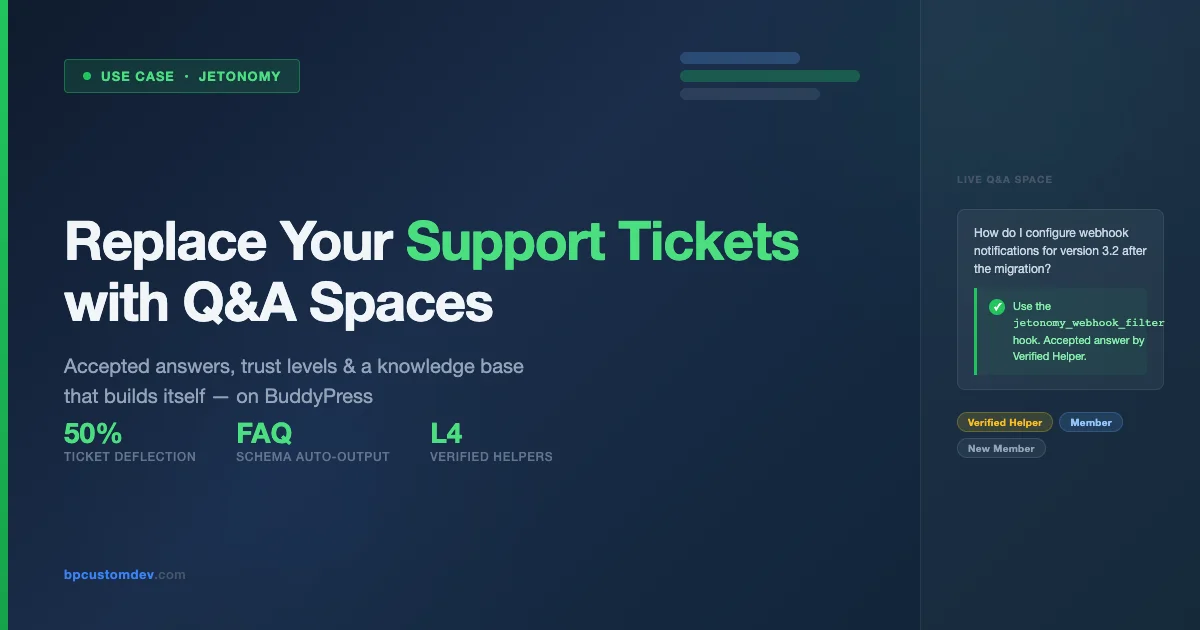
If you run a SaaS product or a WordPress plugin business, you already know the pain: a Zendesk queue that never empties, support agents copy-pasting the same answer for the hundredth time, and customers who search your docs and still open a ticket because they could not find what they needed. The cost, in time, money, and customer frustration, compounds every quarter.
There is a different model. One that flips the support experience from a private inbox to a living, searchable knowledge base built by your own community. That model is Q&A Spaces, and Jetonomy, the community layer built on top of BuddyPress, ships it out of the box.
This article walks through exactly how SaaS companies and plugin businesses can replace, or meaningfully reduce, their Zendesk dependency with Jetonomy Q&A Spaces. We will cover the architecture, the trust and moderation system, the knowledge base flywheel, and the concrete steps to migrate your support workflow.
The Problem with Traditional Ticket-Based Support
Ticket-based support systems were designed for a world where support was a cost center staffed by dedicated agents. That model worked when software was sold in boxes and updates shipped once a year. In the SaaS era, it breaks down in three specific ways.
Every Answer Dies in a Closed Ticket
When a customer emails Zendesk asking how to configure a webhook, your agent writes a great answer. That answer lives inside ticket #48372. The next customer with the same question opens ticket #48591. The agent writes the same answer again. No one outside your support team ever sees either response. The knowledge created in those exchanges simply disappears.
Multiply this across thousands of tickets per month and you begin to understand why support costs scale directly with customer count, even when the questions themselves do not.
Your Best Customers Are Locked Out of Helping
Power users, the customers who have been with you for three years, who know your product inside and out, who answer questions in your Facebook group for free, have no official channel to contribute their knowledge. They want to help. You want them to help. But Zendesk has no concept of a trusted community member who is not on your payroll.
Search Cannot Find What Was Never Published
Your customers search before they ask. Studies consistently show that 70–80% of support requests could be resolved by self-service if the right content existed. The operative phrase is “if the right content existed.” Private ticket archives do not feed your public search index. Your documentation is always chasing the actual questions your users are asking, because the data lives in a system that is deliberately closed.
What Jetonomy Q&A Spaces Actually Are
Jetonomy extends BuddyPress with structured community features designed for product-centric communities. Q&A Spaces is one of those features, a dedicated discussion format that works like Stack Overflow but lives inside your own branded community platform.
Unlike a general forum thread, a Q&A Space enforces a specific structure. There is a question, there are answers, and one answer can be marked as accepted. Votes surface the best answers. Trust levels determine who can moderate. The result is a support channel that is publicly searchable, community-powered, and continuously improving.
The Anatomy of a Q&A Space
- Question posts, structured entries with a title, description, and optional tags or version fields
- Answer threads, responses attached to the question, displayed in vote-ranked order
- Accepted answer, marked by the question author or a moderator, displayed prominently at the top
- Vote system, upvotes and downvotes surface quality; spam and noise fall below the fold
- Status indicators, open, answered, closed, so users know at a glance whether a question is resolved
- Full-text search, indexed immediately on creation, discoverable by Google within hours
Every question answered becomes a permanent, searchable page on your domain. Every accepted answer is a knowledge artifact that works for you around the clock.
The Knowledge Base Flywheel
The real power of Q&A Spaces is not any single feature, it is the compounding effect over time. Traditional support is a linear cost model: more customers means more tickets means more agents. Q&A Spaces introduce a flywheel that inverts this relationship.

Here is how the flywheel works in practice:
- Customer asks a question in the Q&A Space instead of opening a ticket
- Your team or a trusted community member answers, the answer is public from the moment it is posted
- The answer is accepted, it now appears at the top of the question page, prominently marked as correct
- Google indexes the page, within hours, the question and its answer appear in search results
- The next customer with the same question finds it through Google, and never needs to open a ticket
- Your ticket volume drops, freeing your team to answer the genuinely novel questions, which become new Q&A pages
Each cycle through the flywheel adds more indexed content, reduces ticket volume, and improves search visibility. The knowledge base that builds itself is not a marketing tagline, it is a describable mechanical process.
A searchable Q&A base compounds. The tenth answered question makes the first nine more valuable, because related questions link to each other and build topical authority that no closed ticket system can replicate.
Trust Levels: Your Secret Weapon Against Support Chaos
Opening your support channel to community participation sounds risky. What stops someone from posting wrong answers? What prevents spam? What keeps the quality high when your team is offline?
Jetonomy’s trust level system is the answer. Trust levels are a structured reputation model that grants progressively more moderation power as members demonstrate good behavior. You are not trusting strangers, you are trusting members who have earned it.
How Trust Levels Work
| Level | Name | How Earned | What They Can Do |
|---|---|---|---|
| 0 | New Member | Default on signup | Post questions, post answers, vote |
| 1 | Basic | 10+ contributions with positive votes | Edit own posts, flag content |
| 2 | Member | 50+ contributions, active for 30 days | Close duplicate questions, tag edits |
| 3 | Regular | Sustained quality contributions over 90 days | Accept answers on behalf of inactive askers, move questions between spaces |
| 4 | Verified Helper | Manually assigned by your team | Full moderation: edit, delete, reopen, pin accepted answers |
The Verified Helper designation at Level 4 is particularly powerful. This is how you bring your most knowledgeable community members into a semi-official support role without adding them to your payroll. A developer who has been using your plugin for two years, has contributed fifty quality answers, and has earned hundreds of upvotes, that person can be a Verified Helper who moderates your Q&A Space with almost the same authority as your internal team.
Configuring Trust Level Thresholds
Trust thresholds are configurable per Q&A Space. A public-facing product space for paying customers might require 20 quality contributions before reaching Level 2. An internal developer community where everyone is already vetted might start everyone at Level 2 automatically.
The configuration lives in the BuddyPress admin under Jetonomy > Q&A Settings > Trust Levels. Each threshold is a simple integer, no code required.
Accepted Answers: The Signal That Changes Everything
In a standard forum, all replies are equal. The first reply and the correct reply look identical to a visitor who arrives from Google. They must read through everything to find the actual solution.
Accepted answers solve this problem structurally. When an answer is marked as accepted, it is pinned to the top of the answer list with a green checkmark. A visitor who arrives from a search engine sees the accepted answer immediately, without having to scan through the thread. The resolution is obvious. The experience is fast.
Who Can Mark an Answer as Accepted
- The original question author, anyone who asked a question can accept the answer that solved their problem
- Your support team, admins and moderators can mark answers as accepted on any question
- Verified Helpers (Trust Level 4), on questions where the original asker has been inactive for more than 7 days (configurable), Verified Helpers can accept the best answer to keep the knowledge base clean
This last capability is important for long-term knowledge base health. In any active community, some percentage of questions will be answered correctly but never accepted because the asker never returned. Without Level 4 helpers, those questions sit in perpetual “unanswered” status even though the correct answer is there. With Verified Helpers, the knowledge base stays accurate and search engines can confidently index it.
Setting Up Your First Q&A Space: A Practical Walkthrough
The setup process for a product support Q&A Space takes less than an hour. Here is a concrete walkthrough for a plugin business migrating from Zendesk.
Step 1: Install and Configure Jetonomy
Jetonomy requires BuddyPress 12.0 or higher and WordPress 6.4 or higher. Install and activate through your standard WordPress plugin workflow. Once active, the Jetonomy setup wizard walks you through connecting your community spaces to your existing BuddyPress groups.
Step 2: Create a Dedicated Q&A Space for Your Product
Navigate to Jetonomy > Spaces > Add New. Select Q&A as the space type. Give it a name that matches your product, something like “Jetonomy Support” or “Plugin Help Center.” Set the visibility to Public so search engines can index every question and answer.
Under Advanced Settings, configure:
- Accepted answer timeout, how many days before a Verified Helper can accept on behalf of an inactive asker (recommended: 7–14 days)
- Vote threshold for auto-close, questions with N downvotes close automatically (reduces spam)
- Required tags, force question askers to categorize (version number, feature area) for easier filtering
- Email notifications, notify all Verified Helpers when a new question is posted
Step 3: Migrate Your FAQ and Top Ticket Topics
Before going live, seed the Q&A Space with your top 20–30 most common support questions. Pull these from your Zendesk ticket history, look at ticket tags and subject lines to identify the highest-volume topics.
Post each question yourself, write or adapt the best answer from your ticket history, and mark it as accepted. This cold-start content ensures that new users can find answers immediately, without waiting for the community to organically recreate your existing knowledge base.
Step 4: Identify and Recruit Verified Helpers
Look at your existing community, your Facebook group, your Discord, your email list. Who answers other users’ questions without being asked? Who have you seen post correct, detailed answers to support questions in public channels?
Reach out personally. Explain that you are building a structured support community and you want them to be Verified Helpers. Offer recognition, a special badge, early access to new features, a discount. Most active community members respond well to being officially recognized as experts. You are not asking them to do new work, you are giving structure and credit for work they are already doing. This process pairs well with a broader BuddyPress onboarding strategy for new members, the same intentional welcome sequence that brings users into your community also surfaces the power users who become your best helpers.
Step 5: Update Your Zendesk Auto-Reply
When a customer opens a new Zendesk ticket, your auto-reply should now include a link to the Q&A Space. Something like: “Before we respond, please check our community Q&A, your question may already be answered there.” Include a search link pre-populated with their subject line if your Zendesk workflow supports it.
Over time, as your Q&A Space fills with indexed content, this deflection rate will increase. Teams that run this migration consistently report 30–50% ticket deflection within six months.
The SEO Dividend: Why Public Q&A Outperforms Documentation
Documentation pages are written by your team, in your language, describing features the way you think about them. Q&A content is written by your users, in their language, describing problems the way they experience them.
This distinction matters enormously for search visibility. When a developer searches “how to hide BuddyPress profile fields from non-members,” they are almost certainly using language from their own problem description, not your documentation. If you have a Q&A page where a user asked exactly that question, in those exact words, and received an accepted answer, you will rank for that query. A documentation page titled “Profile Privacy Settings” might not.
Long-Tail Keyword Coverage at Scale
A typical plugin product might have 5–10 documentation pages that are well-optimized for target keywords. A Q&A Space with 500 questions covers 500 distinct user intents, most of them long-tail queries that no documentation strategy would deliberately target.
Each question page is structured for search engines: a clear H1 question, answer content with natural keyword usage, structured data markup (Jetonomy generates FAQ schema automatically), and internal links to related questions. This is not accidental SEO, it is the natural output of a well-structured Q&A system.
FAQ Schema: Automatic Rich Snippets
Jetonomy automatically outputs FAQ schema markup on Q&A pages with accepted answers. This means your Q&A content is eligible for Google’s rich snippet treatment, the expandable answer boxes that appear directly in search results, above the organic listings.
Rich snippets dramatically increase click-through rates from search. More importantly, they answer simple questions directly in the SERP, which reduces low-value ticket volume (users who would have opened a ticket after not finding an answer) while increasing brand visibility for users researching your product.
Comparing Zendesk and Jetonomy Q&A Spaces
This is not an argument that Zendesk is worthless. For complex billing issues, enterprise account management, and escalations requiring private conversation, ticket-based systems remain appropriate. The argument is that a large percentage of your current ticket volume does not need to be private, and routing it through Zendesk is a choice with real costs.
| Dimension | Zendesk | Jetonomy Q&A Spaces |
|---|---|---|
| Knowledge retention | Private inbox, dies with the ticket | Public page, permanent and indexed |
| Search visibility | None | Full, Google, Bing, site search |
| Community participation | Agents only | Trusted helpers with configurable permissions |
| Accepted answers | Not applicable | Prominently displayed, drives resolution |
| Cost model | Per agent, scales with volume | Per site, community scales for you |
| Customer ownership | Zendesk owns your data | Your WordPress database, your data |
| Spam/quality control | Agent review | Trust levels + voting + moderation |
| Async response time | Hours to days | Often minutes (community is always on) |
| Privacy for sensitive issues | Full privacy | Use private groups or keep Zendesk for this |
The hybrid approach, Jetonomy Q&A for general product questions, Zendesk for billing and account issues, is how most teams land after migration. The result is typically a 40–60% reduction in ticket volume and a meaningful improvement in customer satisfaction scores, because users get answers faster from the community than they would waiting for an agent.
Real Workflow: How a Plugin Business Handles Support Requests
Let us walk through how a plugin business using Jetonomy handles a typical support week, compared to a Zendesk-only model.
Monday Morning: New Question From a Customer
A customer posts a question in the Q&A Space: “After updating to version 3.2, the member directory search stopped returning results for custom profile fields. Any idea what changed?”
Within 20 minutes, a Verified Helper with Level 4 trust responds: they recognized this as a known issue with the 3.2 migration, posted a step-by-step resolution, and linked to the relevant changelog entry. The question asker marks the answer as accepted. Your support team sees the notification but has nothing to do, the community handled it before they even opened their laptop.
That exchange is now a public, indexed page. The next customer who updates to 3.2 and hits the same issue finds it on Google before they open a ticket.
Wednesday: A Complex Question Arrives
A customer asks about integrating your plugin with a custom payment gateway that requires a non-standard webhook format. This is technical enough that the community cannot answer it alone. Your lead developer posts a detailed answer explaining the webhook filter hooks available and links to your developer documentation. The answer is marked accepted.
Three months from now, a developer at another company researching your plugin’s webhook extensibility will find that Q&A page. It will be one of the reasons they choose your plugin over a competitor, because the depth of your community knowledge base signals product maturity and active development.
Friday: A Billing Issue Comes In
A customer cannot access their license key after renewing. This is a private account matter, it goes to Zendesk. Your support team handles it in under an hour. Nothing about this workflow changes. The Q&A Space is not trying to replace Zendesk for this scenario.
Measuring Success: Metrics That Matter
If you are going to present this migration to stakeholders or justify the investment, you need metrics. Here are the numbers to track and how to interpret them.
Ticket Deflection Rate
Measure: (Zendesk tickets opened per month before migration) vs. (tickets per month after migration). A 30% reduction in the first three months is achievable. A 50% reduction by month six is realistic for products with active communities and good Q&A seeding.
First Response Time
Track the median time from question posted to first answer posted. Community-answered questions often resolve in under an hour. Compare this to your Zendesk first-response SLA. The difference is your community’s value in time saved per user.
Accepted Answer Rate
What percentage of questions have an accepted answer? A healthy Q&A Space should reach 60–70% acceptance rate within six months. Below 40% suggests either that questions are too complex for community resolution, that your Verified Helpers are not active enough, or that the acceptance timeout is too long.
Organic Search Traffic to Q&A Pages
In Google Search Console, filter by URL path containing your Q&A Space slug. Track monthly clicks and impressions. Growing search traffic to Q&A pages is the clearest signal that your knowledge base flywheel is working. Each click from Google is a support interaction your team did not have to handle.
Community Health Score
Track the ratio of questions answered by community members (non-team) vs. answered by your team. A community that is growing in health will show an increasing community answer ratio over time. If your team is answering 90% of questions after six months, the Verified Helper pipeline needs attention. Keeping members engaged and returning is directly related to this ratio, a community where members practice daily engagement habits that bring users back will naturally produce more volunteers for your Q&A helper program.
Advanced Configuration: Integrating Q&A Spaces with Your Product
For engineering teams who want deeper integration, Jetonomy exposes hooks and a REST API for connecting Q&A Spaces to your product workflow.
Auto-Linking Support Requests to Q&A
When a user encounters an error in your application, you can auto-search the Q&A Space and surface related questions inline. If a match is found, the user sees it before they ever leave your product. If no match exists, you can deep-link them directly to a pre-populated new question form, reducing friction to a single click.
Webhook Notifications to Your Internal Slack
Configure Jetonomy to send a webhook to your Slack workspace whenever a new question is posted with no existing answer match, or whenever a question remains unanswered for more than 4 hours. This ensures your team catches the questions that fall through community resolution without having to monitor the Q&A Space directly.
Version-Tagged Questions for Multi-Version Products
If your product has multiple active versions, configure required version tags on questions. This allows you to filter the Q&A Space by version, surface version-specific accepted answers at the top, and archive answers that only apply to end-of-life versions. A customer on version 3.x should not have to wade through answers written for version 2.x.
Common Objections, and Honest Answers
If you are evaluating this migration and have concerns, here are the ones that come up most often and how to think about them.
“What if community members give wrong answers?”
This happens in every Q&A system, including Stack Overflow. The trust level system and accepted answer mechanism are specifically designed to surface correct answers and suppress incorrect ones. A wrong answer that receives no upvotes and is not accepted will fall below the fold within hours. A wrong answer that gets accepted by a Level 4 Verified Helper, that should not happen, but if it does, your team can correct it in the same way they would correct a documentation error. The correction is public and instant.
“Our support questions require too much context to be answered publicly.”
If that is genuinely true for more than 20% of your tickets, you may have a product complexity issue that Q&A Spaces will not solve. But most teams find that the “requires context” category is much smaller than they assumed. Context requirements are often a habit developed under ticket systems, where custom context collection is baked into the workflow. A well-structured Q&A question with required tag fields can capture the same context efficiently.
“We don’t have an active community to participate.”
Start with your team as the community. Seed the Q&A Space with real questions and real answers. As the indexed content builds, organic traffic will bring new users who ask and answer. The community does not need to exist before you start, it grows as the knowledge base grows. The cold-start challenge is real but solvable with 20–30 seeded Q&A pairs and a patient six-month horizon.
Migration Checklist: From Zendesk to Jetonomy Q&A
Use this checklist when planning your migration. The goal is a phased transition that reduces risk and builds community momentum before you reduce your Zendesk investment.
- Install Jetonomy on your BuddyPress community site
- Create a public Q&A Space with your product name
- Configure trust level thresholds appropriate to your community maturity
- Export your top 30 Zendesk ticket topics by volume
- Seed the Q&A Space with those 30 questions and accepted answers
- Identify 3–5 potential Verified Helpers from your existing community
- Onboard Verified Helpers with a brief orientation on their moderation capabilities
- Update your Zendesk auto-reply to include a link to the Q&A Space
- Add a “Support Q&A” link to your product navigation and documentation site
- Configure Slack webhook notifications for unanswered questions
- Set up Google Search Console tracking for Q&A Space pages
- Review ticket deflection metrics monthly for the first six months
What Makes Jetonomy Different From Forum Plugins
You might be asking: can I not achieve the same thing with bbPress or a standard BuddyPress forum? The answer is: partially, but with significant differences in quality and maintenance overhead.
Standard forums have threads, replies, and moderators, but no accepted answer concept, no trust levels, no structured Q&A format enforced at the input level, and no automatic FAQ schema output. You can build some of these features with enough plugins and customization, but the maintenance burden is yours.
Jetonomy ships Q&A Spaces as a first-class feature, designed specifically for the product support use case. The accepted answer, trust levels, vote system, FAQ schema, and space-level configuration are integrated and tested together. The result is a coherent system rather than an assembly of plugins pointing at each other.
For teams building on BuddyPress, which is already your community layer, Jetonomy is the natural extension. It does not require replacing your community platform; it extends it with the specific Q&A structure that makes community-powered support work reliably.
Getting Started with Jetonomy on BuddyPress
If you are already running BuddyPress for your community, adding Jetonomy Q&A Spaces is a one-afternoon project. The plugin installs in minutes, the Q&A Space configuration is handled through the admin interface without code, and your first seeded questions can be live within the same day.
The harder work, identifying Verified Helpers, seeding your knowledge base, integrating with your Zendesk workflow, takes a few weeks of intentional effort. But the return compounds from day one. Every question answered publicly is a permanent reduction in future ticket volume. Every accepted answer is a search result your competitors cannot buy.
Building a knowledge base that builds itself is not a product feature. It is a structural decision about where your support knowledge lives, in a closed ticketing system that only your agents can access, or in a public, searchable, community-powered space that works for your customers around the clock. Once that foundation is in place, you can also explore ways to monetize your BuddyPress community without annoying members, the same trust and quality standards that make Q&A Spaces work also make premium community tiers viable.
Jetonomy Q&A Spaces are how BuddyPress-powered communities make that decision concrete.
Ready to Build a Support System That Scales Without Adding Agents?
We design and build custom BuddyPress communities with Jetonomy Q&A Spaces configured for your specific support workflow. From Zendesk migration planning to Verified Helper onboarding, our team handles the technical and strategic work so you can focus on your product.