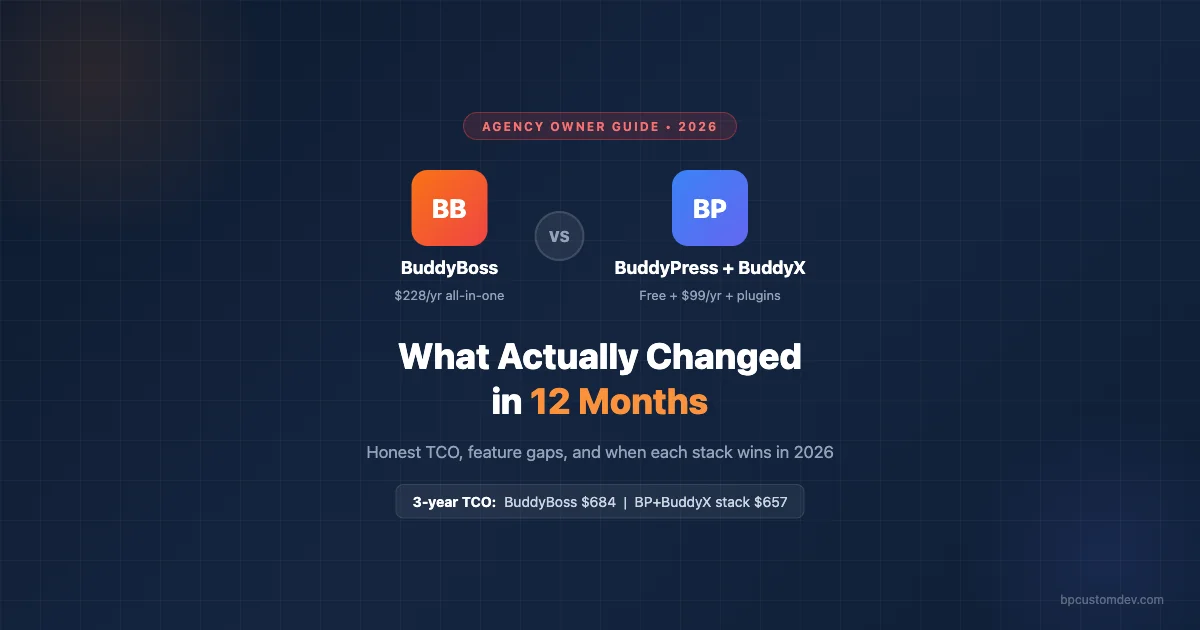
Agency owners evaluating BuddyBoss versus BuddyPress plus BuddyX in 2026 are asking the right question 12 months too late if they waited to compare. Both stacks changed meaningfully between early 2025 and early 2026. BuddyBoss shipped a significant LMS overhaul and BuddyX released its 4.x series with Elementor parity. The gap between these two approaches is narrower than it was two years ago, but the decision calculus is not the same for every agency. This breakdown covers what actually changed, what the real costs are, and when each stack wins on client projects.
What Changed in the Last 12 Months
BuddyBoss Platform 2.7 and 2.8 released mid-2025 and brought three meaningful improvements. First, native AI content moderation that flags and queues borderline posts without manual review. For agencies building community platforms where client abuse reporting workflows were previously entirely manual, this is a real operational improvement. Second, an overhauled notification center with granular user controls that finally lets members decide which activity types trigger push and email notifications rather than getting a firehose of alerts. Third, a rebuilt LearnDash integration that fixed longstanding course completion tracking bugs that had plagued BuddyBoss-LearnDash builds for several versions.
BuddyBoss also improved its REST API coverage for the BuddyPress activity stream in version 2.8. This unblocked headless and mobile app development projects that were previously dependent on hacky workarounds or custom endpoints. Developers working on React Native or Flutter apps that integrate with BuddyBoss communities reported significantly less friction after this update.
BuddyX 4.x released Q3 2025 and the headline feature is the block-based home screen builder. Agencies can now build highly customized community homepages using the WordPress block editor without custom PHP templates. Client marketing teams can edit the homepage without touching code. The BuddyX 4.x block builder is genuinely better for non-technical client handoffs than anything BuddyBoss has shipped in the same period.
BuddyX 4.x also delivered Elementor widget compatibility for all major BuddyPress components, a redesigned group cover photo experience that is visually competitive with BuddyBoss, and a dark mode toggle that works without JavaScript hackery. That dark mode point is more significant than it sounds. Clients consistently request dark mode and prior to 4.x, implementing it on BuddyX required custom CSS that broke on mobile or with certain BuddyPress components. The 4.x dark mode is a native toggle that handles all edge cases cleanly.
True Cost Comparison: 3-Year TCO
The headline numbers are deceptively simple. BuddyBoss Platform license is $228 per year. BuddyX Pro is $99 per year. But neither number reflects what an agency actually spends to ship a production community platform for a client. The full stack TCO includes every plugin needed to achieve feature parity with the client’s requirements.
For a BuddyBoss build targeting a full-featured community platform with courses, forums, messaging, and social features, a typical plugin stack runs: BuddyBoss Platform at $228 per year, LearnDash at $199 per year for LMS functionality, and Gravity Forms or WooCommerce Memberships at $59 to $199 per year for membership management and payments. That puts the 3-year TCO for the BuddyBoss stack at roughly $1,458 to $1,878 depending on which membership and payment tools you choose.
For a BuddyPress plus BuddyX build targeting equivalent feature coverage, the stack runs: BuddyPress core at free, BuddyX Pro at $99 per year, LearnDash or Tutor LMS at $149 to $199 per year, bbPress for forums at free, BP Better Messages for private messaging at $69 per year, and additional BuddyPress extension plugins for member blogs or profile features at $29 to $49 per year. The 3-year TCO for this stack runs roughly $1,044 to $1,242.
The real 3-year TCO difference is $300 to $600 in favor of BuddyPress plus BuddyX. Not the dramatic gap that advocates of either side typically claim. BuddyBoss is not wildly expensive. The BuddyX stack is not dramatically cheaper once you add the plugins required for full feature parity. What the TCO analysis actually reveals is that the platform license costs are a secondary consideration. The real cost factors are agency developer time and ongoing maintenance overhead, not the annual license fees.
Where BuddyBoss Still Leads
Native App Builder
BuddyBoss has the App Builder product that generates iOS and Android apps connected to your WordPress community. For agency clients who need a branded mobile app, this is a genuine differentiator with no direct equivalent in the BuddyPress ecosystem. Building a native mobile app on BuddyPress requires either significant custom development investment using a framework like React Native, or a third-party boilerplate product neither of which matches BuddyBoss App Builder in time-to-market or ongoing maintenance cost.
The App Builder is not included in the base $228 BuddyBoss license. It is a separate product at additional cost. However, the fact that it exists and is maintained by the same team that maintains the platform is a meaningful operational advantage. Compatibility issues between the app and platform are the vendor’s problem to solve, not yours. On a custom mobile integration with BuddyPress, compatibility issues after core updates become the agency’s problem to diagnose and fix.
Single Vendor Support
When something breaks on a BuddyBoss build, there is one support team to contact. They own the theme, platform, and core integrations. For agencies managing multiple client sites, this consolidation reduces diagnostic time when an issue spans theme and plugin boundaries. The hardest bugs are almost always at the intersection of two products, and when both products are from the same vendor, the support team cannot play the blame-shifting game that independent plugin vendors sometimes engage in.
On a BuddyPress plus BuddyX stack, a bug at the intersection of BuddyX and BP Better Messages means contacting two separate support teams and spending time documenting that the issue is in one product rather than the other. This support triage overhead is a real cost that does not appear in TCO comparisons but adds up across a client portfolio of 10 or more sites. Agencies managing large client portfolios on BuddyPress plus BuddyX stacks need internal documentation and debugging processes that offset this multi-vendor complexity.
Consistent Design Language
BuddyBoss components are designed by one team with one design system. Forums, messaging, profiles, groups, and courses all feel like they belong to the same product. The visual consistency is not just aesthetic. It reduces the cognitive load on end users who do not have to learn different UI patterns for different parts of the community.
On a BuddyPress plus BuddyX stack, BuddyX provides a consistent shell but individual plugins including BP Better Messages, bbPress forum extensions, and LearnDash have their own design systems that BuddyX cannot fully override without custom CSS overrides. The result is rarely broken but is often visually inconsistent in ways that clients notice during UAT reviews. Budget time for visual QA and CSS polish across component boundaries when building on the BuddyPress stack.
Where BuddyPress Plus BuddyX Now Competes
Block Editor Flexibility
BuddyX 4.x’s block home screen builder is a genuine competitive advantage for agencies that hand off site management to non-technical client teams. The client marketing team can edit the community homepage, rearrange sections, update featured content blocks, and change layout without contacting the agency. This capability did not exist in BuddyX 3.x and BuddyBoss’s template system requires more technical knowledge to modify.
For agencies whose engagement model depends on ongoing retainers for routine content updates, this is a trade-off to think through. But for agencies whose model is project delivery with client self-sufficiency afterward, BuddyX 4.x’s block editor approach meaningfully reduces post-launch support burden and the client frustration that comes from needing agency help to change a hero image.
Plugin Ecosystem Breadth
The BuddyPress plugin ecosystem has over 200 compatible plugins covering everything from hashtag systems to polling to member-specific blog platforms. BuddyBoss maintains compatibility with a curated subset of these plugins and in some cases has forked functionality in ways that conflict with third-party BuddyPress plugins outside its official compatibility list. If your client needs a niche integration, verify BuddyBoss compatibility before project start rather than discovering conflicts post-launch.
BuddyPress plus BuddyX accommodates most BuddyPress ecosystem plugins without the compatibility concerns that come with BuddyBoss’s more opinionated approach. For clients with unusual requirements or when combining multiple BuddyPress extensions in the same build, the open ecosystem approach reduces integration risk.
Hosting Cost Efficiency
BuddyPress core generates significantly fewer database queries and less PHP execution overhead than BuddyBoss Platform on equivalent community pages. This is not a minor difference. On a member activity feed page with 50 recent posts, the query difference between a BuddyPress build and a BuddyBoss build can be 40% to 60% depending on which BuddyBoss features are active. For agency clients on shared hosting or entry-level managed WordPress hosting, a BuddyPress plus BuddyX build will perform better and stay within hosting tier resource limits longer than an equivalent BuddyBoss build.
This matters economically when you are building for budget-conscious clients. BuddyBoss’s performance requirements push clients toward more expensive hosting plans faster. Factor hosting upgrade costs into your client proposals when BuddyBoss is the specified platform.
Feature Gap Analysis: What Closed, What Remains
Feature gaps that closed in the past 12 months: Dark mode, where BuddyX 4.x finally delivers a proper native toggle that BuddyBoss had earlier. Group cover media handling, where BuddyX is now visually competitive. Block editor homepage building, where BuddyX 4.x has arguably surpassed BuddyBoss’s template approach for non-technical users. REST API coverage, where both BuddyBoss 2.8 and BuddyPress 12.x expanded their REST endpoints significantly.
Gaps that remain in BuddyBoss’s favor: Native mobile app builder with no BuddyPress ecosystem equivalent. AI content moderation built into the platform without third-party plugins. Single vendor support consolidation as an operational advantage for multi-site agencies. Tighter social learning integration between courses and community activity that no LearnDash plus BuddyX combination fully replicates.
Gaps that remain in BuddyPress plus BuddyX’s favor: Plugin ecosystem breadth with over 200 compatible plugins and no compatibility blacklist. Lower server overhead at equivalent feature sets. Superior block editor flexibility for non-technical client handoffs. Meaningful cost savings at portfolio scale when managing 10 or more client sites annually.
When Each Stack Wins for Agencies
Choose BuddyBoss when your client needs a branded mobile app. This is the clearest BuddyBoss win condition in 2026. If the project brief includes iOS and Android presence, BuddyBoss App Builder is the fastest path to market and the most maintainable long-term without a dedicated mobile development team.
Choose BuddyBoss when your client is a non-technical operator who will self-manage the community after the agency engagement ends. Single-vendor support means your client has one place to call when something breaks rather than trying to determine which plugin vendor is responsible for a bug.
Choose BuddyBoss when you are building a LearnDash-heavy platform where social learning is the core value proposition. BuddyBoss’s LearnDash integration is the tightest available and the social course completion features, member accountability boards, and course-triggered activity notifications create a learning community experience that BuddyX plus LearnDash approximates but does not fully match.
Choose BuddyPress plus BuddyX when you are managing 5 or more community sites and license cost efficiency compounds meaningfully at portfolio scale. The $300 to $600 per-site annual savings adds up to $3,000 to $6,000 per year across a portfolio of 10 client sites.
Choose BuddyPress plus BuddyX when your client needs specific BuddyPress ecosystem plugins that are not on BuddyBoss’s compatibility list. Confirm compatibility before project start and do not assume BuddyBoss will work with niche BuddyPress extensions.
Choose BuddyPress plus BuddyX when your client team will self-manage the site and needs the WordPress block editor for routine homepage and content updates. BuddyX 4.x’s block builder is genuinely more accessible for non-technical teams than BuddyBoss’s template system.
Monetization Strategies on Each Stack
Monetizing a BuddyPress community is not limited to simple membership subscriptions. The platform supports multiple revenue layers simultaneously. Paid membership access through WooCommerce Memberships or Restrict Content Pro is the most common starting point, but agencies building long-term community businesses are increasingly layering in additional revenue streams including one-time paid events, premium content upgrades, and community-powered product sales.
Both BuddyBoss and BuddyPress plus BuddyX support WooCommerce natively, which means every WooCommerce revenue model is available: subscriptions, one-time purchases, tiered membership plans, and product bundles. The difference is in how tightly the e-commerce layer integrates with the community layer. BuddyBoss’s deeper WooCommerce integration means purchase events can appear in the activity stream, unlock group access automatically, and trigger LearnDash course enrollment without custom code. On a BuddyPress plus BuddyX stack, the same outcomes are achievable but require more explicit configuration through WooCommerce hooks or a dedicated membership plugin.
If your client’s community monetization strategy goes beyond standard memberships, for example using community polls to drive product decisions or community voting to prioritize features and content, the BuddyPress ecosystem has specific tools for these engagement-monetization intersections. We have covered how to monetize your BuddyPress community without annoying members in detail, including which revenue models preserve community trust and which ones erode it.
Community Engagement Features Beyond the Basics
Both stacks cover the obvious community engagement features: activity feeds, group discussions, member profiles, messaging, and event calendars. The differentiation emerges at the edges, in the community mechanics that move beyond basic social networking toward genuine community infrastructure.
Democratic community features are one such edge. Communities that give members a voice in platform decisions, content priorities, or feature requests create a meaningfully different member relationship than communities where the host controls all decisions unilaterally. BuddyPress as an open platform supports these democratic mechanics through specialized plugins in ways that BuddyBoss’s more controlled ecosystem does not always accommodate.
For example, a BuddyPress plus BuddyX build can incorporate a community voting system that allows members to upvote discussions, surface high-quality content, and provide structured feedback on community decisions. We have published a detailed guide on how to build a community voting system with BuddyPress that walks through the implementation options including native BuddyPress approaches and plugin-assisted solutions. These features are not just nice to have. In communities where member investment and long-term retention are priorities, democratic participation mechanics increase member sense of ownership and reduce churn.
BuddyBoss supports some of these patterns through its activity stream reactions and group voting features, but the customization ceiling is lower because BuddyBoss is a commercial product with opinionated defaults. When a client needs a genuinely bespoke community engagement mechanic, the open BuddyPress ecosystem is the better foundation to build on.
Performance Benchmarks: What to Expect at Scale
Both stacks can serve communities of 10,000 active members efficiently on appropriate hosting. The performance conversation becomes relevant at launch for clients on entry-level hosting and at scale for communities with heavy concurrent usage.
On entry-level shared hosting at the time of launch, a BuddyPress plus BuddyX community with 100 members will load faster and use fewer server resources than an equivalent BuddyBoss community. This is a direct consequence of the query count difference discussed earlier. For clients launching on a tight budget who plan to upgrade hosting as the community grows, BuddyPress gives more runway before the first hosting upgrade is necessary.
At scale with 5,000 to 10,000 active members, both stacks require object caching through Redis or Memcached, a CDN for static assets, and query optimization through database indexing. The performance optimization requirements converge at this scale and the initial query overhead advantage of BuddyPress becomes less significant relative to the caching and infrastructure layer. Agency proposals for large-scale community platforms should budget for performance engineering regardless of which stack is chosen.
Frequently Asked Questions
Can I switch from BuddyBoss to BuddyPress plus BuddyX mid-project? Yes, but plan for a full theme and plugin swap rather than an incremental migration. BuddyBoss stores some data in its own custom tables and formats. A migration typically requires developer time to move content, reconfigure access control, and QA the visual output. Budget one to two weeks of developer time for a clean migration on a mature site.
Does BuddyX 4.x require the block editor? No. BuddyX 4.x works with the classic editor and page builders like Elementor. The block home screen builder is an addition, not a replacement for existing workflows. Agencies already using Elementor with BuddyX can continue doing so while optionally adopting the block screen builder for new community homepages.
Which stack is better for multisite WordPress installations? BuddyPress plus BuddyX is generally easier to manage on WordPress Multisite because BuddyPress has native Multisite support built into its core. BuddyBoss Multisite behavior has historically required more careful configuration and their support documentation for Multisite is less comprehensive. For agencies building network-level community platforms, verify BuddyBoss Multisite compatibility against your specific requirements before committing.
The Honest Recommendation
There is no universally correct answer in 2026. The feature gap has narrowed to the point where the decision should be driven by specific client requirements, particularly mobile app needs and technical self-sufficiency, rather than by platform prestige or developer community preference.
For most agency projects without a mobile app requirement, BuddyPress plus BuddyX is a completely legitimate choice that delivers professional results. BuddyX 4.x is a mature, actively maintained theme that ships at a pace comparable to BuddyBoss and has closed the most visible visual gaps that made it feel like a budget alternative two years ago.
For projects where mobile app is in scope or where single-vendor support is a non-negotiable client requirement, BuddyBoss earns its price premium. The app builder has no equivalent in the BuddyPress ecosystem and that gap will not close soon. Do not talk yourself out of recommending BuddyBoss if those conditions apply.
The most important variable in either stack’s success is the quality of the agency’s configuration work on top of the platform. Neither BuddyBoss nor BuddyPress plus BuddyX out of the box is a finished product for a professional client. The agency’s expertise in community UX, plugin configuration, performance optimization, and client training is the differentiator. Choose the platform that best fits your client’s requirements, then build something excellent on top of it.