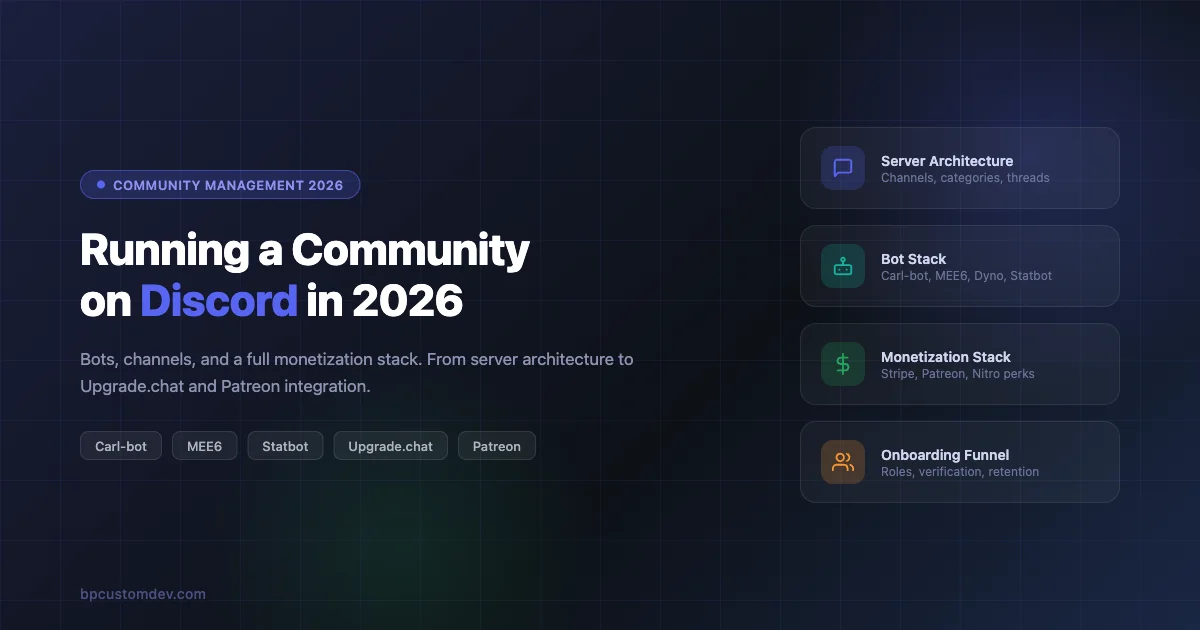
Discord crossed 200 million monthly active users in 2024 and has not slowed down. In 2026, it remains the default destination for gaming communities, developer groups, crypto projects, SaaS support servers, and creator fan clubs. The platform has also matured: server monetization is real, bot tooling is sophisticated, and the difference between a server that grows and one that stagnates often comes down to setup decisions made in the first week.
This guide covers the full stack for community managers who want to build a Discord server that actually works in 2026: server architecture, role hierarchies, bot selection, monetization options, onboarding flows, and support infrastructure. We will also be direct about when Discord is the wrong tool for the job.
Discord’s Position in 2026
Discord has spent the last two years expanding beyond gaming. The platform now actively courts creator communities, professional groups, and brand servers. Discord Stage Channels and Forum Channels have matured into legitimate async discussion tools. Discord’s own Quests system (sponsored engagement campaigns) signals that the company is building revenue infrastructure around the community economy.
At the same time, Discord faces real competition. Circle.so has taken a large slice of the paid community market with its cleaner UX for non-gamers. Slack still owns the professional team coordination space. Skool has become the go-to for course-based communities. Discord wins on real-time engagement, voice culture, and bot extensibility. It loses on discovery, SEO, and structured async content.
Knowing this shapes every decision below. Discord is a real-time-first platform that you can layer async structure onto. That is its core design tension, and your server architecture needs to respect it.
Server Architecture: Categories, Channels, and Threads
Start With Fewer Channels Than You Think You Need
The most common mistake in discord community setup 2026 is over-building at launch. A new server with 40 channels signals ghost town before anyone arrives. Start with eight to twelve channels maximum and add only when an existing channel is consistently too noisy to hold two conversations at once.
A functional starter architecture looks like this:
- WELCOME (read-only category): #start-here, #rules, #announcements, #roles
- COMMUNITY (open category): #general, #introductions, #off-topic
- TOPIC-SPECIFIC (your niche): Two or three channels matching your core use case
- SUPPORT: #help (or a ticket system, covered below)
- STAFF (private category): #mod-log, #staff-chat
Forum Channels vs. Regular Text Channels
Forum Channels (introduced in 2022, now well-supported in 2026) are the right choice for any topic where you want individual threads to stay organized over time: job boards, showcase channels, resource libraries, support queues. They work like Reddit threads inside Discord. Each post gets its own thread, tags, and vote reactions.
Use regular text channels for real-time conversation where threading would kill momentum: #general, #announcements, event coordination.
Threads within text channels work well for temporary topic spin-offs. If a conversation in #general gets deep on a specific subject, a mod can spin it into a thread so it stays contained without creating a permanent channel.
Voice Channel Architecture
For active communities, voice infrastructure matters. The pattern that works best:
- Two or three persistent voice channels for drop-in conversation
- One AFK channel (auto-move idle users out of active channels via server settings)
- Stage Channels for scheduled presentations or AMAs
- Private voice channels that members can create on demand using bots like Combot or Move2Kiwi
Auto-creating temporary voice channels on demand is a quality-of-life feature that reduces channel clutter dramatically. Users join a “Create a Voice Channel” channel, and a bot spins up a private room they control. Carl-bot and Move2Kiwi both support this pattern.
Role Hierarchy Design
Roles in Discord are both a permission system and a social signal. Good role design serves both functions without becoming a bureaucratic maze.
The Four-Layer Model
A clean role hierarchy has four layers:
- Admin / Owner: Full permissions. Should be two people maximum. Single point of failure is a real risk.
- Moderators: Can kick, ban, timeout, manage messages, and view mod logs. Cannot change server settings or manage other moderators.
- Trusted Members / Veterans: Earned role for long-standing members. May get access to exclusive channels, early announcements, or the ability to use certain bot commands.
- Members: Default role after passing verification. Can chat in open channels.
On top of this base structure, you can add interest-based self-assign roles (#roles channel), paid roles for monetization (covered below), and bot-managed XP roles.
Verification Gates
Every server with more than 500 members should have a verification gate: new users get a Newcomer role with read-only access until they complete a step. Options include agreeing to rules via a button reaction, passing a CAPTCHA, or answering a short intake question via a modal form. Carl-bot’s verification module handles all of these without requiring a separate bot.
Discord’s native membership screening feature (under Community settings) can require users to agree to server rules before gaining access. This is a good baseline for servers that do not want to run a separate bot for verification.
The Bot Stack for Discord Community Management in 2026
The bot ecosystem has consolidated. The bots that dominated 2019-2022 are still the leaders, but the feature gap has widened between the top tier and everything else. Here is an honest breakdown of what each major bot actually does well.
Carl-bot
Carl-bot is the best general-purpose moderation and automation bot for most servers in 2026. It handles:
- Reaction roles and button roles: Users click a button or react to a message to self-assign roles. Carl-bot’s reaction role builder in its dashboard is the cleanest available.
- Automod: Word filtering, spam detection, raid protection, invite link blocking. More granular than Discord’s native automod.
- Logging: Channel-specific logs for message edits, deletions, joins, leaves, bans. Essential for mod accountability.
- Reminders and scheduled messages: Post announcements or recurring reminders without a human.
- Temporary voice channels: The “create your own VC” flow mentioned above.
Carl-bot’s dashboard (carl.gg) is the central control panel for all its features. Key areas include the Reaction Roles builder, the Automod configuration panel, and the Logging setup. [AUDIT NOTE: Carl-bot slash command availability varies by server configuration – verify against carl.gg documentation.]
MEE6
MEE6 built its reputation on leveling systems and remains the dominant choice for XP-based engagement. Its core value for discord community management:
- Leveling: Users earn XP by sending messages. Levels can unlock new roles automatically. The
/leaderboardcommand displays ranked members. Role rewards at configurable level thresholds. - Custom commands: Create simple text-response commands. Useful for FAQ shortcuts. Example: typing
!rulesreturns your server rules as a formatted embed. - Moderation: Basic kick, ban, mute commands. [AUDIT NOTE: Verify current MEE6 slash command formats against MEE6 documentation.]
- Twitch/YouTube alerts: Notify a channel when a connected stream goes live.
MEE6’s free tier is generous for small servers. The paid tier (MEE6 Premium, approximately $11.95/month as of 2025) unlocks advanced leveling customization, custom bots, and deeper integrations. [AUDIT NOTE: Verify current MEE6 pricing.]
The honest assessment of MEE6: it does leveling better than anyone else. For everything else, Carl-bot is usually the better choice.
Statbot
Statbot provides analytics that Discord’s native insights do not. For community managers who want data-driven decision making, Statbot surfaces:
- Message volume by channel over time
- Member join/leave trends with retention graphs
- Active hours heatmaps (when is your community most engaged)
- Top contributors by message count
- Voice activity hours per user
Statbot’s dashboard at statbot.net shows a per-server analytics panel. The free tier covers basic stats. The premium tier (approximately $4.99/month per server) unlocks longer data retention and more granular breakdowns. [AUDIT NOTE: Verify current Statbot pricing tiers.]
Use Statbot’s heatmap data to decide when to schedule announcements, run events, or launch giveaways. Posting at 2pm when your community is most active will always outperform posting at midnight.
Dyno
Dyno is a moderation-focused bot that works well for servers with high moderation volume. Its standout features:
- Detailed mod case history per user: every warn, mute, kick, and ban is logged to a case number
- Automod with tiered responses (warn on first offense, mute on second, ban on third)
- Anti-spam and anti-raid tools with configurable thresholds
- Announcement scheduling with role pings
For servers that need formal moderation records (useful for appeals processes), Dyno’s case system is the most structured available without running a custom bot. Dyno Premium is approximately $4.99-$9.99/month depending on tier. [AUDIT NOTE: Verify current Dyno pricing.]
Custom Bots
At a certain scale (typically 5,000+ active members), generic bots stop fitting your use case cleanly. Custom bots built with discord.py (Python) or discord.js (JavaScript) let you:
- Build proprietary commands tied to your product or service
- Integrate with your database (sync Discord roles to paid subscription status via webhook)
- Create custom onboarding flows with multi-step modal forms
- Run private leaderboards tied to your own activity data
- Automate ticket routing based on issue category
Discord’s slash command system and interaction API are well-documented and stable in 2026. Hosting a custom bot on a $5-10/month VPS (DigitalOcean, Hetzner) is sufficient for servers under 50,000 members. The Discord developer portal is the starting point for registering a custom application.
Monetization Stack for Discord in 2026
Discord community monetization has several viable paths in 2026. They are not mutually exclusive, and most successful monetized servers stack two or three methods. If you run a parallel WordPress community, see our guide on how to monetize a BuddyPress community without annoying members for complementary strategies that work alongside Discord.
Discord Server Subscriptions (Native)
Discord’s native Server Subscriptions let eligible servers charge members directly through Discord. Members pay via Stripe and receive a subscriber role automatically. Discord takes a 10% cut (as of 2025). [AUDIT NOTE: Verify current Discord Server Subscription revenue split.]
Server Subscriptions are available to servers that meet Discord’s Partner or Server Discovery eligibility criteria. The subscriber role can unlock exclusive channels, voice channels, or emojis. Setup is in Server Settings under Monetization.
The UX for members is clean: they see a Server Subscription prompt inside Discord, pay without leaving the app, and get access immediately. The limitation is pricing flexibility. Discord’s subscription tiers are basic compared to dedicated platforms.
Patreon + Discord Integration
Patreon’s Discord integration is mature and widely used. The flow:
- A creator sets up Patreon tiers
- Each Patreon tier is mapped to a Discord role in the Patreon dashboard under Apps
- When a patron subscribes (or cancels), their Discord role updates automatically within a few hours
This works well for creators who already have a Patreon audience. The downside is the update delay (not real-time) and Patreon’s standard 8% + payment processing fee. [AUDIT NOTE: Verify current Patreon fee structure.]
The Patreon-Discord integration requires members to connect their Patreon account to Discord in their Patreon settings. Members who do not connect will not get their role. This creates a support burden that you should document in your onboarding flow.
Upgrade.chat for Stripe-Powered Paid Roles
Upgrade.chat is the most flexible solution for Stripe-powered paid Discord roles. It acts as a middleware layer between Stripe payments and Discord role assignment. Features:
- One-time purchases, subscriptions, and bundles
- Real-time role assignment on successful payment (no delay)
- Role removal on subscription cancellation or chargeback
- Custom checkout page with your branding
- Coupon codes and trial periods
- Webhook support for integrations with external systems
Upgrade.chat takes approximately 3% per transaction on top of Stripe’s standard processing fees. [AUDIT NOTE: Verify current Upgrade.chat fee structure.] For communities that want full price control without Discord’s 10% cut or Patreon’s 8%, Upgrade.chat is the most direct path to Stripe.
The setup flow: connect your Discord server in the Upgrade.chat dashboard, connect your Stripe account, create a product, map it to a Discord role. Members access the store through a link you post in your server, typically pinned in a #get-access or #vip-info channel.
Lanyard (Status and Role API)
Lanyard (lanyard.rest) is a public API that exposes Discord user presence data. It is not a payment tool but is used by developers building custom Discord monetization flows. Specifically, Lanyard lets you:
- Build real-time dashboards showing member online status
- Sync Discord role data to external apps without hosting your own bot
- Create “show your Discord status” embeds for websites
For most community managers, Lanyard is a developer tool. Mention it if you are building custom integrations between Discord and an external membership platform. It is not a monetization solution on its own. [AUDIT NOTE: Verify Lanyard’s current API status and feature set.]
Discord Nitro Perks as a Retention Tool
Discord Nitro Boosters (members who boost your server) get a visible Booster role and access to any channels you gate behind it. While you cannot price-gate Nitro boosts (users choose to boost any server they want), you can incentivize boosts by gating meaningful perks behind the Booster role:
- Access to exclusive channels or AMAs
- Custom color role (Nitro users can use custom server profile colors)
- Early access to announcements
- A dedicated voice channel
Servers with 7 boosts reach Level 1 (custom server banner, 50 emoji slots). 14 boosts reach Level 2 (higher audio quality, 150 emoji slots). 30 boosts reach Level 3 (custom server invite background, 250 emoji slots, 100MB file upload). [AUDIT NOTE: Verify current Discord server boost level thresholds and perks.]
Onboarding Funnel
The first five minutes after joining determine whether a new member stays or ghosts. Most servers lose 40-60% of new joins within 24 hours because the onboarding is either confusing or nonexistent. The same early-retention principles apply across platforms: our post on BuddyPress onboarding surveys for new members covers the psychology of first impressions in detail.
A strong onboarding funnel has five components:
- Welcome DM: Carl-bot can send an automatic DM to new members with a short welcome message and a link to #start-here. Keep this under 100 words. Long DMs get skipped.
- Rules + Agreement Gate: Members must click a button or react to confirm they have read the rules before accessing the full server. This is the verification gate described in the Role Hierarchy section.
- Role Selection: Immediately after verification, direct members to a #roles or #get-started channel with self-assign buttons. Interest roles (topics they care about) and notification roles (how often they want to be pinged).
- Introduction Channel: A prompted #introductions channel with a template (name, where you’re from, what brought you here) gives new members an easy first action. Carl-bot can pin a template message with the prompts.
- Quick Win: Show new members where they can add value immediately. A question in #general, a showcase channel, a resource they can use. People who participate in the first 24 hours are dramatically more likely to stick around.
Ticket Systems and Support Infrastructure
Any server offering a service, product, or support function needs a ticket system. Public #help channels become chaotic at scale. Questions get buried, answers are lost, and members help each other with wrong information.
Ticket Bot Options
The two most widely used dedicated ticket bots in 2026 are Ticket Tool (tickettool.xyz) and Helper.gg. Both create private threads or channels when a user opens a ticket, route to available staff, and log the conversation on close.
Carl-bot also includes a basic ticket panel feature that works well for servers that want to minimize the number of bots they run. The Carl-bot ticket system creates private threads (not full channels) when a user clicks a button in a designated panel. [AUDIT NOTE: Verify Carl-bot’s current ticket system capabilities.]
Ticket Category Design
Give users clear categories when opening a ticket. A generic “open a ticket” button produces vague requests. Labeled buttons produce actionable tickets:
- Bug Report
- Billing / Access Issue
- Feature Request
- General Question
Routing tickets by category (different buttons ping different staff roles) reduces the triage burden significantly.
Closing Tickets and Knowledge Base
Ticket logs that accumulate over time become a searchable knowledge base for your staff. Both Ticket Tool and Helper.gg generate HTML transcripts on ticket close. Store these in a private staff channel or an external log (some servers use a web dashboard or a Google Sheet).
When the same question appears five times in tickets, that question belongs in a public FAQ. Review your ticket logs monthly to spot these patterns.
When Discord Is the Wrong Choice
Discord is not the answer for every community. Being honest about this saves time and money.
When You Need SEO or Discovery
Discord server content is not indexed by search engines. Your members’ discussions, resources, and expertise live behind a login wall that Google cannot read. If your community’s primary growth channel is organic search (people finding your content and then joining your community), Discord will starve your top of funnel.
Communities that need SEO-driven growth do better on forums (Discourse, phpBB), community WordPress setups with BuddyPress, or Reddit where public discussions surface in search results. For teams evaluating WordPress-based alternatives, our comparison of the BuddyPress community stack vs BuddyBoss covers the full feature tradeoff.
When Your Audience Is Not Already on Discord
Discord skews young and tech-adjacent. If your audience is over 45, works in non-technical industries, or is not already a Discord user, onboarding friction will kill your growth. Slack, Facebook Groups, or a dedicated web community will have lower barrier to entry for audiences that do not already live in Discord.
When You Need Structured Async Content
Discord is bad at content permanence. Messages scroll away, search is limited, and there is no native way to create a structured knowledge base. Forum Channels help, but they are not a substitute for a proper wiki or a platform like Circle where content structure is a first-class feature.
If your community’s value proposition is access to a library of guides, courses, or resources rather than real-time interaction, Discord is the wrong primary platform.
When You Need Fine-Grained Billing Control
Discord’s native monetization takes 10% and offers limited pricing flexibility. Patreon takes 8%. Even Upgrade.chat adds 3% on top of Stripe. If you are monetizing a high-volume community where every percentage point matters, a custom platform with direct Stripe integration will be more cost-effective at scale.
Pulling It Together: A Launch Checklist
For community managers ready to build or overhaul a Discord server in 2026, here is the sequence that works:
- Define your server’s single core purpose before touching any settings. A server trying to be everything becomes nothing.
- Build the minimum channel architecture (eight to twelve channels). You can always add more later.
- Set up verification and the onboarding flow before inviting anyone.
- Install Carl-bot for moderation, logging, and role automation. Add MEE6 only if leveling is a central engagement mechanic for your community.
- Add Statbot to track what is actually working from day one.
- Choose one monetization path and set it up cleanly before you promote it. Upgrade.chat for Stripe-direct, Patreon integration for creator audiences, or Discord Server Subscriptions for simplicity.
- Build your ticket system before your community needs it, not after.
- Review Statbot data weekly for the first three months. Kill channels that never get messages. Add channels where existing ones are consistently noisy.
Conclusion
Discord community setup in 2026 rewards deliberate decisions made early. The servers that work have clear architecture, a tight bot stack, and a monetization approach that matches their audience’s existing behavior. The servers that stagnate are usually the ones that over-built at the start, added every bot someone recommended, and never set up a real onboarding experience.
The platform itself is healthy and growing. The tooling around it (Carl-bot, MEE6, Statbot, Upgrade.chat, and custom bot frameworks) is mature enough to handle almost any community management use case. The question for 2026 is not whether Discord can support your community. It is whether Discord is the right fit for your community’s growth model and audience.
If you are building something more complex (a community that needs SEO reach, structured content, or a member experience that does not depend on Discord staying online and policy-stable), it is worth evaluating purpose-built community platforms alongside Discord rather than treating Discord as the automatic default.