BuddyPress vs MemberPress: Different Jobs, and When You Need Both
BuddyPress runs the community, MemberPress runs paid access. What each does, when you need one or both, how they work together, MemberPress plans checked October 2026, and a launch checklist for a paid community.
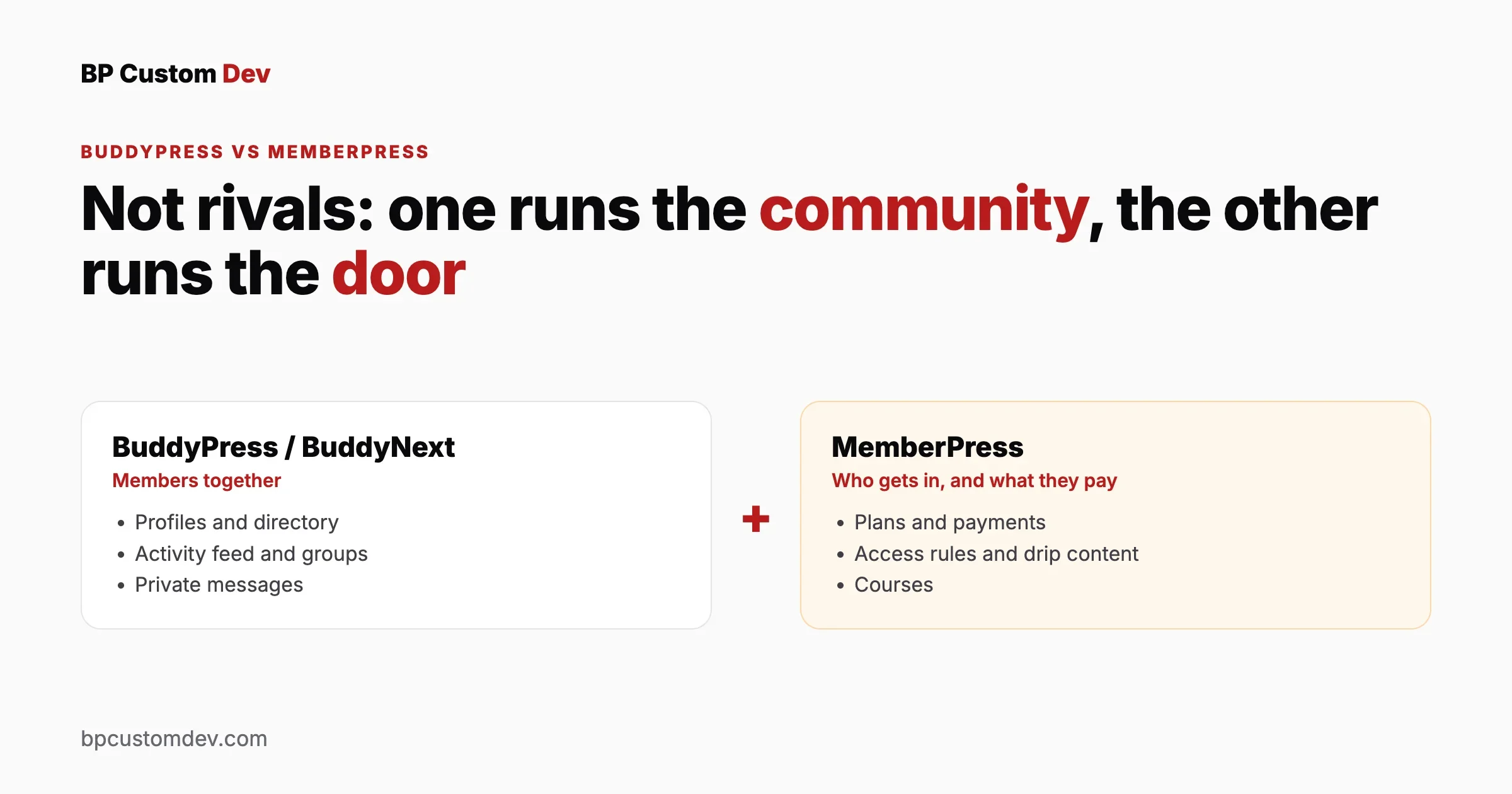
“BuddyPress or MemberPress?” is one of the most common questions from people planning a paid community on WordPress, and it rests on a misunderstanding. The two plugins do different jobs. BuddyPress (and its successor platforms) gives members a place to be together: profiles, activity, groups, messages. MemberPress decides who is allowed in and takes their money: membership levels, payments, content rules, courses. Most paid communities need both jobs done, so the real questions are which one you need first, whether you need both, and how they fit together.
This guide answers those questions for a site owner planning a community, a membership site or a course business. We refreshed it on 18 October 2026, with MemberPress plan details checked on its own pricing page that day.
The short answer
You want to | You need |
|---|---|
Let members meet, post, message each other and join groups, free to join | A community plugin (BuddyPress or BuddyNext). No MemberPress needed. |
Sell access to content or courses, with little interaction between members | MemberPress. No community plugin needed. |
Charge for access to a community where members interact | Both: a community plugin for the social side, MemberPress (or another membership plugin) for payments and access |
Run a paid community with courses, events and forums as one product | A planned stack: community platform, membership and payments, LMS, events. See “Building the full paid community” below. |
What BuddyPress does
BuddyPress is a free, open-source plugin that turns a WordPress site into a social network. It adds the parts members interact with:
- Member profiles with custom profile fields you define
- An activity stream where members post updates and comment
- Groups, public, private or hidden, each with its own activity
- Friend connections and private messages
- Notifications for replies, mentions and invitations
- Forums through bbPress, which integrates with BuddyPress groups
What BuddyPress does not do on its own: take payments, sell memberships, lock content behind a paywall or deliver courses. For those you add other plugins.
BuddyPress or BuddyNext?
BuddyNext is the community platform we build and support for new projects, and it runs on the same WordPress foundation. If you are starting a new community today, or your BuddyPress site needs a rebuild, our guide to moving from BuddyPress to BuddyNext explains what moves across and what to plan for. Everything in this article about pairing a community layer with MemberPress applies to both.
What MemberPress does
MemberPress is a paid membership plugin. It handles everything about who can access what, and on what terms:
- Memberships: one-time, monthly or yearly plans, free trials, upgrades and downgrades
- Payments through gateways such as Stripe and PayPal
- Access rules that protect pages, posts, categories or files by membership
- Drip content released on a schedule after someone joins
- Coupons and discounts
- Courses: MemberPress’s pricing page lists “Create Unlimited Courses” on all three plans
- Member accounts where people manage their subscription, payment details and invoices
What MemberPress does not do on its own: give members profiles to browse, an activity feed, groups or messaging. Members can buy and read, but they cannot easily see or talk to each other.
MemberPress plans (checked 18 October 2026)
Plan | Sale price per year | Normal price shown | BuddyPress/BuddyBoss integration |
|---|---|---|---|
Launch | $199.50 | $399 | Not included |
Growth | $349.50 | $699 | Included |
Scale | $499.50 | $999 | Included |
The integration matters if you plan to use both plugins: on MemberPress’s own comparison, the BuddyPress/BuddyBoss add-on comes with Growth and Scale, not Launch. Prices change, so confirm them on the MemberPress site before you buy.
BuddyPress vs MemberPress, side by side
BuddyPress | MemberPress | |
|---|---|---|
Main job | Members interacting with each other | Controlling and charging for access |
Cost | Free | Paid yearly plans |
Profiles and member directory | Yes, with custom fields | Basic account pages |
Activity feed, groups, messages | Yes | No |
Payments and subscriptions | No | Yes |
Protect content by membership | No | Yes |
Courses | No (add an LMS) | Yes, built in |
Forums | Through bbPress | Works with bbPress for members-only forums |
Who it suits alone | Free communities, associations, intranets | Paid content, newsletters, course sellers |
When you need only one of them
BuddyPress alone
- A free community, alumni network or association where joining costs nothing
- A company intranet or private network where accounts are created for staff
- A community funded by sponsors or a parent organisation rather than member fees
MemberPress alone
- A paid newsletter, research library or premium articles
- A course business where students learn alone and support happens by email
- A download library or members-only resources with no member-to-member contact
A useful test: if you removed every way for members to see and talk to each other, would the product still be worth paying for? If yes, MemberPress alone may be enough. If the other members are a big part of what people pay for, you need the community layer as well.
Decide in five questions
- Will members pay? If no, you do not need a membership plugin. If yes, you do.
- Will members talk to each other? If yes, you need a community layer. If not, a membership plugin alone may do.
- Are courses central to the offer? If yes, compare MemberPress courses with a dedicated LMS before you commit.
- How many membership levels will you really sell? Fewer levels mean simpler rules, cheaper testing and clearer pricing for buyers.
- Who will run it day to day? A small team benefits from fewer plugins and clear defaults; a larger operation can justify a custom build.
Write your answers down, share them with anyone helping you build, and keep them next to your plan. They decide the stack more reliably than any feature comparison, and they are the first thing any developer will ask you.
Using BuddyPress and MemberPress together
When you use both, each plugin keeps its own job:
- MemberPress owns the money and the door. People buy a membership, and MemberPress creates their WordPress account and keeps their subscription status.
- The community plugin owns what happens inside. The same WordPress account becomes the member’s profile, with access to the activity feed, groups and messages.
- Access rules connect them. Decide which community areas each membership level can see: for example, the whole community for paying members, a public group for everyone, a premium group for the top tier.
Decisions to make before you build
Decision | Why it matters |
|---|---|
What non-members can see | A public activity feed attracts sign-ups; a fully closed community protects members’ privacy. Decide per page and per group. |
What happens when a subscription ends | Do former members lose access, keep their profile, keep their posts? Members’ content usually stays; access to the community usually stops. |
Levels and groups | Map each membership level to the groups and areas it unlocks. Keep the number of levels small. |
Profile fields at signup | Ask only what the community needs; long signup forms lose buyers at checkout. |
Where courses live | MemberPress courses, or a dedicated LMS connected to the community, if courses are a major part of the offer. |
Emails | Both plugins send emails. Decide which plugin sends which, so members are not flooded. |
Our existing guide to BuddyPress, MemberPress and Divi together shows one real combination. The community portal requirements checklist lists the questions to answer before any build.
Setting up BuddyPress and MemberPress together, step by step
The order matters. Building the community first and the paywall second is the most common way to end up with members who can see things they should not. This order avoids that:
- Work on a staging copy of the site, never on a live community.
- Install the community plugin and switch on only the components you need (profiles, activity, groups, messages). Fewer components means fewer access rules to manage.
- Set the community’s own privacy: which groups are public, private or hidden, and whether the member directory is visible to logged-out visitors.
- Install MemberPress, connect your payment gateway in test mode, and create your membership levels.
- Connect the two. On a plan that includes it, turn on the BuddyPress/BuddyBoss integration. Then add MemberPress access rules for the community pages and any premium groups.
- Design the signup path: pricing page, checkout, then a welcome page that points new members to their profile and a first group.
- Create a test member for each level and buy each membership in test mode.
- Walk through the site as each test member and as a logged-out visitor, writing down what each can and cannot see.
- Test the unhappy paths: a failed renewal, a cancellation, an upgrade and a downgrade.
- Switch payments to live, make one small real purchase, refund it, and launch.
Other membership plugins that pair with a community
MemberPress is not the only way to charge for a community. The main alternatives fall into three groups, and the same “two jobs” principle applies to all of them:
Type | Examples | Consider it when |
|---|---|---|
Dedicated membership plugins | MemberPress, Paid Memberships Pro, Restrict Content Pro | Membership is the product and you want access rules, drip content and member accounts in one place |
Store-based memberships | WooCommerce with a memberships extension | You also sell physical or digital products and want one checkout for everything |
Platform-native options | Membership features built into your community platform or theme suite | You want fewer plugins and your needs are simple |
Whichever you choose, check three things before buying: that it integrates with your community plugin (ideally with an official add-on), that it supports the payment gateway you want, and what happens to a member’s community access when a payment fails. Feature lists and prices change, so read each vendor’s own pricing page on the day you decide.
BuddyBoss, or BuddyPress plus MemberPress?
Many people comparing BuddyPress and MemberPress are also looking at BuddyBoss, which packages community features, a theme and an app into one product. The trade-off is the same as with any all-in-one suite:
All-in-one suite | Community plugin plus membership plugin | |
|---|---|---|
Setup | Fewer pieces to choose and connect | More pieces, each chosen for its job |
Flexibility | Works best inside the suite’s own choices | Swap any layer without rebuilding the rest |
Cost | One vendor’s pricing | Several licences, some free |
Lock-in | Higher: moving away means moving everything | Lower: each layer can be replaced on its own |
Neither is right for everyone, and the right answer depends on how long you expect to run the community and how much you expect it to change. If you are weighing these options, our page on BuddyBoss alternatives on WordPress compares the routes, and our longer comparison covers each option in detail.
What a paid community costs to run
Licence prices are the smallest part of the cost over time. Budget for these as well:
- Hosting that suits a logged-in audience. Community pages are personal to each member, so they cannot be cached like a blog. Plan for more server resources than a brochure site; see our community performance guide.
- Payment fees charged by your gateway on every renewal.
- Moderation time, which grows with membership and never goes to zero.
- Updates and testing for every plugin in the stack, ideally on a staging copy first.
- Email delivery through a proper sending service, so receipts and notifications are not marked as spam.
- Support for members who forget passwords, change cards or ask for refunds.
Our article on what a custom community build costs to own over five years walks through these cost drivers in detail.
Building the full paid community
Many paid communities grow beyond “membership plus social”: courses, live events, member directories, job boards, forums. Each extra piece is another plugin with its own settings, emails and data. Plan the whole stack once rather than adding plugins as members ask:
Layer | Job | Plan for |
|---|---|---|
Community | Profiles, feed, groups, messages | Privacy defaults, moderation, notifications |
Membership and payments | Plans, checkout, access rules | Failed payments, upgrades, cancellations |
Learning | Courses, lessons, progress | Who can enrol, how progress shows in the community |
Events | Live sessions, RSVPs, tickets | Paid vs free events, reminders |
Forums | Long-form discussion and Q&A | Which forums each level sees |
Onboarding, receipts, digests | One sender per email type |
Our list of membership community plugins for WordPress compares options for each layer, and the best LMS for membership sites covers the learning layer in depth.
A worked example: a three-level paid community
Here is how the two jobs split in a typical design: a professional network for freelance designers with a free tier, a paid tier and a premium tier.
Level | Price model | Community access (community plugin) | Content access (membership plugin) |
|---|---|---|---|
Free | No charge | Profile, member directory, one public group | Free articles only |
Member | Monthly or yearly | All topic groups, private messages, the main activity feed | Resource library, monthly workshop recordings |
Premium | Yearly | Everything above plus a small mastermind group | Courses and live sessions |
Notice that each row is configured in two places: the community plugin decides which groups exist and who can post where, and the membership plugin decides who holds which level and gates the content. Keep a single spreadsheet that lists every group and page with the levels allowed in, and update it whenever you add one. It becomes your test plan before every launch and update.
What happens at each moment of a member’s life
- Joins free: account created, profile prompted, added to the public group.
- Upgrades to Member: payment taken, level changed, topic groups appear, welcome message sent.
- Payment fails: a grace period with reminder emails, then access returns to the free tier; their profile and past posts stay.
- Cancels: access continues until the paid period ends, then returns to free.
- Asks to delete their account: handled through WordPress’s privacy tools, with a written policy on what happens to their posts in groups.
Moving an existing paid community
If your members already pay on another platform, the hardest part of a move is not the content; it is the subscriptions. Members should not have to re-enter card details or pay twice. Plan how each active subscription will continue (migrated to the new gateway, or ended and restarted with a free period), how members will log in for the first time, and how old links will reach the new pages. Our guide to moving a community from a SaaS platform to WordPress covers the order of steps.
Common mistakes
- Choosing one plugin to do both jobs. Forcing a membership plugin to act as a social network, or a social plugin to take payments, leads to workarounds that break at the first update.
- Too many membership levels. Three is usually enough. Every extra level multiplies the access rules you must test.
- Opening the whole community to search engines by accident. Check what a logged-out visitor can see before launch.
- No plan for cancellations. Decide in advance what a former member keeps and loses, and say so in your terms.
- Testing only as the administrator. Admins see everything. Create a test account for each membership level and walk through the site as each one.
- Buying the cheapest plan, then needing the integration. If you plan to connect MemberPress to your community, check which plan includes that integration before you buy.
A launch checklist for a paid community
- Membership levels and prices decided, with a clear description of what each unlocks
- Payment gateway connected and a test purchase made for each level
- Access rules applied to every page, group and forum, then checked as each level
- Logged-out view checked: only what you meant to be public is public
- Signup form kept short; profile fields can be completed later
- Welcome email and first-week onboarding written
- Cancellation and failed-payment behaviour tested
- Moderation tools and a code of conduct in place before members arrive
- Backups and a staging copy for future changes
When to bring in a developer
Plugins cover the common cases. You need custom development when the community has rules the plugins cannot express: membership tied to an external system (an association database, a CRM, a school roster), pricing per group or per seat, migrating members and subscriptions from another platform without asking them to pay again, or a member experience designed around your brand rather than a theme default. That is the work we do on social networks with paid membership and membership website development, starting with a short discovery call so the scope is right before any estimate.
Frequently asked questions
Is MemberPress an alternative to BuddyPress?
No. MemberPress controls paid access and payments; BuddyPress provides the social features members use to interact. They solve different problems, and many paid communities use both.
Can MemberPress and BuddyPress work together?
Yes. MemberPress handles memberships and payments while BuddyPress provides profiles, activity, groups and messages. MemberPress’s pricing page lists a BuddyPress/BuddyBoss integration on its Growth and Scale plans, not on Launch.
Is BuddyPress free?
Yes, BuddyPress is free and open source. You pay for hosting, and optionally for a theme and add-ons.
Can BuddyPress charge members on its own?
No. BuddyPress has no payments or paywall. To charge for access, add a membership plugin such as MemberPress, or an e-commerce plugin with membership features.
Do I need MemberPress if I only sell courses?
Not necessarily. MemberPress includes course features, but so do dedicated learning plugins. If courses are your main product and you want community around them, compare MemberPress courses with an LMS connected to your community before deciding.
Can members keep their profile after they cancel?
Yes, if you set it up that way. A common approach is to drop cancelled members back to a free level: they keep their profile and their past posts stay in place, but paid groups and content are locked again until they resubscribe.
Is it better to sell access with a membership plugin or with WooCommerce?
Use a membership plugin when access is the product. Use WooCommerce with a memberships extension when you also sell other products and want one checkout and one order history for everything.
Should a new community start on BuddyPress or BuddyNext?
For a new build, we recommend BuddyNext, the community platform we build and support today. Existing BuddyPress sites can keep running or move across; our migration guide explains what moves and how to plan it.















