Building a Transparent Development Timeline for Your BuddyPress Platform
Why BuddyPress communities need a public development timeline, the Now/Next/Later framework, and how to set one up with the Product Roadmap plugin to reduce support questions and build member trust.
The Hidden Cost of Silence in BuddyPress Communities
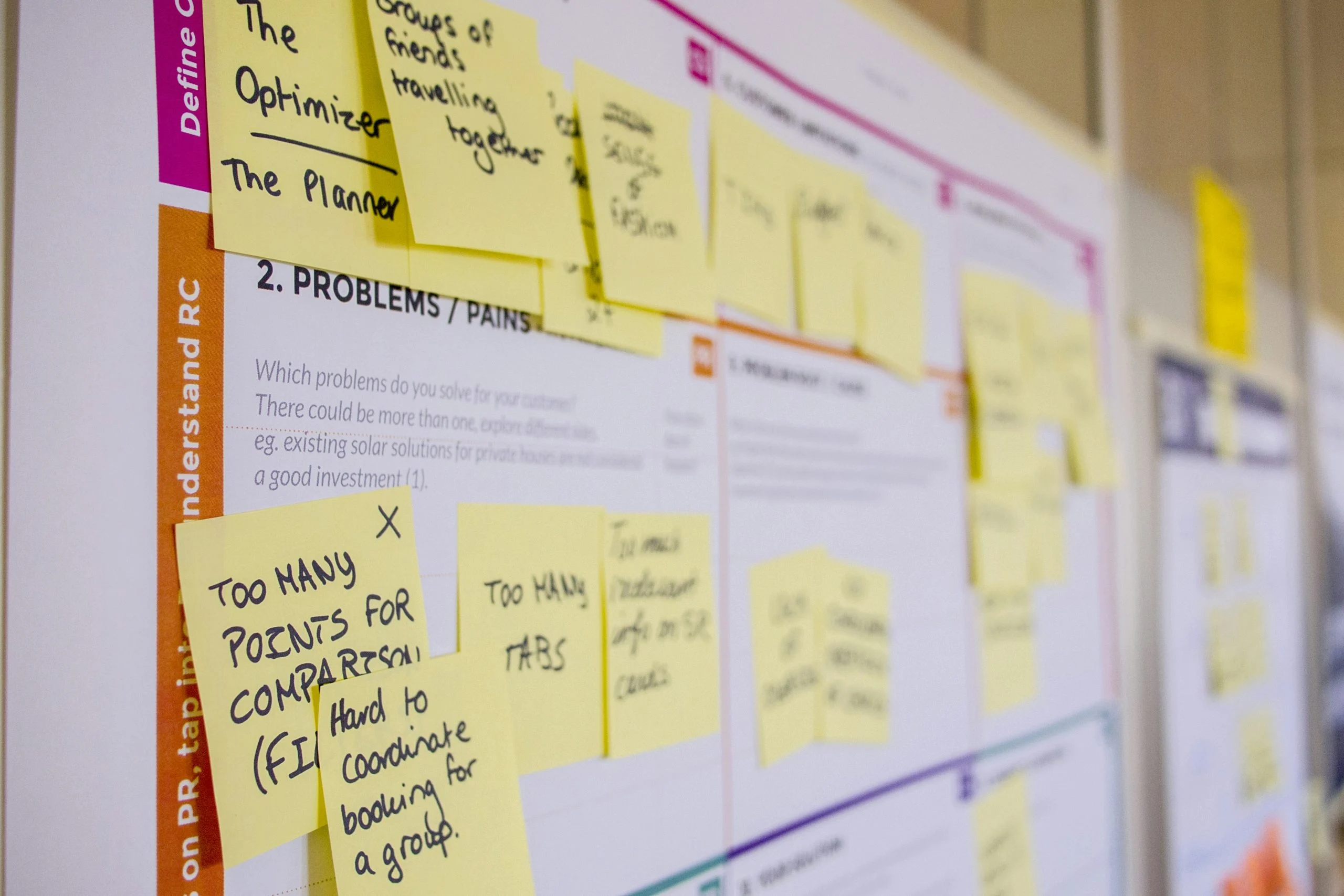
Every BuddyPress platform faces the same problem at some point: members start wondering what is happening behind the scenes. They submitted feature requests months ago. They reported bugs that seem to have disappeared into a void. They are paying for a membership or investing time in a community, and they have no visibility into whether the platform is actively improving or standing still.
This silence has a real cost, and it shows up in ways that are easy to miss until they compound.
Support tickets multiply. When members cannot see what you are working on, they ask. The same question arrives from different people through different channels: “Are you going to fix the notification issue?” “When is the new group feature coming?” “Is this platform still being developed?” Each ticket takes time to answer, and each answer only reaches one person.
Trust erodes quietly. Members who feel uninformed start hedging their commitment. They post less, engage less, and start evaluating alternatives. By the time they actually leave, the damage was done months earlier when they decided the platform was not worth investing in.
Perception gaps widen. You might be shipping improvements every week, but if no one can see that work, the perception is that nothing is happening. The gap between reality and perception grows wider the harder you work without communicating about it.
Renewal conversations get harder. If you run a paid BuddyPress membership, renewal time becomes a question of value. Members who can see a steady stream of completed improvements and upcoming features renew confidently. Members operating in the dark need convincing.
The solution is not more blog posts or newsletters, though those help. The solution is a persistent, always-available development timeline that members can check anytime they want to know what is coming next.
What a Public Development Timeline Communicates
A development timeline is more than a list of planned features. It is a statement about how you run your community. When members see a well-maintained timeline, they receive several messages simultaneously:
“We are actively building.” A timeline with items in progress and recently completed features shows ongoing development activity. Members can see momentum rather than having to take your word for it.
“Your feedback matters.” When items on the timeline originated from community feature requests, members see direct evidence that their input influences the platform’s direction.
“We plan ahead.” A timeline with future items shows strategic thinking. Members are not just following a project that is reacting to problems; they are part of a platform with a vision and a plan.
“We are honest about our pace.” A realistic timeline with achievable milestones builds more trust than an ambitious one that consistently slips. Transparency includes being honest about what you can deliver and when.
“We respect your time.” Instead of making members ask about the status of features, you put the information where they can find it themselves. This shows respect for their time and reduces friction in the relationship.
Understanding the Now / Next / Later Framework
One of the most effective ways to structure a development timeline is the Now / Next / Later framework. Instead of committing to specific dates for every item, you organize work into three time-based buckets that communicate intent without creating unrealistic expectations.
Now: Currently in Development
The “Now” column contains items your team is actively working on. These are committed work items with tangible progress. Members looking at this column can see exactly what is being built right now, often with progress indicators showing how close each item is to completion.
For a BuddyPress platform, “Now” items might include things like “Redesigning the member profile layout” or “Adding email digest options for group notifications.” These are specific, understandable improvements that members can look forward to in the near term.
Next: Coming Up Soon
The “Next” column holds items that are planned and prioritized but not yet in active development. These are the features your team will start working on once current items are completed. They signal to members what is coming without committing to exact dates.
“Next” items give members something to anticipate. When a member sees that their requested feature has moved from a general backlog to “Next,” they know it is genuinely on the horizon rather than sitting in a pile of unread suggestions.
Later: On the Horizon
The “Later” column contains ideas and features you intend to build but have not yet scheduled. These items are acknowledged as valuable but not yet committed to a timeline. This honesty prevents the disappointment that comes from over-promising.
“Later” items also serve as a signal to the community about your long-term vision. Members can see the direction the platform is heading and decide whether that vision aligns with their needs.
Setting Up the Timeline View with the Product Roadmap Plugin
The Product Roadmap plugin includes a timeline view that implements this framework directly within your WordPress site. Here is how to set it up for your BuddyPress platform.
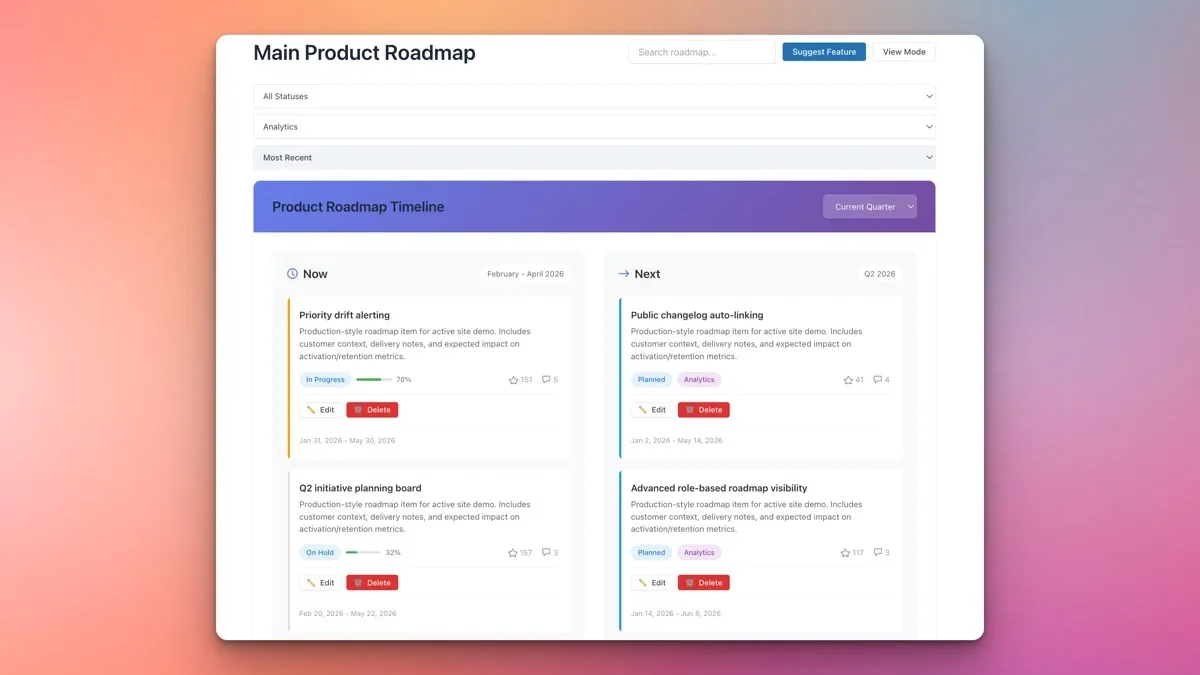
Step 1: Create Your Timeline Board
In the plugin settings, create a new board and select the timeline view option. Name it something clear like “Development Timeline” or “Platform Roadmap” so members immediately understand its purpose.
Step 2: Configure Time-Based Columns
Set up columns that represent your time horizons. While you can use the Now/Next/Later labels, you can also be more specific with date-based columns:
- March 2026 - Currently in progress
- Q2 2026 - Planned for next quarter
- H2 2026 - Second half of the year
- Future - Long-term plans without specific dates
The level of specificity should match your confidence. Use exact months for near-term work where you have high confidence, and broader time ranges for items further out.
Step 3: Add Timeline Items
For each planned feature or improvement, create a timeline item with:
- A clear title that any member can understand (avoid internal jargon)
- A brief description explaining what the feature does and why it matters
- A category matching your platform areas (profiles, groups, messaging, etc.)
- A progress indicator showing how far along the work is
Step 4: Set Up Progress Bars
The plugin supports progress bars on timeline items, which is one of its most valuable features for transparency. A progress bar turns a static list of planned features into a living document that members can watch evolve.
Update progress bars regularly, even in small increments. Moving a progress bar from 40% to 55% tells members that work is happening, even if the feature is not yet complete. This steady visual progress is remarkably effective at maintaining patience and trust.
Step 5: Embed on Your BuddyPress Site
Use the shortcode to place the timeline on a dedicated page. Add it to your site’s main navigation so it is always one click away. Some BuddyPress managers also add a link in the site footer or the member dashboard for maximum visibility.
Adding Items with Progress Bars: A Practical Approach
The way you write timeline items matters as much as the information they contain. Here are guidelines for creating items that communicate effectively to your BuddyPress community.
Write for Members, Not Developers
Instead of “Refactor notification dispatch system,” write “Faster and more reliable email notifications.” Members care about outcomes, not implementation details. Every item should answer the question: “How does this make the platform better for me?”
Be Specific About Benefits
Instead of “Improve group functionality,” write “Add the ability to create sub-groups within existing groups.” Specific items are more compelling than vague ones and generate more meaningful feedback from members.
Use Progress Bars Honestly
A progress bar should reflect actual progress, not optimistic projections. Here is a practical scale:
- 0-10% - Planning and design phase
- 10-30% - Initial development started
- 30-60% - Core functionality being built
- 60-80% - Testing and refinement
- 80-95% - Final polish and bug fixes
- 100% - Shipped and available
Update Weekly
Set a recurring calendar reminder to update your timeline every week. Consistent updates create a rhythm that members come to expect and appreciate. Even if progress is slow on a particular item, updating the bar by a few percentage points or adding a brief comment shows that work continues.
Embedding the Timeline on Your BuddyPress Site
Where you place the timeline matters as much as what it contains. The goal is to make it visible enough that members encounter it naturally, without making it intrusive.
Primary Placement: Dedicated Page
Create a page called “Roadmap” or “What’s Coming” and place it in your primary navigation menu. This is where members will go when they specifically want to check on development progress.
Secondary Placement: Member Dashboard
If your BuddyPress site has a member dashboard or homepage, consider adding a condensed version of the timeline showing only “Now” items. This surfaces current work where members will see it during their regular visits.
Announcement Integration
When items on your timeline reach 100%, write a brief announcement post and link back to the timeline. This creates a cycle: the announcement drives traffic to the timeline, and the timeline provides context for the announcement.
Support Integration
Train your support team (or update your automated responses) to link to the timeline when members ask about upcoming features. A response like “Great question! You can see the status of that feature on our roadmap: [link]” is faster than writing a custom update and teaches members where to find the information themselves.
Handling Delays Publicly and Professionally
Delays happen. Features take longer than expected. Priorities shift. External dependencies create bottlenecks. The question is not whether your timeline will need adjustments but how you handle those adjustments publicly.
Acknowledge the Delay
When a timeline item slips, update the item with a brief explanation. You do not need to write a detailed post-mortem, but you do need to acknowledge that the timeline has changed. Something as simple as “This feature has been moved to Q3 due to a dependency on the WordPress 6.x update” is sufficient.
Do Not Remove Items Quietly
If you need to remove an item from the timeline entirely, explain why. Silently removing promised features is one of the fastest ways to lose community trust. Even a brief note like “We have decided to take a different approach to this problem and will share details soon” is far better than a mysterious disappearance.
Adjust Time Horizons Transparently
When you move an item from “Q2” to “Q3,” make the move visible. If the plugin supports change history, members can see that the item was rescheduled. If it does not, add a comment on the item noting the change and the reason.
Over-Communicate During Uncertainty
If you are going through a period of uncertainty where multiple items might slip, consider adding a general update to the top of the timeline page. Something like “Our team is currently focused on a critical security update, so several timeline items have shifted by 2-3 weeks. We will resume normal development pace in April.”
Members can handle delays. What they cannot handle is silence followed by unexplained changes. Proactive communication about delays actually builds more trust than a timeline that never slips, because it demonstrates honesty.
Reducing Support Questions with a Visible Timeline
One of the most immediate, measurable benefits of a public development timeline is a reduction in repetitive support questions. Here is how and why this works.
The “Is This Being Worked On?” Question
This is probably the most common support question for any actively developed platform. Members know about a bug or want a feature and want to know if anyone is doing anything about it. With a visible timeline, the answer is always available without asking.
The “When Is This Coming?” Question
Once members know something is planned, they want to know when. A timeline with time-based columns provides this information at a glance. Members can see that their desired feature is in the Q2 column and plan accordingly.
The “Why Was This Changed?” Question
When you update your platform, members sometimes want context for why things changed. A timeline that shows the progression from planned to completed provides that narrative naturally.
Measuring the Impact
Track your support ticket volume before and after launching the timeline. Many community managers report a 20-40% reduction in “status update” type questions within the first month. Over time, as members learn to check the timeline first, this reduction often increases.
You can also add a link to the timeline in your support ticket auto-response: “Before submitting a question about upcoming features, please check our development timeline: [link].” This gentle redirect trains members to self-serve while reducing your team’s workload.
Combining the Timeline with a Kanban Feature Request Board
The Product Roadmap plugin supports both timeline and kanban views, and using them together creates a powerful feedback-to-delivery pipeline for your BuddyPress community.
The Kanban Board: Where Ideas Enter
The kanban board is your input channel. Members submit feature requests, vote on ideas, and discuss possibilities. It is community-facing and interactive, designed to collect and prioritize feedback from your user base.
The Timeline: Where Plans Are Shown
The timeline is your output channel. It shows what you have committed to building and when. It is primarily informational, designed to communicate your development plan clearly and transparently.
The Connection Between Them
The workflow flows naturally from one to the other:
- Members submit ideas on the kanban board
- Ideas gather votes and discussion
- Your team reviews top-voted ideas during planning sessions
- Approved ideas move to the timeline with estimated time horizons
- Progress bars update as work proceeds
- Completed items show on both the timeline (as done) and the kanban board (as shipped)
This two-board approach gives members both the ability to influence development and the visibility to track it. The kanban board answers “What should we build?” while the timeline answers “What are we building and when?”
Linking the Two Views
On your BuddyPress site, create two navigation items: “Suggest Features” (linking to the kanban board) and “Development Timeline” (linking to the timeline view). This clear separation helps members understand the purpose of each view and use them appropriately.
In practice, members often check the timeline first to see if their idea is already planned, and only visit the kanban board to submit it if it is not. This natural behavior further reduces duplicate submissions and support questions.
Building a Culture of Transparency
A development timeline is a tool, but the transparency it enables is a culture. Here are ways to reinforce that culture across your BuddyPress community.
Reference the timeline in announcements. When you publish release notes or feature announcements, link back to the timeline item. This reinforces the connection between the timeline and actual deliverables.
Celebrate completions publicly. When a major timeline item reaches 100%, make it an event. Post about it in your BuddyPress activity feed, send a notification, and acknowledge the members who requested or voted for it.
Invite feedback on the timeline itself. Ask members periodically whether the timeline is useful and how it could be improved. This meta-feedback loop shows that you value transparency and are willing to iterate on how you communicate.
Be consistent. The biggest risk with a public timeline is abandoning it. An outdated timeline is worse than no timeline at all. Commit to weekly updates and stick with it.
Getting Started with Your Development Timeline
If you are running a BuddyPress platform and your members are in the dark about development progress, a public timeline is one of the most impactful changes you can make. It costs you less than an hour per week to maintain, and the return in reduced support load, increased trust, and higher member retention is substantial.
The Product Roadmap plugin gives you a ready-made timeline view with progress bars, time-based columns, and shortcode embedding that integrates smoothly with your BuddyPress site. Set it up, populate it with your current plans, and share it with your community.
Your members are already wondering what you are working on. Give them the answer in a way that builds trust, reduces support burden, and turns your development process into a competitive advantage.
Get the Product Roadmap plugin and start building transparency into your BuddyPress platform today.