Connecting Your Forum to External Services with Webhooks
Webhooks let your forum send real-time event data to external services — Slack, Zapier, CRMs, analytics platforms. Here is how to set up webhook integrations for your WordPress forum.

Your forum does not exist in isolation. When a new topic is created, you might want a Slack notification. When a customer posts a support question, your CRM should log it. When a feature request gets 50 votes, your project management tool should create a task.
Webhooks make this possible. They send real-time HTTP POST requests to external URLs whenever specific events happen in your forum. No custom code, no API polling, no manual copy-pasting between tools.
How Webhooks Work
A webhook is simple: when event X happens, send data to URL Y.
- You configure a webhook endpoint (a URL that can receive POST requests)
- You select which forum events trigger the webhook
- When the event occurs, Jetonomy sends a JSON payload to the URL
- The receiving service processes the data and takes action
The payload includes all relevant data: the topic title, content, author, space, tags, vote count, and timestamps. The receiving service has everything it needs to act on the event.
Supported Events
Event | Triggers When | Example Use Case |
|---|---|---|
Topic created | New topic posted in any space | Slack notification to support team |
Reply created | New reply posted on any topic | CRM activity log |
Answer accepted | An answer is marked as accepted | Close related support ticket |
Topic voted | Topic receives a vote (up or down) | Feature request tracking |
User flagged content | A member flags a post | Moderation alert in Slack |
User joined space | A member joins a space | Welcome email trigger |
User reached trust level | Member promoted to a new level | CRM segment update |
Common Integrations
Slack Notifications
Send new topic and flag notifications to a Slack channel. Your team sees forum activity in real time without checking the forum constantly. Configure the webhook URL as a Slack Incoming Webhook and select “Topic created” and “User flagged content” as triggers.
Zapier / Make (Integromat)
Connect your forum to 5,000+ apps through Zapier or Make. Examples:
- New topic → Create Trello card
- Feature request with 25+ votes → Create Jira ticket
- Answer accepted → Send thank-you email via Mailchimp
- New member joins → Add to email list segment
CRM Integration
Log forum activity in your CRM (HubSpot, Salesforce, etc.). When a customer posts a support question, their CRM record is updated with the activity. Your sales team sees that the customer is actively engaged, or struggling.
Analytics Platforms
Send event data to Mixpanel, Amplitude, or your data warehouse. Track community engagement metrics alongside product usage metrics for a complete picture of customer health.
Setting Up Webhooks in Jetonomy
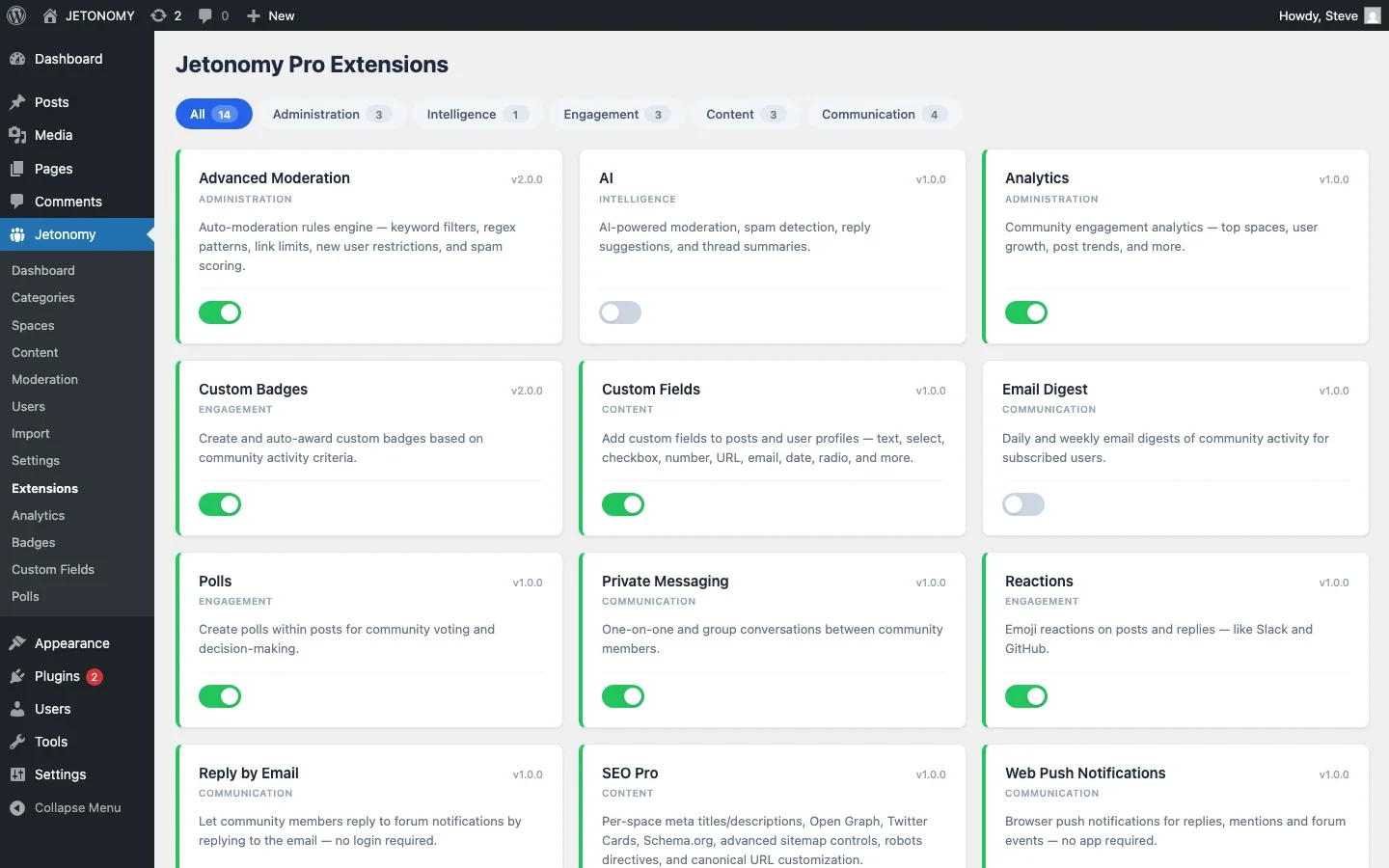
- Enable the Webhooks extension in Jetonomy Pro Extensions
- Go to Jetonomy → Settings → Webhooks
- Add a new webhook: Enter the endpoint URL, select trigger events, and optionally add a secret key for payload verification
- Test the webhook with the “Send Test” button to verify the endpoint receives data correctly
- Activate the webhook
You can create multiple webhooks, one for Slack, one for Zapier, one for your CRM, each triggered by different events.
Webhook Security
Webhook payloads are sent over HTTPS. For additional security:
- Secret key signing: Each webhook can have a secret key. Jetonomy signs the payload with HMAC-SHA256 using this key. The receiving service verifies the signature to confirm the payload came from your forum.
- IP whitelisting: If your receiving service supports it, whitelist your server’s IP address.
- Retry logic: If the endpoint returns a non-200 response, Jetonomy retries with exponential backoff (3 attempts over 15 minutes).
Webhooks vs. REST API
Approach | Direction | When to Use |
|---|---|---|
Webhooks | Forum → External service (push) | React to forum events in real time |
REST API | External service → Forum (pull/push) | Read forum data or create content programmatically |
Webhooks push data out. The REST API lets external services pull data in or push data to the forum. For building custom integrations with the REST API, Jetonomy provides 42+ endpoints covering topics, replies, votes, users, spaces, and analytics.
Getting Started
- Identify one integration that would save your team time (Slack is the easiest starting point)
- Enable the Webhooks extension in Jetonomy Pro
- Create the webhook with the endpoint URL and trigger events
- Test with a real event (create a topic and verify the webhook fires)
- Add more integrations as needed
For the base forum setup, follow our WordPress forum guide. Webhooks turn your forum from a standalone tool into a connected node in your business infrastructure.
Implementation details that make the rollout smoother
Connecting Your Forum to External Services with Webhooks fits into the broader forums category through launch plans, migration steps, and setup choices. That matters because the technical setup is only one part of success. The way you structure spaces, roles, onboarding, and follow-up is what determines whether the forum becomes a searchable asset or just another neglected section of the site.
- Start with one public space and one private operator space so you can test permissions before the wider launch.
- Seed the first discussions yourself using the exact questions customers already ask in email, pre-sales chat, or onboarding calls.
- Define who can create spaces, who can moderate them, and what counts as an accepted answer before the first wave of members arrives.
Why teams evaluating this setup should look at Jetonomy Pro
Jetonomy Pro is useful here because it gives you Q&A, discussion spaces, trust levels, private areas, and a cleaner launch path than stitching together older forum plugins. If you want to know more and try Jetonomy, take a closer look at Jetonomy Pro. It is the most direct next step for teams that want to move from theory to an actual working WordPress community experience.
For articles like this one, the practical question is not only whether the approach works in theory. It is whether your chosen forum stack gives you the moderation depth, user experience, and extensibility to keep the system useful six months after launch. That is where a more complete product decision starts to matter.













