How WordPress provides the best platform to launch online courses?

The last few years have brought major changes to the learning industry. As the internet and social media kept evolving, a huge share of learning moved online. Harvard, MIT, the University of Pennsylvania, and plenty of other big names are all investing in making eLearning better.
You can enroll in courses from these universities through platforms like edX and Coursera. Individual instructors are doing the same thing on their own eLearning sites, or through platforms like Udemy and Udacity, building their name while teaching thousands of students online.
Why Now Is a Good Time to Launch Online Courses
If you have expertise in a subject, or a polished skill, you can teach it to thousands of people hungry to learn it, all you need is an online platform. You can also team up with other instructors and build a multi-instructor, multi-course platform that grows from there. All of this is quick to set up using the world’s best content management system, WordPress, as your foundation.
What Is WordPress?
WordPress is the world’s largest CMS, powering more than 40% of websites, eLearning platforms, ecommerce sites, social networks, and plenty more. Some of the bigger names in education running on WordPress include the University of Washington, RenWeb, Bionic Turtle, and Michael Hyatt Courses.
WordPress itself is free and open-source, which makes it flexible enough to use however you want.
That said, there are still some costs involved even though the core software is free:
- Hosting service
- Plugins and add-ons (free and premium)
- Themes (free and premium)
How Will WordPress Help You Build an eLearning Platform?
WordPress’s biggest advantage is how flexible and modifiable it is. You can build pretty much any kind of platform you want, you just need the right plugin, the right theme, and a bit of setup.
The plugin you need to build an online learning platform is a Learning Management System (LMS) plugin.
What Is an LMS?

An LMS is software that helps you create and manage courses. It gives instructors and students a secure space for content delivery and management. With an LMS in place, giving out assignments, building quizzes and assessments, and tracking student progress all becomes far less of a hassle.
What to Look for in an LMS Plugin
A good LMS plugin covers a handful of core features:
- Course building – the core feature of any LMS, letting you build clean, structured courses with several ways to put them together.
- Managing students – handling student details, enrollment status, membership status, payments, and more, securely.
- Progress tracking and reporting – keeps both you and your students aware of where they stand, which helps keep them engaged.
- Assessments and quizzes – lets you add quizzes to each chapter or section, so students can check their own progress and stay motivated.
- Badges and certificates – awards a certificate of completion when a student finishes a course, useful for their own professional record.
- Ecommerce integration – handles selling courses directly, along with taxes, coupons, and discounts.
There are several LMS plugins to choose from, here are a few of the top ones:
- LearnDash
- LifterLMS
- LearnPress
- Sensei LMS
- Tutor LMS
Here, we’ll focus on the most popular LMS plugin on WordPress, LearnDash, and its close alternative, LifterLMS.
LearnDash LMS Plugin
LearnDash is the most popular WordPress LMS, letting you create and sell courses, manage students, and track reports. It has a solid, user-friendly interface built for structured content delivery.
LearnDash Features
Build structured, polished courses with features like:
- Drag-and-drop course builder
- Dynamic content delivery
- Drip-fed lessons
- A range of prerequisite options
Keep learners engaged with:
- Automated notifications
- Badges and certificates
- Course points
- Integrated discussion forums
- Assessments and quizzes
- Leaderboards
Manage sales through:
- Integration with WooCommerce
- One-time purchases, subscriptions, and other purchase types
Plus third-party plugin support for BuddyPress, Mailchimp, GamiPress, and more.
LearnDash Pricing
- Basic: $159/year
- Plus Package: $189/year
- Pro Package: $329/year
What Theme to Use With LearnDash?
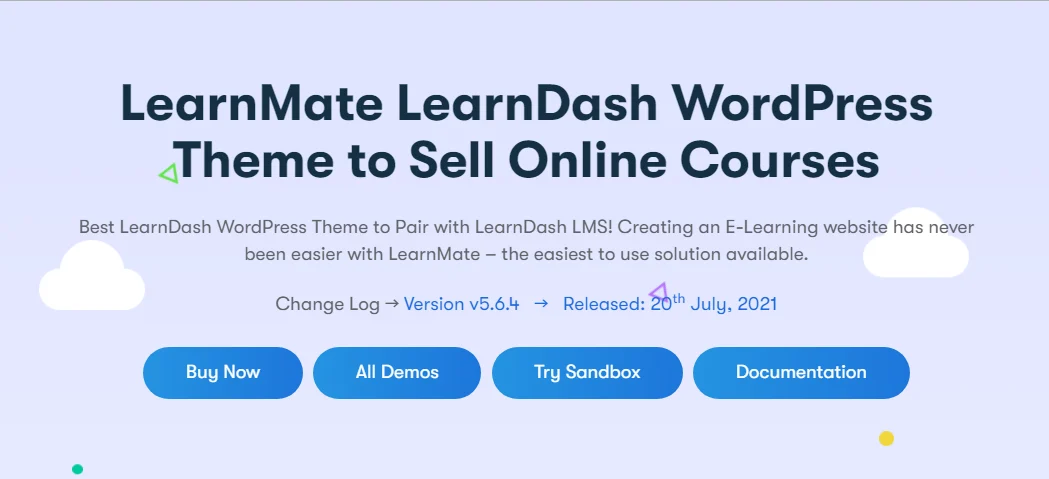
Choosing the right theme for a plugin makes a real difference. A good theme supports your plugins and add-ons and gives you a proper layout, design, typography, and color scheme that keeps the site fast, responsive, and user-friendly. The best fit for LearnDash is the LearnMate LearnDash theme from Wbcom Designs, which comes loaded with layouts and features built for it.
LearnMate LearnDash Theme Features
- Build your whole site in a few minutes by importing the demo.
- Comes with a powerful page builder so you can customize things your way.
- A range of options for customizing shop page layouts for a better browsing experience.
- Multiple course layouts to make courses more engaging for students.
- Easy integration with WooCommerce, Stripe, bbPress, BuddyPress, and other third-party plugins.
- Distraction-free reading and a dark mode option for students who want to focus.
- A range of grid and listing options, header variations, single-course layouts, typography, and theme skins.
- A course review feature that collects student testimonials, useful for boosting sales.
- These are just some of the features; there’s plenty more built in to make running your eLearning platform easier.
Add-ons Worth Having for LearnDash
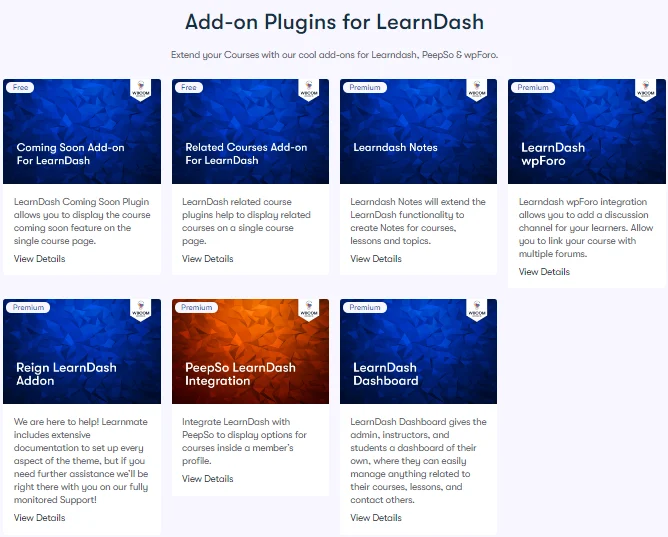
Add-ons extend the plugin with extra features. A couple worth pointing out for boosting student interaction: LearnDash Notes and LearnDash Dashboard.
LearnDash Notes: LearnDash Notes lets admins, instructors, and students take real-time notes. Instructors can give feedback directly on a student’s notes, and admins can display notes to specific user profiles via shortcode.
LearnDash Dashboard: LearnDash Dashboard gives admins, students, and instructors their own dashboard to manage everything related to their courses.
You can browse other LearnDash add-ons here.
LifterLMS
LifterLMS also makes it easy to build online courses, with course delivery, course management, student management, progress tracking, and ecommerce integrations all built in. It’s a close competitor to LearnDash.
Pricing
- Individual add-ons: $120+/year
- Universe Bundle: $360/year
- Infinity Bundle: $1,200/year
Theme to Use With LifterLMS

The LearnMate LifterLMS theme is one of the best fits for the LifterLMS plugin, integrating and supporting it in a structured way. Since it’s also built by Wbcom Designs, it shares much of the same feature set and ease of use as the LearnMate LearnDash theme.
An Alternative to Both LearnMate Themes
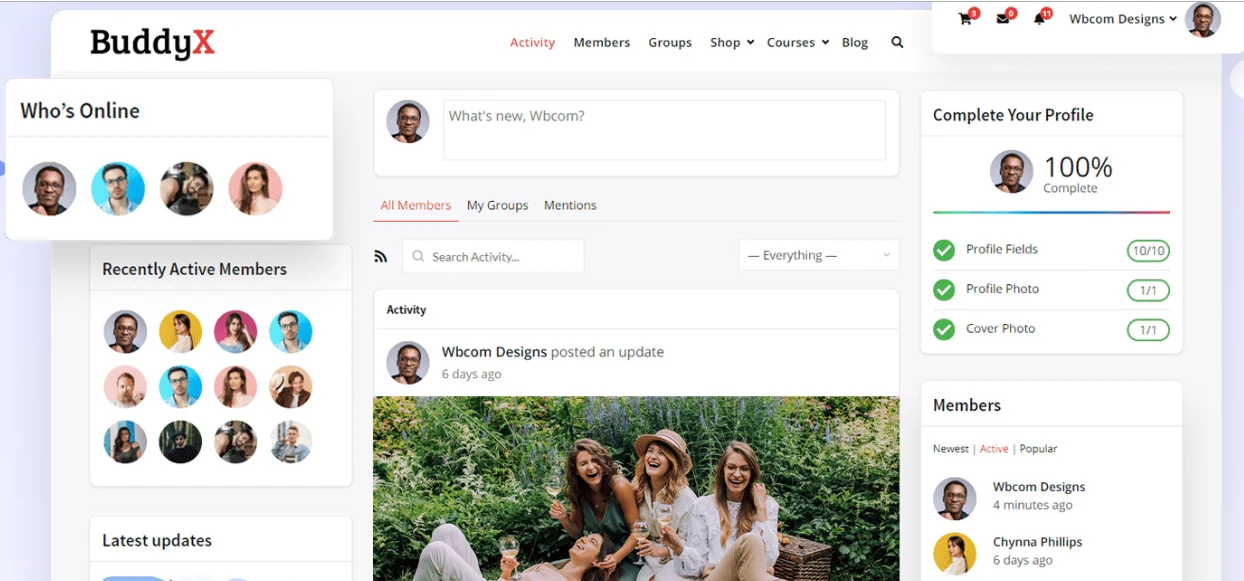
The BuddyX theme is a solid alternative to both the LearnMate LearnDash and LearnMate LifterLMS themes. It’s built on the WordPress community plugin BuddyPress and works well across platform types, eLearning, job boards, ecommerce, and more. It’s also compatible with other LMS plugins like Sensei LMS, Tutor LMS, and LearnPress.
BuddyX is a free WordPress theme, with a Pro version also available.
BuddyPress Demos
BuddyX with LearnDash
BuddyX Pro with LearnDash
BuddyX with LifterLMS
BuddyX Pro with LifterLMS

Conclusion
You don’t need to spend thousands of dollars a year running an eLearning platform, WordPress is cheap and efficient by comparison. With a community this large, you’ll find answers to just about any question, and there are countless WordPress developers out there, us included, dedicated to making it even better.
WordPress now powers more than 40% of the internet, and that share keeps growing, so it’s a solid choice for an eLearning platform too. Running it requires very little technical knowledge at first, but as your priorities shift and your business grows, you may eventually need to bring in a WordPress developer.
Whenever you need a hand with your eLearning site, plugin integration, or development work, feel free to contact us. We’re happy to help.
Interesting Read:
20 Best WordPress Community Themes In 2020
How To Add Social Network Features In Your WordPress Site?
5 of the Best Local WordPress Development Tools Compared for 2026