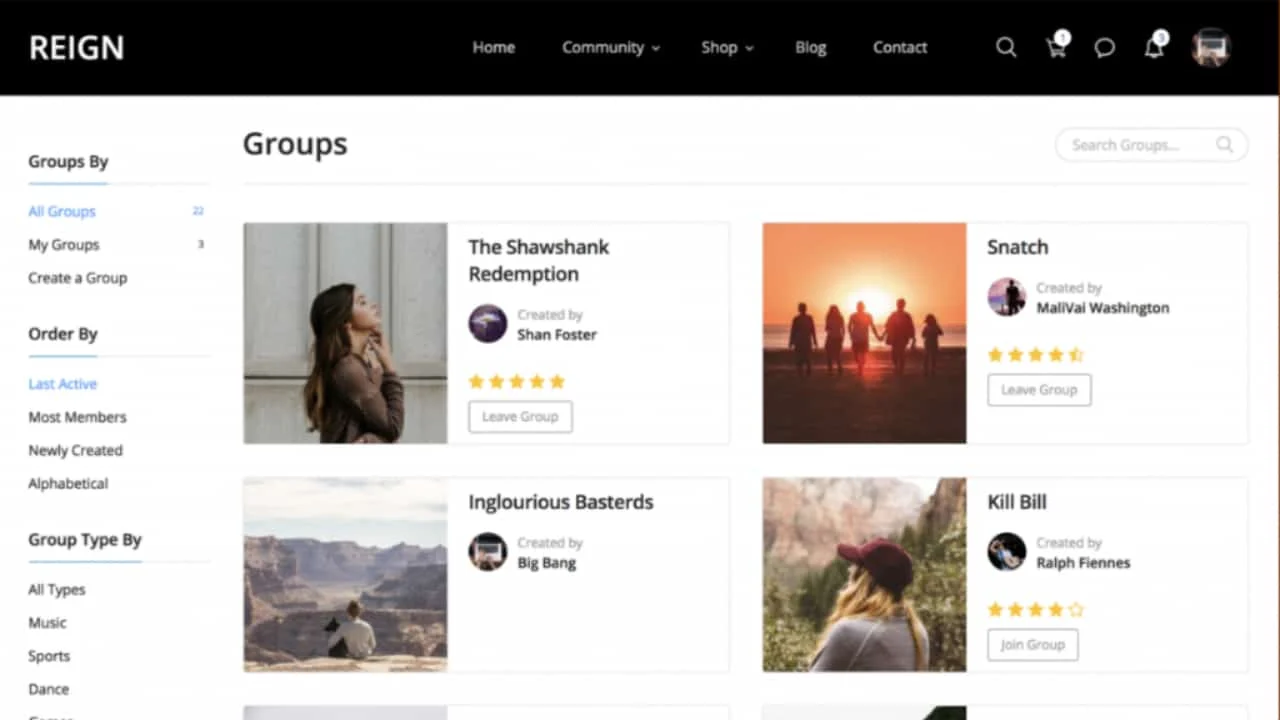
Want to let your BuddyPress community members add reviews and ratings to your groups? By default, BuddyPress doesn’t include a way to review any group created on your site.
For an online community, positive reviews genuinely matter, they extend your reach and build trust among members. The same holds for BuddyPress groups: letting members leave reviews and ratings can be a real asset for your business. Here’s how to set it up.
How BuddyPress Reviews Impact Your Community
If you’re running a business with an online presence, building a social community around your members does a lot for your credibility.
Strong reviews on your network make it easier to catch the attention of new users, and existing reviews build trust that pulls in more members over time.
BuddyPress groups exist to bring people together around a specific topic, much like Facebook groups, where members join and post related content. Letting your BuddyPress members add reviews and ratings for a group improves interaction within it and builds trust at the same time.
Benefits of displaying reviews on your website:
- Improved user interactions
- Increased retention and engagement
- A more popular community
- Stronger member trust
Adding a Group Review Feature to Your BuddyPress Community
Let’s add reviews to your BuddyPress-powered site. First, install and activate the BuddyPress Group Reviews plugin. See this guide on how to install the BuddyPress Group Reviews plugin.
Once it’s active, configure it under Dashboard > Reviews > BP Group Review Settings. You’ll set your criteria and a few other options here:
1. General Settings: Basic review configuration, including:
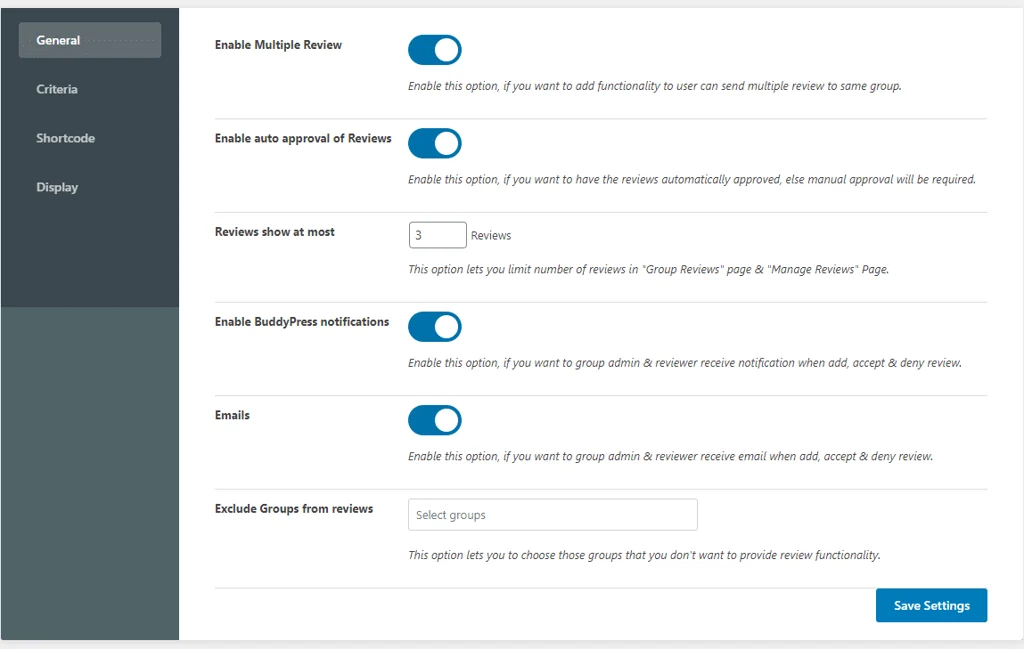
- Allow multiple reviews from the same user for the same group
- Enable auto-approval of reviews
- Set the maximum number of reviews to show
- Enable BuddyPress notifications
- Enable email alerts
- Exclude specific groups from reviews
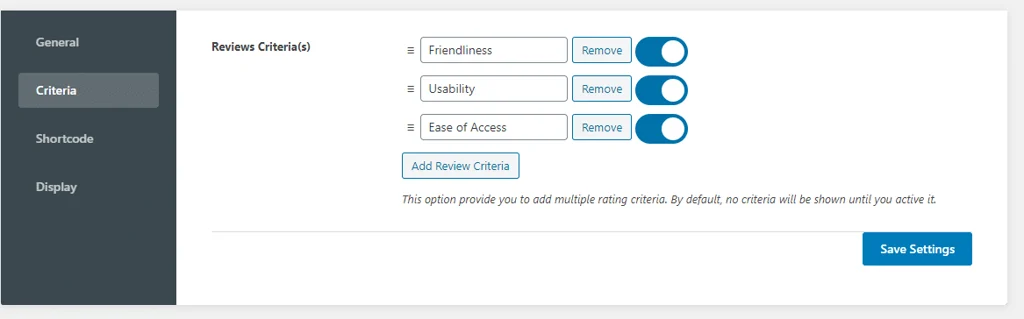
2. Criteria: Set what members are rating, and add multiple rating criteria if you’d like.
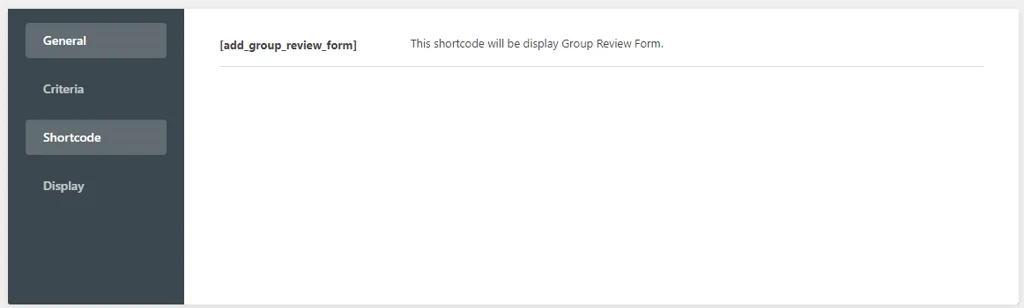
3. Shortcode: A simple shortcode displays the group review form. Paste it on the page where you want the form to appear and publish.
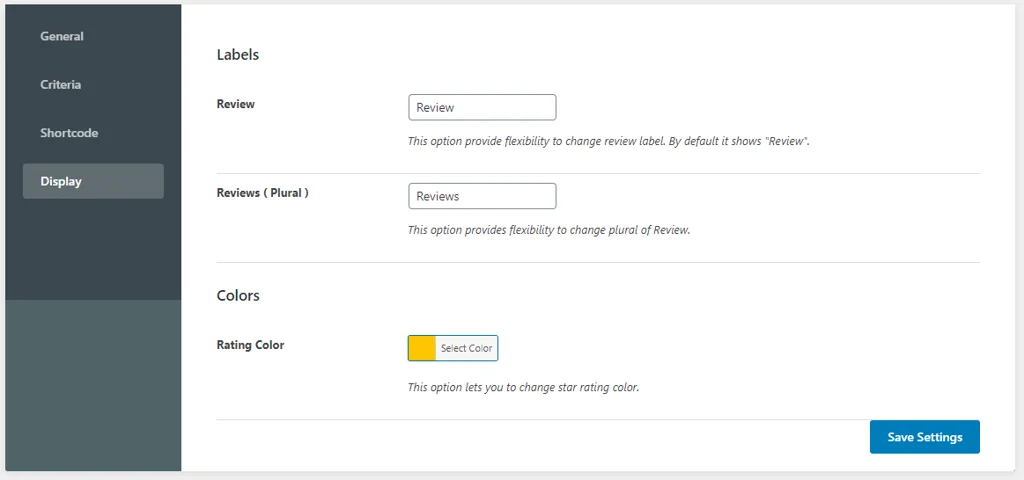
4. Display: Customize the review label and rating color to match your site.
Once everything’s configured, save your settings.
Adding Reviews to Groups
With setup done, here’s how members actually leave a review.
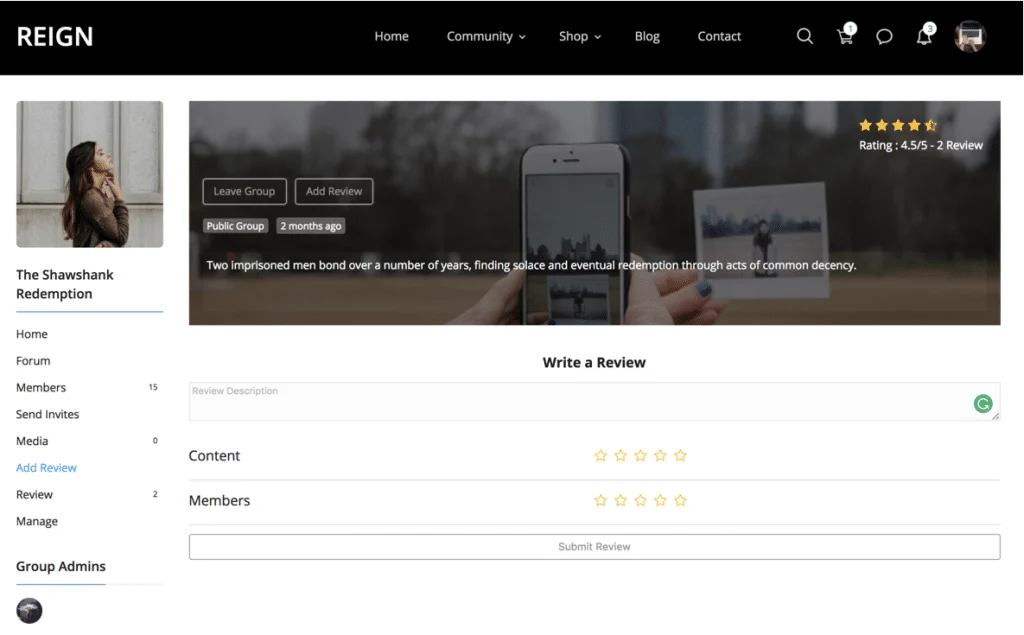
1. Visit the “/groups” section of your site, open a single group’s page, and you’ll see a new Reviews menu. Any site member can use it to add a review for that group.
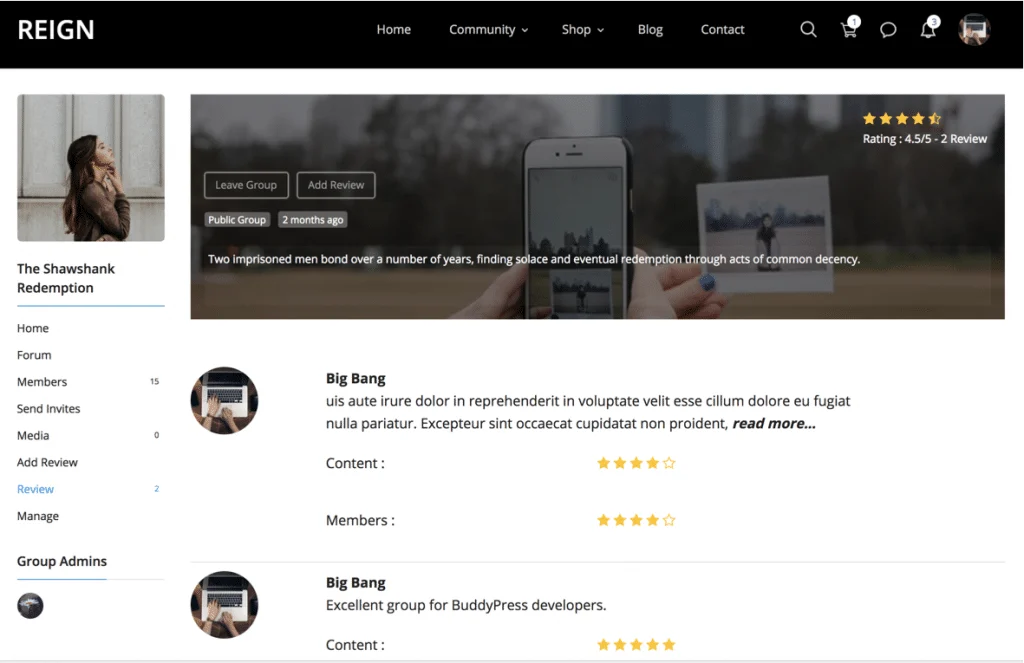
2. Once submitted, every review shows up under that group’s Review tab.
That’s it, your members can now add ratings and reviews to your BuddyPress groups.
Download BuddyPress Group Reviews For Free
Hope you found this useful. Let us know your thoughts in the comments below.
Interesting Read: How To Redirect BuddyPress Members After Login In WordPress?