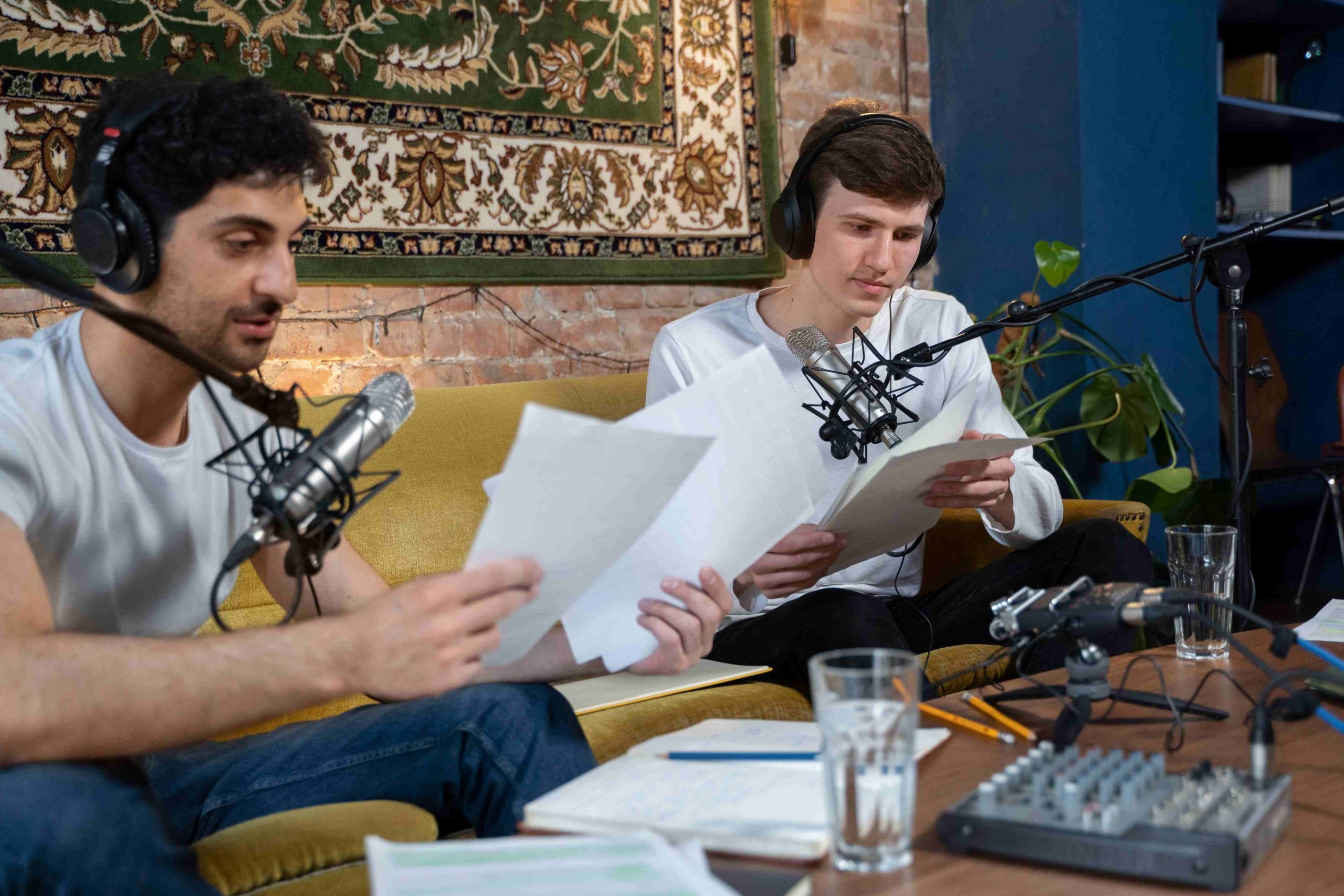
Bad audio kills a podcast faster than almost anything else, listeners will forgive a rambling intro or an awkward pause, but static, clipping, or a host who sounds like they’re talking through a tin can loses them within seconds. The software you record on isn’t the only factor in getting good sound, microphone choice and room acoustics matter just as much, but it’s the tool that determines how much control you have over fixing problems and shaping the final product. Here are ten options that cover the real range of podcasting needs, from a completely free open-source editor to professional multi-track suites built for remote interview shows.

What to Actually Prioritize When Choosing
Before the list, it’s worth being honest about what matters for your specific show. A solo host recording alone has different needs than a two-person interview show, which has different needs again from a panel show with four or five remote guests. Ask yourself: do you need remote multi-track recording, where each participant’s audio is captured separately for cleaner post-production, or is a single local track enough? Do you want text-based editing, or are you comfortable on a traditional waveform timeline? And realistically, how much time do you have for post-production each episode, some tools trade editing depth for speed, which matters more once you’re producing weekly rather than occasionally.
Budget matters too, obviously, but it’s worth framing as a question of where the money actually helps rather than a flat yes-or-no on paying. A free tool paired with good hardware and a treated recording space often beats an expensive tool used in a bad room, so it’s worth sequencing your investment: room and microphone first, software second, and software upgrades only once you’ve genuinely outgrown what a free option offers rather than upgrading preemptively.
1. Audacity
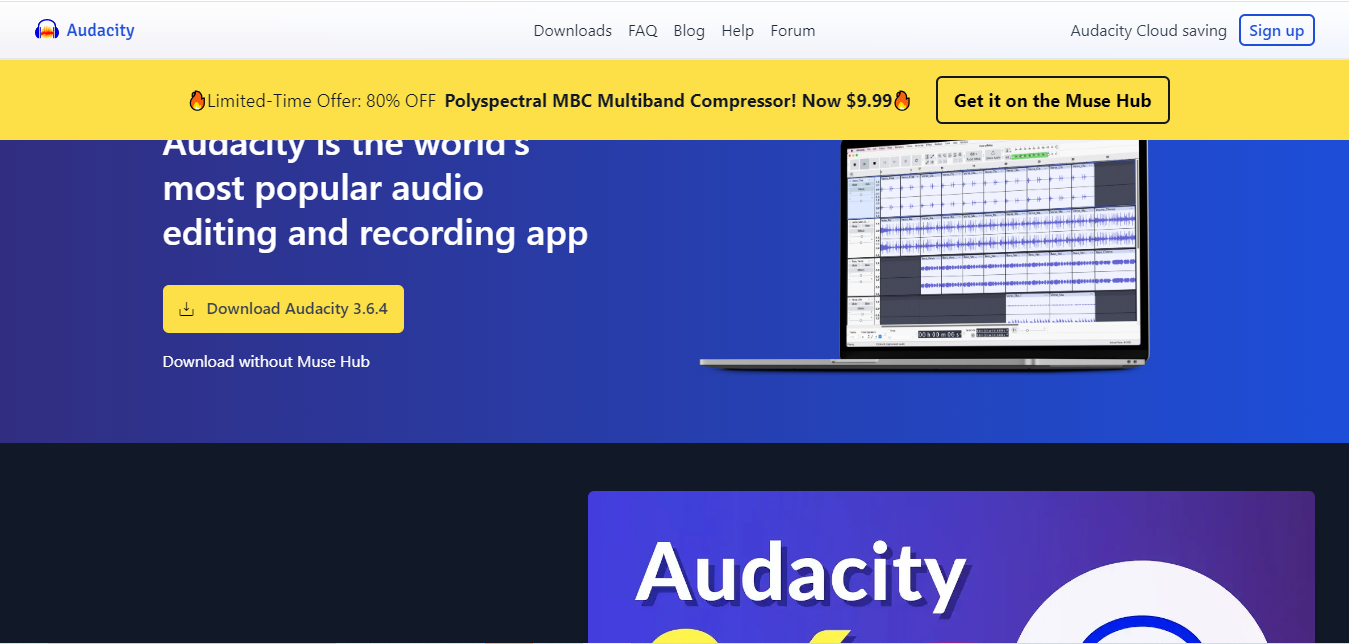
Audacity has been the default free recommendation for audio editing for years, and it earns that reputation honestly: fully free, open-source, cross-platform, and capable of genuinely professional multi-track editing once you get past its slightly dated interface. It doesn’t hold your hand the way newer tools do, there’s a real learning curve to using its noise reduction and compression tools effectively, but every technique you’d need for podcast editing is available, just requiring more manual effort than a purpose-built podcast tool.
- Key Features: Multi-track editing, wide format support, an active plugin ecosystem for extending its capabilities.
2. GarageBand
For Mac and iOS users, GarageBand comes free with the operating system and covers most of what a solo or small-team podcast needs without any additional cost. Its interface is considerably friendlier than Audacity’s for a first-time user, and the built-in loop and instrument library is a genuine bonus for shows that want a custom intro theme or musical stings without licensing outside music. The tradeoff is Apple-only availability, it’s not an option if any part of your workflow touches Windows or Linux.
- Key Features: Beginner-friendly interface, direct export options for podcast platforms, built-in music tools for custom intros and transitions.
3. Adobe Audition
Audition sits at the professional end of the spectrum, a subscription-based tool with genuinely deep noise reduction, restoration, and multi-track capabilities that justify the cost for shows treating podcasting as a serious production, not a hobby. Its integration with the rest of Adobe’s Creative Cloud matters specifically if your podcast also has video components edited in Premiere Pro, keeping audio and video work inside one connected ecosystem rather than juggling separate, incompatible tools.
- Key Features: Advanced noise reduction and restoration tools, deep multi-track editing, tight integration with other Adobe apps.
4. Zencastr
Remote interview shows have a specific, recurring problem: recording over a standard video call compresses and degrades everyone’s audio quality, sometimes badly. Zencastr solves this by recording each participant’s audio locally on their own device in the browser, then syncing the separate high-quality tracks afterward, so a guest’s home internet hiccup doesn’t wreck their portion of the recording. For any show built around remote guests, this local-recording approach is worth prioritizing over a tool that only captures the compressed call audio.
- Key Features: Separate high-quality tracks per participant, fully browser-based with no software install for guests, automated post-production leveling.
5. Reaper
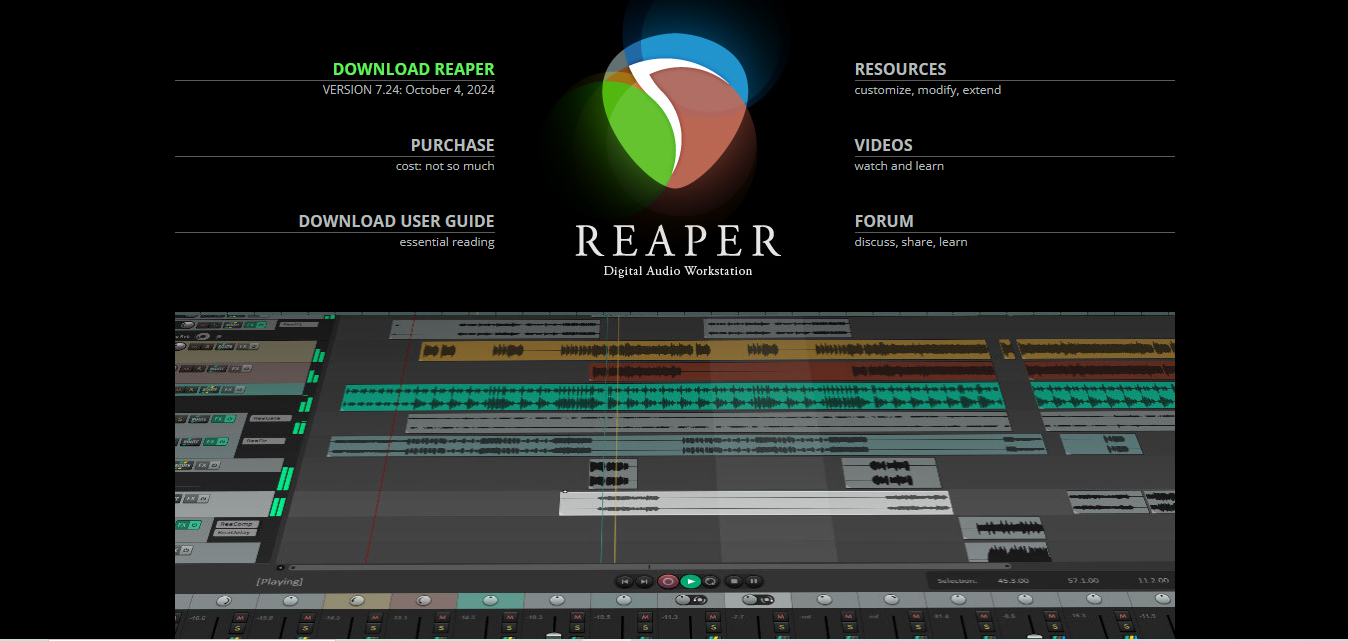
Reaper occupies an unusual position in this list: a full professional digital audio workstation priced closer to a hobbyist tool, with a one-time license rather than an ongoing subscription. It’s genuinely as customizable as software gets, every menu, shortcut, and workflow element can be rearranged, which is either a huge selling point or overwhelming depending on how much you want to tinker with your tools versus just get recording. Experienced podcasters who’ve outgrown simpler software but don’t want Adobe’s subscription cost often land here.
- Key Features: Deeply customizable interface and workflow, extensive plugin support, one-time purchase rather than a subscription.
6. Podbean
Podbean bundles recording, hosting, and distribution into a single platform, which appeals specifically to a beginner who doesn’t want to stitch together separate tools for recording, a separate host for the finished files, and a separate submission process for each podcast directory. Its live-streaming feature adds a real-time engagement option most dedicated recording tools don’t offer at all, useful for shows that want to build a more interactive relationship with their audience beyond a purely pre-recorded format.
- Key Features: Built-in recording, hosting, and distribution in one platform, live-streaming capability, monetization options for eligible shows.
7. Hindenburg Journalist
Built specifically for spoken-word content, journalism and podcasting rather than music production, Hindenburg’s automatic leveling and voice profiling handle a lot of the technical cleanup work automatically that other tools require manual EQ and compression settings for. Its chapter-marking feature is a nice touch for narrative or documentary-style shows structured around distinct segments, letting listeners jump between sections in supporting apps that read chapter data.
- Key Features: Automatic leveling tuned specifically for voice, voice profiling for consistent clarity, straightforward chapter creation.
8. Auphonic
Auphonic isn’t a recording tool at all, it’s a post-processing service you run your already-recorded audio through, which is exactly why it pairs so well with any of the recording tools above rather than competing with them. Feed it a raw multi-track recording and it automatically levels volume across speakers, reduces background noise, and exports in formats ready for different podcast platforms, batch processing an entire backlog of episodes if needed.
- Key Features: Automatic leveling and noise reduction as a post-processing step, batch processing for handling multiple episodes at once, multiple export formats.
9. Descript
Descript’s transcript-based editing genuinely changes how fast rough cuts happen, delete a sentence from the text transcript and the corresponding audio disappears with it, which is dramatically faster than scrubbing a waveform by ear for anyone comfortable working from text. Its collaboration features matter for shows with a producer or co-editor working alongside the host, multiple people can work on the same project without passing large audio files back and forth manually.
- Key Features: Edit audio by editing a text transcript, Overdub for correcting flubbed lines by typing a replacement, built-in collaboration tools for teams.
10. Anchor
Anchor (now integrated into Spotify’s creator tools) remains one of the lowest-friction ways to start podcasting from a phone, recording, light editing, and distribution all handled in one free mobile app. It’s the right choice specifically for someone testing whether podcasting is even for them before investing in dedicated equipment or software, the barrier to publishing a first episode is close to zero.
- Key Features: All-in-one recording, hosting, and distribution, mobile-first design for recording on the go, built-in monetization tools for eligible creators.
Comparison Table
| Software | Platform | Best For | Cost Model |
|---|---|---|---|
| Audacity | Windows, Mac, Linux | Budget-conscious editors comfortable with a learning curve | Free |
| GarageBand | Mac, iOS | Beginners already in the Apple ecosystem | Free |
| Adobe Audition | Windows, Mac | Professional shows needing deep restoration tools | Subscription |
| Zencastr | Browser-based | Remote interview shows with multiple guests | Free tier, paid plans for longer sessions |
| Reaper | Windows, Mac, Linux | Experienced editors wanting full customization | One-time license |
| Podbean | Web, mobile | Beginners wanting recording, hosting, and distribution together | Free tier, paid hosting plans |
| Hindenburg Journalist | Windows, Mac | Spoken-word shows wanting automated leveling | One-time license |
| Auphonic | Web-based | Post-processing any existing recording | Free tier, usage-based paid tiers |
| Descript | Windows, Mac | Text-based editing and team collaboration | Free tier, paid plans for longer projects |
| Anchor | Mobile, web | Absolute beginners recording from a phone | Free |
Hardware Still Matters More Than Software
It’s worth repeating directly: no software on this list fixes a fundamentally bad recording setup, and this is the single most common thing new podcasters get backwards, agonizing over which app to buy while recording in an echoey spare room with a laptop’s built-in mic. A $50 USB microphone in a quiet, softly furnished room, curtains, a rug, a couch, will outperform a $300 microphone recorded in an echoey, hard-walled space every time. Before spending more on software than you need, invest in basic room treatment (even blankets over hard surfaces help meaningfully) and a decent dedicated microphone rather than a laptop’s built-in mic. Software then handles the polish, cleanup, leveling, noise reduction, on top of an already-decent recording, not as a substitute for one.
Setting Up a Repeatable Recording Workflow
Beyond picking software, the podcasters who stay consistent long-term usually build a repeatable checklist rather than reinventing their process every episode: same recording location and microphone position each time for consistent room tone, a standard file-naming and folder structure so nothing gets lost searching for the right raw file weeks later, and a fixed post-production sequence, noise reduction, leveling, trimming, export, applied the same way every episode rather than improvised fresh each time. This kind of routine matters more for sustaining a weekly or biweekly show over months than any single software feature does.
Matching Software to Your Show Format
- Solo shows: GarageBand or Audacity cover the essentials without unnecessary complexity.
- Remote interview shows: Zencastr or Descript, both built around clean multi-participant capture.
- Music or narrative-heavy production: Adobe Audition or Reaper, for deeper mixing and effects control.
- Absolute beginners testing the format: Anchor or Podbean, for the lowest setup friction.
- Anyone wanting automated post-production polish regardless of recording tool: Pair whichever recorder you choose with Auphonic as a final processing step.
Common Mistakes New Podcasters Make With Recording Software
The most frequent one is over-investing in software before addressing the actual acoustic problem, a bad recording space or a cheap microphone limits quality far more than the choice between two comparable pieces of software. The second is skipping a listen-through before publishing, automated noise reduction and leveling occasionally clip words or introduce artifacts that only show up on a careful listen, not a quick glance at the waveform. The third, specific to remote interview shows, is recording over a video call platform’s built-in audio instead of a dedicated local-recording tool like Zencastr, the convenience isn’t worth the quality loss once you’re publishing regularly.
A fourth, less obvious mistake is not testing your full recording chain, microphone, software, and export settings, before an important episode. A guest interview with a well-known name is the wrong time to discover your input levels are wrong or your software crashed mid-session without saving. A five-minute test recording before any session that matters catches this kind of problem when it’s still easy to fix.
Backing Up Raw Recordings
One habit that doesn’t get enough attention in most podcasting guides: keep your raw, unedited recordings for a reasonable period after publishing, not just the finished export. If a listener flags a factual error, if you need to re-cut a clip for social media months later, or if your edited master file gets corrupted, having the original multi-track recording available saves you from having to re-record an entire conversation that can’t actually be repeated, particularly with a guest who may not be available again. Cloud storage or an external drive dedicated to raw podcast files is a small, cheap habit that prevents a genuinely painful loss down the line.
Frequently Asked Questions
Do I need paid software to start a podcast?
No. Audacity, GarageBand (Mac only), and Anchor all cover a genuinely functional starting setup at no cost. Paid tools add convenience, automation, and deeper editing control, valuable once you’re producing regularly, not required to publish your first episodes.
What’s the biggest quality difference between free and paid recording software?
Usually automation. Paid tools like Adobe Audition and Hindenburg handle noise reduction and leveling with less manual tuning than free alternatives require, saving real editing time per episode once you’re producing on a regular schedule.
Is it worth switching software once I’ve already started a podcast?
Sometimes, but weigh the switching cost, learning a new interface and rebuilding your workflow takes real time. Switch when your current tool is genuinely limiting your show’s growth (remote guest quality, editing speed), not just because a newer tool looks appealing.
Can I record video and audio for YouTube at the same time as my podcast episode?
Several of these tools support it, or pair well with a separate video capture running alongside. Zencastr and Descript both handle synced audio-and-video recording for shows that publish a video version alongside the audio-only podcast feed, worth checking if repurposing episodes as video content is part of your plan.
How long does editing typically take per episode once I have a workflow set up?
This varies enormously by show format and how much cleanup a given recording needs, but as a rough range, a straightforward hour-long solo or two-person episode with a clean recording often takes one to three hours of editing once a workflow is established, longer for heavily produced shows with music, sound design, or multiple remote guests needing individual cleanup.
Do I need separate software for recording and for final mastering?
Not necessarily, several tools on this list, Adobe Audition and Reaper especially, handle both recording and full mixing and mastering in one application. Others, like Zencastr, are recording-focused and pair well with a dedicated post-processing step through something like Auphonic rather than trying to do final mastering themselves.

Finding Your Perfect Podcast Recording Software
The right tool comes down to your show’s format and how much time you can realistically put into post-production, not which option has the longest feature list. Whether that’s Audacity’s free flexibility, Zencastr’s remote-recording clarity, or Adobe Audition’s professional depth, start with whichever matches your actual show, and pair it with Auphonic if the manual leveling and noise reduction eat too much of your editing time. Whatever you choose, give it a real trial run, a full test episode, not just a five-minute demo, before committing your show’s workflow to it long-term.