In the realm of content creation, audio quality is paramount. Whether you’re a podcaster, musician, or video producer, delivering crystal-clear audio can significantly impact your audience’s engagement. If you’re seeking the Best AI Audio Repair Free Download tools to enhance your sound, you’ve come to the right place! This comprehensive guide will walk you through the top options available to ensure your audio is polished and professional.
A single recording session can be undone by a hum from a nearby air conditioner, a burst of wind across a microphone, or a dropout in a video call. Rather than re-recording an entire episode or throwing away hours of footage, audio repair software lets you isolate the damage and rebuild what is salvageable. The tools below range from free, browser-based cleaners to professional-grade suites with free trial tiers, so there is something here whether you are fixing a single voice memo or maintaining a weekly podcast pipeline.

Why Clear Audio Matters
Imagine crafting a fantastic podcast episode or music track, only for your audience to be distracted by background noise or distorted sound. Clear audio isn’t just a luxury; it’s essential for effective communication. High-quality sound can build trust, retain listeners, and elevate your overall content quality. Thankfully, many free tools can help you achieve the best AI audio repair free download solutions to improve your audio.
Listener research from podcast platforms consistently shows the same pattern: people tolerate an imperfect microphone far more readily than they tolerate hiss, clipping, or an inconsistent volume level. Bad audio reads as unprofessional even when the content itself is excellent, and it is one of the fastest ways to lose a first-time listener within the opening thirty seconds. That is why audio repair deserves the same attention as scripting or editing in your production workflow.
Navigating the Sea of Options
With numerous audio repair tools available, choosing the right one can feel overwhelming. Questions like “Which free tools provide the best results?” and “What features are essential for audio repair?” often arise. If you’re on the hunt for the Best AI Audio Repair Free Download, these questions can complicate your search. However, with the right information, you can find effective solutions to address common audio issues without breaking the bank.
What to Look for Before You Download Anything
Not every audio repair tool solves the same problem, so it helps to know what you are actually dealing with before picking software:
- Broadband noise (hiss, fan hum, air conditioning): best handled by spectral noise reduction tools like Audacity or AudioDenoise.
- Clicks, pops, and vinyl crackle: tools with dedicated declick/depop modules, such as iZotope RX Elements or WavePad, perform far better than generic noise reduction.
- Inconsistent loudness between speakers or sections: automatic leveling tools like Auphonic solve this without manual gain riding.
- Filler words and dead air in spoken content: Descript and Cleanvoice AI are purpose-built for this rather than being general editors.
- Live-call and streaming noise: real-time suppression tools like Krisp work during the call itself rather than after the fact.
Matching the tool to the specific defect saves time and usually produces a cleaner result than running a single “fix everything” filter over the whole file.
Your Go-To Guide for the Best Tools
This article aims to introduce you to the Best AI Audio Repair Free Download tools that can transform your audio experience. By the end of this guide, you’ll be equipped with the knowledge to choose the right tools for enhancing your audio quality. Let’s explore the top resources available to help you achieve professional-grade sound.
1. Audacity
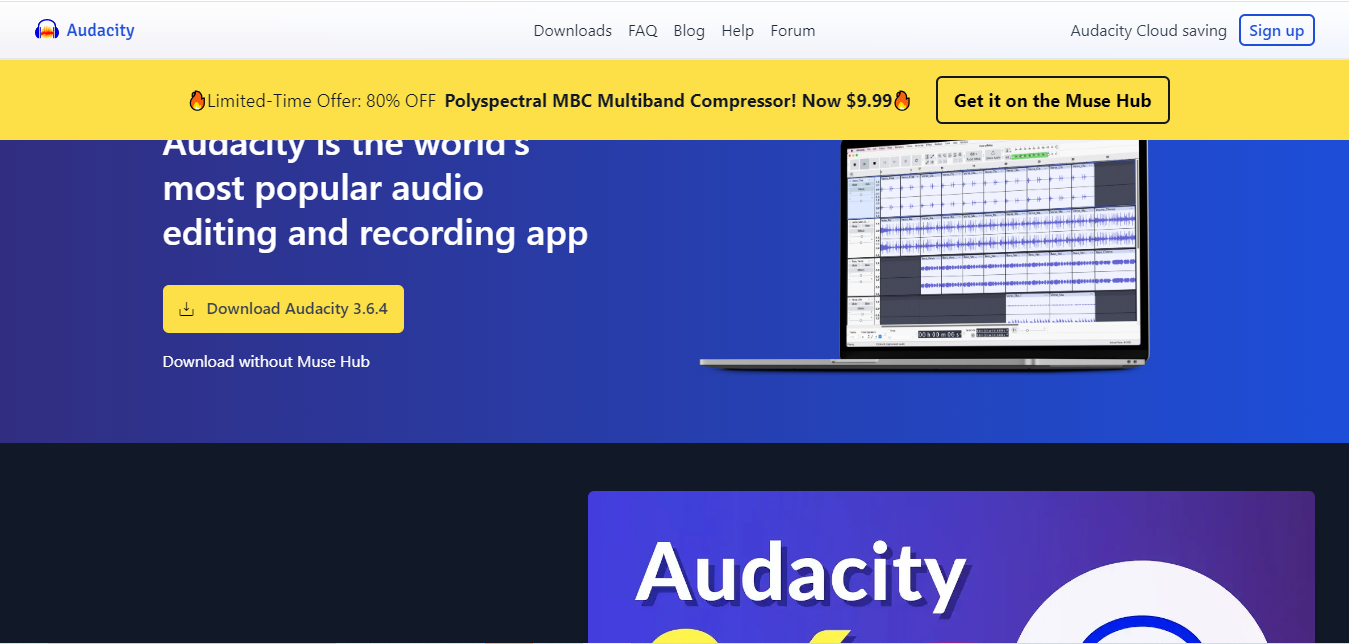
Audacity is a well-known, open-source audio editing software that has been a staple for many audio creators. Its robust features make it a top contender among the Best AI Audio Repair Free Download options.
Key Features:
- Noise Reduction: Eliminate unwanted background noise easily.
- Multi-Track Editing: Edit multiple audio tracks simultaneously for seamless production.
- Wide Format Support: Import and export various audio formats, ensuring flexibility.
Audacity’s powerful features combined with its user-friendly interface make it suitable for both beginners and seasoned professionals. Because it is fully open-source, there is no watermark, trial limit, or feature paywall hiding behind a “pro” upgrade. The tradeoff is a learning curve: the noise reduction tool requires you to select a clean noise sample first, and getting a natural-sounding result takes a bit of trial and error with the sensitivity and reduction sliders. It is the tool most creators reach for first simply because it costs nothing and runs on Windows, Mac, and Linux alike.
2. Krisp
Krisp is a unique tool that specializes in real-time noise cancellation. It’s perfect for live calls, recordings, and even video conferences, making it one of the most effective Best AI Audio Repair Free Download options.
Key Features:
- Instant Noise Removal: Clear background noise during calls or recordings.
- Broad Compatibility: Works seamlessly with various applications, including Zoom and Skype.
- Simple Setup: Easy to install and use without technical expertise.
Krisp ensures that your audio remains clear and professional, regardless of your environment. Unlike the other tools on this list, Krisp works live, sitting between your microphone and whatever application is capturing audio, so it is the right choice for interviews, client calls, or livestreams where you cannot fix the recording after the fact. The free tier caps usage per week, which is worth checking if you are on back-to-back calls all day.
3. Auphonic
Auphonic is an online tool that automates the audio processing workflow, making it ideal for podcasters and content creators looking for quick fixes. This tool is recognized for its efficiency, placing it among the Best AI Audio Repair Free Download resources.
Key Features:
- Automatic Leveling: Balances audio levels for consistent sound quality.
- Noise Reduction: Removes unwanted noise effectively from your recordings.
- User-Friendly: Intuitive interface that simplifies the enhancement process.
Auphonic allows users to focus on their content while it handles the technicalities of audio quality. Its standout feature is loudness normalization to broadcast standards, which matters if your podcast is distributed across Spotify, Apple Podcasts, and YouTube simultaneously, since each platform expects a slightly different target loudness. The free tier gives you a limited number of processing hours per month, which is usually enough for a handful of episodes before you need to consider a paid plan.
4. Descript: Innovative Text-Based Editing
Descript stands out with its unique text-based editing feature. This innovative tool allows users to edit audio by modifying the written transcript, making it an excellent choice among the Best AI Audio Repair Free Download options.
Key Features:
- Edit by Text: Simplifies audio editing by letting you change the transcript directly.
- Multi-Track Editing: Work on various audio tracks simultaneously for greater flexibility.
- Filler Word Removal: Automatically eliminates unnecessary filler words from your recordings.
Descript’s approach makes audio editing accessible and efficient, especially for those less familiar with traditional editing methods. Its Studio Sound feature applies an AI model trained to make audio sound like it was recorded in a professional studio, which can rescue a phone-recorded interview or a laptop-mic voiceover. Deleting a word from the transcript deletes it from the audio track automatically, cutting the time spent scrubbing a waveform for filler words by a wide margin.
5. WavePad
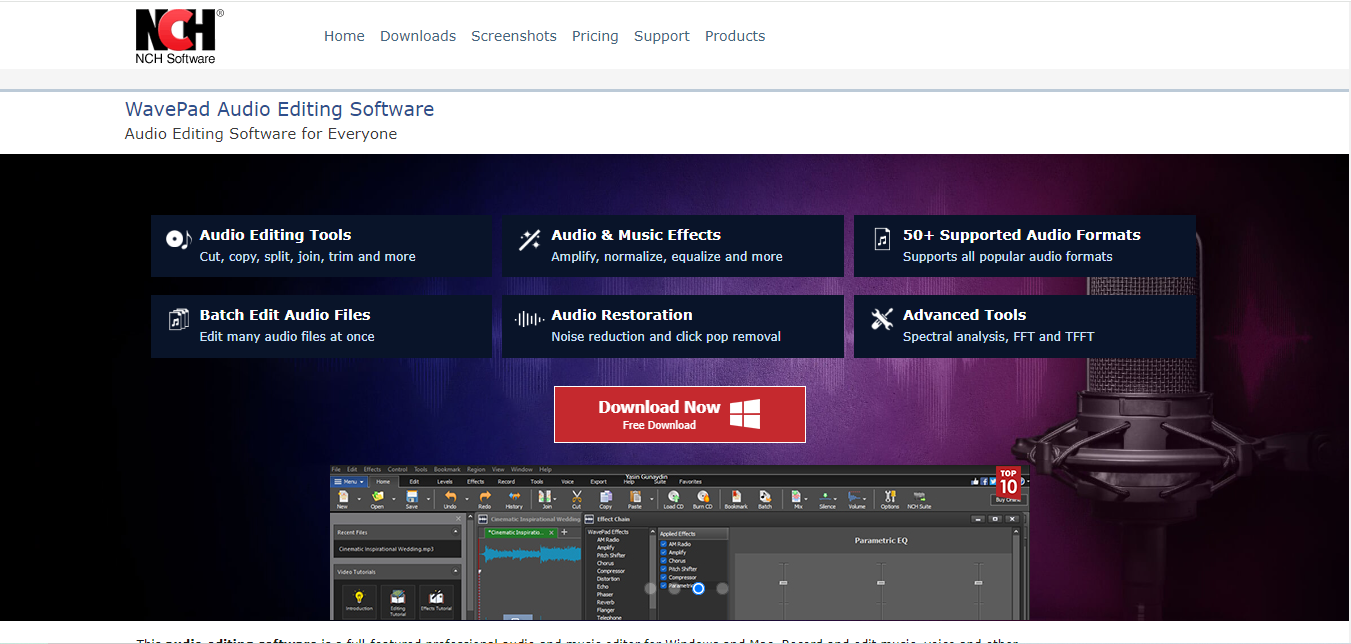
WavePad is a free audio editing software that offers essential features for anyone looking to improve their audio quality. Its straightforward design makes it an appealing choice in the Best AI Audio Repair Free Download category.
Key Features:
- Noise Removal: Easily remove unwanted sounds from your recordings.
- Audio Restoration: Enhance older recordings to improve clarity and quality.
- Multi-Format Support: Work with various audio file types seamlessly.
WavePad’s simplicity and effectiveness make it a great option for beginners eager to enhance their audio. Its restoration tools are particularly good with archival material, old cassette transfers, and voicemail recordings where hiss and crackle have accumulated over years of storage. The free version is limited to non-commercial use, so podcasters and businesses generating revenue from the content should budget for the paid license.
6. AudioDenoise
AudioDenoise is a web-based tool that offers quick and effective noise reduction services. With its convenience and efficiency, it’s an excellent option among the Best AI Audio Repair Free Download tools available.
Key Features:
- Quick Upload and Processing: Upload your audio file and receive a cleaned version in moments.
- No Installation Required: Accessible directly from your browser.
- User-Friendly Interface: Simplified design for hassle-free use.
For those needing immediate audio repairs, AudioDenoise is a fantastic and efficient option. Because everything happens in the browser, it is the fastest route to a cleaner file when you do not want to install anything, which makes it a good fit for one-off jobs like cleaning up a voicemail before sharing it, or fixing a single noisy clip in an otherwise finished video.
7. iZotope RX Elements
iZotope RX Elements is a powerful audio repair software known for its professional capabilities. While it’s primarily a paid tool, its free trial version provides access to many features, making it one of the Best AI Audio Repair Free Download options for serious audio creators.
Key Features:
- Advanced Noise Reduction: Effectively removes various unwanted sounds from recordings.
- Click and Pop Removal: Eliminates audio artifacts that can detract from quality.
- Spectral Editing: Visualize and edit audio in a unique way for precision.
iZotope RX Elements is ideal for users looking to achieve high-quality audio enhancements. The spectral view is the real differentiator here: instead of applying a filter blindly across the whole file, you can select the exact frequency range and time window where a cough, a door slam, or a phone buzz occurs and remove just that region, leaving the surrounding audio untouched. It is the closest thing to surgical repair on this list, which is why post-production studios rely on the full RX suite.
8. Sonnox Oxford Denoiser
Sonnox Oxford Denoiser is another professional-grade tool that offers a free demo version showcasing its advanced noise reduction capabilities. This tool is widely respected among audio professionals, placing it among the Best AI Audio Repair Free Download resources.
Key Features:
- Intelligent Noise Reduction: Effectively removes unwanted noise while preserving audio integrity.
- Real-Time Monitoring: Adjust settings while listening to changes in real time.
- Flexible Controls: Customize settings to suit your audio needs perfectly.
For users looking for premium audio repair tools, Sonnox Oxford Denoiser offers outstanding quality. It runs as a plugin inside a digital audio workstation rather than as a standalone app, so it suits creators who already edit in Pro Tools, Logic, or Reaper and want denoising built into their existing session rather than a separate export-import round trip.
9. Cleanvoice AI
Cleanvoice AI is a specialized tool for podcasters that focuses on improving audio clarity and removing filler words. This tool’s targeted features make it a top choice in the Best AI Audio Repair Free Download category.
Key Features:
- Filler Word Removal: Automatically removes unnecessary words to create a smoother audio experience.
- Background Noise Reduction: Improves audio clarity by eliminating distractions.
- Intuitive Interface: Designed with ease of use in mind, making it accessible for everyone.
For podcasters looking to enhance their episodes, Cleanvoice AI is a valuable resource. It also detects mouth clicks and long pauses automatically, two defects that are tedious to hunt down manually in a sixty-minute interview. Because it is priced per minute of processed audio, it works out cheapest for shows that publish on a predictable schedule rather than sporadic one-off recordings.
10. VSDC Free Audio Editor
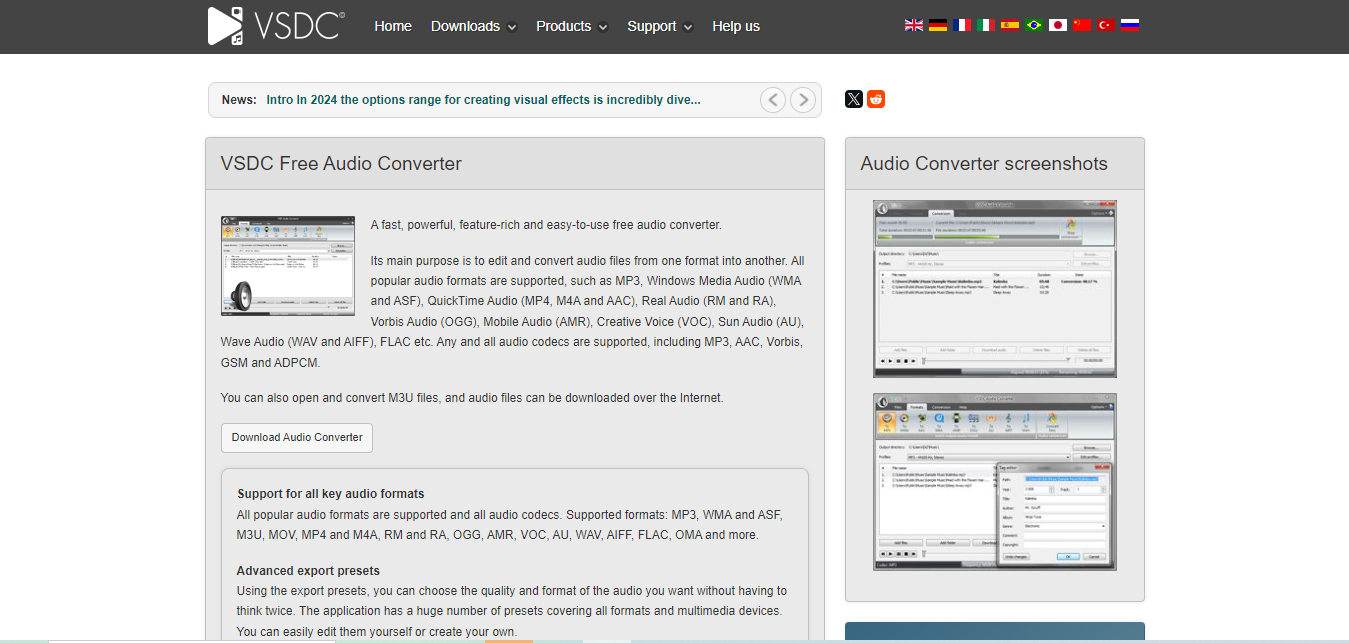
VSDC Free Audio Editor offers a wide range of audio editing features for free, making it an excellent choice among the Best AI Audio Repair Free Download tools. Its comprehensive capabilities cater to various editing needs.
Key Features:
- Non-Linear Editing: Edit audio tracks without being restricted to a single timeline.
- Visual Effects: Apply various effects to enhance your audio quality creatively.
- Multi-Format Support: Work seamlessly with different audio file types.
VSDC’s extensive features provide users with powerful tools to elevate their audio content. It began life as a video editor, so it is a natural pick if you are already assembling video and want the audio cleanup handled in the same timeline rather than bouncing files between separate applications.
Frequently Asked Questions
Can free tools really fix bad audio, or do I need paid software?
Free tools handle the majority of common problems well: background hum, inconsistent levels, and light hiss all respond to the free options above. Paid, professional-grade tools like iZotope RX earn their price on harder problems, isolating a single voice from overlapping crosstalk, removing a click buried inside a sustained musical note, or rescuing severely clipped audio.
What is the difference between noise reduction and noise removal?
Noise reduction lowers the volume of unwanted sound relative to your voice; it rarely eliminates it completely without introducing artifacts. Noise removal, achieved with tools like iZotope’s spectral repair, targets and deletes a specific unwanted sound while leaving everything around it intact. For light background hiss, reduction is usually sufficient; for a single loud interruption, removal gives a cleaner result.
Will AI noise reduction make my voice sound robotic?
It can, if pushed too aggressively. The telltale sign is a watery or metallic quality on sustained vowel sounds. The fix is almost always to dial back the reduction amount rather than switch tools; most of these applications default to a moderate setting that avoids this artifact.
Should I repair audio before or after editing the rest of my project?
Repair first. Editing decisions such as trimming, adding music beds, or layering sound effects are easier to judge against clean dialogue, and running noise reduction on a shorter, already-edited file also processes faster than repairing the full raw recording.
Do these tools work on video files, or only standalone audio?
Most, including Descript and VSDC, can extract and process the audio track directly from a video file and reattach it afterward, so you do not need to separate the tracks manually first in a third-party program.

Elevate Your Audio Quality Today!
Achieving high-quality audio doesn’t have to be a daunting task. With the Best AI Audio Repair Free Download tools discussed in this guide, you can enhance your audio quality without spending a fortune. From the robust capabilities of Audacity to the innovative approach of Descript, these tools offer a variety of solutions tailored to your needs.
Don’t let poor audio quality hold back your creativity. Explore these Best AI Audio Repair Free Download options and start producing clear, polished recordings that resonate with your audience. Whether you’re a novice or a seasoned audio professional, these resources can help you achieve the high-quality sound you desire. Embrace the possibilities of audio enhancement and let your creativity shine through.
Interesting Reads:
10 Best Plugins for WordPress Security