In today’s digital landscape, the security of your WordPress site is more crucial than ever. With cyber threats escalating daily, using the Best Plugins for WordPress Security is essential for protecting your online presence. These plugins enhance your site’s defenses against potential attacks, ensuring that your data and your visitors are safe. In this blog post, we will explore the top ten plugins that can help you safeguard your WordPress site while highlighting their key features.
WordPress powers a huge share of the websites on the internet, and that popularity is exactly why it draws so much unwanted attention. Automated bots do not care whether your site gets ten visitors a day or ten thousand; they scan for outdated plugins, weak passwords, and known vulnerabilities around the clock. A security plugin will not make your site invincible, but it closes the easy doors that most attacks walk through, and it gives you visibility into what is actually happening on your server instead of finding out about a breach from an angry customer email.

Why Security is Important for Your WordPress Site
When you launch a website, it’s like opening a store in a busy marketplace. Just as you would install locks and security cameras to protect your physical storefront, your website needs similar protection from various threats. Cybercriminals are constantly searching for vulnerabilities to exploit, whether to steal sensitive information or damage your reputation.
A single security breach can have serious consequences, including data loss, financial harm, and a tarnished reputation. That’s why investing in the Best Plugins for WordPress Security is a wise decision. These plugins are designed to protect your site from attacks and provide tools to maintain a secure environment.
The Growing Threat of Cyber Attacks
With the sheer number of WordPress websites available, hackers view them as prime targets. Many site owners mistakenly believe their sites are too small to attract attention, but this misconception can lead to dangerous vulnerabilities. Cybercriminals use automated tools to scan for weaknesses in WordPress sites, regardless of size.
Failing to take security seriously can result in dire consequences. Investing in the Best Plugins for WordPress Security can help you identify vulnerabilities, block malicious traffic, and keep your site safe from attacks.
The Most Common Attack Vectors on WordPress Sites
Before picking a plugin, it helps to understand what you are actually defending against:
- Brute-force login attempts: bots trying thousands of username and password combinations against your login page.
- Outdated plugin and theme vulnerabilities: the single largest source of WordPress breaches, since abandoned or unpatched code is publicly documented.
- Malware injection through file uploads: exploiting a weak form or plugin to plant malicious PHP files on your server.
- SQL injection and cross-site scripting: targeting poorly sanitized input fields to manipulate your database or run scripts in visitors’ browsers.
- DDoS and resource-exhaustion attacks: overwhelming your server with traffic to knock the site offline.
A good security plugin will address several of these categories at once rather than just one, which is why layered protection, firewall plus scanning plus login hardening, consistently outperforms a single-purpose tool.
A Guide to the Best Security Plugins
Now that we understand the importance of website security, let’s explore the ten Best Plugins for WordPress Security. Each of these plugins offers unique features that can help protect your website effectively.
1. Wordfence Security
Key Features:
- Web Application Firewall: Protects against common threats.
- Malware Scanner: Identifies and removes malware.
- Real-Time Traffic Monitoring: Keeps an eye on live traffic and blocks malicious IPs.
Wordfence Security is one of the most popular security plugins for WordPress. Its comprehensive features, including a firewall and malware scanning, make it a top choice. If you’re looking for the best plugins for WordPress Security, Wordfence’s robust capabilities stand out. It also maintains its own threat intelligence feed, pulling attack patterns observed across its entire network of installs, which means it can often block a new exploit attempt before it is publicly disclosed. The free version runs on a rule set delayed by thirty days compared to premium, which is a reasonable tradeoff for smaller sites.
2. Sucuri Security

Key Features:
- Malware Scanning: Regular scans for malware and vulnerabilities.
- Security Activity Audit Log: Tracks all security-related events.
- Website Firewall: Blocks malicious traffic before it reaches your site.
Sucuri Security is an excellent plugin that focuses on website protection. Known for its reliability, Sucuri provides peace of mind and is highly regarded among the Best plugins for WordPress security options. Its DNS-level firewall option, available on the paid tier, filters traffic before it ever reaches your hosting server, which is particularly useful if you are dealing with a site that is already under active attack, since it can stop the flood without you needing to touch your hosting configuration.
3. iThemes Security
Key Features:
- Two-Factor Authentication: Adds an extra layer of security.
- File Change Detection: Alerts you to unauthorized file changes.
- Password Expiration Settings: Enforces strong password policies.
iThemes Security offers various features to keep your site safe. Its user-friendly interface and ability to fix common vulnerabilities quickly make it a top contender for the Best plugins for WordPress Security. The file change detection is worth calling out specifically: it hashes your core files and flags any modification, which is often the first sign that malware has already been planted, well before a scan would otherwise catch it.
4. All In One WP Security & Firewall
Key Features:
- Security Audit: Evaluates your site’s security status.
- User Account Security Enhancements: Blocks weak passwords.
- Firewall Protection: Prevents unauthorized access.
All In One WP Security & Firewall is a versatile plugin that combines many security features. It categorizes its features into three levels, making it easy for users to implement changes based on their comfort level, establishing itself as one of the Best plugins for WordPress Security. Because it is entirely free with no premium upsell, it is a reasonable default choice for personal blogs and small business sites that need solid coverage without an ongoing subscription cost.
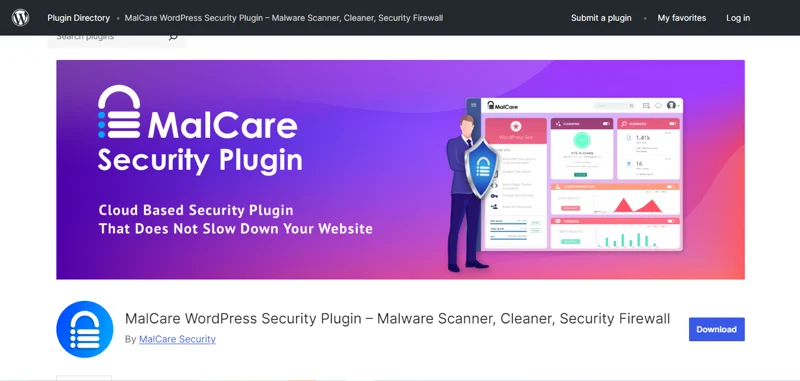
5. MalCare Security
Key Features:
- One-Click Malware Removal: Quickly eliminates detected malware.
- Real-Time Protection: Monitors your site continuously.
- Security Alerts: Sends instant notifications for security issues.
MalCare Security focuses on malware detection and removal, distinguishing itself in the WordPress security landscape. With continuous monitoring and easy malware removal, MalCare is a valuable addition to your security toolkit, securing its place among the Best plugins for WordPress Security. Its scans run on MalCare’s own servers rather than yours, so a full malware scan does not eat into your site’s CPU or slow it down for visitors during the process, which is a real concern with scanners that run locally on shared hosting.
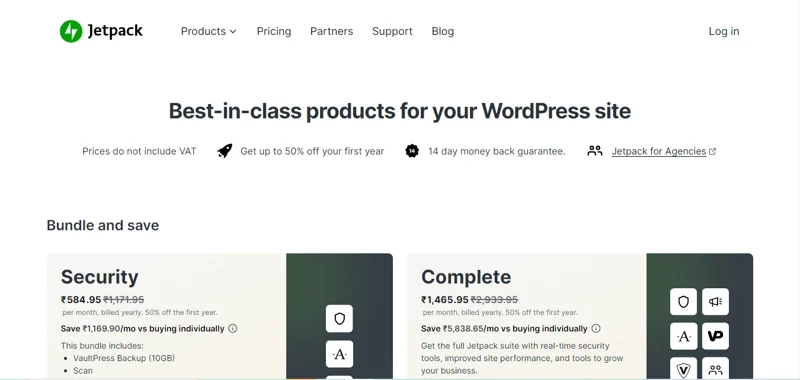
6. Jetpack Security
Key Features:
- Automated Malware Scanning: Regular checks for vulnerabilities.
- Brute Force Attack Protection: Blocks repeated login attempts.
- Downtime Monitoring: Alerts you if your site goes down.
Jetpack is a multifunctional plugin that provides robust security features. Its simplicity and effectiveness make it a popular choice. If you’re already using Jetpack for its other features, its security add-ons make it appealing as one of the Best plugins for WordPress Security. The tradeoff is that Jetpack’s full feature set, including automated backups and one-click restores, sits behind a paid plan, so budget-conscious site owners will want to pair the free scanning tier with a separate backup solution.
7. SecuPress
Key Features:
- Security Audit: Identifies security weaknesses.
- Firewall: Blocks harmful traffic.
- Country Blocking: Prevents access from specific locations.
SecuPress aims to make website security accessible for everyone. With its user-friendly interface and comprehensive features, it stands out as one of the Best plugins for WordPress Security for users of all skill levels. The country-blocking feature is genuinely useful if your business only operates in one region, since it removes an entire class of automated attacks originating from countries you never do business with, without any impact on legitimate visitors.
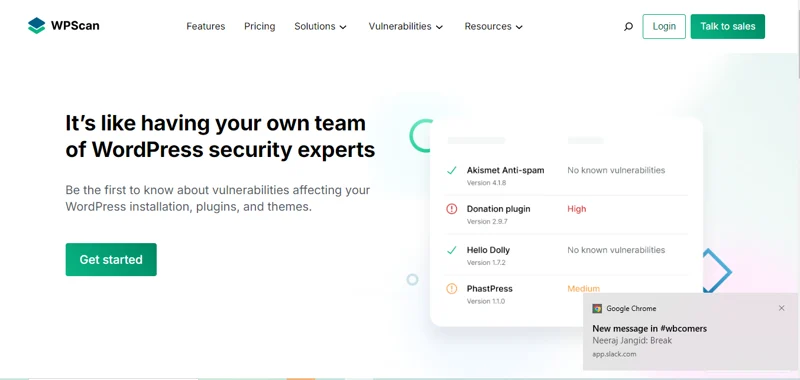
8. WPScan
Key Features:
- Vulnerability Database: Access to a comprehensive list of known vulnerabilities.
- Scanning Options: Scans core, themes, and plugins for vulnerabilities.
- Security Notifications: Alerts you about potential threats.
WPScan specializes in identifying vulnerabilities within WordPress. While it isn’t a complete security solution on its own, it’s a valuable resource for staying ahead of potential issues. Its unique focus makes it a must-have for those looking for the Best plugins for WordPress Security. It draws on one of the largest publicly maintained WordPress vulnerability databases, so it is especially good at flagging when a plugin you rely on has a disclosed vulnerability that has not been patched yet, giving you a chance to deactivate it before an attacker gets there first.
9. Shield Security

Key Features:
- Login Protection: Monitors and protects login attempts.
- Automatic IP Blocking: Blocks suspicious IP addresses automatically.
- Easy Setup: Straightforward configuration for users of all skill levels.
Shield Security combines robust protection with user-friendly design. Its focus on straightforward security features makes it an ideal choice for anyone looking for a simple yet effective security solution, placing it among the best plugins for WordPress security. Its default configuration is deliberately conservative, aiming to block obvious threats without requiring you to tune a long list of settings, which makes it a solid choice for site owners who want protection without becoming a security specialist.
10. Google Authenticator
Key Features:
- Two-Factor Authentication: Adds an extra layer of security during login.
- Simple Setup: Easy to integrate with your existing login process.
- Supports Multiple Users: Allows multiple user accounts to enable 2FA.
Implementing two-factor authentication is essential for enhancing your website’s security, and Google Authenticator makes this process simple. With cyber threats on the rise, enabling 2FA is a smart decision, and this plugin is a valuable addition to your security measures, making it one of the Best plugins for WordPress Security. Even on a site that already runs a full security suite, adding two-factor authentication specifically closes the single most common path attackers use to get in: a stolen or guessed password. It is one of the highest-value, lowest-effort additions on this entire list.
Frequently Asked Questions
Do I need more than one security plugin?
Generally no, and in fact running two firewall plugins simultaneously can cause conflicts, since both are trying to intercept the same requests. Pick one comprehensive plugin from this list, such as Wordfence or Sucuri, and add a dedicated two-factor authentication plugin if your primary choice does not include one.
Will a security plugin slow down my site?
A well-configured plugin adds minimal overhead, typically a few milliseconds per request for firewall rule checks. The bigger performance risk comes from running a full malware scan during peak traffic hours on shared hosting; scheduling scans for off-peak times avoids this entirely.
Are free versions of these plugins actually enough?
For most small business and personal sites, yes. The free tiers of Wordfence, Sucuri, and All In One WP Security cover firewall protection, malware scanning, and login hardening, which addresses the vast majority of real-world attacks. Paid tiers add faster rule updates, automated cleanup, and premium support.
What should I do if my site is already infected?
Install a scanner immediately, such as MalCare or Sucuri, and let it identify the infected files before you start deleting anything manually. Restoring from a clean backup taken before the infection date is usually faster and safer than trying to manually remove every trace of malware.
How often should I update my security plugin?
Enable automatic updates for your security plugin specifically, even if you review other plugin updates manually first. Security plugins ship rule updates in response to newly discovered threats, and running an outdated version defeats much of the purpose of having one installed.

Elevate Your WordPress Experience
In conclusion, choosing the Best plugins for WordPress Security can dramatically enhance your website’s functionality, performance, and user experience. Each plugin on our list serves a unique purpose, whether it’s improving SEO, securing your site, or optimizing performance. By integrating these tools into your WordPress site, you can create a seamless experience for your visitors and ensure that your website runs smoothly.
Security is not a one-time setup; it is an ongoing practice. Keep your plugins, themes, and WordPress core updated, use strong unique passwords, enforce two-factor authentication for every admin account, and schedule regular backups stored somewhere other than your own server. Combined with one of the plugins above, these habits will put your site well ahead of the vast majority of WordPress installs that attackers target simply because they are easy.
Interesting Reads:
How to Use SQLMap for WordPress
How to Uninstall WordPress on DreamHost
10 Best Software to Integrate All Blink Cameras