Turn Your Support Portal Into a Place Customers Answer Each Other
Every support ticket you answer twice is a community you have not built. How to add a peer layer to a customer portal, what it deflects, and the mistakes that make customers resent it.

Open your helpdesk and sort last quarter’s tickets by subject. In most product businesses, somewhere between a third and a half of them are the same twenty questions, asked by different people, answered individually by a support agent each time.
That is not a failure of documentation. Most of those questions already have documentation. It is a failure of discovery: the answer exists, the customer could not find it, and asking a human was easier than searching.
A community layer on your customer portal attacks this differently from a knowledge base. Instead of writing better articles nobody finds, you let customers answer each other in public, where the answer becomes findable precisely because it is phrased the way customers actually ask.
Done well, it reduces ticket volume, improves answer quality on edge cases, and produces a searchable asset on your own domain. Done badly, it reads as a company trying to avoid supporting the product it sold, and customers notice immediately.
What a support community actually deflects
Be precise about this, because the business case gets oversold and then disappoints.
A community does not meaningfully deflect account and billing tickets. Nobody else can tell a customer why their card was declined, and they should not try. Those stay with your team, and they should.
What it deflects well:
- “How do I do X?” questions with several valid answers. The kind where your documentation gives the official method and a customer gives the practical one.
- Configuration questions involving other software. Your team knows your product. Customers know your product plus the eleven other things in their stack, which is where most real problems live.
- Edge cases in unusual environments. The person who already solved it on that exact hosting setup will answer faster and better than your agent can.
- “Is this normal?” reassurance questions. Enormously common, trivially answered by any other user, and a poor use of a support agent’s day.
- Feature requests and workarounds. These turn into product research rather than a ticket queue.
A realistic expectation is a meaningful dent in tier-one volume within six to twelve months, not a transformation in six weeks. The bigger return is usually quality rather than volume: your agents stop repeating themselves and get time for the hard problems.
The mistake that makes customers hate it
There is one way to get this badly wrong, and it is common enough to be worth naming before anything else.
Do not replace support with community. If a customer opens a ticket and receives a reply pointing them at the forum, you have told a paying customer to go and ask a stranger. That is the moment a support community becomes a grievance rather than a benefit, and the resulting posts are visible to everyone evaluating your product.
The workable arrangement is that community sits alongside support, staffed by your team as well as customers. Your agents answer in public when the answer is generally useful, and privately when it is account-specific. The community is a better front door, not a locked one.
Two practical rules follow. Keep the ticket route visible and easy to find, always. And commit to a response time on unanswered community posts, because a question that sits for four days publicly is worse for your brand than one answered privately in an hour.
What you need to build it
A customer community is a portal in the community sense: identity, a place to post, structure, and moderation. If you run WooCommerce or any commerce platform, you likely already have the account area covering orders, downloads and licences. This is the layer above that.
Identity that shows relevant context
In a support community, the useful profile fields are not job title and location. They are which product and version the customer runs, their environment, and how long they have used it. An answer from somebody on the same version and the same stack carries far more weight than one from a stranger.
Member types matter too. Distinguishing staff, verified customers and trial users lets you badge official answers clearly, which is the single most requested feature in any support community.
Structure by product, not by topic
Spaces per product or major version work better than spaces per topic, because customers know what they bought and do not always know what category their problem falls into. Add a space for feature requests and one for announcements, and resist the urge to create more until customers ask.
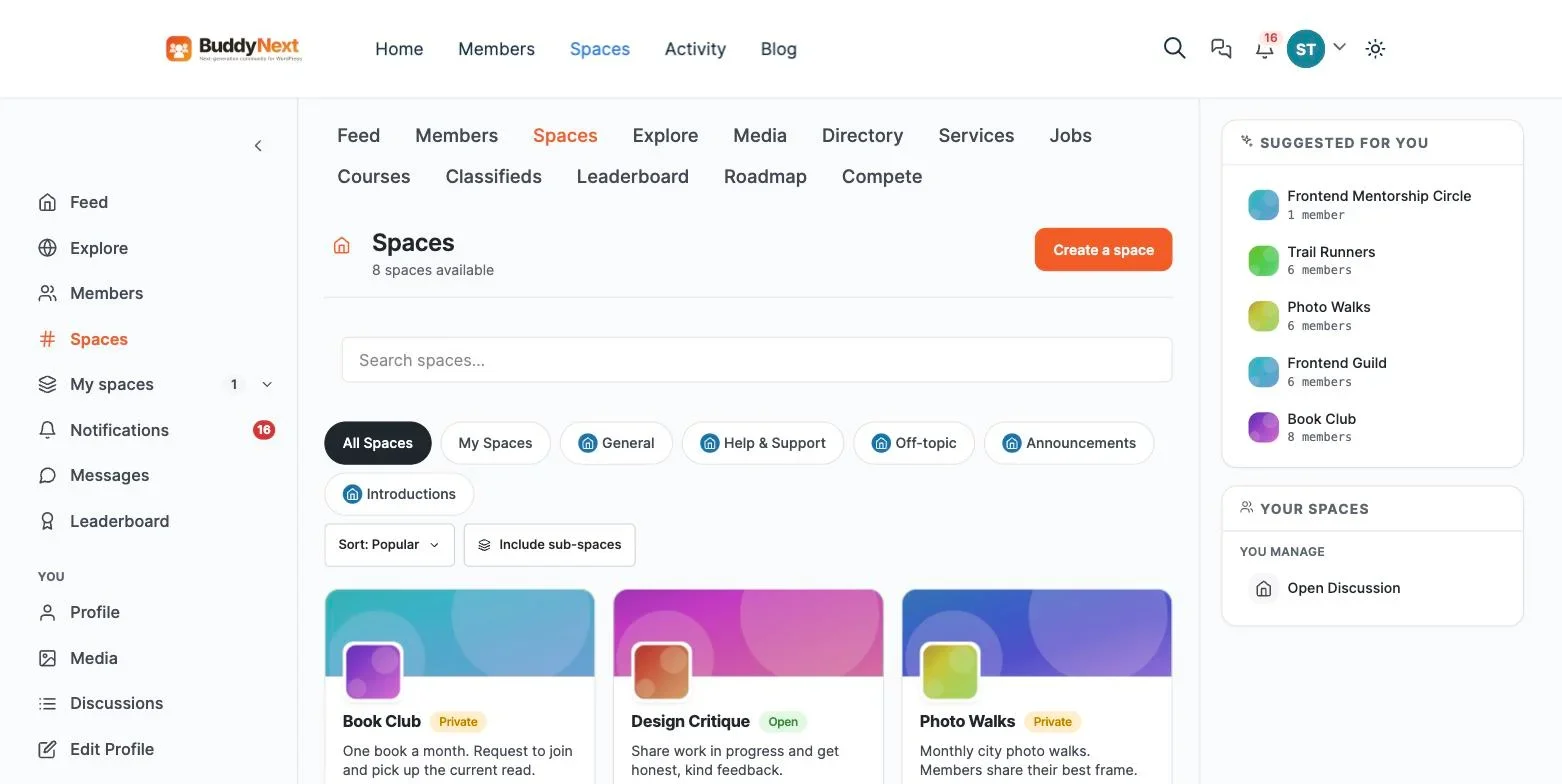
A private space for beta customers or a paid support tier is worth planning for early, since retrofitting entitlements onto an active community is unpleasant.
Search that actually finds answers
This is the whole point, so it deserves scrutiny. The value of a support community is not the conversation, it is the archive. Every question answered once should be findable by the next twenty people who have it.
Two things follow. The community must be indexable by search engines where the content is not sensitive, because most customers will arrive from Google rather than from your navigation. And the archive must be on your domain, because content on a rented platform builds the vendor’s search authority rather than yours.
Moderation, including for spam
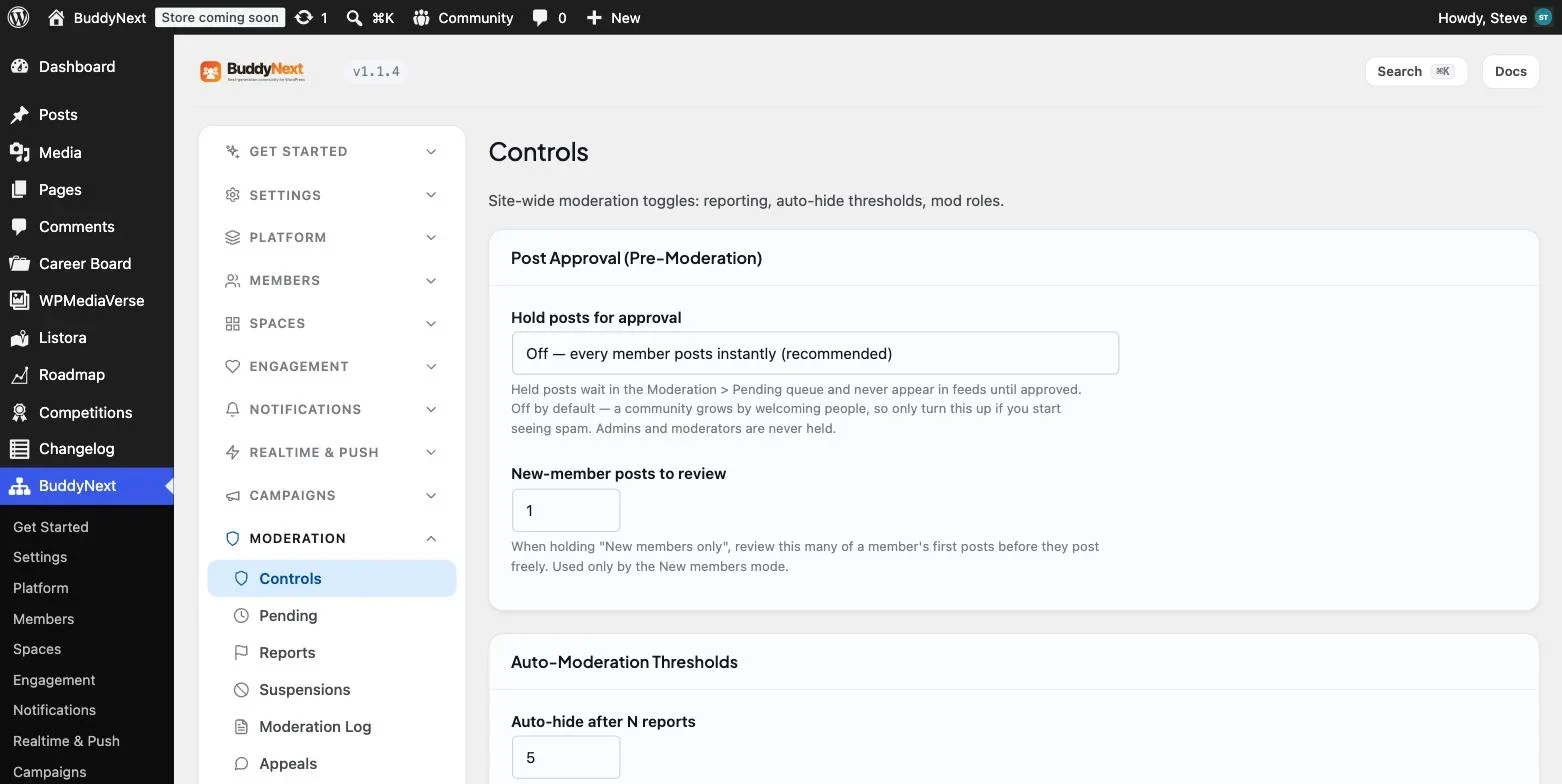
Public customer communities attract spam in a way private ones do not. You need banned-word safeguards, rate limiting, a report queue and graduated responses.
You also need a policy on negative posts, agreed before you need it. Customers will criticise the product in public. Suppressing that is the fastest way to destroy the community’s credibility and, with it, its usefulness. Answer it instead. A visibly well-handled complaint sells more than a wall of positive reviews.
Building it on WordPress
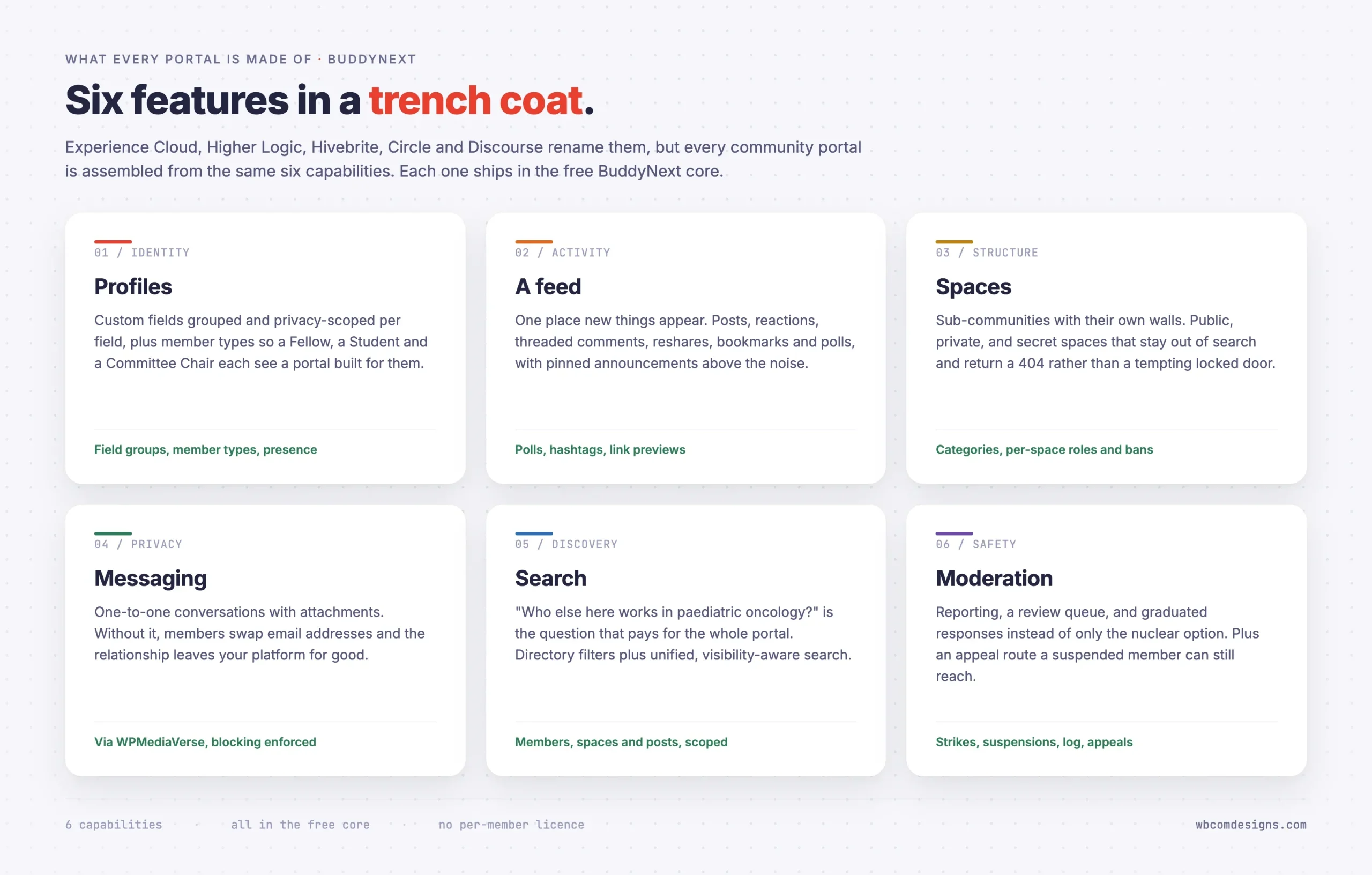
BuddyNext is a free, standalone community plugin that covers all of the above. It does not require BuddyPress. Profiles with custom field groups and per-field privacy, member types for staff and customer tiers, an activity feed with reactions, threaded comments and hashtags, spaces with public, private and secret visibility, a visibility-scoped search index, and moderation with reports, strikes, suspensions, a log and appeals.
If your customers need long-form question and answer threads rather than a feed, Jetonomy adds threaded discussions and runs standalone. Many support communities want both: a feed for announcements and quick questions, and a forum structure for problems with durable answers.
Because it sits on your own WordPress install, the community shares a domain, a design and a login with your existing account area, which removes the most common friction point in customer communities: being asked to create a second account.
Launching it without embarrassment
An empty support community is worse than none, because it signals that nobody uses your product. The launch sequence matters more here than in most community projects.
- Seed with your own tickets. Take the twenty most repeated questions from your helpdesk, anonymise them, and post each as a question with your team’s answer. You now launch with a functioning archive rather than an empty room. This alone is usually a week of work and it is the highest-value week in the project.
- Recruit six power users privately. Every product has customers who already help others, in reviews, on social media, or in your inbox. Invite them first, tell them plainly what you are asking, and give them a badge when you launch.
- Answer everything for the first month. Response time is the whole reputation of a new support community. One unanswered post in week two costs more than ten good answers.
- Link to it from the ticket form, not instead of it. “Search the community first” above a form that still works is helpful. A form that has been removed is not.
- Feed answers back into documentation. When a community answer is better than your official article, update the article. The community is a research channel as much as a support one.
What it costs, and what it saves
Support communities are usually justified on deflection, which is the hardest number to prove and the easiest to overstate. It is worth separating the costs, which are certain, from the savings, which are probabilistic.
Line | Self-hosted | Hosted community SaaS |
|---|---|---|
Platform | Free plugin plus hosting | Typically four to five figures a year |
Cost as customers grow | Hosting only | Often priced per member or per contact |
Seeding effort | About a week | About a week |
Ongoing staffing | Part of a support role | Part of a support role |
Search authority earned | Your domain | Usually the vendor subdomain |
Archive if you leave | Already in your database | Migration project |
The row that decides it for most product businesses is search authority. A support community generates a large volume of long-tail pages phrased exactly as customers search. Those pages are worth having on the domain that sells the product, not on a vendor subdomain you will hand back if you ever switch platforms.
On savings, be conservative in the business case. Model a modest reduction in tier-one tickets per active customer over the first year rather than a dramatic one, and treat the search traffic as the upside. A project justified on realistic deflection survives its first quarterly review. One justified on optimistic deflection does not.
Staffing it without burning out your support team
The most common operational failure is handing the community to an already-stretched support team as an extra duty, with no change to their ticket targets. It gets attention for a month and then loses to the queue, because tickets have SLAs and community posts do not.
Three things prevent that.
- Give community posts a response target, the same as tickets. If it is not measured it will not happen. Twenty-four hours for a first response is a reasonable starting point.
- Count community answers as support work, explicitly, in whatever your team is measured on. An agent who answers one public question that fifty people later read has done more valuable work than one who closed three tickets, and the metrics should say so.
- Rotate the duty. One person on community each day rather than everybody occasionally. Ownership on a given day produces responses. Shared responsibility produces silence.
Recognise your power users properly as well. The customers who answer questions are doing work your team would otherwise do, and a badge, early access to betas, or a genuine thank you from a named person costs nothing and retains them. Communities that take contributor effort for granted lose contributors quietly.
Measuring whether it is working
- Tickets per active customer, not total tickets. Total volume rises with growth and will mislead you. The ratio is the number that shows deflection.
- Percentage of community questions answered by other customers. If your staff answer everything, you have a public helpdesk rather than a community. Healthy communities cross fifty per cent within a year.
- Organic search traffic to community pages. This is the compounding asset. Community threads frequently outrank official documentation because they use the customer’s own words.
- Time to first response on community posts. Watch this like a support metric, because customers do.
One measure to ignore: total members. A support community with 400 registered accounts and forty regular participants is healthier than one with 4,000 accounts and the same forty.
Where the community sits in the support journey
Most customer communities are built as a destination and then wonder why nobody arrives. The ones that work are placed deliberately at the points where customers are already looking for help.
- In search results. This is where the majority of your community traffic will come from, and it happens without any work from you provided the content is public and indexable. A customer with a problem types it into Google, not into your site search.
- Above the ticket form. A search box that queries the community, sitting above the form, catches the customer at the exact moment they have articulated their problem. Do not remove or hide the form beneath it.
- In the product itself. A help link from the relevant screen, pointing at the space for that feature, converts far better than a generic support link in a footer.
- In ticket replies. When an agent answers something generally useful, they post it in the community and link the customer to it. The customer gets their answer, and the answer becomes reusable.
- In onboarding email. Not as a support deflection, but as an introduction. New customers who join a community in their first fortnight are dramatically more likely to participate later.
The order matters. Placement one and two produce most of the traffic. Placement four produces most of the archive. Getting both right is the difference between a community that compounds and one that sits there.
Handling the negative post
Every public customer community eventually gets the post that makes someone senior nervous. A frustrated customer, a genuine bug, an unflattering comparison with a competitor, all visible to prospects.
The instinct to remove it is almost always wrong, and acting on it is how communities lose credibility overnight. Customers can tell when criticism disappears, and the story of the deletion travels further than the original complaint would have.
What works is boringly straightforward. Respond quickly, in public, from a named person rather than a brand account. Acknowledge the specific thing rather than issuing a general statement. Say what you will do and by when, and then come back to the thread when you have done it. If the customer is wrong, explain why without being defensive, because the audience is not the complainant but the fifty people reading later.
Remove posts only for the reasons in your published guidelines: abuse, spam, illegality, or exposing someone’s private data. Log the removal. Being able to point at a written rule turns an argument about censorship into a reference to a policy everyone could read in advance.
Handled this way, a well-answered complaint is one of the most persuasive things a prospect can find. It demonstrates something no marketing page can: that when something goes wrong, somebody answers.
When a support community is the wrong idea
Three situations where it will not work, and recognising them early saves real money.
Your customer base is tiny. Under a few hundred active customers, there are not enough people online at once to answer each other. A good knowledge base and fast support will serve them better. Revisit at scale.
Your customers are direct competitors. Where users compete commercially, public discussion stays thin because nobody wants to reveal a gap in their knowledge in front of a rival. Put the effort into documentation and private support instead.
Your product is in a compliance-sensitive field. If discussing a configuration in public could expose a customer’s security posture or breach their obligations, a public community is a liability. A private, verified-customer-only space can still work, but the search benefit disappears and with it much of the business case.
Frequently asked questions
Should the community be public or behind a login?
Public to read, login to post, in almost every case. Requiring a login to read destroys the search value, which is most of the return. The exception is where discussing your product publicly would expose customers, in which case accept the smaller upside and gate it.
What if customers give each other wrong answers?
They will, and this is the objection most often raised internally. The mitigation is presence rather than prevention: staff badges so official answers are distinguishable, a way to mark a solution, and someone from support reading the queue daily. In practice wrong answers get corrected quickly by other customers, often faster than your team would have noticed. What you cannot do is launch a community and not read it.
Does this replace our knowledge base?
No. They do different jobs. The knowledge base is what you decided to document. The community is what customers actually asked, in their own words, which is why it captures the long tail your documentation never will. Run both and let the community tell you what the documentation is missing.
How much staff time does it need?
Budget one person part-time for the first six months, mostly answering and seeding. After that it settles into daily queue monitoring, which fits alongside an existing support role. Communities that nobody is assigned to fail regardless of how good the software is.
Can we run it on the same site as our store?
Yes, and you should. One domain, one login, one design. Customers who already have an account should not need a second one, and the community content builds search authority for the same domain that sells the product.
What about existing customers on a Facebook group or Discord?
Do not attempt to move them wholesale. Start the community, seed it properly, and let the archive prove itself. Within a few months someone will answer a question in the chat group by linking to a community thread, and that moment converts more people than any migration announcement.
Should we let customers post about competitors?
Within reason, yes. A community where comparisons are quietly deleted reads as managed, and customers calibrate how much to trust everything else accordingly. Draw the line at spam and at vendors promoting their own products, which is a different thing from a customer explaining what they evaluated and why. Publish that distinction in your guidelines so enforcement looks like a rule rather than a mood.
What is the minimum team size to run this?
One person with a few hours a week, provided they genuinely have those hours. Below that, do not start. A support community with slow or absent responses actively damages your reputation, whereas no community at all is neutral. This is one of the few marketing projects where doing it badly is worse than not doing it.
Where to start
Pull your twenty most repeated tickets from last quarter. If that list is long and repetitive, you have a community-shaped problem and the seeding work is already half done, because you have the questions and the answers.
Build the smallest version, seed it with those twenty, invite six helpful customers, and answer everything for a month. Our full walkthrough on building a community portal on WordPress covers the setup, and the portal plugin comparison covers how a customer portal differs from the other three kinds.
















