The Best WordPress Portal Plugins in 2026: One Chart for Client, Customer, Member and Community Portals
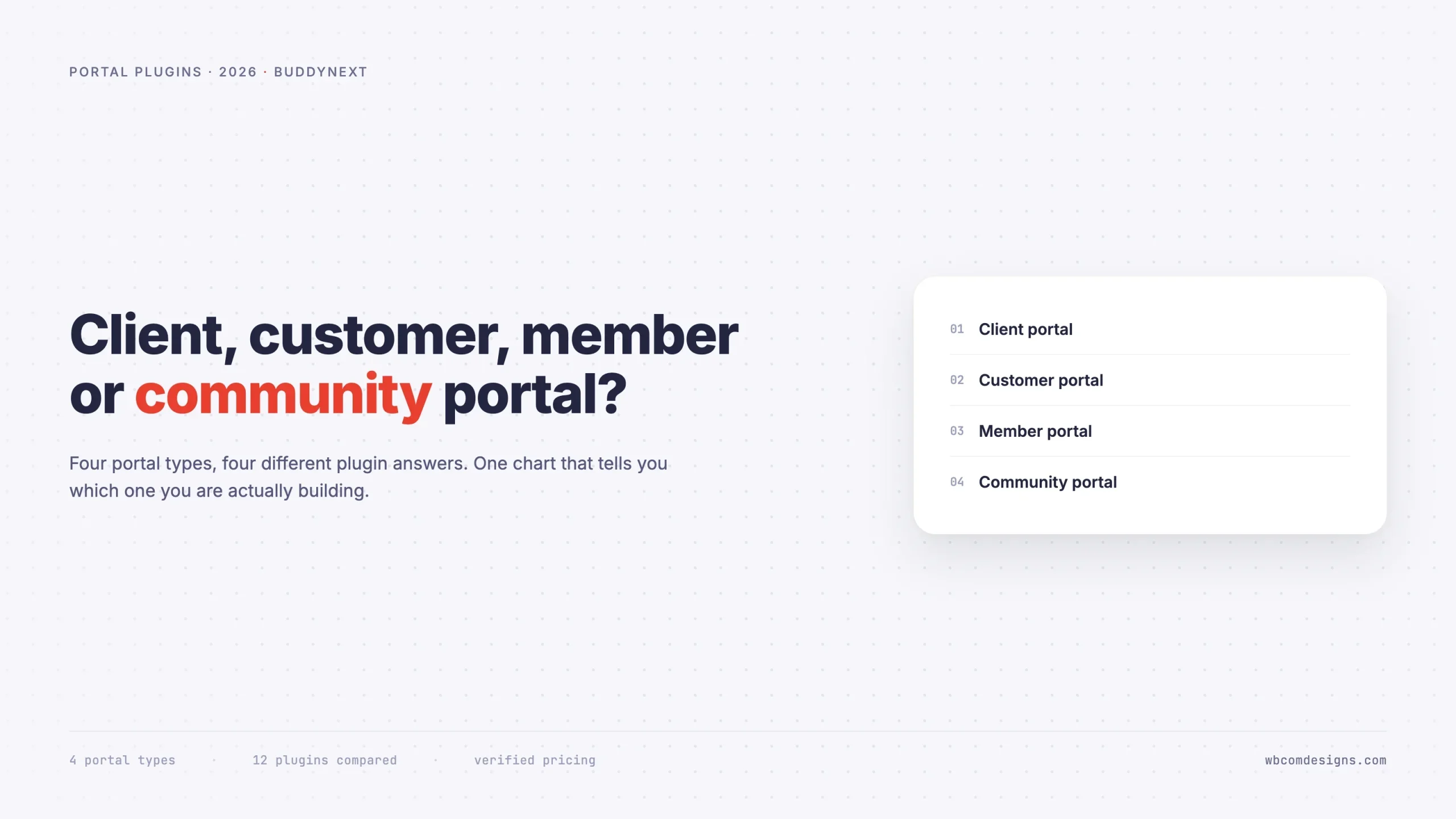
The word portal is doing four different jobs, and picking the plugin for the wrong one is the most expensive mistake in this category. A decision chart plus verified pricing for client, customer, member and community portals.

Updated September 2026.
“WordPress portal plugin” is one of the least useful search phrases in the ecosystem, because the word portal is quietly doing four different jobs. Someone searching it might want a place to send clients their invoices. Or a place where customers check licence keys. Or a gated library for paying members. Or a private social network for 4,000 professionals.
Those are four different products. They share a login screen and almost nothing else.
The expensive mistake in this category is not overpaying. It is buying a plugin built for one of those jobs and discovering six weeks in that it cannot do the job you actually had. A client portal plugin will never grow into a community. A community plugin makes a clumsy invoicing tool. Neither failure shows up in a feature list, because both products legitimately call themselves portals.
This guide sorts them out. Start with the chart, then read only the section that applies to you.
The chart
If your portal is mainly… | You want a | Look at | Pricing model |
|---|---|---|---|
Files, invoices and approvals, one client at a time | Client portal | SuiteDash, Client Portal, WP-Client | Monthly hosted subscription, tiered by feature depth |
Orders, downloads, licences and support tickets | Customer portal | WooCommerce account area plus a helpdesk | Often already included in your existing stack |
Gated content behind a recurring payment | Membership plugin | Restrict Content Pro, MemberPress, Paid Memberships Pro | Annual license, per-site rather than per-member |
Members talking to each other | Community plugin | BuddyNext, PeepSo, FluentCommunity | Ranges from no-cost core to a modest annual license for advanced capability |
One test settles it faster than any feature comparison. Ask whether two members of your portal have any reason to talk to each other.
If the answer is no, every conversation runs between you and one member at a time, and you want the first two rows. If the answer is yes, you want the last two, and quite possibly both together.
Client portals: a filing cabinet with logins
A client portal is a private area where an agency, accountant, law firm or consultancy shares work with one client. Documents, project status, invoices, approvals, sometimes a chat thread. The defining characteristic is that Client A must never see anything belonging to Client B, and neither has any reason to meet.
The strongest option in this category is SuiteDash, which is really a hosted business platform with a WordPress login bridge rather than a plugin. Its tiered monthly plans all include unlimited clients and portals, with white-label branding on a custom domain, invoicing with online payments, project and time tracking, and onboarding automation available from the entry tier up. Check its current pricing page directly, since plans and limits change.
Lighter alternatives exist if you only need document delivery. Client Portal and WP-Client both keep everything inside WordPress, which some firms prefer for data-residency reasons, and both are considerably cheaper because they do considerably less.
The thing to check before buying any of them is how the plugin handles a client with several people. A construction client might have a project manager, a finance contact and a director who only wants to approve things. If the portal models one login per client rather than several users per client account, you will be sharing credentials within a month, which is both a security problem and an audit problem.
What none of them do: a shared activity feed, member-to-member messaging, a searchable directory, or group discussion. That is by design. Adding those to a client portal would be a privacy incident, not a feature.
Choose this if: your “members” are customers of a service business, each relationship is separate, and the portal’s job is delivery and paperwork.
Customer portals: the one you may already own
A customer portal serves people who bought your product. They come to check an order, download a file, retrieve a licence key, or ask for help.
If you run WooCommerce, you already have most of this. The My Account area covers orders, downloads, addresses and subscriptions out of the box. Extending it is usually a matter of adding endpoints rather than installing a new portal product. Bolt a helpdesk onto that and the portal is finished.
Before buying anything in this category, list the five things customers most often contact you about. In most product businesses the list is: where is my order, how do I download it again, my licence key stopped working, how do I change my card, and how do I do this specific thing with the product. The first four are account-area features you probably already have. Only the fifth is genuinely a portal problem, and it is the one a knowledge base or a peer community solves rather than a plugin.
The interesting question for customer portals is therefore not whether to build one. It is whether to add a community layer, so buyers answer each other’s questions instead of every query landing in your support queue. That is the one upgrade in this category with a measurable return, because the same question answered once publicly stops arriving privately.
Choose this if: your portal exists to service transactions. Add community only when the same question keeps arriving from different people.
Why not just rent a hosted portal instead?
Every category here has a SaaS equivalent that skips WordPress entirely. Circle, Bettermode, Hivebrite and Higher Logic for community. Copilot and Moxo for client portals. Zendesk and Gainsight for customer portals. They are competent products, and for some organisations they are the right answer.
The trade is always the same, and it is worth stating plainly rather than pretending self-hosting wins on every axis.
What you gain by renting: somebody else handles uptime, security patching and backups. You get a support contract with a response time in it. Enterprise tiers bring SAML single sign-on, SOC 2 attestation and a named account manager, none of which you can conjure from a plugin.
What you give up: the pricing model. Nearly all of them charge per member or per seat, which means your portal succeeding makes your bill grow while the vendor’s cost to serve you barely moves. A community that doubles is a good outcome that arrives as an invoice.
You also give up the exit. Your members, their posts, their profile data and years of searchable history live in someone else’s tenant. Leaving is a migration project rather than a database backup, and vendors know it, which is precisely why renewal conversations go the way they do.
The practical rule: rent if you have a hard compliance or SSO requirement, or genuinely nobody to own the software. Self-host if your portal is expected to grow, because growth is where per-seat pricing stops being a rounding error. Our breakdown of what a community portal costs at each size runs the numbers.
Member portals: gating, not conversation
This is where the category gets genuinely confusing, because “membership plugin” sounds like it should produce a community and it does not. A membership plugin does one thing extremely well: it takes recurring payments and restricts content to people who have paid.
The current field, with verified pricing:
Plugin | Pricing structure | Notable |
|---|---|---|
Single annual license, every feature at every tier | No feature gating between plans since Liquid Web restructured its pricing. Straightforward to budget for. | |
Free core, paid annual upgrade for advanced features | The only genuine freemium option, so you can validate before paying anything. | |
Discounted first-year introductory pricing, standard renewal after | Deepest course and rules tooling. Budget for the renewal price, which runs higher than the first year. |
All three answer “has this person paid, and what may they see?” None of them answers “where do these people talk?” If you install a membership plugin expecting a member portal in the association sense, you get a paywall and a login. Members download the PDF and leave.
The renewal-price detail is worth dwelling on, because it is the most common budgeting mistake in this category. Introductory pricing on membership plugins is genuinely introductory. Budget on year two, not year one, and check whether your tier is limited by site count or by member count, since the second kind reintroduces exactly the per-member scaling you were trying to avoid.
Choose this if: money changes hands and content needs gating. Then pair it with something from the next section if you also want the members to stay.
Community portals: the members are the product
A community portal is the one where members talk to each other. Associations, alumni networks, resident groups, professional bodies, intranets, customer communities. The value is horizontal, between members, rather than vertical between you and each member.
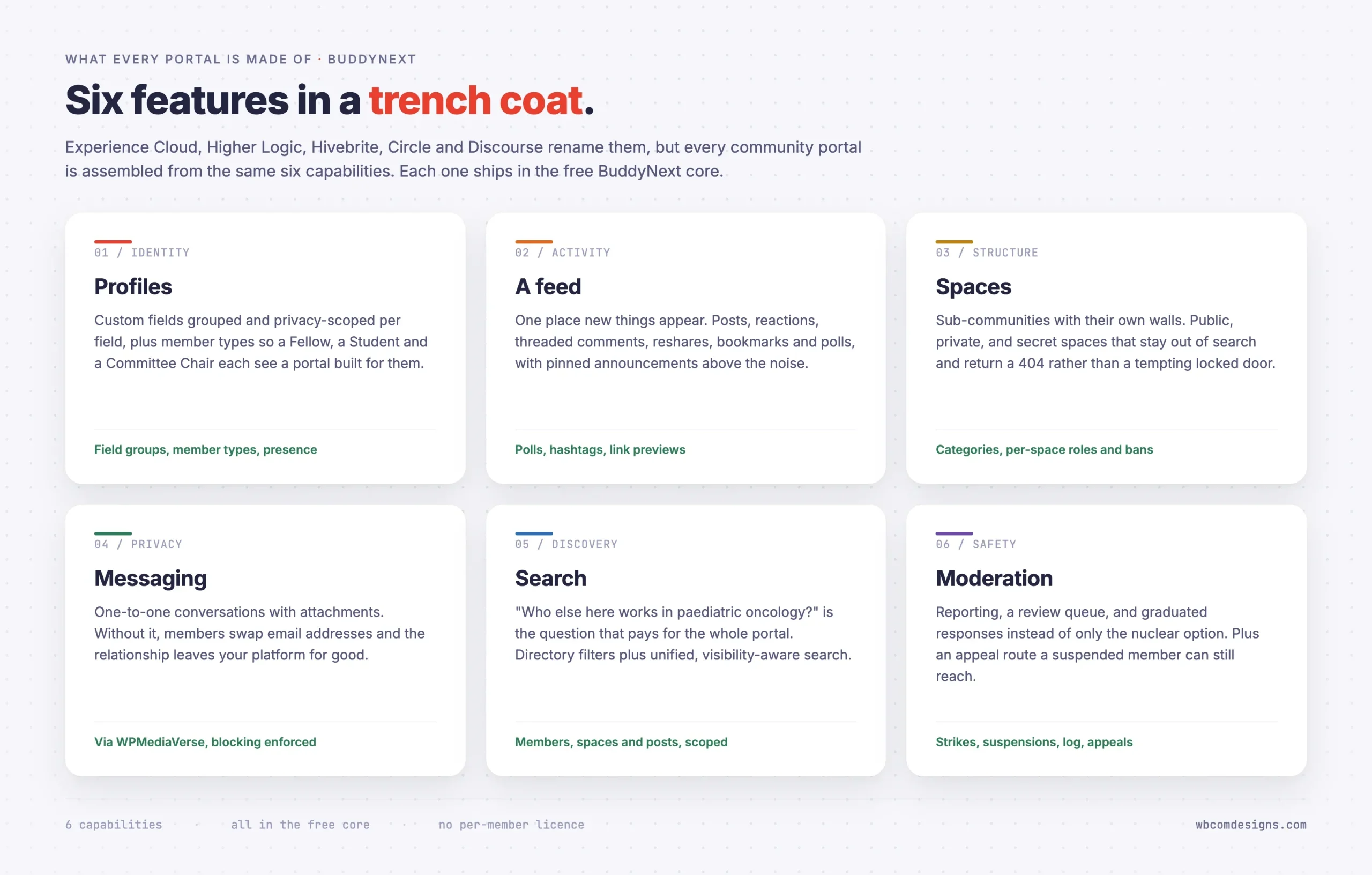
Every product in this category is assembled from the same six capabilities.
BuddyNext
BuddyNext is a complete, standalone community platform. It does not require BuddyPress and is not built on it, which matters because the older BuddyPress add-on ecosystem does not carry over.
The core platform covers all six: profiles with custom field groups and per-field privacy, member types, an activity feed with polls and reactions and hashtags, spaces with public, private and secret visibility, a visibility-scoped search index, and a full moderation suite with reports, strikes, suspensions, a moderation log and an appeals route. Direct messaging and media sharing arrive through the connected messaging layer.
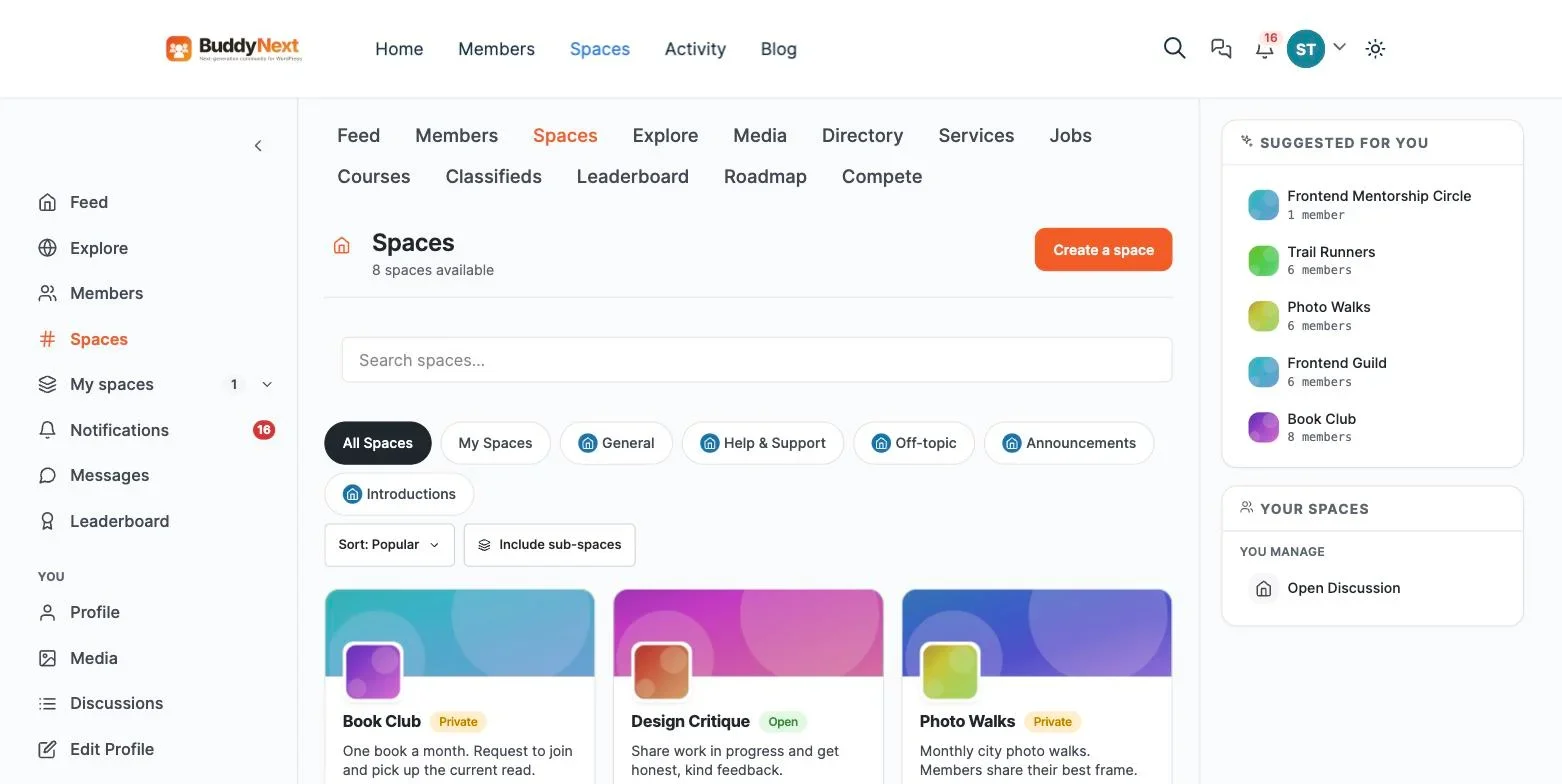
It is REST-first, with 222 routes catalogued in an OpenAPI document, and exposes 1,292 documented hooks. That combination matters if a mobile app or a CRM integration is anywhere on your roadmap.
The platform also layers in native Stripe membership tiers and checkout, analytics, push notifications, broadcast email, and websocket live updates as part of its business and growth layer, so monetization and real-time engagement sit on top of the same social core rather than arriving through a separate plugin.
PeepSo
PeepSo takes a modular approach, with a free core and paid add-ons for most meaningful features. That suits a portal with a narrow, well-understood feature list. It becomes expensive when your requirements grow, because each capability is a separate purchase, and requirements in community projects almost always grow.
FluentCommunity
The newest serious entrant, built by the WP Fluent team, with a clean interface and a course-oriented slant. Worth a look if your community is built around cohorts and lessons rather than chapters and committees. Its moderation tooling is lighter than BuddyNext’s, which matters more than people expect once you pass a few hundred members.
BuddyPress
Still functional, still free, and now the conservative choice rather than the obvious one. Its add-on market has thinned, and much of what a modern portal needs is only available through third-party commercial extensions. Reasonable if you have existing BuddyPress expertise on hand and no appetite for migration.
The directory is the feature people undervalue
Ask an association why members renew and you rarely hear “the newsletter.” You hear some version of “because that is where the other people in my field are.”
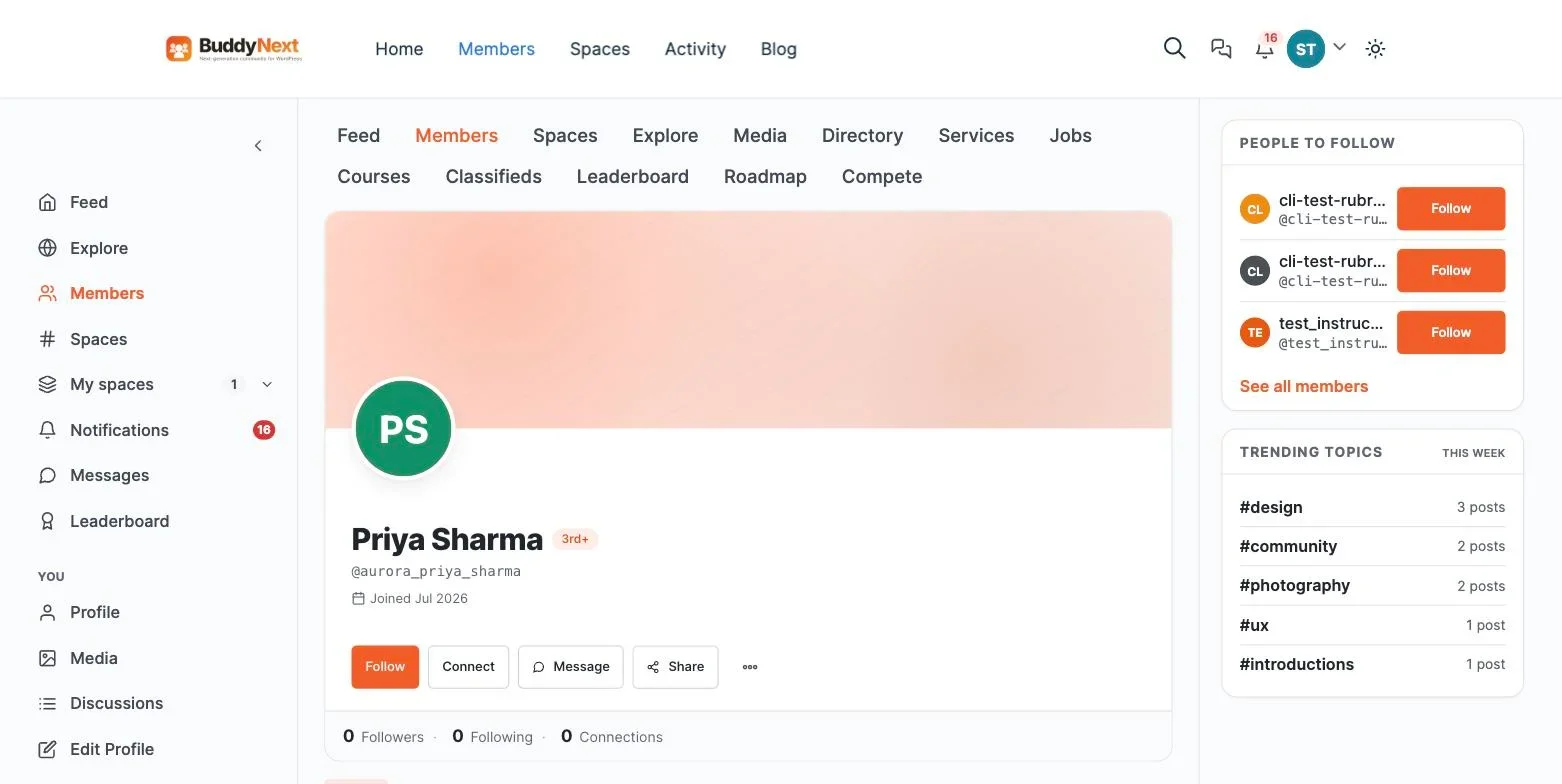
That is the member directory doing its job, and it is the single feature most likely to be treated as an afterthought during procurement. A directory is only useful if it is searchable on the fields your members actually care about, which are never name and email. They are specialty, chapter, graduation year, employer, city, and whether this person is open to being contacted.
When you evaluate any product in the last two categories, build a test directory with your real fields and a couple of hundred dummy records before you buy. If filtering on those fields is awkward in the demo, it will be unusable at 3,000 records, and you will not discover that until after the data migration.
The support-ticket test nobody runs before buying
Most procurement conversations about portals focus on features and skip the one number that predicts whether the project succeeds: how many support tickets does this portal need to generate before it pays for the time spent maintaining it? A client portal that saves an agency two hours of email-chasing per client per month justifies itself quickly. A community portal only pays off once member-to-member answers start replacing your own replies, and that crossover point rarely arrives before a few hundred active members.
Run the test before buying rather than after. Pull your last month of support or account-management email and sort it into two piles: questions that are unique to one person’s account, and questions that would have the same answer for anyone. The first pile justifies a client or customer portal. The second pile is the argument for community, because those are exactly the questions a directory of peers answers once instead of you answering fifty times.
Why the six capabilities rarely arrive at even quality
Profiles, feed, spaces, messaging, search and moderation sound like a checklist, and vendors present them that way, but the six are never built to the same depth inside one product. A platform that started as a forum tends to have excellent moderation and a thin profile system. A platform that started as a directory tends to have rich profiles and a weak feed. Knowing which capability a product was originally built around tells you more than its current marketing copy, because the original core is almost always still the strongest part five years later.
This is worth checking specifically for search and moderation, the two capabilities buyers underweight during a demo because they’re invisible until the portal has real scale and a real problem. A search index that only matches exact names looks fine with twenty test records and becomes useless at two thousand. A moderation system with no appeals route looks fine until the first wrongly suspended member escalates publicly. Ask each vendor to show you both, not just describe them.
The combination almost everyone actually needs
Most real portals are two of these categories at once. An association portal is a membership plugin (renewals, gating) plus a community plugin (chapters, discussion, directory). An alumni portal is a community plugin plus events. A customer portal is WooCommerce plus a community layer.
There are two ways to assemble that, and the right answer depends on how complicated your billing is.
Two plugins. Restrict Content Pro or MemberPress for money and gating, plus a community plugin for the social layer. Flexible, and the membership tooling is deeper. The cost is integration: two plugins with two ideas about what a member is, and a mapping between them you now maintain. When a payment fails at 2am, something has to decide what that member can still see.
One plugin. BuddyNext includes native membership tiers and on-site checkout alongside the community layer, so a member’s payment status and their community identity are the same record. Simpler to run. Less flexible if your billing has unusual requirements such as complex proration or multi-currency tax handling.
Pick two plugins if billing is the complicated part. Pick one if community is the complicated part. Most associations find community is the complicated part, because renewals are annual and boring while member engagement is continuous and hard.
Moving between portal types later
Most portals change category at least once, usually because the organisation underestimated the social requirement. Knowing which moves are cheap and which are painful helps you pick better now.
Membership plugin to membership plus community: straightforward. Your members already exist as WordPress users. Adding a community plugin gives them profiles and a feed without touching billing. Map membership levels onto community member types as you go, so a lapsed member loses the right things.
Community to community plus paid access: straightforward. Add gating on top of an active community. This order is generally better than the reverse, because you can see what people value before deciding what to charge for.
Client portal to community: effectively a rebuild. Client portals are architected around strict isolation between accounts. Turning that into a place where those accounts see each other is not a configuration change, and in most cases it should not happen at all for confidentiality reasons.
Hosted SaaS to self-hosted: a real project. Members and posts usually export in some form. Threading, reactions, attachments, private messages and permission structures often do not. Budget properly and expect to lose some history.
The asymmetry is the useful part. Adding community to a gated site is easy. Adding gating to a community is easy. Retrofitting either onto a client portal is not. So if there is any chance your portal is social, choose from the last two rows of the chart at the start.
How to tell which you need, in four questions
- Do two members have a reason to talk to each other? No means client or customer portal. Yes means community.
- Does money change hands for access? Yes adds a membership plugin, or BuddyNext Pro, to whatever else you picked.
- Will you need sub-groups? Chapters, cohorts, committees, buildings. If yes, you need spaces with independent visibility, which rules out most non-community products immediately.
- Who handles a complaint about a member? If nobody has an answer, you need real moderation tooling rather than a delete button, and that narrows the field fast.
Question four is the one that gets skipped and the one that causes the most damage. Portals without an appeals route cannot correct their own mistakes, and the first time you suspend the wrong person you find out why that matters.
What to avoid
Buying a page builder add-on that calls itself a portal. A collection of restricted pages is not a portal. There is no member record, no directory, no moderation, and no way to grow.
Assuming a membership plugin will produce a community. It produces a paywall. Very good ones produce a very good paywall.
Starting with forty spaces. Empty rooms read as an abandoned building. Three active spaces beat forty dormant ones every time.
Ignoring the exit. Ask every vendor how you get your data out. Self-hosted plugins answer this trivially, because the data is already in your database. Hosted platforms often answer it with a migration project.
Frequently asked questions
What is the difference between a portal and a members-only page?
A members-only page restricts content. A portal gives someone an identity inside your organisation and somewhere to act on it. The practical test is whether the system knows anything about a person beyond their email and payment status. If it does not, you have restricted pages, and members will treat it exactly like a download link: visit once, take the file, leave. That distinction is the whole reason this category exists, and it is why the four products in the chart cost such different amounts.
Is there one plugin that does all four portal types?
No, and be suspicious of anything claiming otherwise. Client portals need strict per-client isolation. Community portals need the opposite, deliberate visibility between members. A product doing both well would be arguing with itself.
Can one WordPress site run more than one portal type?
Yes, and it is common. A single site can serve a public marketing front, a WooCommerce customer account area, and a gated member community, because they are separate plugins operating on the same user table. Keep the navigation honest so people know which area they are in, and be careful that a member type in one system does not accidentally grant access in another.
Can I start with a membership plugin and add community later?
Yes, and it is a common path. Map your membership levels onto community member types when you do, so gating and identity stay in step. Doing this at 200 members is straightforward. Doing it at 5,000 is a project.
How many members before a portal needs real moderation tooling?
Sooner than most people plan for. Under about 200 engaged members, an administrator can usually handle incidents by hand. Past that, you need a queue, a log and an appeals route, because decisions start needing to be defensible to people who were not in the room. Choosing a product without those means changing product later, at the worst possible moment.
Does a portal hurt site performance?
It can, and the culprit is nearly always unbounded queries rather than traffic. Directories and activity feeds are the risky surfaces because they are list views over growing tables. Check that whatever you pick paginates properly and counts with a database count rather than loading rows. Add object caching through Redis or Memcached and most portals sit comfortably on modest hosting.
Should the portal live on my main domain or a subdomain?
Main domain if the community content should build search authority for the organisation, which is usually the case for associations and customer communities. Subdomain if the portal is entirely private, since gated content earns you nothing in search anyway and separation simplifies caching rules.
Do I need BuddyPress to run BuddyNext?
No. BuddyNext is standalone. Running both is not supported and not useful.
Which single plugin should most people start with?
If members talk to each other, start with a free community plugin and add gating only when you actually charge. Building the social layer first is the correct order, because a paywall around an empty room converts nobody.
What determines the real cost of a portal over time?
Not the license or subscription fee, which is usually the smallest line item once a portal has been running for a year. The real cost is staff time: someone answering the same question repeatedly because the portal has no self-service answer for it, someone manually reconciling a membership plugin’s records against a separate community plugin’s member list, someone rebuilding a migration that a vendor’s export tool only half-completed. Weigh a product’s ongoing maintenance burden as heavily as its sticker price, because the maintenance burden is the cost that compounds.
Does a bigger feature list mean a better portal?
No, and this is the mistake procurement checklists reward by accident. A product with forty checkboxes and six of them done well beats a product with twenty checkboxes and all twenty done adequately, if those six are the ones your members actually touch. Score the six core capabilities above against your specific use case before comparing total feature counts across vendors.
What is the biggest red flag during a vendor demo?
A demo environment with no real data in it. Anyone can make an empty feed and three placeholder profiles look clean. Ask specifically to see a directory search on a dataset of a few thousand records, a moderation queue with an actual reported post in it, and an export of member data in a format you could open in a spreadsheet. Vendors who resist this request are usually hiding a rough edge, not protecting a secret.
Where to start
Answer the four questions above honestly and the shortlist usually collapses to one or two products. Then install the free option on staging before you buy anything, because an afternoon with real software tells you more than any comparison chart, including this one.
If your answer to question one was yes, our full walkthrough on building a community portal on WordPress covers the build end to end, and the roundup of membership community plugins goes deeper on the paid tier.
None of this replaces judgment with a formula. The four questions, the six capabilities and the support-ticket test are inputs to a decision you still have to make, informed by what your organisation actually does day to day rather than what a vendor’s homepage promises it can do.
Save this chart. The category will keep getting muddier as vendors borrow each other’s language, and the four questions at the top will still sort them correctly long after the marketing copy has changed again.
One more thing worth remembering after all the comparison work above: the plugin choice is reversible, expensive but reversible, while the decision to skip community when your members actually wanted one is the mistake that quietly costs renewals for years before anyone traces it back to the original portal choice.
















