BuddyBoss Platform Stored XSS via Group Name (CVE-2026-96554)
CVE-2026-96554 lets a Subscriber plant a script through a BuddyBoss group name when member group creation is on, which is the default. How to check, mitigate, update and look for signs of misuse.

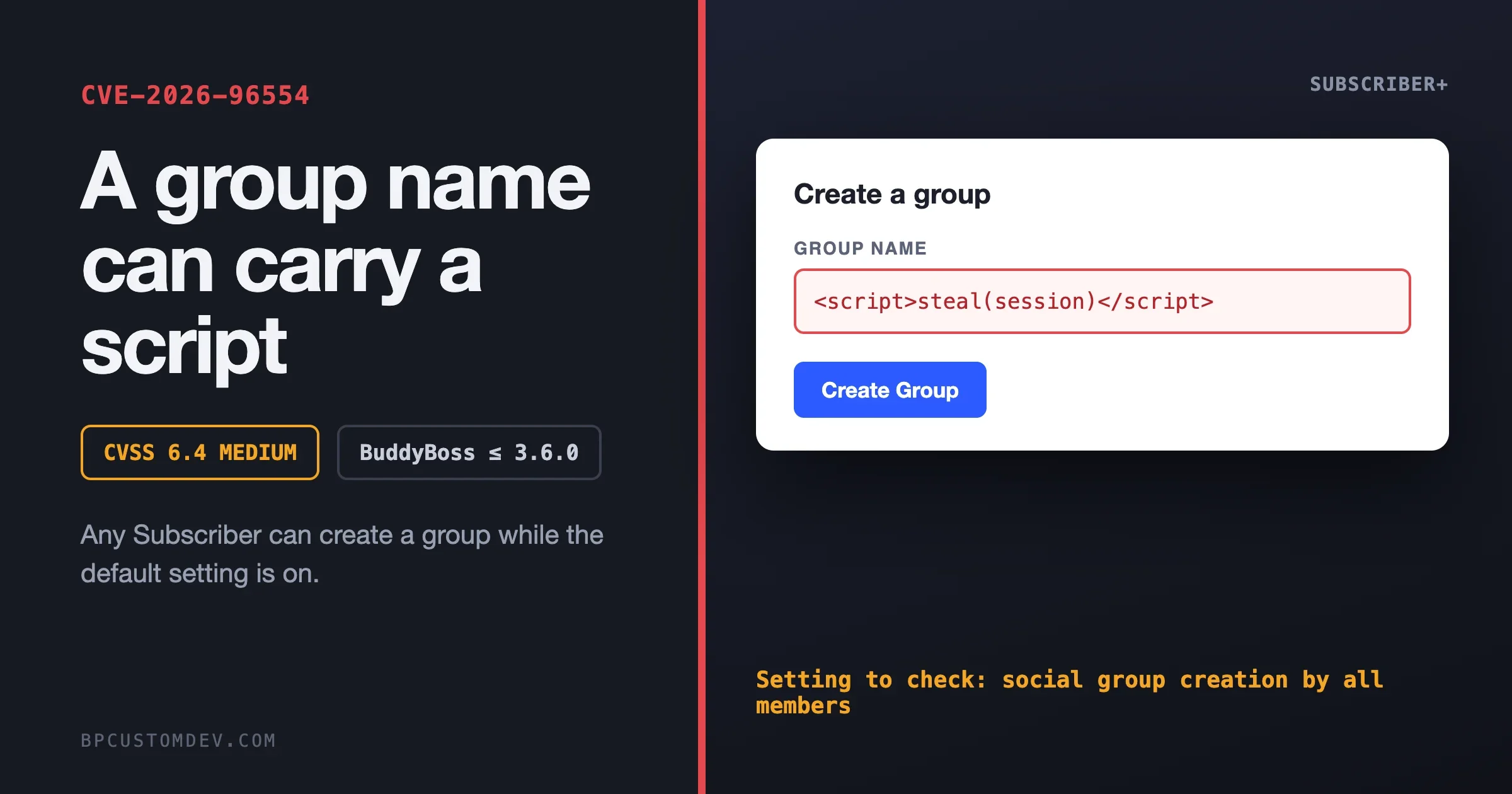
Yes, a member with only a Subscriber account can plant a script in a BuddyBoss community, if your site still has the default setting that lets all members create groups. CVE-2026-96554 is a stored cross-site scripting flaw in the BuddyBoss Platform plugin, versions 3.6.0 and earlier. The attacker types script code into the Group Name field when creating a group, and that code runs in the browser of anyone who later views a page showing the name. The record rates it 6.4, Medium. The fix to look for is BuddyBoss Platform 3.7.0, and until you have it, switching group creation to administrators only closes the door.
This guide is written for the person who owns the community and has to decide what to do this week, with commands your developer can paste. It covers what the flaw is in plain words, how to check whether you are exposed, how to fix it, how to look for signs it was used, and what we could not confirm.
What is CVE-2026-96554?
It is the public number for a security flaw in the BuddyBoss Platform plugin. Wordfence, which acts as the numbering authority for WordPress plugin flaws, published the record on 31 October 2026. The title reads “BuddyBoss Platform <= 3.6.0 - Authenticated (Subscriber+) Stored Cross-Site Scripting via Group Name”. The record credits the finder as Adrien Brunner and lists the disclosure as 30 October 2026.
Field | What the record says |
|---|---|
Product | BuddyBoss Platform plugin for WordPress |
Affected versions | All versions up to and including 3.6.0 |
Type | Stored cross-site scripting (CWE-79), via the Group Name field |
Who can do it | A logged-in user with Subscriber access or higher |
Condition | The setting “Enable social group creation by all members” is on, which is the default |
Severity | CVSS 3.1 score 6.4, Medium (vector AV:N/AC:L/PR:L/UI:N/S:C/C:L/I:L/A:N) |
Published | 31 October 2026 by Wordfence |
Reference to a fix | The record links the BuddyBoss Platform 3.7.0 release page |
The record states the cause as insufficient input sanitisation and output escaping. In plain words: the plugin accepted a group name, kept it exactly as typed, and later printed it into pages without making any code in it harmless.
What does “stored XSS” mean for a community owner?
Cross-site scripting means a visitor’s browser runs code that the site owner never wrote. “Stored” means the code is saved on your site, in your database, and served to every person who loads the affected page. It does not need the victim to click a link from an email. They only need to open a page that shows the poisoned group name.
What can that code do? It runs with the permissions of whoever is looking at the page. If the viewer is a regular member, it can act as that member. If the viewer is an administrator or moderator opening the Groups list, it can act as that administrator inside their logged-in browser session. That is why the CVSS vector says the scope changes and why a Medium number understates the risk on a site where staff look at new groups all day.
How bad is a 6.4?
Honest answer: it depends on your registration rules. The vector says the attacker needs low privileges (an account), no extra user interaction, and gets limited confidentiality and integrity impact. Compare that with a flaw that needs an administrator account first: this one needs only a Subscriber, and a Subscriber is what every new member of a community becomes.
- Open registration (anyone can sign up): treat it as high priority. Anyone on the internet can become a Subscriber in a minute.
- Approval-gated registration or paid memberships: lower odds, but a paying or approved member is still a Subscriber.
- Group creation limited to administrators: not exploitable, per the record. “Exploitation is not possible if group creation is restricted to administrators.”
On the other side of the ledger: CISA’s vulnerability enrichment on the record, as of 1 November 2026, lists exploitation as “none” and automatable as “no”. We read that as “no known attacks yet, and not something that spreads on its own.” That can change fast once a flaw is public, so do not treat it as permission to wait.
Which BuddyBoss version fixes it?
This is the part we cannot state as flatly as we would like. The CVE record lists 3.6.0 and earlier as affected and links to the BuddyBoss Platform 3.7.0 release page as a reference. It does not say “fixed in 3.7.0” in so many words, and we could not load Wordfence’s own advisory page to read a patched-version field.
The BuddyBoss release notes for 3.7.0 are dated 29 October 2026, two days before the CVE was published. They do not use the words security, XSS or cross-site scripting. They do list several group fixes, including that group names containing double quotes were being cut off and lost when saved. We cannot tell from the notes whether that is related. So here is what we can say with confidence:
- 3.7.0 is the release the CVE record points to. Treat it as the target version.
- Anything at or below 3.6.0 is named as affected.
- If you are on 3.6.1 or 3.6.2, the record does not list those as affected, but it also does not say they are safe. Do not assume. Update to 3.7.0, or ask BuddyBoss support to confirm in writing. The 3.6.1 notes (13 October 2026) mention a security fix for how activity post drafts are saved, which is a different issue.
Read the 3.7.0 notes before you click update
This is the detail that most reports on the flaw will skip. The 3.7.0 enhancement list says Videos, Documents, Animated GIFs and Group Subscription were moved to the Addons plugin, “with existing customers keeping access”. The release also touches activity topics, the media settings screens and the groups settings. If your community depends on any of those features, test the update on a staging copy first, and confirm your licence still unlocks them afterwards.
That is a reason to plan the update. It is not a reason to delay the mitigation below, which takes five minutes and needs no update at all.
Am I exposed right now? A five-minute check
You are exposed when two things are true at once: your BuddyBoss Platform version is 3.6.0 or lower, and group creation is open to all members. Check both.
Step 1: find your version
In the WordPress admin, open Plugins and read the version under BuddyBoss Platform. Or from the command line, in the site’s folder:
wp plugin get buddyboss-platform --field=version
wp plugin list --name=buddyboss-platform --fields=name,status,version,update,update_version
The second command also shows whether an update is waiting. If the Update column says “none” while the version is 3.6.0 or lower, your site cannot see the update. That usually means an expired licence or a blocked update server, and it is worth fixing today.
Step 2: read the group creation setting
In the admin, go to BuddyBoss, then Settings, then Groups, and look for the option labelled “Enable social group creation by all members”. If it is ticked, any member can create a group. That is the default on a new install, which is why so many sites are in this state without anyone choosing it.
From the command line, BuddyBoss inherits its storage for this setting from BuddyPress, which keeps it in an option named bp_restrict_group_creation. A value of 1 means creation is restricted to administrators:
wp option get bp_restrict_group_creationTreat the command line as a second opinion. We have not confirmed that every BuddyBoss release stores the setting under that exact option name, so the admin screen is the source of truth.
Version | Group creation | Your position |
|---|---|---|
3.6.0 or lower | Open to all members | Exposed. Mitigate now, update this week. |
3.6.0 or lower | Administrators only | Not exploitable by this route, per the record. Update on your normal schedule, soon. |
3.6.1 or 3.6.2 | Open to all members | Not listed as affected, not confirmed safe. Update to 3.7.0. |
3.7.0 or higher | Either | The release the record points to. Check for signs of earlier misuse below. |
How do I fix it, in the right order?
1. Close the door first (five minutes, no update needed)
Untick “Enable social group creation by all members” in BuddyBoss, Settings, Groups, then save. Per the record, exploitation is not possible once creation is limited to administrators. The cost: members can no longer start their own groups. For a community where member-created groups are a core feature, that is a real change, so tell your members what is happening and promise a date when it comes back.
A lighter version some sites prefer is to keep creation open but require approval of new members first, so strangers cannot sign up and instantly create a group. That narrows the risk without removing it. It is not a substitute for the update.
2. Look at what is already there
Do this before you update, so you know whether you are cleaning up or only preventing. Group names are stored in the BuddyBoss groups table. This query lists any name that contains angle brackets, an event handler or a javascript: link. Run it on a read-only copy if you can:
wp db query "SELECT id, creator_id, name, date_created FROM $(wp db prefix)bp_groups WHERE name REGEXP '[<>]|on[a-z]+ *=|javascript:' ORDER BY date_created DESC"Most sites will get zero rows back. A genuine group named “Q&A” will not match, because the check looks for angle brackets and script patterns. If a row appears, look at the creator, and at when the group was made relative to 30 October 2026. Group creation can also write a line into the activity stream that contains the name, so check there too:
wp db query "SELECT id, user_id, date_recorded, LEFT(action, 200) AS action FROM $(wp db prefix)bp_activity WHERE type = 'created_group' AND action REGEXP 'on[a-z]+ *=|javascript:|<script' ORDER BY date_recorded DESC LIMIT 50"That second query is a rough filter, because the activity text legitimately contains link markup. Read the rows and look for anything that is not a plain link to a group. We wrote these checks ourselves from how the data is stored. They are not an official detection method from BuddyBoss or Wordfence.
3. Clean up without opening the page
If you find a bad group name, do not open the group or the admin Groups list in a browser, because that is exactly what triggers a stored script. Take a backup, then change the name in the database and clear the caches:
wp db export ~/backup-before-group-cleanup.sql
wp db query "UPDATE $(wp db prefix)bp_groups SET name = 'Renamed group' WHERE id = 123"
wp cache flush
Replace 123 with the group ID from the query. Then decide what to do about the member who made it, and whether other accounts created around the same time deserve a look.
4. Update to 3.7.0 on staging, then live
- Copy the live site to staging, including the database.
- Update BuddyBoss Platform to 3.7.0 and check the licence still unlocks Videos, Documents, GIFs and Group Subscription if you use them.
- Test the member journeys: sign up, create a group (if you allow it), edit a group, post in a group, join a group, receive a notification.
- Check the group name with a harmless special character, for example
Tom & "Jerry" Club, to make sure names save and display correctly. The 3.7.0 notes mention a fix for names with double quotes. - Push to live in a quiet hour, with a fresh backup taken just before.
- Re-enable member group creation only after you have confirmed the version and your tests pass.
How do I know if someone already used it?
The honest answer is that you may never be sure, which is why the checks above matter. A stored script’s job is to act in someone’s logged-in browser, usually an administrator’s. So the question becomes: did anything change in the admin that nobody on your team did?
wp user list --role=administrator --fields=ID,user_login,user_email,user_registered
wp option get admin_email
wp option get siteurl
wp option get home
wp user list --orderby=user_registered --order=DESC --fields=ID,user_login,user_email,user_registered,roles --number=25
Check each line against what you expect. An administrator nobody recognises, a changed admin email, a changed site address, or a burst of new accounts around the time a strange group name was created are all reasons to treat the site as compromised: take a backup, change every administrator password, force a logout of all sessions, and bring in someone to review.
wp config shuffle-salts
wp plugin list --fields=name,status,version
wp core verify-checksums
The first command replaces the security keys in wp-config.php, which signs everyone out so administrators log in again with fresh sessions. The last one confirms WordPress core files are unmodified. BuddyBoss is a commercial plugin, so the plugin checksum command used for wordpress.org plugins does not cover it. Compare its files against a fresh download of your licensed version instead.
What should I tell my team and my members?
Keep it short and factual. For staff: “A security flaw affects group names in our community plugin. We have turned off member group creation as a precaution, we are testing the update, and we will turn it back on after. Do not open the Groups admin list until we have checked it.” For members, only if you turned off creation: “Group creation is paused for a security update and will return on a set date.”
You do not need to announce a breach, because a published flaw is not a breach. If your checks find a poisoned group name that was viewed by others, that is a different conversation, and depending on where your members live, a legal one about notification. Take advice before you write that message.
Is this the same as the BuddyBoss incident earlier this year?
No. This CVE is an ordinary bug in plugin code, found by a researcher and disclosed through Wordfence. The earlier incident, which we covered in our checklist for the BuddyBoss supply-chain incident, involved malicious builds being delivered through the plugin’s update channel. Different cause, different response. If you only did the supply-chain checklist, you have not covered this one.
How do I stop this class of problem?
A stored XSS bug is a normal feature of software that accepts text from users, and no single plugin choice removes the risk. What you can do is reduce what a single flaw can reach.
- Keep group creation deliberate. For many communities, a moderated list of groups produces a better community anyway, and it removes a whole category of user-supplied text. Our guide to testing a community platform before you commit includes the moderation checks worth running.
- Use a separate account for admin work. Staff who moderate should not browse the public site while logged in as an administrator. A stored script can only act as the person viewing it.
- Add a Content Security Policy header that restricts where scripts may load from. It does not fix a flaw, but it can stop injected code from loading outside scripts or sending data to a stranger’s server. Test on staging, as an over-strict policy can break plugin features.
- Set up update monitoring that tells you. A plugin that stops seeing updates because of a licence or server problem leaves you on a vulnerable version without any visible warning. The version check above is worth running monthly.
- Keep a staging copy. The 3.7.0 change to where features live is exactly the sort of surprise a staging copy absorbs for you.
If you are rethinking the platform
Security notices are a normal moment to ask whether the platform still fits. If you are weighing a move, our team builds BuddyNext, and we wrote a plain-English guide to moving a BuddyPress or BuddyBoss community to BuddyNext, covering what comes across and what does not. It is one option, not the only one, and it is worth rehearsing on a copy before you decide. If your community stays on BuddyBoss, nothing above changes: patch, check, and keep staging.
What we could not confirm
- The patched version, in words. The record links the 3.7.0 release page but does not state a patched version. BuddyBoss’s notes for 3.7.0 do not mention security by name. We treat 3.7.0 as the target, based on the reference.
- Whether 3.6.1 and 3.6.2 are safe. They are not in the affected range, and no source says they fix the flaw. Update to 3.7.0.
- The Wordfence advisory page. We read the CVE record Wordfence published, but the advisory page would not load for us.
- Exploitation in the wild. The CISA enrichment on the record said “none” on 1 November 2026. We found no report of active attacks. That is as of today only.
- The option name. The WP-CLI check for group creation uses the BuddyPress option name. The admin screen is the reliable check.
- Whether other fields are affected. The record names the Group Name field only. We have not tested group descriptions, group slugs or other fields, and we do not claim they are safe.
The one-page checklist
- Read your BuddyBoss Platform version. Is it 3.6.0 or lower?
- Read the setting “Enable social group creation by all members”. Is it on?
- If both are yes, turn group creation off for now.
- Run the group name and activity queries. Note any rows.
- Do not open suspicious groups in a browser. Rename them in the database after a backup.
- Check administrators, admin email, site address and recent new users.
- Update to 3.7.0 on staging, test the moved features and group creation, then go live.
- Turn member group creation back on, if you want it, once the version is confirmed.
- Write down the date, the version and the result.
Frequently asked questions
Can a Subscriber really do this?
Per the CVE record, yes, with the condition that the setting “Enable social group creation by all members” is on. That setting is on by default and lets Subscriber-level users create groups.
Does turning off group creation fully protect me?
According to the record, exploitation is not possible if group creation is restricted to administrators. It protects against this route only. Update anyway, and check for names that were already planted.
Is a 6.4 score something to worry about?
Yes, if you allow open registration. The score reflects that an account is needed, and on a community site accounts are cheap. If only trusted staff can create groups, the practical risk is much lower.
Will updating to 3.7.0 break my site?
It may change where some features live. The 3.7.0 notes say Videos, Documents, Animated GIFs and Group Subscription moved to the Addons plugin, with existing customers keeping access. Test on staging first.
Do I need to tell my members?
Only about changes they will notice, such as paused group creation. A published flaw is not the same as a breach. If you find evidence it was used against your members, get advice before you write to them.
Should I move off BuddyBoss because of this?
One CVE that is patched is not on its own a reason to move. How you feel about the platform’s direction, licence costs and ownership are better reasons. Rehearse any move on a copy first.
Where do I read the original record?
The CVE record is published on cve.org, and the BuddyBoss 3.7.0 notes are on the BuddyBoss site. Both are linked below.