Online Forums vs Social Network Features: Which Does Your Community Need First
Online forums or social network features first? A decision guide by community type, what bbPress, BuddyPress, Jetonomy and BuddyNext provide, and a 30-day test.

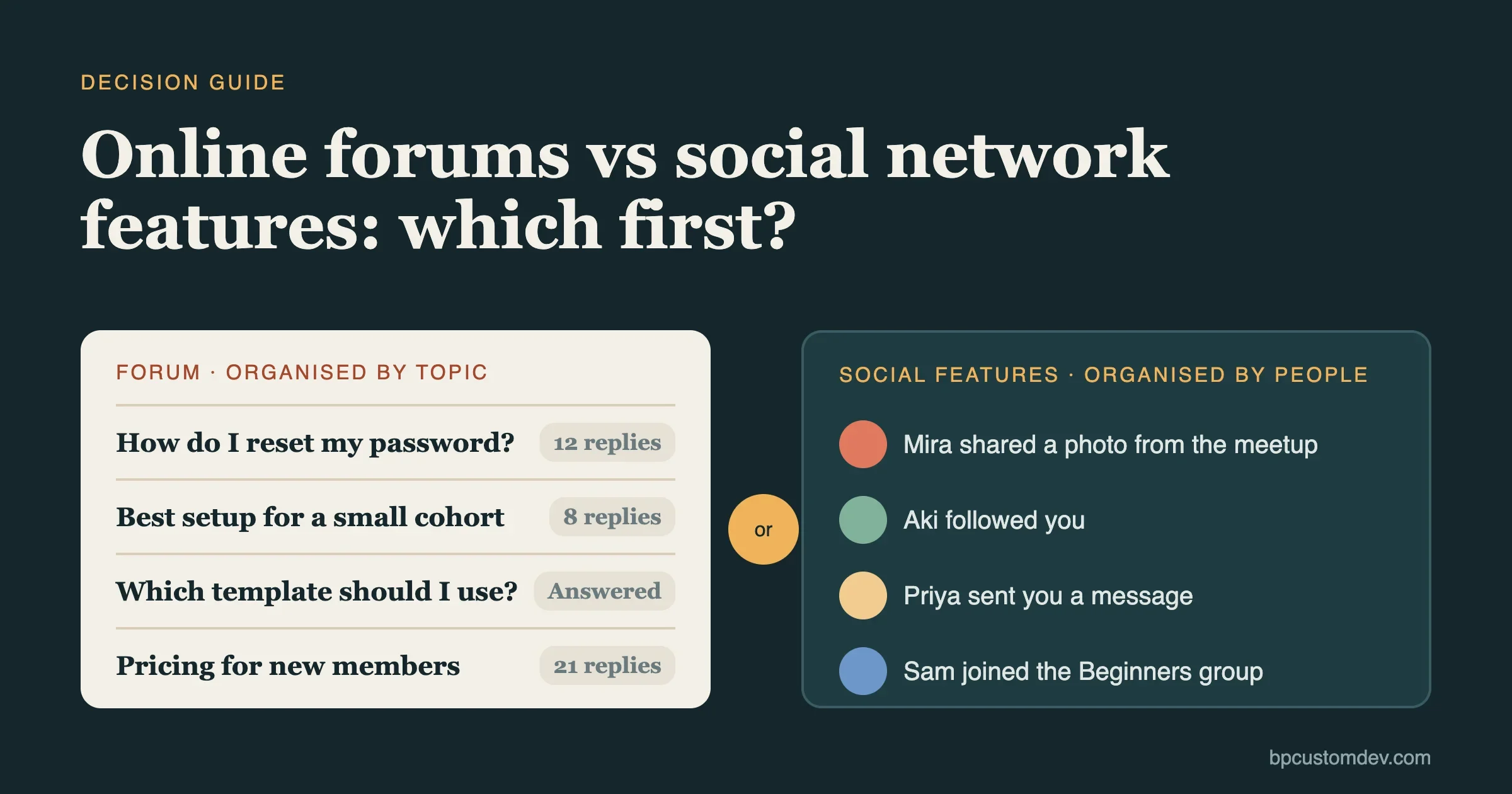
Start with online forums if your members mainly need answers, and start with social network features if they mainly need each other. A forum is a set of topics that people search, read and reply to. Social network features are profiles, a feed, follows, friends and private messages. Both belong in a mature community, but building both at once is how communities end up half-finished and quiet. This guide helps you pick which one to build first, what to add second, and which signs tell you it is time.
It is written for owners and product leads who are about to commission or configure a community on WordPress. It covers what each side does, a decision table by community type, the cost of getting the order wrong, and a thirty-day test you can run before spending much. Product facts come from the WordPress.org listings and the product pages for BuddyPress, bbPress, Jetonomy and BuddyNext, read on 11 November 2026. We build with BuddyNext and are open about where it fits and where it does not.
What is the difference between a forum and a social network?
A forum is organised around topics. A social network is organised around people. That one difference changes everything else: what members see first, what they come back for and what you have to moderate.
Online forum | Social network features | |
|---|---|---|
Organised by | Topic and category | Member and connection |
Front page shows | Latest and popular threads | A feed from people you follow |
A post lives | For years, and can be searched | For a day or two, then scrolls away |
Members come back to | Find an answer, join a discussion | See what friends are doing |
Works with few members | Yes, if topics are clear | Poorly, an empty feed feels dead |
Main risk | Unanswered questions | Silence and noise |
Look at the list in the middle of that table. A forum thread from last March can still help someone today. A feed post from last March is gone. That is why forums grow into a library, and feeds grow into a habit. Both are worth having. They are just worth having in a different order for different groups.
What each side includes
The words are loose, so here are the working definitions we use with clients.
Forum features
- Categories or spaces for different topics.
- Threads with replies, often nested.
- Search across every thread.
- Pinned posts, tags and topic status.
- Moderation tools: flags, a review queue, bans.
- For question sites: accepted answers and voting.
Social network features
- A member profile with photo, bio and fields.
- An activity feed with posts, comments and reactions.
- Follows or friend connections.
- Private and group messages.
- Member directory and search.
- Groups, called spaces in some products.
- Notifications that pull people back.
Some features sit in both lists, such as groups, notifications and moderation. The test is not a feature count. It is what you want members to do on a typical Tuesday: look something up, or catch up with people.
The question that decides it: what brings members back?
Ask yourself this plainly. When a member opens your community next week, what are they hoping to find? There are three honest answers.
- “An answer to a problem.” They come with a question, a task or a decision. Build the forum first.
- “The people I met last time.” They come for connection, news and shared moments. Build the social features first.
- “Both, depending on the day.” Pick the one that gets you to a living community faster, and add the other within three to six months.
If you cannot answer, interview five likely members. Ask them to describe the last time they looked for help or for people like them online, and where they went. Their answers will point to the pattern, and they will also tell you which tool you are really competing with: a search engine, a chat group or a social site. Our forum versus Facebook group comparison is a good companion for that last point.
A decision table by community type
Community | Build first | Why | Add second |
|---|---|---|---|
Product or software support | Forum with Q&A | Members arrive with problems, and public answers cut repeat questions | Profiles with reputation |
Course or cohort | Forum per course, plus groups | Questions tie to lessons, and threads stay useful for the next cohort | Feed for cohort news |
Professional association | Member directory and profiles | Members want to find peers, and forum topics follow later | Forum by specialism |
Hobby, fan or local club | Feed, groups and events | People come for each other, not for answers | Forum for how-to threads |
Creator or coaching group | Feed and messages | Closeness with the creator is the draw | Forum or wiki for lasting answers |
Company intranet | Feed and directory | Staff need to find colleagues and news | Forums by department |
Open-source or developer group | Forum with Q&A | Technical answers need to be searchable | Profiles, badges |
Treat the table as a starting point, not a rule. A hobby club with many beginners may need a forum on day one because the same questions keep coming. A support community with a small, close user base may do well with a feed. Use your interviews to override the table.
If your use case is not here, our guide to forum, Q&A, ideas and social community types goes deeper on the formats, and community portal, forum or Slack compares forums with chat tools.
Why the order matters
The empty room problem
A feed with ten members is a quiet room. Nobody posts because nobody is watching, and nobody watches because nobody posts. A forum with ten members and six well-chosen categories is different. A visitor can read three useful threads you seeded yourself and see a reason to stay. Forums tolerate a small start better than feeds do, because the content is the draw and not the crowd.
Search traffic
A public forum thread is a page that search engines can read and people can find years later. A feed post usually is not. If part of your plan is to be found by strangers who ask the same question your members ask, a forum works for you around the clock. We explain how to set that up in our guide to forum SEO and ranking community content. If your community is private, this advantage does not apply, and you should weigh the two sides on member habits alone.
Moderation load
Forums create a steady queue: spam in new accounts, off-topic threads, heated debates. Feeds create a faster, noisier queue: short posts, reactions, private messages you cannot see. Both need rules and tools. A forum with trust levels, where new members have limited rights and earn more, can moderate much of itself. We cover that in trust levels that auto-promote active members.
Effort to launch
A basic forum needs categories, a few rules and some seed threads. A social layer needs profile fields, a feed, directory, notifications and privacy settings that you must think through. If you have a small team and a short runway, the forum is usually the smaller first job.
What happens when you get it wrong
- Feed first for a support community. Questions get buried in a day, the same ones come back, and your team answers each twice.
- Forum first for a friendship community. Members read, nobody replies, and the place feels like a notice board.
- Both at once, thinly. Neither side reaches enough activity to feel alive, and you pay for two sets of moderation.
What the main WordPress options provide
If you are building on WordPress, four names come up. Here is what their own pages say.
bbPress
The bbPress listing describes it as simple forum software built by WordPress contributors. It shows version 2.6.21, updated on 27 October 2026, tested up to WordPress 7.1.4, with more than 100,000 active installs. The listing describes a discussion board. It does not describe a feed, friend connections or private messages, so treat it as the forum layer only. That focus is a strength if all you want is threads, and a limit if you want the social side later.
BuddyPress
The BuddyPress listing describes a suite of social network components: member profiles, private conversations, social connections, groups and more. It shows version 14.5.4, updated on 23 October 2026, tested up to WordPress 7.1.4, with more than 90,000 active installs. It is the social side. For forums, communities usually add bbPress next to it. We say plainly that BuddyPress is still maintained and widely used, and also that it is an older design. Our newer builds use BuddyNext, and we explain the move in our BuddyPress to BuddyNext migration guide.
Jetonomy
The Jetonomy product page describes four kinds of space in one plugin: Forum, Q&A with accepted answers, Ideas with voting and a roadmap, and Feed. It is free, uses its own database tables, and lists six trust levels, a moderation queue, a REST API with 48+ endpoints, and one-click importers for bbPress, wpForo and Asgaros. It states that the tables stay fast at 100,000+ topics. That is the vendor’s own claim, so test it on your own host if scale matters to you. Jetonomy is the forum and Q&A layer for BuddyNext, and the page says it also works with BuddyPress.
BuddyNext
BuddyNext is a free community platform that we build. The BuddyNext site and its plugin readme describe an activity feed, spaces, member profiles, a member directory, connections and follows, messaging and media through MediaVerse, notifications and a moderation queue. The readme says it does not require BuddyPress. For discussions it works with Jetonomy, which the readme lists as a core integration for forums. That makes BuddyNext plus Jetonomy a pair: the social layer and the forum layer, from one team.
Two honest notes. First, BuddyNext is newer than bbPress and BuddyPress, so it has fewer years of public track record and a smaller installed base. Second, the full application layer, memberships, advanced moderation and analytics, sits in BuddyNext Pro. The free plugin is a complete community, but not every feature is free.
Option | Forum | Social features | Best first choice for |
|---|---|---|---|
bbPress | Yes | No | A plain, small forum |
BuddyPress | Through bbPress | Yes | An existing BuddyPress community |
Jetonomy | Yes, with Q&A, Ideas, Feed | Light, plus BuddyNext or BuddyPress | A modern forum or Q&A site |
BuddyNext | Through Jetonomy | Yes | A new community that wants both layers |
For a wider tour of forum products, see our comparison of the best forum software, and if you are leaving bbPress, best bbPress alternatives lists the options and the migration checklist.
Three common paths, step by step
Path one: forum first, social later
- Choose six to eight categories that match the questions members actually ask.
- Write ten seed threads yourself, each with a real answer.
- Turn on trust levels or a review queue for new members.
- Run it for three months. Track questions answered within a day.
- When members start asking for profiles, follows or private messages, add the social layer.
Path two: social first, forum later
- Invite a core group of twenty to fifty people by hand before you open the doors.
- Set up profiles, a short welcome flow and two or three groups.
- Post in the feed daily yourself for the first month. Ask questions, share news.
- Watch for repeated how-to questions. Those are your first forum categories.
- Add a forum or Q&A space when the same answers keep scrolling away.
Path three: both layers, small
- Run one forum category and one group. Nothing else.
- Give members one reason to visit each week, such as a weekly question thread.
- Add categories and groups only when a topic outgrows its home.
This is the hardest path, but it fits when you are building on a platform that ships both, and your team can keep up with two moderation streams.
Signs that it is time to add the other side
Add social features to a forum when:
- Members ask who is behind a name, or ask for a way to message each other.
- The same ten people drive most threads and want recognition.
- You see members leaving to start a private chat group.
- Your threads have good answers but few new visitors return.
Add a forum to a social community when:
- The same how-to question appears more than once a week.
- Members ask you to “pin” or “save” posts so others can find them.
- You want to be found by search for the questions members ask.
- Moderators spend time copying old answers by hand.
When you notice two or more signs, schedule the work. Do not wait until members have built a workaround you must undo.
Cost and effort, at a glance
Software costs are lower than most owners expect. The cost that adds up is staff time. The table gives a rough shape. It is not a quote, since your scope will differ.
Cost area | Forum first | Social first |
|---|---|---|
Plugins | Free options exist: bbPress, Jetonomy | Free options exist: BuddyPress, BuddyNext |
Setup effort | Categories, rules, seed threads | Profile fields, privacy, welcome flow, groups |
Weekly moderation | Review queue, off-topic threads, spam | Reports, messages, feed noise |
Content you must write | 10 to 20 seed threads | Daily host posts for the first month |
Typical bottleneck | Unanswered questions | Not enough activity |
For a view of the full running cost over years, see what a custom community build costs to own over five years.
A thirty-day test before you commit
Before you pay for a build, test the choice cheaply.
- Days 1 to 5. Interview five likely members. Ask where they go for help, and where they go for company. Write down the exact words they use.
- Days 6 to 10. List the twenty questions they say they ask most. If more than half are “how do I” questions, lean forum. If most are “who knows” or “what’s happening” questions, lean social.
- Days 11 to 20. Run a small pilot in a tool you already have, such as a private group or a shared document. Count how many members reply within two days.
- Days 21 to 30. Write the decision on one page: what you build first, what you add second, and the signal that will trigger the second. Share it with your team and your first members.
The pilot does not need to look good. It needs to tell you whether members answer each other, or only read.
What about Discord, Slack or a Facebook group?
Many communities start in a chat tool or a social group because it costs nothing and takes an hour. That is a fair way to test demand. The trouble comes later. Chat scrolls, so answers vanish. You do not own the member list, the history or the rules of the platform. And a public forum thread can be found by search, while a chat message cannot.
A sensible plan for many groups is to keep the chat tool for quick talk and move the answers that matter into a forum or a wiki you own. Our guide to Discord alternatives for building a real community compares the options, and why your community should not live on borrowed land explains the ownership risk in plain terms.
Who runs it matters as much as what you build
Software does not make a community. People do. Before you choose, ask who will do three jobs in the first ninety days.
- The host. Greets every new member by name, answers first, and thanks early posters. In a forum, this person seeds threads and replies to unanswered ones. In a social network, they post daily and start conversations.
- The moderator. Reads reports, handles spam and keeps the tone. Give them clear rules and the power to act without asking.
- The owner of the numbers. Checks once a week: how many questions got an answer within a day, how many members posted in the last thirty days, and how many people came back.
If you cannot name these three people, scale your plan down. A small forum with a good host beats a large platform that nobody tends.
Moving between the two later
Your first choice is not permanent, but moving data costs time. Plan for it from the start.
- Keep member accounts as WordPress users. That way profiles, groups and forum posts share one identity.
- Choose tools with an importer or an API. Jetonomy lists importers for bbPress, wpForo and Asgaros. BuddyNext has a separate importer for BuddyPress, BuddyBoss and PeepSo communities.
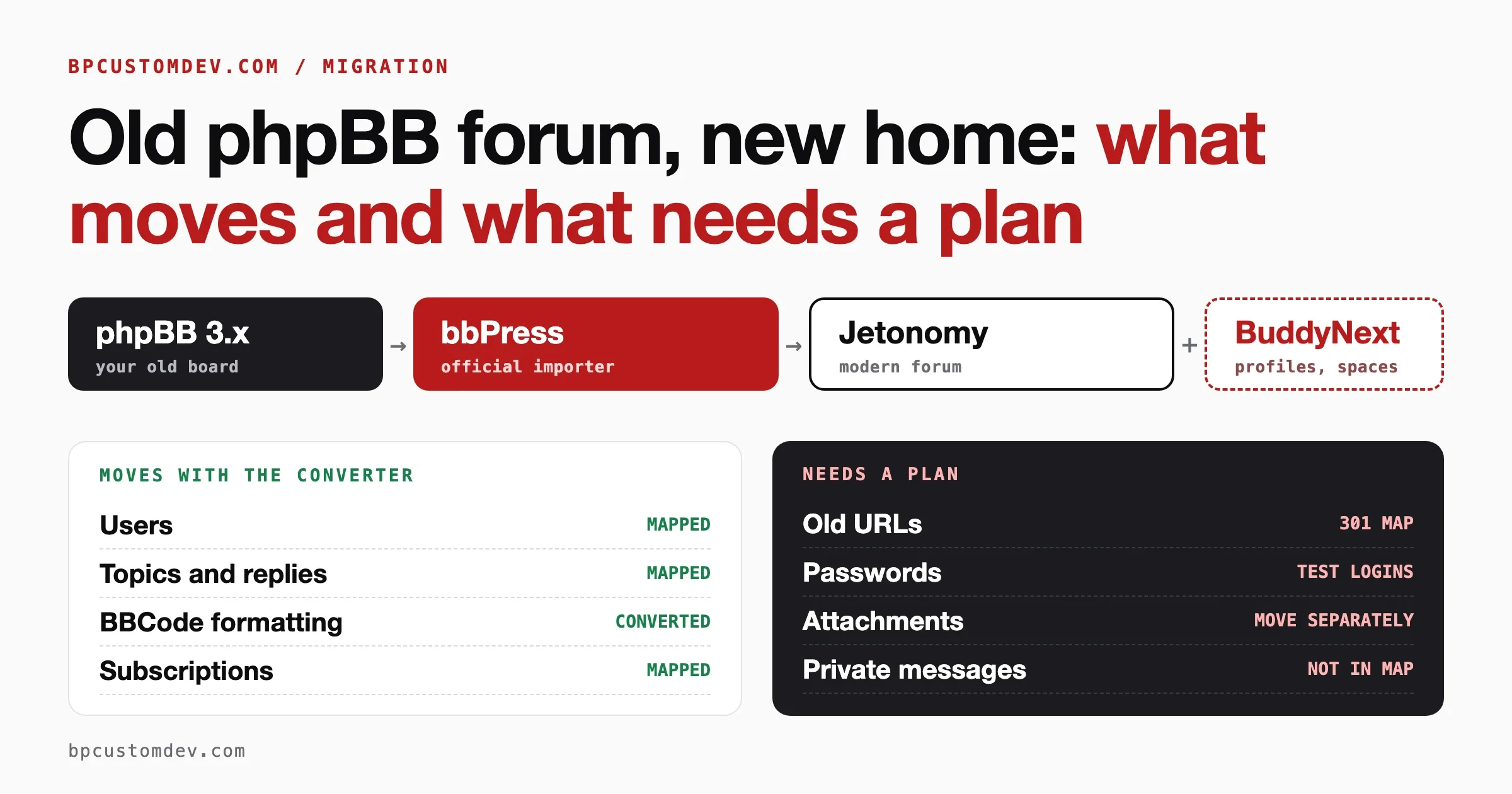
- Keep your URLs. If you move an old forum, redirect old thread addresses. Our guide to moving from phpBB to WordPress covers what carries over, passwords and redirects, and applies to most forum moves.
- Rehearse on a copy. Test every import on staging and look at the result as a member would.
Mistakes we see most often
- Copying a big platform’s feature list. Start with the one job your members hire the community to do.
- Launching without seed content. Neither a forum nor a feed works empty.
- Too many categories. More than eight at launch splits a small group into silence.
- No host. Someone must greet newcomers, answer first, and thank early posters. That person is part of the product.
- Measuring signups, not replies. A thousand members who never reply is a mailing list, not a community.
- Ignoring moderation until the first problem. Write the rules before launch.
Frequently asked questions
Are online forums still worth it?
Yes, for groups that need lasting answers. A public thread can help new people for years, and a forum gives a small community a clear place to start. Social features suit groups that come mainly for each other.
Should I start with a forum or a social network?
Start with a forum if members come with problems, and with social features if they come for connection. If you are unsure, interview five members and count which kind of question they ask most.
Can I run a forum and social features on one WordPress site?
Yes. bbPress and BuddyPress are often used together. BuddyNext with Jetonomy is a newer pair from one team. Either way, start with the layer your members need most and add the second when the signs appear.
Is BuddyPress still a good choice?
It is maintained and widely used, with an update released in October 2026 per its WordPress.org page. For new communities we prefer BuddyNext, and we help existing BuddyPress sites decide whether to move. Staying put is a fair choice if your community works well today.
Do I need BuddyPress to use BuddyNext?
No. The BuddyNext readme says it does not depend on BuddyPress.
How many categories should a new forum have?
Six to eight at launch is a good ceiling. Add more only when a topic outgrows its category.
Will a forum help me rank in search?
It can, if threads are public and answer real questions. A private forum does not help with search. See our forum SEO guide for the steps.
Next steps
If you are weighing a forum, a social layer or both for your community, we can look at your members and your goals and tell you what to build first. See how we work on our community forum development page, or send us a short description of your community and we will reply with an honest recommendation, including when the answer is a small setup and not a build.