Forum SEO: How to Make Your Community Content Rank on Google
Every forum topic is a potential search result. Clean URLs, proper HTML structure, schema markup, and user-generated Q&A content create an SEO engine that grows on community participation alone.

Your blog produces 2–4 posts per month. An active forum can produce 20–50 new topics per month. Each topic targets a natural language query that real people are searching for. Over time, forum content can generate more organic search traffic than your blog, and you do not have to write most of it.
But forum SEO does not happen automatically. You need clean URLs, proper HTML structure, quality content signals, and a few technical optimizations. This guide covers everything you need to make your community content rank.
Why Forum Content Ranks Well
Forum content has natural advantages for SEO:
- Natural language queries. Forum topics are written as questions: “How do I configure SMTP on WordPress 6.9?” This matches exactly how people search Google.
- Fresh content. Active forums generate new pages regularly. Google rewards sites that publish fresh content consistently.
- Long-tail keywords. Forum topics naturally target long-tail queries that blog posts rarely cover. “Best caching plugin for WooCommerce with 10K products” is too specific for a blog post but perfect for a forum question.
- Engagement signals. Forum pages with replies, votes, and accepted answers show strong engagement metrics, low bounce rates, high time on page, repeat visits.
- Q&A format. Google explicitly favors Q&A content for informational queries. A forum topic with a clear question and an accepted answer is the ideal format.
Technical SEO Foundations
Clean URLs
Jetonomy uses semantic URL structures:
/community/                           → Home
/community/s/help-support/            → Space
/community/s/help-support/t/smtp-config/ → Topic
/community/search/                    → Search
/community/leaderboard/               → Leaderboard
These URLs are readable, keyword-rich, and hierarchical. Compare to query-string URLs like ?forum=5&topic=123, which give Google no semantic information about the content.
Proper HTML Structure
Each forum page uses semantic HTML5 elements:
<h1>for the topic title (one per page)<article>for each post and reply<nav>for breadcrumb navigation<time>elements withdatetimeattributes for dates- Proper
<meta>tags for title and description
Breadcrumb Navigation
Jetonomy includes breadcrumb navigation on every page:
Home / Product & Engineering / Help & Support / How do I configure SMTP?Breadcrumbs help Google understand your site hierarchy and often appear in search results as rich navigation links.
Canonical URLs
Each topic has a single canonical URL. Pagination parameters, sorting options, and filter states do not create duplicate content issues because they use proper canonical tags pointing to the base topic URL.
Content Quality for SEO
Encourage Descriptive Titles
“Help needed!!!” does not rank for anything. “How to configure SMTP settings in WordPress 6.9 with Gmail” ranks for multiple valuable search queries. Encourage your community to write descriptive, specific titles.
Tips for guiding title quality:
- Add placeholder text in the title field: “What is your question? Be specific.”
- Pin a “How to ask good questions” topic with title examples
- Trust Level 3 members can edit topic titles to improve them
Accept Answers Quickly
Topics with accepted answers have better engagement signals for Google. The accepted answer badge tells search engines which content is the definitive response. Aim for 60%+ of Q&A topics having accepted answers.
Keep Content Accessible
Forum content should be publicly visible (not behind login walls) for public spaces. Private spaces are intentionally hidden from search engines, but your public Q&A spaces should be fully indexable.
Jetonomy Pro SEO Extension
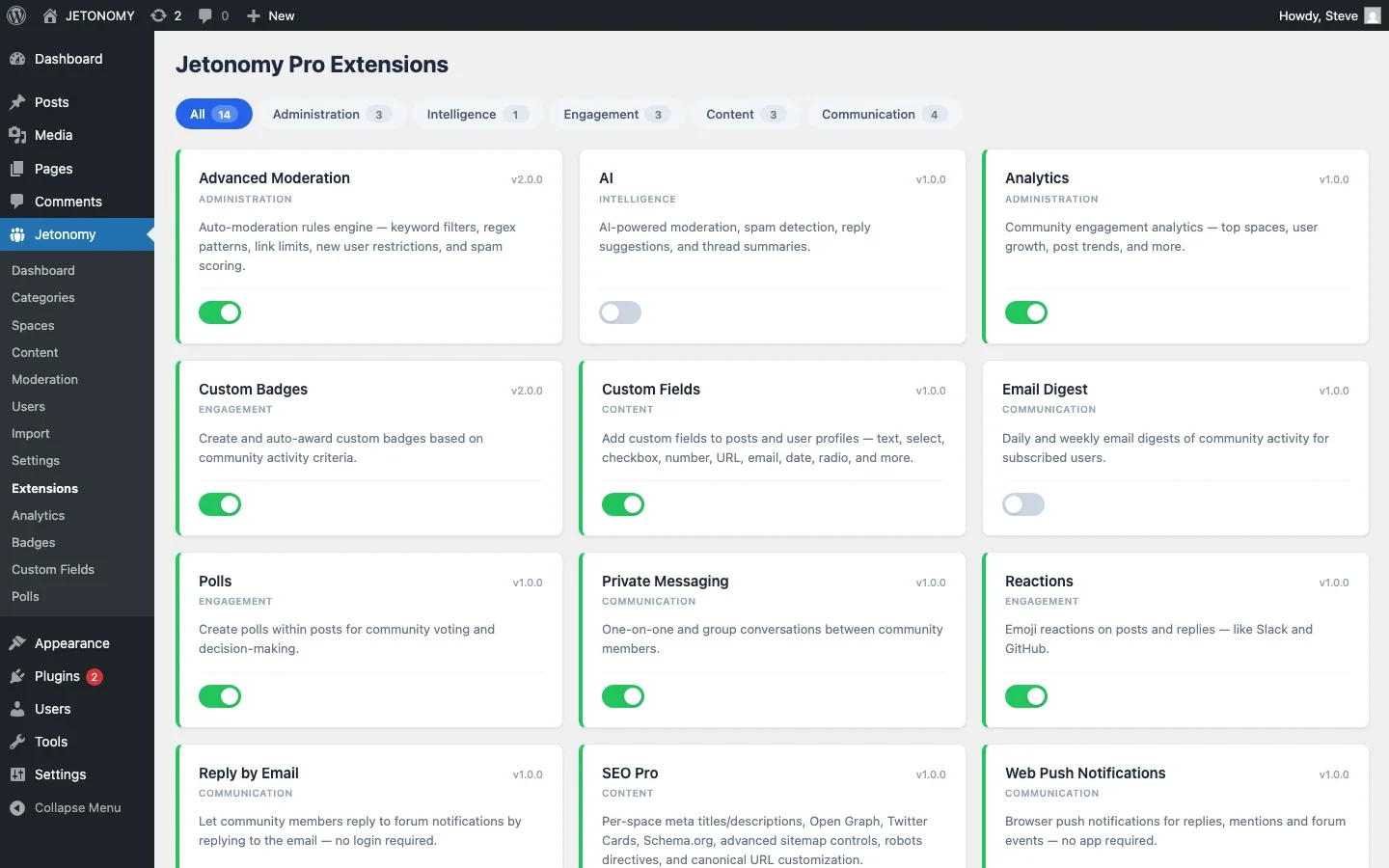
Jetonomy Pro includes an SEO Pro extension that adds:
- Per-space meta titles and descriptions, Customize how each space appears in search results
- Open Graph and Twitter Card tags, Control how forum content appears when shared on social media
- Schema.org structured data, Q&A schema for questions and answers, DiscussionForumPosting for forum topics
- Sitemap control, Include or exclude specific spaces from your XML sitemap
- Canonical URL management, Advanced canonical settings for edge cases
- robots directives, Per-space noindex/nofollow controls
Schema Markup for Forum Content
Structured data helps Google understand your forum content and display rich results. Jetonomy supports two schema types:
QAPage Schema (Q&A Spaces)
For Q&A spaces, each topic outputs QAPage schema with the question, accepted answer, vote counts, and author information. This can trigger Google’s Q&A rich results, the expanded answer boxes that appear directly in search results.
DiscussionForumPosting Schema (Forum Spaces)
For discussion forums, each topic outputs DiscussionForumPosting schema with the headline, body, author, date, and reply count. This helps Google categorize the content as forum discussion rather than a blog article.
Sitemap Integration
Jetonomy integrates with WordPress’s native XML sitemap (WP 5.5+) and popular SEO plugins like Yoast SEO and Rank Math. Forum topics, spaces, and tag pages are included in your sitemap automatically.
For private/invite-only spaces, content is excluded from the sitemap. Only publicly accessible content is included, ensuring search engines never encounter 403 errors from gated content.
The SEO Math
Here is why forum SEO compounds over time:
Timeline | Topics | Indexed Pages | Est. Monthly Organic Visits |
|---|---|---|---|
Month 3 | 60 | 60 | 100–300 |
Month 6 | 150 | 150 | 500–1,500 |
Year 1 | 400 | 400 | 2,000–5,000 |
Year 2 | 1,000 | 1,000 | 5,000–15,000 |
These are conservative estimates for a niche community. The actual numbers depend on your niche’s search volume and competition. The point is that the growth is compounding, each new topic is a permanent page that can rank for years.
Getting Started
- Set up your forum with public Q&A spaces (setup guide)
- Enable SEO Pro extension (Jetonomy Pro) for structured data and meta management
- Verify your sitemap includes forum pages (check in Google Search Console)
- Encourage descriptive titles in your community guidelines
- Accept answers on Q&A topics to trigger QAPage schema
- Monitor rankings in Google Search Console for forum page impressions and clicks
Your community is already creating content. Forum SEO ensures that content works for you in Google, not just within your community walls.
Extra SEO details that matter after the basics are in place
Forum SEO: How to Make Your Community Content Rank on Google fits into the broader forums category through indexation, structure, and long-tail discovery. That matters because the technical setup is only one part of success. The way you structure spaces, roles, onboarding, and follow-up is what determines whether the forum becomes a searchable asset or just another neglected section of the site.
- Treat topic titles like landing-page headlines, because they often become the exact search entry point for future visitors with the same problem.
- Use internal links from evergreen blog posts into the most useful forum discussions so Google and users can discover the highest-signal threads faster.
- Review which discussion patterns generate impressions without clicks, then improve titles, accepted answers, and meta descriptions around those pages.
Why teams evaluating this setup should look at Jetonomy Pro
Jetonomy Pro is relevant if SEO is part of the business case, because it supports structured discussion formats, cleaner content organization, and the kinds of forum patterns that make long-tail search traffic more realistic on WordPress. If you want to know more and try Jetonomy, take a closer look at Jetonomy Pro. It is the most direct next step for teams that want to move from theory to an actual working WordPress community experience.
For articles like this one, the practical question is not only whether the approach works in theory. It is whether your chosen forum stack gives you the moderation depth, user experience, and extensibility to keep the system useful six months after launch. That is where a more complete product decision starts to matter.













