White-Labeling Your Community Forum: Remove Plugin Branding Completely
Your community forum should look like your brand, not like a third-party plugin. Jetonomy Pro's White Label extension lets you remove all plugin branding and replace it with your own logo, colors, and footer text.

When a customer visits your support forum, they should feel like they are still on your site. Not on a third-party platform. Not on a plugin’s default interface. Your site, your brand, your forum.
Most forum plugins include their name in the footer, their logo on loading screens, and their branding in email templates. For personal blogs and hobby sites, this is fine. For businesses, it looks unprofessional. Your customers do not need to know which plugin powers your forum any more than they need to know which hosting provider runs your server.
White labeling removes all traces of the plugin brand and replaces them with yours.
What White Labeling Covers
Jetonomy Pro’s White Label extension removes and replaces branding in every customer-facing touchpoint:
Element | Default | After White Labeling |
|---|---|---|
Footer text | “Powered by Jetonomy” | Your custom text or blank |
Email sender name | “Jetonomy Community” | Your brand name |
Email templates | Jetonomy branding | Your logo and colors |
Loading states | Plugin default | Your brand colors |
Error pages | Plugin default messaging | Your custom messaging |
Admin references | “Jetonomy” in admin menus | Your chosen label |
Setting Up White Label
- Enable the White Label extension in Jetonomy → Extensions
- Go to Jetonomy → Settings → White Label
- Upload your logo (used in email templates and optionally in the forum header)
- Set your brand colors (accent color, button color, these override the default Jetonomy accent)
- Set footer text (your company name, a tagline, or leave blank)
- Set email sender name (your brand name for notification emails)
- Save, all branding updates immediately
Beyond Branding: Making the Forum Yours
White labeling is one part of making the forum feel native to your site. Combine it with:
- Theme integration, Jetonomy inherits your theme’s fonts, colors, and spacing automatically through CSS custom properties. See our template customization guide for deeper customization.
- Custom base URL, Change
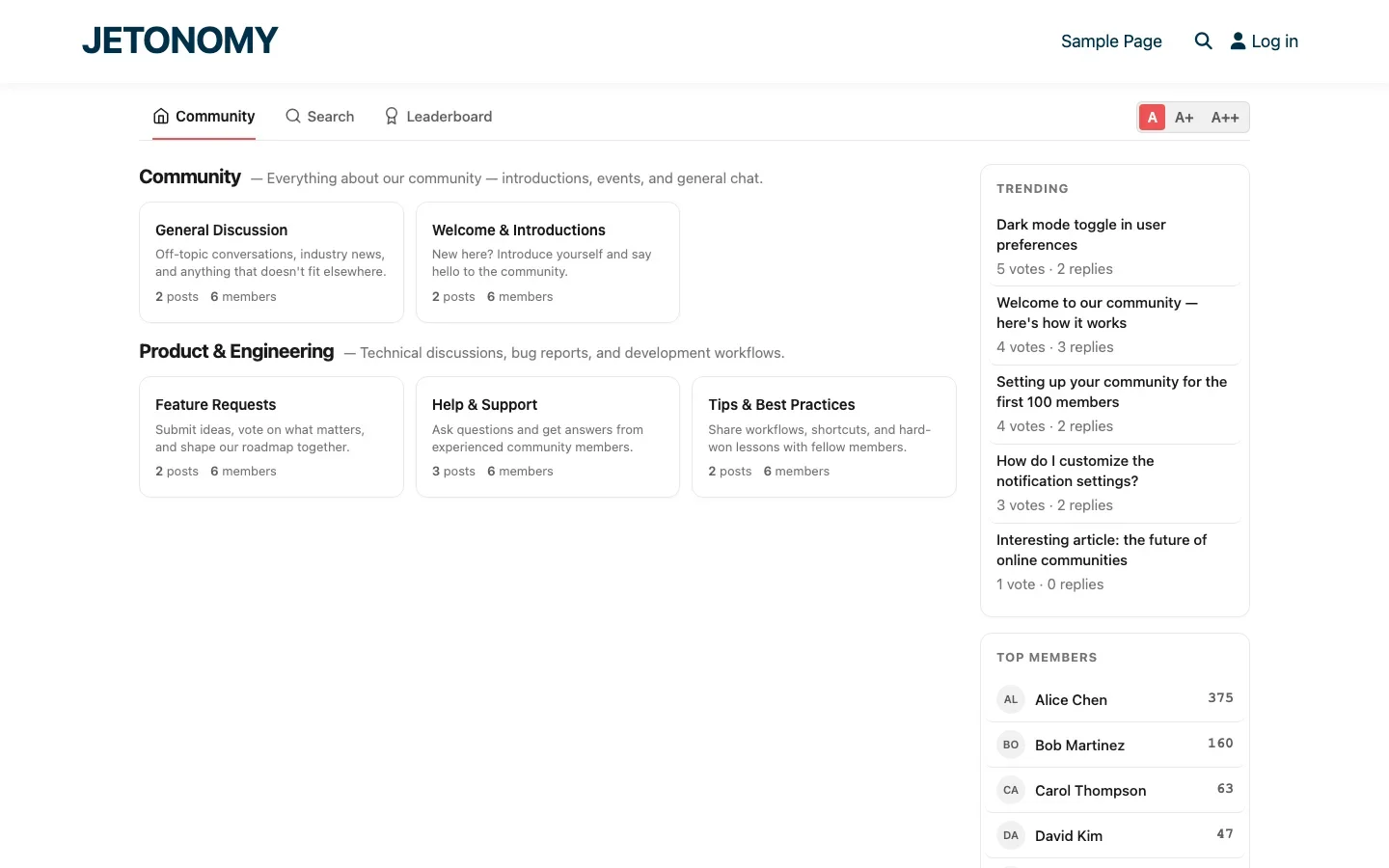
/community/to/forum/,/discuss/, or whatever fits your brand vocabulary. - Custom space names, Use terminology your customers understand: “Help Center” instead of “Support Forum”, “Ideas Lab” instead of “Feature Requests”.
- Custom badges, Design badges that match your brand visual language.
When White Labeling Matters Most
- SaaS companies, Your support forum should look like your product, not like a WordPress plugin.
- Agencies building for clients, Deliver a branded forum that the client owns. No third-party branding visible.
- Enterprise, Internal forums and employee communities should carry the company brand exclusively.
- Membership sites, Premium members paying for community access expect a polished, branded experience. See our invite-only spaces guide.
Email Branding
Forum notification emails are the most visible branding touchpoint because they appear in your members’ inboxes alongside emails from other brands. White-labeled emails include:
- Your logo in the email header
- Your brand colors in buttons and links
- Your sender name (“Acme Community” instead of “Jetonomy”)
- Your footer text with copyright and unsubscribe links
Combined with digest emails and reply-by-email, every email touchpoint carries your brand consistently.
Getting Started
- Enable White Label in Jetonomy Pro Extensions
- Upload your logo and set brand colors
- Customize footer and email sender
- Review every customer-facing page to verify branding is consistent
- Send a test notification email to verify email branding
For the complete forum setup, follow our WordPress forum guide. White labeling is the finishing touch that makes your forum feel like a native part of your product, not an add-on.
Implementation details that make the rollout smoother
White-Labeling Your Community Forum: Remove Plugin Branding Completely fits into the broader forums category through launch plans, migration steps, and setup choices. That matters because the technical setup is only one part of success. The way you structure spaces, roles, onboarding, and follow-up is what determines whether the forum becomes a searchable asset or just another neglected section of the site.
- Start with one public space and one private operator space so you can test permissions before the wider launch.
- Seed the first discussions yourself using the exact questions customers already ask in email, pre-sales chat, or onboarding calls.
- Define who can create spaces, who can moderate them, and what counts as an accepted answer before the first wave of members arrives.
Why teams evaluating this setup should look at Jetonomy Pro
Jetonomy Pro is useful here because it gives you Q&A, discussion spaces, trust levels, private areas, and a cleaner launch path than stitching together older forum plugins. If you want to know more and try Jetonomy, take a closer look at Jetonomy Pro. It is the most direct next step for teams that want to move from theory to an actual working WordPress community experience.
For articles like this one, the practical question is not only whether the approach works in theory. It is whether your chosen forum stack gives you the moderation depth, user experience, and extensibility to keep the system useful six months after launch. That is where a more complete product decision starts to matter.













