Forum vs Facebook Group: Why You Should Own Your Community
You have been running your community in a Facebook Group for three years. It works, sort of. But between algorithm control, data ownership, and SEO, a self-hosted forum gives you what a rented Facebook Group never can.

You have been running your community in a Facebook Group for three years. It works. Sort of. Members post, you reply, discussions happen. But something feels off.
Maybe it is the fact that Facebook decides which posts your members see. Or that you cannot export your member list. Or that one algorithm change can tank your group’s reach overnight. Or that your members are one click away from cat videos and political arguments instead of focusing on your community.
This is the fundamental tension: Facebook Groups are easy to start but impossible to own. A self-hosted forum is harder to set up but gives you complete control over your community, your data, and your members’ experience.
Let us break down the real differences and help you decide whether it is time to make the move.
The Algorithm Problem
Facebook Groups are powered by an algorithm that decides which posts get visibility. You do not control it. Your members do not control it. Facebook does.
This means:
- A carefully crafted announcement might reach 30% of your members
- A low-effort meme might reach 90% because it generates more engagement signals
- Posts from new members often get buried because they do not have engagement history
- Time-sensitive content disappears from the feed within hours
On a forum, every post appears exactly where it was posted. Chronological ordering within spaces. No algorithmic filtering. If a member posts in your Help & Support space, every subscriber to that space sees it. Period.
This sounds like a small difference until you realize that most of the “engagement problems” community managers blame on their members are actually caused by the algorithm hiding their content.
Data Ownership: The Non-Negotiable
Here is a question that should keep every Facebook Group admin up at night: can you export your community data?
The answer is: barely. You can download a ZIP file with your own posts and photos. But you cannot export:
- Other members’ posts and discussions
- Comment threads
- Member email addresses
- Engagement metrics per member
- Search history or popular topics
Your community has generated thousands of valuable discussions over the years. Answers to common questions. Troubleshooting threads that save customers hours. Product feedback that shaped your roadmap. All of it lives on Facebook’s servers, governed by Facebook’s terms of service.
On a self-hosted WordPress forum, you own everything. The database sits on your server. You can back it up, export it, migrate it, or analyze it any way you want. Your community content is an asset you control, not a tenant on someone else’s platform.
SEO: The Hidden Advantage of Forums
This is the benefit most people overlook when comparing Facebook Groups to forums, and it is arguably the most valuable one.
Facebook Group content is invisible to search engines. Google cannot index it. If someone searches for “how to configure widget settings,” your brilliant three-paragraph answer buried in a Facebook Group thread will never appear in search results.
Forum content, on the other hand, is fully indexable. Every topic becomes a page. Every question and answer becomes a potential search result. Over time, an active forum generates hundreds or thousands of long-tail keyword pages without you writing a single blog post.
Consider the math: if your community generates 10 new topics per week, that is 520 new indexed pages per year. Each one targets a natural language question that real people are searching for. That is an SEO engine that runs on community participation.
We have seen WordPress forums that generate more organic traffic than the blog they sit next to. That will never happen with a Facebook Group.
The User Experience Gap
Facebook Groups force your community into Facebook’s interface. That means:
- Distractions everywhere. Notifications from other groups, Marketplace listings, friend requests, News Feed, all competing for attention.
- No structure. Facebook Groups have one flat feed. There are no categories, no spaces, no separation between “Bug Reports” and “Show and Tell.” Everything gets dumped into the same stream.
- Terrible search. Finding an old discussion in a Facebook Group is an exercise in frustration. The search is slow, inaccurate, and often returns irrelevant results.
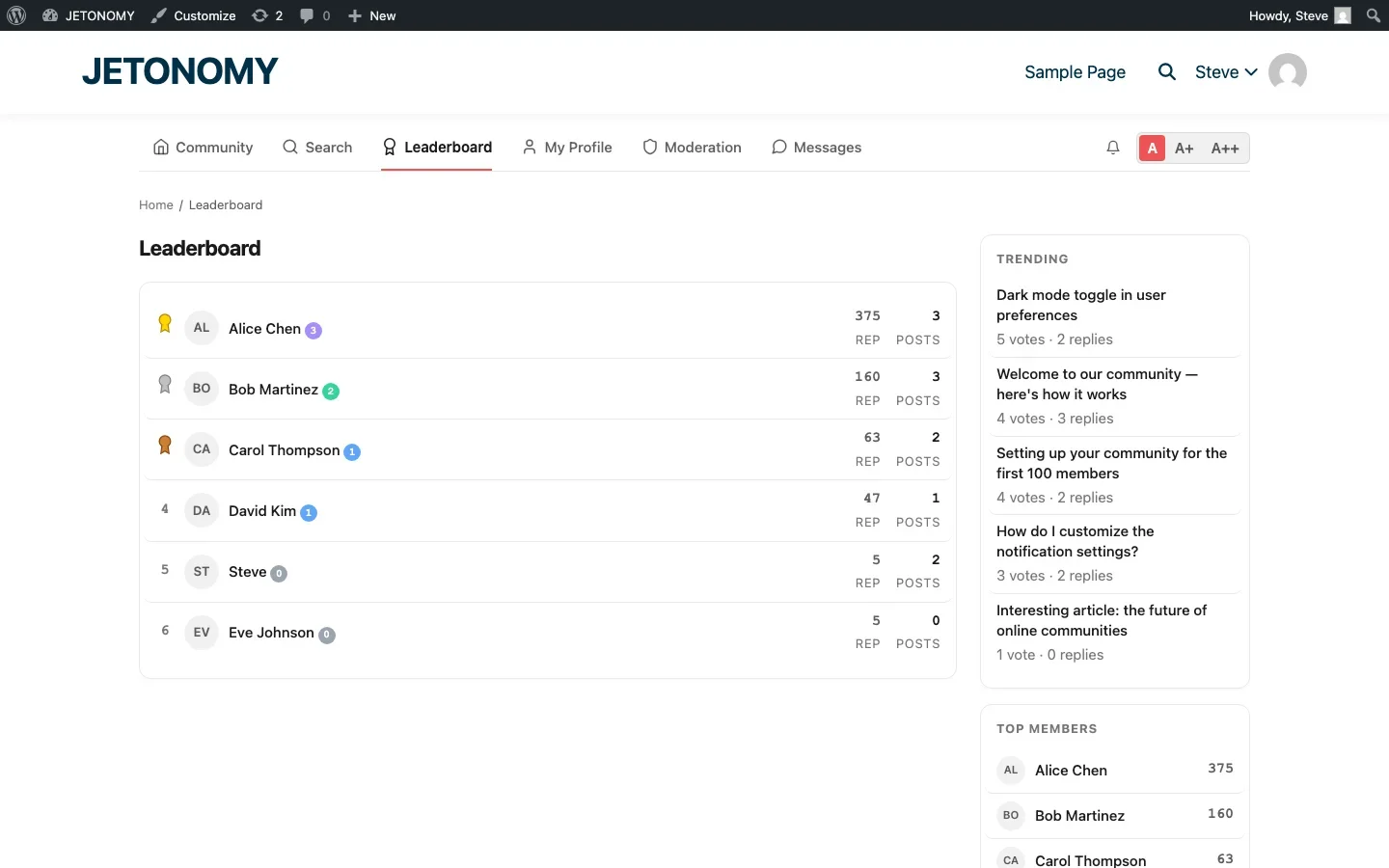
- No reputation system. You cannot tell if an answer comes from a trusted community veteran or someone who joined five minutes ago.
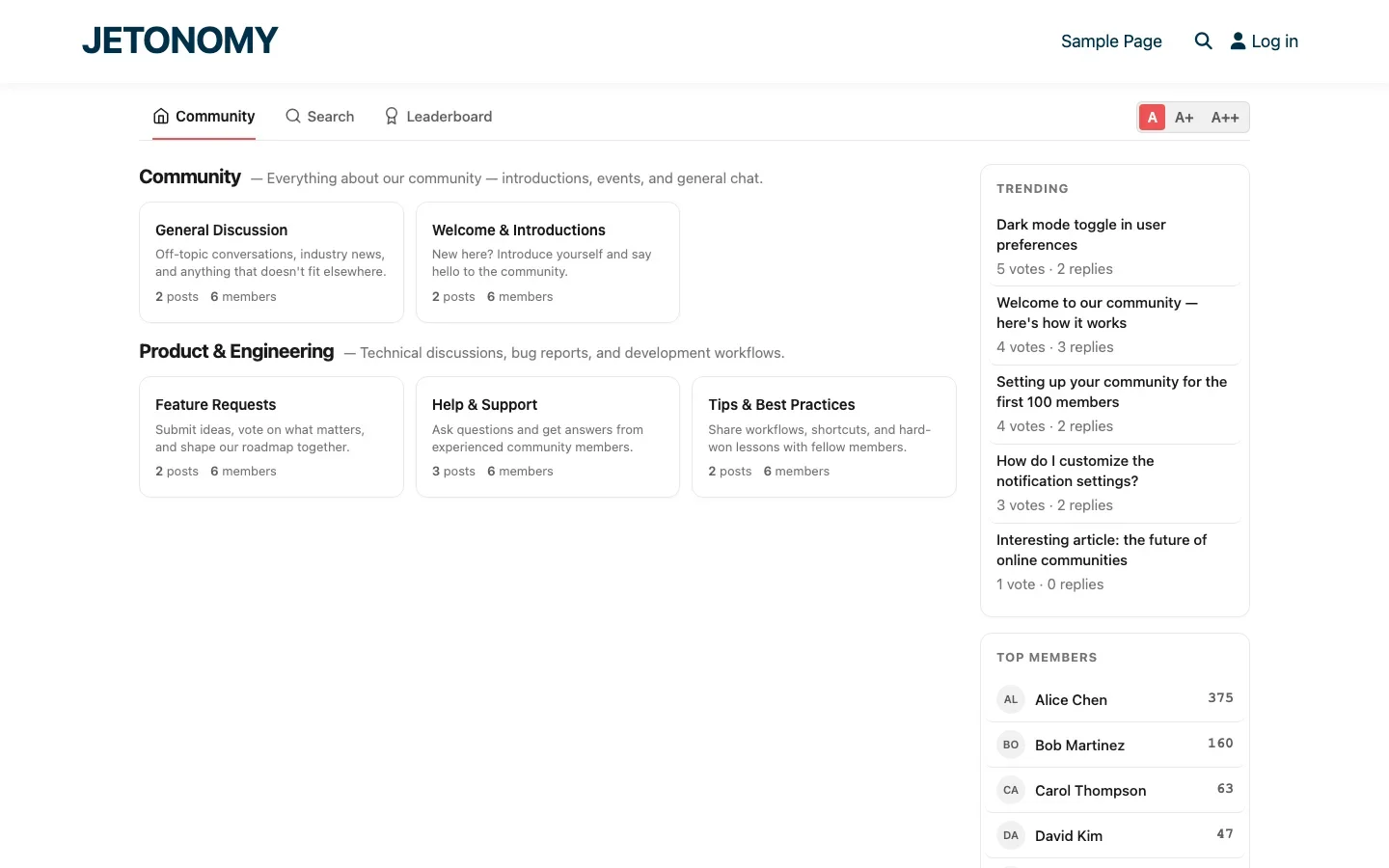
A well-built forum gives your members a focused, distraction-free environment. Discussions are organized into categories and spaces. Search actually works. Trust levels and reputation scores help members identify reliable contributors.
Moderation: Your Rules, Not Zuckerberg’s
Facebook Group moderation is limited to what Facebook allows. You can approve or reject posts. You can mute or ban members. That is about it.
A self-hosted forum gives you moderation tools that actually scale:
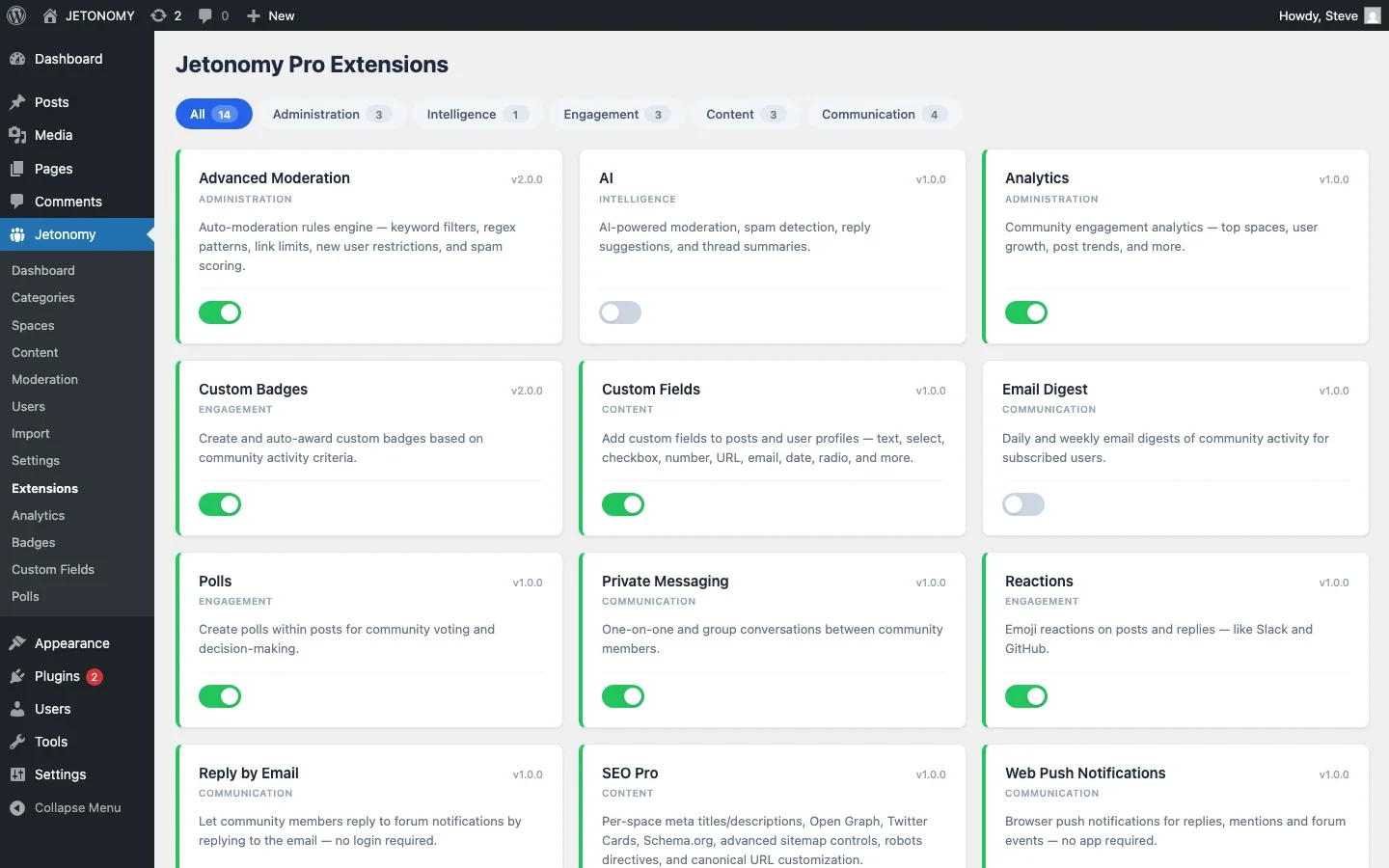
- Trust levels that automatically promote good contributors and limit new accounts
- Keyword filters that catch spam and inappropriate content before it goes live
- Rate limiting that prevents any single user from flooding the forum
- Content flags that let members report problems to moderators
- Space-level moderators who can manage their own areas without being site admins
But here is the bigger issue with Facebook moderation: Facebook’s community standards apply on top of yours. Facebook can remove posts, disable your group, or ban members based on its own rules, which may not align with your community’s norms. You are always one step away from platform risk.
On your own forum, you set the rules. Full stop. You can read more about building effective moderation systems in our guide on custom content moderation workflows.
Monetization and Integration
Facebook Groups offer zero monetization options for group admins. You cannot charge for access. You cannot sell premium content. You cannot even link to your own products without the algorithm potentially suppressing your posts for being “promotional.”
A self-hosted forum integrates with your existing business tools:
- WooCommerce, Gate forum access behind product purchases or subscriptions
- LearnDash / Tutor LMS, Create course-specific discussion spaces that open automatically when students enroll
- Restrict Content Pro, Tie forum access to membership levels
- Email marketing, Send digest emails with top discussions to bring members back
- Analytics, Track engagement metrics, top contributors, and community health over time
Your forum becomes part of your business infrastructure, not a separate silo on a platform you do not control.
The Side-by-Side Comparison
Here is the honest comparison between Facebook Groups and a self-hosted WordPress forum:
Feature | Facebook Group | Self-Hosted Forum |
|---|---|---|
Setup time | 5 minutes | 15–30 minutes |
Monthly cost | Free | Free (plugin) + hosting |
Data ownership | Facebook owns it | You own it |
SEO value | Zero | High, every topic is indexed |
Content structure | Flat feed | Categories, spaces, tags |
Search quality | Poor | Full-text search |
Algorithm control | None | Chronological, you decide |
Reputation system | None | Trust levels, badges, leaderboard |
Moderation tools | Basic | Advanced, auto-moderation, keyword filters |
Monetization | Not possible | Membership, LMS, WooCommerce gates |
Custom branding | Facebook branding everywhere | Your brand, your design |
Platform risk | High, Facebook can shut you down | Zero, your server, your rules |
Member distraction | Maximum, competing feeds | Zero, focused environment |
Mobile experience | Facebook app (good but cluttered) | Responsive web (focused) |
API access | Limited | Full REST API |
When Facebook Groups Still Make Sense
To be fair, Facebook Groups are not always the wrong choice. They work well when:
- You are testing whether a community idea has legs before investing in infrastructure
- Your audience is primarily on Facebook and would not visit an external site
- The community is casual and does not need structure, search, or archival value
- You have no budget for hosting at all
But if your community is part of your business, if it supports a product, a service, or a brand, the limitations of Facebook Groups will catch up with you. Usually sooner than you think.
Making the Switch
If you are ready to move from a Facebook Group to a self-hosted forum, here is the practical path:
- Do not shut down the Facebook Group immediately. Run both in parallel for 2–3 months while you migrate the active members.
- Set up your forum with the structure your community needs. Use categories and spaces to organize discussions in ways that were impossible on Facebook. Our step-by-step forum setup guide walks through the entire process.
- Migrate your best content. You cannot auto-import from Facebook, but you can manually recreate your most valuable discussions as seed content in the new forum.
- Announce the move with a clear explanation of why. Members respond well to honesty: “We are moving to our own platform so we control the experience and keep your data safe.”
- Post exclusively to the forum. Stop creating new content in the Facebook Group. Post a pinned message directing people to the new forum. Activity follows content.
- Make the forum better than the group. Add features Facebook cannot match: badges and leaderboards, Q&A with accepted answers, private messaging, polls. Give members reasons to prefer the new platform.
The Long-Term View
Here is the question that matters: where do you want your community to be in five years?
If you stay on Facebook, your community remains a feature inside someone else’s product. You will always be subject to algorithm changes, policy updates, and the possibility that Facebook deprioritizes Groups entirely (they have done it before).
If you move to your own forum, you are building an asset. A searchable archive of community knowledge. An SEO engine that drives organic traffic. A platform that integrates with your business and grows with it.
The setup takes longer. The early months are harder. But the long-term payoff is not even close.
Your community deserves a home you actually own. Not a rented room in someone else’s house.
Ready to make the switch? Start here with our WordPress forum setup guide and build a community platform you control.
The Members Who Will Resist the Move
Expect a vocal minority of members to push back on leaving Facebook, usually the ones who like having the forum inside an app they already check daily. Do not treat this as a sign the migration is wrong. Run the parallel period long enough that the resistant group sees other members getting faster, better answers on the new forum, and be explicit that the Facebook Group will eventually go read-only or shut down rather than leaving the timeline vague, an open-ended “we will keep both forever” promise is what causes migrations to stall indefinitely.
Where Jetonomy Pro Fits
The core case for owning your community, data ownership, SEO, structure, moderation, works with free Jetonomy alone. Jetonomy Pro is worth adding once you have migrated and want the engagement layer that makes the new forum feel like an upgrade rather than a lateral move, reactions, polls, and private messaging. See Jetonomy Pro for that layer.













