7 Signs Your WordPress Site Needs a Discussion Board
Not every WordPress site needs a forum. But if you are seeing these 7 signs — repeat support questions, dead comment sections, growing email volume — it is time to add a discussion board.

Not every WordPress site needs a forum. A personal blog does fine with comments. A brochure site needs nothing more than a contact form. But there is a tipping point where static content stops being enough and your audience needs a space to talk to each other, not just to you.
Here are seven clear signals that your WordPress site has reached that point.
1. You Keep Answering the Same Questions
Check your email inbox, your contact form submissions, or your support chat logs. How many times this month did you answer the same question?
If the answer is more than five, you have a problem that a forum solves elegantly. When a customer asks “How do I reset my password?” in a forum, that question and its answer become a permanent, searchable resource. The next person with the same question finds it through search instead of emailing you.
This is not theoretical. Support forums routinely reduce ticket volume by 30–50% within the first six months. The knowledge compounds. Every answered question is one fewer support ticket in the future.
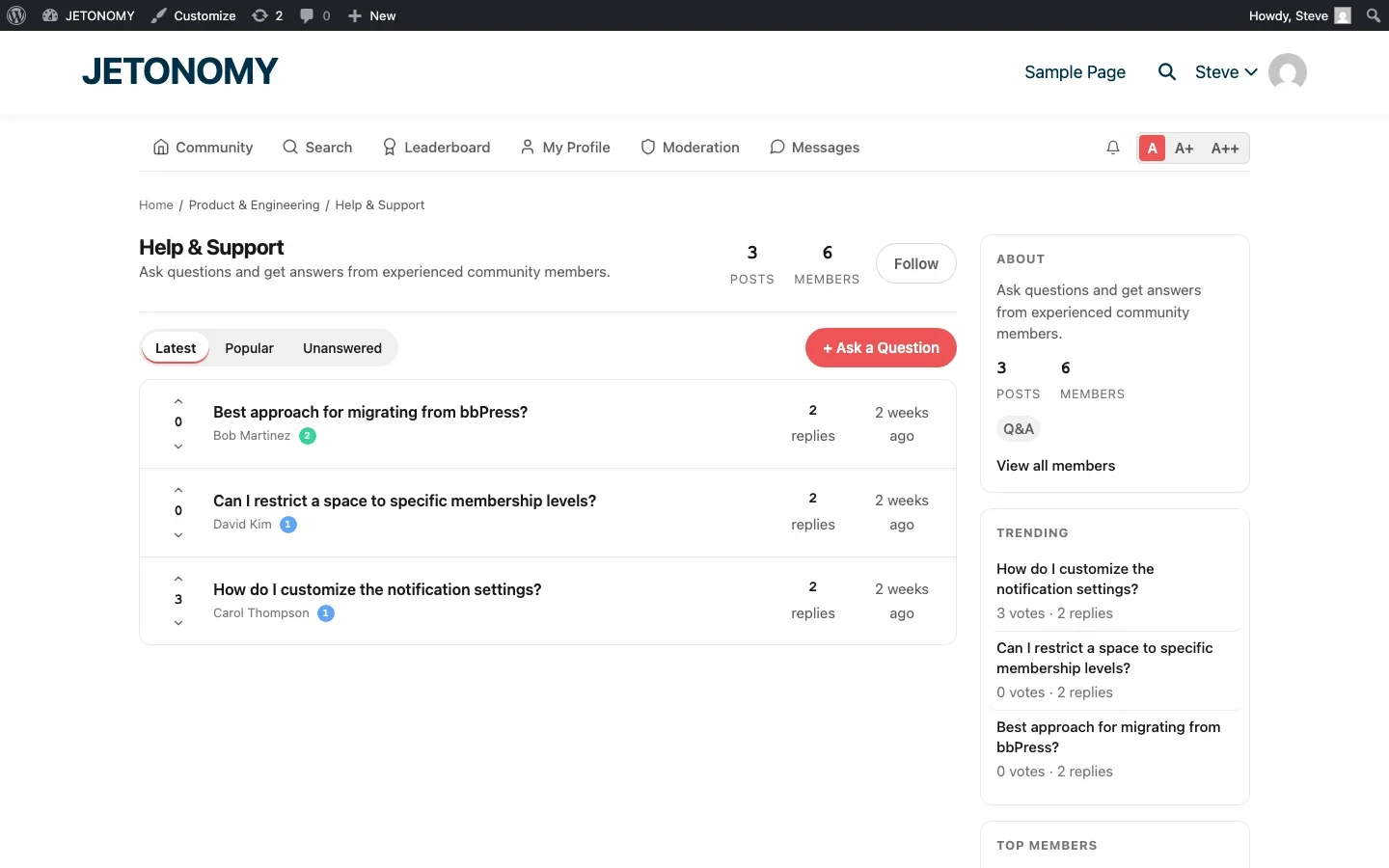
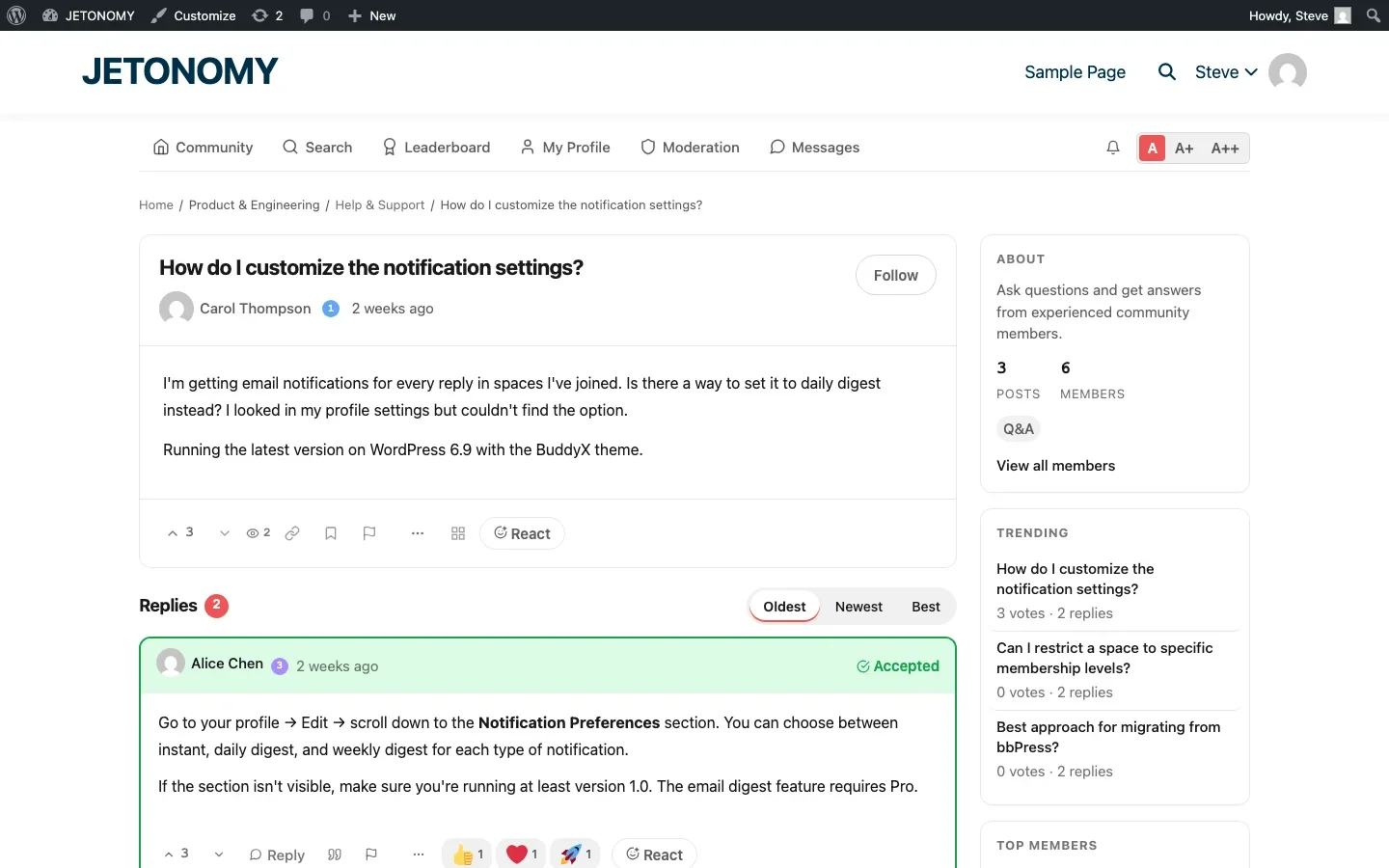
WordPress plugins like Jetonomy have a dedicated Q&A space type designed exactly for this. Questions get answers. Answers get voted on. The best answer floats to the top and gets marked as accepted. It works like a knowledge base that your users build for you.
2. Your Blog Comments Are Turning into Conversations
Look at the comments on your most popular blog posts. Are people having back-and-forth discussions? Are they asking follow-up questions? Are comment threads going 10, 15, 20 replies deep?
If yes, your audience wants to talk. They are just using the only tool available to them: your comment section. The problem is that WordPress comments were never designed for conversations. They are designed for reactions to content. There is no search. No notifications (without plugins). No threading beyond two levels. No way for users to start their own topics.
A discussion board takes those conversations and gives them a proper home. Topics can be organized by subject. Users get notified when someone replies. Content is searchable. And the discussions are not buried at the bottom of a blog post that ages out of relevance.
If your comment sections look more like forum threads than blog reactions, it is time to give your audience a real forum.
3. You Have a Product or Service with an Active User Base
If you sell a WordPress theme, a plugin, a SaaS tool, an online course, or any product with ongoing usage, you need a place for your users to help each other.
Product communities are valuable because:
- Users discover use cases you never documented
- Power users answer beginner questions faster than your support team
- Bug reports come with context (other users can confirm or add details)
- Feature requests show you what to build next, ranked by community votes
Many SaaS teams have moved from traditional helpdesk tools to community Q&A spaces for exactly these reasons. The community does not replace support. It amplifies it.
4. Your Email List Is Growing but Engagement Is Flat
You have 5,000 email subscribers. Open rates are decent. But replies? Near zero. Your newsletter is a monologue, and your audience has no way to respond beyond hitting reply (which most people will not do).
A forum creates a two-way channel. Instead of broadcasting to a list, you are inviting a conversation. Members can respond to ideas, build on each other’s thoughts, and form connections with other community members.
The engagement shift is real. People who participate in a community visit your site 4–7 times more often than people who only read your newsletter. They stay longer. They are more likely to buy. And they are dramatically more likely to recommend you to others.
The best approach is to use both together. Send a weekly digest email highlighting the best forum discussions, then link back to the forum for the full conversation. The email drives traffic to the forum. The forum gives people a reason to stay. This is exactly what forum plugins with email digest extensions are built for.
5. You Want User-Generated Content for SEO
Here is a growth hack that most site owners overlook: every forum topic is a new page that Google can index.
Your blog produces maybe 2–4 posts per month. An active forum can produce 10–50 new topics per month, each targeting natural language queries that real people are searching for. Questions like “best way to configure caching on WooCommerce” or “how to fix sidebar layout on mobile” are exactly the long-tail keywords that drive organic traffic.
And you do not have to write any of it. Your community writes it for you.
This is not a minor benefit. We have seen forums that generate more search traffic than the blog they sit next to. The key is using a forum plugin that creates clean, indexable URLs and uses proper HTML structure that search engines understand. Look for clean permalink structures like /community/s/space-name/t/topic-slug/ rather than query-string URLs.
6. Your Competitors Have Communities (and You Do Not)
Open your top three competitors’ websites. Do any of them have a forum, a community section, or a discussion board?
If they do, they are building an advantage you are not. Their community members are creating content, answering each other’s questions, and forming brand loyalty that is hard to compete against. They are also capturing long-tail search traffic from all those community discussions.
If they do not have communities yet, this is your window. Being the first in your niche to offer a community creates a moat. Once members have invested time, built reputation, and formed relationships in your forum, they are unlikely to switch to a competitor’s community later.
Check out how different community platforms compare for 2026 to understand the competitive landscape.
7. You Are Building an Online Course or Membership Site
If you run or are planning an online course, coaching program, or membership site, a discussion forum is not optional. It is essential.
Students who can ask questions and discuss course material have dramatically higher completion rates than students who learn in isolation. A forum gives them a place to:
- Ask questions about specific lessons
- Share their progress and get feedback
- Connect with other students at the same stage
- Access the instructor and teaching assistants
The most effective approach is to create a dedicated discussion space for each course. When a student enrolls, they automatically get access to that course’s forum space. When they complete a module, they can discuss it with classmates who are working through the same material.
Modern forum plugins integrate directly with LMS platforms. Jetonomy, for example, has adapters for LearnDash, Tutor LMS, LifterLMS, Sensei, and MasterStudy that automatically create discussion spaces when new courses are published and gate access based on enrollment status. You can see this in action in our guide on building a course community with completion badges.
What to Do If You See These Signs
If three or more of these signs apply to your site, it is time to add a discussion board. Here is the practical next step:
- Start small. You do not need 20 forum spaces on day one. Create 3–5 spaces that match your most common discussion topics.
- Choose a plugin that scales. You want something that handles 100 posts as well as 100,000 posts. That means custom database tables, not WordPress post types. It means proper caching and efficient queries.
- Seed it with content. Create your first 10–15 topics before inviting anyone. Nobody wants to be the first person to post in an empty room.
- Promote it. Add forum links to your main navigation, your email signature, and your most popular blog posts.
- Respond quickly. For the first month, treat every forum post like a support ticket. Fast response times set the tone for the community culture.
The technical setup takes 15 minutes. Our step-by-step guide to adding a forum to WordPress covers the entire process from installation to launch.
The Cost of Waiting
Every month without a forum is a month of:
- Support questions answered once and lost forever
- Blog comment conversations that die in obscurity
- Long-tail search traffic going to competitors who do have communities
- Members who engage once and never come back because there is nothing to come back to
A forum is a long-term asset. The discussions accumulate. The knowledge base grows. The SEO value compounds. The sooner you start, the further ahead you will be a year from now.
Your audience is already talking about your niche. The only question is whether that conversation happens on your site or somewhere else.
What If Only One or Two Signs Apply?
Not every site needs to hit three or more of these signs before a forum makes sense, and a site that hits all seven is not automatically ready either. A site with a small but genuinely engaged comment section and no support volume to speak of might do better starting with a simple Q&A space attached to its existing content rather than a full multi-space forum launch. Match the scope of what you build to which signs actually apply, a lightweight single-space Q&A can validate demand before you invest in the full category-and-space structure described elsewhere in this guide.
Where Jetonomy Pro Fits
None of the seven signs above require anything beyond free Jetonomy to address. Jetonomy Pro becomes relevant once you have validated demand and want deeper engagement tools, reactions, polls, and private messaging, layered onto a forum that is already getting used. Take a look at Jetonomy Pro once you are past the validation stage.













