How to Build a Support Forum That Actually Reduces Support Tickets
A support forum does not replace your helpdesk. It intercepts questions before they become tickets. Here is how to build one that actually works — with the right structure, self-service tools, and community participation.

Your support team is drowning. The same questions keep coming in. Password resets. Configuration walkthroughs. “Does your product support X?” You answer them, close the ticket, and wait for the next person to ask the exact same thing tomorrow.
A support forum breaks this cycle. When one customer asks a question publicly and gets a good answer, every future customer with that question finds the answer through search. The knowledge compounds instead of evaporating in private ticket threads.
But here is the thing, most support forums fail. They launch with enthusiasm, collect a few posts, and then gather dust. The problem is never the technology. It is the structure, the incentives, and the habits around how the forum is used.
This guide shows you how to build a support forum that actually works. One that deflects tickets, empowers your users, and gets better over time.
The Economics of a Support Forum
Before building anything, let us look at the numbers.
A typical support ticket costs between $5 and $25 to resolve, depending on complexity and your team’s hourly rate. If your team handles 500 tickets per month, that is $2,500 to $12,500 in support labor.
Now imagine that 30% of those tickets are questions that have already been answered somewhere. That is 150 tickets per month, $750 to $3,750, spent on repeat work.
A support forum captures those answers permanently. Once a question is answered in the forum, it is findable by every future customer. The math is simple: every question you answer publicly is a ticket you never have to handle privately again.
The best support forums achieve 30–50% ticket deflection within six months. That is not a projection. That is what we see consistently across communities that follow the principles in this guide.
Choosing the Right Forum Structure
A support forum is not a general discussion board. It needs a specific structure that makes it easy for customers to find existing answers and ask new questions when needed.
Use Q&A Format, Not Threaded Discussion
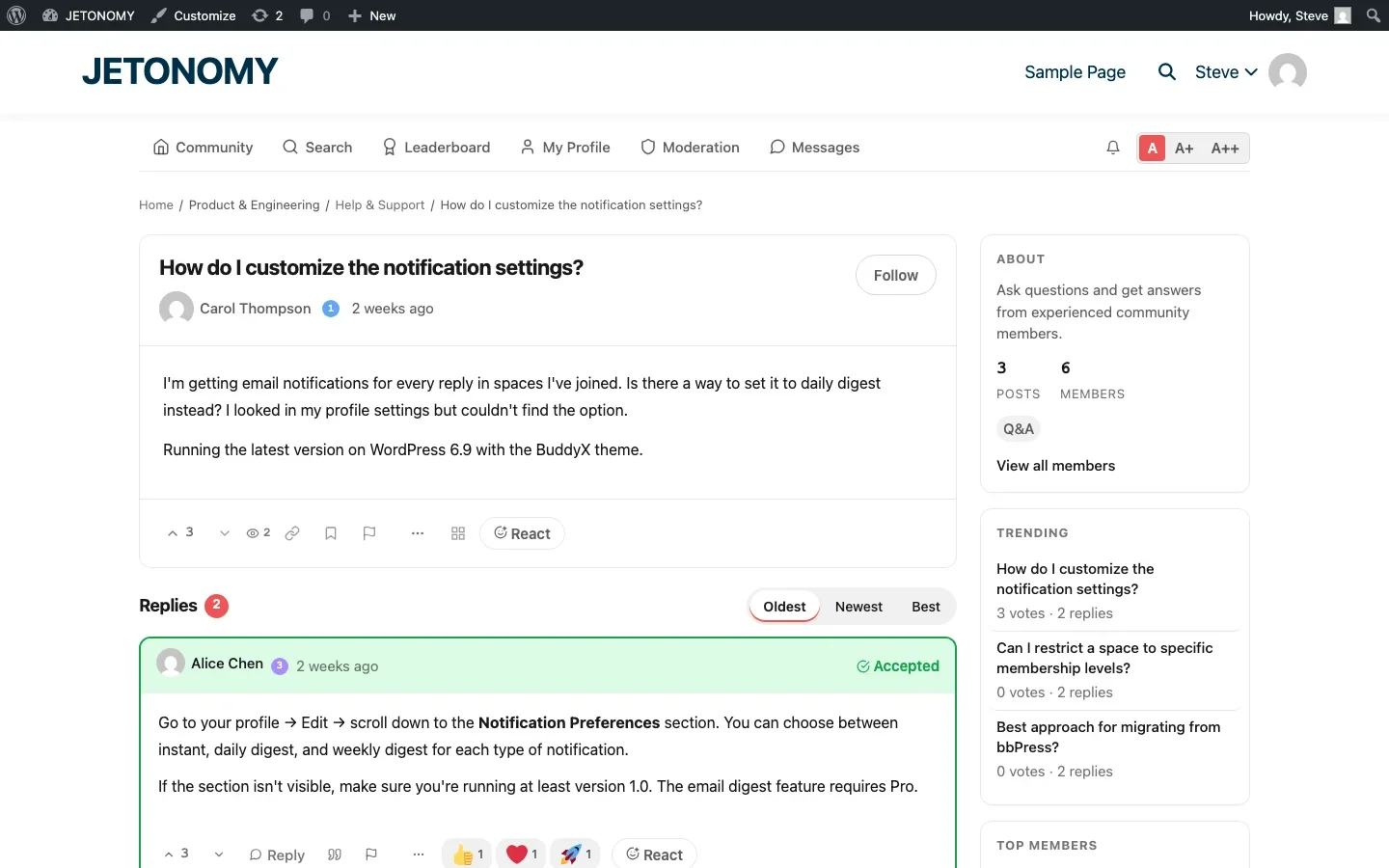
For support, Q&A format is dramatically more effective than traditional threaded forums. Here is why:
- Voting surfaces the best answer. In a threaded forum, the best answer might be buried on page 3. In Q&A format, the community votes it to the top.
- Accepted answers signal resolution. The question asker (or a moderator) can mark an answer as accepted, so future visitors know immediately which response solved the problem.
- Unanswered questions are visible. Q&A format lets you filter to show only unanswered questions, so nothing falls through the cracks.
Organize by Product Area, Not by Difficulty
A common mistake is creating spaces like “Beginner Questions” and “Advanced Topics.” This forces users to self-assess their skill level before they can ask a question. Most people do not know whether their question is beginner or advanced, they just need help.
Instead, organize spaces by product area or feature:
Space | Type | Purpose |
|---|---|---|
Getting Started | Q&A | Installation, setup, initial configuration |
Features & How-To | Q&A | How to use specific features |
Troubleshooting | Q&A | Error messages, broken features, conflicts |
Feature Requests | Ideas | Vote on what to build next |
Announcements | Forum | Release notes, maintenance notices |
This structure maps to how customers think about their problems. They know which feature they are struggling with. They do not know what skill level their question falls into.
The Self-Service Funnel
A support forum only reduces tickets if customers can find existing answers before creating new ones. You need to build a self-service funnel that intercepts questions at every stage.
Stage 1: Search Before Asking
The forum search must be good. Not “shows some results” good, “finds the right answer in the top 3 results” good. This means full-text search across topic titles, post content, and reply content.
Jetonomy uses MySQL FULLTEXT indexes that search across all content simultaneously. Users can press / from anywhere in the forum to open instant search, with results appearing as they type. This low-friction search experience makes the difference between “I searched but could not find anything” and actually finding the answer.
Stage 2: Similar Topics on New Post
When a user starts typing a new question, the forum should automatically show similar existing topics. This catches the 20–30% of questions that were about to be duplicates.
The Similar Topics feature analyzes the question title as the user types and surfaces existing discussions with matching keywords. Many users see their question already answered and click through instead of posting a duplicate.
Stage 3: Tags and Filters
Tags let users browse by topic without knowing the exact search terms. A user might not search for “SMTP configuration” but they would click a “Email Setup” tag. Make sure your most common support topics have well-named tags.
Getting Your Team to Use the Forum
The biggest reason support forums fail is that the support team does not use them. If customers ask questions in the forum and get silence, they go back to email. And they never return.
Here is how to integrate the forum into your support workflow:
Route Appropriate Tickets to the Forum
When a support agent gets a question that would benefit others, they should:
- Answer the question in the forum (not in the ticket)
- Send the customer a link to the forum answer
- Close the ticket with a note: “Answered in our community forum”
This takes 30 seconds longer than answering the ticket directly. But it creates a permanent, searchable answer that prevents future tickets.
Set Response Time Expectations
For the first three months, your team should aim to respond to every forum question within 4 hours during business hours. This builds trust. Once users see that the forum gets fast, helpful responses, they will choose it over email.
After the community matures, response times naturally improve because experienced users start answering questions themselves. This is the flywheel effect: more answers attract more questions, which attract more members, who provide more answers.
Recognize Community Contributors
The secret weapon of every successful support forum is the small group of power users who answer questions because they enjoy helping. These are your volunteer support agents, and they are incredibly valuable.
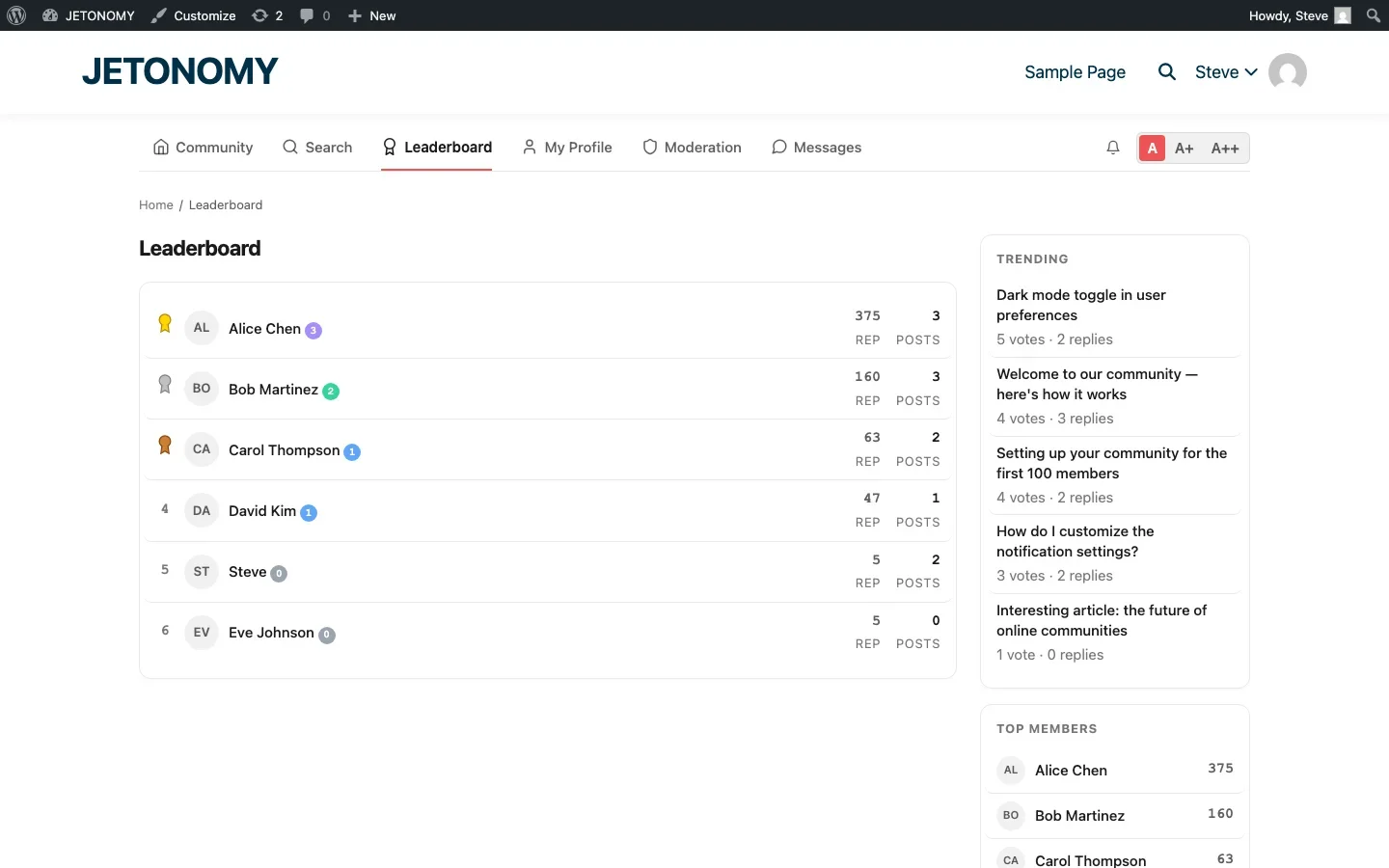
Recognize them publicly. Trust levels and leaderboard rankings help surface top contributors. Custom badges like “Community Expert” or “Top Helper” give them visible recognition. Some companies invite their most active community contributors to beta test new features or join advisory boards.
Content That Prevents Tickets
Your support forum should not just react to questions. It should proactively prevent them.
Pin Common Solutions
Every support forum has its “greatest hits”, the questions that come up every week. Pin the best answers to the top of relevant spaces. A pinned “Getting Started Guide” in your setup space prevents dozens of basic questions per month.
Create FAQ Topics
Write dedicated FAQ topics for your most common questions. Format them as Q&A posts with detailed, step-by-step answers. Include screenshots, code snippets, and links to related documentation.
These FAQ topics serve double duty: they help forum visitors directly, and they rank in Google for long-tail search queries. A well-written “How to configure SMTP settings” forum post can intercept hundreds of Google searches per month, catching customers before they even think about submitting a ticket.
Post Release Notes
Every time you ship an update, post release notes in your Announcements space. Explain what changed, why, and how it affects users. This prevents the wave of “Did something change?” tickets that follow every release.
Measuring Success
How do you know if your support forum is actually reducing tickets? Track these metrics:
Metric | What It Tells You | Target |
|---|---|---|
Ticket volume trend | Whether tickets are decreasing over time | 20–30% reduction in 6 months |
Forum views per topic | Whether existing answers are being found | 50+ views on FAQ topics |
Unanswered question rate | Whether questions are getting responses | Under 10% unanswered after 48 hours |
Community answer rate | Percentage of questions answered by non-staff | 30%+ after 6 months |
Accepted answer rate | Whether answers actually solve the problem | 60%+ questions have accepted answers |
Time to first response | How quickly questions get attention | Under 4 hours during business hours |
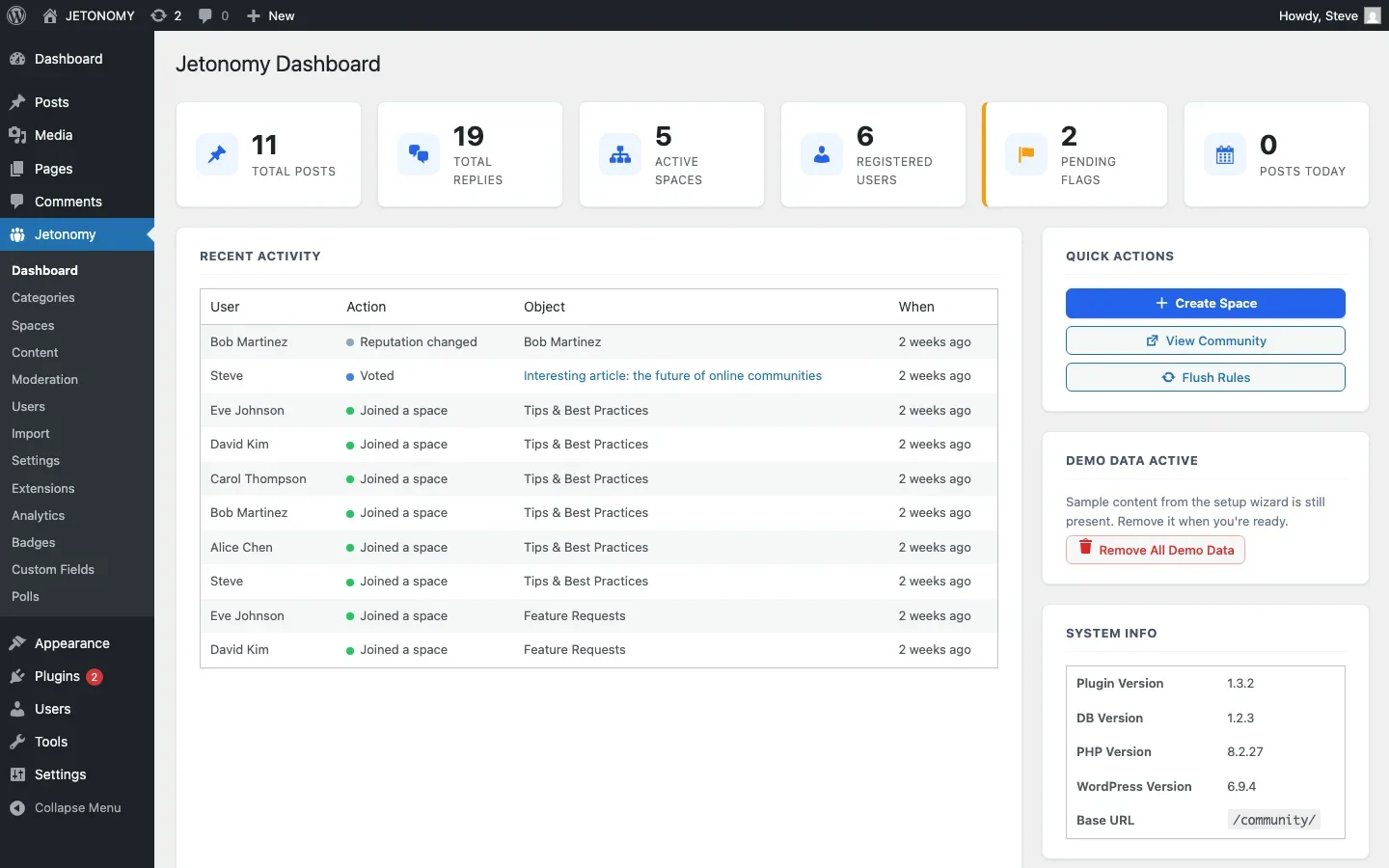
If you are using Jetonomy Pro, the analytics dashboard tracks these engagement metrics automatically. You can see top spaces, top contributors, engagement rates, and export the data as CSV for deeper analysis.
Common Mistakes That Kill Support Forums
We have seen dozens of support forums launch and fail. Here are the patterns:
- No staff participation in the first month. If your team does not answer questions early on, users lose trust and go back to email.
- Answering in the ticket instead of the forum. Every question answered privately is a missed opportunity to create a public resource.
- Too many empty spaces. Five active spaces beat twenty dead ones. Start small and expand as demand grows.
- No search optimization. If users cannot find existing answers, they create duplicates. Invest in good search and tag organization.
- Ignoring community contributors. When a power user answers 50 questions and gets no recognition, they stop. Trust levels and badges keep your best helpers engaged.
The 90-Day Playbook
Here is a concrete timeline for launching a support forum that works:
Week 1: Setup
- Install your forum plugin and run the setup wizard
- Create 3–5 spaces organized by product area
- Write 10–15 seed topics covering your most common support questions
- Pin FAQ topics in each space
Weeks 2–4: Soft Launch
- Invite your 20–30 most engaged customers
- Your support team answers every question within 4 hours
- Route appropriate email tickets to the forum
- Monitor which topics get the most views and create more content in those areas
Months 2–3: Growth
- Add the forum link to your main navigation and support page
- Include a “Check our community” step in your support contact form
- Recognize and badge your top community contributors
- Start tracking ticket deflection metrics
- Iterate on space organization based on real usage patterns
By month three, you should see measurable ticket reduction and a small but growing group of community members who help each other without staff involvement.
Getting Started
A support forum is not just a nice-to-have, it is infrastructure that pays for itself in reduced support costs, improved customer satisfaction, and organic search traffic.
The setup is the easy part. Follow our step-by-step guide to adding a forum to WordPress, configure the Q&A spaces outlined above, and commit to answering every question for the first 90 days.
Your future support team will thank you for every ticket they did not have to answer.
What to Do When Deflection Stalls Around Month Four
A common pattern: ticket deflection climbs steadily for the first 90 days, then plateaus well short of the 30-50% range this guide describes. Usually the cause is one of two things. Either the seed content covered the obvious questions but never got expanded as the product changed, so newer questions have no existing answer to find, or the team quietly went back to answering repeat questions by email instead of routing them into the forum once the initial push ended. Both are fixable by revisiting the routing habit in month two of this playbook, not by adding more forum features.
Where Jetonomy Pro Fits
Everything in this playbook, Q&A spaces, voting, accepted answers, trust levels, and search, runs on free Jetonomy. Jetonomy Pro’s Analytics extension is what turns “we think deflection is working” into an actual measured number once you are past the 90-day mark and want to report real figures. See Jetonomy Pro if you are at that stage.













