How to Set Up a Members-Only Forum Where People Can Ask Questions and Get Real Answers

You spent three months building a private community. Members joined. Then the questions started piling up in Slack DMs, email threads, and scattered comments that nobody else could find later. The answers existed somewhere, but they were invisible. New members asked the same things week after week. Experts got tired of repeating themselves. The knowledge your community held never became an asset anyone could actually use.
A members-only Q&A forum solves this by turning one-off answers into a permanent, searchable library that gets better as your community grows. But most forum setups fail within six months because the operators focused on the software and skipped the system. They installed a platform, opened the gates, and hoped people would ask good questions and give good answers.
This guide covers what actually works: how to design the voting and reputation mechanics that surface quality, how to recruit subject-matter experts before launch, how to set moderation SLAs that keep the forum alive without burning your team out, and how to pick the right platform for your specific context. The software decision comes last, not first.
Start With the Q&A Flywheel, Not the Platform
A healthy Q&A forum runs on a self-reinforcing loop. Good questions attract knowledgeable members. Good answers reward the people who gave them. That reward (recognition, reputation, access) keeps experts engaged. Engaged experts attract more members who trust the community enough to ask their own questions. The loop accelerates as long as you keep friction low and signal quality high.
The flywheel breaks at three points. First, if questions are vague or too easy, experts stop engaging because there is nothing worth their time to answer. Second, if answers go unrewarded, contributors burn out and leave. Third, if off-topic or low-quality posts clutter the feed, members stop browsing and the flywheel stalls.
Before configuring a single setting, write down three things:
- What specific domain does your forum cover? The tighter the scope, the easier it is to attract and retain genuine experts. “Marketing” is too broad. “Email deliverability for SaaS onboarding sequences” is a forum topic.
- Who are your anchor experts? You need five to ten people who will answer questions reliably in the first ninety days. Without them, early members ask questions that go unanswered and never return.
- What does a good answer look like? Write this down as a pinned post. Members cannot produce quality content if they do not know what quality means in your context.
Voting Design: How to Surface Quality Without Gaming
Votes are the primary signal in any Q&A system. Get the mechanics right and the community self-filters. Get them wrong and the loudest voices win, not the most accurate ones.
Separate question votes from answer votes
Question upvotes signal “I have this problem too.” Answer upvotes signal “this solved it for me.” These are different behaviors and should be tracked differently. Conflating them destroys the signal value of both. When you report on your forum’s health, question vote count tells you demand; answer vote count tells you supply quality.
Delay downvote access
Open downvoting on day one creates hostility. New members downvote what they disagree with rather than what is factually wrong. A sensible threshold: members can downvote answers only after they have posted at least two answers themselves, or after reaching a minimum reputation score. This keeps downvotes as a quality signal rather than a weapon.
Show accepted answers prominently, but not exclusively
The question asker can mark one answer as “accepted,” which pins it to the top. This is useful but has a flaw: the accepted answer may not be the most accurate one if the asker accepted prematurely. Show the accepted answer first, but display vote counts clearly so a highly-voted non-accepted answer remains visible. Stack Overflow learned this the hard way; many outdated accepted answers still appear at the top while better answers are buried below.
Rate-limit votes per session
Allow fifteen to twenty votes per day per member. This forces vote prioritization and prevents coordinated upvote campaigns. It also makes each individual vote more meaningful, which subtly encourages members to vote more thoughtfully.
Reputation System: Rewarding the Right Behaviors
Reputation is how your forum acknowledges expertise publicly. A well-designed reputation system makes top contributors visible to new members (which builds trust in the community) and gives contributors a reason to stay invested over the long term.
Points that actually matter
Assign reputation points to actions in proportion to their signal value:
- Answer upvoted: +10
- Answer accepted: +15
- Question upvoted: +5
- Answer downvoted: -2
- Giving a downvote (answer): -1 (small cost discourages casual downvoting)
Do not give points for simply posting a question. You want to reward contribution to the knowledge base, not activity for its own sake. Some platforms reward logging in daily, posting comments, or visiting threads. These mechanics build engagement metrics but produce noise, not quality.
Reputation tiers unlock privileges, not just badges
Badges are motivating for about two weeks. Privileges last. Tie reputation tiers to actual access changes:
- 100 points: Can vote on questions (not just answers)
- 250 points: Can downvote answers
- 500 points: Can edit other members’ questions for clarity
- 1000 points: Can close duplicate questions, flag spam
- 2500 points: Moderator queue access, can approve new tags
This turns your best contributors into distributed moderators over time, which is how forums scale without a paid moderation team.
Display reputation on profiles and next to answers
Reputation only creates trust if it is visible at the point of reading. Show the score next to every answer author’s name. New members use this as a shortcut: “this person has 1,400 points; their answer is probably reliable.” This is a heuristic, not a guarantee, but it dramatically improves the perceived quality of your forum from day one if you have recruited a few genuinely knowledgeable founders.
Expert Recruitment: Filling the Forum Before You Open It
The single biggest reason Q&A forums fail is launching to an empty stage. Members arrive, ask questions, get no answers within a few days, and conclude the community is dead. They never return.
Pre-seed the forum with twenty answered questions
Before opening the forum to the full membership, have your anchor experts answer twenty carefully chosen questions. These should be the questions your members ask most often. You can seed them yourself and have experts answer, or recruit experts to write both the question and the answer. Label them with whatever date format your platform uses. New members arriving on day one see a forum that already has activity and that answers get written.
Recruit experts with a specific ask, not a general invitation
A general “come join our expert community” message converts poorly. A specific ask converts well: “We’re launching a private forum for [domain]. We’d love to invite you as a founding expert. That means you’d see new questions before anyone else, get a Founding Expert badge visible on your profile, and have input on the forum’s direction. The time commitment is two to three questions per week for the first three months.”
The specificity of the ask signals that you have thought this through and that their time will not be wasted. The Founding Expert status creates a visible, permanent record of their early contribution. The time commitment boundaries respect their schedule.
Compensate experts in the right currency
Paying cash for forum answers creates poor incentives (answers get written for the money, not the accuracy) and does not scale. The currencies that work: access to a private channel with other experts, recognition that carries professional signal value, early access to products or features, and the ability to promote their work in a designated space (an “about me” section that links to their newsletter, consulting practice, or product). Match the compensation to what experts in your domain actually want.
Moderation Cadence: The SLA That Keeps the Forum Alive
Moderation is not about policing. It is about maintaining the quality signal that makes the forum worth visiting. The two most important moderation tasks are closing duplicates and pruning unanswered questions past a certain age.
Set a first-response SLA for new questions
Every new question should receive at least one response within forty-eight hours. This does not have to be a final answer. It can be a clarifying question, a “working on this, will post a full answer by Friday,” or a link to a related existing thread. What kills forums is silence. A response, any response, signals that the community is alive.
Assign one moderator or rotating “question watcher” to monitor the feed daily and respond to anything that has been open for twenty-four hours without activity. In the first six months, this person may be you. Budget two to four hours per week for this role.
Close duplicates within 24 hours
Duplicate questions dilute the vote count and fragment the best answers across multiple threads. A question that has been asked seven times, with different phrasings, never accumulates enough votes on any one thread to become authoritative. Close duplicates quickly, add a comment pointing to the canonical thread, and merge useful new answers from the duplicate into the original if the platform allows it.
Archive unanswered questions after 90 days
Unanswered questions that sit in the feed indefinitely damage the perception of the community. If a question has had no useful response in ninety days, either the question is too niche for the current membership, too vague to answer, or the expertise needed does not yet exist in your community. Archive it (do not delete), and consider it a signal that you need to recruit experts in that area or refine the forum’s scope.
Implement a weekly review ritual
Every week, run a fifteen-minute review: questions with the most views but no accepted answer, top-voted answers from the week, questions that were closed as duplicates. Share the top answer of the week in a digest email to the broader membership. This creates a feedback loop that reminds members the forum exists, highlights your best contributors, and pulls lurkers into the habit of checking in.
Platform Comparison: Discourse vs. bbPress + BuddyPress vs. Flarum vs. Question2Answer vs. Custom
Platform choice matters less than the mechanics described above, but it still matters. Here is an honest comparison across the five most common options for a members-only Q&A forum.
Discourse
Discourse is a full-featured community platform with strong built-in Q&A mechanics via the Solved plugin. It handles trust levels (which mirror the reputation tier concept above), has solid notification systems, and runs well in a members-only configuration. The Docker setup has a learning curve, and the hosted version starts at $100 per month, which is reasonable for a funded community but steep for an early-stage one. Discourse is the right choice if you want a battle-tested, low-maintenance platform with a wide plugin ecosystem and do not want to manage WordPress infrastructure.
Limitation: The Q&A flow is layered on top of a general forum UI. It works but requires the Solved plugin and some configuration discipline to feel like a true Q&A product rather than a threaded discussion board.
bbPress + BuddyPress (WordPress)
If your membership site already runs on WordPress, bbPress combined with BuddyPress is the most integrated option. BuddyPress handles member profiles, groups, and activity streams. bbPress handles the forum threads. They share the same user database, so reputation and member data can flow between them with the right extensions. The BuddyPress support documentation covers the integration options in detail, and several extensions add subscription-based access control, which is exactly what a members-only forum needs.
Limitation: Native bbPress lacks voting and accepted-answer mechanics. You either build these via custom development or layer in a plugin like WP Answers (which is no longer actively maintained). If Q&A is your primary use case rather than one feature among many, bbPress requires more development investment than the alternatives.
If you want those Q&A mechanics natively on WordPress rather than building them, Jetonomy is a free, standalone WordPress plugin with Forums, Q&A (accepted answers), and Ideas boards (voting plus a Planned → Shipped roadmap), all stored in custom database tables for performance, with 6 auto-promoting trust levels and importers from bbPress, wpForo, and Asgaros.
Flarum
Flarum is a modern PHP forum platform with a clean UI and a growing extension ecosystem. It has a Best Answer extension that covers the accepted-answer mechanic and a Votes extension for upvoting posts. The member-only configuration is handled via subscription extensions or custom groups. Flarum is lighter than Discourse and easier to self-host without Docker. The extension ecosystem is smaller, which means you may hit edge cases that require custom code. It is the right choice if you want something between “simple bbPress” and “full Discourse” and are comfortable with self-hosted PHP applications.
Limitation: The extension ecosystem is still maturing. Some extensions are community-maintained with limited support. For a community where uptime and reliability are non-negotiable, Flarum needs more hands-on maintenance than Discourse.
Question2Answer
Question2Answer (Q2A) is the most purpose-built Q&A platform in this comparison. It was designed from the ground up for the question-answer format, with voting, accepted answers, reputation points, and tag-based organization as first-class features rather than add-ons. It is PHP-based, lightweight, and can be configured to run as a members-only community with the right plugins.
Limitation: The UI is dated and takes significant front-end work to make look professional. The plugin ecosystem has slowed. If you need tight integration with a membership platform or an existing WordPress site, Q2A requires a custom bridge. It is the right choice for technical communities where function matters more than form, but it will cost you in UX work.
Custom Forum (BuddyPress + Custom Development)
Building a custom Q&A layer on top of BuddyPress gives you complete control over the UX, the voting mechanics, and the reputation system. You can implement exactly the tier structure described earlier in this guide, tie reputation to other community features (group access, private messaging limits, featured member status), and integrate directly with your membership billing and access control. For communities where the forum is a differentiating product feature rather than a commodity feature, this is the right investment.
Limitation: Upfront cost is higher (typically $5,000-$15,000 for a proper custom implementation), and ongoing maintenance falls on your team or development partner. You also lose the ecosystem of an established platform. The Discourse documentation is worth reading even if you are not choosing Discourse, because its approach to trust levels and moderation queues informed the design principles used in most modern Q&A platforms.
Pick by Use Case
- SaaS customer support community: Discourse (Solved plugin, strong notification system)
- Membership site on WordPress: bbPress + BuddyPress + Wbcom Designs extensions
- Modern self-hosted, budget-conscious: Flarum
- Pure Q&A, technical audience, form follows function: Question2Answer
- Forum as product differentiator, custom UX requirements: BuddyPress + custom development
Access Control: Keeping the Forum Actually Members-Only
Members-only does not mean password-protected. It means only active, paid (or invited) members can read and post. The access control design has to cover four scenarios:
- New signups: Do they get forum access immediately on subscription, or after an onboarding step?
- Expired or cancelled members: Do they lose read access, or only write access?
- Trial members: Can they read but not post?
- Public search engines: Is the forum fully private or do some threads surface in search for discovery?
The most effective model for knowledge retention is read-public for individual answer pages (which lets the forum rank in search and attract new members organically) and write-members-only for posting. This is how Stack Overflow operates and how Discourse’s “watched” categories work. If privacy is a hard requirement because members are discussing sensitive topics, keep the entire forum behind authentication and drive discovery through other channels.
Onboarding New Members Into the Forum
Most forum failures happen in the first seven days for new members. They join, look around, see a list of threads with no clear starting point, and leave without posting anything. A structured onboarding flow fixes this.
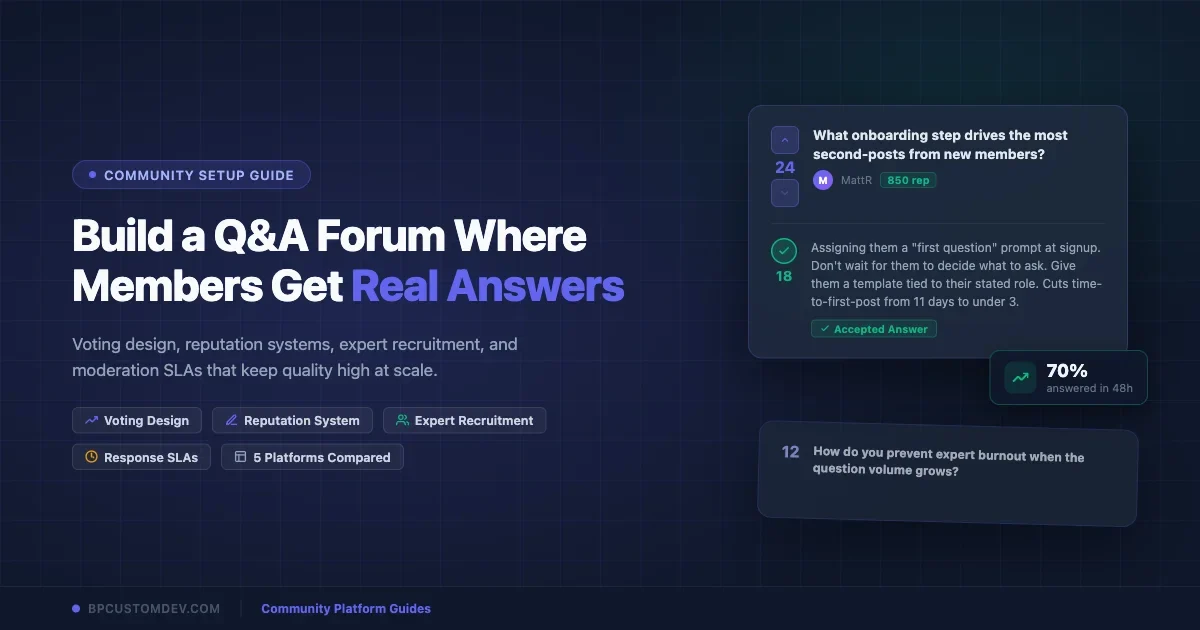
On day one, send a welcome message with three things: the forum link, the two or three most popular threads of the month, and a single prompt: “What is the first question you would like to ask?” Do not ask them to explore. Give them a specific action.
On day three, if they have not posted, follow up with a different angle: “Here are two threads where your expertise in [their stated role or industry] would be helpful.” Tag them directly in a relevant unanswered question if the platform supports it. This turns passive lurkers into contributors by giving them a reason that is about the community, not about their own needs.
On day seven, send a digest of the best answers from the week. This reinforces the value of the forum without requiring any action from the member.
Measuring What Matters
The metrics that tell you your Q&A forum is actually working are different from typical engagement metrics.
Answer rate: What percentage of questions asked receive at least one answer? Target 85% or higher within forty-eight hours for an active forum.
Accepted answer rate: What percentage of answered questions have an accepted answer? This tells you whether askers are finding what they need or just getting responses. Target 40-60% for a healthy Q&A forum (some questions legitimately have no single correct answer).
Expert retention: How many of your anchor experts are still actively answering questions after ninety days? If you are losing more than 20% per quarter, the incentive structure or question quality needs adjustment.
Repeat askers: What percentage of question askers ask a second question within thirty days? This measures whether the answers they got were valuable enough to make them return. Target 30% or higher.
Search hit rate: What percentage of new members find an existing answer to their question before posting? This requires tracking search-to-post ratios, which most platforms support. A high search hit rate means your knowledge base is becoming self-sustaining.
Common Failure Modes and How to Avoid Them
The ghost town launch: Forum goes live with no pre-seeded content and no anchor experts. New members see zero activity and leave. Prevention: twenty pre-answered questions and five committed experts before launch day.
The unanswered question graveyard: Questions accumulate with no answers. The feed looks like a list of unsolved problems. Prevention: the forty-eight-hour SLA and a rotating question watcher role.
The expert exodus: Your best contributors stop posting because questions are repetitive, low-quality, or off-topic. Prevention: reputation gates on posting, a clear question quality guide, and a monthly private check-in with your top five contributors to ask what is working and what is not.
The reputation gaming problem: Small cliques upvote each other’s answers regardless of quality. Prevention: rate-limit votes per session, flag unusual voting patterns in your weekly review, and require a minimum reputation threshold before votes count.
The platform switch trap: Dissatisfaction with one platform leads to migration to another, which resets community momentum. Prevention: choose the platform based on your use case framework above, not based on features you think you might need someday. The best platform is the one your members will actually use.
The One Thing That Makes or Breaks the Forum
Every Q&A forum that survives past the first year has one thing in common: a person (or a small team) who reads every thread, knows the community’s experts by name, notices when the question quality is slipping, and treats the forum as a product to be maintained rather than a feature that runs itself.
The software does not create the Q&A flywheel. The software makes it possible. The people create it.
The voting mechanics, reputation tiers, moderation SLAs, and platform choice covered in this guide are all inputs to a system that only works if someone is tending it with genuine attention. Set up the system, run it for ninety days, measure the metrics above, and adjust. A year from now, you will have a searchable, members-only knowledge base that your community could not imagine operating without.













