X Communities Alternative: 5 Migration Options Compared (May 30 Deadline)
X is shutting down Communities on May 30. Compare Discord, Circle, Skool, Mighty Networks, and self-hosted WordPress with Jetonomy on the dimensions that decide year three: ownership, cost-per-member, and content portability.

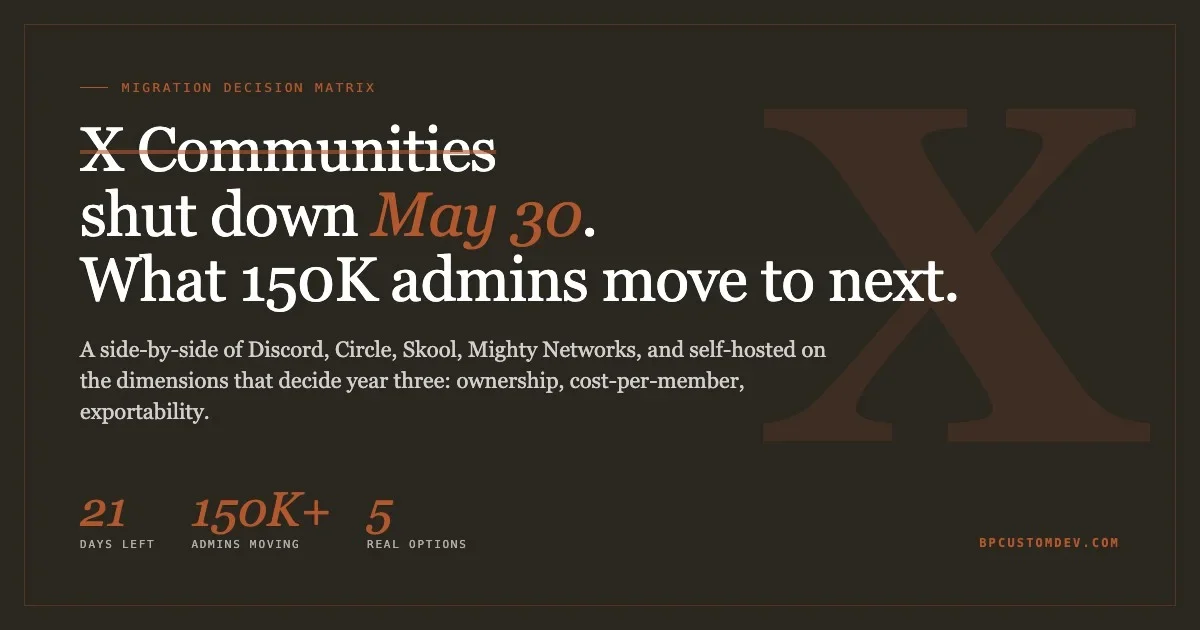
On May 30, 2026, X is shutting down Communities. Around 150,000 community admins have less than three weeks to choose a new home for their members. The migration path X is offering, “joinable” XChat group chats, caps at 500 to 1,000 members and ships none of the moderation, threading, search, or archive features admins built their communities around. This is not a feature swap. It is a forced platform exit, and the destination is not a community platform at all.
This post is the decision matrix we walk our clients through when they ask which platform to migrate to. It compares the five options most X Community admins are evaluating right now: Discord, Circle, Skool, Mighty Networks, and the self-hosted route on WordPress with Jetonomy. We pick the dimensions that matter for a community that will exist three years from now, not the ones that look impressive in a feature grid.
If you have a community of more than a few hundred engaged members and you want to be making product decisions in 2028 instead of doing another forced migration, this is the read.
What X is actually killing, and what is replacing it
X Head of Product Nikita Bier announced the shutdown on April 23, 2026. The original cutoff was May 6. After admin pushback, the deadline moved to May 30. The official reason: Communities accounted for 0.4% of X usage but generated 80% of spam reports, financial scams, and malware on the platform. Bier said the team was spending half of some weeks on Communities while the rest of the app suffered.
Replacement: XChat group chats. These are public, joinable links shareable on the timeline, capped at 500 members initially and aiming for 1,000 in the following weeks. There is no thread structure, no per-channel moderation, no role hierarchy beyond admin and member, no Q&A mode, no idea boards, no native search across the chat, and no export. XChat is positioned to ship as a standalone app, which means the admins who built audiences inside X are now also being asked to push members to download a separate app to keep the conversation.
For an admin who built a 50,000-member community on X, the math does not work. The cap forces the membership into 50 separate chats with no cross-channel discoverability. The lack of moderation tooling pushes the spam problem onto the admins themselves. The lack of an export blocks any plan that involves keeping the content history.
This is the context the next 21 days play out in. The migration is not optional. The destination is.
The five platforms admins are actually evaluating
We pulled the migration questions our agency received in the first 72 hours after the announcement. Five platforms come up almost every time: Discord, Circle, Skool, Mighty Networks, and self-hosted WordPress with a community plugin. Each has a different shape of bet attached.
Discord
Discord is what most X Community admins reach for first because it is free and they already use it. The reality on a community of more than a few thousand members is harsher. Discord’s core unit is real-time chat, not threaded discussion. Search exists but it is shallow and channel-scoped. Roles work, but the moderation tooling is built around toxic-chat suppression, not signal preservation. Long-form content does not survive: anything written more than two days ago is functionally invisible.
Discord is the right choice for a community that is mostly synchronous, conversation-led, and under 5,000 members. It is the wrong choice for a community whose value is searchable Q&A or evergreen long-form discussion. The X Community admins running founder-help spaces, indie-hacker groups, and product-feedback forums tend to discover this around month three.
Cost: free for the platform. The hidden cost is the loss of any content you generate. Discord owns the data, the export tooling is limited, and the chat history is not indexable by search engines.
Circle
Circle is the SaaS that markets directly to community-led founders and creators. The product is designed for what X Communities tried to be: threaded posts, member roles, basic moderation, paid memberships. Pricing starts at $89/month for the basic tier and scales fast based on member count and feature gating.
The platform-risk argument cuts hard against Circle. It is a venture-funded SaaS in a category that has seen heavy consolidation. The pricing model is per-member, which means a successful community becomes a tax on the founder. Migration off Circle is a paid feature on the higher tiers, and exports are HTML dumps without the relational structure that makes a community searchable.
Circle is the right choice for a creator with a paid membership product who wants to ship in 48 hours and accepts the per-member cost. It is the wrong choice for a community owner who wants the content to outlast the platform.
Skool
Skool is the youngest of the five, popular among course creators and coaching businesses. It bundles a community feed with a courses module and a leaderboard. The pricing is flat at $99/month, which is appealing on the surface.
The flat pricing hides a different cost. Skool is opinionated to the point of rigidity. There is no API. There is no theming. The community is locked into Skool’s exact UX. If you want to embed your community inside an existing site, you cannot. If you want to expose member data to a CRM, you cannot. If you want to rebrand the URL beyond a custom subdomain, you cannot.
Skool is the right choice for a creator who wants the simplest possible “course plus community” bundle and never plans to integrate with anything else. It is the wrong choice for an admin who values flexibility or who has technical staff who could ship a better product if the platform got out of the way.
Mighty Networks
Mighty Networks is the most feature-complete SaaS in the category. Threaded posts, events, courses, paid memberships, mobile apps, AI-generated activity prompts. Pricing starts at $41/month and scales to four figures monthly for the higher tiers.
The trade-off is the same one Circle and Skool make. You are renting your community on someone else’s stack. Mighty’s roadmap is set by Mighty’s funding cycle, not by what your members need. The migration tooling exists but is paid. The export gives you posts and members in flat formats, which means rebuilding the relational structure on whatever you migrate to is its own project.
Mighty is the right choice for an admin who wants a comprehensive feature set, has budget for the higher tiers, and accepts that the community is a tenant on Mighty’s platform. It is the wrong choice for anyone who has read this post twice.
Self-hosted on WordPress with Jetonomy
The fifth option is the one most admins do not know exists. WordPress, with a modern community plugin, gives you everything Circle and Mighty offer with one structural difference: the platform sits on your server, the data is in your database, and the cost does not scale with member count.
We build Jetonomy, the WordPress community plugin we ship across our agency portfolio. The free version handles forums, Q&A mode, idea boards with voting, six trust levels, and 48 REST endpoints. Pro adds 14 modular extensions: AI moderation, real-time reactions, private messaging, polls, badges, analytics, webhooks, web push, and more. Enable only what you need.
Cost structure: free core forever, $79/year Personal, $149/year Developer (5 sites), $399 lifetime Agency. There is no per-member fee. A 50,000-member community costs the same as a 50-member one. The hosting cost is what you pay your existing WordPress host. If you are already running a WordPress site, the marginal cost of adding a community is the plugin license.
The trade-off is the setup. Self-hosted WordPress is not a five-minute SaaS signup. You need a WordPress install, a host that handles real traffic, and 30 to 60 minutes to configure the plugin. For most X Community admins this is a Saturday-afternoon project. For agencies and enterprise clients it is what we already do for them.
The dimensions that actually decide a five-year community
We do not believe in feature comparison tables that list 40 features in 8-point font. The decisions admins regret are made on three dimensions, all of which become obvious only at year three:
Data ownership. Your member list, post history, and engagement graph either live in your database or someone else’s. There is no third option. Every SaaS platform retains the legal right to lock you out, raise the price, or sunset the product. The X Communities shutdown is the most recent example. Discord, Circle, Skool, and Mighty all carry the same risk. Self-hosted on your own infrastructure is the only structure where this is not a question.
Cost per active member. Per-member pricing on SaaS platforms means the more successful your community gets, the more you pay. We have seen agencies budget $200/month for a Mighty community and end up at $1,400/month two years later because their member count tripled. Self-hosted WordPress flips this: cost is fixed at the plugin license plus hosting, regardless of whether you have 500 members or 50,000.
Content portability. Communities accumulate value in their archive: searchable answers, threaded debates, decisions that took the community to a position. When the platform goes away, the question is whether the archive comes with you. Discord, Circle, Skool, and Mighty all offer some export, but none preserve the relational structure (replies, reactions, member roles) in a format you can rebuild on a different platform without engineering work. Self-hosted WordPress stores the data in your MySQL database. Your archive is a mysqldump away.
These three dimensions explain why our agency clients who started on SaaS in 2021 are migrating off in 2026, and why the ones who started self-hosted are not.
Comparison table
A spec sheet for the dimensions that matter at year three:
Dimension | XChat | Discord | Circle | Skool | Mighty | Self-hosted (Jetonomy) |
|---|---|---|---|---|---|---|
Member cap | 500 to 1,000 | unlimited | unlimited | unlimited | unlimited | unlimited |
Threaded posts | no | weak | yes | yes | yes | yes |
Q&A mode | no | no | partial | no | partial | yes |
Trust levels / role hierarchy | admin/member only | basic | basic | basic | full | 6 trust levels |
Native search | no | shallow | yes | yes | yes | yes (REST API) |
API access | no | yes | partial | no | partial | 48 REST endpoints (free), more in Pro |
Pricing model | free | free | per-member | flat $99/mo | per-member tiered | one-time license |
Cost at 10K members/year | n/a | $0 | ~$3,500 | ~$1,200 | ~$5,000 | $79 to $399 |
Data ownership | platform | platform | platform | platform | platform | yours |
Native export of full content | no | partial | partial | no | partial | full mysqldump |
Lock-in risk | confirmed (shutdown) | high | high | high | high | none |
The table is not subtle. The case for self-hosted on the dimensions that decide year three is stronger than any of the SaaS options on every line that matters.
The migration playbook for an X Community admin
Walk through this in order. The 21 days are real.
Day 1 to 3. Decide your target platform. Use the table above. The decision is dominated by data ownership and cost-per-member trajectory, not by feature parity at month one.
Day 4 to 7. Stand up the new platform. For self-hosted: install WordPress on a host you trust (Cloudways, Kinsta, SiteGround), install Jetonomy, configure your three to five forum categories, set up your trust levels. This is a single afternoon if you have done WordPress before, a weekend if you are learning. Theme it to match the brand the X Community had.
Day 8 to 12. Seed the new platform. X does not provide an export of Community content, so this part is manual. Pull your top 50 to 100 threads via screenshot or copy-paste. Recreate them as forum posts with the original author attribution. This is the painful part. Budget two to three full days. The reason to do it: an empty forum on day one will not retain members migrated from a busy X Community. The seed is what makes the new home feel populated.
Day 13 to 18. Run the migration. Pin a post in the X Community pointing to the new home. Pin a post in the new forum welcoming X migrants. Send DMs to your top 50 most engaged X members with a personal invite. Post the new link from your X account so it shows in followers’ timelines. The conversion rate from “X Community member” to “active forum member” is realistically 10 to 25%, depending on community type and migration effort.
Day 19 to 21. Archive the X Community. Pull a final screenshot dump of the most valuable threads. Update the pinned post with a redirect message. After May 30, the X Community will be gone. The members you migrated will be your community.
Day 22 onward is community-rebuilding work, and it is the same work it would be on any platform. The difference is whether you are doing it on infrastructure you own or rent.
Why we shipped Jetonomy in the first place
We started building Jetonomy after the third client in 18 months asked us to migrate their community off a SaaS that had either raised pricing 3x, sunset a critical feature, or got acquired and changed direction. The pattern was consistent enough to build a product around: serious community owners want to stop renting and start owning.
The product decisions in Jetonomy are downstream of that pattern:
- Custom database tables. Posts and replies live in dedicated tables, not in
wp_postslike a normal WordPress install. This is what lets the plugin scale to 100,000+ posts without slowing down the host site. - Six trust levels. Members earn trust by participation, not by admin assignment. Day-one members are limited; long-tenure members get moderation rights. This is how Discourse runs. We replicated the model because it works.
- Q&A mode and idea boards. These are different content types from threaded forum posts. Q&A surfaces accepted answers. Idea boards let members vote on what the community wants next. Both modes are toggleable per category.
- REST API on everything. 48 endpoints in the free version. If you want to embed the community in a mobile app, expose it to a CRM, or build a custom dashboard, the data is exposed.
- Theme-adaptive. The plugin reads your active theme’s color palette and types. The community feels native, not like a bolted-on widget.
We use Jetonomy on our own properties (the Wbcom community, the bpcustomdev forum), and we ship it as the migration target for clients exiting X Communities, BuddyPress installs, and SaaS platforms.
What this looks like for an enterprise community
The 5-year math is the part most decision-makers underweight at evaluation time. A community of 25,000 active members on Mighty Networks runs around $4,000 to $8,000 per month at the higher tiers. That is $50,000 to $100,000 per year, recurring, with annual price hikes baked in.
A self-hosted Jetonomy install for the same community runs $399 lifetime for the plugin, plus whatever your existing WordPress host charges (typically $50 to $300/month for a community-scale instance, depending on traffic). Year one cost: $1,000 to $4,000. Year five cost: $3,000 to $18,000.
That is a $200,000+ delta over five years on a single community, and it does not include the cost of the eventual forced migration off the SaaS when it sunsets, raises prices beyond your budget, or gets acquired. The forced migration is not hypothetical. X Communities is one example. Google+ Communities is another. The pattern repeats every 18 to 36 months.
Enterprise community owners who run the math once tend to never go back to per-member SaaS pricing. The setup cost is real, but it is one-time. The savings are recurring. The control over the platform direction is the part that does not show up in a spreadsheet but matters most.
The decision tree we walk clients through
If you are an admin reading this and trying to decide where to take your X Community, the questions in order:
- Is your community under 500 members and entirely synchronous? Discord. Free. Done in an hour.
- Are you a creator with a paid membership product, low budget for setup time, and under 5,000 members? Circle or Mighty.
- Are you a course creator with simple community needs and no plans to integrate with other systems? Skool.
- Do you have more than 5,000 members, want to keep growing, or operate inside a brand or business that values data ownership? Self-hosted with Jetonomy. Setup is a weekend; the math wins on every dimension that matters past year one.
- Do you have engineering staff, a strong existing brand, or a product where the community is the primary asset? Self-hosted, full stop. The platform-risk math is unambiguous.
The wrong answer is “wait and see what XChat becomes.” It is being built as a chat product, not a community product. By the time it could replace what your X Community did, your members will already have moved somewhere else.
What we offer if the timeline is tight
If you are an admin running a serious community and 21 days is not enough to do this yourself, we set up self-hosted Jetonomy installs for clients in 5 business days. That includes hosting recommendation, plugin install, theme matching, content seeding from your X archive, and a migration plan for your members. Pricing starts at $2,500 for a community under 5,000 members and scales with seeding depth.
Reach out with the size of your X Community and your target launch date, and we will quote within 24 hours. The clock on May 30 is real. The communities that move first will retain more members than the ones that wait.
If you want to evaluate the platform first, Jetonomy free is the starting point. The free version handles forum categories, Q&A, idea boards, trust levels, and the REST API. Most admins will not need Pro until they hit 5,000+ members or want the AI moderation. The free version is enough to validate the choice on a real test community before you commit.
The next 21 days are an unusual moment. Forced migrations are rare and they expose the platform-risk question that admins normally ignore. The admins who use this window to move to infrastructure they own will not be doing this exercise again in 2028. The ones who pick another SaaS will.