3 Best WordPress Community Plugins for Building an Online Community (2026)
Building an online community is one of the best ways to increase user engagement and encourage meaningful interactions, the kind that eventually adds up to a genuinely loyal audience. It also takes longer to get right than most comparison posts admit, and the plugin choice is only the first of several decisions that actually determine whether the thing feels alive six months in. Whether you’re launching a membership website, creator community, private network, or niche forum, choosing the right WordPress community plugin can make all the difference.
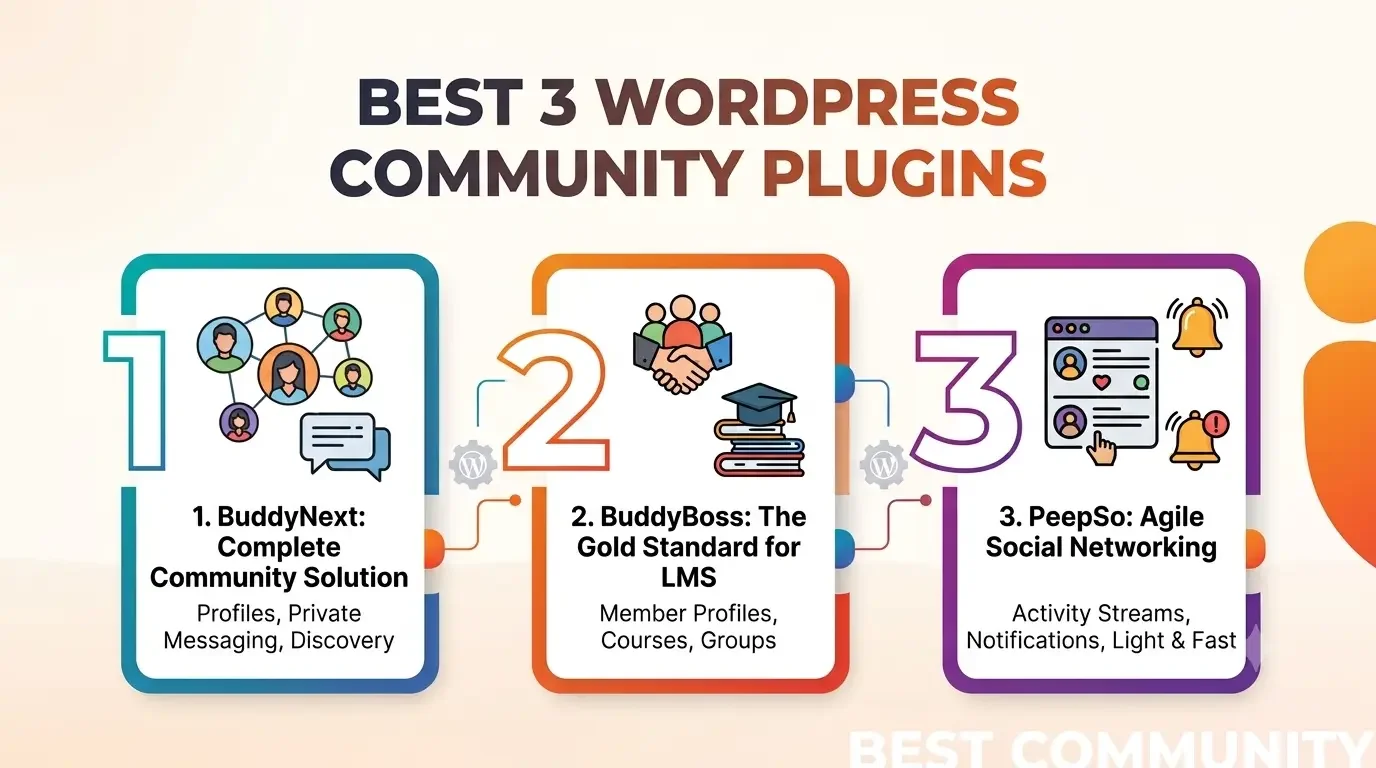
In this guide, we’ll compare three of the best WordPress community plugins in 2026, BuddyNext, BuddyBoss, and PeepSo, to help you find the right solution for your website. If you’d rather watch than read, check out our video below for a quick overview before exploring the detailed comparison. Either way, the pricing and setup-time sections further down are worth reading before making a final call, since they rarely make it into a quick feature rundown.
What to Look for in a WordPress Community Plugin?
Not every community plugin offers the same experience. Some focus on basic social networking, while others provide a complete platform for memberships, creator communities, online learning, or private collaboration. Before making a decision, consider the following factors.
Community Engagement Features
The best community plugins encourage members to participate regularly. Features like activity feeds, comments, reactions, mentions, hashtags, and content discovery help keep conversations active and improve overall engagement.
Member Profiles and Directories
Member profiles allow users to introduce themselves, manage their information, and connect with others. A searchable member directory also makes it easier for people to discover and interact with like-minded members.
Private Messaging and Notifications
Direct communication plays an important role in building relationships within a community. Look for plugins that offer private messaging and notification systems so members stay informed about new conversations and interactions, plus general updates.
Groups or Community Spaces
Many communities need dedicated spaces where members can collaborate around specific interests, projects, or topics. Organized groups help keep discussions relevant and make it easier for members to find content that matters to them.
Moderation and Privacy Controls
As your community grows, moderation tools become essential. Features like reporting, content moderation, privacy settings, and account management help maintain a safe and welcoming environment for all members.
Integrations and Extensibility
A community plugin should work well with the tools you already use. Integrations with popular WordPress plugins, membership solutions, learning management systems, and eCommerce platforms make it easier to expand your website as your needs evolve.
Performance and Scalability
Choose a plugin that can support your community as it grows. Whether you’re welcoming a few hundred members or building a large online network, good performance and scalable architecture help ensure a smooth user experience.
Quick Comparison of the Best WordPress Community Plugins
Feature | BuddyNext | BuddyBoss | PeepSo |
|---|---|---|---|
Best For | Modern WordPress communities | Membership sites & online learning | Social networking websites |
Activity Feed | Interactive community feed | Social activity streams | Social posts & interactions |
Member Profiles | Custom member profiles | Advanced user profiles | User profile pages |
Groups / Community Spaces | Spaces for focused communities | Groups for members | Community groups |
Private Messaging | Direct member conversations | Member messaging | Private chats |
Notifications | Community activity updates | Real-time notifications | User notifications |
Moderation Tools | Community management tools | Content moderation options | Moderation features |
WordPress Integration | WordPress ecosystem support | WordPress integrations | WordPress extensions |
Ideal For | Memberships, creator communities, social networks | LMS & membership communities | General social communities |
1. BuddyNext
If you’re looking for a modern, WordPress-native community platform, BuddyNext is an excellent choice. Designed for creators, businesses, membership websites, and online communities, BuddyNext combines social networking features with powerful community management tools in a single solution. It helps you create an engaging experience where members can connect, participate in discussions, and stay informed through personalized feeds and real-time interactions.
Unlike traditional community plugins that focus on a limited set of social features, BuddyNext provides a well-rounded platform for member engagement and moderation, built for real community growth while integrating seamlessly with the WordPress ecosystem.
Key Features
Modern Activity Feed
BuddyNext includes a dynamic activity feed where members can share updates, interact with posts, react to content, leave comments, and participate in conversations. The platform also offers personalized feeds, making it easier for users to discover relevant discussions and stay engaged with community activity.
Member Profiles
Each member receives a customizable profile that showcases their community presence. Profiles allow users to manage their personal information, view their activity, connect with other members, and access community features from a centralized location.
Spaces
BuddyNext introduces Spaces, dedicated areas where members can collaborate around shared interests, projects, courses, or communities. Spaces help organize discussions and content, making it easier for members to participate in focused conversations while keeping the overall community well-structured.
Private Messaging and Notifications
Members can communicate directly through built-in private messaging. BuddyNext also provides a notification system that keeps users informed about new messages, interactions, mentions, invitations, and other important community activities.
Community Engagement
BuddyNext includes multiple engagement features designed to encourage active participation. Members can interact with content, join discussions, discover new conversations, and stay connected through personalized community experiences that promote ongoing engagement.
Accounts and Access Controls
The platform provides flexible account and access management options, allowing administrators to configure registration and authentication, along with member permissions, based on their community’s requirements. These controls help create a secure and well-managed environment for members.
Moderation Tools
Maintaining a healthy online community is easier with BuddyNext’s moderation capabilities. Administrators and moderators can manage community content, review reported items, and help ensure discussions remain respectful and aligned with community guidelines.
Integrations
BuddyNext integrates with popular WordPress plugins and services, allowing you to extend your community’s functionality. These integrations make it easier to connect your community with membership systems, learning platforms, eCommerce solutions, and other tools that support your website’s goals.
Developer-Friendly
For developers and agencies, BuddyNext provides developer resources that make it easier to customize and extend the platform according to specific project requirements. This flexibility allows websites to scale and adapt as community needs evolve.
Pros
- Modern WordPress-native community platform
- Comprehensive member engagement features
- Dedicated Spaces for organized communities
- Built-in private messaging and notifications
- Flexible account and access management
- Community moderation tools
- Supports integrations with the wider WordPress ecosystem
- Developer-friendly architecture for customization
Cons
- Some advanced capabilities are available in the Pro version.
- New users may need some time to explore the available configuration options during the initial setup.
Best For
BuddyNext is best suited for:
- Membership websites
- Creator communities
- Professional networks
- Online learning communities
- Private communities
- Social networking websites
- Businesses looking to build branded online communities
2. BuddyBoss
BuddyBoss is a popular WordPress community plugin designed for membership websites, online communities, and eLearning platforms. Built on the BuddyPress ecosystem, it offers essential social networking features that help members connect and communicate, staying engaged with one another.
The plugin includes customizable member profiles, activity feeds, groups, private messaging, and notifications to create an interactive community experience. It also integrates with popular learning management systems and membership plugins, making it a strong choice for course creators and membership-based businesses.
BuddyBoss supports a dedicated mobile app and offers extensive customization options for websites that require a branded community experience. While it provides a comprehensive feature set, it is a premium solution that may not suit every budget.
Key Features
- Member profiles
- Activity feeds
- Social groups
- Private messaging
- Notifications
- LMS integrations
- Membership plugin support
- Mobile app support
Pros
- Comprehensive community features
- Strong LMS and membership integrations
- Built-in messaging and groups
- Mobile app availability
Cons
- Premium pricing
- Advanced customization may require technical expertise
Best For
- Membership websites
- Online course platforms
- Coaching communities
- Private business communities
- Educational organizations
3. PeepSo
PeepSo is a WordPress community plugin that helps you build social networking websites with essential community features. It allows members to create profiles, share updates, join groups, send private messages, and receive notifications, making it easy to foster engagement.
The plugin is highly customizable and supports various extensions for adding features such as memberships, media sharing, and eCommerce integrations. While the core plugin provides a solid foundation, many advanced features are available through premium add-ons.
Key Features
- Member profiles
- Activity stream
- Groups
- Private messaging
- Notifications
- Customizable design
- Premium extensions
Pros
- Easy to set up and use
- Good range of social networking features
- Flexible with premium add-ons
- Suitable for growing communities
Cons
- Many advanced features require paid extensions
- Costs can increase as additional add-ons are needed
Best For
- Social networking websites
- Hobby and interest-based communities
- Small to medium-sized online communities
- Website owners looking for a customizable community solution
Pricing: What Each Plugin Actually Costs to Run
Feature comparisons rarely tell the full budget story, and this category genuinely differs between the three.
BuddyBoss is a premium-only plugin, no free tier exists, and the mobile app add-on that many membership sites want carries its own separate cost on top of the core license. PeepSo’s core plugin is free to install, but the features most communities actually end up needing (deeper media handling, additional integrations, some moderation tools) live behind paid extensions, so the real cost of a fully-featured PeepSo setup often ends up higher than the free core price suggests once those add-ons are tallied up. BuddyNext is free to use as a standalone community plugin, with more advanced capabilities available in a Pro version for sites that need them.
Budget for the setup you’ll actually end up running, not just the entry price. A plugin that looks cheapest on the pricing page can end up costing more once the add-ons a real community needs are added in, and a plugin with a higher sticker price but a more complete free or included feature set can work out cheaper in practice.
Setup Time: What to Expect in the First Week
How much time each plugin takes to get from install to a genuinely usable community also varies more than the feature tables suggest.
PeepSo’s core setup is generally the fastest to get a basic profile-and-groups community live, since its default configuration needs relatively little decision-making before launch. BuddyBoss takes longer primarily because of its depth: the LMS and membership integrations are powerful but need real configuration time to connect correctly with whatever course or payment plugin the site already runs. BuddyNext sits in between, with a guided setup for the core community features and additional time needed only if you’re connecting the wider Wbcom ecosystem (job boards, gamification, LMS integrations) rather than running it as a standalone plugin.
None of these is a five-minute setup for a genuinely production-ready community, and treating any of them that way is how sites end up launching with default settings that don’t actually fit the community’s real needs. Budget at least a few focused hours for initial configuration regardless of which plugin you choose, testing the actual member signup and posting flow yourself before inviting real members in.
Which WordPress Community Plugin Should You Choose?
The best WordPress community plugin depends on your website goals and audience, and the type of experience you want to create for them.
Choose BuddyNext If You Want a Modern Community Experience
BuddyNext is a great option for businesses, creators, and organizations that want to build an engaging WordPress community with features like member profiles, activity feeds, Spaces, messaging, notifications, and moderation tools.
It is suitable for creating membership communities, social networks, private communities, and online platforms where member interaction is a priority.
Choose BuddyBoss If You Need a Membership or Learning Community
BuddyBoss is a strong choice for course creators and educators, along with businesses, that want to combine community features with membership websites and online learning platforms.
Its LMS integrations, groups, messaging, and mobile app support make it suitable for organizations building structured learning communities.
Choose PeepSo If You Need a Social Networking Platform
PeepSo works well for users who want to create a social networking website with profiles, activity streams, groups, messaging, and additional functionality through extensions.
It is a good fit for smaller communities and websites looking for a flexible social networking solution.
The right plugin ultimately depends on your community goals. Whether you want to build a creator community, membership platform, learning network, or social space, choosing a plugin that matches your required features will help create a better experience for your members.
A Note on Switching Later
Picking wrong isn’t permanent, but it’s not free either. Member accounts (the core WordPress users) always survive a plugin switch, since that’s baseline WordPress data. Activity history, group structures, and messages built up inside any of these three plugins generally don’t transfer cleanly to another, since each stores that data in its own way.
This is a real argument for testing seriously before committing, on a staging copy with a handful of test accounts actually posting and messaging, joining a group or two, rather than judging purely from a features page or a demo video. A plugin that looks right in a five-minute walkthrough can reveal friction once someone tries to actually use it the way a real member would.
Frequently Asked Questions
What is the best WordPress community plugin in 2026?
The best WordPress community plugin depends on your requirements. BuddyNext, BuddyBoss, and PeepSo are all popular options, each offering features like member profiles, activity feeds, groups, messaging, and notifications for building online communities.
Can I build a social network with WordPress?
Yes. With the right community plugin, WordPress can be transformed into a social networking platform with features like user profiles, activity feeds, groups, private messaging, and member interactions.
Which WordPress community plugin is best for membership websites?
Plugins like BuddyNext and BuddyBoss are suitable for membership websites because they provide community engagement features that help members connect and interact, keeping them active over time.
Which plugin is best for online learning communities?
BuddyBoss is a popular choice for online learning communities because of its focus on membership platforms and LMS integrations. BuddyNext can also support community-focused learning experiences through its integrations.
Do WordPress community plugins support private messaging?
Yes. BuddyNext, BuddyBoss, and PeepSo include private messaging features that allow members to communicate directly within the community.
Are WordPress community plugins customizable?
Yes. Most community plugins offer customization options through settings, extensions, integrations, themes, or developer resources, allowing you to create a community experience that matches your brand.
Choose the Plugin That Fits Your Community Goals
Choosing the right WordPress community plugin depends on your goals, whether you are building a membership website, learning community, creator platform, or social network.
BuddyNext, BuddyBoss, and PeepSo offer powerful tools to help you create engaging online communities. With features like member profiles, activity feeds, Spaces, messaging, notifications, and moderation, BuddyNext provides a modern solution for businesses and creators looking to build connected communities.
Consider your required features and integrations, plus where the community needs to be in a year, to choose the plugin that best fits your needs.
Interesting Reads
Best Circle Alternatives for Your Community (Free & Paid) in 2026
10 Best WordPress Membership Plugins to Build a Profitable Online Community in 2026
Add ActivityPub Federation to Your BuddyPress Community in 10 Minutes
















