How to Let People Pay for Community Access With One Click and Get In Instantly

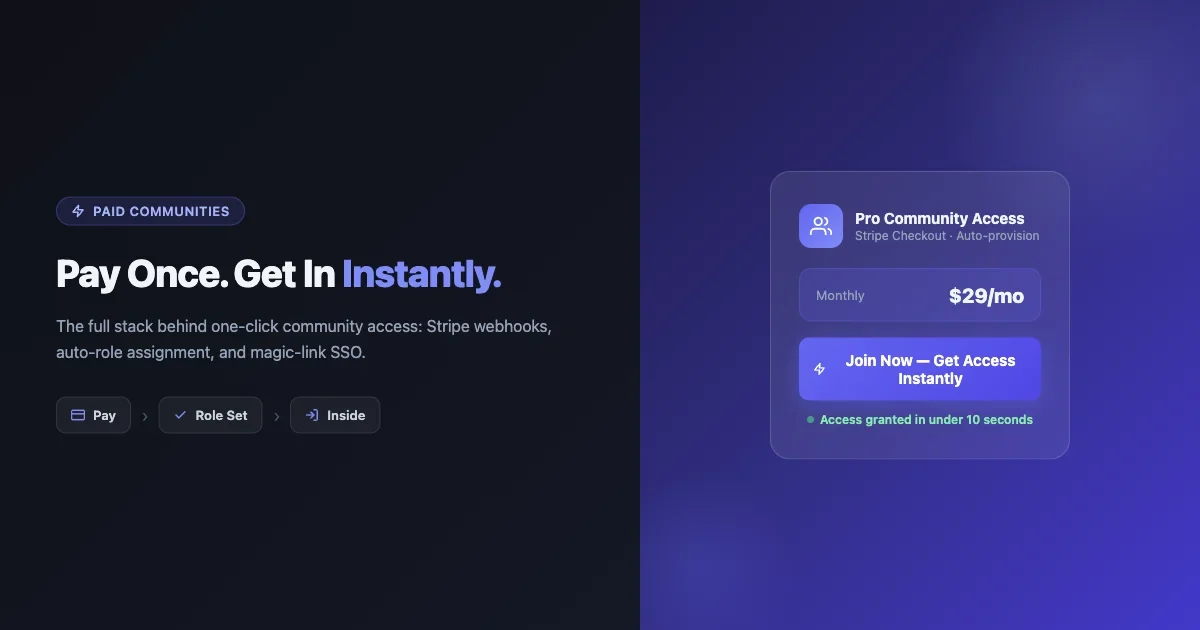
Someone hears about your community, clicks a link, and is ready to pay. What happens next? On most platforms, they fill out a form, verify an email, wait for a confirmation, then hunt for the login page. By the time they finally get in, the impulse is gone. The best one-click community membership setups flip this: payment and access happen in a single motion, and the member is inside before they can second-guess the decision.
This guide walks through the full stack behind frictionless community access: the payment layer, the role provisioning webhook, the magic-link handoff, and the trial structures that convert better than a free signup form. Platform comparisons are concrete: Stripe + BuddyPress auto-provisioning, Circle Pay, Whop, and Skool each have a different model, and the right one depends on where your members live and what “instant access” actually means for your use case.
Why Signup Friction Kills More Paid Communities Than Bad Content
Payment conversion research is unambiguous: every extra step in a checkout flow reduces completion by 10-20%. A three-step signup (pay, verify email, set up profile) can lose up to half of willing buyers before they ever see the inside of your community.
The problem compounds for communities specifically. Unlike a SaaS product, a community’s value is social and immediate. The moment of “yes, I want to join this” is emotionally charged. Delay it by even a few minutes and the member has moved on to their inbox, their feed, something else. They may come back. They often don’t.
One-click membership solves this by collapsing the gap between payment intent and access. The technical components that make this work are:
- A hosted payment page that handles card capture without redirects (Stripe Checkout, Payment Links)
- A webhook that fires the instant payment is confirmed
- A role or permission assignment that runs within seconds of that webhook
- A magic link or auto-login URL that drops the member inside the community without a separate login step
Every platform below handles these four pieces differently. The gaps between them are what determine how “instant” instant access actually is.
The Technical Stack: What Actually Happens in the First 10 Seconds
Understanding the sequence helps you debug it and customize it. Here is what a well-built one-click flow looks like from payment confirmation to community access:
Step 1: Hosted Checkout
The member clicks “Join Now” and lands on a hosted payment page. Stripe Checkout and Stripe Payment Links are the most common implementations. Both handle PCI compliance, 3D Secure, and card saving. The key setting here is after_completion: set it to redirect with a URL that includes a session ID in the query string. This session ID is how you tie the payment event to the right user account later.
Step 2: Webhook Fires
When Stripe confirms payment (event type: checkout.session.completed), it sends a POST request to your webhook endpoint within 1-3 seconds. Your endpoint needs to:
- Verify the Stripe webhook signature (never skip this)
- Extract the customer email and any metadata you passed in the Checkout session
- Look up or create a user account on your community platform
- Assign the paid membership role
- Generate a time-limited magic login link
- Redirect or email the link to the member
Step 3: Role Assignment
On BuddyPress + WordPress, role assignment is a wp_update_user call or a membership plugin status update. The webhook endpoint calls this via a WP-CLI command, a REST API request to your site, or a direct database write through a secure application password. MemberPress, Paid Memberships Pro, and WooCommerce Subscriptions all expose REST endpoints for this. The fastest path for custom builds is a private REST route on your WP site that accepts a signed token, verifies it, and fires the membership activation.
Step 4: Magic Link Handoff
The magic link is a one-time-use URL that logs the member in without requiring a password. WordPress doesn’t have this natively, but several approaches work:
- A custom mu-plugin that creates a short-lived transient keyed to the user ID and validates it on
init - WooCommerce’s built-in auto-login via order confirmation emails
- MemberPress’s redirect after successful payment (it handles this automatically)
- A plugin like Magic Login that generates signed tokens via
wp_create_nonce
The link should expire in 10-30 minutes. After that, the member uses normal login. The first session is the critical one: get them inside, let them explore, let the value of the community do the work.
Stripe Checkout + BuddyPress: The Custom Route
If you run BuddyPress as your community platform and want full control over the membership flow, the Stripe + BuddyPress stack is the highest-ceiling option. It requires more setup than Circle or Whop, but you own every piece of the pipeline.
Setting Up the Checkout Session
Create a Stripe Price object for your membership (one-time or recurring). When building the Checkout session, pass your user’s email and any custom metadata in the metadata field. A useful pattern is to pass a “source” parameter that tells your webhook which community tier or group to provision access to:
stripe.checkout.sessions.create({
  payment_method_types: ['card'],
  line_items: [{ price: 'price_xxx', quantity: 1 }],
  mode: 'subscription',
  metadata: { community_tier: 'pro', source: 'landing-page-may' },
  customer_email: user_email,
  success_url: 'https://yoursite.com/welcome?session_id={CHECKOUT_SESSION_ID}',
  cancel_url: 'https://yoursite.com/join',
})
The Webhook Endpoint
Register a WordPress REST route at something like /wp-json/community/v1/stripe-webhook. Protect it with Stripe signature verification only (no WordPress nonce, since Stripe won’t have one). Inside the handler, create the user if they don’t exist, assign the paid role, and use the transient magic-link approach to generate a login URL. Pass that URL back as the redirect destination on your success_url page, or email it immediately.
MemberPress Auto-Provisioning
MemberPress handles the heavy lifting if you don’t want to build a custom webhook. Set up a Stripe payment gateway in MemberPress settings, create a membership level, and MemberPress automatically provisions access on payment confirmation. The integration uses Stripe’s native webhook delivery and handles failed payments, subscription renewals, and cancellations out of the box. For BuddyPress role syncing, the MemberPress BuddyPress integration add-on assigns BP member types based on membership level automatically.
For a deeper look at connecting payment and community tools on WordPress, the guide on integrating BuddyPress with WooCommerce covers the overlap between commerce and community membership in detail.
For a paid or membership community you fully control, BuddyNext is a free, standalone community platform worth a look, an activity feed, member profiles, Spaces (groups), and deep moderation in one plugin, built as its own modern architecture rather than on top of BuddyPress (so it isn’t a BuddyPress add-on and existing BuddyPress plugins won’t run on it). Because it runs on your own site you keep full ownership of member data, and its Pro tier adds native Stripe memberships when you’re ready to monetize.
Circle Pay: Native One-Click for Circle Communities
Circle’s built-in payment system is the simplest path if your community lives on Circle. Members pay, get access, and land inside the community in a single flow. No webhook setup required.
How It Works
Circle’s paid spaces use Stripe under the hood, but the entire checkout-to-access flow is handled natively. You set a price for a space, toggle “paid access” in the space settings, and Circle generates a shareable payment link. When a member pays, they’re provisioned access and redirected to the space immediately.
Limitations to Know
- Circle takes a platform fee on top of Stripe’s processing fee (varies by plan, typically 4% on the basic tier)
- Checkout customization is limited. You can’t inject custom fields or pass metadata to external systems without Zapier or Make
- Magic-link handoffs to external tools require an integration layer. If your community spans Circle and a WordPress site, you need an automation to bridge them
- Circle’s trial mechanics (free trial before billing) work, but the trial-to-paid conversion email sequence is less configurable than a custom Stripe setup
When Circle Pay Wins
Circle is the right choice when your community is entirely inside Circle and you want zero technical setup. The platform handles everything from payment to access to onboarding flows. The trade-off is that you’re inside Circle’s ecosystem, not your own.
Whop: Instant Access as a Product Feature
Whop is built around the idea that “access to a community” is a product like any other digital product. The platform’s primary value prop is instant delivery after payment, and it delivers on that.
The Whop Flow
You create a “pass” in Whop that grants access to your Discord server, Telegram group, community portal, or a combination. When a member pays, Whop automatically sends the Discord invite link, Telegram invite, or portal access within seconds. There’s no webhook you need to configure. The access delivery is baked into the platform.
Discord Integration Depth
Whop’s Discord integration is particularly strong. It assigns roles via a bot that watches the Whop payment events. The bot adds the role, removes it on cancellation or expiry, and handles the entire membership lifecycle automatically. For Discord-based communities, this is the fastest path to one-click paid access with zero custom code.
Limitations
- Whop takes a percentage cut (typically 3% plus Stripe fees)
- Community tools inside Whop itself are basic. Most creators use Whop as the payment and access layer, then point members to Discord or another platform for actual community interaction
- Less suitable for WordPress-based communities. You can link a Whop pass to a URL, but the WordPress role assignment still needs a custom integration
Skool: Payment + Community in One Place
Skool combines a community, a course player, and a payment system in a single product. The “pay and get in instantly” flow is native.
The Skool Access Model
Skool communities can be set to free or paid. Paid communities use Stripe. When a member pays, they’re added to the community immediately, with no separate provisioning step. The access model is flat: either you’re a member or you’re not. There are no tiers or sub-groups with different access levels within a paid community.
The Classroom Component
Skool’s classroom module lets you lock individual course modules behind a point threshold (members earn points by engaging in the community). This gamification layer is unique and drives engagement, but it’s separate from the payment-to-access flow. Payment gets you in. Points unlock the curriculum.
Limitations for Complex Use Cases
- No tiered membership. Everyone who pays gets the same access
- Webhook access is limited. You can’t easily pipe Skool payment events to external systems
- Skool takes $99/month flat, regardless of community size. This is predictable pricing but expensive for small communities
- No WordPress integration. If your brand presence is on WordPress, Skool is a separate island
Trial Design: 7-Day No-CC vs 7-Day CC-Required
Trial mechanics have an outsized effect on both conversion and churn. The choice between a no-credit-card trial and a credit-card-required trial is not just a UX question. It’s a business model decision.
No-Credit-Card Trials
No-CC trials generate more trial sign-ups. This is well-documented. The downside is that the conversion rate from trial to paid is lower, and the people who sign up are less committed. You get volume but lower intent.
No-CC trials work best when:
- Your community has a strong “aha moment” that happens early in the trial
- You have an onboarding sequence that actively guides new members to value
- Your community is not invite-only and can absorb a higher volume of non-converting trial members
Credit-Card-Required Trials
CC-required trials have lower signup volume but higher trial-to-paid conversion. The member has already demonstrated commitment by entering their card details. Cancellation requires an active decision, and many people don’t cancel even if they forget about the trial.
CC-required trials work best when:
- Your community is invite-only or capacity-constrained
- The onboarding experience is more complex (longer time to value)
- You want to filter for higher-intent members from the start
Implementing Trials in Stripe
Stripe Subscriptions support trial periods natively. Set trial_period_days when creating the subscription. For a CC-required trial, the checkout flow is identical to a normal subscription: the member enters their card, the subscription starts, and billing begins after the trial ends. For a no-CC trial, use Stripe’s payment_method_collection: 'if_required' setting on the Checkout session to make card entry optional during the trial.
The Hybrid Trial
A less common but effective approach: offer a 7-day free trial (no CC) with a compelling one-time offer for anyone who upgrades within the trial window. This captures the volume benefit of no-CC trials while creating a conversion event tied to a genuine value moment inside the community.
Refund and Cancellation Flows That Don’t Sour the Relationship
How you handle a cancellation or refund says more about your community than your sales page does. A bad cancellation experience generates refund disputes, negative reviews, and word-of-mouth that hurts future conversions.
Instant, No-Questions Cancellation
The standard that has emerged in subscription communities is self-serve cancellation with immediate effect. Members should be able to cancel from their account page without contacting support. Stripe Customer Portal handles this automatically. You configure it in the Stripe dashboard, point members to it via a “Manage Billing” link, and Stripe handles the cancellation, sends confirmation emails, and fires a webhook to revoke access on your community platform.
The Pause Option
Before cancellation, offer a pause. Stripe subscriptions support a pause_collection status that suspends billing for a defined period (typically 1-3 months) without ending the subscription. Many members who want to cancel because of temporary circumstances (budget, time, life) will accept a pause instead. Paused members return at a higher rate than new signups because they already know the community’s value.
Refund Handling
For one-time purchases (lifetime access, annual upfront), have a clear refund window (30 days is standard). Process refunds immediately, not “within 5-7 business days.” Stripe refunds hit the member’s card in 5-10 days regardless, but processing immediately shows good faith. Revoke access at the time of the refund, not days later. Delayed access revocation after a refund creates confusion and support tickets.
The Exit Survey
Add a single-question exit survey at cancellation time. Not a guilt-trip, not a dark pattern, just one question: “What was the main reason you decided to leave?” The answer data is more valuable than any A/B test. Do this through a Stripe webhook that fires on customer.subscription.deleted, which triggers an email with a single survey link. Keep it one click to answer.
Access Revocation: The Webhook on the Other Side
Provisioning access on payment is the visible part of the flow. Revoking access on cancellation, expiry, or failed payment is just as important and often done poorly.
Stripe Events to Handle
Build your webhook handler to respond to:
customer.subscription.deleted: Revoke access immediatelyinvoice.payment_failed: Start a grace period (3-7 days), send a dunning email, then revoke if payment fails againcustomer.subscription.updated: Handle plan changes and tier upgradescharge.refunded: Revoke access for one-time purchases on refund
Grace Periods
Never revoke access the instant a payment fails. Credit cards expire, banks block transactions, people forget to update their billing details. A 7-day grace period with 2-3 dunning emails recovers a significant portion of failed payments. Stripe’s Smart Retries feature automatically retries failed payments at optimal times; combine this with your grace period for best results.
BuddyPress Role Revocation
On BuddyPress, role revocation means either removing the paid WordPress role (dropping the member back to Subscriber) or marking a membership as inactive in MemberPress/Paid Memberships Pro. The member’s profile and content stay intact. They just lose access to paid-only content and groups. This preserves the relationship for potential re-activation later. If you want to fully understand how access control works at the BuddyPress level, the guide on locking BuddyPress pages and custom post types for paid members covers the access gating mechanisms in detail.
Platform Comparison: Pick by Use Case
Here is the decision matrix based on the real trade-offs:
Use Case | Best Platform | Why |
|---|---|---|
WordPress community, full control | Stripe + MemberPress + BuddyPress | Own the entire stack, deepest integration, most flexibility |
Discord-based community | Whop | Native Discord role assignment, zero custom code |
Circle community, no-code setup | Circle Pay | Native flow, minimal setup, but platform fees apply |
Community + courses combined | Skool | Native course player with gamified access unlocks |
Telegram or multi-platform access | Whop | Multi-platform access delivery is Whop’s core feature |
Custom enterprise community | Stripe + custom webhook + BuddyPress | Maximum control, custom logic, no platform limits |
The One Metric That Tells You If Your Access Flow Is Working
Time-to-first-action inside the community. Not time-to-payment, not trial conversion rate. The question is: how long after payment does it take the average new member to post, comment, or engage for the first time?
If that number is measured in days, your access flow has friction somewhere. The payment completed, the account was created, but something in the journey between “payment confirmed” and “member inside” slowed them down. It might be the email verification step you kept. It might be the profile setup wizard that fires on first login. It might be that the magic link expired before the member clicked it.
Track this in your analytics. Set a custom event in your community platform that fires on a member’s first engagement action. Compare cohorts: members who came in via one-click vs. members who had to verify email and log in separately. The gap between those cohorts is the value of your friction-reduction work.
Communities that compress time-to-first-action below 10 minutes see meaningfully higher 30-day retention. The member who engages in the first session is far more likely to renew than the member who paid and then logged in three days later after a reminder email.
Putting It Together: A Checklist for Your Own One-Click Flow
Before you ship, verify each piece of the pipeline:
- Stripe Checkout session uses
success_urlwith session ID in query string - Webhook endpoint verifies Stripe signature before processing
- Role assignment fires within 5 seconds of webhook receipt
- Magic link generated and delivered (email or redirect) immediately after role assignment
- Magic link expires in 30 minutes maximum
- Cancellation flow is self-serve via Stripe Customer Portal
- Pause option offered before cancellation completes
- Access revocation fires on
customer.subscription.deletedwebhook - Grace period (7 days) in place for
invoice.payment_failed - Exit survey email triggers on
customer.subscription.deleted - Time-to-first-action metric tracked in analytics
The communities with the highest paid conversion and retention rates are not always the ones with the best content. They are the ones that get out of the member’s way between “I want to join” and “I am in.” Remove every step that isn’t strictly necessary. The member already said yes when they clicked the payment button. Let them in.
For communities focused on the longer-term monetization picture beyond the initial access flow, the breakdown of monetization strategies for BuddyPress communities that don’t alienate members covers recurring revenue models that work alongside paid access.