Running a public BuddyPress community comes with risks. Your member profiles get indexed by Google, strangers can browse your groups, and there’s no privacy for the conversations happening on your site. For many community builders, this openness is a dealbreaker.
I’ve been testing BuddyPress Private Community Pro on a live site. Here’s what I found, with real screenshots from my testing environment.
Why Make Your BuddyPress Community Private?
A few reasons privacy comes up for community builders, before we get into the plugin itself:
- Member Privacy – Your members’ profiles, activities, and connections shouldn’t be visible to random internet visitors or search engines
- Exclusive Content – If you’re running a paid membership or exclusive group, public access defeats the purpose
- Professional Networks – Business communities need privacy to protect sensitive discussions and member information
- Reduced Spam – Locking registration and community access reduces spam bots and fake accounts
- GDPR Compliance – Limiting public exposure of member data helps with privacy regulations
What is BuddyPress Private Community Pro?
BuddyPress Private Community Pro is a premium WordPress plugin from Wbcom Designs that gives you control over who can access your BuddyPress community. It goes beyond simple page locking - you can control access at the component level, manage profile visibility, track member progress, and create role-based restrictions.
It works with both BuddyPress and BuddyBoss Platform.
Key Features at a Glance
- Visitors Restrictions – Lock BuddyPress components, pages, and custom post types for non-logged-in users
- Profile Visibility – Control who can view member profiles (everyone, logged-in users, friends only, etc.)
- Profile Progress – Encourage profile completion with progress tracking and visibility rewards
- Membership Restrictions – Create role-based access rules for different membership levels
- General Notices – Display custom messages on locked content with login/registration forms
- Redirect Options – Send unauthorized users to login page or custom URLs
BuddyPress Private Community Pro Dashboard
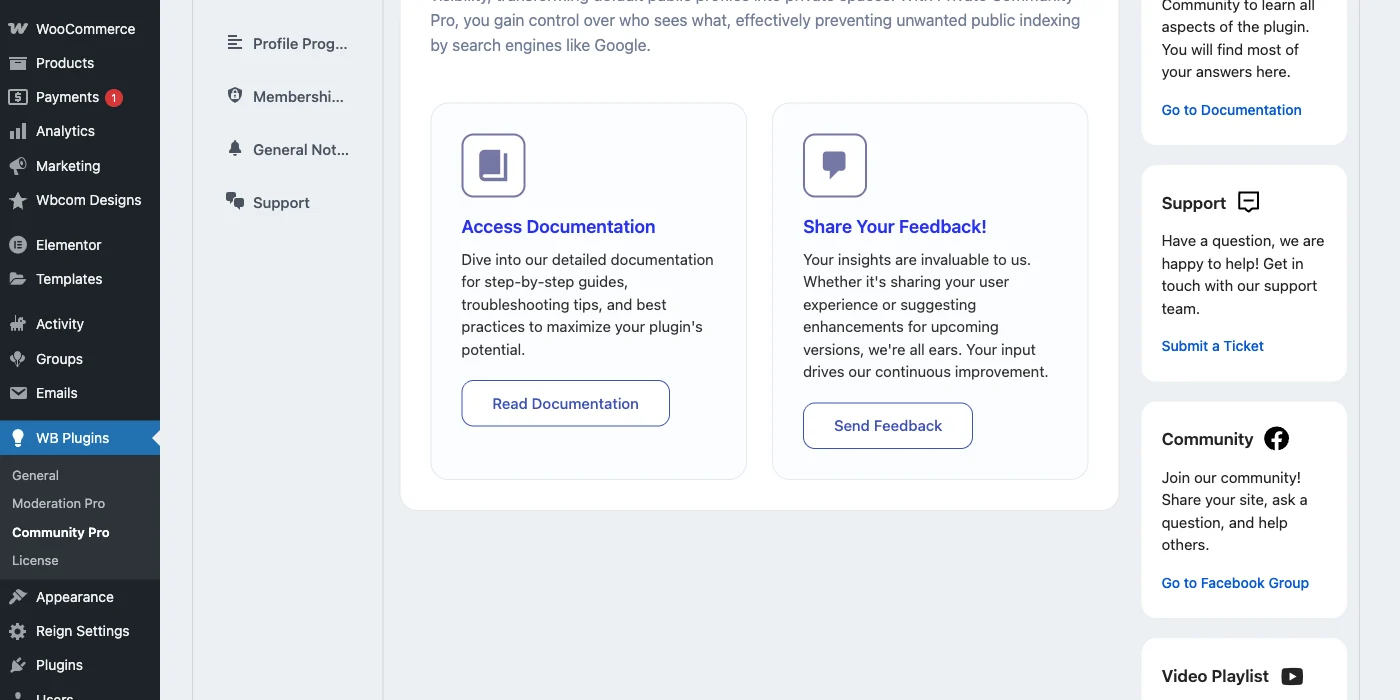
After activating the plugin, you’ll find the settings under WB Plugins → Community Pro. Six tabs cover all the privacy and restriction options.
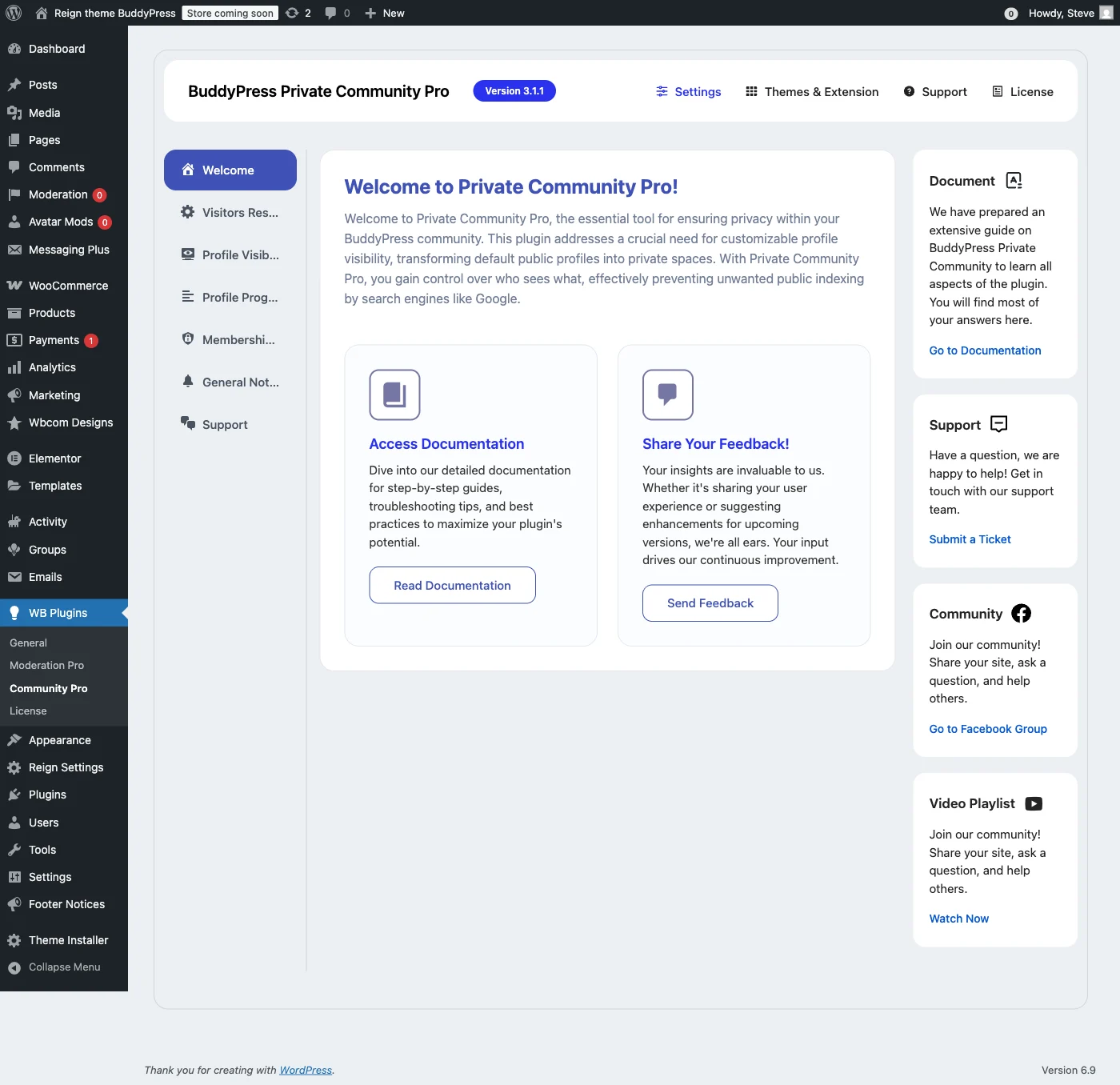
The welcome tab links to documentation, video tutorials, and support, useful if you’re new to the plugin.
Visitors Restrictions: Lock Your Community from Guests
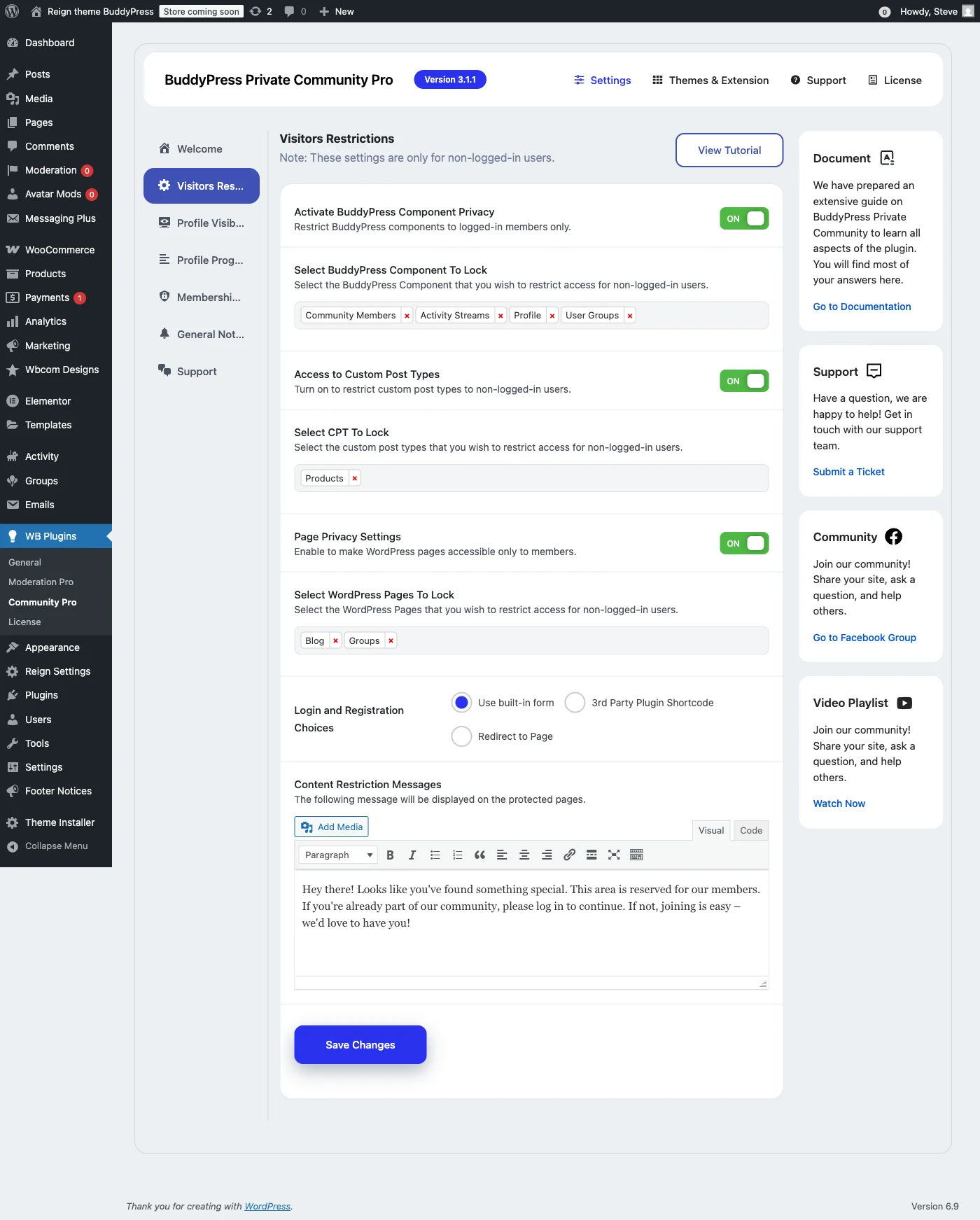
The Visitors Restrictions tab controls what non-logged-in visitors can see. This is the core functionality that turns an open BuddyPress site into a private community.
Lock BuddyPress Components
You can selectively lock any BuddyPress component:
- Members Directory – Hide the list of all members from public view
- Groups Directory – Keep your groups private and invisible to guests
- Activity Stream – Lock the site-wide activity feed showing all community updates
- Forums – If using bbPress, lock forum discussions from public access
- Media – Protect shared photos and videos from unauthorized viewing
Lock WordPress Pages
Beyond BuddyPress components, you can lock any WordPress page, member-only resources, private docs, exclusive content areas, even the blog listing page while keeping individual posts public.
Lock Custom Post Types
If you’re using plugins that create custom post types (courses, downloads, products, etc.), you can lock those too. That makes the plugin compatible with LMS plugins, e-commerce, and other extended functionality.
Profile Visibility: Control Who Sees What
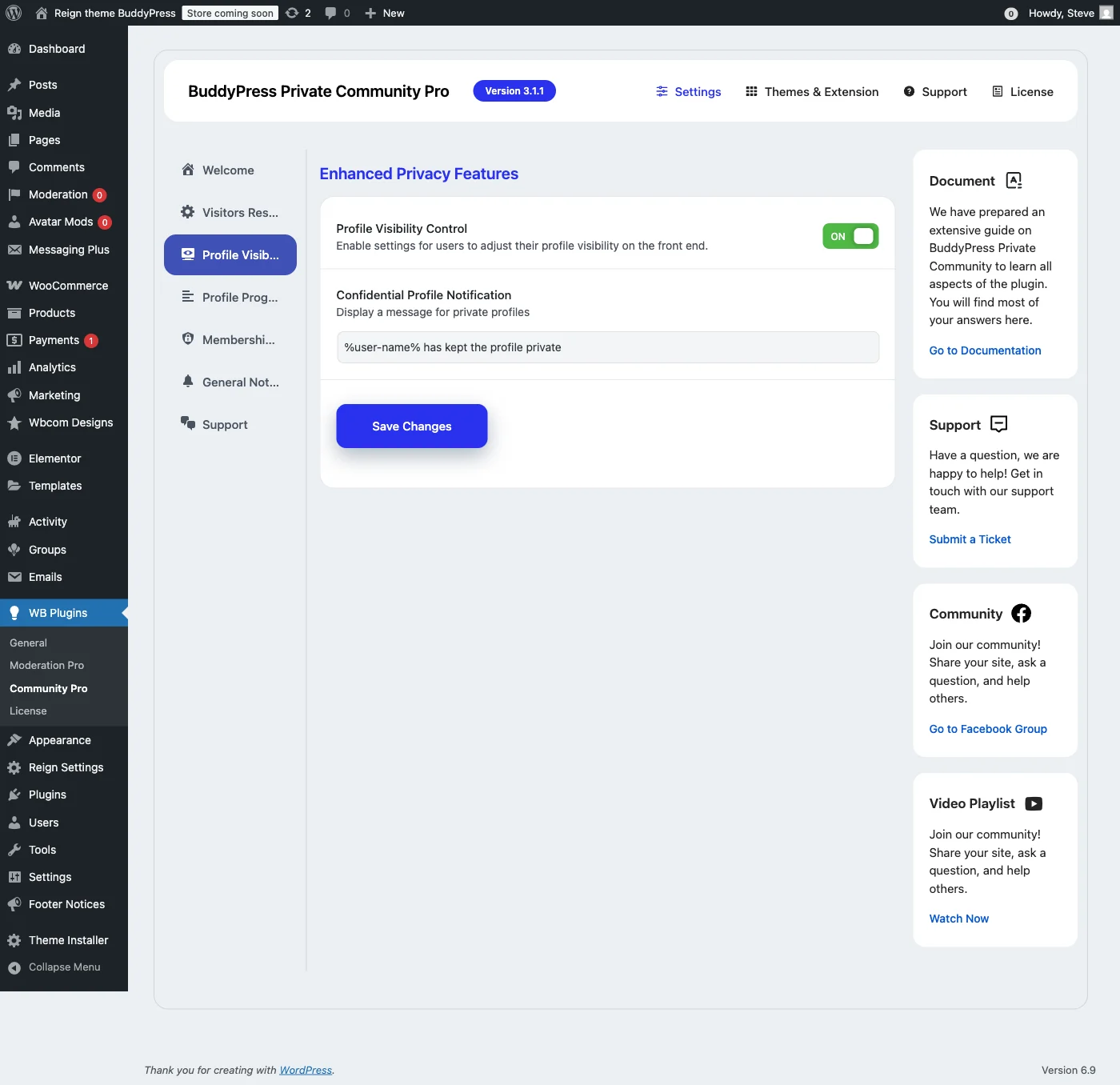
The Profile Visibility tab hands privacy control to members themselves, rather than applying one setting to everyone.
Visibility Options
- Everyone – Profile is public to all visitors
- Logged-in Members – Only registered users can view
- Friends Only – Only approved friends can see the full profile
- Only Me – Complete privacy, profile hidden from everyone
Useful for professional networks where members want to limit exposure, or communities where privacy preferences vary from person to person.
Profile Progress: Encourage Complete Profiles
One feature I didn’t expect: a Profile Progress tracker. It shows members a progress bar and can optionally restrict certain features until their profile is complete.
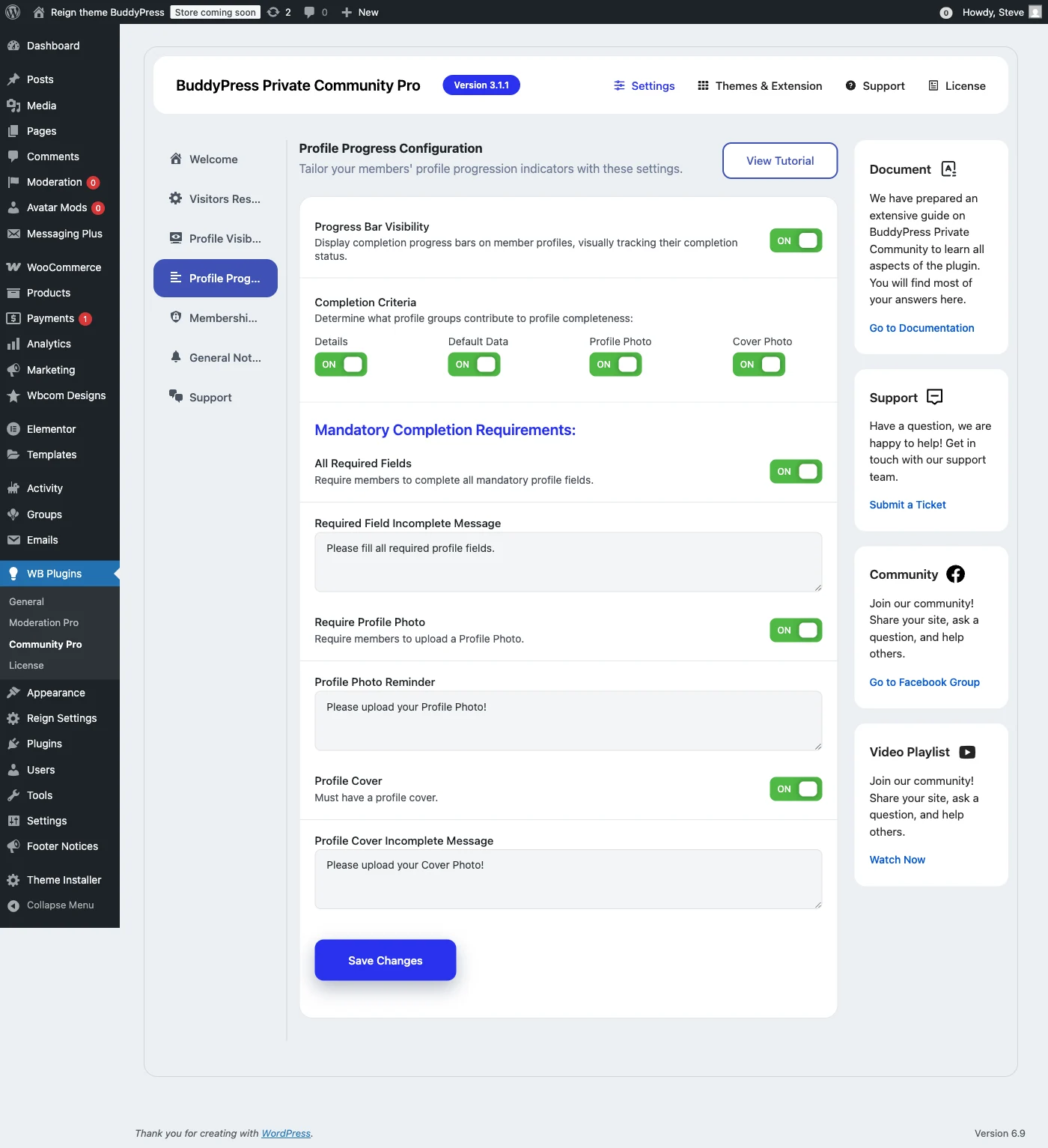
How Profile Progress Works
- Progress Bar Display – Show members how complete their profile is
- Field Weighting – Assign different values to different profile fields
- Completion Rewards – Unlock features when profile reaches certain percentage
- Visibility Incentives – Members with incomplete profiles may have limited visibility
It solves a real, common problem: members who register and never touch their profile again. Turning completion into a small game gets you richer member data and, usually, more engaged users.
Membership Restrictions: Role-Based Access Control
This is where the plugin becomes genuinely useful for paid communities and tiered memberships.
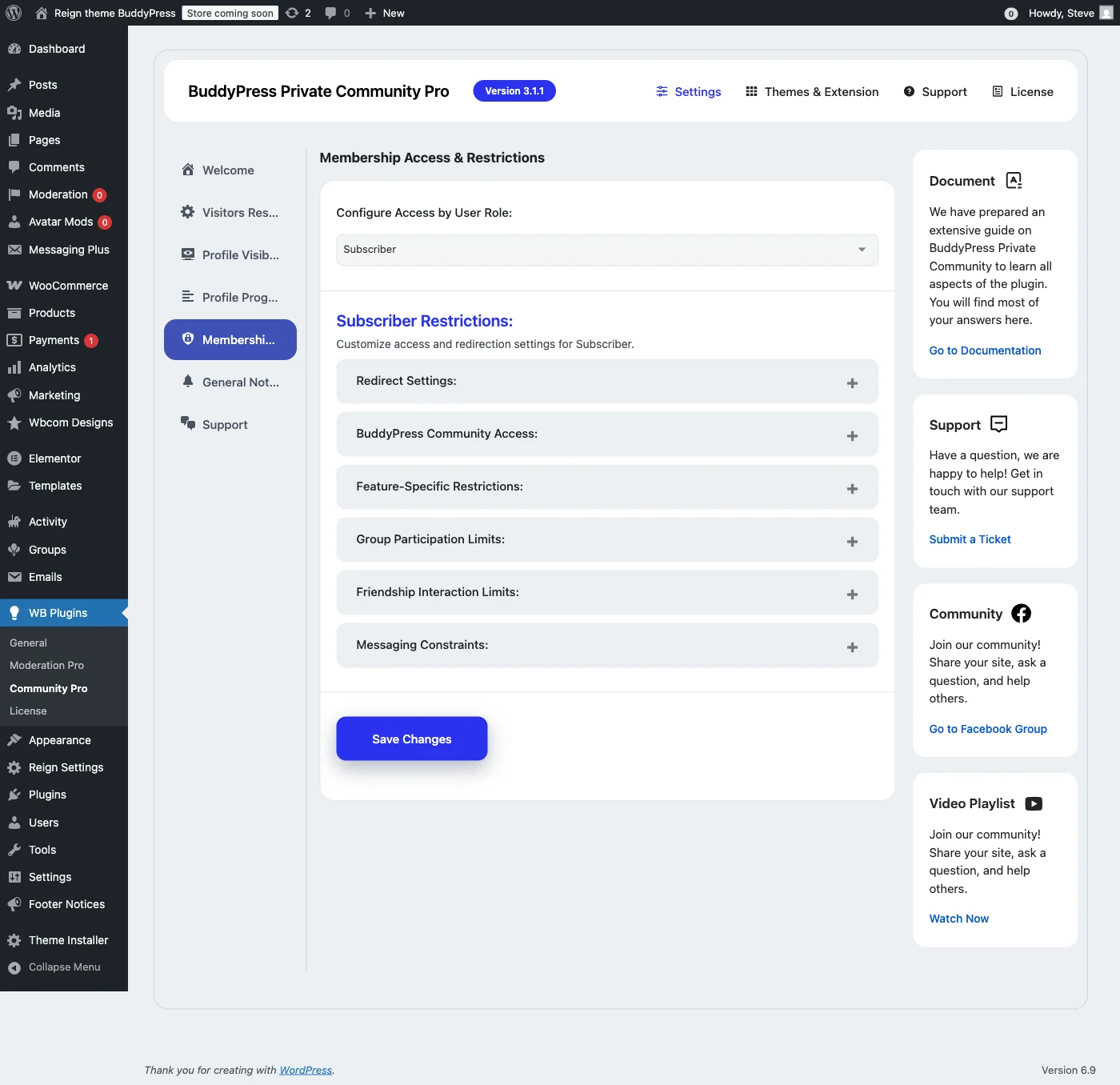
Use Cases for Membership Restrictions
- Tiered Communities – Free members see basic content, premium members access everything
- Course-Based Access – Students enrolled in specific courses get access to related groups
- Department Separation – In corporate communities, restrict content by department or role
- VIP Areas – Create exclusive spaces for top members or moderators
It integrates with membership plugins like MemberPress, Paid Memberships Pro, or WooCommerce Memberships. When a user’s role changes, access updates automatically.
General Notices: Custom Lock Screen Messages
When someone tries to access locked content, what do they actually see? The General Notices tab lets you control that.
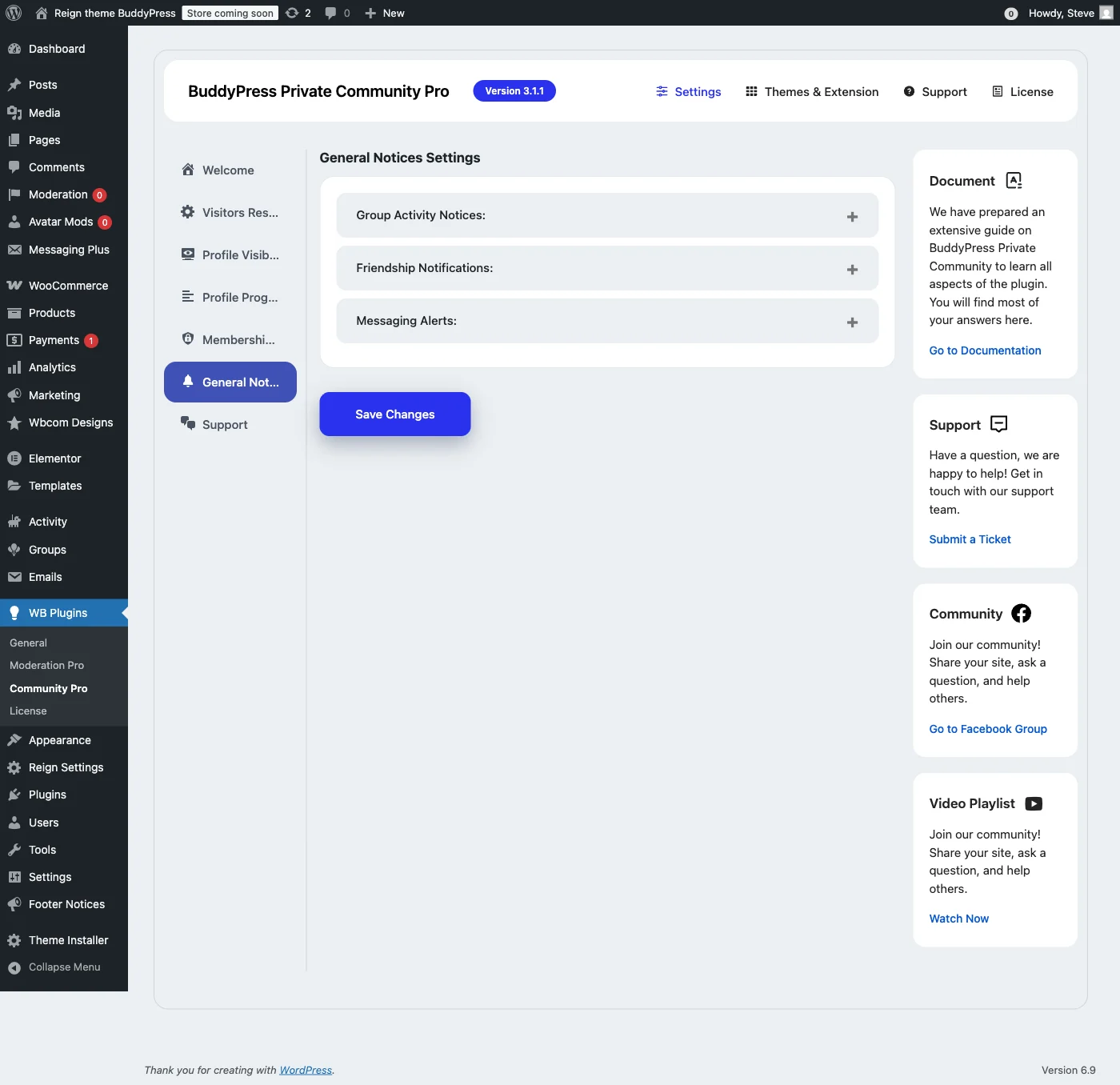
Customization Options
- Custom Message – Write your own text explaining why content is locked
- Login Form – Embed a login form directly on the locked page
- Registration Link – Include a link to register for new visitors
- Redirect URL – Send users to a specific page instead of showing a message
- Styling Options – Match the lock screen to your site’s design
A generic “Access Denied” message is off-putting. A message that explains how to join and what someone gets access to converts visitors into members instead of just turning them away.
Frontend Experience: What Visitors See
Here’s what a non-logged-in visitor sees when trying to access locked content:
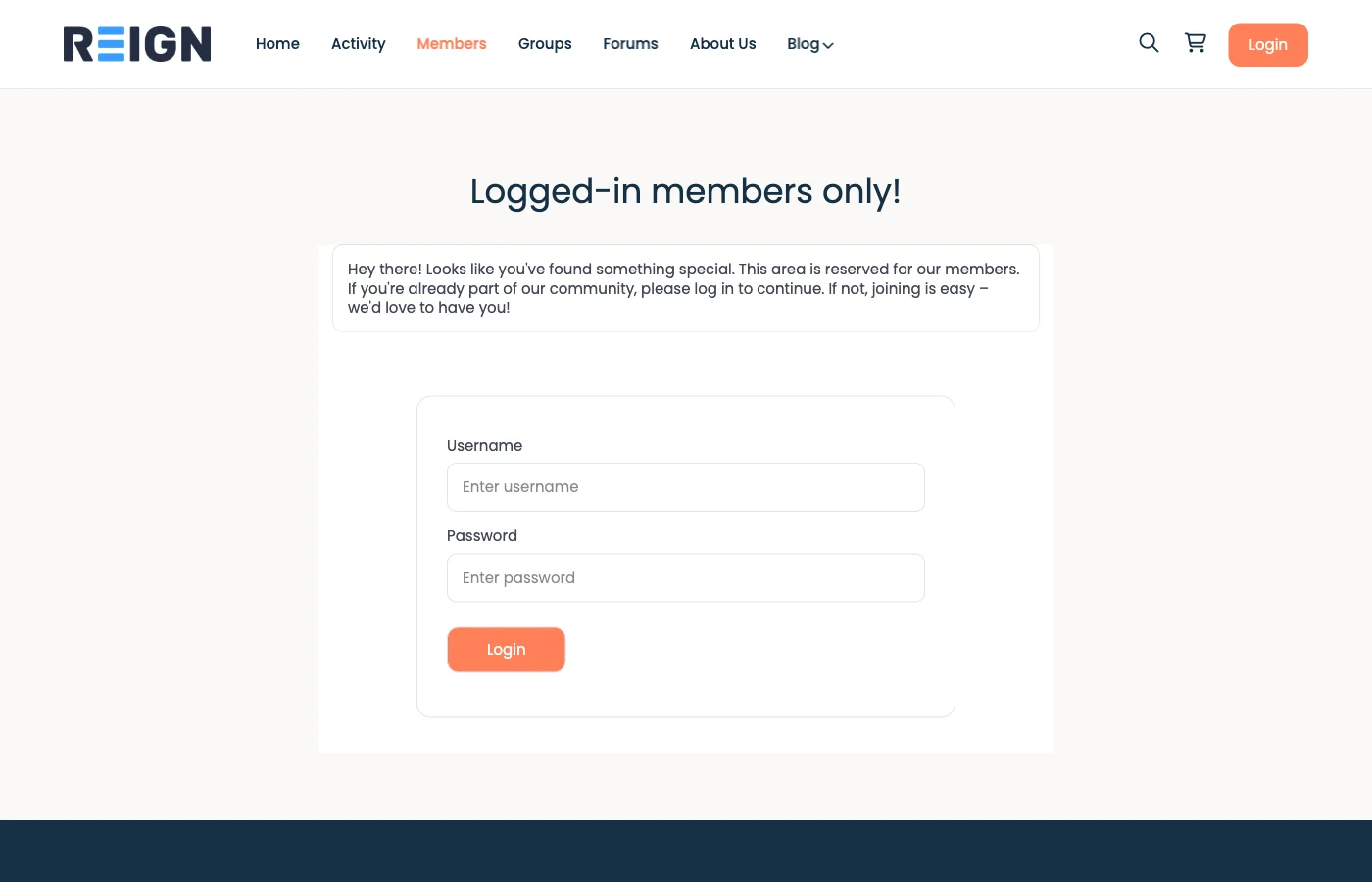
The lock screen reads as clean and intentional, not broken. Visitors understand right away that the content is private and get a clear path to it by logging in or registering, better than a bare 404 or a redirect that leaves people confused about what happened.
How to Install BuddyPress Private Community Pro
Installation is straightforward:
- Purchase the plugin from Wbcom Designs
- Download the ZIP file from your account dashboard
- Upload via WordPress – Go to Plugins → Add New → Upload Plugin
- Activate the plugin and enter your license key
- Configure settings under WB Plugins → Community Pro
It works out of the box with sensible defaults, but it’s worth going through each tab to set the privacy options for your specific community.
BuddyPress Private Community Pro Pricing
Three annual licensing tiers:
License | Sites | Price |
|---|---|---|
Single | 1 site | $49/year |
5-Site | 5 sites | $99/year |
Developer | Unlimited | $129/year |
There’s also a free version (BuddyPress Lock) with basic locking features if you want to try before buying.
Requirements
- WordPress 5.0 or higher
- BuddyPress or BuddyBoss Platform (must be installed and activated)
- PHP 7.4 or higher recommended
Pros and Cons
Pros
- Comprehensive privacy controls covering all BuddyPress components
- Granular profile visibility options for member-controlled privacy
- Profile progress tracking encourages engagement
- Role-based restrictions integrate with membership plugins
- Customizable lock screens improve user experience
- Works with both BuddyPress and BuddyBoss
- Clean, well-organized admin interface
- Regular updates and responsive support
Cons
- Premium plugin (though free version available for basic needs)
- Annual subscription required for updates
- May require configuration time to set up optimally
- Some advanced features have a learning curve
Who Should Use BuddyPress Private Community Pro?
This plugin is a good fit for:
- Paid membership communities – Protect premium content from non-members
- Professional networks – Keep business discussions and member data private
- Educational platforms – Restrict course communities to enrolled students
- Corporate intranets – Internal communities that shouldn’t be publicly accessible
- Private clubs and organizations – Members-only spaces for exclusive groups
- GDPR-conscious communities – Minimize public exposure of member data
Frequently Asked Questions
Does this work with BuddyBoss?
Yes. BuddyPress Private Community Pro is fully compatible with BuddyBoss Platform and integrates with all BuddyBoss components the same way it does with standard BuddyPress.
Can I lock only certain components while keeping others public?
Yes, you have granular control over each BuddyPress component. You could, for example, keep the members directory public but lock groups and the activity stream.
Will locked content still be indexed by Google?
No. When content is locked, search engines see the lock screen, not the actual content, so your private community stays out of search results.
Does it work with membership plugins?
Yes. The role-based restrictions work with any membership plugin that assigns WordPress user roles, including MemberPress, Paid Memberships Pro, and WooCommerce Memberships.
Is there a free version?
Yes. BuddyPress Lock covers basic component locking for free. The Pro version adds profile visibility, profile progress, membership restrictions, and deeper customization.
Final Verdict
BuddyPress Private Community Pro is the most thorough privacy solution I’ve tested for BuddyPress communities. It goes past simple page locking to give you control over nearly every angle of community privacy.
The profile visibility and progress features stood out the most, they hand members some agency over their own privacy while still nudging them toward finishing their profiles. The role-based restrictions make tiered communities, or bolting onto an existing membership setup, fairly painless.
At $49/year for a single site, it’s reasonably priced for what it does. If privacy matters for your community, for business reasons, member preference, or compliance, it’s worth the money.
Rating: 4.5/5















