How to Build a Small Online Community for Your Small Business Customers in 2026


Your customers already talk about you. They ask each other questions, share workarounds, celebrate wins, and occasionally vent. Right now that conversation lives in scattered DMs, random Facebook groups, and Reddit threads you will never see. Building a small online community brings that conversation home, and when it lands in one place you own, something measurable happens: customers stick around longer, they buy again sooner, and they send referrals because they feel like insiders, not just buyers.
This guide is written for small businesses with real constraints: under 500 members, a budget close to zero, and no community manager on payroll. You do not need a fancy platform or a six-figure launch. You need a repeatable blueprint that works while you are busy running everything else.
What a Small-Business Community Actually Does for You
Before picking a platform, get clear on the two outcomes that matter most for a business at your scale.
The first is retention. A customer who participates in your community has a dramatically lower churn rate than one who does not. The research varies by industry, but the pattern is consistent: belonging to a group tied to a product makes switching feel like a social loss, not just a financial one. When someone has shared their success story, answered a question, or earned even a minor status marker in your community, they are not leaving for a 10% cheaper competitor.
The second is referrals. An active community creates a flywheel that paid advertising cannot replicate. Members see each other getting value. They mention the community when recommending you. New customers arrive pre-sold because a peer vouched for you. That cycle compounds without additional ad spend.
Both outcomes start with one thing: members who show up regularly because something useful happens when they do. Keep that test in mind as you read the rest of this guide.
The Minimum Viable Community: What You Actually Need
Most small-business owners stall at platform comparisons. They spend three weeks researching features and never launch. Here is the short version of what you actually need at the start:
- One place to post announcements so members hear from you directly
- One place for members to ask questions so they help each other instead of emailing support
- A clear reason to join (early access, exclusive tips, peer connection) that you can state in one sentence
- A light onboarding step so new members know what to do first
That is it. Four things. You do not need a leaderboard, live events, a course library, or a custom mobile app to launch. You add those when you have members who want them.
Free-Tier Platform Comparison: Circle, Skool, Discord, BuddyPress
Four platforms dominate the conversation for free or near-free community hosting. Each has a real use case and a real limitation. Here is an honest look at each one for a small business with under 500 members.
Circle Free Tier
Circle’s free plan gives you one space, up to 100 members, and basic discussion features. The interface is clean and modern, which makes it easier to onboard non-technical customers. Members do not need to download anything; they join through a browser link.
The limitation is the 100-member ceiling. Once you pass it, you move to a paid plan starting around $89/month. For a business growing toward 200 or 300 members in year one, that cost arrives quickly. Circle is a good choice if you want a polished first impression and you are testing whether a community is worth investing in before committing budget.
Circle also integrates cleanly with email tools and has a decent mobile experience. The free plan does not include custom domains, so your community lives at a circle.so subdomain until you upgrade.
Skool Free Tier
Skool launched with a flat $99/month pricing model and no free tier for a long time. They introduced a free plan in 2024 that allows unlimited members but limits monetization features. The platform bakes gamification into its core: members earn points for posting and commenting, and a leaderboard is always visible.
That gamification works extremely well for course-based businesses and coaching communities. For a local service business or a product shop, it can feel a bit forced. Customers buying your landscaping service or your handmade goods do not necessarily want to compete on a points leaderboard. If you want to add gamification thoughtfully, it helps to understand how badges, points, and leaderboards actually drive engagement before choosing a platform that bakes them in by default.
Skool’s strength is community discovery. Their platform has a public directory of communities, so curious people can find yours without a direct link. For businesses that want organic community growth in addition to inviting existing customers, that is a real advantage. The trade-off is that Skool’s brand is always visible alongside yours.
Discord Server
Discord is free forever with no member limits. It started as a gaming platform but has become the default choice for tech-forward communities, creator audiences, and enthusiast brands. The interface uses channels organized in a sidebar, which feels familiar to anyone who has used Slack.
The significant challenge for small businesses is that Discord requires members to create a Discord account. For a business-to-consumer brand selling to, say, gardening enthusiasts in their 50s or local restaurant regulars, account friction is a real drop-off point. Technical communities and younger audiences navigate it fine; other demographics may not.
Moderation on Discord happens through bots and role permissions, which are powerful but have a learning curve. For a solo operator managing a community on the side, setting up a Discord correctly takes several hours. Once it is set up, however, the ongoing management is light.
Discord’s biggest free-tier advantage is voice and video channels at no cost. If your community benefits from live Q&A sessions or workshops, Discord handles that without a separate Zoom subscription.
BuddyPress (Self-Hosted)
BuddyPress is a free WordPress plugin that turns any WordPress site into a social network. You get member profiles, activity streams, private messaging, and groups. Because it runs on your WordPress installation, you own the data completely and there are no member limits, no platform fees, and no third-party subdomain.
The cost is hosting and setup time. A basic WordPress install on shared hosting runs $5-10/month, which beats Circle and Skool at scale but requires more initial configuration than the other three options.
BuddyPress makes the most sense when your community is an extension of an existing WordPress site, when you want members to stay on your branded domain throughout, or when you are building toward a members-only area with paid access tiers. The plugin ecosystem around BuddyPress (including themes built specifically for it) makes customization straightforward without custom development.
The trade-off is that BuddyPress does not have a public discovery mechanism. Members find your community because you tell them about it, not because they discovered it through a platform directory.
How to Pick the Right Platform for Your Business
Use this quick framework instead of agonizing over every feature comparison:
Your customers are non-technical and expect a polished experience: Start with Circle free. The 100-member ceiling gives you a natural decision point to validate before spending money.
You run a course, coaching program, or content-driven business: Skool’s free tier fits here. The gamification supports engagement, and the discovery directory helps new members find you.
Your audience is under 40 and already uses Discord for other things: A Discord server is your lowest-friction option. They have the app, they understand the conventions, and the free tier has no ceiling.
You have a WordPress site and want everything on your own domain: BuddyPress. The upfront setup pays off in long-term ownership, and you avoid per-member fees at any scale.
What Makes a Small-Business Community Different from a Brand Community
Large brands build communities to reduce support costs at scale and generate user-created content. Nike Run Club has hundreds of thousands of members. Notion’s community has tens of thousands of power users. Those goals are not your goals.
Your community has a different job. It exists to deepen individual relationships with specific customers who are already buying from you. The success metric is not follower count. It is the number of customers who feel like they are part of something, not just on a purchase list.
This distinction changes how you run the community day-to-day. You respond to every post in the first three months. You remember details about members and reference them. You share things you would not post publicly: early product ideas, behind-the-scenes challenges, honest assessments of your industry. The content would not scale to 100,000 members, but that is fine. You are not building for 100,000. You are building a 150-person room where every regular knows each other’s names.
Small feels like a limitation. At this size, it is actually the product.
Setting Up Your Community: The First 30 Days
The launch month matters more than any feature decision. Here is a repeatable sequence that works on any platform:
Week 1: Invite Your Best 20 Customers
Do not announce to your full list first. Identify 20 customers who already engage with you: they reply to emails, leave reviews, or ask good questions. Invite them personally and frame it as founding membership. These people seed the conversation and make the community feel alive when the broader audience arrives.
Send a direct email or message that says something like: “I am starting a small community for [your niche] and I want you in the founding group. You get early access, your questions get answered first, and you help shape what this becomes.”
Most of these people will say yes. They feel chosen, and they are.
Week 2: Post Your First Five Topics
An empty community is a dead community. Before your founding members arrive, post five discussion starters that you would genuinely enjoy seeing people answer. Make them specific to your industry and easy to respond to:
- “What is the one thing you wish you knew before [using our product/service]?”
- “What tool or habit made the biggest difference for you in [relevant area]?”
- “What question do you get asked most often about [relevant topic]?”
When your 20 founding members arrive, they have something to respond to immediately. The conversation starts before you formally launch.
Week 3: Announce to Your Full List
Send a community invitation to your email list or social followers. By now you have a community with 20 active members and five ongoing conversations. New arrivals see activity, not an empty room. That social proof converts far better than an invitation to something that has not started yet.
Week 4: Establish Your Weekly Rhythm
Pick one weekly action that only you can do: a short video update, a weekly question thread, a behind-the-scenes post. This weekly touchpoint is what keeps members coming back when they do not have an active question. It makes the community feel like a place that is worth checking, not just a support forum.
Moderation Without a Full-Time Moderator
The moderation fear is real: what happens when someone posts something inappropriate or a member conflict escalates? For a small business community under 500 members, you rarely deal with bad actors. You mostly deal with quiet people who need a nudge and occasionally a member who dominates every thread.
Three rules cover 95% of moderation situations at this scale:
Rule 1: Post your community norms on day one. A single pinned post that says “We keep it helpful, kind, and on-topic” handles most issues before they start. When you need to redirect someone, you point to the norm rather than making it personal.
Rule 2: Address issues in private first. A direct message to a member who is being difficult is almost always enough. Most people are not trying to cause problems; they just lost their bearings in a new environment. A private note from the community founder gets immediate attention and usually resolves the issue without any public drama.
Rule 3: Give active members light moderation roles early. On Discord, this is a role with the ability to delete posts. On Circle or Skool, it is moderator status. Trusted members who take light moderation responsibilities become invested in keeping the community quality high. They catch things before you see them.
Turning Community Activity Into Referrals
The referral flywheel does not activate automatically. You have to create the conditions for it.
The most effective single tactic for a small-business community is public wins. When a member shares a result they got using your product or service, respond publicly and enthusiastically. Pin it. Quote it in your next email. Ask them if you can use it as a testimonial.
When other members see that wins get celebrated, they start looking for their own wins to share. When prospects see the celebration of wins, they see social proof presented naturally by peers rather than by you. That is worth more than any ad copy you could write.
Add a simple referral mechanic: members who bring in a new customer get a community badge, early access to something, or a meaningful discount. Keep it simple enough that members can explain it in one sentence when they tell a friend about you.
Keeping It Simple: Tools to Avoid Over-Engineering
As your community grows past 100 members, you will start seeing recommendations for automation tools, analytics dashboards, engagement scoring, and integration platforms. Most of them solve problems you do not have yet.
At under 500 members, avoid adding tools that require you to learn a new system. The community itself is the product. Your time is better spent showing up in discussions than setting up Zapier integrations.
The one exception is email. Connect your community platform to your email list from day one. When someone joins, they should receive an automated welcome email that sets expectations and directs them to their first action in the community. That single automation prevents the most common failure: members who join and never return because they forgot the platform existed.
When BuddyPress Makes Sense as You Scale
At some point the free tiers on hosted platforms become limiting. Circle’s 100-member ceiling arrives fast for a healthy business. Skool and Discord keep growing without cost, but you are building on someone else’s infrastructure, and platform terms can change.
BuddyPress on your own WordPress site becomes the long-term answer for most small businesses that want full control. You keep members on your domain, you own all the data, you can integrate with your existing WooCommerce store or membership plugin, and your community is an asset on your balance sheet, not a subscription you depend on.
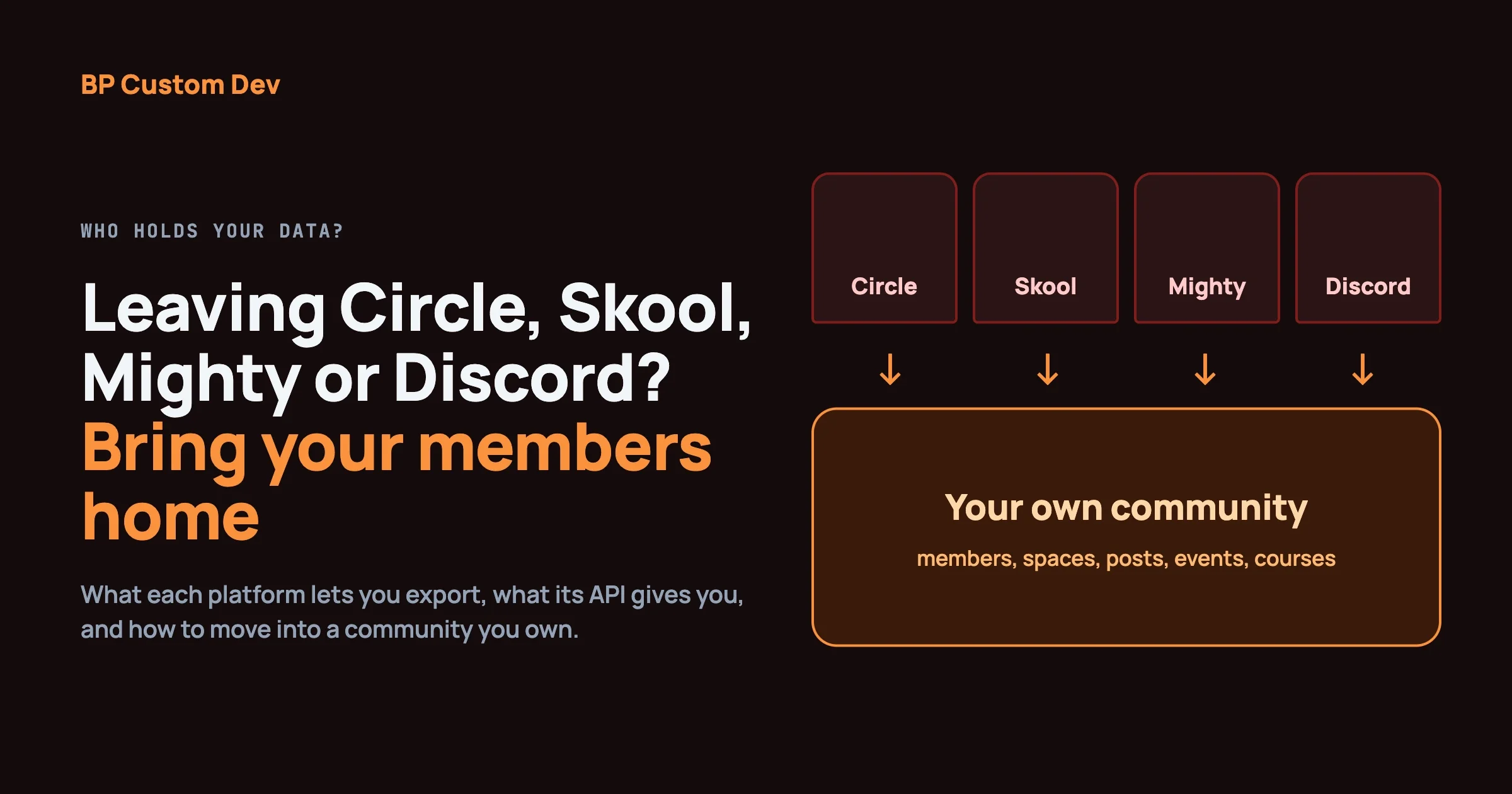
The migration from a hosted platform to self-hosted BuddyPress is not seamless, which is why starting there if you know you want ownership makes sense. But starting on Circle or Discord and migrating at the 200-300 member mark is also a reasonable path if you need to validate the concept before investing in setup.
If you’re choosing a community stack fresh, BuddyNext is a free, standalone community platform worth a look, an activity feed, member profiles, Spaces (groups), and deep moderation in one plugin, built as its own modern architecture rather than on top of BuddyPress (so it isn’t a BuddyPress add-on and existing BuddyPress plugins won’t run on it). Because it runs on your own site you keep full ownership of member data, and its Pro tier adds native Stripe memberships when you’re ready to monetize.
Measuring What Matters in a Small Community
Vanity metrics will mislead you. Total members is not the right number to track. An 800-member community where 10 people post monthly is less valuable than a 150-member community where 60 people post regularly.
Track three numbers:
Monthly Active Members (MAM): How many unique members posted, commented, or reacted in the last 30 days? This is your real community size. A healthy small community has a MAM rate of 20-40% of total members.
New Member Posts Within 7 Days: What percentage of new members post or comment within their first week? If this number is below 30%, your onboarding needs work. The members who never post in week one almost never post at all.
Referral Source for New Customers: Ask new customers how they heard about you. Track how many cite the community, either directly or because a community member referred them. This connects community activity to revenue.
Review these three numbers monthly. They tell you whether your community is growing, whether it is staying engaged, and whether it is generating business results.
Common Mistakes That Kill Small Business Communities Early
Most small-business communities that fail do not fail from lack of effort. They fail from specific, avoidable mistakes that compound over the first 90 days.
Mistake 1: Launching publicly without a seed group. You cannot invite the internet to an empty room and expect conversation to start. The seed group of 15-20 engaged founding members is not a nice-to-have. It is the mechanism that makes the public launch work. Without it, the first 50 people who arrive see no activity and leave.
Mistake 2: Making it all about your product. If every post you make is a promotion, announcement, or feature update, you have built a newsletter with extra steps. The community has to be genuinely useful to members independent of their relationship with your product. Talk about the problem your product solves, not just the product itself.
Mistake 3: Posting and ghosting. Small-business owners launch the community with energy, post for three weeks, then get busy. Engagement drops, the community goes quiet, and members drift away. You do not need to post every day. You need to post on a predictable schedule that members can count on. Once a week is enough if you do it every single week. If your community has already gone quiet, the fix patterns described in why online communities feel inactive apply directly to the small-business scenario too.
Mistake 4: Waiting until you have 100 members to feel like it is working. The communities that survive long-term almost all went through a “quiet period” where the founder was having real conversations with 15 people. That period feels like failure. It is not. It is when the community culture gets established. The norms you create with your first 20 members shape everything that follows.
Mistake 5: Picking a platform based on features instead of your audience’s habits. The best platform is the one your customers will actually use. If your customers are not on Discord, an impressive Discord server with bots, roles, and custom channels is wasted effort. Meet people where they are, even if that means a slightly less impressive setup.
Your Next Step
If you have been thinking about starting a community for your customers and have not launched, the platform question is not what is stopping you. What is stopping you is the fear that no one will show up.
The solution to that is not finding the perfect platform. It is sending a personal invitation to 20 people you already know this week. That first small group of engaged founding members is worth more than any feature list comparison.
Pick the simplest platform that fits your audience (Circle if you want polished and hosted, BuddyPress if you want ownership and already run WordPress), invite your 20 best customers, post five conversation starters, and see what happens. You can always change the platform later. You cannot get back the months you spent researching instead of launching.