Free Discord Alternatives: 10 Community Chat Tools That Cost $0 in 2026

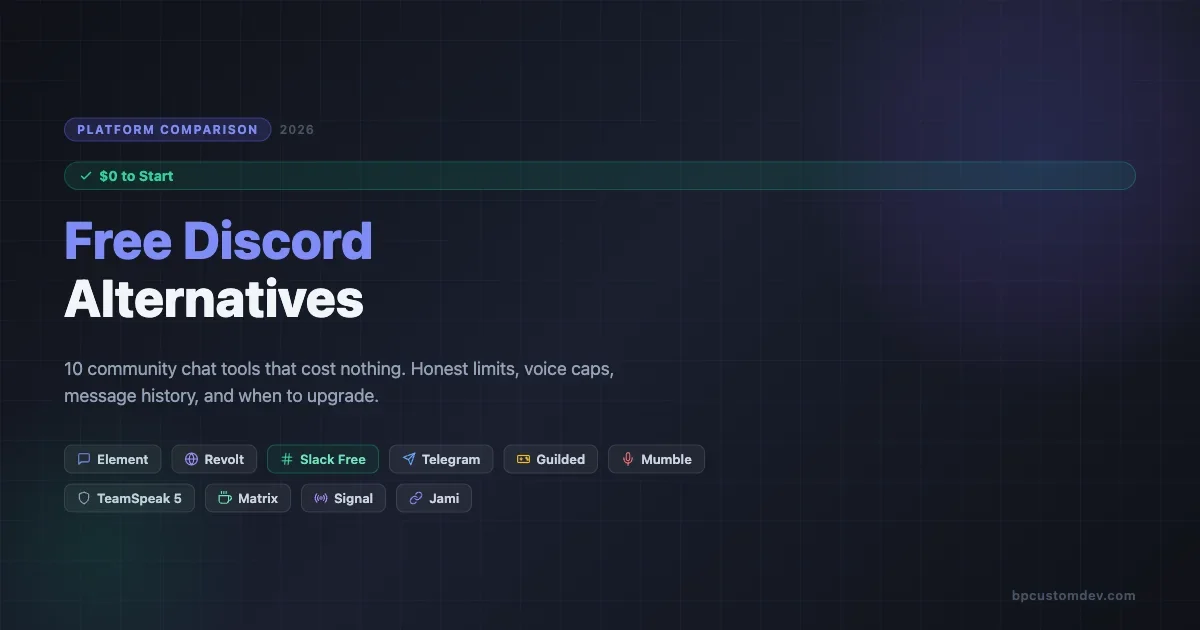
Discord is free, but it is not the only option. If you have been running your community on Discord and starting to feel the pinch of missing features, or you are just getting started and want to compare what is out there before committing, this guide is for you. These 10 tools each offer a genuinely usable free tier in 2026, and we are going to tell you exactly what that free tier gets you and where the walls are.
The honest framing: “free” means different things on every platform. Slack free means 90 days of message history. Mumble free means self-hosting on your own server. Element free means access to the Matrix network with no vendor lock-in. The limits matter, and most comparison posts gloss over them. We will not.
If you are deciding whether to pay or stay free, the final section gives you a straightforward framework for that decision.
Why Look Beyond Discord in 2026?
Discord is dominant in gaming and developer circles, but three friction points keep coming up in community manager conversations:
- No message threading in the main view. Forum channels exist but feel bolted on. Threaded conversation inside a topic is still awkward.
- Limited moderation tooling without bots. Basic communities get by, but anything at scale needs Carl-bot, MEE6, or similar, adding complexity.
- No native monetization or membership tiers. Server Subscriptions exist but adoption is low and the tooling is thin.
There is also a fourth reason that is less obvious: platform concentration risk. A significant number of communities were disrupted when Discord updated its community guidelines or changed how servers could operate around certain topics. Having a second platform or knowing your alternatives lowers your exposure to unilateral policy changes from a company you do not control.
None of these are fatal. But if one of them is a real blocker for your use case, the tools below are worth a serious look. We cover Discord community setup and its full stack separately if you want to make the most of Discord before switching.
The 10 Free Discord Alternatives (Ranked by Use Case)
We reviewed each platform against five criteria: free message history limits, user/member caps, voice and screen share availability, moderation controls, and whether you can stay on the free tier at 500+ members without a major wall.
1. Element (Matrix Client)
Element is the flagship client for the Matrix open protocol. Your community lives on a Matrix homeserver, which can be Matrix.org’s public server (free) or your own self-hosted instance.
What the free tier gives you
- Unlimited message history on self-hosted servers; on Matrix.org there are storage quotas but no day limits.
- No user cap on rooms. Large open-source communities run 10,000+ users in Element rooms.
- End-to-end encrypted DMs by default. Room encryption is optional but available.
- Voice and video calls via Element Call (WebRTC), free for up to around 8 participants in beta.
- Screen sharing in calls.
- Bridging to Slack, Discord, Telegram, IRC via Matrix bridge tools.
Where the free tier runs out
Element on Matrix.org puts a soft storage limit per account (around 1 GB). Heavy media rooms hit this. Screen sharing in larger calls is still beta. The UI is noticeably more complex than Discord for non-technical members.
Best for
Open-source projects, privacy-focused communities, and any team that wants full data ownership without paying a SaaS premium.
2. Revolt
Revolt is the closest Discord clone on this list, intentionally so. It is open-source, free, and self-hostable, with a UI that Discord users will recognize immediately.
What the free tier gives you
- Unlimited message history on Revolt.chat (hosted by the project team).
- No server or member caps.
- Text channels, voice channels, and roles exactly as you would expect.
- File uploads up to 20 MB per file on the hosted version.
- No platform cuts on community payments (Revolt does not have a built-in monetization layer, which is a pro for some).
Where the free tier runs out
Voice quality and screen sharing are functional but not polished. Bot ecosystem is far smaller than Discord. Mobile apps are available but the iOS app in particular has had stability issues. No stage channels or announcement channels yet.
Best for
Communities that want Discord’s layout without Discord’s terms of service concerns, and are comfortable being on a platform that is still growing its ecosystem.
3. Slack Free Tier
Slack is the best-known tool here. The free plan is genuinely useful for small, active teams, but the limits are real.
What the free tier gives you
- 90 days of message history (rolled back from 10,000 messages to a time-based limit in 2022).
- 10 app integrations maximum.
- 1:1 audio and video calls. Group calls require Pro.
- Unlimited public and private channels.
- File uploads up to 5 GB total storage across the workspace.
Where the free tier runs out
The 90-day history cutoff is the biggest wall. For a community that needs to reference past discussions, decisions, or onboarding threads, losing history is painful. No group calls means no free community voice hangouts. No Slack Connect on free tier either, so cross-workspace collaboration is blocked.
Best for
Small teams (under 15 people) using Slack as an internal coordination layer, where recent messages are all that matter and integrations are minimal. For an open community, Slack free gets limiting fast.
4. Telegram Groups
Telegram is not usually framed as a “community tool,” but its group and channel features make it one of the most capable free platforms for large audiences.
What the free tier gives you
- Groups up to 200,000 members. Channels (broadcast) with no member limit.
- Full message history, no cap.
- File sharing up to 2 GB per file.
- Polls, quizzes, bots, and inline buttons.
- Voice chats (group voice, no call limit). Screen sharing in voice chats.
- Topics inside supergroups (forum mode), which is closer to Discord channels than most people realize.
Where the free tier runs out
The UI is designed for messaging, not structured community. Moderation tooling is bot-dependent (Combot, Rose, Wick). There is no native discovery, so growth comes from link sharing, not search. Premium is $4.99/month per user and adds file size boosts and sticker packs, but is not required for community features.
Best for
Large audience communities (news channels, fan groups, large hobby communities) where broadcast matters and you need scale without paying. Also a strong fit for regions where Telegram has high organic adoption.
5. Guilded
Guilded is owned by Roblox and was built initially for gaming communities. It has been steadily expanding toward general community use.
What the free tier gives you
- Unlimited message history.
- No member caps.
- Voice and video channels, screen sharing included.
- Scheduling tools (events, calendar) built in natively, which Discord does not have.
- Forum channels and announcement channels.
- Custom bot support and a decent API.
Where the free tier runs out
File upload size is limited (50 MB). The Guilded Gold subscription adds cosmetic features but most core functionality is free. The platform is still smaller than Discord in terms of third-party bot libraries and community support resources. Growth discovery features are limited.
Best for
Gaming communities or organized groups that want scheduling and event management baked in, without paying for a separate tool. Also a solid Discord migration target for communities that want unlimited history.
6. Mumble
Mumble is a pure voice tool. It is open-source, self-hosted, and has been the low-latency voice standard for gaming and operations teams for 15+ years.
What the free tier gives you
- Free to download and run on your own server (VPS from $5/month is enough for 50 concurrent users).
- Ultra-low latency voice (under 20ms is normal). Better than Discord for latency-sensitive use cases.
- Text channels alongside voice.
- User authentication and server-level permission systems.
- No user limit other than your server’s bandwidth.
Where the free tier runs out
You are running infrastructure. There is no managed hosted free tier. Screen sharing is available in some builds but is not the main use case. The client UI is utilitarian, not polished. Not appropriate for communities where non-technical members need to self-onboard easily.
Best for
Operations teams, tabletop RPG groups, flight sim communities, and any use case where voice latency matters more than UX polish.
7. TeamSpeak 5
TeamSpeak 5 is the modern successor to TeamSpeak 3, with a redesigned interface and a free hosted option alongside the traditional self-host model.
What the free tier gives you
- Free server hosting on TeamSpeak’s infrastructure, capped at 32 concurrent users.
- Voice, video, and screen sharing.
- Text messaging in channels.
- Custom server branding.
- The self-hosted license is also free for servers under 512 slots (up from 32 on the old TS3 free tier).
Where the free tier runs out
The 32-concurrent-user cap on hosted is tight for active communities. Text chat is not the primary use case and the threading model is basic. The mobile experience improved in TS5 but is still behind Discord and Slack. Third-party integrations are limited.
Best for
Esports teams and game clans that have existing TeamSpeak infrastructure or community members already on TS. Also a serious option for any community where encrypted voice and a published security model matter.
8. Matrix.org (Protocol and Network)
Matrix is not just Element. It is a protocol that dozens of clients implement, including Element, Cinny, Nheko, FluffyChat, and SchildiChat. The Matrix.org homeserver is a free public entry point.
What the free tier gives you
- Access to the full Matrix federation. Any Matrix user on any homeserver can join your room.
- No message history cap (on your own homeserver).
- Spaces (analogous to Discord servers) with nested rooms.
- Bridges to Discord, Slack, Telegram, IRC, and WhatsApp.
- Encryption at the room and DM level.
- Completely open API, so custom clients and bots are straightforward.
Where the free tier runs out
Matrix.org’s public server has storage quotas and is occasionally rate-limited during heavy use. Running your own homeserver requires ops expertise. Key verification for encrypted rooms is confusing for non-technical users. The onboarding experience for new members is still the weakest point compared to hosted alternatives.
Best for
Communities that need true data sovereignty, cross-platform federation, or compliance requirements that prevent using a commercial SaaS chat tool.
9. Jami
Jami is a peer-to-peer communication tool from the GNU Project. It requires no central server at all.
What the free tier gives you
- Completely free, forever, with no server required.
- Text, voice, video, and screen sharing.
- Group conversations (swarms) that are distributed across members’ devices.
- End-to-end encryption on all communication.
- Available on Linux, Windows, macOS, iOS, and Android.
Where the free tier runs out
P2P means all participants need to be online for messages to deliver reliably. There is no persistent chat history on a central server. The UI is functional but basic. File transfer for large files is slow given P2P architecture. Not practical for large public communities.
Best for
Small private groups, activist communities, or any use case where no central server is a requirement and the group is tight-knit (under 20 people who are regularly online).
10. Signal
Signal is primarily an encrypted messenger, but its group features make it relevant for small, high-trust communities.
What the free tier gives you
- Groups up to 1,000 members.
- Full message history stored locally on devices.
- Voice and video group calls up to 50 participants.
- Screen sharing in calls.
- Note to Self (personal workspace).
- Stories for community broadcasting.
- The protocol is open-source and audited. No ads, no data collection.
Where the free tier runs out
There is no web client, so mobile or desktop app install is required. No channels beyond 1,000 members. No structured forum-style threads. Moderation tools are minimal. Discovery is zero (phone number or link required to join). Signal is a messaging tool, not a community platform, and the feature set reflects that.
Best for
Small, high-trust communities (mastermind groups, paid membership circles, executive communities) where privacy is the primary requirement and members all know each other.
What “Free” Actually Costs You (The Hidden Overhead)
Every platform on this list is free at the payment level, but free does not mean zero cost. There are three non-financial costs worth factoring in before you commit:
Onboarding friction
Discord has 500 million registered accounts. When you move your community to Revolt or Element, you are asking members to create a new account, download a new app, and learn a new interface. For technical communities, this is a minor ask. For general audiences, communities have lost 30-40% of members in poorly managed migrations. If your existing community is large, prioritize tools with the lowest onboarding friction for your specific audience type, not the best feature set on paper.
Moderation overhead
Most free-tier tools push moderation to bots. Discord has Carl-bot, MEE6, and Wick. Telegram has Combot and Rose. Matrix has the Mjolnir bot. These are all functional but they add setup complexity. Platforms with native moderation tooling built into the free tier are genuinely rare. Guilded’s native moderation panel is one of the best on the free tier; Revolt’s is minimal. Factor in how many hours per week your mod team spends on tooling versus actual moderation decisions.
Infrastructure responsibility
Self-hosted options (Mumble, Element on your own server, Matrix via Conduit or Dendrite) give you maximum control and no per-user cost ceiling. But you own the uptime. A VPS going down at 2am during a live event is a real scenario. If you do not have someone on the team who is comfortable with Linux server management and monitoring, the self-hosted route adds more friction than the cost savings justify. Use managed hosting until you hit the tier where the cost difference is material enough to warrant the ops overhead.
Quick Comparison: Free Tier Limits at a Glance
Tool | Message History | User/Member Cap | Voice + Screen Share |
|---|---|---|---|
Element | Unlimited (self-host) / quota (Matrix.org) | None | Yes (beta for large calls) |
Revolt | Unlimited | None | Yes |
Slack Free | 90 days | None | 1:1 only |
Telegram | Unlimited | 200,000 (groups) | Yes |
Guilded | Unlimited | None | Yes |
Mumble | Text only (self-host) | Server hardware limit | Voice yes, screen share limited |
TeamSpeak 5 | Basic text | 32 concurrent (hosted) | Yes |
Matrix.org | Unlimited (self-host) | None | Yes (Element Call) |
Jami | Local device only | None (P2P) | Yes |
Signal | Local device only | 1,000 | Yes (50 in group call) |
When Should You Actually Pay?
The honest answer: you should pay when the free tier’s limits are creating real friction for your members or your operations, not before that.
Three signals that the free tier is genuinely too limiting:
- Members are regularly asking about lost history. If your community references past discussions for onboarding, decisions, or documentation, Slack’s 90-day limit is a real cost. That is the moment to pay for Pro or switch to a tool with unlimited history.
- Voice is core and concurrent users matter. TeamSpeak’s 32-concurrent cap is tight for active gaming communities. If you consistently hit it, the $50/month for a larger license is clearly worth it.
- Moderation is a daily burden. Free-tier platforms push you toward bots for moderation. If you are spending significant time managing bots or workarounds, a platform with native moderation tooling (paid Discord, paid Circle, Discourse with Akismet) may be cheaper in time than it appears.
If none of those apply, the free tiers here are genuinely sufficient for building a real community. Many communities with thousands of engaged members run on Telegram or Element without paying a cent.
Pick by Use Case: A Decision Framework
To shortcut the decision:
- You want Discord’s feel without Discord: Revolt or Guilded.
- You need full data ownership: Element on a self-hosted Matrix server.
- You need massive scale with zero cost: Telegram (channels up to unlimited, groups up to 200k).
- You care primarily about voice quality: Mumble or TeamSpeak 5.
- You need high-trust, private group communication: Signal or Jami.
- Your team is already on Slack and you want to extend to a community: Slack free is fine under 15 people; for larger communities, evaluate unlimited-history options.
If you’d rather own your platform than rent a SaaS, BuddyNext is a free, standalone community platform worth a look, an activity feed, member profiles, Spaces (groups), and deep moderation in one plugin, built as its own modern architecture rather than on top of BuddyPress (so it isn’t a BuddyPress add-on and existing BuddyPress plugins won’t run on it). Because it runs on your own site you keep full ownership of member data, and its Pro tier adds native Stripe memberships when you’re ready to monetize.
The SaaS community strategy question, specifically whether to use an open forum, Discord, or a gated platform, is a related decision worth reading through if you are at the architecture stage. See our breakdown of SaaS community strategy in 2026: Discord, open forum, or gated for a structured comparison on that choice.
How to Run a Low-Risk Test Migration
If you are running an active community on Discord and want to test an alternative without disrupting your main space, here is the approach that works consistently:
- Pick one sub-community to migrate first. Most Discord servers have a subset of highly engaged members who will tolerate friction. A role-gated channel, a paid tier, or a specific interest group are good candidates. Move that group to the new platform for 30 days.
- Run both in parallel during the test. Keep the Discord channel active. Your goal is to get comparative engagement data, not to force the migration. Members who prefer the new platform will self-select. Members who prefer Discord tell you something too.
- Measure three things after 30 days: Messages per active member per week (engagement depth), the number of members who posted at least once (breadth), and the number of voice sessions (if applicable). Compare these against the same period on Discord.
- Make the migration decision on data. If the new platform matches or exceeds Discord on two of three metrics, the migration is worth completing. If it underperforms, you have learned something without paying for it in member attrition.
This approach also gives you a real data point on onboarding friction. If only 40% of the invited cohort successfully joined the new platform, that friction rate will apply to your full community migration as well.
The Bottom Line
Discord is not the default it sometimes feels like. These 10 tools each earn a place on this list because their free tiers are real, not just a lead-gen funnel to a $300/month enterprise plan.
Element, Revolt, Guilded, and Telegram are the strongest all-around free options for community managers who need persistent history and scale. Mumble and TeamSpeak 5 win on voice quality. Jami and Signal win on privacy. Slack free wins in small internal team contexts where 90-day history is acceptable.
The right platform is the one your members will actually use. Feature parity means nothing if 60% of your community drops off during migration. Test first, migrate second, and keep the free tier working for you as long as it can.