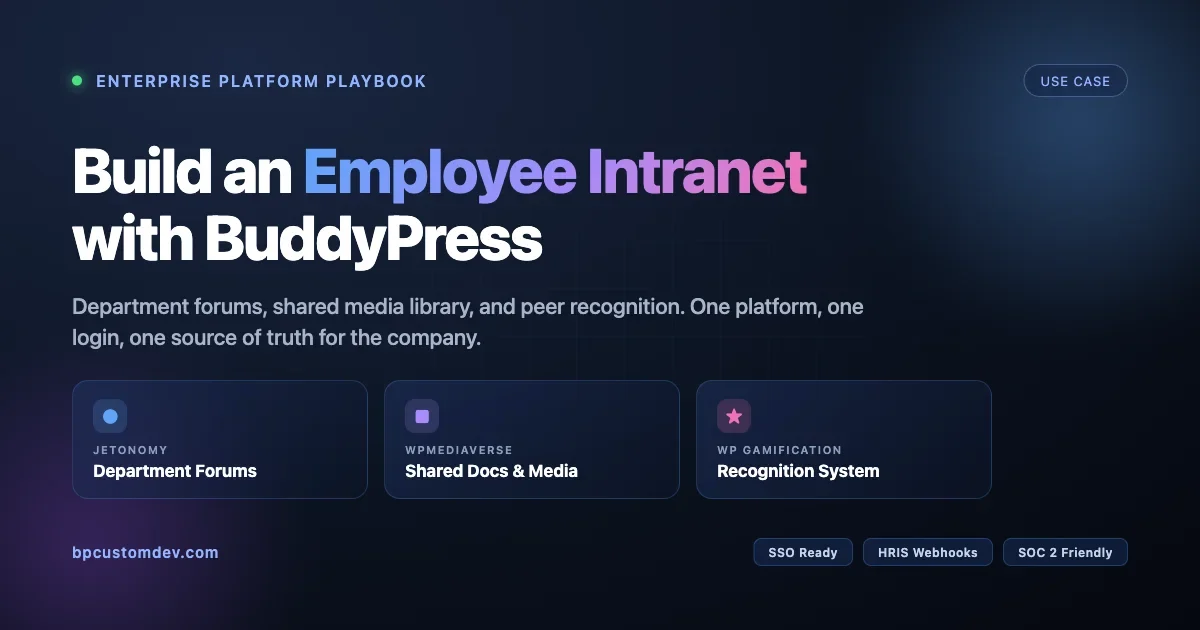
How to Build an Employee Intranet with BuddyPress: Forums, Media Library and Recognition System
Build a production-grade corporate intranet on BuddyPress. Department forums with Jetonomy, shared media library with WPMediaVerse, and peer recognition with WP Gamification. Real admin config, HR approval flows, SSO and HRIS integration for 300-person rollouts.

Corporate intranets used to mean SharePoint, an aging wiki, and a Slack channel where announcements go to die. HR posts a policy update; half the company never reads it. Engineering shares a spec; Marketing cannot find it two weeks later. Managers want to recognize a team member for solid work, and the best tool they have is a thumbs-up emoji.
A BuddyPress-powered employee intranet replaces that stack with one platform. Department forums for threaded discussion, a shared media library for documents and training videos, and an employee recognition system with badges, points, and leaderboards. All of it sits on WordPress, runs on your own server, respects your identity provider, and costs a fraction of SharePoint plus Workvivo plus Bonusly.
This guide walks through the full architecture of a production employee intranet BuddyPress build we have shipped for companies between 80 and 2,400 employees. You will see the real plugin stack, the admin configuration for each role, the HR approval flows, and the hooks we use to tie recognition to HRIS events like onboarding, promotions, and work anniversaries.
Why BuddyPress Is the Right Foundation for an Employee Intranet
Intranets have three hard requirements that most community plugins struggle with: identity, permissions, and retention. Employees must log in with their corporate identity, not a random WordPress account. Content access must follow the org chart, so an Engineering memo does not appear in the HR feed unless you want it to. And every thread, file, and kudos has to stick around for audits, legal discovery, and the next person who joins the team.
BuddyPress handles all three when you pair it with the right extensions. Groups map cleanly to departments, teams, and projects. Group visibility (public, private, hidden) gives you access control without another plugin. Member profiles carry job title, manager, location, and cost center as xProfile fields. Activity streams become a searchable record of what happened and when. And because everything is WordPress, SSO, backup, and compliance tooling already exist.
The three plugins we layer on top are Jetonomy for department forums, WPMediaVerse for the shared media library, and WP Gamification for the recognition system. Each one slots into BuddyPress groups, reads the same member profile data, and exposes hooks we can wire into your HRIS.
The result feels like one product, not three plugins duct-taped together, which is exactly what an employee intranet on BuddyPress should feel like to end users.
The Intranet Architecture at a Glance
Before touching a single setting, sketch the information architecture. For a company of 300 people, ours usually looks like this:
- Company-wide group (public, auto-join) for CEO updates, all-hands recaps, and policy announcements.
- Department groups (private, auto-join by department field) for Engineering, Product, Marketing, Sales, HR, Finance, Customer Success, Operations.
- Project groups (private, invite-only) for cross-functional initiatives like a product launch or office relocation.
- Interest groups (public, opt-in) for book club, parents at work, runners, local offices, and anything else employees want to start.
- Leadership group (hidden, manually managed) for directors and above, used for sensitive planning.
Auto-join is not a stock BuddyPress feature. We use a small mu-plugin that hooks into user_register and profile_update to read the xProfile “Department” field and sync the user into the matching group. That code is about 40 lines and is usually the first custom snippet we ship for a new intranet build. If you are new to this pattern, our walkthrough on extending Jetonomy, MediaVerse and Gamification with custom code shows the exact hook signatures and tested snippets.
Every department group gets three tabs beyond the BuddyPress defaults: a Jetonomy forum space, a MediaVerse media library, and a Gamification leaderboard scoped to that group. HR and Ops also get a fourth tab for policy documents with version history and read-receipts.
Jetonomy for Department Forums: Threaded Discussions With Structure
The first mistake intranet projects make is assuming that BuddyPress activity streams are enough for day-to-day work conversation. They are not. Activity is chronological, flat, and terrible for anything that needs a title, a resolution, or a reference link two months later. You need forums, and you need them scoped to groups.
Jetonomy gives you spaces (forums) that attach to BuddyPress groups, with categories, voting, accepted answers, and trust levels. For an employee intranet, we configure it with HR-friendly defaults, not community defaults.
Space Structure Inside a Department Group
Under Jetonomy > Spaces we create one space per department group with these categories:
- Announcements (post-only for group admins, read-only for members)
- Questions (anyone posts, anyone answers, accepted-answer enabled)
- Decisions (post-only for leads, comment-only for others, used for ADRs and change records)
- Water Cooler (no restrictions, off-topic allowed, archived quarterly)
The Announcements and Decisions categories use Jetonomy’s role-based posting permissions. Under Jetonomy > Categories > Edit > Permissions, set “Create posts” to the group_admin role for that BuddyPress group. Members can still read and comment, but the feed stays clean.
Trust Levels Replace Manual Moderation
On a public community you might worry about spam. On an intranet you worry about the opposite: junior employees staying silent because they think their question is not worth the senior team’s time. Jetonomy’s trust levels solve both.
We configure five trust levels that roughly map to tenure and activity:
- TL0 New Hire (first 30 days): can post questions, cannot post in Decisions, answers go through a 24-hour auto-approval queue with a peer review prompt.
- TL1 Employee (30+ days, 10+ posts): full posting rights in Water Cooler and Questions, can answer anywhere.
- TL2 Contributor (90+ days, 50+ posts, 10+ helpful votes): can edit category descriptions, propose new categories.
- TL3 Lead (manually assigned): can pin posts, mark accepted answers on behalf of the asker.
- TL4 Staff (HR and IT): cross-group moderation, can merge duplicate threads.
We have a longer explanation of how these thresholds work in our guide to self-moderating forums with Jetonomy trust levels, including the exact SQL for promoting users in bulk during a migration.
HR Approval Flow for Sensitive Topics
Some posts should never go live without HR eyes on them. Complaints, compensation questions, harassment reports, anything involving a protected class. Jetonomy has a “requires approval” flag on categories, but out of the box it routes to any user with the manage_options capability. That is wrong for an intranet because your IT admin should not be reading HR complaints.
We add a custom capability called jetonomy_hr_moderate, assign it only to the HR group members, and filter the moderation queue to that cap. The hook is jetonomy_moderation_capability, and it accepts a category ID so you can route different categories to different reviewers. A Compensation category routes to the CFO and Head of HR. A Benefits category routes to HR Ops. A general Feedback category goes to the employee’s skip-level manager plus HR.
The approval UI sits at BuddyPress > HR Moderation in wp-admin, uses the standard WP list table, and sends an email via the wp_mail pipeline so your transactional provider (Postmark, SES, SendGrid) picks it up. Approvers see the post, the author, the category, and two buttons: Approve and Publish, or Return to Author With Note. Nothing more.
WPMediaVerse for the Shared Document and Media Library
Every intranet project eventually hits the same wall: where do we put the employee handbook, the brand guidelines PDF, the Q3 all-hands recording, and the 400 photos from the company retreat? WordPress Media Library is built for blog posts, not document management. Folders are a third-party plugin. Permissions are binary. Versioning does not exist.
WPMediaVerse adds the missing layer: folders scoped to groups, per-file permissions, version history, and a rich media viewer that handles PDF, video, audio, and images without sending users to an external service. For a 300-person employee intranet we typically set it up like this.
Folder Tree That Matches the Org
Under WPMediaVerse > Folders we create a top-level folder per department group, and inside each one the standard subfolders every team needs:
- Policies (read-access: group members, write-access: group admins and HR)
- Playbooks and Runbooks (read-access: group members, write-access: group admins and leads)
- Training (read-access: everyone in the company, write-access: L&D team)
- Meetings (read-access: group members, write-access: meeting organizers)
- Archive (read-access: group admins only, auto-moves files older than 18 months)
The folder permissions panel reads from the BuddyPress group membership table, so a person who moves from Marketing to Product automatically loses access to Marketing’s private folders the moment HR updates their xProfile field and the sync mu-plugin moves them between groups. No manual access revocation, no orphan permissions.
Version History and Read Receipts for Policy Documents
HR cares about two things when a new policy drops: who has read it, and what version they read. WPMediaVerse Pro ships with version history by default: every time you replace a file, the previous version moves to a revisions tab with a timestamp, uploader, and a diff note. We extend it with a small read-receipt module that logs a row in a custom table every time a user opens a file tagged “policy_document”.
The table has four columns: user_id, media_id, version_id, read_at. An HR admin pulls a CSV from Tools > Read Receipts and sees exactly who has opened the new Code of Conduct and when. For compliance audits (SOC 2, ISO 27001) this is worth its weight in gold. Our full integration walkthrough for media libraries lives at adding a complete media sharing system to BuddyPress with WPMediaVerse.
Storage, CDN, and the Large-Video Problem
A 45-minute all-hands recording at 1080p is about 2 GB. Hosting that on your origin server is a bad idea; streaming it to 300 employees at the same time is a worse one. WPMediaVerse supports offload to S3, Cloudflare R2, and Bunny Storage out of the box. We usually pick Bunny for intranets because the bandwidth cost is predictable and the CDN POPs are close enough to remote offices without configuration.
The offload setting lives at WPMediaVerse > Settings > Storage. Pick the adapter, paste the API key, and decide whether to rewrite URLs (we always do) and whether to keep a local copy (we always do not, except for the last 30 days of uploads, as a safety net). Existing files migrate through a one-click batch job that runs via WP-CLI; on a 50 GB library it takes about 40 minutes.
WP Gamification for Employee Recognition: Badges, Points, and Moments That Matter
Recognition is where most intranets fall apart. Managers mean well but forget. Peers see good work but do not have a channel to flag it. HR launches a “values awards” program that runs for two quarters then dies. The fix is to make recognition a native part of the employee intranet, not a side program, and to mix automatic triggers with human kudos so the system never feels empty.
WP Gamification ships with four primitives: points, badges, ranks, and leaderboards. For an intranet we use all four, and we wire them to three sources: BuddyPress activity, Jetonomy forum participation, and HRIS events pushed in from BambooHR, HiBob, or Rippling via webhook.
Point Rules That Reward the Right Behavior
Under WP Gamification > Rules we configure point awards for concrete actions. The numbers matter less than the ratios, and the ratios we have settled on after several rollouts look like this:
- Ask a question in your department forum: 5 points
- Answer a question: 10 points
- Have your answer accepted: 25 points
- Receive an upvote: 2 points
- Upload a useful document (approved by folder admin): 15 points
- Complete onboarding checklist (HRIS webhook): 100 points
- Work anniversary: 50 points per year
- Receive peer kudos: 20 points to the recipient, 5 to the giver
Notice that posting a question is worth less than answering one, and answering is worth much less than being accepted. We also give the person who sends kudos a small bonus, so recognition flows in both directions. Early rollouts where we forgot to reward the giver saw peer kudos volume drop by 60 percent after month two.
Badges Tied to Company Values
Points alone feel transactional. Badges are where the program gets emotional. We work with HR to translate each company value into a badge, and we write the unlock condition as a specific behavior, not a vibe. A few examples from real rollouts:
- Customer First badge: answer 10 customer-tagged questions in the Support forum.
- Teaching Wins badge: have 5 answers accepted across any forum.
- Documentation Hero badge: upload 20 files to the Playbooks folder that pass peer review.
- Onboarding Buddy badge: be thanked by 3 new hires in their first 30 days.
- Cross-Functional badge: make meaningful contributions (10+ posts) in 3 or more department groups in a quarter.
Each badge shows on the employee’s BuddyPress profile, in their email signature block (via a small xProfile hook), and on a company-wide Wall of Fame page. Our full guide to adding points, badges and leaderboards to BuddyPress with WP Gamification covers the admin screens and the exact rule syntax.
Peer Kudos: The Daily Driver of the Program
Automatic points keep the system alive, but peer kudos are what make employees feel seen. We add a Kudos button to every activity post and every forum reply. Clicking it opens a small modal with three fields: a free-text note, a value tag (pulled from the badge list), and an optional group to post it in (usually the company-wide group, sometimes the recipient’s department).
Posting a kudos does three things at once. It adds a public activity item tagged with the value. It awards points to both giver and receiver. And it increments a hidden counter on the relevant badge, so a steady stream of “Customer First” kudos eventually unlocks the badge without HR tracking anything manually.
The modal is a 120-line React component that talks to the WP Gamification REST endpoint /wp-json/wpg/v1/kudos. We ship it as a mu-plugin so it survives theme swaps. Spam prevention is a daily cap of 5 kudos per giver, enforced server-side; managers are exempt.
HRIS Events That Trigger Recognition Automatically
The best recognition moments are the ones everyone knows about but no one has to remember. Work anniversaries, promotions, new hires joining the team, the completion of a big cross-functional project. We wire these up by webhook from the HRIS.
BambooHR, HiBob, and Rippling all have webhook support for employment changes. We register a custom REST endpoint at /wp-json/intranet/v1/hris-event, verify the signature, and route the payload through a switch statement. An anniversary event awards 50 points per year, fires a templated activity post in the company group, and posts a kudos card. A promotion event updates the person’s xProfile title, posts an announcement, and awards a one-time 200-point bonus. A new_hire event creates the account, auto-joins the company group and department group, and posts a welcome card that tags the hiring manager.
The whole webhook handler is roughly 250 lines of PHP, tested, sitting in a mu-plugin we reuse across clients with minor tweaks. It is the single biggest source of “this intranet feels alive” feedback we hear in the first 90 days of rollout.
Identity, Access, and the Org Chart
An intranet without single sign-on is dead on arrival. No employee will create a separate password for the company wiki. We integrate with the identity provider the company already uses: Microsoft Entra ID (formerly Azure AD), Okta, Google Workspace, or JumpCloud.
The SSO plugin we recommend is miniOrange SAML or WP SAML Auth, both of which handle just-in-time user provisioning. On first login the user account is created, the xProfile fields (department, title, manager, location) are populated from SAML attributes, and the auto-join mu-plugin drops the user into the right department group. From the user’s perspective they click a tile in Entra and land on the intranet logged in. Zero forms.
Offboarding is the flip side. When HR disables the account in the identity provider, a SCIM push (or a nightly webhook, depending on IDP) disables the WordPress user, reassigns their authored content to a company service account, and optionally archives their media uploads. For SOC 2 Type II auditors this is the critical control; without it, you lose the audit.
Real Admin Configuration: A Walkthrough for a 300-Person Rollout
Here is the actual day-one configuration we run on a new tenant. This is not theory. If you follow the steps in order you will end the day with a working employee intranet on BuddyPress.
1. Base WordPress and BuddyPress
Install WordPress on PHP 8.2 with MySQL 8. Activate BuddyPress and enable Members, Groups, Activity, and Private Messaging. Disable Extended Profiles only if you are replacing them with an xProfile extension plugin; otherwise keep them on. Under BuddyPress > Settings > Options, enable group creation only for administrators; employees do not create groups, HR does.
2. xProfile Fields That Mirror the HRIS
Under Users > Profile Fields create a field group called “Employment” with these fields: Department (dropdown, synced from HRIS), Job Title (text, synced), Manager (user picker, synced), Location (dropdown), Start Date (date, synced, read-only to user), Employee ID (text, admin-only), Pronouns (text, editable), and Slack Handle (text, editable). The synced ones are updated by the HRIS webhook; the editable ones are filled by the employee.
3. Groups and the Auto-Join mu-plugin
Create the company-wide group, one group per department, and the leadership group. Set visibility, invitation rules, and group admins for each. Drop the auto-join mu-plugin into wp-content/mu-plugins/intranet-autojoin.php. It listens for xprofile_updated_profile and user_register events, reads the Department field, and calls groups_join_group() with the matching group ID.
4. Jetonomy Spaces and Categories
Install Jetonomy Pro. Under Jetonomy > Spaces, create one space per group with the four-category template (Announcements, Questions, Decisions, Water Cooler). Configure trust levels under Jetonomy > Trust. Configure category permissions under Jetonomy > Categories > Permissions.
5. WPMediaVerse Folders and Offload
Install WPMediaVerse Pro. Under WPMediaVerse > Folders, build the per-group folder tree. Under WPMediaVerse > Settings > Storage, connect your Bunny or S3 credentials and enable URL rewriting. Test by uploading a 500 MB test video and confirming the URL points to your CDN.
6. WP Gamification Rules and Badges
Install WP Gamification Pro. Under WP Gamification > Rules, add the point awards listed above. Under WP Gamification > Badges, create badges for each company value with the unlock conditions. Under WP Gamification > Leaderboards, create one global leaderboard and one per department.
7. SSO, SCIM, and the HRIS Webhook
Install miniOrange SAML or WP SAML Auth. Configure the IDP (Entra, Okta, Google) with the metadata URL. Map SAML attributes to xProfile fields. Enable just-in-time provisioning. Register the HRIS webhook endpoint and connect it in the HRIS admin panel. Send a test event and confirm the activity post appears.
8. Theme, Launch Page, and Internal Communications
We use BuddyX Pro as the starter theme because it ships with BuddyPress-native templates and a dashboard layout that suits intranets. Customize the colors to match the brand, set the landing page to a custom block-built page that surfaces the company feed, pinned announcements, and the Wall of Fame. Send the launch email from HR on a Monday morning, not a Friday afternoon.
Rollout Timeline and Change Management
Technology is the easy part. Getting 300 employees to actually use the intranet is the hard part. Here is the rollout plan that has worked for us on the last five projects.
- Week 1-2: Leadership seed. Invite the CEO, the leadership team, and HR. Seed each department group with the first 10 posts. Upload the most-used 30 policy documents. The intranet should never look empty on day one for anyone.
- Week 3: Department lead onboarding. One 45-minute session per department lead. Show them how to post announcements, accept answers, upload to the Playbooks folder, and send kudos. Assign them as group admins.
- Week 4: Company-wide launch. CEO posts a welcome video in the company group. HR sends the email. Every employee gets their first kudos from their manager as part of the launch script.
- Week 5-8: Reinforcement. Weekly digest emails highlighting top posts, new badges earned, and the department leaderboard. Managers run the first month of team retros inside the intranet rather than a doc.
- Quarter 1 end: First review. Pull usage data, survey employees, retire rules that are not being used, add the ones the community is asking for.
The seed phase matters more than anything else. An intranet with 80 existing threads feels like a place. An intranet with 0 threads feels like a building site and no one wants to be the first to post.
Compliance, Backup, and the Boring Parts That Keep Auditors Happy
Intranets hold data that matters. Compensation discussions, policy acknowledgements, disciplinary records if HR uses the private moderation queue. Treat backup, retention, and access logs as first-class requirements, not an afterthought.
Our standard setup includes nightly database dumps pushed to offsite storage, a 90-day point-in-time recovery window on the database, an immutable audit log table that records every admin action (user promotions, group membership changes, media deletions, moderation decisions), and a quarterly access review export that HR and IT sign off on. For SOC 2 we add session recording on the admin side via a plugin like Stream and wire it to a SIEM if one exists.
Data retention policies go in the code, not in a wiki. A scheduled job archives Water Cooler threads older than 12 months, a separate one purges soft-deleted media after 30 days, and a third rotates the kudos table summary into an annual snapshot for long-term storage. Employees can request an export of their activity at any time via a self-service page in their profile, which fulfills GDPR Article 15 without IT having to run anything manually.
What This Replaces and What It Costs
For a company of 300, the stack a BuddyPress employee intranet typically replaces looks something like SharePoint Online (8 to 12 dollars per user per month), Workvivo or Simpplr (10 to 15 dollars per user per month), Bonusly or Motivosity (3 to 5 dollars per user per month), and often a Notion or Confluence seat (8 to 15 dollars per user per month). Add it up and you are between 90,000 and 165,000 dollars a year on SaaS tools that do not talk to each other.
A self-hosted BuddyPress intranet, including managed hosting with a vendor like Pressable or Cloudways, the three plugin licenses, and a realistic annual budget for customization and maintenance, runs around 18,000 to 30,000 dollars per year for the same 300-person company. The savings are real, but the bigger win is that everything lives on one platform, so search works, permissions are consistent, and the next feature you need is a hook away rather than a procurement cycle.
Ready to Build Your Employee Intranet?
An employee intranet on BuddyPress is not a weekend project, but it is a tractable one. Two developers working full-time can stand up a production-ready tenant for a mid-size company in six to eight weeks, including SSO, HRIS integration, and the recognition program. The plugins do most of the heavy lifting; the custom work is the glue code that makes them feel like one product.
If you are evaluating whether this architecture fits your org, start with the three plugins. Stand up a sandbox, import 10 test employees, and run the week-one playbook we described. You will learn more in two days of prototyping than in two months of vendor demos, and you will end up with an intranet that actually belongs to your company rather than a subscription you rent.