Moving from Slack to a Real Community Platform: 5 Options Tested for SaaS Teams
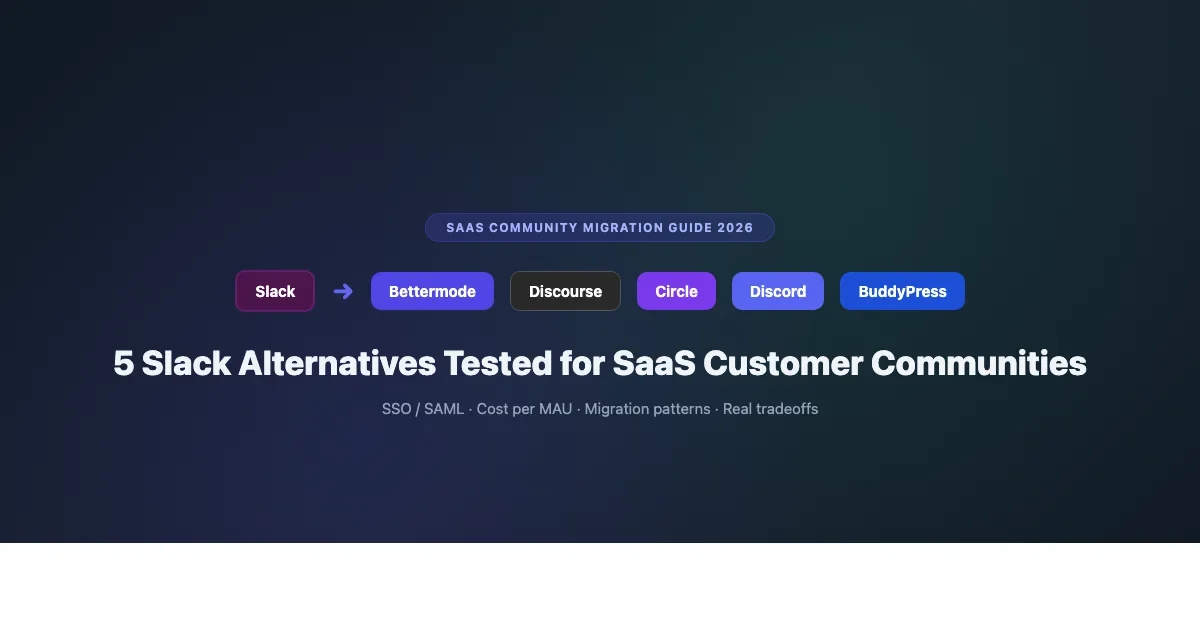
Slack breaks down for SaaS communities past 500 members: search fails, channels sprawl, costs compound. We tested Bettermode, Discourse, Circle, Discord, and self-hosted BuddyPress as alternatives for SaaS customer communities. Here is what actually works.

Slack was not built for customer communities. It was built for internal team communication, and the design decisions that make it excellent for a team of 50 people make it genuinely painful for a customer community of 500 or more. Search becomes unusable past a few months of history unless you pay for a business plan. Channels sprawl creates navigation confusion for members who are not power users. The cost per member on Slack’s paid plans is designed for employed team members with company expense accounts, not for customers you are asking to adopt a new tool.
This guide covers five platforms that SaaS teams are successfully using as Slack alternatives for external customer communities in 2026: Bettermode (formerly Tribe), Discourse, Circle, Discord, and self-hosted BuddyPress. We cover what each platform is actually good at for SaaS community use cases, where each one breaks down, SSO and SAML support for enterprise deployments, cost per MAU at different scales, and migration patterns from Slack to each platform.
Why Slack Breaks for SaaS Customer Communities
Before evaluating alternatives, it is worth being specific about Slack’s failure modes for SaaS communities. Different teams hit these walls at different scales, but most encounter them somewhere between 200 and 1,000 active community members.
- Search fails past 90 days. On Slack’s free plan, message history is limited to 90 days. On paid plans, full history search is available but the search UX is poor for large volumes of messages. A customer looking for how to solve a problem that was discussed three months ago cannot find it reliably, which means the same questions get asked repeatedly and your support team answers the same issues multiple times.
- Channel sprawl is unmanageable. SaaS communities typically start with #general, #feature-requests, and #support and quickly balloon to 40 or 60 channels as every product area, use case segment, and geographic region gets its own channel. New members join, see the channel list, and do not know where to start. Engagement concentrates in a few high-traffic channels while the rest go dormant, creating a false signal about what your community actually values.
- Cost structure does not fit communities. Slack Pro costs $8.75 per active user per month. For a 500-person active community, that is $4,375/month or $52,500/year. No SaaS community budget justifies $100+ per active community member per year for a Slack workspace. The alternative, keeping the workspace free and accepting the 90-day message limit, undermines the entire value proposition of a community for knowledge sharing.
- No member profiles or directory. Slack user profiles are minimal. There is no way to see a member’s product usage, company type, use case, or community contributions at a glance. This makes member-to-member connections less valuable and makes it harder for customers to find peers with similar contexts to learn from.
- No structured content. Slack has no ability to post structured articles, documentation, tutorials, or announcements in a way that persists and is findable. Every piece of valuable content you share in Slack disappears into the message timeline.
The 5 Slack Alternatives for SaaS Customer Communities
1. Bettermode (Formerly Tribe)
Bettermode rebranded from Tribe in 2023 and has positioned itself specifically as the enterprise-ready community platform for SaaS companies. It is the option in this list most explicitly designed for the external customer community use case that SaaS teams need.
- SSO and SAML: Native SSO support via SAML 2.0 and OAuth 2.0. Enterprise tier includes SCIM provisioning. This is the strongest SSO story in the comparison and a meaningful advantage for SaaS companies with enterprise customers who require it.
- Pricing: Starter plans run $49-$99/month. Business and Enterprise plans are quote-based and typically start around $400/month for full feature access. Bettermode does not publish per-seat costs at scale, which is worth clarifying in a sales conversation.
- What works: Content spaces (articles, Q&A, discussions), member directory with product-specific profile fields, API and webhooks for product integration, white-label option on higher plans, gamification with points and badges.
- What breaks: The platform is less polished than Circle or Discourse for pure discussion. The editor is adequate but not great. Customer support quality varies. The pricing opacity at enterprise tiers creates friction in budget conversations.
- Migration from Slack: Bettermode has no native Slack data migration tool. You start fresh on the platform and migrate members via invitation or SSO sync. Slack channel history does not transfer.
2. Discourse
Discourse is an open-source forum platform that has been adopted by a significant number of SaaS companies (including Netlify, Figma, and Cloudflare) as their customer community platform. It is battle-tested at large scales, SEO-friendly (forum threads index in Google search), and free to self-host.
- SSO and SAML: Native SSO via Discourse Connect (their own protocol) and optional SAML plugin (requires self-hosted or Business plan on Discourse.org hosting). Works with most enterprise IdPs.
- Pricing: Self-hosted is free (open source). Discourse.org hosting starts at $100/month (Standard), $300/month (Business), $500/month (Enterprise) for managed hosting with SLA.
- What works: SEO is excellent. Forum threads rank in Google for technical queries, which reduces support volume organically. The moderation tools are mature. The search is far better than Slack’s at scale. Category structure keeps conversations organized. Plugins extend functionality significantly.
- What breaks: Discourse looks and feels like a classic forum, which is intentional but creates a culture clash for teams migrating from Slack. Members who are used to real-time chat find async forum discussion frustrating initially. The UI has not been modernized significantly despite being functional.
- Migration from Slack: Discourse has no native Slack import tool. You start fresh. Some community managers export Slack channel histories as text files and post summarized versions as wiki posts in the new Discourse forum to preserve institutional knowledge.
3. Circle
Circle is more commonly associated with creator communities (see our guide on Discord vs Circle for creator communities), but it is increasingly used by SaaS companies that want a more modern, polished alternative to Discourse for customer communities.
- SSO and SAML: SSO via custom SSO (available on Business and Enterprise plans) or through third-party auth providers. SAML is not natively supported; SSO requires Circle’s custom implementation. This is a weaker enterprise story than Bettermode or Discourse.
- Pricing: $89/month (Basic), $199/month (Professional), $360/month (Business). Enterprise pricing is custom. No per-transaction fee as of 2023.
- What works: Best-in-class UI/UX among the options in this comparison. Member profiles and directory are strong. Workflows for automated onboarding improve new member experience significantly. Spaces provide clean content organization. The native course functionality handles structured content delivery that Slack has no equivalent for.
- What breaks: SSO limitations create friction for enterprise SaaS customers who require SAML. The platform is less configurable than Discourse for SaaS-specific customization. Gamification is limited compared to Bettermode or BuddyPress. Analytics are improving but still less detailed than what enterprise SaaS community managers need for reporting.
- Migration from Slack: Same as the others, no native Slack migration tool. Member invitation via email. Some teams use Zapier to notify Slack members when key discussions happen in Circle, creating a bridge period before fully sunsetting the Slack workspace.
4. Discord
Discord is a counterintuitive choice for SaaS customer communities, but several developer-focused and gaming-adjacent SaaS companies use it successfully. The reasoning: if your customers already use Discord for their own communities, meeting them there eliminates the new account barrier that hurts migration from Slack.
- SSO and SAML: Discord has no native SAML support. You can use Discord OAuth for authentication in your own products, and Discord bot-based role assignment can gate channel access based on external membership verification. This is workable for SMB SaaS but not suitable for enterprise requirements.
- Pricing: Free for server operation. Per-member costs are zero. Discord’s paid tier is optional Nitro at the individual member level, not a server-level enterprise contract.
- What works: Zero cost. Real-time voice and chat. Familiar to a large portion of developers and technical users. Excellent bot ecosystem for automation. Works particularly well for developer communities, API product companies, and gaming-adjacent SaaS.
- What breaks: No content persistence or searchability. No SSO or enterprise auth. Gaming brand association is a negative for certain B2B SaaS audiences. Channel sprawl replicates Slack’s core problem. Not appropriate for regulated industries or enterprise procurement requirements.
5. BuddyPress (Self-Hosted)
A self-hosted BuddyPress community on WordPress is the most flexible and lowest ongoing cost option in this comparison for SaaS companies that have WordPress expertise on their team or can invest in initial setup.
- SSO and SAML: Full SAML support via WordPress SAML plugins (WP SAML Auth, miniOrange SAML). Integrates with Okta, Azure AD, Google Workspace, and other enterprise IdPs. This is actually the strongest SAML story in the comparison for teams already on WordPress infrastructure.
- Pricing: $0-$256/yr for plugins. Hosting cost depends on your infrastructure. No per-seat cost at any scale. For a 10,000-member community, BuddyPress on a VPS costs a fraction of what any SaaS platform charges at that scale.
- What works: Complete data ownership. No platform fees. Full API access. Integrates with any WordPress plugin including membership plugins, CRM connectors, and custom integrations. Scales to large member counts on appropriate hosting. The forum layer (via Jetonomy or bbPress) generates SEO-friendly content similar to Discourse.
- What breaks: Requires WordPress expertise to set up and maintain. Initial configuration takes longer than SaaS alternatives. UI is functional but requires theme customization to match a modern SaaS aesthetic without BuddyX Pro or similar theme investment. No dedicated community platform support team, you own the maintenance.
- Migration from Slack: Same as the others for conversation history. Member migration is easier than SaaS alternatives if you already have member records in your WordPress user database from existing product authentication.
Comparison: SSO, Cost, and SaaS Fit
Platform | SSO / SAML | Starting Cost/Month | SaaS Enterprise Fit | Migration from Slack |
|---|---|---|---|---|
Bettermode | SAML 2.0 + SCIM | $49 | Strong | Manual / invite-based |
Discourse | SSO + SAML plugin | $0 (self-hosted) | Strong | Manual / invite-based |
Circle | Custom SSO (no SAML) | $89 | Moderate | Manual / invite-based |
Discord | None | $0 | Low (dev-focused only) | Manual / invite-based |
BuddyPress | Full SAML via WP plugins | $0 | High (with dev resources) | Manual / invite-based |
The Migration Process: Moving From Slack to Any of These Platforms
One frustrating truth about migrating from Slack to any of these platforms: there is no automated migration path for Slack conversation history. Every option in this list requires a manual migration process for members and an intentional strategy for handling the institutional knowledge currently sitting in your Slack channels.
Step 1: Export and Preserve Slack Knowledge
Before leaving Slack, export your full message history via Slack’s Admin panel (requires a paid plan). Go through your most active channels and identify the high-value threads: the setup guides that members helped each other with, the feature workarounds, the integration recipes. Recreate these as structured posts (wiki posts in Discourse, articles in Bettermode, posts in Circle) on your new platform before inviting members. A new community with 20 high-quality resource posts is more valuable to a migrating member than an empty community.
Step 2: Identify Your Most Engaged Slack Members
Your Slack analytics (available in the paid plan admin panel) will show message frequency by user. Identify your top 20 to 50 most engaged members and reach out personally before the public announcement. Get them set up and active on the new platform. Their presence and posts make the new community feel active from day one, which significantly improves conversion for less engaged members who join later.
Step 3: Bridge Period
Keep Slack active for 60 to 90 days after launching the new platform. Post in Slack when new valuable content or discussions happen on the new platform. This bridges members who are not immediately switching without abandoning either group. Gradually reduce your Slack posting cadence while increasing the value of what lives exclusively on the new platform.
Step 4: SSO Integration
If your SaaS product has its own user authentication, the cleanest migration experience uses SSO to let existing customers join the community with their existing product credentials. This removes the friction of creating a new account and dramatically improves conversion from Slack to the new platform. Bettermode and BuddyPress (with SAML plugins) make this most straightforward. Circle requires custom SSO setup on the Business plan.
Which Platform Should You Choose?
The decision framework for SaaS customer communities migrating from Slack:
- Enterprise SaaS with SAML requirement: Bettermode (easiest SAML) or BuddyPress (most flexible SAML, lowest cost). Discourse if you want open-source and SEO indexing.
- Developer-focused SaaS or API product: Discourse (SEO for technical docs), Discord (if your users already live there), or Bettermode with a developer-friendly space structure.
- SMB SaaS with no enterprise auth requirement: Circle (best UX) or Bettermode (best community-specific feature set).
- Budget-constrained SaaS teams: Discourse (free self-hosted) or BuddyPress (lowest total cost at any scale with technical setup investment).
- High-engagement community with course component: Circle (native courses + community) or Discourse (with courses via Teachable or similar for the structured content layer).
For self-hosted community options, the comparison between BuddyPress and BuddyBoss is worth understanding before committing. Our detailed BuddyPress stack vs BuddyBoss comparison covers the technical tradeoffs, cost scenarios, and when each approach makes more sense.
The Bottom Line
Slack is excellent software for the problem it was designed to solve: team communication. It is genuinely poor software for the problem SaaS community managers are asking it to solve: persistent, searchable, scalable customer community at a cost that justifies the community investment.
The five platforms in this comparison each solve different aspects of what Slack fails at. Bettermode and Discourse solve the enterprise auth and knowledge persistence problems. Circle solves the UX and member engagement problems. Discord solves the cost and developer culture problems. BuddyPress solves the data ownership and long-term cost problems.
No single platform solves all of Slack’s problems for all SaaS communities, which is why the right choice depends on which of Slack’s limitations is most painful for your specific team. Pick the platform that solves your most acute problem and commit to the migration, a community that is well-managed on an adequate platform outperforms one on a theoretically better platform that your team struggles to manage.
Which platform did you migrate to from Slack, and what surprised you about the process? Share your experience in the comments.