Most BuddyPress customization tutorials stop at “add_action( ‘bp_init’ )”. That is table stakes. The harder question, and the one agencies get paid to solve, is how to extend a specific engagement stack: Jetonomy for community credits, MediaVerse for user-generated media, and a Gamification plugin for points, ranks, and badges. This guide shows the real filters, actions, and REST hooks you will use on a production BuddyPress site, with drop-in code you can paste today.
We will cover five pieces of production work: adjusting credit awards before they land, enforcing upload quotas at the MediaVerse layer, registering first-class gamification triggers, exposing a unified REST endpoint that stitches all three plugins together, and backfilling legacy users with a WP-CLI command. Every snippet in this post is a separate file in the companion gist so you can pull the ones you need without rewriting your plugin. For the ad-monetization side of the same stack, see our developer guide to native ads in bbPress forums.
Why extend, not fork
Forking a paid community plugin is a liability. You freeze yourself out of upstream fixes, you inherit responsibility for every security advisory, and your clients will blame you when the next WordPress release ships an incompatible change. The correct answer in BuddyPress custom development is almost always to extend through filters and actions, keep your code in a small mu-plugin or site-specific plugin, and let the vendor ship updates cleanly.
The three plugins we are targeting follow the same pattern: they fire do_action() at lifecycle boundaries (before and after the main work), and apply_filters() around values you might want to adjust. If you can name those boundaries, you can bolt custom business logic onto them without touching the vendor code.
Extending Jetonomy: intercept the credit award pipeline
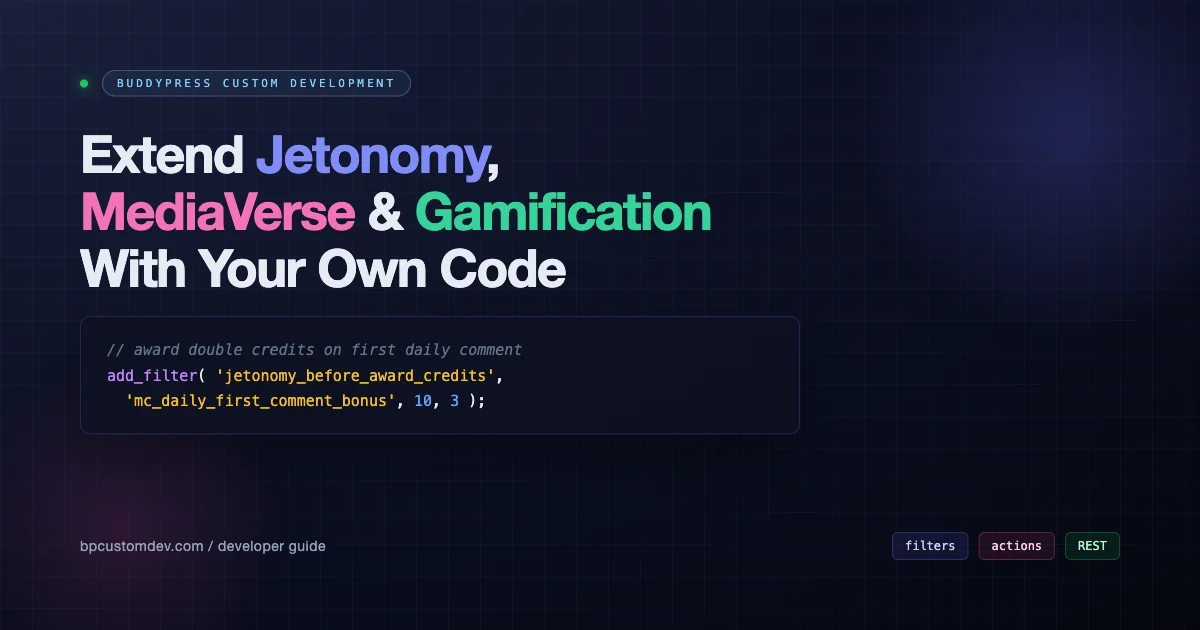
Jetonomy awards credits when a qualifying action fires. Internally, every award passes through jetonomy_before_award_credits (filter on the amount) and jetonomy_after_award_credits (action after the ledger row is written). That pair gives you the two things most clients ask for on day one: adjust the amount based on business rules, and write an audit trail that finance can reconcile.
The example below doubles credits the first time a user has a comment approved each day. It also inserts a row into a custom audit table after the award lands. Notice the signature: the filter hands you the amount, the user ID, and the action slug, so you can scope your business rule to exactly the triggers you care about instead of blanket-applying it. For full reference material on WordPress hook conventions, consult the official add_filter documentation.
Two things to highlight. First, we gate the bonus with a daily user meta flag (jtn_first_comment_Ymd) so the doubling only fires once per user per day. Second, the audit row captures the final amount after any other filters have run, not the base value. If a third-party plugin also hooks in later with priority 20, your audit log will still reflect reality.
Other Jetonomy hooks worth knowing
jetonomy_action_registered: fires when an action definition is registered. Useful for mirroring Jetonomy actions into your own analytics system.jetonomy_balance_changed: fires on every balance delta. Wire this into a transactional email or a Slack webhook for high-value accounts.jetonomy_spend_allowed: filter that gates redemptions. Return aWP_Errorhere to block a spend based on role, account flags, or fraud signals.jetonomy_ledger_row_before_insert: filter the raw ledger row before it hits the database. Perfect for stamping tenant IDs or request correlation values into every transaction.jetonomy_admin_balance_columns: filter to add custom columns to the admin users balance table so support can see account health at a glance.
Extending MediaVerse: quotas and moderation at the upload boundary
MediaVerse exposes filters around attachment creation. Two of them are load-bearing for any serious deployment: mediaverse_pre_upload_validate (runs before the file is persisted) and mediaverse_after_attachment_created (runs once the WordPress attachment row exists). The first is your quota gate, the second is where you attach taxonomy terms or push work into a moderation queue. If you are also layering visual content on top of the feed, our post on BuddyPress visual stories shows complementary patterns.
The snippet below does both. It rejects uploads that would push a user over a per-role monthly byte budget, returning a WP_Error with an i18n-safe message. Then, once an attachment is created, it inspects the mime type and auto-tags videos with needs-review while pushing them into an internal moderation queue via a custom action.
A couple of production notes. The quota counter uses a user meta key (mv_bytes_this_month) so it reads cheaply, but you will want a daily cron to reset the counter when the calendar rolls over. And because the filter returns a WP_Error, MediaVerse will surface the message to the uploader automatically through its existing error pipeline. You do not need to print anything yourself.
The auto-tag side of the snippet uses wp_set_object_terms with append = true so it will not wipe tags set by the uploader or by MediaVerse itself. The moderation push is a pure do_action, which keeps this file independent of whichever moderation plugin you eventually pick.
Album and permission filters
mediaverse_album_visibility: filter the computed visibility when MediaVerse renders an album on the front end. Use this to layer BuddyPress group membership checks on top of the built-in public/private toggle.mediaverse_can_delete: filter the delete capability check. Return false here for soft-delete workflows where users never truly remove media.mediaverse_stream_query_args: filter theWP_Queryargs MediaVerse uses to build feeds. Useful for personalization (hide content from blocked users) and shadow-ban logic.mediaverse_thumbnail_sizes: filter to register extra intermediate image sizes without touching theme code. Important if your mobile client expects a specific width.mediaverse_exif_strip: filter to force EXIF stripping on upload. Set to true on any site where geolocation leaking is a privacy concern.
Extending Gamification: register triggers from your own plugin
Gamification plugins (GamiPress, myCred, BadgeOS, or a custom engine) almost always follow the same two-part pattern. First, triggers are registered via a filter so the admin UI can list them. Second, you call an action when the trigger fires so the engine can process awards. A BuddyPress custom development project lives or dies on how cleanly you bridge native BuddyPress actions into those triggers. For retention-focused context around the same events, see our breakdown of BuddyPress onboarding surveys.
The snippet below registers a new trigger (“user creates a group”), bridges the native BuddyPress groups_created_group action into it, and enriches every trigger payload with a request ID and blog ID. The cooldown via set_transient is there to stop credit farming: a user who creates and deletes groups in a loop cannot harvest awards faster than once per day.
The third hook, gamification_trigger_payload, is where most production teams spend their time. It runs for every trigger regardless of source, which makes it the right place to add request-wide context. If you ever need to debug why a badge fired for a specific user, that UUID will let you correlate the trigger with logs, jobs, and email records.
BuddyPress actions worth bridging
bp_activity_posted_update: user posted an activity update.friends_friendship_accepted: friendship accepted (two users rewarded).groups_join_group: user joined a group (reward both the member and the organizer).xprofile_updated_profile: user updated their extended profile (one-time badge trigger).messages_message_sent: private message sent (watch for spam cooldowns here).bp_core_activated_user: user completed email activation (perfect for an onboarding badge).bp_groups_posted_update: user posted in a group feed (different from global activity).
Stitching it together with a REST endpoint
Every BuddyPress custom development project eventually needs a “profile stats” endpoint: one call that returns the user’s credit balance, storage usage, and gamification points so the front end (or a mobile app) can render a dashboard without hitting three different APIs. WordPress REST makes this trivial with register_rest_route, but the interesting part is the permission callback. The official WordPress REST API handbook has the deep reference.
The permission gate does two things. It lets a logged-in user read their own stats (the common case), and it allows admins with list_users capability to read anyone’s stats for support purposes. Everything else is rejected before the callback runs, which keeps the expensive aggregation code out of the hot path for unauthenticated scrapers.
Notice the function_exists() guards around jetonomy_get_balance and gamification_get_points. If a client deactivates one of the plugins during a migration, the endpoint degrades gracefully to zero instead of throwing a fatal. That resilience matters when you have a React front end that expects a stable contract.
Caching and rate limits
In production, wrap the aggregation in a short wp_cache_get / wp_cache_set with a 30 to 60 second TTL. None of these values need to be real-time accurate on a profile dashboard, and a page of 50 users refreshing twice per minute will hammer your DB if you do not cache. If you are running WP on a CDN with edge caching, set Cache-Control: private, max-age=30 via rest_post_dispatch and let the edge absorb the repeat traffic.
Rate limit the endpoint with a simple token bucket keyed on get_current_user_id() stored in a transient. Ten reads per minute per user is plenty for a dashboard and stops a malicious client from hammering your origin. Return a 429 response with a Retry-After header when the bucket is empty so clients can back off correctly.
Backfilling legacy users with WP-CLI
The last piece of real BuddyPress custom development nobody writes about: migrations. When you ship a new engagement system onto a site with 50,000 existing users, you cannot run a one-shot admin-ajax script and pray. You need a batched, resumable, dry-run-friendly WP-CLI command that operators can re-run if anything goes sideways.
A few patterns to notice. We key the “already processed” flag on a user meta value (jtn_onboarding_awarded), which lets us resume after failure without double-awarding. We accept a --batch argument so operators can tune it to the hardware. And --dry-run is a first-class citizen, not an afterthought, because the first 20 percent of any migration will always involve watching dry-run output scroll past to make sure nothing weird is happening.
In practice you will want to extend this command further: add --user-id for single-user debugging, add --since to scope the backfill to users registered in a date window, and add a progress bar via WP_CLI\Utils\make_progress_bar. But the skeleton above is enough to start.
Security: validating and escaping everywhere
Every extension point above is a privilege boundary. Treat it that way. In the Jetonomy filter, do not trust the $action slug blindly. Normalize it through sanitize_key() before using it as an array index or a meta key prefix. The moment a downstream plugin lets a URL parameter flow into that slug, your clever cache key becomes an attack vector.
For the MediaVerse quota gate, the incoming $file array is user-supplied. Never concatenate the filename into a log line or a database query without sanitize_file_name() and esc_sql() (or, better, prepared statements). The same rule applies to the REST endpoint: every parameter you read off $request should go through a validator and sanitizer inside the args array. WordPress will reject bad input for you if you do this right, and the error message will be specific enough for your React client to render something useful.
For capability checks, use current_user_can with the most specific capability that makes sense. list_users is fine for stats but do not use manage_options as a lazy catch-all. If your client has a custom role with scoped capabilities, a blanket check locks them out.
Observability: logging without spamming the error log
Once the hooks are live, you will want to see what they are doing in production. The temptation is to sprinkle error_log() calls everywhere. Resist. Instead, write a small wrapper around a PSR-3 logger (Monolog is the common pick) and push logs to a dedicated file outside wp-content/. A minute of setup saves hours of grepping through a noisy debug log.
Hook your logger into jetonomy_after_award_credits, mediaverse_after_attachment_created, and gamification_trigger_fire. Log the user ID, the event, the amount, and the request ID you stamped into the payload. That gives you a single grep query to reconstruct a user’s entire engagement journey from the logs, which is invaluable when support is investigating a “why did this badge fire?” ticket.
On staging, turn on Query Monitor and inspect the Hooks panel for your specific action names. You will see every callback that fires, in order, with timing. This is the fastest way to diagnose priority conflicts between your code and the vendor’s code.
Packaging: where does this code live?
All five snippets should live in a single site-specific plugin, not scattered across the theme’s functions.php. A minimal structure:
mycompany-community-extensions.php: main plugin file with header and autoloader.includes/jetonomy.php: the credit award adjustments.includes/mediaverse.php: quota and moderation logic.includes/gamification.php: trigger registration and BuddyPress bridges.includes/rest.php: aggregated profile endpoint.includes/cli.php: the backfill command, gated onWP_CLI.
The CLI file should only be loaded inside the if ( defined( 'WP_CLI' ) && WP_CLI ) guard so it adds zero overhead to normal page loads. The REST file can be loaded on every request, but the actual route registration sits inside rest_api_init so WordPress defers the work to REST requests only.
Use Composer for autoloading with a PSR-4 namespace scoped to your company prefix. That gives you room to evolve the plugin as the stack grows, without global function name collisions when the next vendor ships a helper with the same name as yours.
Testing the whole stack
Three layers of tests are worth writing. First, PHPUnit integration tests that run against the WordPress test suite and assert that your filter modifies the amount as expected when fired directly. Second, REST tests via WP_REST_Request that verify the permission callback returns 401 for unauthenticated users and 200 for the owner. Third, a Playwright or WP-Browser end-to-end test that logs in as a real user, triggers the underlying BuddyPress action, and asserts the resulting credit balance.
For each of these, use remove_filter and remove_action in your test’s tearDown so other tests in the same run do not inherit your hooks. This is the most common source of flaky BuddyPress tests in real client projects: somebody forgets to unhook and the test suite starts giving different results depending on file order.
Set up a CI matrix that runs your tests against the two most recent WordPress major versions and the two most recent BuddyPress versions. Vendor updates to Jetonomy or MediaVerse are harder to predict, but subscribing to their changelogs and running your suite in a scheduled GitHub Actions job after each release catches surprise breakages before your clients do.
What to build next
Once the hooks above are in place, three enhancements are worth queuing for the next sprint. Wire a webhook emitter onto jetonomy_after_award_credits so an external CRM can listen for high-value balance moves. Add a MediaVerse filter that automatically transcodes videos above a size threshold to an HLS-friendly format using WP Offload Media or similar. And extend the REST endpoint to accept a ?fields=credits,points query parameter so front-end consumers can ask only for the subset they need, cutting response size and DB work in half.
Every one of those follows the same pattern as the five snippets in this post: find the boundary the vendor plugin exposed, hook into it cleanly, keep your code in a site-specific plugin, and ship. That is what BuddyPress custom development looks like at production scale.
Common pitfalls when extending engagement plugins
A few things trip up every team new to this kind of work. Knowing them in advance saves days of debugging.
Priority wars
If you hook into jetonomy_before_award_credits at priority 10 and a vendor add-on also hooks at priority 10, WordPress runs them in registration order, which is fragile. Always pick a priority that reflects intent: use 5 for “normalize inputs”, 10 for “core business rules”, and 20+ for “final adjustments and logging”. Document the priority in a comment above every add_filter call so the next developer knows why that number was chosen.
The closure vs named function trap
Using anonymous closures as callbacks looks clean but makes them impossible to remove with remove_filter. For anything that might need to be conditionally unhooked (unit tests, maintenance mode, feature flags), always use a named function or a static class method. Keep closures for fire-and-forget glue code only.
Transient vs option for counters
The cooldown in the gamification snippet uses a transient because it is self-expiring and cheap. Do not reach for an option or a custom table for time-boxed state; you will end up with stale data and a cron job to clean it up. Reserve user meta for durable state (awarded flags, quota counters) and transients for ephemeral state (cooldowns, rate limits).
Object cache flush cost
Every update_user_meta triggers a user cache flush for that ID. On hot code paths (a comment-posting webhook that fires 100 times per second during peak hours) that cost adds up. If you find yourself writing to the same meta key more than a few times per request, batch writes into a single call on shutdown instead.
Multisite gotchas
On multisite, Jetonomy and similar plugins may store balances per-site. If your client wants a network-wide balance, you must explicitly switch context with switch_to_blog when aggregating. For the REST endpoint above, we include blog_id in the payload so clients can tell which site the stats came from. Do not assume single-site semantics in any code destined for a multi-tenant environment.
Putting the filter map on a whiteboard
Before writing a single line, sketch the filter map for the feature you are building. Three columns: the event (a user posts a comment), the plugin that owns it (Jetonomy), and the hook you will use (filter jetonomy_before_award_credits). If you cannot fill in the third column, the feature is not ready to code. You either need to read more of the vendor source or open a support ticket asking them to add a filter.
Vendors are usually happy to add filters if you can describe a concrete, generic use case. “I want to block spend by role” is generic. “I want to block spend for users from this specific CRM segment” is not. When you file the ticket, show them the one-line filter call you would make, not your entire business logic.
Conclusion
BuddyPress custom development is not about writing more code. It is about writing the smallest amount of code that sits in the right place. Jetonomy, MediaVerse, and Gamification each expose the exact boundaries you need: a filter on the amount, a filter on validation, an action for triggers, and a REST surface you can stitch together. The five snippets in this post cover the 80 percent of real client work. Drop them in, rename the prefix, and you have a working engagement stack customization inside an afternoon.
If you are extending a different engagement plugin, the same methodology applies: find the before/after action pair, find the amount/validation filter, and wire them into your site-specific plugin. Build the filter map, treat every extension point as a privilege boundary, log through a real logger, and test against a matrix of plugin versions. That discipline is what separates a weekend project from a client deliverable that survives three years in production.