Native Ads in bbPress Forums: A Developer's Guide
A developer-focused guide to implementing native advertising in bbPress forums. Learn about placement hooks, forum category targeting, custom templates that match your forum design, and how to track engagement on sponsored content without triggering banner blindness.

The Banner Blindness Problem in Forums
Forums have an advertising problem, and it is not the one you think. The issue is not that forum users hate ads. The issue is that forum users have become so extraordinarily good at ignoring them that traditional banner placements might as well not exist.
Banner blindness, the phenomenon where users unconsciously skip over anything that looks like an advertisement, hits forums harder than almost any other type of website. The reason is behavioral. Forum users develop a highly focused reading pattern: they scan thread titles, read replies in sequence, and navigate between topics with purpose. Their eyes track the content column and ignore everything in the margins.
Eye-tracking studies consistently show that forum users fixate almost exclusively on the post content area. Sidebar banners receive less than 2% of visual attention. Header leaderboards perform slightly better at 4-6%, but only on the first page load, repeat visitors learn to scroll past them automatically.
If you are running a bbPress forum and relying on traditional display ads for revenue, you are probably seeing CPMs below $1 and click-through rates under 0.05%. That is not a sustainable monetization strategy. But the solution is not more ads or bigger ads. The solution is fundamentally different ads, ads that live inside the content stream where users are actually looking.
As a modern standalone bbPress alternative, Jetonomy is a free, standalone WordPress plugin with Forums, Q&A (accepted answers), and Ideas boards (voting plus a Planned → Shipped roadmap), all stored in custom database tables for performance, with 6 auto-promoting trust levels and importers from bbPress, wpForo, and Asgaros.
That is what native advertising does, and this guide will show you exactly how to implement it in bbPress using WB Ad Manager Pro. If you are new to the concept of community-friendly advertising, start with our overview on how to monetize your BuddyPress community without annoying members.
What Native Ads Look Like in bbPress
A native ad in a bbPress forum is a piece of sponsored content that matches the visual design and behavioral format of regular forum content. It does not look like a banner. It does not look like a display ad. It looks like a forum post or a topic listing, because it is styled identically to one.
Native Ad Formats for bbPress
There are three primary native ad formats that work in bbPress:
1. Sponsored Topic Listing
This format inserts a sponsored topic into the topic listing on a forum or category page. It appears between regular topics and uses the same row layout: topic title, author avatar, reply count, and last activity timestamp. The only visual difference is a small “Sponsored” badge next to the topic title.
When a user clicks the sponsored topic, they land on either an advertiser’s landing page or a full sponsored post within the forum that contains the advertising message. This format works because users browsing topic listings are in discovery mode, they are looking for interesting topics to read, and a well-crafted sponsored topic title fits right into that intent.
2. In-Reply Sponsored Content
This format inserts a sponsored message between regular replies within a topic thread. It uses the same reply layout: author avatar, content area, and metadata bar. The content area contains the advertising message, which can include text, images, and call-to-action buttons. A “Sponsored” label appears where the timestamp normally would.
In-reply ads work well because users reading through a thread are in consumption mode. They are processing content sequentially, and a native ad positioned between replies gets the same level of attention as the surrounding discussion.
3. Category Archive Promotions
This format places a larger promotional unit at the top of a forum category archive page, above the topic listings. It can display as a featured card with an image, headline, description, and CTA button. Because it appears in a contextually relevant category, it naturally aligns with the user’s interests.
Placement Hooks: Where Native Ads Go
As a developer, you need to understand the specific hooks and template locations where native ads can be inserted in bbPress. WB Ad Manager Pro provides built-in support for the most effective placements, but understanding the underlying hook system lets you customize and extend placements for your specific forum setup. With AI transforming BuddyPress plugin development, automated tools can now help generate and test these hook implementations faster than ever.

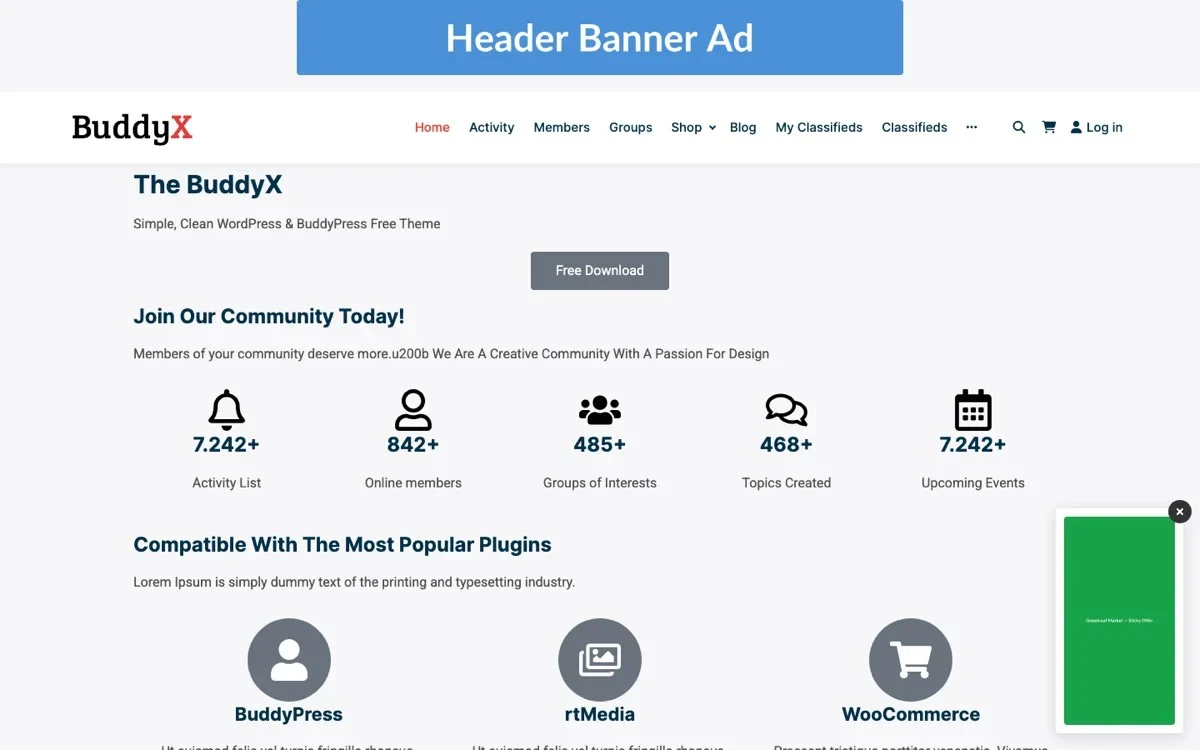
The admin ads list dashboard lets you manage all your native forum ad placements, view their status, and track performance from one centralized interface.
After Topic (bbp_template_after_single_topic)
This hook fires after a single topic’s content is rendered. It is the ideal location for a sponsored content block that appears below the original topic post but above the replies. Users who have just read the topic opener are engaged and receptive to related content.
// Example: Register a native ad placement after the topic
add_action( 'bbp_template_after_single_topic', function() {
    if ( function_exists( 'wb_ad_manager_display' ) ) {
        wb_ad_manager_display( 'after-topic', array(
            'format'    => 'native',
            'max_ads'   => 1,
            'forum_id'  => bbp_get_forum_id(),
        ) );
    }
} );
This placement is valuable because it captures attention at a high-engagement moment. The user has just finished reading the topic and is deciding whether to scroll down to replies or navigate away. A relevant native ad at this point has a strong chance of getting noticed.
Between Replies (bbp_template_after_single_reply)
Inserting ads between replies requires a counter-based approach. You do not want an ad after every reply, that would destroy the reading experience. Instead, insert an ad after every Nth reply, where N is configurable.
// Example: Show a native ad after every 5th reply
add_action( 'bbp_template_after_single_reply', function() {
    static $reply_count = 0;
    $reply_count++;

    $interval = apply_filters( 'wb_ad_manager_reply_interval', 5 );

    if ( $reply_count % $interval === 0 ) {
        if ( function_exists( 'wb_ad_manager_display' ) ) {
            wb_ad_manager_display( 'between-replies', array(
                'format'    => 'native-reply',
                'max_ads'   => 1,
                'forum_id'  => bbp_get_forum_id(),
                'topic_id'  => bbp_get_topic_id(),
            ) );
        }
    }
} );
The interval should be proportional to your typical thread length. For forums where threads average 10-20 replies, showing an ad every 5 replies means 2-4 ads per page. For forums with shorter threads (5-10 replies), increase the interval to 7-10 so users see at most one ad per thread.
Category Archives (bbp_template_before_topics_loop)
This hook fires before the topic listing loop on a forum category page. A native ad placed here serves as a featured promotion at the top of the category, visible to every user who browses that category.
// Example: Display a featured ad at the top of a forum category
add_action( 'bbp_template_before_topics_loop', function() {
    if ( function_exists( 'wb_ad_manager_display' ) ) {
        wb_ad_manager_display( 'category-featured', array(
            'format'    => 'featured-card',
            'max_ads'   => 1,
            'forum_id'  => bbp_get_forum_id(),
        ) );
    }
} );
Between Topic Listings (Custom Loop Modification)
To insert a sponsored topic between regular topic listings, you need to modify the topic loop. This is more involved than using a simple hook, but it produces the most seamless native ad experience.
// Example: Filter the topics loop to inject sponsored topics
add_filter( 'wb_ad_manager_inject_topics', function( $topics, $forum_id ) {
    $sponsored = wb_ad_manager_get_sponsored_topics( array(
        'forum_id'  => $forum_id,
        'limit'     => 2,
    ) );

    if ( ! empty( $sponsored ) ) {
        // Insert after position 3 and position 8
        array_splice( $topics, 3, 0, array( $sponsored[0] ) );
        if ( isset( $sponsored[1] ) && count( $topics ) > 9 ) {
            array_splice( $topics, 9, 0, array( $sponsored[1] ) );
        }
    }

    return $topics;
}, 10, 2 );
This approach inserts sponsored topics at specific positions in the listing, making them indistinguishable from organic topics except for the “Sponsored” badge.
Additional Hook Points
Beyond the primary placements, these hooks offer secondary ad positions:
- bbp_template_before_single_forum: Before the forum content on individual forum pages.
- bbp_template_after_forums_loop: After the sub-forums listing, before topics.
- bbp_template_after_pagination_loop: After the pagination, catching users at the bottom of a page.
- bbp_template_before_reply_form: Before the reply form, targeting users who are about to engage.
Targeting by Forum Category and User Role
Native ads become dramatically more effective when they are contextually targeted. A generic ad shown in every forum has limited relevance. An ad for photography equipment shown only in the Photography forum to users who have posted in that forum is highly relevant. WB Ad Manager Pro supports both forum-level and user-level targeting.

The Pro Settings panel provides granular control over forum category targeting, user role display rules, and other advanced configuration options for native ad placements.
Forum Category Targeting
Forum category targeting lets advertisers choose which forums their ads appear in. This is implemented through a mapping between ad campaigns and bbPress forum IDs.
// Example: Check if an ad should display in the current forum
function wb_ad_should_display_in_forum( $ad_id, $forum_id ) {
    $targeted_forums = get_post_meta( $ad_id, '_wb_ad_target_forums', true );

    // If no forums specified, show in all forums
    if ( empty( $targeted_forums ) ) {
        return true;
    }

    // Check if current forum is in the target list
    if ( in_array( $forum_id, (array) $targeted_forums, true ) ) {
        return true;
    }

    // Check parent forums for hierarchical targeting
    $parent_forum = bbp_get_forum_parent_id( $forum_id );
    if ( $parent_forum && in_array( $parent_forum, (array) $targeted_forums, true ) ) {
        return true;
    }

    return false;
}
The hierarchical targeting is important for forums with nested sub-forums. An advertiser targeting the parent “Technology” forum should have their ads appear in sub-forums like “Web Development,” “Mobile Apps,” and “DevOps” as well, unless they specifically target only the parent.
User Role Targeting
User role targeting determines which members see which ads. Common targeting scenarios include:
- Free members only: Show ads to non-paying members while premium members enjoy an ad-free experience.
- New members: Target members who joined within the last 30 days with onboarding-related ads or premium upgrade promotions.
- Active contributors: Target members who have posted more than 50 replies with ads for advanced tools or community recognition programs.
- Moderators: Exclude moderators from all ad displays to keep their moderation experience clean.
- Logged-out visitors: Show ads to non-logged-in visitors to monetize guest traffic while keeping the member experience ad-free.
// Example: Role-based ad display check
function wb_ad_should_display_for_user( $ad_id, $user_id = 0 ) {
    if ( ! $user_id ) {
        $user_id = get_current_user_id();
    }

    $target_roles = get_post_meta( $ad_id, '_wb_ad_target_roles', true );

    // If no roles specified, show to everyone
    if ( empty( $target_roles ) ) {
        return true;
    }

    // Handle logged-out users
    if ( ! $user_id ) {
        return in_array( 'visitor', (array) $target_roles, true );
    }

    $user = get_userdata( $user_id );
    if ( ! $user ) {
        return false;
    }

    return ! empty( array_intersect( $user->roles, (array) $target_roles ) );
}
Combined Targeting
The most powerful campaigns combine forum and role targeting. For example, an advertiser selling developer tools could target:
- Forum: “Web Development” and “API Integration”
- Roles: Free members and new members (but not premium)
- Activity level: Members who have posted at least 5 replies (indicating genuine engagement)
This level of targeting ensures that every impression goes to a relevant audience, which improves click-through rates for the advertiser and reduces ad fatigue for the community. Be mindful of security vulnerabilities in your development dependencies when building custom targeting logic.
Custom Templates That Match Your Forum Design
The “native” in native advertising means the ad must be visually indistinguishable from the surrounding content. This requires custom ad templates that match your specific bbPress theme. WB Ad Manager Pro provides base templates that you can override in your theme for pixel-perfect integration.
Template Hierarchy
WB Ad Manager Pro follows the WordPress template hierarchy. The plugin looks for templates in this order:
- Child theme:
your-child-theme/wb-ad-manager/bbpress/native-reply.php - Parent theme:
your-theme/wb-ad-manager/bbpress/native-reply.php - Plugin default:
wb-ad-manager-pro/templates/bbpress/native-reply.php
To customize the native reply ad template, copy the plugin’s default template to your child theme and modify it to match your forum’s styling.
Native Reply Template Example
Here is a template that matches a typical bbPress reply layout:
<div class="bbp-reply-header wb-ad-native-reply">
    <div class="bbp-meta">
        <span class="wb-ad-sponsored-badge">Sponsored</span>
    </div>
</div>

<div class="bbp-reply-body wb-ad-native-content">
    <div class="bbp-reply-author">
        <?php if ( $ad->has_avatar() ) : ?>
            <img src="<?php echo esc_url( $ad->get_avatar_url() ); ?>"
                 alt="<?php echo esc_attr( $ad->get_advertiser_name() ); ?>"
                 class="avatar" width="80" height="80" />
        <?php endif; ?>
        <span class="bbp-author-name">
            <?php echo esc_html( $ad->get_advertiser_name() ); ?>
        </span>
    </div>

    <div class="bbp-reply-content">
        <?php echo wp_kses_post( $ad->get_content() ); ?>

        <?php if ( $ad->has_image() ) : ?>
            <div class="wb-ad-image">
                <img src="<?php echo esc_url( $ad->get_image_url() ); ?>"
                     alt="<?php echo esc_attr( $ad->get_title() ); ?>" />
            </div>
        <?php endif; ?>

        <a href="<?php echo esc_url( $ad->get_click_url() ); ?>"
           class="wb-ad-cta button"
           data-ad-id="<?php echo esc_attr( $ad->get_id() ); ?>"
           rel="nofollow sponsored">
            <?php echo esc_html( $ad->get_cta_text() ); ?>
        </a>
    </div>
</div>
CSS Matching
Your custom CSS needs to ensure the native ad matches the surrounding replies exactly. Key properties to match include:
- Container width and padding: Match the
.bbp-reply-entrydimensions. - Typography: Use the same font family, size, line height, and color as reply content.
- Avatar size: Match the standard bbPress avatar dimensions.
- Background color: Use the same background as reply containers, or a very subtle tint to differentiate.
- Border styling: Match the border-bottom or separator styling between replies.
- Spacing: Match the margin and padding between the author section and content section.
/* Native reply ad styling - match your bbPress theme */
.wb-ad-native-reply {
    /* Match .bbp-reply-header styles */
}

.wb-ad-native-content {
    display: flex;
    /* Match .bbp-reply-body layout */
}

.wb-ad-sponsored-badge {
    font-size: 11px;
    color: #888;
    text-transform: uppercase;
    letter-spacing: 0.5px;
}

.wb-ad-cta.button {
    margin-top: 12px;
    /* Match your theme's button styles */
}
The “Sponsored” badge should be visible but not dominant. A small, muted label in uppercase text is the industry standard. It maintains transparency and complies with advertising disclosure regulations without making the ad look different from regular content. Ensuring your templates are also mobile-friendly is critical since a growing share of forum traffic comes from mobile devices.
Testing Template Consistency
After creating your custom template, test it thoroughly:
- Different screen sizes: Verify the ad looks native on desktop, tablet, and mobile.
- Different themes: If you support multiple themes or theme options, test with each variation.
- Long and short content: Test with minimal text and with paragraphs of text to ensure the layout handles both.
- With and without images: Some ads may include images while others are text-only.
- Dark mode: If your forum supports dark mode, verify the ad adapts correctly.
Tracking Engagement on Sponsored Content
Native ads require more sophisticated tracking than banner ads. With banners, you track impressions and clicks. With native ads, you also need to track engagement quality, how users interact with the content, not just whether they saw or clicked it.
Impression Tracking
WB Ad Manager Pro tracks impressions using a viewability standard: an ad is counted as “viewed” only when it enters the user’s viewport and remains visible for at least one second. This prevents inflated impression counts from ads that are rendered but never scrolled into view.
// JavaScript: Viewability-based impression tracking
const observer = new IntersectionObserver( ( entries ) => {
    entries.forEach( ( entry ) => {
        if ( entry.isIntersecting ) {
            const adElement = entry.target;
            const adId = adElement.dataset.adId;

            // Start a 1-second timer
            adElement._viewTimer = setTimeout( () => {
                // Record the impression
                fetch( '/wp-json/wb-ad-manager/v1/track', {
                    method: 'POST',
                    headers: { 'Content-Type': 'application/json' },
                    body: JSON.stringify( {
                        ad_id: adId,
                        event: 'impression',
                        context: {
                            forum_id: adElement.dataset.forumId,
                            placement: adElement.dataset.placement,
                        },
                    } ),
                } );

                // Stop observing this ad
                observer.unobserve( adElement );
            }, 1000 );
        } else {
            // Clear timer if ad leaves viewport before 1 second
            clearTimeout( entry.target._viewTimer );
        }
    } );
}, { threshold: 0.5 } );

// Observe all native ads
document.querySelectorAll( '.wb-ad-native-reply.wb-ad-native-topic' )
    .forEach( ( ad ) => observer.observe( ad ) );
Click Tracking
Click tracking captures when users click the ad’s CTA button or link. WB Ad Manager Pro uses a redirect-based tracking system that records the click and redirects to the advertiser’s destination URL. This approach works reliably across all browsers and does not depend on JavaScript.
// PHP: Click tracking endpoint
add_action( 'rest_api_init', function() {
    register_rest_route( 'wb-ad-manager/v1', '/click/(?P\d+)', array(
        'methods'  => 'GET',
        'callback' => function( $request ) {
            $ad_id = $request->get_param( 'ad_id' );

            // Record the click
            wb_ad_manager_record_event( $ad_id, 'click', array(
                'user_id'   => get_current_user_id(),
                'referrer'  => wp_get_referer(),
                'forum_id'  => $request->get_param( 'forum_id' ),
                'ip_hash'   => wp_hash( $_SERVER['REMOTE_ADDR'] ),
            ) );

            // Redirect to destination
            $destination = get_post_meta( $ad_id, '_wb_ad_destination_url', true );
            wp_redirect( esc_url( $destination ) );
            exit;
        },
        'permission_callback' => '__return_true',
    ) );
} );
Engagement Quality Metrics
Beyond impressions and clicks, track these engagement quality signals:
- Dwell time: How long did the user’s viewport stay on the ad? Longer dwell times indicate the user read the content rather than scrolling past.
- Scroll depth after viewing: Did the user continue reading the thread after seeing the ad, or did they leave? Continued reading suggests the ad was not disruptive.
- Interaction rate: For native ads with interactive elements (expandable content, embedded video), what percentage of viewers interacted?
- Return visits: Did users who saw the ad return to the same forum category? High return rates indicate the ad is not driving users away.
- Ad feedback: Provide a subtle “Not interested” or “Report this ad” option to collect negative feedback signals. This data helps you improve ad quality and targeting.
Reporting for Advertisers
WB Ad Manager Pro generates advertiser-facing reports that include:
- Campaign summary: Total impressions, clicks, CTR, and spend for a date range.
- Placement breakdown: Performance by ad position (after topic, between replies, category archive).
- Forum breakdown: Performance by forum category, showing which forums drive the most engagement.
- Time-of-day analysis: When ads perform best, helping advertisers optimize their schedules.
- Device breakdown: Desktop vs. mobile performance differences.
For a complete guide on letting advertisers manage their own campaigns, see our post on how to build a self-service ad portal for your BuddyPress site.
Performance Optimization and Best Practices
Native ads add code and HTTP requests to your forum pages. Here is how to keep performance tight:
Lazy Loading Ads
Do not load all ads on page load. Use lazy loading to fetch and render ads as the user scrolls. This is especially important for the “between replies” placement, where a long thread might have multiple ad positions.
// Load ads only when their placeholder enters the viewport
const adPlaceholders = document.querySelectorAll( '.wb-ad-placeholder' );
const adLoader = new IntersectionObserver( ( entries ) => {
    entries.forEach( ( entry ) => {
        if ( entry.isIntersecting ) {
            const placeholder = entry.target;
            loadNativeAd( placeholder.dataset.placement, placeholder.dataset.forumId )
                .then( ( html ) => {
                    placeholder.innerHTML = html;
                } );
            adLoader.unobserve( placeholder );
        }
    } );
}, { rootMargin: '200px' } );

adPlaceholders.forEach( ( p ) => adLoader.observe( p ) );
Caching Considerations
If your forum uses page caching (and it should), native ads create a caching conflict. The page content is the same for all users, but ads should vary based on targeting. There are two approaches:
- Fragment caching: Cache the page but exclude ad zones. Use AJAX to load ad content after the cached page renders.
- Edge-side includes (ESI): If you use Varnish or a similar CDN, use ESI to include dynamic ad content in otherwise cached pages.
Database Query Optimization
Each ad placement requires a database query to find matching ads. Optimize these queries by:
- Caching available ads in a transient with a short TTL (5-15 minutes).
- Using indexed columns for targeting queries (forum ID, user role, status).
- Batching ad queries, fetch all ads needed for a page in a single query rather than one query per placement.
Implementation Checklist for Developers
Here is your step-by-step implementation checklist:
Phase 1: Foundation
- Install WB Ad Manager Pro and activate the bbPress integration module.
- Identify the 2-3 most valuable ad positions in your specific forum layout.
- Create custom templates in your child theme that match your forum’s CSS.
- Configure targeting options: which forums, which user roles.
Phase 2: Tracking Setup
- Implement viewability-based impression tracking.
- Set up click tracking with redirect-based URL routing.
- Add engagement quality tracking (dwell time, scroll depth).
- Create a test campaign and verify all tracking events fire correctly.
Phase 3: Performance Testing
- Load test your forum pages with ads enabled versus disabled.
- Implement lazy loading for below-the-fold ad positions.
- Configure fragment caching for ad zones.
- Verify that ads render correctly on mobile devices.
Phase 4: Launch and Iterate
- Launch with a single ad position (recommend “after topic”) and one test advertiser.
- Monitor forum engagement metrics for two weeks.
- Add additional placements based on performance data.
- Collect user feedback and iterate on the template design.
Wrapping Up: Native Ads Done Right
Native advertising in bbPress forums is not about tricking users into clicking ads. It is about creating sponsored content that adds value to the forum experience rather than detracting from it. When a developer tools company promotes a useful tutorial in the “Web Development” forum, and that promotion uses the same visual format as every other topic in the listing, the result is advertising that users appreciate rather than resent.
The technical implementation requires attention to detail, matching templates to your theme, configuring contextual targeting, and tracking engagement accurately. But the payoff is significant. Native ads in forums consistently outperform traditional display ads by 3-5x in click-through rate and deliver higher-quality traffic to advertisers.
WB Ad Manager Pro provides the infrastructure you need: bbPress-specific placement hooks, customizable native ad templates, forum category targeting, role-based display rules, and comprehensive engagement tracking. Build on that foundation with your own theme-matched templates, and you have a native advertising system that works for your community, your advertisers, and your bottom line.