How to Build a Community-Driven Marketplace with BuddyPress: Members Sell, Share and Collaborate
How to build a community-driven marketplace on BuddyPress: which multivendor plugin fits (Dokan, WCFM, MultiVendorX, WC Vendors), what works with BuddyPress, trust, moderation, payouts and common mistakes.

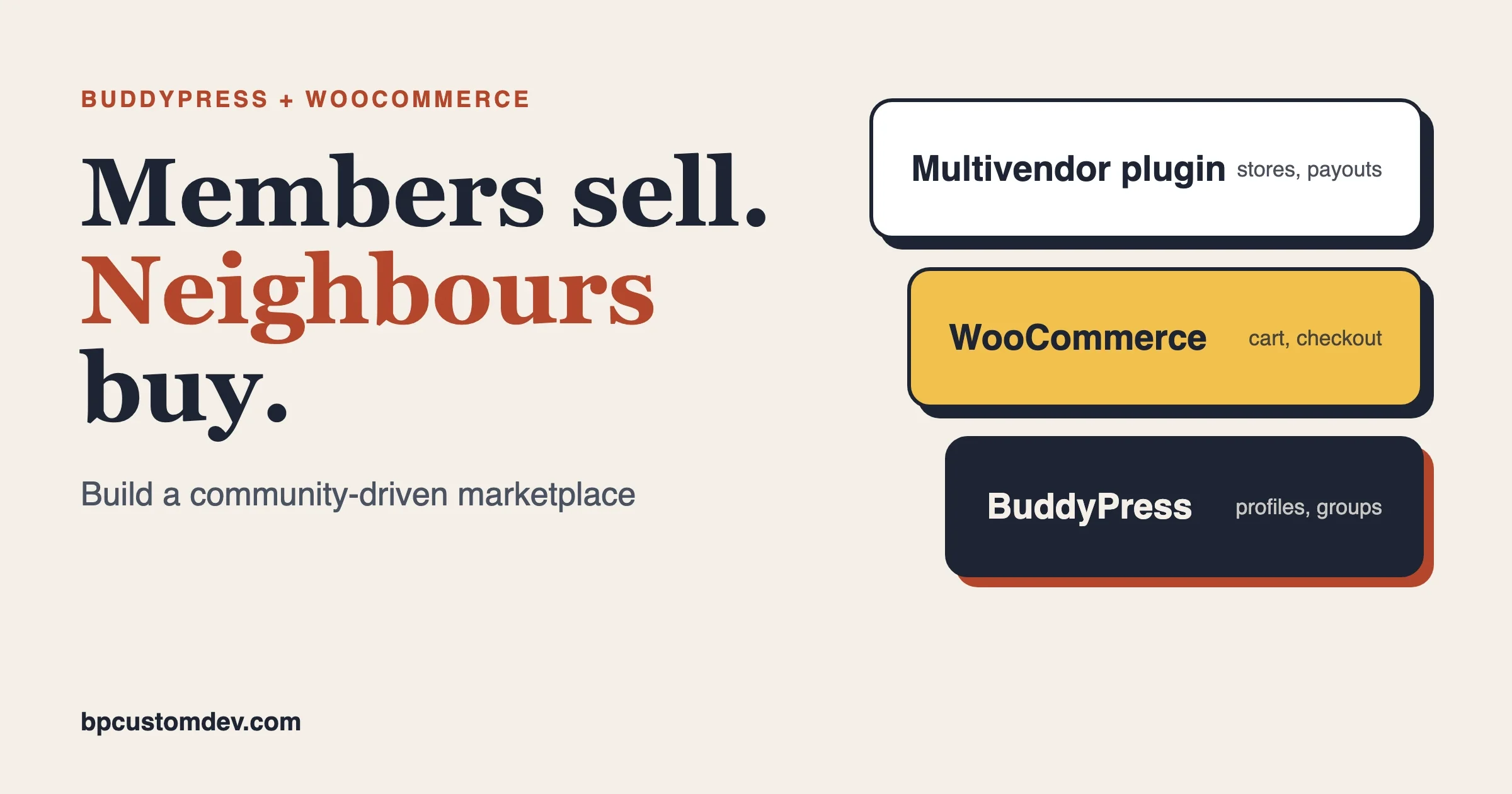
To build a community-driven marketplace on BuddyPress, run WooCommerce with one multivendor plugin (Dokan, WCFM Marketplace, MultiVendorX or WC Vendors), let your BuddyPress members apply to become sellers, and show each seller’s products, reviews and a message button on their member profile. The multivendor plugin handles stores, orders and payouts. BuddyPress handles who people are and how they talk to each other.
The catch is the join between the two. We checked each plugin’s listing on 15 November 2026, and only some of them say they work with BuddyPress. This guide covers which ones, what to add where one does not, and what goes wrong in practice. Prices change often, so we left them out; check each vendor’s own page before you commit.
What is a community-driven marketplace, and is it worth the extra work?
A plain multivendor store solves a transaction problem: two strangers swap money for a product. A community-driven marketplace adds a relationship problem on top, and that is where most of the extra work lives. Buyers see who the seller is, what they post in groups, and how they answer questions. Sellers get feedback from the people who buy from them.
It pays off when buyers and sellers would talk anyway. Handmade goods, niche digital downloads, local co-ops, creator merchandise and professional services are the usual fits. If your catalogue is commodity goods sold on price, a normal multivendor store is simpler and you should build that instead.
One more honest point. BuddyPress itself is a community layer, not a commerce layer, and it has no marketplace features of its own. At the time of our check it was at version 14.5.4, updated on 23 October 2026, with 90,000+ active installs and a 4.1-star average from 375 ratings, according to the WordPress.org listing. You are joining two separate products, so plan for two update cycles.
How do you build one, step by step?
- Pick one multivendor plugin and stay with it. Switching later means migrating vendors, products and commission history.
- Make BuddyPress the registration front door, so every seller starts as a normal member.
- Add an application step (“Become a seller”) that creates the vendor account only after you approve it.
- Put the store on the member profile: a products tab, reviews, and a message button.
- Decide how payouts and commissions work before you invite anyone, and write the rules where sellers can read them.
- Set up moderation for listings, messages and disputes from day one.
- Seed the site with real sellers before you open it to buyers.
The sections below go through each step in that order, starting with the plugin choice.
Which multivendor plugin fits a BuddyPress site: Dokan, WCFM, MultiVendorX or WC Vendors?
All four are active and maintained. None of them is a bad choice on features alone, so the deciding question is how each one meets BuddyPress. The numbers below come from the WordPress.org plugin API on 15 November 2026.
Plugin | Version | Last updated | Active installs | Rating (reviews) | BuddyPress status |
|---|---|---|---|---|---|
5.3.4 | 5 Nov 2026 | 30,000+ | 4.6 (769) | No built-in support. Its FAQ says there is none yet. Pair it with a bridge. | |
3.8.4 | 2 Nov 2026 | 10,000+ | 4.6 (449) | WC Lovers describes a BuddyPress module. Third-party bridges also exist. | |
5.0.22 | 10 Nov 2026 | 2,000+ | 4.8 (432) | BuddyPress module listed in its changelog (5.0.2) and docs. | |
2.7.3 | 19 Oct 2026 | 3,000+ | 4.5 (188) | No BuddyPress module. Lists BP Better Messages and BuddyX as compatible third parties. |
Support responsiveness is harder to compare fairly. On the forum pages we checked, Dokan showed 5 of 6 recent threads marked resolved and MultiVendorX 17 of 17. WCFM and WC Vendors each showed one thread in the window, so there is no real sample. Treat that as a hint, not a ranking.
What do users say about each plugin?
We read the recent review pages for each plugin on 15 November 2026. Recent reviews are thin, and the pages show titles more than text, so this is a light read rather than a survey.
- Dokan. Of 769 reviews, 661 are five-star and 63 are one-star. Praise is for code quality and breadth. The loudest complaint, in one detailed review, is layout breaks, plugin conflicts and slow, generic support.
- WCFM Marketplace. Three reviews in the past year. One praises its potential, one asks for WebP support in the WCFM media tool, and one reports a licence-account problem after buying a lifetime plan.
- MultiVendorX. Only one review in the past year, a short complaint about bugs. Older reviews are mostly positive about the plugin and support.
- WC Vendors. Five recent reviews, all positive, and three mention support in the title.
Our take: pick Dokan if the vendor dashboard and its module list matter most, and budget time for conflict testing. Pick MultiVendorX if you want a bundled BuddyPress module and are happy to follow a plugin that rewrote itself in version 5. Pick WC Vendors if your store needs are simple and you value a small, steady plugin. Pick WCFM if you want fine commission rules and a long module list. In every case, test on a staging copy with BuddyPress active before you pick.
Does each multivendor plugin work with BuddyPress?
Only in part, and the details differ.
- Dokan. The Dokan Lite FAQ answers the question directly: not for the moment, with a BuddyPress add-on planned. We saw no later statement that this changed. A bridge plugin or a BuddyPress-aware theme has to supply the profile tab.
- MultiVendorX. Its documentation describes a BuddyPress module under MultiVendorX, Modules, Integration. Once enabled, store owners get a profile and their products appear in a Shop section of their member page. The docs page was last updated on 18 August 2026 and does not say whether the module needs the Pro version, so check before you plan around it.
- WCFM. WC Lovers documents a BuddyPress integration, and a forum thread we found reports the store tab landing in the wrong place on a profile. We could not load the WC Lovers docs from our test setup, so confirm the current behaviour on staging.
- WC Vendors. No native module. Its integrations page lists BP Better Messages and the BuddyX theme as third-party options, and states that support comes from those products’ developers.
If your plugin has no module, the bridge options are a bridge plugin, a theme that includes the integration, or custom code. We cover the code route in our guide to BuddyPress and WooCommerce social commerce. For one specific piece, putting a vendor’s products on their profile, that post goes through it in detail.
How do members become sellers without a scary form?
Ask for as little as you can on day one. Let people join as ordinary members, join a group or two, and apply to sell when they are ready. A seven-field registration form in front of the whole site loses buyers who would never have sold anyway.
A pattern that works on the plugins above:
- Registration creates a standard BuddyPress member. No store fields, no payout fields.
- A “Become a seller” link in the member menu opens a short application: store name, what they sell, and a link to an existing shop or portfolio if they have one.
- You review the application. Approval switches on the seller role in your multivendor plugin; rejection sends a short reason.
- Approved sellers get a pinned welcome post in a private “Sellers” group where you post rules, fee changes and updates.
The role-assignment step is plugin specific. Dokan, WCFM, MultiVendorX and WC Vendors each have their own approval setting and their own hooks, and hook names change between major versions. We do not give hook names here for that reason. Read the developer docs of the version you install.
How do you show seller products on member profiles and in groups?
This is the single move that separates a community marketplace from a store with a forum next to it. Three ways to do it, from least to most work:
- Use the plugin’s own module. MultiVendorX offers one. For WCFM, check its BuddyPress module.
- Add a bridge plugin. We make BuddyVendor, version 1.7.1 (6 May 2026). It supports Dokan, WCFM, WC Vendors and WooCommerce Product Vendors on BuddyPress or BuddyBoss Platform. It adds a Products tab on vendor profiles, a favourites tab for members, and activity entries for new listings and reviews. The Message Vendor button works on Dokan only, and order activity is opt-in. It has no free trial, though there is a 30-day money-back guarantee. We are not planning new features for our BuddyPress add-ons, so treat it as a stable bridge rather than a roadmap item.
- Write it yourself. Fine for one site with one plugin. Expect to re-test it after every major update of either side.
One warning on a popular idea: an auto-created BuddyPress group for every seller. It sounds neat. In practice a site with many small sellers ends up with hundreds of empty groups and a groups directory nobody can browse. Create a group only when a seller asks for one, or group sellers by category instead.
How do you build trust: reviews and seller messages?
Trust is the whole point of the community layer, and it costs very little to add. Two things carry most of the weight: reviews that people can see in context, and a way to message the seller that does not leave your site.
Reviews in the activity feed
Standard WooCommerce reviews live on one product page. You can also post each approved review to the activity feed so members see it and sellers can answer in public. This snippet uses only WordPress, WooCommerce and BuddyPress core functions. It posts under the reviewer’s name when a review is approved, and marks the review so it never posts twice.
add_action( 'transition_comment_status', function ( $new_status, $old_status, $comment ) {
	if ( 'approved' !== $new_status || 'review' !== $comment->comment_type ) {
		return;
	}
	if ( ! function_exists( 'bp_activity_add' ) || ! $comment->user_id ) {
		return;
	}
	if ( get_comment_meta( $comment->comment_ID, '_bpcd_in_feed', true ) ) {
		return;
	}

	$rating = (int) get_comment_meta( $comment->comment_ID, 'rating', true );
	$link   = get_permalink( $comment->comment_post_ID );
	$title  = get_the_title( $comment->comment_post_ID );

	bp_activity_add( array(
		'user_id'      => (int) $comment->user_id,
		'component'    => 'activity',
		'type'         => 'activity_update',
		'primary_link' => $link,
		'action'       => sprintf(
			'%1$s reviewed <a href="%2$s">%3$s</a> (%4$d/5)',
			bp_core_get_userlink( (int) $comment->user_id ),
			esc_url( $link ),
			esc_html( $title ),
			$rating
		),
		'content'      => wp_trim_words( $comment->comment_content, 40 ),
	) );

	update_comment_meta( $comment->comment_ID, '_bpcd_in_feed', 1 );
}, 10, 3 );
The snippet uses documented core functions from all three plugins, but we have not run it against every plugin combination in this guide, so run it on staging first. If you use a reviews plugin that stores reviews differently, the comment type may not be review.
A message button on the product page
BuddyPress private messages accept a recipient in the compose URL. This adds a link on each product page that opens a new message addressed to the seller. WooCommerce product authors are the sellers on the four plugins covered here, but confirm that on your own build.
add_action( 'woocommerce_product_meta_end', function () {
	if ( ! function_exists( 'bp_is_active' ) || ! bp_is_active( 'messages' ) || ! is_user_logged_in() ) {
		return;
	}
	$seller_id = (int) get_post_field( 'post_author', get_the_ID() );
	if ( ! $seller_id || get_current_user_id() === $seller_id ) {
		return;
	}
	$url = add_query_arg(
		'r',
		bp_core_get_username( $seller_id ),
		trailingslashit( bp_loggedin_user_domain() . bp_get_messages_slug() ) . 'compose/'
	);
	printf(
		'<p><a class="button" href="%s">%s</a></p>',
		esc_url( $url ),
		esc_html__( 'Message the seller', 'your-textdomain' )
	);
} );
Dokan Pro has its own Vendor Review, Report Abuse and Live Chat modules. If you already run those, you may not need a BuddyPress version of the same thing. Two inboxes confuse sellers.
How do you handle moderation and disputes?
The community is a moderation target. Sellers will try to move buyers off-platform, copy each other’s listings, and sometimes get into arguments in public threads. Plan for three layers, and expect to need all of them within a few months of launch.
- Content moderation. Let members report posts, messages and listings, and have a human queue to review them. Our guide to community moderation in 2026 covers what AI tools can and cannot handle.
- Order disputes. This sits with your multivendor plugin and your payment provider, not BuddyPress. Check how your plugin handles refunds and held payouts before launch. One recent forum thread asks how to hold a seller payout until a dispute clears, so test that flow.
- Written rules. A short seller agreement covering fees, refunds, banned behaviour and what happens to payouts on a ban. Sellers will refer to it.
On identity checks: Dokan Pro lists a Seller Verification module, and third-party identity services exist. Whether you need them depends on what you sell and where. That is a legal question for you and your adviser, and we are not going to guess at it here.
How do payments and commissions work in a community marketplace?
Payments are handled by the multivendor plugin and your gateway. BuddyPress plays no part in them. Here is what each plugin’s own listing says it offers.
- Dokan. The FAQ lists PayPal and bank withdrawals. The Pro modules list includes Stripe Connect and Stripe Express.
- WCFM Marketplace. The listing names Stripe split payments and a wide range of commission rules: fixed, percentage, per vendor, per product, per category and by membership tier.
- MultiVendorX. Commission by product, category, vendor and fixed or percentage amounts is in the free listing. Real-time vendor payment through Stripe and PayPal is marked as Pro.
- WC Vendors. Stripe payments with automatic commission is a Pro feature, and the free plugin handles commission rates.
A community-based commission, where active members pay a lower fee, is a nice idea but it is custom work on every one of these plugins. If you want it, treat it as a small build with its own testing, not a setting. Money moves through it, so test refunds, partial refunds and reversed orders before it goes live.
Tax, invoicing and seller reporting rules depend on your country and are your responsibility as the operator. None of the plugins above takes that off you.
Will a community marketplace stay fast?
It is heavier than either a store or a community on its own. Most visitors are logged in, so full-page caching does little. Activity queries and WooCommerce cart queries both hit the database on every load. We cover tuning in our BuddyPress performance guide. The short version: use a persistent object cache, keep the activity feed paginated, and load-test with logged-in users rather than anonymous ones.
We have not got a vendor count at which a given host fails, and we would distrust anyone who quotes one. Test on the host you plan to use, with your plugins and a realistic number of logged-in sessions.
Common mistakes people report
We read recent forum threads and reviews for the plugins above on 15 November 2026. Titles and dates are as shown on those pages, and we paraphrase rather than quote.
- Assuming Dokan talks to BuddyPress. The FAQ says it does not, yet. Check the Dokan Lite FAQ and plan a bridge from the start.
- Vendor dashboards that stall or show a blank page. Several Dokan threads in the past five months describe the dashboard, product pages or order pages not loading, for example this one. Plugin conflicts are the usual suspect, so add BuddyPress last and test the dashboard after each addition.
- Payout and balance surprises. Threads cover Stripe Connect setup trouble, balances that did not match and holding a payout until a dispute clears. Run test orders through the whole payout path before launch.
- Custom code breaking after a major update. A MultiVendorX user reported that custom dashboard hooks stopped working after an update, and the plugin’s changelog mentions migration fixes from 4.2.42 to 5.0.x. Pin versions on production and read changelogs before updating.
- Store pages that return not found or lists that look empty. See a Dokan store-page thread and a MultiVendorX store-list thread. Resave permalinks and check that the store pages are set in the plugin settings.
- Untranslated strings. Both Dokan and MultiVendorX forums have multiple threads about strings that stay in English. If your community is not English-speaking, test translations before you invite members.
Where do BuddyX, Reign and BuddyNext fit?
We make these, so weigh this accordingly and note the cons.
- BuddyX and Reign themes. Our community themes for BuddyPress. WC Vendors lists BuddyX on its integrations page, and our BuddyX Pro docs have a Dokan marketplace page. The cons: they are themes, so they style the marketplace but do not run it, and you still need a multivendor plugin. Our BuddyX Pro vs Free review covers what the paid version adds.
- BuddyNext. Our newer community platform, at buddynext.com. Its integrations page lists WooCommerce as a Pro bridge for selling community access, and shows a services bridge as coming soon. It lists no bridge to Dokan, WCFM, MultiVendorX or WC Vendors, so it is not a marketplace answer today. Pick it for the community side if you are starting fresh, and expect to wire the marketplace separately.
- BuddyVendor. Our bridge, described above. Paid, no trial, and no new features planned.
If one of the free options above does what you need, use it. A bridge is worth paying for when you would otherwise be writing and maintaining the same code yourself.
Launch checklist
- Install WooCommerce, one multivendor plugin and BuddyPress on a staging copy, and run a test order end to end.
- Test the seller dashboard, a store page and a member profile with each plugin active.
- Set up the seller application and approval flow, and write the seller agreement.
- Decide who handles disputes, refunds and bans, and how fast.
- Run test payouts, a refund and a reversed order through your gateway.
- Create real seller accounts with real listings, one review and one group post each. An empty marketplace does not recruit anyone.
- Load-test with logged-in sessions on your real host.
- Open to a small invited group first, then widen.
Frequently asked questions
Can I run a BuddyPress marketplace without a multivendor plugin?
Yes, if members only sell through one shared catalogue that you manage. As soon as sellers need their own dashboard, orders and payouts, you need a multivendor plugin. Building that yourself is a large project.
Does this work with BuddyBoss Platform instead of BuddyPress?
BuddyVendor lists BuddyBoss Platform support with the same profile tab and activity behaviour. For the plugins themselves, check each vendor’s own compatibility statement. Core BuddyPress hooks in our snippets may differ on BuddyBoss, so test them.
Can a member buy and sell from the same account?
Generally yes. On these plugins a seller is a member with an extra role. Test that your plugin stops sellers from buying or reviewing their own products if that matters to you.
How do I stop sellers taking buyers off-platform?
You cannot stop it completely. You can make it less attractive: keep messaging on-site, give buyers a dispute route, and make the seller agreement clear that off-platform deals lose your protection. Filtering contact details out of messages is possible with custom code, but it also blocks honest messages, so use it carefully.
Which plugin should I pick if I am unsure?
Start from the BuddyPress join. If you want a bundled BuddyPress module, start with MultiVendorX and test it. If you prefer Dokan, WCFM or WC Vendors, budget for a bridge or custom code. Then compare dashboards on staging.
When does a custom build make sense?
Everything here is configuration plus small snippets. A custom build is justified when you sell services with booking and time slots, when sellers need document verification, or when you want matching between buyers and sellers based on community reputation. If your seller approval flow has more than three conditional branches, you are past what settings can do.
That is the work our team does day to day. If you are weighing a build, sketch the seller approval flow and the buyer discovery flow on paper first. It is the fastest way to see how much custom code you really need.