Performance Optimization for High-Traffic BuddyPress Communities
BuddyPress gets slow in the activity table, members directory, avatar lookups and logged-in pages. This guide checks each function and filter against BuddyPress 14.5.4 and covers object cache, heartbeat, cron, indexes and hosting.

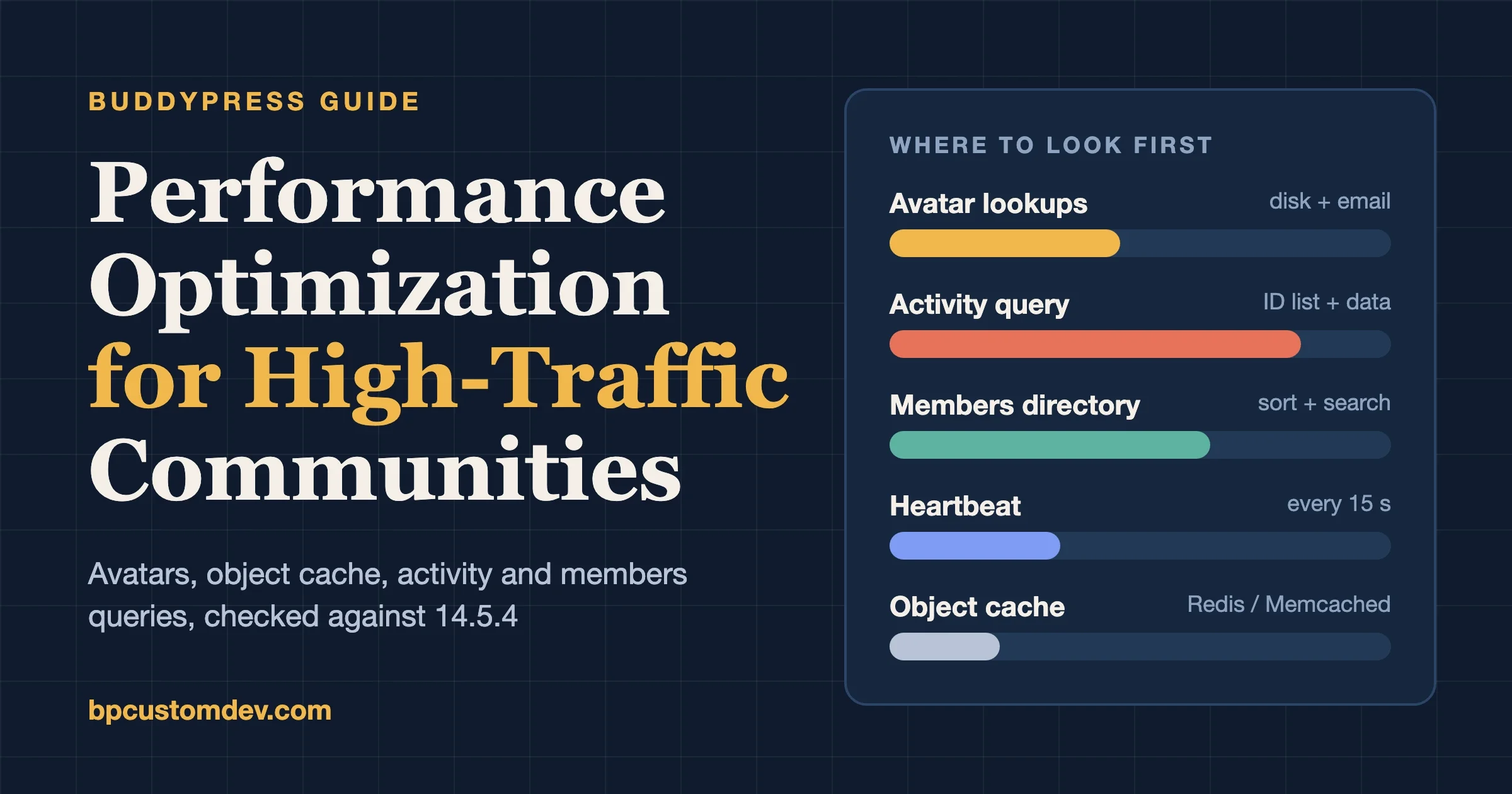
The slow parts of a busy BuddyPress site are almost always the same four: the activity table, the members directory, avatar lookups, and logged-in pages that cannot be page-cached. The fix is a persistent object cache, cheaper queries for those two screens, a short list of avatar settings, and a host that gives the database room. We read the BuddyPress 14.5.4 source (released 23 October 2026) on 15 November 2026 to confirm every function, filter and default named below, so the snippets match the code you are running today.
Many readers arrive here searching for the bp_core_fetch_avatar filter. The function lives in bp-core/bp-core-avatars.php and checks the disk for every avatar it prints, so it gets its own section early on. The rest follows the order we work in on a client site: avatars, object cache, activity, members, heartbeat, cron, page cache, indexes, hosting.
We do not publish benchmark numbers in this guide. Your member count, plugin list and host decide what a change is worth, and a figure from our test site would mislead you. Where we say something helps, the reason comes from the code, and you should confirm the gain with Query Monitor on your own site before and after.
Why is my BuddyPress site slow once it grows?
BuddyPress does more work per page than a plain WordPress blog, because every screen mixes several tables and each person on it needs a name, a link and an avatar. The table below maps the screens we see slow most often to the cost behind them, using what the source shows.
Screen or feature | What it costs | Where it comes from (14.5.4) |
|---|---|---|
Activity directory | An ID query with |
|
Members directory | A user ID query, then extra lookups for friend and group counts when |
|
Member search | A |
|
Every avatar | A directory check on disk, and an email lookup if you did not pass one and Gravatar is allowed |
|
Logged-in page views | A last-activity write at most once every five minutes per member |
|
Activity auto-refresh | A background request from every open activity page, every 15 seconds by default |
|
Notice what is missing from that table: a single guilty plugin. A BuddyDev maintainer made the same point on a support thread in November 2020, saying speed depends on the theme, the media, the assets and what the other plugins do, and that heavy meta queries on profile or activity data are what hurt. We agree with that reading, and it is why this guide starts with the places BuddyPress spends its own time.
If you are still choosing a host or deciding which components to switch on, our BuddyPress setup guide covers what hosting BuddyPress needs and which components to enable. This post picks up after that: the site is live, the member count is climbing, and pages have started to drag.
How do the bp_core_fetch_avatar filters work?
bp_core_fetch_avatar() takes an array of arguments (item ID, object, type, width, height, email, no_grav, html, extra_attr and a few more), looks for a locally uploaded avatar, and falls back to Gravatar or a default image. It returns either a finished img tag or just a URL, depending on the html argument. The filters you can use to change that output are listed below, copied from the 14.5.4 source.
Filter | What you can change | Notes |
|---|---|---|
| The full | Receives the HTML plus the params array, item ID, avatar dir and folder paths. Does not run when |
| The raw URL, when | Runs for local avatars and for the Gravatar or default URL. |
| Whether to skip the Gravatar fallback | The docblock shows |
| The base URL used to build local avatar URLs | Only the URL changes. The disk check still uses the upload path. |
| The base path BuddyPress scans for avatar files | Needed if your avatars live on a mounted path outside the default uploads folder. |
| The local default avatar when Gravatar is off or not used | The first is dynamic: |
Checked on 15 November 2026 against BuddyPress 14.5.4. Two details in that function matter for speed. First, for every avatar BuddyPress calls file_exists() on the item’s folder, opens it with opendir() and reads the file list to find the “-bpthumb” or “-bpfull” file. That is cheap on a local disk and noticeably less cheap on a network mount. Second, when Gravatar is allowed and you did not pass an email argument, BuddyPress calls bp_core_get_user_email(), and its own docblock says the user query adds overhead and that wrapper functions should pass the email when they have it.
Turn off the Gravatar fallback if you do not need it
With the fallback on, a member without an uploaded photo gets a Gravatar URL, which makes the visitor’s browser contact a third-party host for each such avatar. If your members mostly upload photos, or you prefer a single local default, turn it off:
// mu-plugin or theme functions file
add_filter( 'bp_core_fetch_avatar_no_grav', '__return_true' );
Serve avatars from a CDN host
The base-URL filter is the lightest way to put avatars behind a pull-zone CDN. It rewrites the host in the URL that BuddyPress builds, and the CDN fetches the file from your origin on the first request. Because BuddyPress still scans the local upload path to decide whether an avatar exists, the files must stay on the web server’s disk. An offload plugin that deletes local copies will make BuddyPress think nobody has an avatar and fall back to the default image.
add_filter( 'bp_core_avatar_url', function ( $url ) {
	$cdn = 'https://cdn.example.com'; // your pull-zone host
	return preg_replace( '#^https?://[^/]+#', $cdn, $url );
} );
Add lazy loading to the avatar markup
BuddyPress builds the img tag itself, and the WordPress content filters that add loading="lazy" to post images do not touch it. A directory with 20 or 25 avatars below the fold benefits from the attribute. The extra_attr argument works per call, and the filter below works everywhere at once. Skip lazy loading for avatars that sit above the fold, or the largest paint can get later, not earlier.
add_filter( 'bp_core_fetch_avatar', function ( $html ) {
	if ( false !== strpos( $html, ' loading=' ) ) {
		return $html;
	}
	return str_replace( '<img ', '<img loading="lazy" decoding="async" ', $html );
} );
Does Redis or Memcached help BuddyPress?
Yes, and it is the first change we make on a busy site. BuddyPress stores the results of its heaviest lookups with wp_cache_set(), and without a persistent object cache those entries live only for the length of one request. With Redis or Memcached behind WordPress, the second visitor who needs the same data gets it from memory instead of the database.
The source shows where the savings come from. BuddyPress registers its groups as global cache groups (for example bp, bp_pages, bp_activity, activity_meta, bp_last_activity and bp_member_member_type), caches single activity rows in bp_activity, caches threaded comments in bp_activity_comments, and caches each member’s last-activity row in bp_last_activity. The activity ID list itself is cached through bp_core_get_incremented_cache(), keyed by the exact SQL string plus a group incrementor.
Why a busy stream limits the cache hit rate
That incrementor is the catch. bp_activity_reset_cache_incrementor() runs on bp_activity_add, bp_activity_delete and every activity meta change, and it resets both activity groups. In plain terms, each new post or comment makes every cached activity ID list stale at once. A quiet community enjoys long cache lifetimes. A community that posts every few seconds will see the cached lists rebuilt constantly, so the object cache still saves the row and meta lookups but cannot save the ID query. This is why the activity query itself needs attention, covered below.
Setting it up
Most managed hosts provide Redis or Memcached and a drop-in file. If yours does not, the free Redis Object Cache plugin (version 3.0.0, updated 18 September 2026, 500,000+ active installs, a 90 percent rating from 179 reviews on WordPress.org on 15 November 2026) installs the drop-in for you and shows connection status in the admin. It needs a Redis server you control, which shared hosting rarely offers.
- Run it, then confirm in Query Monitor that the number of database queries on the activity directory drops on the second load.
- If the hit rate looks poor, check that nothing calls
wp_cache_flush()on a schedule. A full flush also clears the BuddyPress groups, and WordPress 6.1 addedwp_cache_flush_group()so a plugin can clear only its own group. - The Redis Object Cache drop-in reads
WP_REDIS_IGNORED_GROUPSandWP_REDIS_GLOBAL_GROUPSconstants (confirmed in version 3.0.0). Only exclude a group if you have measured a problem with it, because ignored groups go back to non-persistent behavior.
How do I speed up the BuddyPress activity stream?
Make the ID query cheaper, fetch less per page, and avoid loading data the template never shows. The activity directory runs BP_Activity_Activity::get(), which first selects activity IDs with ORDER BY a.date_recorded DESC, a.id DESC and a LIMIT that includes an offset, then loads the rows for those IDs, then primes the meta cache, then fetches comments. The defaults in bp_has_activities() are 20 items per page, threaded comments, and count_total turned off.
What the query filters on
The default WHERE clause includes hide_sitewide = 0 and a type NOT IN list that always excludes activity_comment (when comments are threaded) and last_activity. That second point is easy to miss. BuddyPress stores each member’s last-activity timestamp as a row in the same bp_activity table with the type last_activity. So on a site with many members, a share of the rows in the activity table are not posts at all, and the stream query has to step over them with a NOT IN filter that an index handles poorly.
Practical changes
- Keep pages small. Deep pages pay for the offset, because the query skips rows by counting them. If your logs show crawlers or members requesting very deep activity pages, consider limiting that in your cache layer or robots rules.
- Leave
count_totaloff. The default is false. When true, an extra count query runs, which is expensive on a large table. Plugins and custom templates sometimes switch it on for a page counter, so grep your theme for it. - Avoid broad
meta_queryfilters on the stream. The activity meta table has keys onactivity_idandmeta_keyonly, so a filter on a meta value scans. - Archive or prune what nobody reads. Old activity that members never scroll to still sits in the table the stream query walks. Decide a retention rule and apply it with a scheduled job, not by hand.
- Watch the filters you or your plugins add.
bp_activity_get_where_conditionsandbp_activity_paged_activities_sqlare the two places where third-party code changes the SQL. If Query Monitor shows an unfamiliar clause, search your plugins for those two names.
Why is the BuddyPress members directory slow?
The members directory runs BP_User_Query, and its cost depends on the sort type, the search, and how many extras you ask for. The sort types behave very differently:
Directory sort | How BuddyPress builds it | What to watch |
|---|---|---|
Active | Reads the | Fine at moderate size. The table is shared with the activity stream. |
Random |
| Sorts the whole matching set on every request. Avoid on large sites, or cache the result. |
Online | Last activity within a window, 15 minutes by default through | Changes with every page view by every member, so it cannot be cached for long. |
Alphabetical | Orders by | The order column is not one BuddyPress indexes. Cost grows with the member count. |
Search deserves a separate warning. For a plain search term, BP_User_Query selects matching IDs from wp_users with a LIKE on user_login and user_nicename. The search_wildcard argument defaults to both, which puts a wildcard on both sides of the term and rules out index use. If your members search by the start of a name, you can pass search_wildcard as right in your template call and give the database a chance to use an index.
Skip the extras you do not display
populate_extras defaults to true, and the members template comment says it fetches user meta such as friend counts and last-active values. If your directory cards only show a name and an avatar, turn it off for the directory loop:
add_filter( 'bp_after_has_members_parse_args', function ( $r ) {
	// Only do this if your directory card does not print friend or group counts.
	if ( bp_is_members_directory() ) {
		$r['populate_extras'] = false;
	}
	return $r;
} );
Checked on 15 November 2026: the bp_after_has_members_parse_args hook name is built from the has_members key passed to bp_parse_args() in bp-members/bp-members-template.php. The directory check keeps widgets and profile tabs unchanged.
Should I turn off the BuddyPress heartbeat?
Turn it down before you turn it off. BuddyPress uses the WordPress Heartbeat API to poll for new activity while someone has the activity directory or a group activity page open. bp_activity_do_heartbeat() returns true only when the setting is on and the visitor is on one of those two screens, so it does not run on every page. The default pulse in bp_activity_heartbeat_strings() is 15 seconds, unless a global Heartbeat interval is set and nobody has filtered the BuddyPress pulse.
Each pulse is a request to admin-ajax.php that runs bp_activity_heartbeat_last_recorded(). That function builds the activity query for items newer than the last one the browser saw, and when something new exists it renders the entry templates. On a site with thousands of members idling on the activity page, that is a steady stream of PHP workers kept busy for a convenience feature. The BuddyDev maintainer on the support thread we mentioned above recommended lowering Heartbeat for activity performance.
// Slow the activity auto-refresh to once a minute.
add_filter( 'bp_activity_heartbeat_pulse', function () {
	return 60;
} );

// Or switch it off entirely.
add_filter( 'bp_activity_do_heartbeat', '__return_false' );
Checked on 15 November 2026 against BuddyPress 14.5.4: both filters exist, and the admin setting “Activity auto-refresh” stores _bp_enable_heartbeat_refresh. Turning it off through the settings screen is equivalent and needs no code. Members will need to reload to see new posts, which is the honest trade.
What background work does BuddyPress run, and how do I move it off page loads?
Less than most people expect. In the 14.5.4 code, the only scheduled event we found BuddyPress registering is a daily bp_activity_akismet_delete_old_metadata task, set up by its Akismet integration class. A slow site is rarely slow because of BuddyPress cron. It is usually slow because of what other plugins schedule, and because WP-Cron runs on a visitor’s page load by default.
Move WP-Cron to a real system timer so no visitor pays for it. Turn off the page-load trigger and call WP-CLI from the server’s scheduler:
// wp-config.php
define( 'DISABLE_WP_CRON', true );
# crontab on the server, every five minutes
*/5 * * * * cd /var/www/example.com && wp cron event run --due-now >/dev/null 2>&1Checked on 15 November 2026: DISABLE_WP_CRON and wp cron event run --due-now are both described in the WordPress developer handbook and the WP-CLI documentation. Email is the other background cost. BuddyPress sends notification mail through bp_send_email(), which hands the message to wp_mail() or its own delivery class inside the request that triggered it, unless a mail plugin queues the message. If posting a comment takes seconds, test it with a transactional mail service or a queueing plugin before blaming the database. Our comparison of community notification systems covers how email, push and in-app alerts differ.
Can I use page caching and a CDN with BuddyPress?
Yes for logged-out visitors and static files, and no for logged-in members. The members who generate the load see personal data on every screen: notifications, messages, the activity they follow. A page cache that serves one member’s page to another is a privacy bug, not a speed win, so the safe rule is to bypass the full-page cache whenever the WordPress logged-in cookie is present.
- Bypass on the login cookie. Skip full-page caching for any request with a
wordpress_logged_in_*cookie. Most cache plugins and hosts have a setting for this, and it is usually the default. - Bypass on the feedback cookies. BuddyPress sets
bp-messageandbp-message-typecookies for a day after an action such as saving a profile, so the next page can show a notice. A cached copy of that page shows stale or missing notices. - Never cache
admin-ajax.phpresponses. The BuddyPress Nouveau templates send their AJAX requests to the URL frombp_core_ajax_url(), which defaults toadmin-ajax.php. Those responses are personal and change constantly. - Put static files on the CDN. Theme assets, uploaded media and (through the filter above) avatars are the safe wins. Set long cache lifetimes on versioned files.
BuddyDev’s support thread from 9 November 2020 describes the member side of this tension: a site owner who cached dynamic pages in the browser saw stale content after profile updates, and the advice was to cache static assets and keep dynamic pages dynamic. If you also run a membership or paywall layer, check how it treats cached pages. Our guide to WordPress membership plugins compares how the common ones behave.
Which database indexes does BuddyPress ship, and should I add more?
BuddyPress creates single-column indexes on most of its tables, and the activity table is where adding a composite index is most tempting. The 14.5.4 schema in bp-core/admin/bp-core-admin-schema.php gives bp_activity separate keys on date_recorded, user_id, item_id, secondary_item_id, component, type, mptt_left, mptt_right, hide_sitewide and is_spam. The activity meta table has keys on activity_id and meta_key (the second limited to 191 characters). The extended profile data table has keys on field_id and user_id separately.
Table | Indexes shipped in 14.5.4 | Gap worth testing |
|---|---|---|
| Ten single-column keys, listed above | The stream query filters on |
|
| Meta value filters scan. Avoid them instead of indexing them. |
|
| Lookups by both columns together use one index and filter the rest. A composite key is a candidate if profile-field searches are slow. |
Start by looking at what is really there on your database, then test any addition on a copy:
SHOW INDEX FROM wp_bp_activity;

EXPLAIN SELECT a.id
FROM wp_bp_activity a
WHERE a.hide_sitewide = 0
  AND a.type NOT IN ( 'activity_comment', 'last_activity' )
ORDER BY a.date_recorded DESC, a.id DESC
LIMIT 0, 21;
Checked on 15 November 2026: the EXPLAIN above is a simplified version of the stream query described in the source (the real one adds conditions depending on scope and filters), so use it to see which key the optimizer picks, not to predict timings. If you add an index, write it down, and re-run SHOW INDEX after each major BuddyPress update. Replace the wp_ prefix with yours.
What hosting does a large BuddyPress community need?
A host that gives you a persistent object cache, enough PHP workers for logged-in traffic, and a database server with memory to spare. Those three matter more than raw CPU count, because logged-in members bypass the page cache and every one of them occupies a PHP worker for the full length of the request.
- PHP workers. If each page takes a second of PHP time, ten workers serve about ten pages a second. Heartbeat polling, AJAX and email sending all compete for the same pool.
- Database memory. The activity and users tables should fit in the database buffer. When they do not, every query reads from disk.
- Object cache included. Look for Redis or Memcached on the plan, not as an add-on you have to build yourself.
- Shared hosting. A 2012 thread on buddypress.org describes a BuddyPress site with many plugins on shared hosting returning HTML in around five seconds, and the advice was a VPS first and a specialist WordPress host if growth continued. The details have changed since then, but the shape of the advice has not.
For a longer look at the host question, see the hosting sections of our BuddyPress guide. If you are weighing whether BuddyPress is still the right base for your next build, our honest assessment of BuddyPress in 2026 goes through that question.
How do I find what is slow on my own site?
Measure the two screens that hurt, one at a time, with the same tool each time. Query Monitor (version 4.1.1, updated 27 October 2026, 200,000+ active installs, a 98 percent rating from 470 reviews on WordPress.org on 15 November 2026) is free and shows queries by time, by caller and by component.
- Log in as an ordinary member, not an administrator, and open the activity directory with Query Monitor active. Administrators often see extra work that members never trigger.
- Sort queries by time and note the top three, plus the total count. Save the numbers somewhere.
- Look at the Queries by Component panel. If a plugin other than BuddyPress dominates, deactivate it on a staging copy and compare.
- Look for repeated near-identical queries. A run of the same query with different IDs is a loop in someone’s code.
- Make one change, reload twice (the second load shows the cached cost), and compare to your saved numbers.
Common mistakes people report
We went through BuddyPress support threads and the BuddyDev forum for recurring complaints. Most of the useful threads are old, and BuddyPress has changed a great deal since (last-activity data moved in version 2.0, the URL system changed in 12.0), so treat each item as a pattern to check, not a promise about today’s code. Read on 15 November 2026.
- Caching logged-in or dynamic pages. Owners report stale activity and profile content. BuddyDev’s thread of 9 November 2020 shows a member site where cached dynamic pages showed old data after profile edits. A maintainer pointed to object caching and static-asset caching as the safe route.
- Blaming BuddyPress when a plugin is the cause. A thread from around 2012 traced a 4.5 second first byte on the activity page to two plugins. Deactivating them dropped it to 1.3 seconds.
- Ignoring activity table growth. A buddypress.org thread from early 2026 describes a stream that slowed as groups, friendships and posts piled up, even with caching on. One reply from a 20,000 member site on a VPS with groups disabled still saw about a one-second delay before each batch of 20 items. A moderator asked for Query Monitor data first, and another reply suggested persistent object caching, smaller pages, archiving old activity and indexing.
- Leaving the Recently Active widget on every page. An older thread on a site with 3,700 members reported the widget’s query exhausting memory. A core developer replied that BuddyPress 2.0 had partly addressed it by moving last-activity data into the activity table. That move is why the activity table now carries a row per member.
- Running a heavy site on shared hosting. A 2012 thread on a site of about 557 users shows pages taking around five seconds to return HTML, and replies recommended a VPS and, later, a specialist WordPress host.
- Loading heavy embeds in the stream. An older thread on a music site found media embeds made the stream laggy, and lazy-loading plugins plus a smaller page size helped. Embeds in a feed cost the browser, not just the server.
When is it time to look at a different base?
When the cheap fixes are done and the stream or directory still strains at your size, the structure of the data starts to matter more than any tweak. BuddyPress keeps member last-activity rows and posts in one table, and its member search and sort paths were designed long before communities of this size were common. That is a design fact, not a defect, and it is why BuddyPress sites at scale lean on caching and careful hosting.
Our own options approach it differently. BuddyNext is our community plugin for sites that want to move off BuddyPress, and it is built as its own plugin rather than on top of BuddyPress, so the table behaviors described above do not carry over. The honest downsides: it is newer than BuddyPress, its third-party add-on ecosystem is smaller, and moving an existing community means a migration project. We have not published scale figures for it in this guide, so ask us to test it on a copy of your data before you rely on any claim.
If you keep BuddyPress, the theme you run on it affects asset weight and template cost. BuddyX and Reign are our two BuddyPress themes. Neither will fix a slow query, and a lighter theme helps only with the front-end part of the wait. If you are comparing community plugins in general, our WordPress community plugins comparison lists the alternatives with their trade-offs.
Frequently asked questions
Where is the bp_core_fetch_avatar filter documented?
In the source. The function and its docblock are in bp-core/bp-core-avatars.php, and each apply_filters() call carries its own docblock with the parameters. The table earlier in this post lists the filters as they stand in BuddyPress 14.5.4.
Does BuddyPress contact Gravatar from my server?
No. BuddyPress builds a Gravatar URL and puts it in the img tag, so the visitor’s browser fetches it. The server cost is the email lookup when no email is passed, plus the hash. Turn the fallback off with bp_core_fetch_avatar_no_grav if you do not want the third-party request.
Is BuddyPress still maintained?
Yes. As of 15 November 2026 the current release is 14.5.4, published on 23 October 2026, with 90,000+ active installs and an 82 percent rating from 375 reviews on WordPress.org. It requires WordPress 6.1 or newer.