Product teams spend hours in meetings debating which feature to build next. They analyze support tickets, read customer emails, and study competitor roadmaps. But the most reliable signal is sitting right in front of them: their users know exactly what they want.
An Ideas board gives your community a direct channel to tell you what to build. Members submit feature requests. Other members vote on them. The most-wanted features rise to the top. You get a prioritized backlog built by the people who actually use your product.
This is how companies like Canny, UserVoice, and ProductBoard built entire businesses. But you do not need a separate SaaS tool. You can run an Ideas board inside your WordPress community forum.
How an Ideas Board Differs from a Forum
An Ideas board looks similar to a forum at first glance. Members create posts. Other members respond. But the mechanics are fundamentally different:
| Aspect | Forum | Ideas Board |
|---|---|---|
| Purpose | Discussion | Prioritization |
| Sorting | Chronological (newest first) | By vote count (most wanted first) |
| Primary action | Reply | Vote |
| Status tracking | None | Under Review, Planned, In Progress, Completed, Declined |
| Success metric | Discussion depth | Ideas shipped |
The key difference is that an Ideas board is about collective prioritization, not conversation. Replies are secondary to votes. The question is not “What do people think about this idea?” but “How many people want this?”
For a deeper understanding of how Ideas boards fit alongside other community formats, read our complete guide to community types.
Setting Up Your Ideas Board
Step 1: Create an Ideas Space
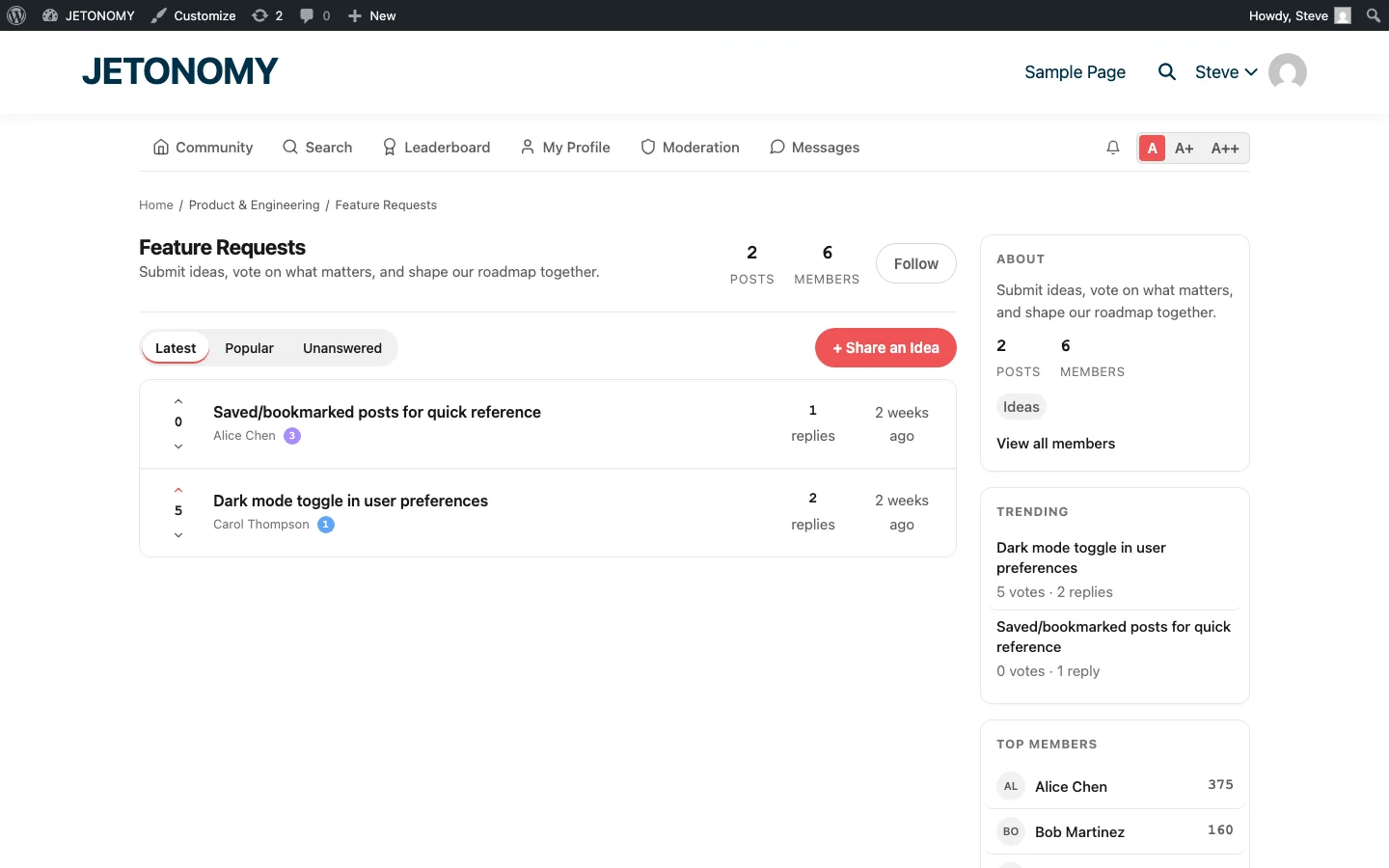
In Jetonomy, create a new space and set its type to Ideas. Give it a clear name like “Feature Requests” or “Ideas & Suggestions” and a description that tells members what to submit:
Submit your feature ideas and vote on others. The most-voted ideas shape our roadmap. Check the status labels to see what we are working on.
Step 2: Define Your Status Labels
Status labels are what make an Ideas board different from a regular forum. They tell the community where each idea stands:
| Status | Meaning | Color |
|---|---|---|
| New | Just submitted, not yet reviewed | Gray |
| Under Review | Team is evaluating feasibility | Blue |
| Planned | Accepted and on the roadmap | Purple |
| In Progress | Currently being built | Orange |
| Completed | Shipped in a release | Green |
| Declined | Not going to happen (with explanation) | Red |
The most important status is “Declined”, not because you want to decline ideas, but because transparency about why you are not building something builds more trust than silence. A declined idea with a clear explanation (“This conflicts with our security model”) is better than an idea that sits at “New” for two years.
Step 3: Seed with Existing Requests
Before opening the Ideas board to your community, seed it with feature requests you have already received through email, support tickets, or social media. This does two things:
- It shows the community that the board is active and already has content worth voting on
- It lets you consolidate scattered requests into a single, votable location
Go through your last 3 months of support tickets and pull out every feature request. Post each one as an idea and assign the appropriate status (New, Under Review, or Planned if you are already working on it).
The Voting Workflow
When a member visits the Ideas board, they see ideas sorted by vote count (most-wanted first). They can:
- Browse existing ideas to see if their request already exists
- Upvote ideas they want with a single click
- Submit a new idea if theirs does not exist yet
- Comment on ideas to add context or use cases
The Similar Topics feature prevents duplicates: when a member starts typing a new idea title, the system shows existing ideas with matching keywords. Many members find their idea already submitted and simply upvote it instead of creating a duplicate.
Using the Data
An Ideas board generates actionable data for product decisions:
Vote Count = Demand Signal
An idea with 47 votes tells you more than 47 individual support tickets saying the same thing. The vote count is a direct measure of demand. Sort by votes to see your community’s prioritized feature wishlist.
Comments = Context
Votes tell you what people want. Comments tell you why. A feature request with the comment “We need this for GDPR compliance, our legal team is blocking our renewal until this ships” gives you urgency context that a vote count alone cannot.
Voter Profiles = Segment Data
Who is voting for each feature? If your highest-paying customers all vote for the same idea, that idea has outsized business value even if its total vote count is moderate.
The Monthly Review Process
Set a monthly cadence for reviewing the Ideas board:
- Review the top 10 ideas by vote count. For each one, decide: Under Review, Planned, or Declined.
- Update status labels. Move ideas through the pipeline. If something moved from Planned to In Progress this month, update it.
- Post a roadmap update. Create a monthly topic in your Announcements space summarizing what moved, what shipped, and what is next. Link to the relevant ideas so voters can see their input had impact.
- Close completed ideas. When a feature ships, update the idea status to Completed and add a comment linking to the release notes or documentation. Every voter gets notified.
Ideas Board as a Retention Tool
An Ideas board is not just a product tool. It is a retention tool.
When a customer submits a feature request and watches it move from “New” to “Under Review” to “Planned” to “In Progress” to “Completed,” they experience a journey of being heard. That feeling of influence, “I asked for this and they built it”, creates loyalty that no discount or promotion can match.
Even declined ideas build trust when handled well. A thoughtful explanation of why you cannot or will not build something shows customers that you take their input seriously, even when the answer is no.
Compare this to the alternative: a customer emails a feature request, gets a “Thanks, we will consider it” reply, and never hears about it again. Which experience creates loyalty?
Combining Ideas with Other Community Types
An Ideas board works best as part of a larger community. The recommended setup:
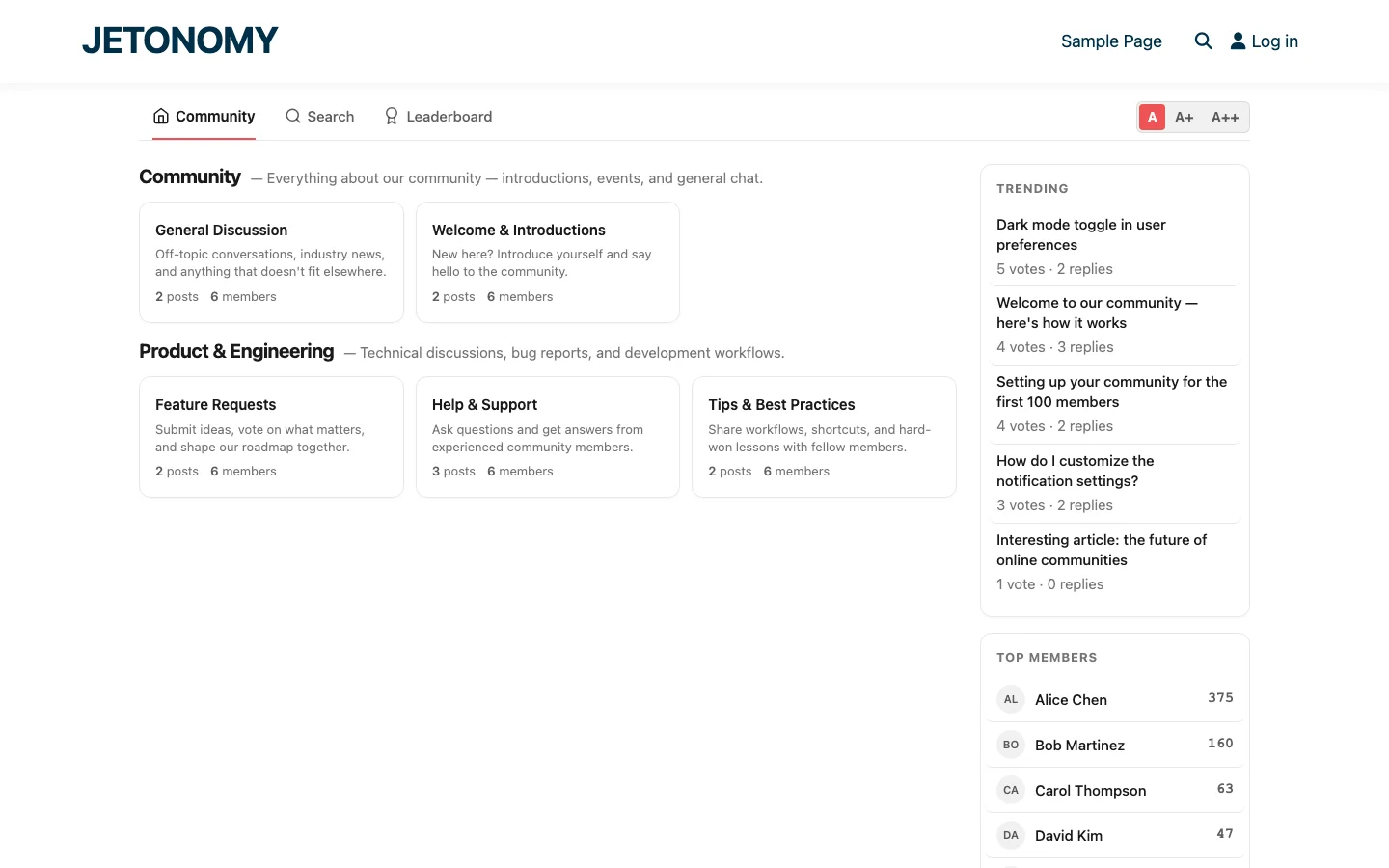
- Forum spaces for general discussion and announcements
- Q&A spaces for support questions (see our Stack Overflow-style Q&A guide)
- Ideas space for feature requests and product feedback
This structure ensures that feature requests go to the Ideas board (where they get voted on) instead of getting buried in a general discussion forum (where they get lost).
For a detailed look at this approach, check out our earlier post on adding a feature request board to your community.
Common Mistakes
- Never updating statuses. An Ideas board where every idea has been “New” for six months tells the community you are not listening. Review monthly, update statuses, and communicate.
- Building only what gets the most votes. Vote count is one signal, not the only signal. A feature requested by 5 enterprise customers paying $500/month may be worth more than a feature requested by 50 free users.
- Not explaining declines. “Declined” with no explanation feels dismissive. “Declined, this conflicts with our privacy architecture and would require a fundamental rewrite” feels respectful.
- Allowing discussion to overwhelm voting. If your Ideas board becomes a debate forum, the voting gets lost. Keep discussions focused by reminding members to vote first, comment second.
Getting Started
- Create an Ideas space in Jetonomy (follow the setup guide if you have not installed yet)
- Seed with 10–15 existing feature requests from your support tickets and email
- Assign initial statuses to show the board is already being managed
- Announce the Ideas board to your community with a post explaining how it works
- Set a monthly review cadence and stick to it
Your users already have opinions about what you should build. An Ideas board gives those opinions a structured home where votes surface the most important requests and status labels show you are listening. Stop guessing. Start asking.
What turns engagement features into sustained participation
How to Use an Ideas Board to Let Users Vote on Your Roadmap fits into the broader forums category through participation loops, recognition, and member retention. That matters because the technical setup is only one part of success. The way you structure spaces, roles, onboarding, and follow-up is what determines whether the forum becomes a searchable asset or just another neglected section of the site.
- Tie rewards to useful behavior such as accepted answers, thoughtful replies, and consistent follow-up, not just raw posting volume.
- Use lightweight interaction features first, then layer in badges, digests, mentions, and leaderboards so the community does not feel over-designed on day one.
- Review participation data monthly to see whether your engagement mechanics are helping newcomers join in or only reinforcing existing power users.
Why teams evaluating this setup should look at Jetonomy Pro
Jetonomy Pro is a strong fit when you want engagement features that connect back to real community outcomes, because it combines reactions, ideas, voting, trust systems, notifications, and structured spaces in one WordPress-native product. If you want to know more and try Jetonomy, take a closer look at Jetonomy Pro. It is the most direct next step for teams that want to move from theory to an actual working WordPress community experience.
For articles like this one, the practical question is not only whether the approach works in theory. It is whether your chosen forum stack gives you the moderation depth, user experience, and extensibility to keep the system useful six months after launch. That is where a more complete product decision starts to matter.