Hiring a Community Developer: The Brief, Code Ownership and Handover (BuddyNext or BuddyPress)
How to hire a BuddyPress or BuddyNext community developer: when you need one, the one-page brief, extend-never-fork, custom tables and member data, code ownership and the handover checklist.

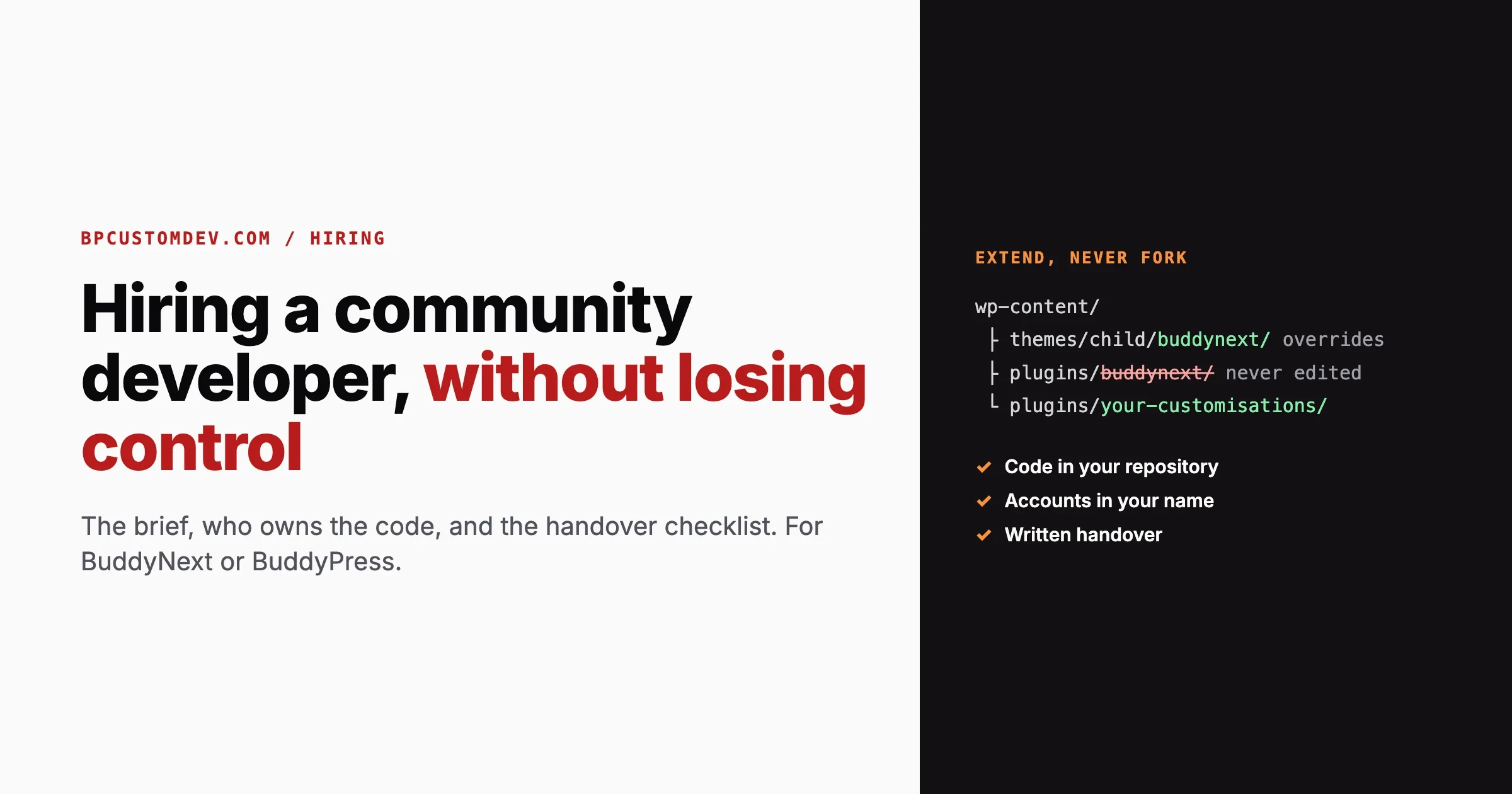
Hiring a developer for a community site is not the same as hiring one for a brochure site. A community holds member data, runs on plugins that update every few weeks, and gets slower in ways a five-page site never does. A developer who is excellent at landing pages can still leave you with a community you cannot update, cannot move and cannot hand to anyone else.
This guide is for the person hiring: an owner, a founder or a product lead commissioning work on a BuddyNext or BuddyPress community. It covers when you actually need a developer, how to write the brief, the questions that separate community specialists from generalists, who should own the code, and the handover checklist that makes sure you can walk away with everything. We are a development team ourselves, so we have tried to write the guide we would want a client to read before hiring anyone, including us.
Do you need a developer at all?
Many community requests are configuration, not development. Before paying for custom code, check whether the platform already does it. On BuddyNext, for example, the free core already includes the feed, spaces, member profiles, moderation, a REST API and webhooks, and paid plans, gated spaces and analytics come with BuddyNext Pro. On BuddyPress, a mature add-on often covers the feature you are about to commission.
Usually configuration | Usually development |
|---|---|
Turning features on or off, privacy defaults, notification defaults | A feature no plugin offers, specific to how your community works |
Profile fields, member types, space or group settings | Connecting the community to your own systems (CRM, single sign-on, an internal database) |
Theme colours, layouts and menus | Moving members and content from another platform with non-standard data |
Installing a known add-on | Performance work on a large, slow community |
Payment plans through an existing integration | Custom reporting across members, spaces and payments |
If everything on your list is in the left column, you may need a few hours of setup help rather than a developer. If anything is in the right column, read on.
Write the brief before you talk to anyone
A one-page brief gets you comparable quotes and an honest conversation. Without one, every developer quotes a different project. Write down:
Brief item | Example |
|---|---|
The community today | “BuddyPress, 4,200 members, 30 groups, BuddyX theme, shared hosting” |
The problem, in one sentence | “Members cannot find groups relevant to their specialism” |
What done looks like | “A member picks a specialism at sign-up and sees matching groups on their dashboard” |
What must not change | “Existing group URLs, the membership plugin, the member login” |
Data involved | “Reads profile fields, writes nothing new about members” |
Other systems | “None” or “HubSpot contacts, one-way” |
Who decides, and how fast | “The community manager, answers within a day” |
Budget band and deadline | “$5k to $15k, before the March conference” |
Our list of 33 questions to send vendors before you sign expands this into a full request for a larger project. For a new members-only build, our guide to membership website development covers the decisions to settle before anyone writes code.
The rule that matters most: extend, never fork
The most expensive mistake in community development is editing the plugin’s own files. It works on day one. Then the plugin releases a security fix, and you either install it and lose your changes, or skip it and run a community with a known hole. We have taken over many sites stuck exactly there.
Good community platforms give developers proper ways to change behaviour without touching their files. Here is what we confirmed in the current releases:
Extending BuddyNext
- Hooks. The BuddyNext 1.2.5 free plugin fires 365 of its own actions and applies 462 of its own filters (we counted them in the release package). Custom behaviour hangs off these from a separate plugin.
- Template overrides. BuddyNext looks for a template in the child theme’s
buddynext/folder first, then the parent theme’s, before using its own. Copy a template there to change its markup, and plugin updates leave your version alone. - REST API and webhooks. Every install includes a REST API using WordPress Application Passwords, and outbound webhooks with a delivery log and test deliveries, so other systems can be connected without touching the plugin at all. The full reference is on the BuddyNext developer page.
wp-content/
  themes/
    your-child-theme/
      buddynext/          <- BuddyNext template overrides
      buddypress/         <- BuddyPress template overrides
  plugins/
    buddynext/            <- never edited
    your-community-customisations/   <- all custom code lives here
  mu-plugins/             <- small, must-always-run fixes
Extending BuddyPress
- Hooks throughout core, plus the components API for adding whole new sections.
- Template overrides in the theme’s
buddypress/folder, following the active template pack. - The BuddyPress REST API for connecting other systems.
When you interview a developer, ask how they would change a template or add a feature. A good answer names a child theme, a custom plugin and specific hooks. “I would just edit the plugin” ends the interview.
Custom tables and member data
Some features need their own database tables. That is fine, and often better than cramming everything into post meta, but a custom table comes with obligations a casual developer skips. Ask for each of these in writing:
- Indexes on every column the code filters, sorts or joins on. A query that is instant with 50 rows can take seconds with 50,000.
- Pagination everywhere the data is listed. No screen should load every row.
- Privacy export and erase. If the table holds anything about a member, it must plug into WordPress’s personal data export and erasure tools, the same way BuddyNext does for its own data. Otherwise a privacy request cannot be answered completely.
- An admin screen, and an API where it makes sense. Data that only the developer can see through the database is data you do not really control.
- Clean uninstall, with an explicit choice to keep or remove the data.
- Testing at realistic size. Ask the developer to test with thousands of rows, not a handful. BuddyNext ships a command that builds a 1,000-member test community in about a minute; most platforms have something similar, and a developer who never uses one is guessing about performance.
Member data deserves its own rule: the developer should only have access to real member data when the work truly needs it, and staging copies should be anonymised. Our guide to what a community platform keeps about your members lists what is personal data in a community and who should see it.
A worked example: one feature, done properly
Take the brief from earlier: members pick a specialism at sign-up and see matching groups on their dashboard. Here is how a careful developer splits that work, and why each choice matters to you later.
- Configuration first. The specialism is a profile field, created in the platform’s own profile field settings, not in custom code. Your team can add a new specialism next year without a developer.
- One custom plugin for the logic. The matching rules live in a small, site-specific plugin, with a clear name and a header saying what it is for. Nothing is added to the theme’s
functions.php, which is lost the day you change themes. - A template override for the display. The dashboard section is added through a template override in the child theme, so plugin updates do not wipe it.
- A cached, paginated query. Matching groups are fetched with a query that uses indexed columns and is cached per member, so the dashboard stays fast with 50 groups or 5,000.
- A setting, not a hard-coded rule. If the community manager might want to change how many groups are suggested, that number is a setting in the admin, not a constant in code.
- Notes in the handover. Where the field is configured, which plugin holds the logic, which template is overridden, and what to check after updates.
The custom plugin itself can be as simple as this, and the header alone saves the next developer an hour of guessing:
<?php
/**
 * Plugin Name: Example Community Customisations
 * Description: Site-specific changes for example.com. All custom community code lives here, never in the community plugin or the theme.
 * Version:     1.0.0
 * Author:      Your developer
 */

defined( 'ABSPATH' ) || exit;

// Each feature in its own file, named for what it does.
require __DIR__ . '/includes/specialism-group-suggestions.php';
None of this is more work than the shortcut. It is the same feature, built so that you can keep it, change it and hand it on.
Who owns the code
Settle ownership before the first line is written, not when you want to change developers. In the contract, or at least in an email you both agree to:
- You own the custom code written for you, and it lives in a Git repository in your account (GitHub, GitLab or Bitbucket), with the developer invited as a collaborator. Not in the developer’s private account.
- Licensing is clear. WordPress plugins and themes are GPL. Code that extends them is normally licensed the same way, which is compatible with you owning and modifying it.
- Accounts are yours. Hosting, domain, payment gateway, email service and any API keys are registered to your organisation, with the developer given access, never the other way round.
- No secrets in code. Keys and passwords live in configuration, not in the repository.
- Staging exists and every change goes there first.
A developer who resists any of these is telling you how the handover will go.
Where to look, and how to tell a community specialist
Marketplaces, agencies and referrals all work. What matters is evidence of community work specifically. Look for:
- Live communities they have worked on, which you can join and use as a member, not just screenshots.
- Public code. A GitHub profile with WordPress plugins tells you more about how someone writes code than any portfolio.
- Reviews that mention ongoing work, not just one-off fixes. Communities need years of care.
- Time zone overlap with whoever makes decisions on your side.
Questions to ask, and what a good answer sounds like
Question | A good answer includes |
|---|---|
How would you change the member profile layout? | A template override in a child theme, not editing plugin files |
How do you keep a large community fast? | Pagination, indexes, caching, testing with realistic data |
What happens to member data in your feature? | Where it is stored, export and erase, who can see it |
How do you test before going live? | A staging site, test accounts for each role, a checklist |
What will I get at the end? | A repository, documentation and a handover session |
What happens when the plugin updates? | Custom code is separate, so updates are tested on staging and applied |
Run a small paid test
Before a large engagement, pay for a small, real task: a template change, a small integration, a bug fix. Judge it on more than whether it works. Did they work on staging? Is the code in a separate plugin or child theme? Did they explain what they changed? Did they ask good questions first? A few hours of paid work tells you more than any interview.
Choosing how to engage
Community work comes in three common shapes, and the right one depends on how clear the scope is:
Model | Fits when | Watch for |
|---|---|---|
Fixed-price project | The scope can be written down in full before work starts | Changes mid-project become change requests; agree how they are priced |
Block of hours | Ongoing small improvements and fixes, or a scope still being discovered | Ask for time logs against tasks |
Dedicated developer | A steady stream of work over months | Make sure knowledge is written down, not only in one person’s head |
Whatever the model, budget for the years after launch, not just the build. Our breakdown of what a custom community build costs to own over five years covers the running costs that rarely appear in the first quote.
Moving from BuddyPress to BuddyNext? Ask about your custom code
If you are planning a move from BuddyPress or BuddyBoss, the data side is the easier half. BuddyNext’s importer reads the existing tables directly and brings across profile fields and member types, groups (which become spaces, keeping their privacy settings and member roles), activity with its comment threads, friendships, follows and reactions, bbPress forums, avatars and cover images, albums and media, and private messages. Our BuddyPress to BuddyNext migration guide covers what maps to what.
The harder half is custom code. Anything a developer wrote against BuddyPress hooks and templates will not run on BuddyNext, because they are different plugins with different hooks. Before you hire anyone for a move, ask them to:
- List every customisation on the current site: custom plugins, theme template overrides, snippets in
functions.php, and code added through snippet plugins. - Sort the list into “BuddyNext already does this”, “configuration”, “needs rebuilding” and “no longer needed”. Communities often find a third of their old custom code covered a gap the new platform does not have.
- Rehearse the import on staging with a full copy of real data, and have real members check their profile, history and messages before the live move.
- Keep old URLs working with redirects, so links in emails and search results still land somewhere sensible.
A developer who quotes a migration without asking to see your existing customisations has not understood the job.
The handover checklist
Every engagement should end with you able to continue without the developer. Before the final payment, check that you have:
Item | What “done” means |
|---|---|
Code | Every custom file in your repository, with a history of changes |
Where customisations live | A list: which custom plugin, which template overrides, which settings |
Data | Every custom table listed, with what it holds and how it is exported and erased |
Integrations | Each connected system, the account it uses, and how to rotate its keys |
Access | Developer access removed or reduced, passwords rotated |
Update notes | What to check after updating the community plugin, theme and WordPress |
Known issues | Anything unfinished or fragile, written down honestly |
A walkthrough | A recorded session showing the work, so the next developer can start fast |
Ask for this list at the start of the project, not the end. A developer who knows the handover is coming builds work that can be handed over.
After launch: who keeps it running?
A community is never finished. Plugins update, WordPress updates, members find edge cases. Decide before launch who will:
- apply updates on staging first, then live;
- watch uptime and errors;
- keep backups and test that they restore;
- answer when something breaks on a Saturday.
That can be the developer who built it, your own team, or a maintenance plan. Our community maintenance plan page explains what ongoing care covers for a community site. What matters is that someone named owns it.
Red flags
- They want to edit the community plugin’s files directly.
- The code will live in their account, or they will not say where.
- Hosting or payment accounts are registered in their name.
- No staging site, or “we test on live, it is faster”.
- They cannot describe how their feature handles thousands of members.
- No written handover, or a handover offered only for an extra fee at the end.
- Case studies they will not let you verify or visit.
Frequently asked questions
How do I hire a BuddyPress developer?
Write a one-page brief, look for developers with live community work and public code, ask how they would extend rather than edit the plugin, and run a small paid test before a larger engagement. Agree code ownership and the handover checklist before work starts.
Should my developer modify the BuddyPress or BuddyNext plugin files?
No. Both support theme template overrides and hooks, so custom behaviour belongs in a child theme and a separate custom plugin. Editing plugin files means losing your changes, or skipping security updates, every time the plugin updates.
Who owns the code a developer writes for my community?
You should, and it should live in a repository in your own account. Agree this in writing before work starts, along with ownership of hosting, domain and API accounts.
Is a custom database table a bad sign?
Not at all, when the feature needs one. Ask for indexes, pagination, privacy export and erase support, an admin screen and testing with realistic data volumes.
Fixed price or hourly?
Fixed price suits a scope you can write down completely. A block of hours suits ongoing improvements or a scope still being explored. Either way, ask for written progress you can check.
What should a developer hand over at the end?
The code in your repository, a list of every customisation and custom table, integration and access details, update notes, known issues and a recorded walkthrough.
How long does a community development project take?
It depends entirely on scope. A focused change can take days; a new community with migration and payments usually runs in phases over weeks or months. Ask for a phased plan where you can see working results at the end of each phase.
Can I hire a community developer just to review existing work?
Yes, and it is often the best first step when you have inherited a site. A review should list every customisation, flag anything that edits plugin files or stores member data without export and erase support, check how the site behaves with realistic data, and give you a short, prioritised list of what to fix first. It costs far less than a rebuild and tells you whether you need one.
About us, plainly
We are Wbcom Designs, building on WordPress since 2013 with 600+ client projects, rated 4.8 across 360+ jobs on Upwork and 4.8 from 93 reviews on Trustpilot. We build BuddyNext and have built BuddyPress add-ons, themes and community sites for years. We hold ourselves to the checklist above: your repository, your accounts, extend rather than fork, and a written handover. If you hire someone else, hold them to it too.
Need a community developer? See how we work on our hire a BuddyPress developer page, or send us your one-page brief and a senior engineer will read it, usually the same working day.
















