Why Build Your Own Course Marketplace (Instead of Relying on Udemy)?
Why build your own course marketplace instead of relying on Udemy: 2026 revenue share changes, real running costs, instructor commissions and honest trade-offs.

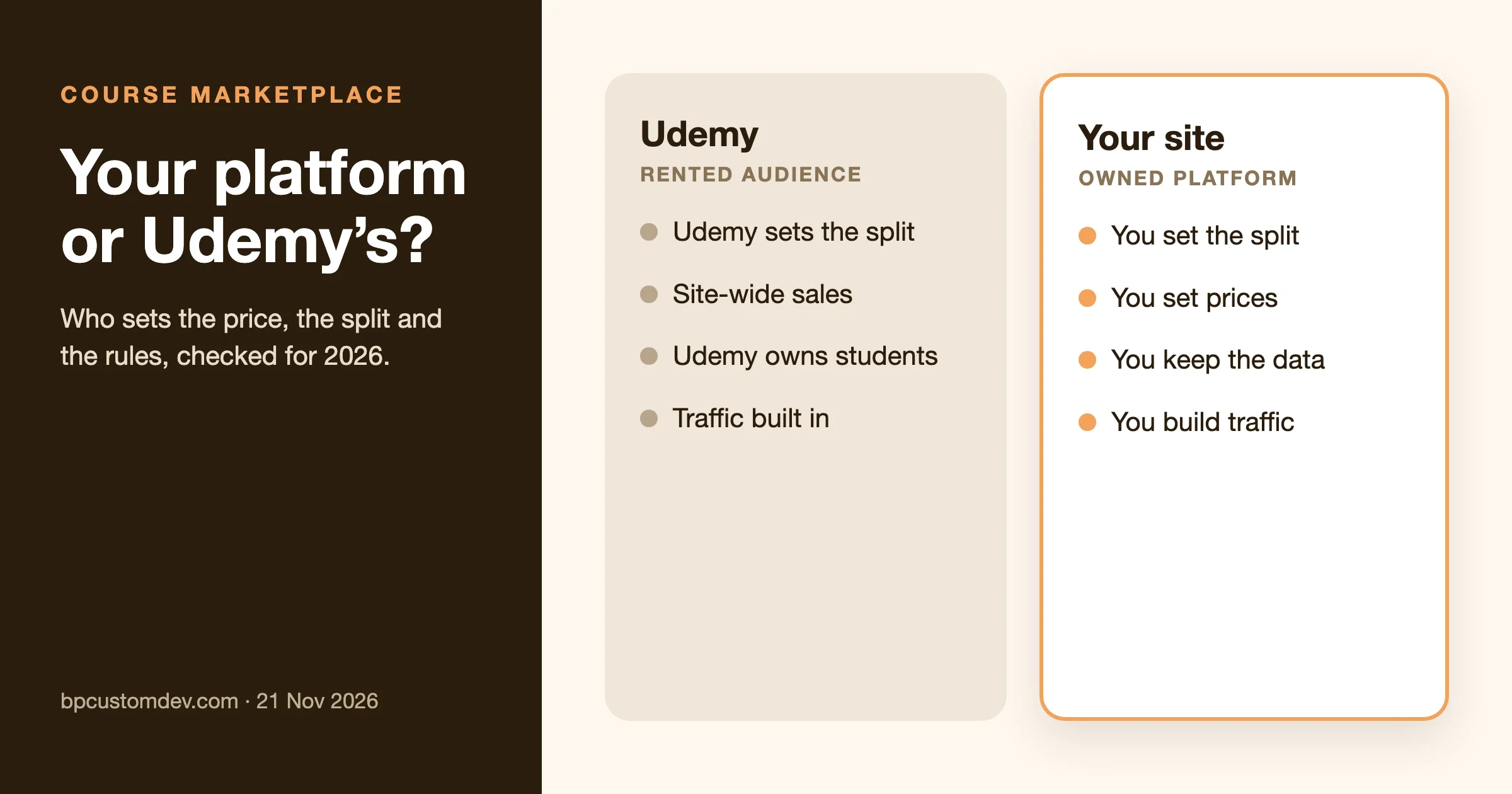
Build your own course marketplace when you want to set your own prices, keep the student relationship and choose your own revenue split. On Udemy, Udemy sets the split, runs site-wide discounts and owns the customer; Udemy told instructors it would apply a further 2.5% revenue share adjustment in January 2026. On your own WordPress site, a free LMS such as Learnomy or Tutor LMS lets you take a commission from every instructor sale, and you pay only hosting, plugins and card fees.
The catch is traffic. Udemy brings buyers; your own site does not until you build an audience. Below we compare the two honestly, with what we could verify on 21 November 2026, the real running costs of a self-hosted marketplace, and how instructor payouts work. Our team builds course sites and makes Learnomy, so we say where it fits and where it does not.
How much does Udemy keep from each sale?
Udemy publishes its split in an Instructor revenue share article on its support site. That page blocked our automated check on 21 November 2026, so we are not quoting its percentages here; read it directly before making a decision. What we could confirm from Udemy’s own pages:
- In a post by the Udemy Team on 22 December 2025, Udemy reminded instructors that it was “implementing a 2.5% revenue share adjustment in January 2026” to fund new tools. Instructors replying in that thread read it as the subscription revenue share dropping from 17.5% to 15%, which several pointed out is a 14% cut to their subscription income, not 2.5%.
- The same post says Udemy’s Personal Plan grew to more than 293,000 subscribers in 2025, which is why more instructor income now comes from subscriptions rather than single sales.
Instructors describe the result in blunt terms. A long-time instructor writing on Udemy’s community in July 2026 estimated that Udemy keeps roughly 63% of organic marketplace sales and about 85% of subscription revenue, and complained that site-wide sales pull $199 courses down to $9.99. Those are one instructor’s figures, not Udemy’s, but they match what we hear from course creators who come to us.
What changed at Udemy in 2026?
- Coursera and Udemy merged. Coursera announced on 11 May 2026 that the combination was complete. It said content stays on Coursera.org or Udemy.com for now while it works toward a unified platform.
- A smaller subscription share. The January 2026 revenue share adjustment described above.
- New programmes. The same December 2025 Udemy Team post announced instructor-led bundles, a planned automatic 15% discount on bundles for instructors in the Instructor Deal Program, up to $2 million set aside for a 2026 Subscription Bonus, and a phased rollout of Instructor Subscriptions during 2026.
None of this makes Udemy a bad channel. It does show the core problem: the platform can change your income with one announcement, and you cannot negotiate.
What is a course marketplace?
A course marketplace is a site where several instructors sell courses under one brand, and the site owner earns a share of each sale or a subscription fee. Udemy is the best-known example. Your own marketplace works the same way, but for one niche (say, product design, nursing CPD or woodworking) and under your rules: you approve instructors, set the commission and decide how discounts work.
It differs from a single-creator course site, where all courses are yours. A marketplace adds instructor onboarding, payouts, quality review and support for two groups of customers: students and instructors.
Why build your own course marketplace instead of using Udemy?
You set prices and discounts
On your own site a $199 course stays $199 unless you choose to run a sale. You can offer bundles, memberships, fixed-term access or payment plans. Frank Kane, a long-time Udemy instructor, explained in a LifterLMS case study that Udemy’s price points made it hard to offer office hours and personal support, so he built his own site alongside Udemy.
You choose the revenue split
You decide what instructors earn. A niche marketplace can pay instructors more than a general platform and still make money, because it spends less on paid ads and keeps students for longer.
You keep the student relationship
Students’ emails, progress and purchase history sit in your database. You can email them about new courses, build cohorts and run a community, all without asking anyone’s permission.
You can add community
Udemy gives each course a Q&A, and its 2026 Instructor Subscriptions rollout is meant to help instructors build communities, but those communities live on Udemy. On WordPress you can give students profiles, groups and forums, which keeps them around between courses. Our guide to integrating Tutor LMS with BuddyPress shows one way to do it.
Your income does not depend on one company’s decisions
Policy changes, algorithm changes and mergers happen to every platform. Owning the site means a change at Udemy affects one sales channel, not your whole business.
When is Udemy still the better choice?
Be honest with yourself here. An instructor on Udemy’s community argued in December 2024 that selling on your own site only works if you already have an audience or the skills to build one, and that Udemy lets a newcomer start without either. We agree. Stay on Udemy, or use it alongside your own site, if:
- You have no email list, no social following and no budget for marketing yet.
- You want to test whether anyone will pay for a topic before investing in a platform.
- You teach broad, popular subjects where Udemy’s search traffic is hard to match.
- You do not want to handle support, refunds, tax and payouts.
Many successful instructors do both: Udemy for discovery, their own site for higher-priced courses, coaching and community.
Udemy or your own marketplace: how do they compare?
Udemy | Your own WordPress marketplace | |
|---|---|---|
Who sets prices | Udemy, with site-wide sales | You |
Revenue split | Set by Udemy; varies by how the student arrived | You set it per site, course or instructor |
Student data | Udemy’s | Yours |
Traffic | Built-in marketplace audience | You must build it |
Community | Course Q&A | Profiles, groups, forums if you add them |
Running costs | None upfront | Hosting, plugins, theme, card fees |
Work involved | Create and upload courses | Also run support, payouts, quality review |
Rule changes | Udemy decides | You decide |
What does it cost to run your own course marketplace?
These are list prices in US dollars from each vendor’s own pricing page on 21 November 2026. Sales running that week are not included.
Item | Option | Price | Notes |
|---|---|---|---|
LMS | Learnomy (ours) | Free; Pro from $149/year | Marketplace commissions in Free; automatic Stripe Connect payouts in Pro |
LMS | Free; Pro from $199/year (pricing) | Revenue sharing built into the free plugin | |
LMS | LearnDash | $350/year for one site (pricing) | Sold as a bundle with The Events Calendar, Give and Kadence; marketplace features need add-ons |
Theme | Reign (ours) | $99/year or $249 lifetime (pricing) | Community and course layouts; free themes work too |
Hosting | Managed WordPress host | Varies | Budget for more than a brochure site: logged-in users and video |
Payments | Stripe or PayPal | Per-transaction fees | Charged by the payment provider, not the LMS |
Video | A video host | Varies | Do not serve course video from your web server |
A lean launch can cost little more than hosting if you use free plugins. A polished marketplace with Pro plugins, a premium theme and good hosting typically runs to a few hundred dollars a year in software, plus your time.
How do instructor commissions and payouts work?
This is where marketplaces differ most from single-creator sites. We checked how the two free LMS options handle it on 21 November 2026.
In Learnomy
- The marketplace commission is part of the free plugin. You set a Platform Commission (%) in the Commissions settings; the default is 30%, so instructors get 70%. Override rules can give a specific course or instructor a different rate.
- Tax and processing fees come off first. Learnomy’s documentation gives the example of a $79 course with 15% tax: the student pays $90.85, the split runs on $79, the platform keeps $23.70 and the instructor receives $55.30.
- Membership plans are shared monthly: the month’s plan revenue is split equally across the published courses in the plan, then each author’s commission rate applies.
- A refund removes the access it paid for, and a partial refund reduces the instructor’s commission in proportion.
- With Learnomy Pro, instructors are paid through Stripe Connect instead of manual withdrawal requests.
Learnomy takes no platform fee from your sales. Its honest limits: it is newer than LearnDash or Tutor LMS, it does not sell courses as WooCommerce products (WooCommerce works only as a payment gateway), and email campaigns need a separate plugin.
In Tutor LMS
Tutor LMS 4.2.1 has a Revenue Sharing setting in the free plugin. It is off by default; when you switch it on, the default split is 80% to the instructor and 20% to the admin, and a separate option can deduct fees before the split. Instructor earnings show in the Tutor dashboard. We read these defaults in the plugin’s settings code.
How do I build a course marketplace on WordPress?
- Pick one niche and five founding instructors. A marketplace with five strong courses beats one with fifty weak ones.
- Set up hosting and WordPress on a plan sized for logged-in users.
- Install an LMS with marketplace features. Learnomy or Tutor LMS cover commissions in their free versions.
- Decide your split and payout rules before inviting anyone: rate, payout schedule, refund policy and minimum payout. Put them in a short instructor agreement.
- Connect payments. Stripe and PayPal are the usual choices. Test a purchase, a refund and a payout end to end.
- Write course standards. Video and audio quality, minimum length, learning outcomes and an assessment for every course. Review each course before it goes live.
- Add community. Profiles and groups (BuddyPress or BuddyNext) or course discussion spaces (Jetonomy) give students a reason to stay.
- Launch with a plan for traffic: the instructors’ own audiences, an email list, and search-friendly course and category pages.
How should I set the commission rate?
Start from what each side brings. If your marketplace brings the buyers (through search, ads and your email list), you can keep a larger share. If instructors bring their own audiences, they will expect most of the money, and a split that ignores that drives your best people away.
A simple way to handle both is two rates: a standard rate for sales your marketing created, and a lower platform share for sales that came through an instructor’s own link. Learnomy’s override rules let you set different rates per instructor or per course; some site owners use that to reward instructors who bring traffic.
Work the numbers with fees included. Using Learnomy’s documented example, a $79 course at the default 30% platform share leaves $55.30 for the instructor and $23.70 for you, before your hosting and marketing costs. If that $23.70 does not cover the cost of finding the buyer, raise prices or change the model, not just the split.
Model | Who it suits | Watch out for |
|---|---|---|
Fixed percentage per sale | Most new marketplaces | Instructors comparing you with Udemy coupon sales |
Lower share on instructor-referred sales | Marketplaces recruiting known teachers | Tracking which sales each instructor referred |
Membership pool shared per course | Libraries sold by subscription | Large plans pay each course less per month |
Flat listing fee, no commission | Directories of courses hosted elsewhere | No income from the sales you drive |
How do I find the first instructors?
- Start with people already teaching your niche on YouTube, newsletters or Udemy. Offer them better terms than they get elsewhere for the first year.
- Recruit for gaps, not volume. Map the ten courses a student in your niche needs, then look for one excellent instructor per course.
- Give them a reason beyond money: a profile page, a community where their students gather, and promotion in your newsletter.
- Make onboarding short. A one-page agreement, a course checklist and a test course they can copy beat a long manual.
How do I bring traffic to a new marketplace?
Plan this before you build. Udemy’s biggest advantage is buyers who are already searching; you have to earn yours.
- Category and course pages written for search. Each page should answer what a student will be able to do, who the course is for and what it costs.
- Instructor audiences. Give every instructor a referral link and an easy way to send their followers to their course.
- An email list from day one. A free mini-course or checklist in your niche turns visitors into subscribers you can sell to later.
- Community as marketing. Active groups and forums create pages that people find in search and reasons for students to come back.
What admin work does a marketplace add?
More than a single-creator site, and it is worth planning who will do it. Expect to handle instructor applications and course reviews, student support and refunds, payout runs and failed payments, tax on digital sales in the countries you sell to, and disputes between students and instructors. None of this is hard on its own, but together it is a part-time job once you have a few hundred sales a month. Get advice on tax and contracts for your country before launch; rules on digital products differ widely.
How do I add a community to a course marketplace?
Community is the thing Udemy cannot give you, so it is worth doing well. Three ways, depending on where you start:
- Existing BuddyPress site: pair your LMS with BuddyPress groups. Our Reign theme styles both and has add-ons for Tutor LMS and LearnDash. Cons: Reign is premium, and BuddyPress needs regular maintenance.
- Starting fresh: BuddyNext, our newer community platform, includes feeds, spaces and events, and lists Learnomy as its course layer. Cons: it replaces BuddyPress rather than extending it, so it suits new sites more than migrations.
- Just course discussions: Jetonomy adds forum and Q&A spaces, and Learnomy can install it as a companion. Cons: discussion only, no social profiles or activity feed.
For more on charging for access to the community itself, see our breakdown of community monetisation models.
What should I track after launch?
- Instructor activation: how many approved instructors publish a course within 60 days.
- Revenue per instructor and how it changes month to month.
- Completion rate per course. Low completion predicts refunds and poor reviews.
- Repeat purchases. The whole point of owning the platform is that students come back.
- Refund rate. Anything above a few percent points to a quality or expectation problem.
Common mistakes people report
From instructor discussions on Udemy’s own community, published case studies and our client work, checked on 21 November 2026.
- Selling the same course cheaper on Udemy than on your own site. When Udemy’s sales take a $199 course down to $9.99, as the July 2026 community post describes, buyers on your site feel overcharged. Make your own-site version different: add coaching, a community or extra material.
- Launching with no audience. The December 2024 thread makes the point plainly: without followers, a self-hosted course store gets no sales. Grow an email list before launch day.
- Reading “2.5%” at face value. In the Udemy Team thread, instructors pointed out that a 2.5-point cut from a 17.5% share is a 14% drop in subscription income. Work out what a change means in dollars.
- Undefined payout rules. Instructors leave marketplaces that pay late or change splits without notice. Write the rules down before the first sale.
- No quality bar. A marketplace full of thin courses earns refunds and bad reviews. Review every course before it goes live.
- Leaving Udemy entirely on day one. As Frank Kane’s case study shows, many successful instructors keep Udemy as one channel while building their own site.
Frequently asked questions
What percentage does Udemy take?
It depends on the type of sale. Udemy’s Instructor revenue share article lists the current figures; it blocked our automated check on 21 November 2026, so read it directly. Udemy applied a further 2.5% revenue share adjustment in January 2026, which instructors read as the subscription share falling from 17.5% to 15%.
Can I sell my Udemy course on my own website too?
Check Udemy’s current instructor terms first, then make sure your own-site version is priced and packaged so students do not feel cheated by Udemy’s discounts.
How long does it take to launch a course marketplace?
With a free LMS and a ready theme, the platform can be ready in a few weeks. Recruiting instructors and getting courses reviewed usually takes longer than the build.
Do I need WooCommerce?
No. Learnomy and Tutor LMS both have their own checkout. WooCommerce is optional.
Should I move my existing Udemy students to my own site?
You cannot export Udemy students’ email addresses, so you cannot move them directly. What you can do is make your own site worth finding: mention it in your instructor bio where Udemy’s rules allow, publish free material on it and build a list there. Check Udemy’s current instructor terms before promoting anything outside the platform.
Which LMS is easiest for a first marketplace?
If you want commissions without paying for an add-on, start with Learnomy or Tutor LMS, since both handle revenue sharing in their free versions. LearnDash is a strong LMS but needs extra plugins for a multi-instructor marketplace. Try two on a staging site with one test instructor before you commit.
Can a marketplace and a membership work together?
Yes. Many sites sell single courses and also offer a membership that includes a library of them. Learnomy shares membership revenue across the courses in a plan each month, so instructors still get paid when students join through a plan.
Is a niche marketplace better than a general one?
Almost always for a new site. A clear niche makes marketing cheaper, instructors easier to find and the community more active.
Want help building it?
Our team builds course marketplaces on WordPress with Learnomy, Tutor LMS and LearnDash, including instructor onboarding, payouts and community. Tell us about your niche on the contact page. For plugin options, read our e-learning plugin roundup, our membership plugin guide and how to build a community-driven marketplace with BuddyPress.