Community Monetization Models Compared: Subscriptions vs Tips vs Tokens vs Ads in 2026
Which community monetization model fits in 2026? Subscriptions, tips, points, ads, courses, tickets and more, with real fees checked 15 Nov 2026.

The community monetization model that fits most WordPress communities in 2026 is a paid membership with tiers, with a second stream added later only if a real need shows up. Subscriptions give you predictable income, tips and donations suit creator-led groups, points work as a retention tool more than a revenue source, and ads only start to matter once traffic is large. We checked every fee and plugin figure below against vendor pages and WordPress.org on 15 November 2026.
Search Console shows very little query data for this page yet, so we built the headings from the questions people ask when they decide how to charge for a community: how much of a payment the platform keeps, which WordPress tools do the billing, and what goes wrong in the first months. Every model below gets the same treatment: how it works on WordPress, the tools, the real fees, and the risks.
Two sister posts cover neighbouring ground. For the membership plugin shortlist itself, read our guide to WordPress plugins for membership sites. For the checkout experience that lets a new member pay and get in at once, read one-click community membership. This post is the layer above both: which models to pick, and what each one costs you.
Which community monetization model should I start with?
Start with the model your members already expect. If people join for ongoing conversation, charge a membership. If they join to learn a skill, sell a course. If they join to meet in person, sell tickets. If they join to support one person, take tips. If you have thousands of free visitors and no paid tier, ads are the fallback.
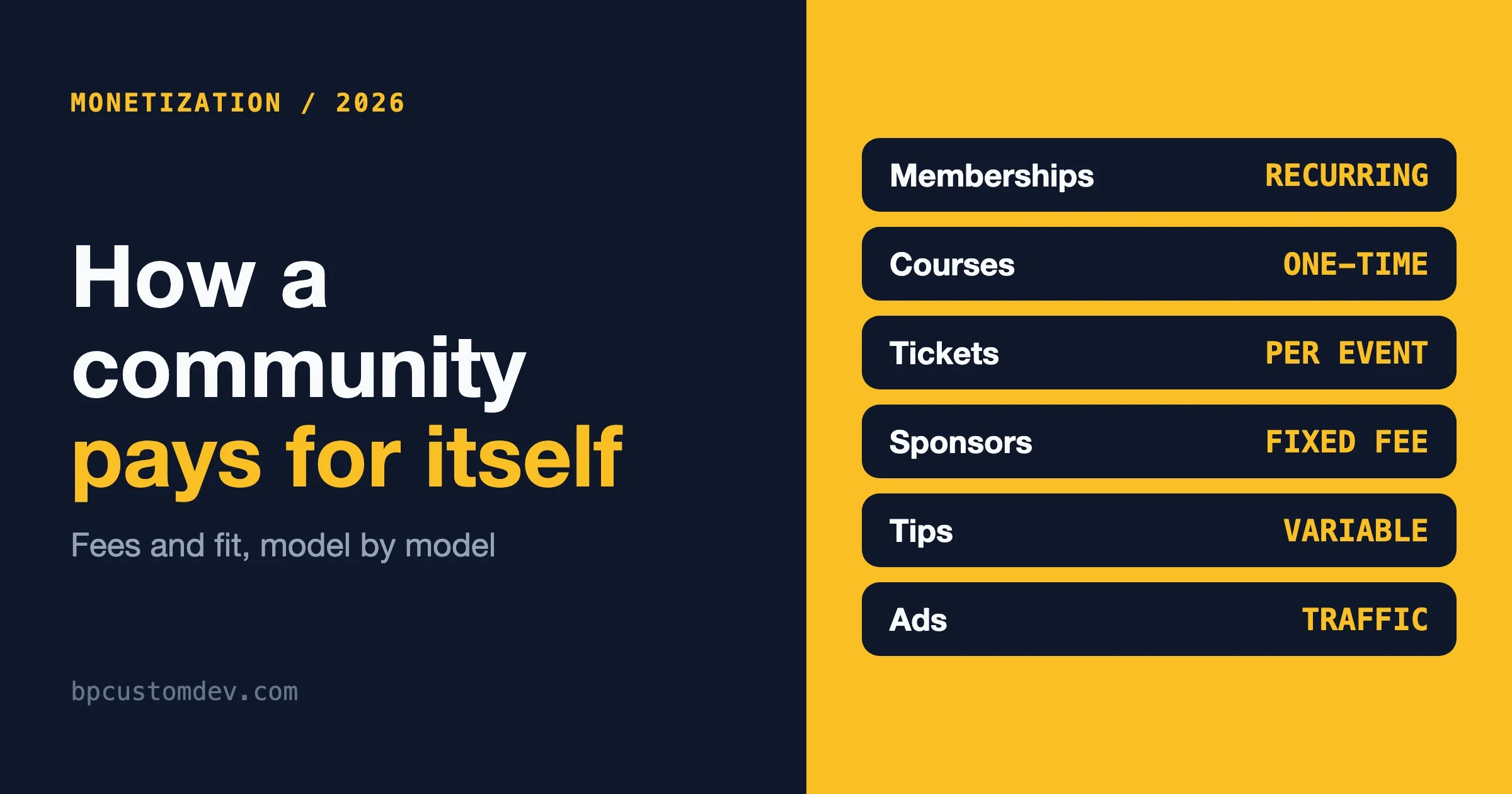
Most communities end up with two streams, never nine. The table summarises where each model fits and what the main risk is.
Model | Revenue pattern | Typical WordPress tools | Main risk |
|---|---|---|---|
Membership tiers | Recurring | MemberPress, Simple Membership, WooCommerce Subscriptions | Churn after the first billing cycles |
Paid groups or spaces | Recurring or one-time | A membership plugin plus group access rules | Free and paid members drift apart |
Courses | One-time or bundled | Tutor LMS, LearnPress, Sensei LMS | Support load after launch |
Events and tickets | Per event | Event Tickets, Eventbrite | Payment setup and per-ticket fees |
Marketplace commissions | Percentage of sales | Dokan, WooCommerce | Needs sellers and buyers at the same time |
Sponsorships | Fixed fee per placement | A rate card and a page | Manual selling, audience must be niche |
Display ads | Traffic based | AdSense, an ad manager plugin | Hurts the paid-tier pitch |
Tips and donations | Variable | Patreon, Ko-fi, Buy Me a Coffee, GiveWP | Unpredictable and small |
Points and tokens | Indirect | myCred, WB Gamification | Nobody owns the economy |
Jobs board | Per listing | WP Job Manager plus paid listings | Empty board looks worse than none |
How do membership subscriptions and tiers work on WordPress?
A membership plugin sells access levels, a payment gateway charges the card on a schedule, and the plugin switches access on and off as payments succeed or fail. This is the only model on the list that gives you a reasonably forecastable monthly figure, which is why it carries most communities.
The tools split into two camps. Self-hosted plugins keep the customer relationship on your site. Hosted services take billing off your hands and charge a percentage for it.
- MemberPress. Its pricing page lists Launch, Growth and Scale at $199.50, $349.50 and $499.50 a year (introductory prices, renewals at full price). Launch includes a 4.9% transaction fee per successful payment and accepts Stripe only. Growth and Scale list 0% transaction fees and add PayPal and other gateways.
- Simple Membership. Free on WordPress.org with 40,000+ active installs, a 4.6 rating from 478 reviews, last updated 10 November 2026, and 10 of 13 recent support threads resolved.
- WooCommerce Subscriptions. A paid annual extension that bills weekly, monthly or yearly through 25+ gateways. WooCommerce itself takes no cut of the payments; your gateway fees still apply.
- Memberful. A hosted service at $49 a month plus a 4.9% transaction fee on the Standard plan, per its pricing page. Stripe fees come on top.
On the gateway side, Stripe lists Stripe Billing at 0.7% of Billing volume on top of card processing, and card rates differ by country, so read the page for your own country. Paddle acts as merchant of record at 5% + 50 cents per checkout transaction, which is the price of not handling VAT and sales tax yourself.
Worked example, ours and not a benchmark: 100 members at $10 a month is $1,000 of revenue. On Memberful Standard the platform costs $49 plus 4.9% ($49) before Stripe’s card fees, so about $98 goes to the tool. On Paddle the 5% + 50 cents applies to each $10 charge, which is $1 per payment, or $100 across the 100 members. The difference between tools is small at this size and grows with volume, so pick the one that fits your tax and support situation first.
Risks. Failed renewals, members who forget why they joined, and tiers nobody can explain. Write down what a member loses on cancelling. If you cannot, the tier is not ready to sell.
Should I put paid spaces or groups inside my community?
Yes, if different members want different things. A paid space is a private group, forum category or channel that only certain levels can see. On a WordPress community this is a membership level mapped to a group or forum, with the community layer doing the conversation and the billing plugin doing access.
Whichever community layer you run, our own BuddyX and Reign themes or BuddyNext, keep the billing job in a billing plugin and the conversation job in the community. The BuddyNext site shows how we build the community side. Mixing the two in one plugin makes both harder to replace later.
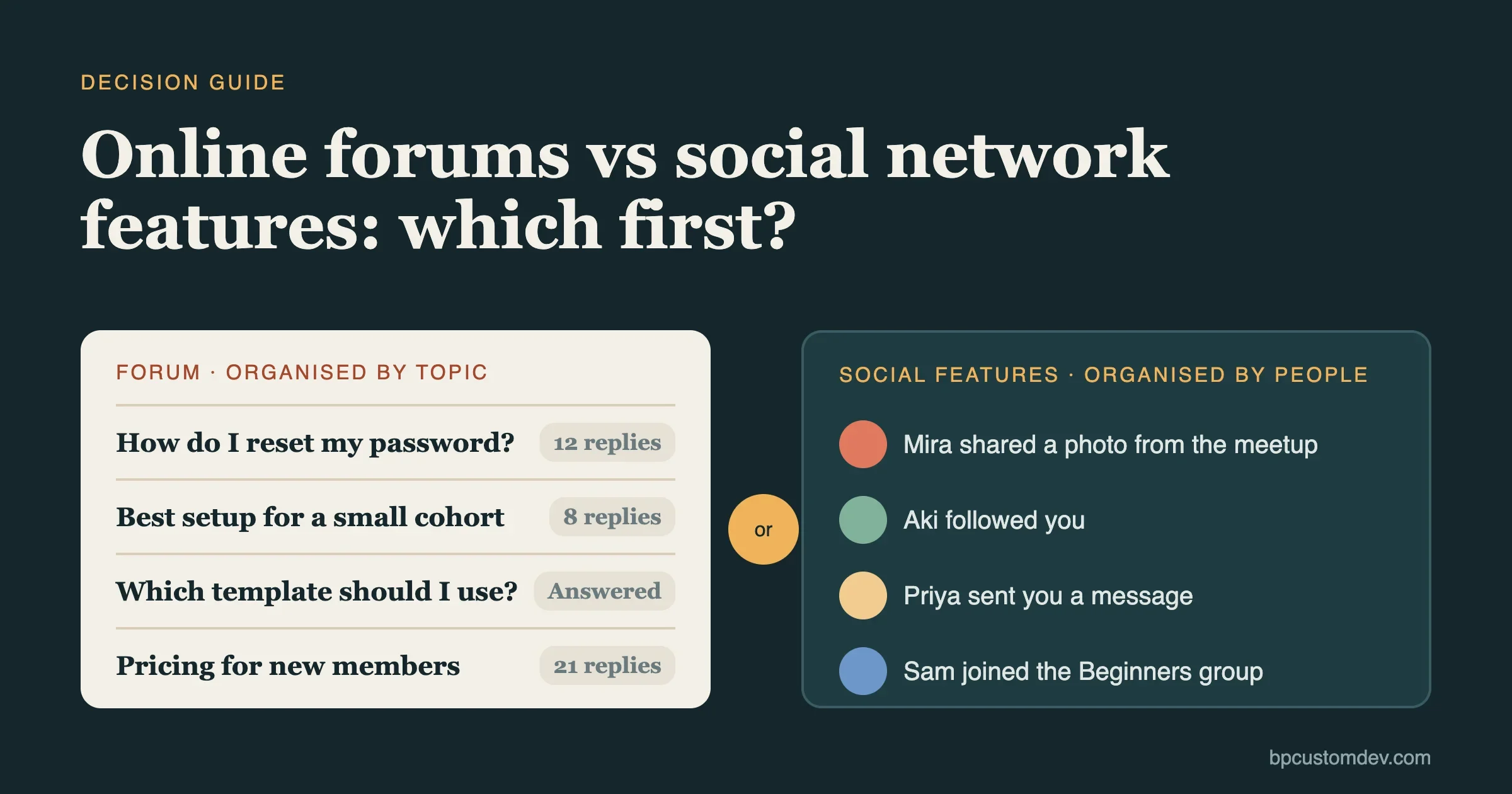
Risks. A free space that goes quiet while the paid space thrives, or the reverse. Keep one shared space open to everyone so paid members still meet the people they will mentor and sell to. If your group structure and access rules are the sticking point, see our membership plugin comparison.
Can I sell courses inside a community?
Yes, and it is the most common second stream after a membership. The course sells a result, the community keeps people finishing it. You can charge once, bundle the course into a tier, or do both.
Current WordPress.org figures for the course plugins, checked 15 November 2026:
Plugin | Active installs | Rating | Last updated | Support threads resolved |
|---|---|---|---|---|
Tutor LMS | 100,000+ | 4.4 (592 reviews) | 9 November 2026 | 29 of 31 |
LearnPress | 60,000+ | 4.3 (597 reviews) | 30 October 2026 | 2 of 3 |
Sensei LMS | 9,000+ | 3.5 (40 reviews) | 10 November 2026 | 1 of 1 |
Our own option is Learnomy. It is a newer product, so expect a smaller third-party ecosystem than Tutor LMS or LearnDash has built up. For a full LMS comparison, read our e-learning plugin guide.
Risks. Support load lands after launch, refunds arrive in the first weeks, and a course library goes stale. Decide who answers questions before you sell the first seat.
How do events and tickets make money for a community?
Members pay per event, or a membership includes a set number of tickets. On WordPress this is an events plugin with a payment connection.
Event Tickets (free) has 90,000+ active installs, a 3.5 rating from 236 reviews, and was updated on 12 November 2026. It sells tickets through Tickets Commerce with PayPal or Stripe. Its changelog refers to a 2% Tickets Commerce application fee that is waived once an Event Tickets Plus license is activated for Stripe and Square, so check the fee on your own setup before launch.
Eventbrite is the hosted route. Its organizer pricing page lists a 3.7% + $1.79 service fee per paid ticket and a 2.9% payment processing fee per order. Worked example, ours: a $25 ticket carries about $0.93 + $1.79 service plus $0.73 processing, roughly $3.44, or around 14% of the ticket. Who pays it depends on whether you pass fees to buyers.
Our events product is Eventonomy, and for a wider tools list there is our events plugins comparison.
Risks. Stripe or PayPal connection problems are the recurring complaint on the support forums (see the mistakes box below), and small events carry a high fixed fee per ticket.
How do marketplace commissions work in a community?
Members become sellers, buyers pay through your site, and you keep a percentage. The commission is a setting you choose, not a fee a plugin imposes, but the payment side matters: sellers need to be paid out, which usually means a split-payment gateway. Stripe lists Connect at a 0.25% starting fee for platforms that set their own payments pricing, on top of processing.
Dokan Lite is free with 30,000+ active installs, a 4.6 rating from 769 reviews, and an update on 5 November 2026. We cover how to attach a marketplace to a community in our community marketplace guide.
Risks. You need sellers and buyers at once, disputes and refunds become your problem, and you may take on tax reporting duties for payouts. Do not start here without an active membership already buying from one another.
Can I charge for sponsorships?
Yes. A sponsorship is a brand paying a fixed fee for a place in front of your members: a banner in the community, a mention in the digest, a sponsored space or a sponsored event.
No software is needed to start. A page that says who your members are, a rate card and an invoice template do the job. Pricing follows audience fit and engagement, not raw size. A small group of decision makers in one profession is worth more to a vendor than a large general audience.
Risks. It is manual selling, one sponsor can sour a paid tier if the placement feels intrusive, and you need a written rule about what you will not promote. We do not quote rates here because no published source gives a reliable number for communities.
Do display ads work in a community?
Only at scale, and rarely beside a paid tier. Google’s AdSense help page says publishers receive 80% of revenue for AdSense for content, and about 68% when advertisers buy through Google Ads. On $100 of gross ad spend that is $68 to $80 to you, and the amount of gross spend depends on your traffic and topic.
Ad management plugins handle placement. Advanced Ads was listed as closed on WordPress.org on 11 November 2026, pending a review, so check its status before building a plan on it.
Ads compete with your own pitch. A free tier with ads and a paid tier without them is a coherent offer. Ads shown to paying members are not.
Risks. Slower pages, a worse member experience and revenue that tracks traffic, not loyalty.
Are tips and donations worth setting up?
They are worth ten minutes, not a business plan. Tips suit communities built around a person: a newsletter writer, a teacher, an open-source maintainer. Members support the person, and the community is the thank-you.
Patreon’s pricing page lists a 10% platform fee on income, with payment processing and other charges separate. On a $10 pledge, $1 goes to Patreon before processing. We could not load the public fee pages for Ko-fi and Buy Me a Coffee on 15 November, so read their current fee tables yourself before choosing.
For a self-hosted option, GiveWP is free with 100,000+ active installs, a 4.6 rating from 708 reviews, and an update on 12 November 2026. Its listing says additional fees may apply to free users on Stripe and none on PayPal, and recurring donations appear under its add-ons.
Risks. Income is small and uneven, and a donation page next to a paywall confuses what members are paying for.
Do points and tokens make money?
Not directly, and we would not sell them as a revenue stream. Points and credits are a retention tool: members earn them for helping, spend them on perks or discounts, and stick around longer. The money comes from lower churn, not from point sales.
myCred is free with 10,000+ active installs, a 4.6 rating and an update on 27 October 2026. If you only want recognition without an economy, WB Gamification is our points, badges and levels plugin for WordPress.
Blockchain tokens add exchange-rate swings, legal questions and wallet setup that most community members do not want. We would only look at them where proof of ownership is the point.
Risks. Someone has to set earning rules, fix abuse and refresh the rewards. If nobody owns that job, the points lose meaning within months.
Is a jobs board a sensible revenue stream?
For professional communities, yes. Employers pay to post, members get first sight of roles. WP Job Manager is the usual base, with 70,000+ active installs, a 4.4 rating from 237 reviews and an update on 13 November 2026. Paid listings are not in the free core. They come from the WooCommerce Paid Listings add-on, which needs WooCommerce.
Risks. An empty board looks worse than no board. Seed it with real roles before charging, and moderate listings so members trust what they see.
What does each model really cost me in fees?
This table lists only the figures we confirmed on vendor pages on 15 November 2026. Payment processing is extra everywhere unless noted.
Service | What the page lists |
|---|---|
Stripe Billing | 0.7% of Billing volume, on top of card processing (rates differ by country) |
Stripe Connect | 0.25% starting fee for platforms setting their own pricing |
Paddle | 5% + 50 cents per checkout transaction, merchant of record |
Memberful Standard | $49 a month plus 4.9% transaction fee |
MemberPress | Launch: 4.9% per payment. Growth and Scale: 0% transaction fees |
Patreon | 10% platform fee, processing separate |
Eventbrite | 3.7% + $1.79 per paid ticket, plus 2.9% processing per order |
Event Tickets (free) | Changelog mentions a 2% Tickets Commerce application fee, waived with Event Tickets Plus on Stripe and Square |
Google AdSense | Publisher share of 80% (content), about 68% via Google Ads |
Common mistakes people report
These come from recent threads on the WordPress.org support forums, checked on 15 November 2026. We paraphrase them and link each one.
- Stripe will not connect. Setup failures are common right after install. See this Event Tickets thread. Test a real small payment before announcing anything.
- Payment succeeded, member missing. A Simple Membership user asked how to recover a member whose Stripe subscription payment went through but whose account was not created. See the thread. Check webhooks after every gateway change and keep a manual-grant routine.
- Donations stuck in processing. GiveWP users report this on Stripe Connect. See this report. Do not tell supporters it worked until the status clears.
- Surprise fees on top of the gateway. A GiveWP user complained of being charged on top of Stripe fees; see the thread. Read the fee page of every plugin and every gateway before pricing a tier.
- Legacy PayPal subscriptions break after updates. One Simple Membership thread covers legacy PayPal buttons losing an item identifier after an update; see the report. Test updates on a staging copy first.
- Members-only pages showing a blank screen. A logged-out visitor sees nothing instead of a login prompt; see this thread. Visit every protected page logged out before launch.
How do I work out whether a model pays for itself?
Use your own numbers, not an industry average. For any model, write down four things: how many members you expect to pay, the price, the fees from the table above, and the hours it costs you each month. Subtract the fees and value your hours. If the result is lower than what you would earn doing client work for the same time, the model is a hobby, which is fine as long as you call it that.
A simple check for a membership: monthly revenue equals paying members multiplied by price, minus the percentage fees, minus any monthly tool cost. Run it at half your hoped-for member count as well. If the half case covers the hosting and tools, you can survive a slow start. If it does not, charge more or add a second stream sooner.
For one-off products such as courses and tickets, count refunds and support time in the first month, because that is when most of both arrive. For ads, work from the revenue share on the AdSense page and your own analytics, and ignore any quoted rate per thousand views that does not come with a source and a date.
Finally, keep records of where each member came from. A tip jar that never produces a supporter and a sponsor page that never gets a reply are both useful findings. They tell you which model to drop after a quarter, so you are not maintaining three half-working streams.
When should I add a second model?
Add one when the first stops growing for a reason money can fix, not before. A rough order that fits most communities:
- Free community plus one low-priced paid tier, to learn who will pay.
- A course or event series sold to existing members.
- Sponsorships once you can describe your audience in one sentence.
- Points to keep active members, if you have someone to run them.
- Ads on a free tier only if traffic is large and a paid tier still exists.
This order is our judgment from building community sites, not data from a study. Adjust it to what your members ask for.
Frequently asked questions
What is the easiest way to monetize a WordPress community?
A single paid membership level through a plugin such as Simple Membership or MemberPress, charged with Stripe. It needs the least extra tooling and the least explanation.
How much does the platform keep from each payment?
It depends on the tool. The table above lists the fees we confirmed, from 0% plugin fees to 10% on Patreon, with processing on top.
Can I combine subscriptions and ads?
You can, but keep them on different tiers. Ads on a free tier and an ad-free paid tier make sense. Ads shown to paying members undercut the reason they pay.
Are tokens or points a real income source?
Not in our experience. Treat them as a retention feature and measure whether active members stay longer.
Do I need a custom build?
Usually not for the first model. A custom build earns its cost when you need several of these models sharing one member account. Our team at bpcustomdev builds those.
What we would do
For a new community, we would run one paid tier, one shared free space, and a payment setup tested end to end. For a community with a clear skill outcome we would add a course. For a community that meets in person we would add tickets. Everything else waits until a member asks for it.
Fees and plugin figures were last checked on 15 November 2026. Vendors change prices often, so confirm on the vendor page before you commit.