How to Migrate Your Facebook Group to a Paid Community in 2026 (Circle, Skool, Mighty, or BuddyPress)
Facebook Groups are losing value for serious community builders: algorithmic decay, no monetization control, and zero data ownership. Here is a step-by-step migration playbook for moving to Circle, Skool, Mighty Networks, or a self-hosted BuddyPress community in 2026.

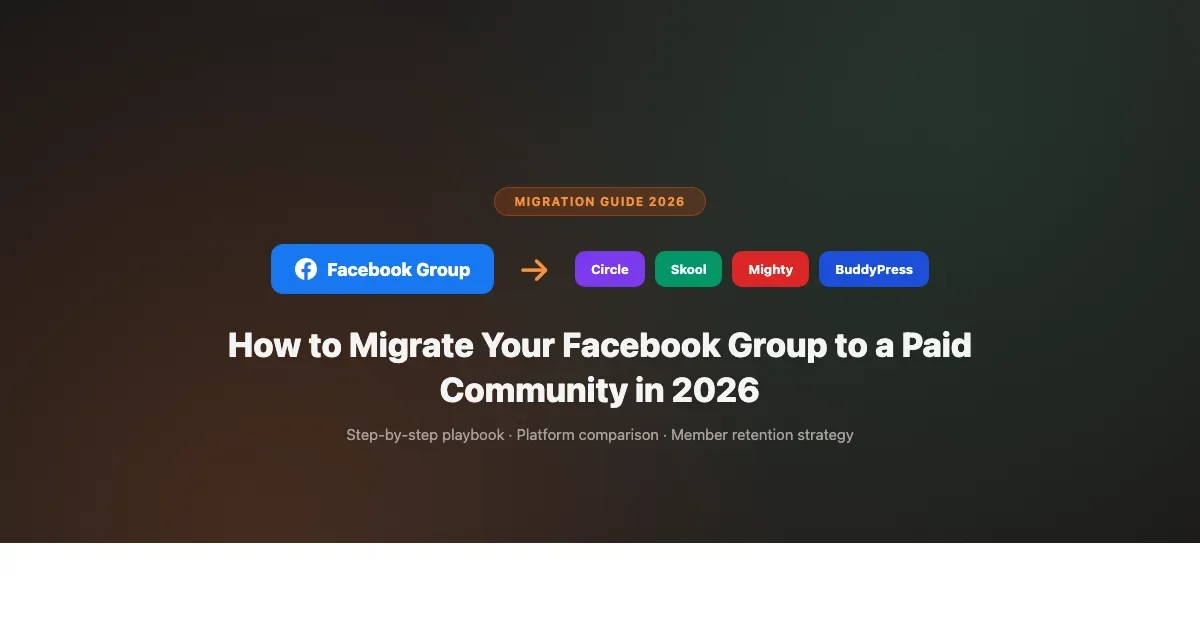
Facebook Groups reached peak utility around 2018. Since then, algorithmic reach has declined steadily, group engagement notifications get buried, Meta keeps changing what content gets shown to members, and the fundamental problem has not changed: you do not own the member data, you cannot email your members without Facebook’s permission, and you cannot charge for access in any meaningful way. In 2026, migrating your Facebook Group to a paid community platform is not a fringe move. It is the mainstream choice for serious community builders.
This guide covers the complete migration process: why the move makes sense financially, which platform to migrate to based on your community type, and the specific steps to execute the migration without losing the members you have built. We cover Circle, Skool, Mighty Networks, and self-hosted BuddyPress as destination platforms, with honest assessments of when each is the right fit.
Why Facebook Groups Stop Working for Serious Communities
Before committing to a migration, it helps to be specific about what is actually broken. Facebook Groups have real strengths that keep people on the platform longer than they should stay. Understanding both sides makes the decision clearer.
The Real Problems with Facebook Groups in 2026
- Algorithmic reach decay. Group posts are not shown to all members by default. Facebook’s algorithm decides which posts surface in which member feeds based on engagement signals, time of posting, and factors you cannot control. A post in your 5,000-member group might reach 200 people organically. The larger your group gets, the worse the percentage reach typically becomes.
- No member data ownership. You cannot export your member email addresses from Facebook. You can see usernames and sometimes profile data, but the contact information belongs to Meta, not to you. If Facebook shuts down your group, changes its algorithm again, or bans your account (which happens without meaningful appeal processes), you lose access to your entire community instantly.
- Monetization is structurally broken. Facebook’s paid subscription tool for groups (Meta Subscription Groups) is US-only, takes a 30% cut after payment processing, and does not integrate with any external platform cleanly. Most community builders who want to charge for access end up directing members to an external payment page and then manually managing group membership, which does not scale.
- No content organization. Facebook Groups have no structured content storage. A valuable post from eight months ago is effectively gone unless someone pinned it or a member remembers to search for it. There is no library, no curriculum structure, and no way to deliver a coherent onboarding experience to new members.
- Spam and moderation burden. Large Facebook Groups attract spam at a rate that platforms like Circle, Skool, and Discord do not. The approval workflows for joining and the automated spam filters in Facebook Groups are improving but still require significant moderation effort compared to purpose-built community platforms.
What Facebook Groups Still Do Well
Facebook Groups still have genuine advantages that explain why migrating members is not trivial:
- Members are already on Facebook. No new account creation required.
- Facebook’s notification system, despite its problems, reaches members who are already spending time on the platform.
- Discovery via Facebook’s group recommendation algorithm can still drive organic member growth for lifestyle and interest-based communities.
- The barrier to posting and engaging is low because Facebook’s UX is familiar.
None of these advantages justify staying on Facebook if your goal is a sustainable, monetizable community with data you own. But they explain why you need a migration strategy rather than just announcing a move and hoping members follow.
Choosing Your Destination Platform
The right migration destination depends on your community type, your monetization model, and your technical comfort level. Here is how the main options compare for Facebook Group migrations in 2026:
Platform | Best For | Starting Price | Data Ownership |
|---|---|---|---|
Circle | Professional / B2B / coaching communities | $89/month | Export available |
Skool | Course + community hybrid, high-engagement groups | $99/month | Export available |
Mighty Networks | Interest-based communities with mobile-first members | $41/month | Export available |
BuddyPress (self-hosted) | Technical teams, long-term data control, lowest ongoing cost | $0-$256/yr | Full (your own server) |
Circle: Best for Professional and Coaching Communities
Circle ($89-$360/month) is the most commonly chosen destination for Facebook Group migrations among professional creators, coaches, and B2B community builders. The interface is polished, it looks like a business tool rather than a social media platform, and its Spaces structure provides immediate organization that Facebook Groups lack. Circle eliminated its per-transaction percentage fee in 2023, which improved the economics at scale significantly.
Circle works best for migrations where the value proposition is peer access, async forum discussions, and structured onboarding. If your Facebook Group is primarily Q&A, discussion threads, and resource sharing, Circle’s Spaces replicate that behavior in a more organized and monetizable format. If your group is primarily real-time chat, co-working, or casual social, Circle will feel slower to your members and you should consider pairing Circle with Discord for the real-time layer.
Skool: Best for Course + Community Hybrids
Skool ($99/month flat rate) has built momentum quickly because of its simplicity and its well-known gamification system. Skool’s interface is cleaner than Circle’s for members who just want to post, discuss, and track their progress. The built-in classroom functionality handles simple course delivery without third-party integrations. The flat $99/month pricing (no transaction fees) makes the economics very predictable.
Skool works well for Facebook Group migrations when your community has a strong course or learning component, your members value simplicity and low friction, and you want gamification (Skool’s leaderboard and points system is native and polished) to drive engagement. Skool is less suitable for communities that need deep customization, multiple membership tiers, or complex automation workflows.
Mighty Networks: Best for Interest-Based Communities
Mighty Networks (from $41/month, significantly more for Mighty Pro features) is designed for interest-based communities where the topic itself is the organizing principle. Mighty has native live streaming, a mobile app at all plan levels, and a community discovery feature that helps members find each other based on shared interests. For Facebook Group migrations where the community is organized around a hobby, lifestyle, or shared identity rather than a creator’s personal brand, Mighty often fits better than Circle.
Mighty’s pricing structure is more complex than Circle’s or Skool’s. The entry-level plan is cheap but lacks features that most communities need (like courses and advanced analytics). Full-featured Mighty communities typically end up on plans that cost $200-$500/month. Budget accordingly.
BuddyPress (Self-Hosted): Best for Long-Term Control
A self-hosted BuddyPress community on WordPress is the lowest ongoing cost option and the one with the most long-term flexibility. BuddyPress core is free. A complete community stack with BuddyX Pro theme, Jetonomy for forums, WPMediaVerse for media, and a membership plugin like MemberPress runs $200-$400 per year total. You own all your data completely, pay no platform fees or transaction percentages, and can customize any aspect of the community experience.
The tradeoff is technical setup. BuddyPress requires WordPress hosting, plugin configuration, and ongoing maintenance that SaaS platforms handle for you. For creator communities without technical support, BuddyPress is more burden than benefit. For communities with a developer on the team, or those willing to invest in initial setup, BuddyPress is significantly cheaper over a three-to-five year horizon than any SaaS alternative. See our detailed comparison of BuddyPress vs BuddyBoss for self-hosted community setup.
The Migration Checklist: Step-by-Step
Migrating a Facebook Group is primarily a people problem, not a technical problem. The technical side (setting up your new platform) is straightforward. The challenge is convincing active members to create a new account somewhere else and change their habits. Here is the process that works:
Phase 1: Prepare Before You Announce (2-4 Weeks)
- Set up your new community completely before announcing the move. Members who click through to a half-built platform will bounce and not return. Have your spaces organized, your welcome post written, your onboarding content in place, and your payment system tested.
- Collect email addresses now. Run a lead magnet campaign inside your Facebook Group before the migration. A free resource, checklist, or template that members access via email signup gives you direct contact with your most engaged members independent of Facebook. You should have at least 30% of your active members on your own email list before announcing the move.
- Identify your most engaged members. These are the people who post frequently, comment on others’ posts, and have personal relationships within the group. Recruit them first, privately. Get them set up on your new platform before the public announcement. Their presence and posts on the new platform will make it feel active when the rest of your members arrive.
- Pin a FAQ post in your Facebook Group explaining that a move is coming. Do not announce the full migration yet, just signal that something exciting is happening. This builds anticipation without triggering the drop in engagement that sometimes happens when members know a group is winding down.
Phase 2: Announce and Launch (Week 1 of Public Migration)
- Make the announcement post. Explain why you are moving (be specific: data ownership, better tools, ability to charge sustainably), what members will get on the new platform, and make it feel like an upgrade, not a departure. Frame it as the community leveling up, not the old platform being abandoned.
- Offer a founding member deal. For the first 30 days after launch, offer a discounted or lifetime rate for the first members who join the paid platform. This creates urgency and rewards early movers. A “founding 100 members” offer with a visible count creates social proof and FOMO simultaneously.
- Post daily in the Facebook Group during the transition. Do not go quiet on Facebook while asking members to go somewhere else. Keep posting value in the Facebook Group, but make clear that the best content and the direct access to you is moving to the new platform.
- Make the join process as simple as possible. A single link, a clear price (or free for free communities), and a one-click sign-up. Every additional step loses members. If your new platform requires members to verify an email, set expectations about that in your announcement post so it does not feel like friction.
Phase 3: Sustain and Convert (Days 30-90)
- Reduce Facebook Group posting cadence gradually. Do not go cold immediately, but start posting increasingly valuable content on the new platform and lighter content on Facebook. Members who want the best will follow.
- Host events exclusively on the new platform. Your first live Q&A, workshop, or challenge after the migration announcement should be on the new platform only. This pulls your most engaged members across immediately and creates content for the new space.
- Follow up with members who have not joined. Use your new email list to send a personal invite sequence. Three emails over 30 days: (1) the announcement, (2) what they are missing, (3) a last-chance invite. Personal tone, not marketing copy.
- Keep the Facebook Group open for at least 90 days. Do not delete it. Members who missed the initial announcement will find the pinned migration post. Members who tried the new platform and bounced may come back when they see others engaging there.
Realistic Migration Expectations
Here is the hard truth that most migration guides skip: you will not move all of your Facebook Group members. The people who follow are the ones who were most engaged and most invested in the community. The people who do not follow were passive members who were unlikely to become paying customers anyway.
A typical Facebook Group migration result: a group of 5,000 members might yield 300 to 800 active members on the new platform, with 50 to 200 paying members if you are charging for access. Those numbers feel disappointing compared to 5,000, but a paid community of 200 paying $30/month is generating $6,000/month. Your 5,000-member Facebook Group was generating exactly $0/month from platform fees and was costing you Meta’s goodwill and algorithm changes.
A smaller community you own is worth more than a larger community you rent from Meta.
For a broader view of how creator community platforms compare in 2026 and which ones are worth considering as migration destinations, our platform comparison covers Whop, Circle, Skool, and Mighty Networks with current pricing and feature depth.
The Bottom Line
Migrating your Facebook Group to a paid community platform in 2026 is not about abandoning your existing members. It is about building a community architecture that you actually control, that can generate sustainable revenue, and that delivers more value to the members who matter most to your community’s long-term health.
Choose Circle for professional communities. Choose Skool for course-plus-community hybrids. Choose Mighty Networks for interest-based communities with mobile-first members. Choose BuddyPress if you have technical resources and want the lowest long-term cost with complete data ownership.
The migration itself takes 60 to 90 days to execute properly. The email list you build during the process, and the founding member relationships you form in the first month on the new platform, are worth significantly more than the vanity metric of your Facebook Group member count.
Have you migrated a Facebook Group to another platform? What worked, what did not, and what would you do differently? Share your experience in the comments.