
The promise of community-powered support is compelling: your most experienced users answer questions for free, reducing your team’s workload while giving customers faster responses from people who have actually solved the same problems.
The reality is often messier. Wrong answers get accepted. Questions sit unanswered for days. New users give advice that contradicts your documentation. Without guardrails, community support devolves into a confusing mix of outdated tips, conflicting opinions, and frustrated customers who still end up emailing your team anyway.
This guide shows you how to build the guardrails. How to let your community help while maintaining quality, accuracy, and trust.
The Trust Level Foundation
The single most important guardrail is controlling who can do what based on proven track record. Not everyone’s advice carries equal weight, and your forum should reflect that.
Trust levels solve this problem by gating abilities behind earned reputation:
| Level | Who They Are | What They Can Do |
|---|---|---|
| Level 0 | Just registered, no track record | Ask questions, post answers (rate limited) |
| Level 1 | A few posts, been around a week | Upload images, send messages, no rate limits |
| Level 2 | Active contributor, received upvotes | Edit own posts, flag incorrect content |
| Level 3 | Sustained quality contributions | Close duplicates, recategorize, edit others’ posts |
| Level 4–5 | Manually granted community leaders | Full moderation abilities |
The key insight is that Level 0 and Level 1 users can answer questions, but Level 3 users can curate the answers. This mirrors how Wikipedia works: anyone can contribute, but experienced editors maintain quality.
New users are not blocked from helping, they are rate-limited so they cannot flood the forum, and their answers compete with everyone else’s through voting. Bad advice from a new user gets downvoted and pushed below better answers from trusted contributors.
For a deep dive into configuring trust levels, read our guide on building a self-moderating forum with trust levels.
Voting: The Self-Correcting Mechanism
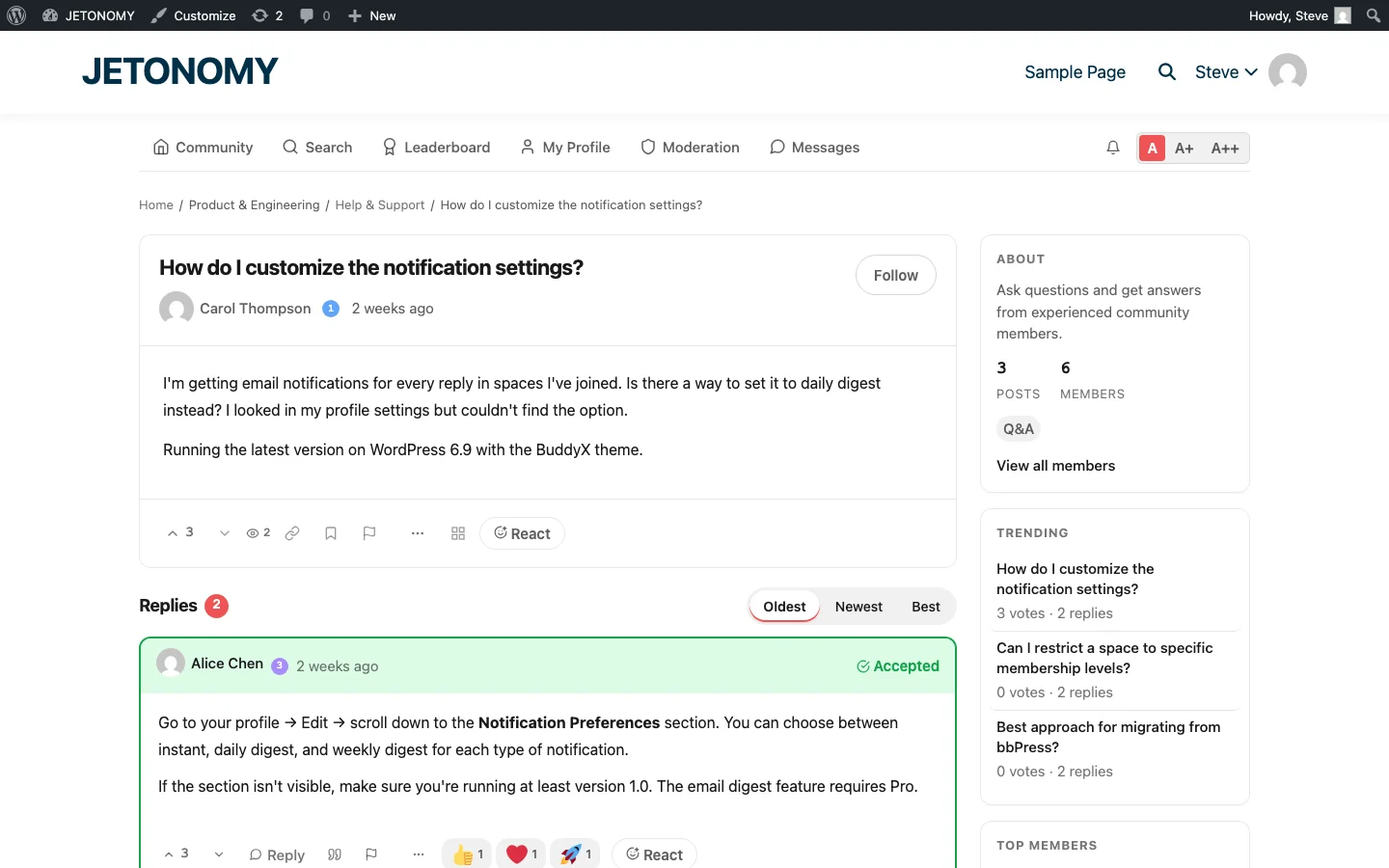
Voting is what separates community support from chaos. Without voting, a wrong answer posted first looks identical to a correct answer posted later. With voting, accuracy rises to the top.
Here is how voting creates order:
- Correct answers get upvoted by users who tried the solution and confirmed it works
- Incorrect answers get downvoted or simply ignored (no votes = low ranking)
- Outdated answers sink as newer, more accurate answers accumulate votes
- Accepted answers get pinned at the top with a green badge, regardless of vote count
The combination of community voting and accepted answer marking means that even if a wrong answer appears first, it will eventually be pushed below the correct one. The system self-corrects over time.
Your Team’s Role: Curator, Not Gatekeeper
The biggest mistake teams make is trying to approve every community answer before it goes live. This creates bottlenecks, delays responses, and defeats the purpose of community support.
Instead, shift your team’s role from gatekeeper to curator:
Monitor, Do Not Pre-Approve
Let community answers post immediately. Your team monitors the forum daily (or more frequently in the early months) and intervenes only when needed:
- Correcting answers that are factually wrong
- Adding official context to community answers that are partially right
- Answering questions that the community cannot (internal decisions, roadmap, pricing)
- Accepting answers that are correct but unclaimed
Use Staff Badges
When your team does respond, make it visually clear. Staff answers should have a distinct badge or indicator so users can distinguish official responses from community opinions. In Jetonomy, trust level badges serve this purpose, Level 4–5 users (staff) have visible indicators on their posts.
Let Community Answers Stand
When a community member gives a correct answer, resist the urge to post a staff version saying the same thing. Upvote their answer instead. This reinforces the behavior you want: community members helping each other.
Handling Wrong Answers
Wrong answers will happen. Here is how to handle them without creating conflict:
Reply, Do Not Delete
Unless an answer is dangerous (security vulnerabilities, data loss risks), reply with the correction rather than deleting the wrong answer. This teaches the community and shows the correct information in context.
A reply like “Good attempt, but this approach can cause issues with X. The recommended method is Y because Z” is far more valuable than silently deleting the wrong answer.
Use Accepted Answers as the Authority
If a wrong answer has been accepted, your team can change the accepted answer to the correct one. The question asker gets notified, and future visitors see the right answer at the top.
Let Voting Do Its Job
Most wrong answers do not need staff intervention at all. The community downvotes them, better answers get upvoted above them, and the problem resolves itself. Trust the system.
Preventing Unanswered Questions
Nothing kills a community support forum faster than unanswered questions. A customer posts a question, waits three days, gets nothing, and goes back to emailing your support team. They never return to the forum.
Here is how to prevent the unanswered question problem:
Monitor the Unanswered Queue
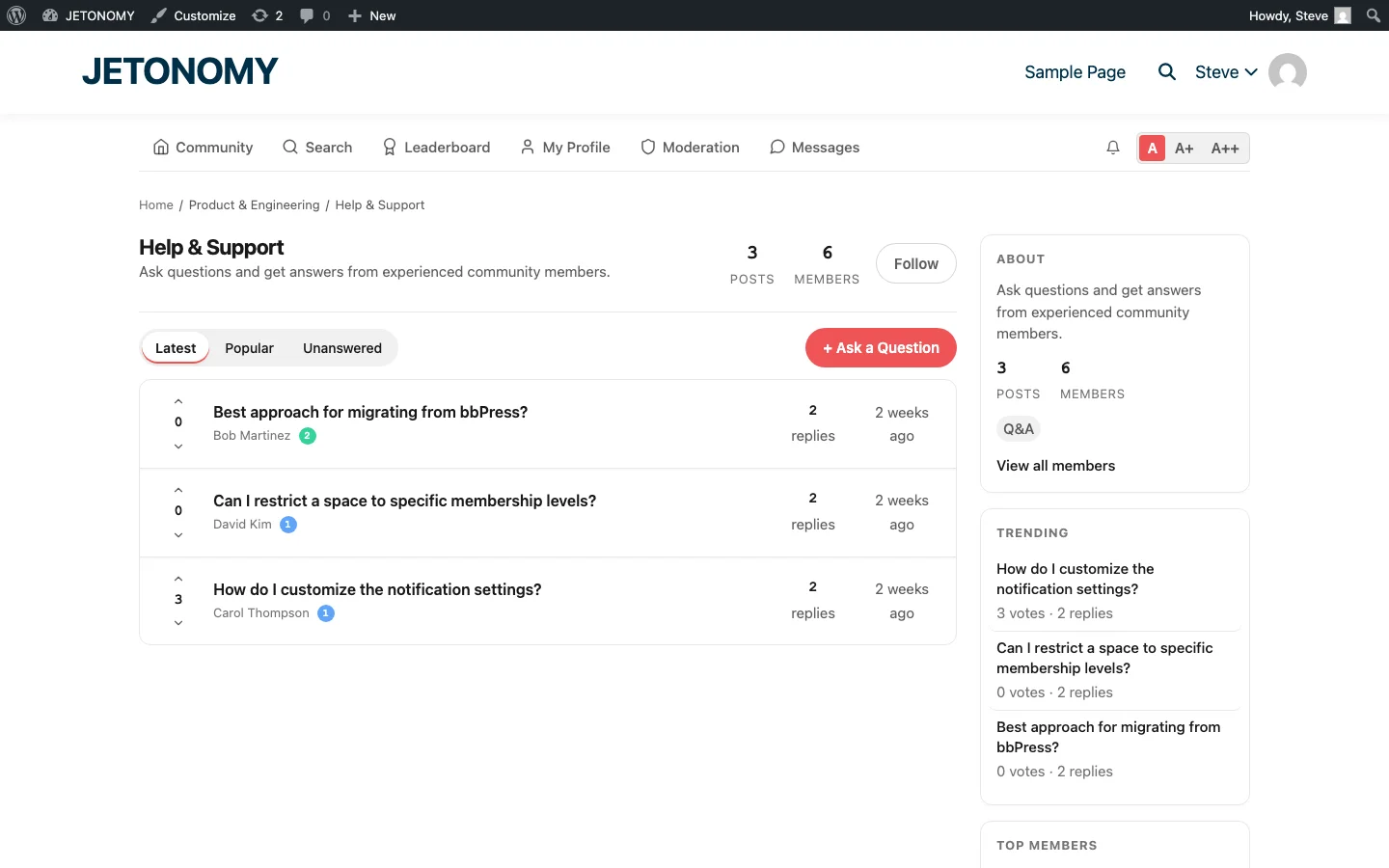
Jetonomy’s Q&A spaces have an “Unanswered” filter tab. Your team should check this daily and ensure every question gets at least an initial response within 4 hours during business hours.
This does not mean your team answers everything. It means your team ensures nothing sits without acknowledgment. Even “Good question, let me look into this” is better than silence.
Set Up Notifications
Configure notifications so your support team gets alerted when new questions are posted. This ensures nothing slips through the cracks, especially during the early months when community answer rates are still building.
Tag Community Experts
When a question comes in that a specific community member might know, @mention them. “@alice you dealt with this integration last month, any advice?” This pulls knowledgeable community members into the conversation directly.
Recognizing and Retaining Top Helpers
Your best community contributors are worth their weight in gold. A single active helper can answer 20–30 questions per week. Lose them, and your ticket volume spikes.
Recognition keeps them engaged:
- Leaderboards show top contributors publicly. Being #1 on the leaderboard is genuinely motivating for many people.
- Trust level badges give visual status. A Level 3 badge next to their name tells everyone: this person’s advice is reliable.
- Custom badges like “Community Expert”, “Top Helper”, or “100 Accepted Answers” celebrate milestones.
- Private perks. Some companies invite top contributors to beta test new features, join advisory calls, or receive free product upgrades. The cost is minimal; the retention value is enormous.
Learn more about setting up points, badges, and leaderboards to recognize contributors.
Scaling Without Losing Quality
As your community grows, the ratio of helpers to askers improves naturally. Early on, your team answers 80% of questions. After six months, the community handles 30–50%. After a year, that can reach 50–70%.
But scaling also brings risks: more noise, more off-topic answers, more low-effort responses. Counter this with:
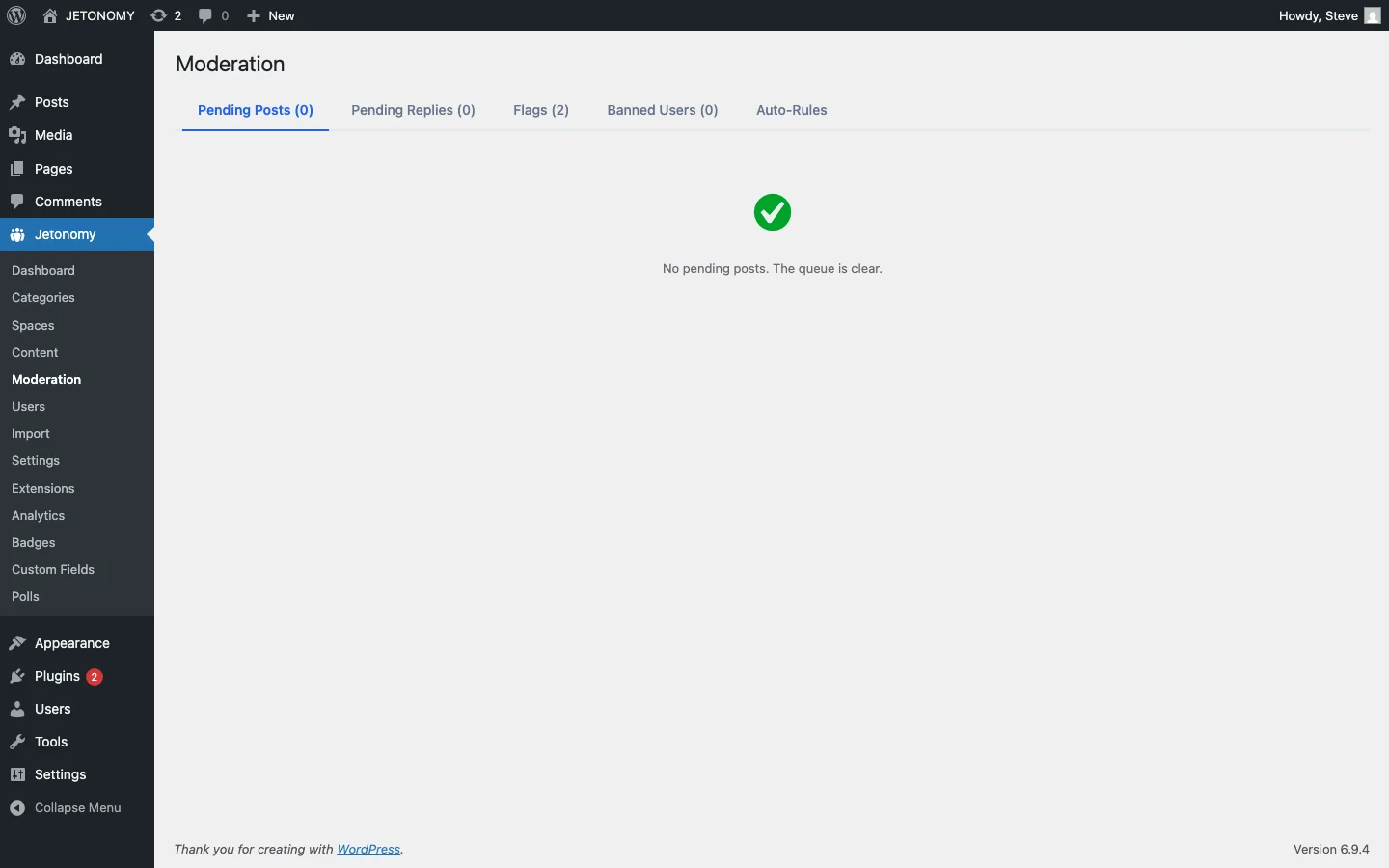
- Auto-moderation rules that flag posts containing suspicious patterns (link spam, duplicate content, all-caps)
- Rate limiting for new accounts so they cannot flood the forum
- Content flags that let any member report problematic answers for moderator review
- Keyword filters that catch common spam patterns before they go live
The 90-Day Transition Plan
You cannot flip a switch from staff-only support to community support. Here is the gradual transition:
Month 1: Staff-Led
- Your team answers everything within 4 hours
- Invite 20–30 engaged customers to the forum
- When a customer answers another’s question, publicly thank them and upvote
- Start identifying potential community leaders
Month 2: Community-Assisted
- Wait 2 hours before staff answers simple questions (give the community a chance)
- Promote active helpers to higher trust levels
- Badge your top 3–5 contributors
- Start tracking community answer rate
Month 3: Community-First
- Staff focuses on unanswered queue and complex questions only
- Community handles 30%+ of questions independently
- Review and adjust trust level thresholds based on real data
- Celebrate the community milestone publicly
Getting Started
Community-powered support is not about abdicating responsibility. It is about amplifying your team’s expertise through a community of people who genuinely want to help each other.
The guardrails, trust levels, voting, accepted answers, moderation tools, ensure that quality stays high while the community grows. Your team shifts from answering every question to curating the best answers and nurturing the people who provide them.
For the technical setup, follow our WordPress forum setup guide. For the support strategy, start with our guide on building a support forum that reduces tickets.
Your community already has the knowledge. Give them the right platform and guardrails, and they will build something more powerful than any support team could alone.