Your forum has 500 registered members. On any given day, maybe 30 of them visit. That means 470 members, 94% of your community, are not seeing the discussions, the answers, or the announcements you post.
They did not leave. They did not lose interest. They just forgot to check. Life happened. Their bookmark got buried. Your forum is one of a hundred tabs they meant to revisit but never did.
A weekly digest email fixes this. It takes the best content from the past week, packages it into a scannable email, and delivers it to every member’s inbox. It is a gentle tap on the shoulder: “Here is what you missed. Come back when you have a minute.”
Why Digest Emails Work Better Than Individual Notifications
Individual notifications work for members who are actively following specific topics. But they do not reach members who are not subscribed to anything specific. And they can be overwhelming for active community members who subscribe to everything.
Digest emails fill a different role:
| Feature | Individual Notifications | Digest Emails |
|---|---|---|
| Audience | Members following specific topics | All community members |
| Frequency | Per-event (can be many per day) | Daily or weekly (one email) |
| Content | One specific reply or mention | Curated highlights from the community |
| Purpose | Stay updated on followed threads | Discover new discussions and stay connected |
| Best for | Active, engaged members | Casual members and lurkers |
The ideal setup uses both: individual notifications for active participants who want real-time updates, and digest emails for everyone else who wants a weekly summary. Members can choose their preference in their notification settings.
What Goes in a Good Digest Email
A digest email should be scannable in under 60 seconds. Members should be able to glance at it, spot something interesting, and click through. Here is the recommended structure:
1. Community Highlights (Top Section)
The 3–5 most popular discussions from the past week, ranked by engagement (views + replies + votes). Each entry shows:
- Topic title (linked to the forum)
- Space name
- Reply count and vote count
- One-line preview of the most-upvoted answer
This section answers: “What were people talking about this week?”
2. Unanswered Questions (Optional)
2–3 recent questions that have not been answered yet. This serves a dual purpose: it helps the question askers get visibility, and it invites digest readers to contribute. “You might know the answer to one of these.”
3. New Members (Optional)
A brief welcome to members who joined this week. “Welcome @alice, @bob, and 3 others who joined this week.” This creates community warmth and makes new members feel seen.
4. Quick Stats
A one-line summary: “This week: 23 new topics, 87 replies, 12 new members.” This gives a pulse check on community health and creates social proof.
Setting Up Digest Emails in Jetonomy
Jetonomy Pro’s Email Digest extension handles digest generation and delivery automatically.
Step 1: Enable the Extension
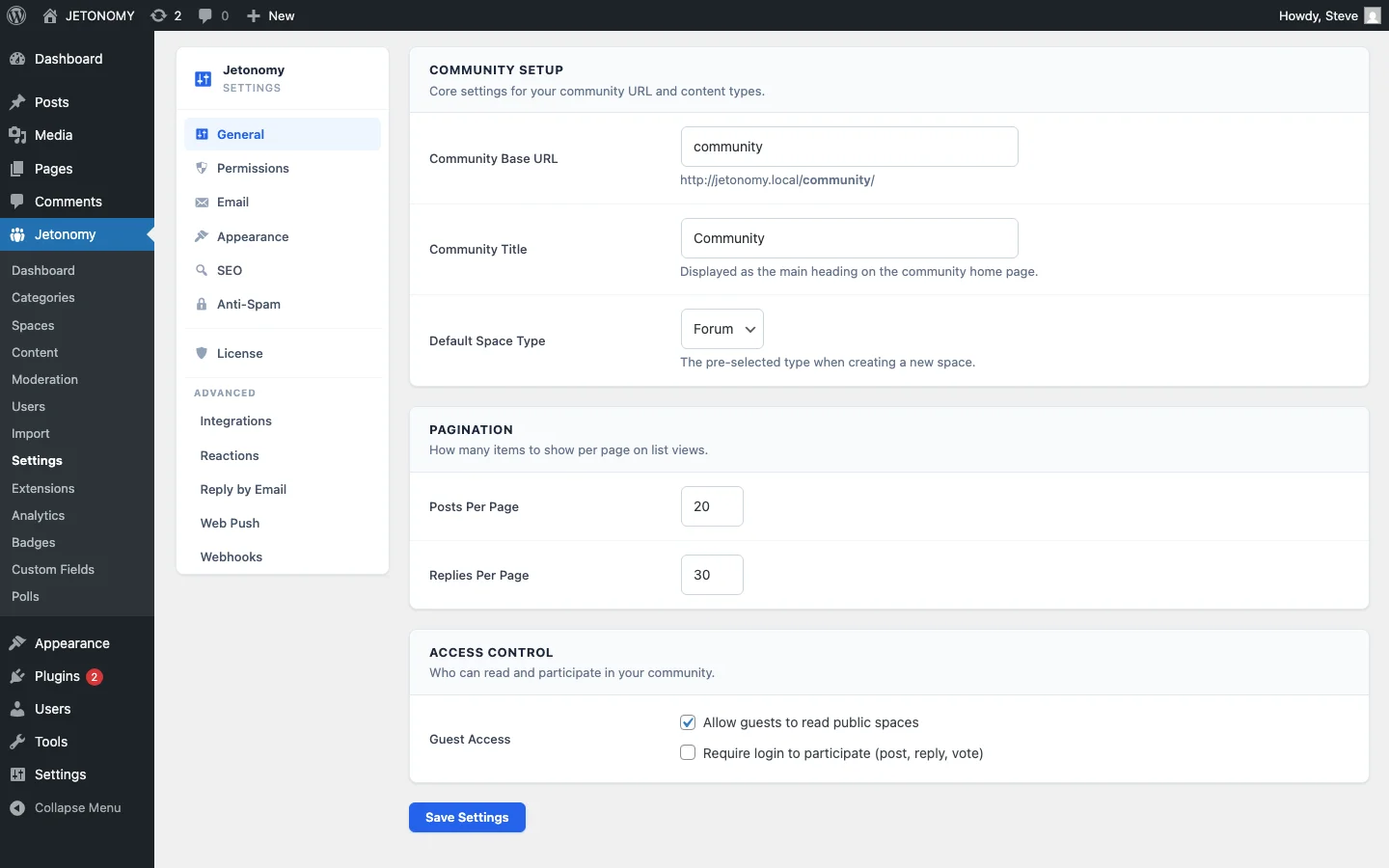
Go to Jetonomy → Extensions and toggle on Email Digest.
Step 2: Configure Settings
Navigate to Jetonomy → Settings → Email Digest and configure:
- Frequency: Daily, weekly, or let members choose
- Send day: For weekly digests, choose the day (Tuesday and Thursday perform best based on email marketing data)
- Send time: Morning in your primary timezone (8–10 AM local time)
- Content sections: Which sections to include (highlights, unanswered, new members, stats)
- Subject line: Customizable with dynamic tokens like
{community_name}and{week}
Step 3: Member Preferences
Members control their digest preferences from their profile settings. Options include:
- Daily digest, Every morning
- Weekly digest, Once per week
- No digest, Opted out (still receives direct notifications if enabled)
Default new members to weekly digest. They can upgrade to daily or opt out from their settings.
Digest Email Best Practices
Keep It Short
A digest email is not a newsletter. It is a summary. Five topic highlights, two unanswered questions, a welcome line, and a stat, that is enough. If the email takes more than 60 seconds to scan, it is too long.
Make Every Link Click-Worthy
Topic titles in the digest should make people want to click. “How to configure SMTP” is informational. “We finally solved the SMTP timeout issue that has been plaguing WooCommerce users” is click-worthy. Feature the most engaging titles, not the most recent ones.
Include Social Proof
Showing “15 replies, 23 votes” next to a topic title creates urgency. “Everyone else is talking about this, I should check it out.” Numbers drive clicks.
Test Send Times
Email open rates vary dramatically by send time. Start with Tuesday at 9 AM in your primary timezone. After a month, try Thursday. Compare open rates and click-through rates. Stick with what works for your specific audience.
Respect Unsubscribes
Every digest email must include an easy unsubscribe link. One click to stop receiving digests. No confirmation page. No guilt trip. CAN-SPAM and GDPR require it, and making it easy actually reduces spam complaints.
Measuring Digest Effectiveness
Track these metrics alongside your general forum analytics:
| Metric | Healthy Range | What It Tells You |
|---|---|---|
| Open rate | 25–40% | Are members reading the digest? |
| Click-through rate | 8–15% | Are they returning to the forum? |
| Unsubscribe rate | Under 1% per send | Are you annoying people? |
| Return visit rate (digest day) | 15–25% above average | Is the digest driving traffic? |
| Reply rate from digest visitors | 5–10% | Are returning members participating? |
If your open rate is below 20%, test different subject lines. If click-through is below 5%, feature more engaging content or reduce the number of links (paradoxically, fewer choices = more clicks).
Digest + Reply-by-Email: The Power Combo
Digest emails show members what they missed. Reply-by-email lets them respond without visiting the site. Together, they create a complete email-based engagement loop:
- Member receives weekly digest
- Sees an interesting discussion highlight
- Clicks through to read the full thread
- Receives a notification when someone replies to that thread
- Hits Reply in their email client to respond
- Their reply posts to the forum automatically
The member re-engaged with the community entirely from their email inbox. No bookmarks needed. No login friction. The digest brought them back; reply-by-email kept them participating.
Daily vs. Weekly: Which to Default
| Community Size | Recommended Default | Why |
|---|---|---|
| Under 100 active members | Weekly | Not enough daily content to fill a digest |
| 100–500 active members | Weekly (offer daily opt-in) | Enough content for daily but weekly covers most |
| 500+ active members | Daily (offer weekly opt-in) | So much activity that weekly digests are too long |
Getting Started
- Enable Email Digest in Jetonomy Pro Extensions
- Configure settings: Weekly, Tuesday at 9 AM, all content sections enabled
- Verify email delivery with a test send to yourself
- Wait one week for the first real digest to send
- Check metrics after 4 weeks and optimize send time and content
For the complete notification strategy, combine digests with our guide on @mentions and notifications. For the base forum setup, follow our WordPress forum guide.
Your community’s best content deserves to be seen by more than the 6% of members who visit daily. A weekly digest ensures that 100% of your members stay connected to the conversations that matter.
What turns engagement features into sustained participation
How to Send Weekly Community Digest Emails to Keep Members Engaged fits into the broader forums category through participation loops, recognition, and member retention. That matters because the technical setup is only one part of success. The way you structure spaces, roles, onboarding, and follow-up is what determines whether the forum becomes a searchable asset or just another neglected section of the site.
- Tie rewards to useful behavior such as accepted answers, thoughtful replies, and consistent follow-up, not just raw posting volume.
- Use lightweight interaction features first, then layer in badges, digests, mentions, and leaderboards so the community does not feel over-designed on day one.
- Review participation data monthly to see whether your engagement mechanics are helping newcomers join in or only reinforcing existing power users.
Why teams evaluating this setup should look at Jetonomy Pro
Jetonomy Pro is a strong fit when you want engagement features that connect back to real community outcomes, because it combines reactions, ideas, voting, trust systems, notifications, and structured spaces in one WordPress-native product. If you want to know more and try Jetonomy, take a closer look at Jetonomy Pro. It is the most direct next step for teams that want to move from theory to an actual working WordPress community experience.
For articles like this one, the practical question is not only whether the approach works in theory. It is whether your chosen forum stack gives you the moderation depth, user experience, and extensibility to keep the system useful six months after launch. That is where a more complete product decision starts to matter.