How to Use @Mentions and Notifications to Keep Members Coming Back
A forum without notifications is a billboard nobody checks. @Mentions pull specific people into conversations. Notification preferences let members control the flow. Together, they create the re-engagement loop that keeps communities alive.

The biggest challenge for any community is not getting members. It is getting them to come back. A member signs up, reads a few topics, maybe posts once, and then never returns. Not because the forum was bad, but because nothing pulled them back.
Notifications solve this. They create a reason to return. “Someone replied to your question.” “Alice mentioned you in a discussion.” “A new topic was posted in a space you follow.” Each notification is a gentle pull that brings members back to the community.
But notifications done wrong are worse than no notifications at all. Spammy notifications train people to ignore emails from your site. Irrelevant alerts get muted. The line between “keeping members informed” and “annoying them into unsubscribing” is thin.
Here is how to get it right.
@Mentions: Targeted Engagement
An @mention is a direct callout. When you type @alice in a forum post, Alice receives a notification that she was specifically mentioned. This is fundamentally different from a general notification, it is personal.
Why @Mentions Are Powerful
- They pull expertise into conversations. “@bob you dealt with this WooCommerce issue last week, any advice?” brings a knowledgeable member into a thread they might not have seen otherwise.
- They create social obligations. Being mentioned by name creates a soft obligation to respond. It is much harder to ignore “@alice what do you think?” than a general forum post.
- They welcome new members. “Welcome @newmember! Glad to have you here” makes the new member feel seen. That personal acknowledgment dramatically increases the chance they return.
How @Mentions Work in Jetonomy
When a member types @ followed by a username, an autocomplete dropdown shows matching members. They select the right person, and the mention is formatted as a clickable link to the member’s profile.
The mentioned member receives:
- An on-site notification (bell icon in the nav bar)
- An email notification (if they have email notifications enabled)
- Optionally, a browser push notification (if Web Push extension is enabled)
Best Practices for @Mentions
- Mention specific people, not groups. “@alice can you help?” is effective. “@everyone please look at this” is noise.
- Mention with context. “@bob” alone is confusing. “@bob you mentioned a workaround for this in the SMTP thread last week, would that work here?” gives Bob enough context to help.
- Do not over-mention. Mentioning the same person in every thread burns them out. Spread mentions across your active community members.
The Notification System
Jetonomy’s notification system sends alerts for these events:
Event | Who Gets Notified | Channel |
|---|---|---|
New reply to your topic | Topic author | On-site + email |
New reply to a topic you replied to | All repliers | On-site + email |
@Mention | Mentioned user | On-site + email |
Your answer was accepted | Answer author | On-site + email |
Your post received an upvote | Post author | On-site only |
New topic in a space you follow | Space followers | On-site + email (if enabled) |
Your join request was approved | Requesting user | On-site + email |
On-Site Notifications
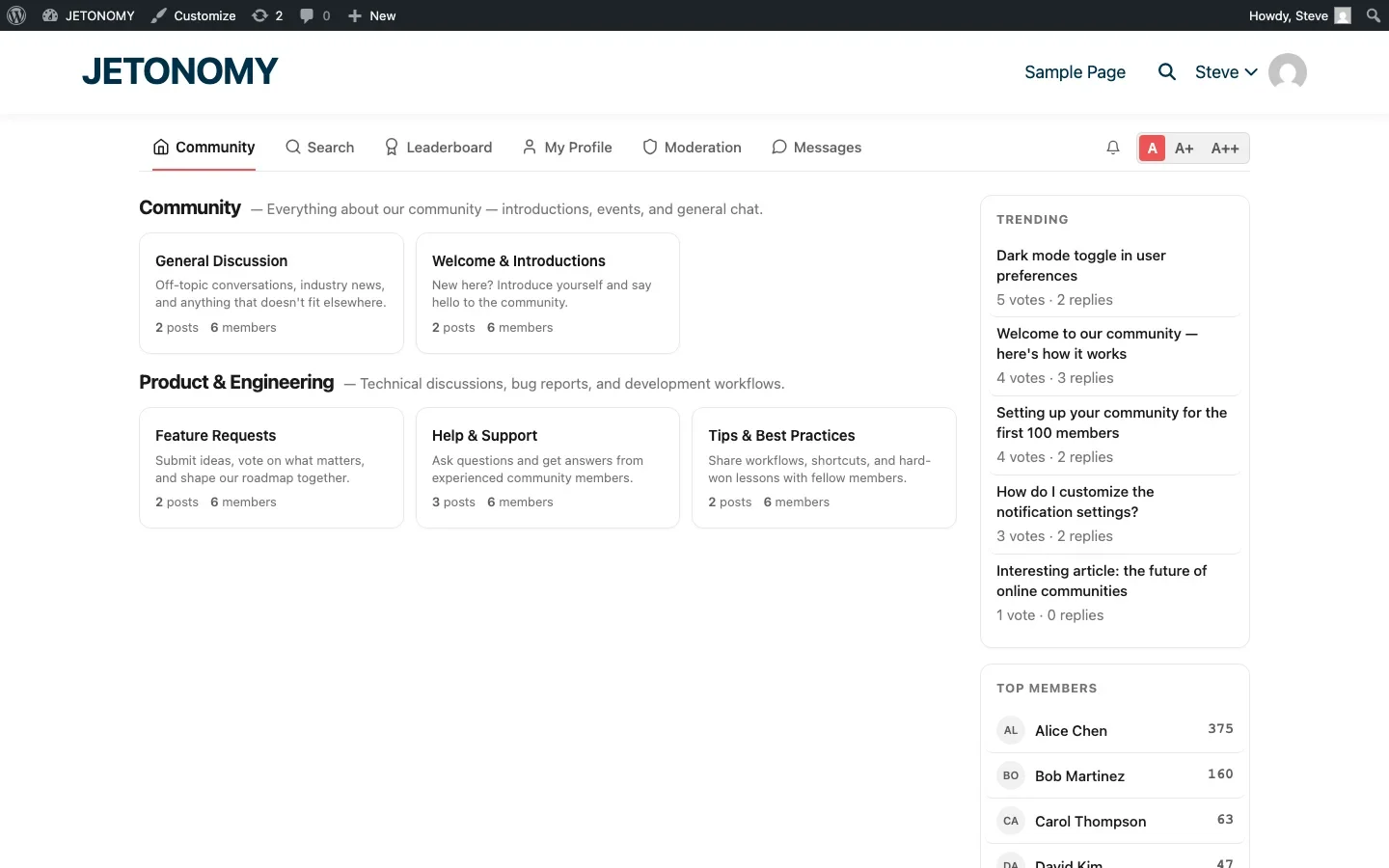
The bell icon in the navigation bar shows unread notification count. Clicking it reveals a dropdown with recent notifications, each linking to the relevant topic or reply. This is low-friction, members who are already on the site see new activity without leaving their current page.
Email Notifications
Email notifications reach members who are not currently on your site, which is most members, most of the time. These emails are the primary re-engagement channel.
The key to effective email notifications:
- Include the reply content in the email. Members should be able to read the reply without clicking through. If the answer is short, they get the value from the email alone.
- Make the subject line specific. “Alice replied to your topic: How to configure SMTP” is better than “New notification from Community Forum.”
- One email per event, not batched. For time-sensitive notifications (replies, mentions), send immediately. Do not batch into a daily digest.
Notification Preferences: Let Members Choose
The most important notification feature is the one most forums skip: letting members control what they receive.
Members can configure their notification preferences from their profile settings. For each notification type, they choose:
- Instant, Email sent immediately when the event happens
- Daily digest, All notifications bundled into one daily email
- Weekly digest, All notifications bundled into one weekly email
- Off, On-site notification only, no email
This granularity is critical. A member who finds instant reply notifications too noisy can switch to daily digest without turning off notifications entirely. A member who only wants to hear about @mentions can disable everything else.
The Jetonomy Pro Email Digest extension sends configurable daily or weekly community digest emails that highlight the most popular discussions, keeping even casual members connected to the community.
The Re-Engagement Loop
Notifications create a re-engagement loop:
- Member posts a question
- Someone replies
- Member receives email notification
- Member returns to read the reply
- Member responds or asks a follow-up
- Other members get notified of the new activity
- Conversation deepens
Without notifications, this loop breaks at step 3. The member never knows someone replied. They never return. The conversation dies.
With reply-by-email enabled, the loop gets even tighter: the member reads the notification email, hits Reply in their inbox, and their response posts to the forum automatically. They never even need to open a browser.
Push Notifications for Real-Time Engagement
For members who want instant engagement without email, Jetonomy Pro’s Web Push extension sends browser push notifications. These appear as system notifications on desktop and mobile, even when the browser is closed.
Push notifications are best for:
- @Mentions, Someone specifically called you out, and it is time-sensitive
- Accepted answers, Your answer was marked as the solution
- New messages, A private message just arrived
Do not push-notify for everything. Reserve push for high-signal events that warrant interrupting whatever the member is doing.
Notification Anti-Patterns to Avoid
- Notifying for your own actions. If a member posts a reply, do not send them a notification about their own reply. This sounds obvious, but some systems get it wrong.
- Sending email for on-site actions. If a member is actively browsing the forum and receives an upvote, an email notification for that upvote is overkill. On-site notification is sufficient.
- No unsubscribe option. Every notification email must include an easy unsubscribe link. CAN-SPAM and GDPR require it, and frustrated members will mark your emails as spam if they cannot unsubscribe easily.
- Flooding new members. If a new member follows 10 spaces, they should not receive 10 separate notification emails on their first day. Batch early notifications into a single welcome digest.
- Default-on for everything. Default notification settings should be sensible: instant for replies and mentions, off for general space activity. Members can opt in to more if they want.
Measuring Notification Effectiveness
Track these metrics with your forum analytics:
Metric | What It Tells You | Healthy Range |
|---|---|---|
Email open rate | Are notification emails being read? | 40–60% |
Click-through rate | Are members returning via email? | 15–30% |
Return visit rate | Do members come back within 7 days? | 30–50% of active members |
Unsubscribe rate | Are you annoying people? | Under 2% per month |
@Mention response rate | Do mentioned members respond? | 50–70% |
Getting Started
Notifications work out of the box with Jetonomy, no configuration needed for on-site notifications and basic email alerts. For the full notification stack:
- Verify your email sending. Notifications need reliable email delivery. Use an SMTP plugin (WP Mail SMTP, FluentSMTP) with a transactional email service (SendGrid, Mailgun, Amazon SES).
- Check default notification settings. Ensure sensible defaults in Jetonomy → Settings → Email.
- Enable Email Digests (Pro) for members who prefer batched updates.
- Enable Web Push (Pro) for real-time browser notifications.
- Enable Reply-by-Email (Pro) so members can respond without visiting the site.
For the complete forum setup, follow our step-by-step guide. For the broader engagement strategy, combine notifications with polls, reactions, and badges to create multiple touchpoints that keep members connected.
Your forum’s content is only valuable if people see it. Notifications are the delivery mechanism that turns static content into dynamic engagement.
Test the Edge Case: Mentioning Someone Without Space Access
Almost nobody tests this before launch: what happens when a member @mentions someone in a private or invite-only space that the mentioned person cannot actually see? If the notification email quotes the post content, you may be leaking gated discussion into an inbox belonging to someone who was never granted access.
- Confirm the mention notification either omits post content or checks space membership before including it, not just before linking to it.
- Decide what the mentioned non-member sees when they click through, a permission-denied page is fine, silently rendering the private thread is not.
- Extend the same check to reply-by-email and push notifications, both surface content outside the site’s own access-control layer.
Where the Notification Stack Sits Across Free and Pro
@Mentions, on-site notifications, and basic email alerts work in free Jetonomy with no configuration. Email Digest, Web Push, and Reply-by-Email are the three Jetonomy Pro extensions that turn that base notification system into a full re-engagement loop, worth adding roughly in that order as your community grows past the point where on-site notifications alone bring people back. Details are on the Jetonomy Pro page.