Polls, Reactions, and Badges: 3 Ways to Boost Forum Engagement
Voting and replies are not enough. Polls let members weigh in with one click. Reactions let them express emotion without typing. Badges reward milestones. Together, these three features transform passive readers into active participants.

Most forum members are lurkers. They read, they benefit from the answers, but they never post. Industry data suggests 90% of community members never contribute. That is not a problem to solve completely, some people prefer to read. But you can shrink that gap significantly with low-friction engagement tools.
Polls, reactions, and badges each lower the barrier to participation in a different way. Polls turn opinions into one-click votes. Reactions let members acknowledge content without typing a full reply. Badges give people goals to work toward. Together, they create multiple entry points for engagement, from the lowest-effort click to the highest-effort contribution.
Polls: One Click, Instant Engagement
A poll is the lowest-friction way to get members to participate. Instead of composing a thoughtful reply, they click one option. Done. They have engaged.
Why Polls Work
Polls work because they convert passive reading into active participation with almost zero effort:
- Decision fatigue is eliminated. The poll creator defines the options. Members just choose.
- Results are immediately visible. After voting, members see the community’s collective opinion in real time. This is satisfying in a way that posting a reply is not.
- Social proof drives more votes. When a member sees a poll with 47 votes, they want to add theirs. Participation begets participation.
When to Use Polls
Use Case | Example Poll Question |
|---|---|
Product feedback | Which feature should we build next? (A, B, C, D) |
Community decisions | Should we add a new space for off-topic discussions? |
Quick surveys | How did you hear about our community? |
Preference checks | Do you prefer light mode or dark mode? |
Event planning | Which day works best for the community call? |
Setting Up Polls in Jetonomy
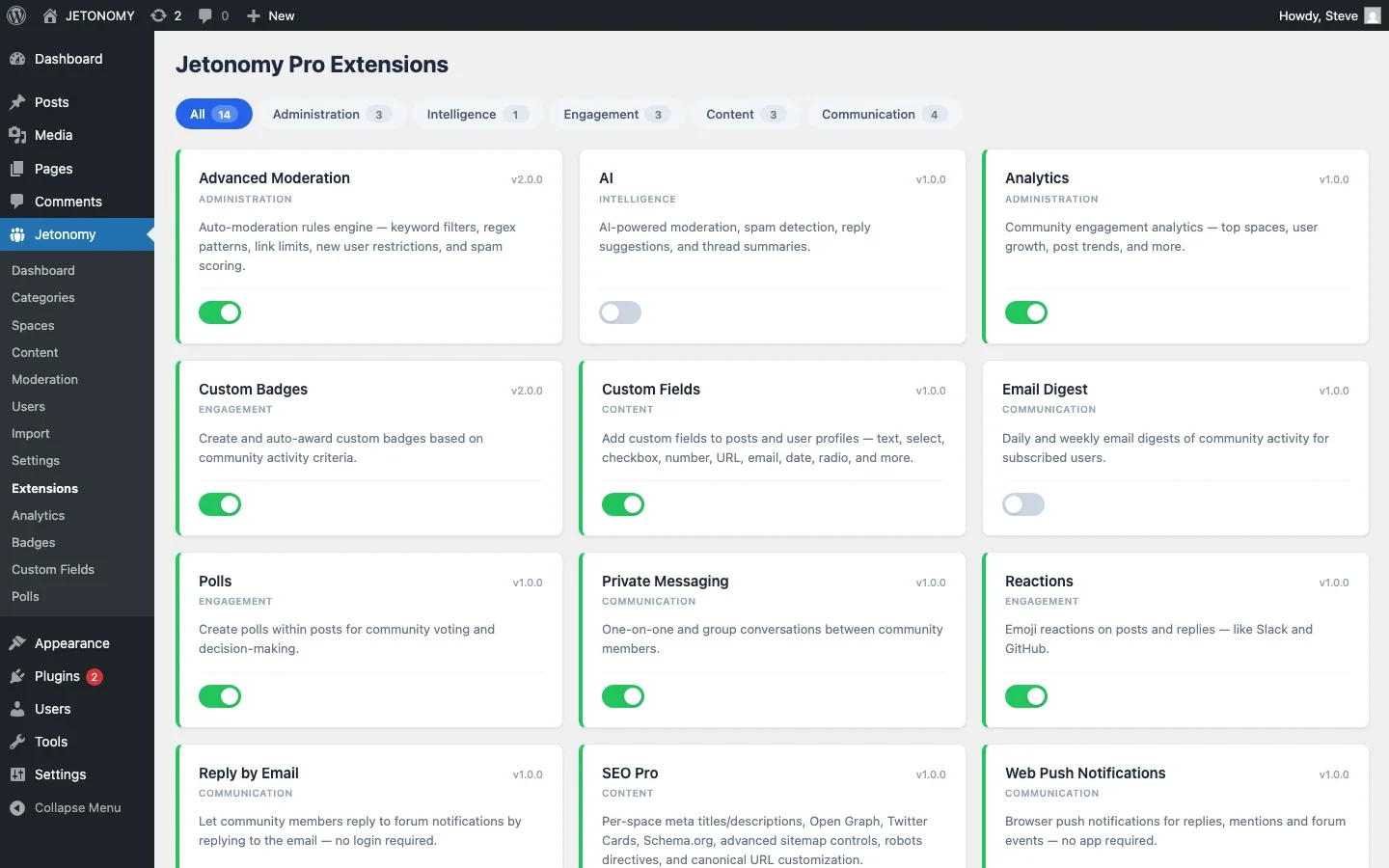
Jetonomy Pro’s Polls extension adds a “Create Poll” button to the post editor. Members can create polls inside any topic with multiple question types: single choice, multiple choice, or ranked voting. Polls show results in real time with percentage bars and vote counts.
The Polls extension supports multiple questions per poll, configurable voting deadlines, and anonymous vs. public voting depending on the topic.
Reactions: Express Without Typing
Not every response needs to be a full reply. Sometimes you just want to say “this helped” or “I agree” or “great answer.” Without reactions, these low-effort acknowledgments either become pointless replies (“Thanks!” “+1”) that clutter the thread, or they simply do not happen.
Why Reactions Work
- They reduce noise. Instead of ten reply posts saying “Thank you!” you get ten thumbs-up reactions on the answer. The thread stays clean.
- They provide richer feedback than upvotes. An upvote means “this is good.” Reactions let you say “this is helpful” (thumbs up), “this is funny” (laughing), “this is surprising” (wow), or “I love this” (heart). Each conveys different information.
- They create micro-interactions. Every reaction is a touchpoint. The author sees that 12 people reacted to their post. That social feedback is motivating in a way that silence is not.
Reaction Patterns to Watch
Reactions generate interesting data when you pay attention:
- Posts with many heart reactions are content that resonates emotionally, write more content like that
- Answers with many thumbs-up reactions are high-quality, consider featuring them or inviting the author to write a tutorial
- Posts with confused reactions signal unclear communication, the author should consider editing for clarity
Jetonomy’s Reaction System
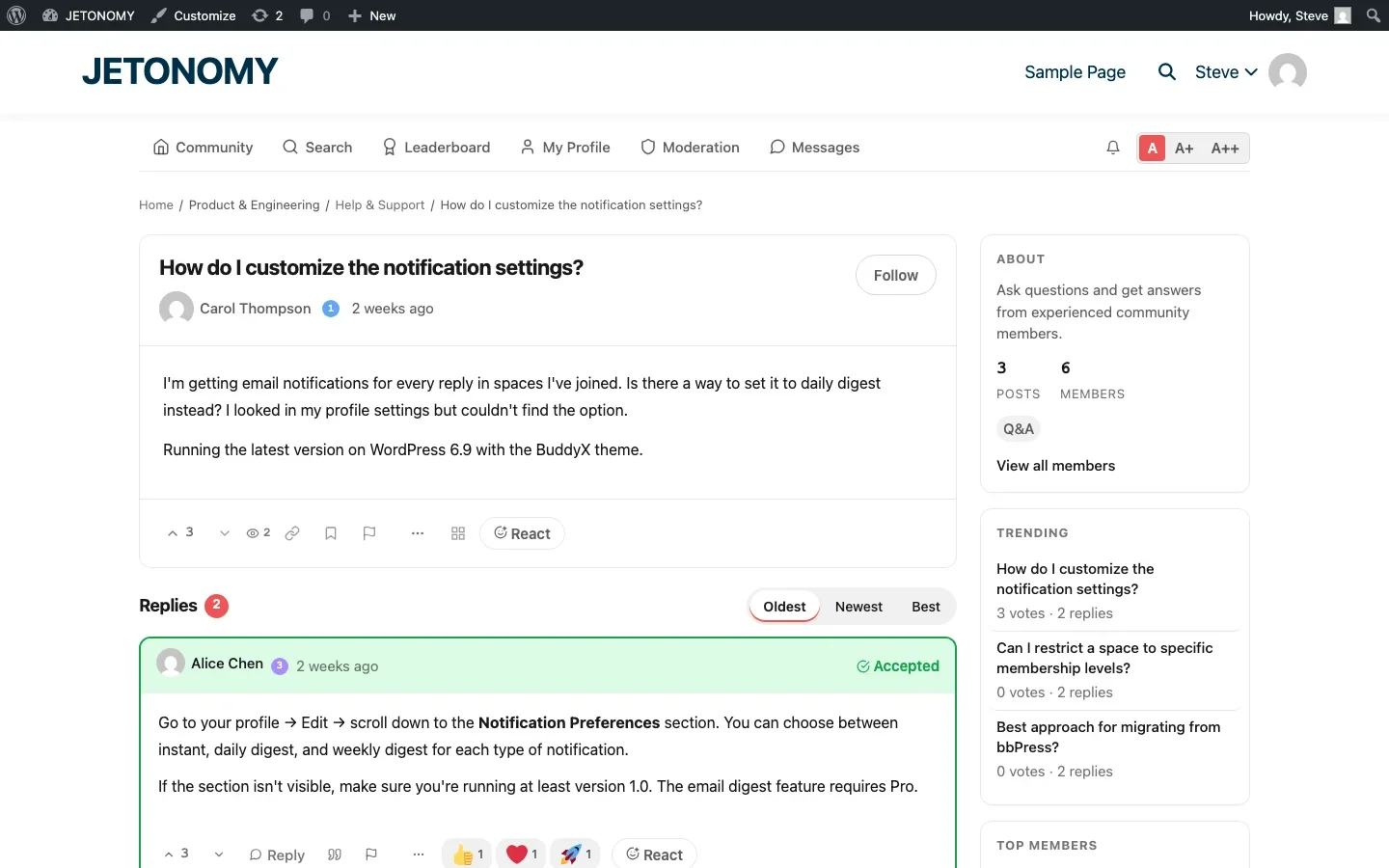
The Reactions extension in Jetonomy Pro uses native Unicode emoji (no broken image paths). Members click a reaction button on any post or reply to react. Reactions are displayed below the content with counts. Authors get notified when their content receives reactions.
Badges: Goals That Drive Behavior
Badges are visual achievements that celebrate milestones. Unlike trust levels (which unlock abilities), badges are primarily about recognition and goal-setting.
Why Badges Work
- Achievement psychology. Humans are wired to pursue goals. A badge for “10 Accepted Answers” gives members a concrete target to work toward.
- Social signaling. Badges displayed on profiles and next to posts tell other members: this person is experienced, helpful, and committed.
- Collection instinct. Once someone earns a few badges, they want to earn more. This drives continued participation even after the novelty of the forum wears off.
Effective Badge Design
Not all badges are created equal. Here are the ones that actually drive engagement:
Badge Category | Examples | Trigger |
|---|---|---|
Onboarding | First Post, First Reply, First Vote | Automatic, encourages early participation |
Milestone | 10 Posts, 50 Replies, 100 Upvotes | Automatic, rewards sustained contribution |
Quality | 5 Accepted Answers, 25 Accepted Answers | Automatic, rewards helpful behavior specifically |
Streak | 7-Day Streak, 30-Day Streak | Automatic, rewards consistent engagement |
Special | Founding Member, Beta Tester, Event Speaker | Manual, recognizes unique contributions |
The onboarding badges are especially important. They give new members immediate goals: “Post your first topic to earn the First Post badge.” This nudge converts lurkers into contributors during the critical first-visit window.
Badge Tiers
Use bronze, silver, and gold tiers for milestone badges to create progression:
- Bronze: Helpful, 5 accepted answers
- Silver: Expert, 25 accepted answers
- Gold: Master, 100 accepted answers
Tiered badges show progress. A member with the Silver Expert badge knows exactly what they need to reach Gold. That visible goal drives behavior far more effectively than a hidden reputation score.
For a detailed walkthrough of gamification setup, see our guide on adding points, badges, and leaderboards.
How the Three Features Work Together
Polls, reactions, and badges are not independent features. They create an engagement ecosystem:
- Polls get lurkers to participate. A one-click vote is the easiest possible engagement. Once someone votes on a poll, they are more likely to vote on other polls, react to posts, and eventually post their own content.
- Reactions keep active members engaged. Between writing full replies, members react to content. Each reaction is a micro-interaction that keeps them connected to the community.
- Badges reward sustained contribution. Members who react, vote, and reply earn badges that make their contributions visible. The badge collection drives them to keep participating.
The progression looks like this: Vote on a poll (zero effort) → React to a post (one click) → Reply to a topic (some effort) → Create a topic (real effort) → Earn badges and reputation (motivation loop).
Measuring Engagement Impact
After enabling these features, track the change in these metrics using your forum analytics:
Metric | Before | After (Expected) |
|---|---|---|
Active participants / registered members | 5–10% | 15–25% |
Reactions per topic | 0 | 3–8 per active topic |
Poll participation rate | N/A | 40–60% of topic viewers vote |
New member first-post rate | 10–20% | 25–40% (badge motivation) |
Getting Started
- Enable Reactions first. Zero configuration needed. Immediate value. Members start using reactions within the first day.
- Add Polls next. Create a welcome poll in your General Discussion space: “How did you find our community?” This sets the tone for poll-driven engagement.
- Configure Badges last. Design your onboarding badges (First Post, First Reply, First Vote) and a few milestone badges. Roll out more as your community grows.
All three features are available in Jetonomy Pro. For the base forum setup, follow our WordPress forum setup guide. Then enable the extensions and watch your engagement metrics shift upward.
The goal is not to gamify your community for gamification’s sake. It is to give members multiple ways to participate, from the lowest-effort reaction to the highest-effort tutorial post. More entry points mean more engaged members.
Reading Uneven Adoption Across the Three Features
Rarely do polls, reactions, and badges get adopted at the same rate. That imbalance itself is diagnostic, not a failure, if you know how to read it.
- Heavy reaction use but few poll votes usually means members are comfortable with passive acknowledgment but have not yet been asked a poll question worth answering, check whether your polls are actually about decisions members care about.
- Strong badge-chasing with flat reaction and poll numbers can mean the badges are rewarding actions members were already doing anyway, not creating new engagement, worth auditing whether badge criteria overlap too closely with existing high-value actions.
- If none of the three move the needle within the first month, the issue is usually visibility, not the mechanics themselves, confirm they are actually surfaced in the UI members see by default, not buried in a settings-gated area.
Also Published as a Deeper Comparison Post
This site also has a companion piece covering the same three features with additional detail on over-gamification warning signs and rollout sequencing: Polls, Reactions, and Badges: 3 Ways to Boost Forum Engagement. Jetonomy Pro’s extension details are on the Jetonomy Pro page.













