How to Add Schema Markup to Your WordPress Forum for Rich Snippets
Schema markup tells Google what your forum content means — not just what it says. QAPage schema can trigger rich Q&A snippets in search results. Here is how to implement it for your WordPress forum.

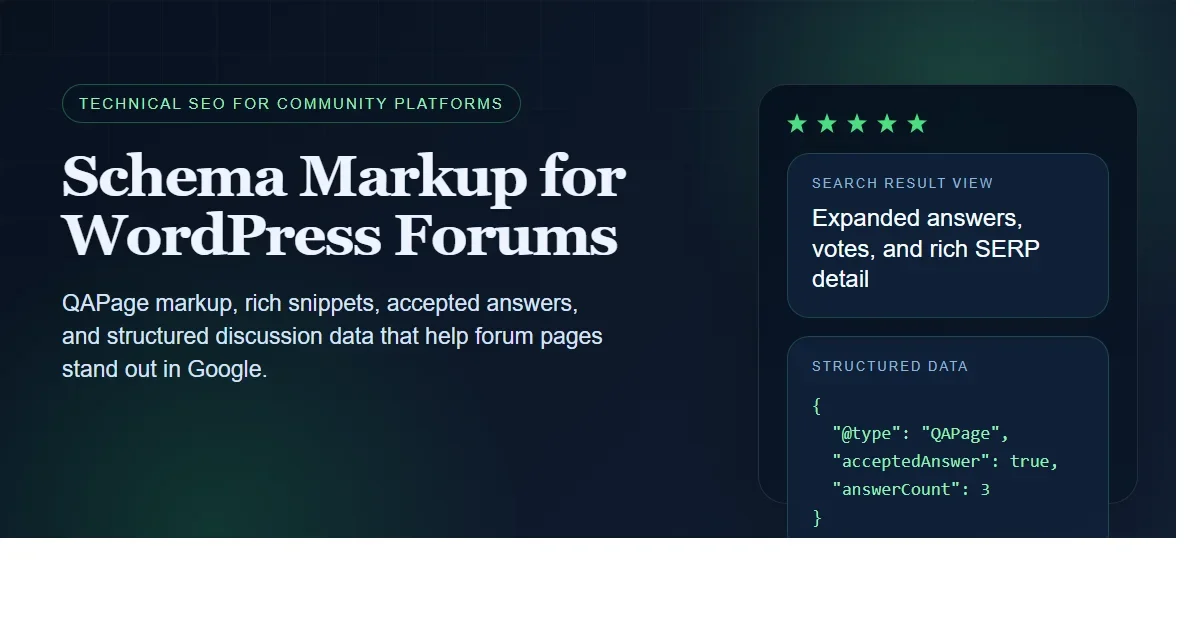
When someone searches Google for “how to configure SMTP in WordPress,” they see a list of blue links. But some results get special treatment: expanded answer boxes, star ratings, FAQ accordions, and Q&A snippets with vote counts. These are rich results, and they are powered by schema markup.
Forum content is uniquely suited for rich results because it naturally contains structured Q&A data: a question, multiple answers, vote counts, and an accepted answer. Schema markup tells Google about this structure so it can display your forum content with the rich formatting that drives higher click-through rates.
What Schema Markup Does for Forums
Schema markup (also called structured data) is JSON-LD code embedded in your page that describes the content in a machine-readable format. For forums, two schema types matter:
QAPage Schema
Used for Q&A spaces where topics have questions and votable answers. When Google detects QAPage schema, it may display your result with:
- The question text prominently displayed
- The top-voted or accepted answer preview
- Vote count
- Answer count
This is the schema that powers Stack Overflow’s rich results in Google. Your Q&A forum can trigger the same rich results with proper markup.
DiscussionForumPosting Schema
Used for general forum discussions (non-Q&A). This schema tells Google the content is a forum post rather than a blog article, which affects how it is categorized and displayed. It includes:
- Headline (topic title)
- Author information
- Date published and modified
- Comment count (reply count)
- Interaction statistics
How Jetonomy Implements Schema
Jetonomy Pro’s SEO extension automatically generates the appropriate schema markup for every forum page. No manual JSON-LD coding required.
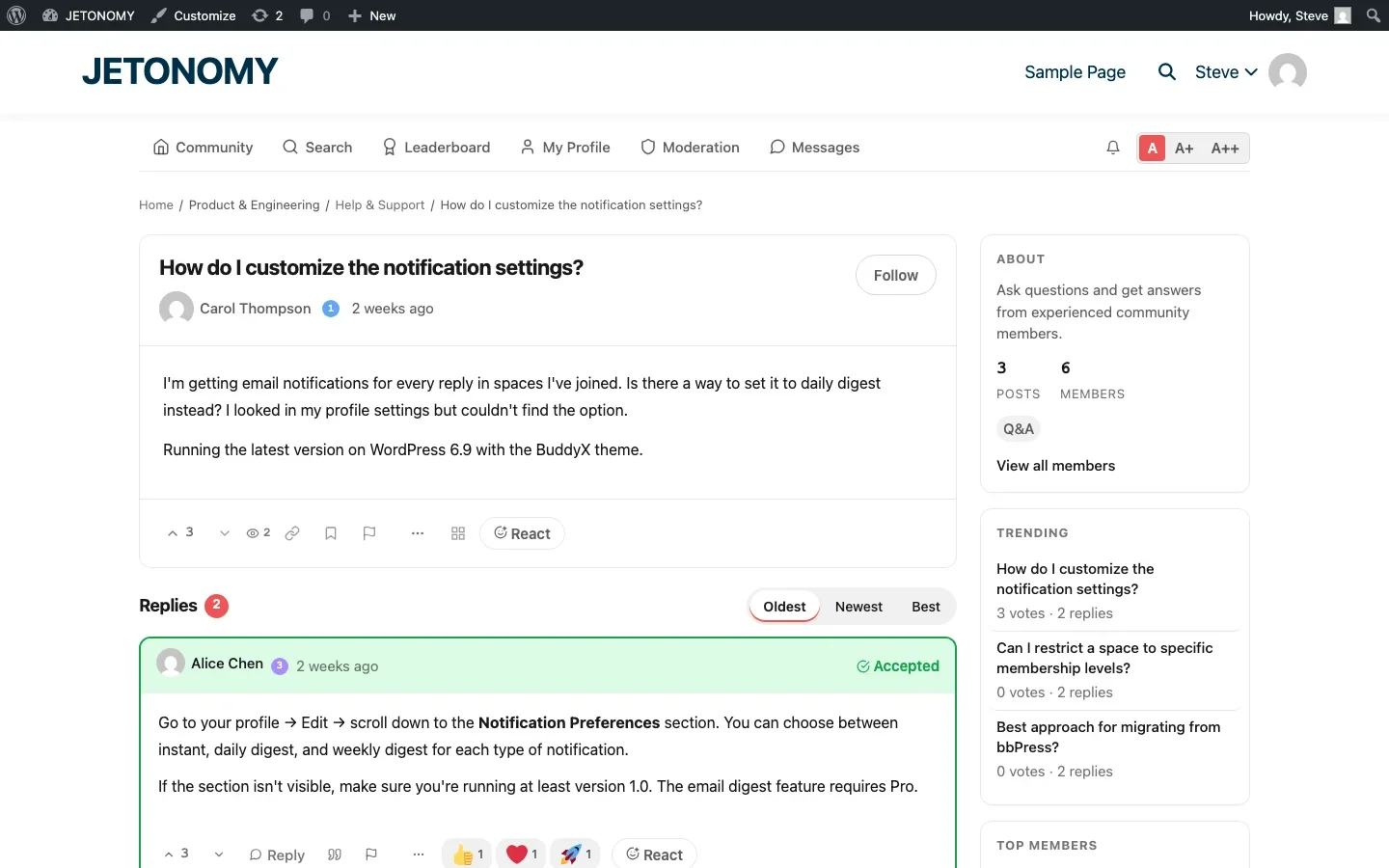
Q&A Spaces Get QAPage Schema
When a space is set to Q&A type, every topic in that space outputs QAPage schema:
{
  "@context": "https://schema.org",
  "@type": "QAPage",
  "mainEntity": {
    "@type": "Question",
    "name": "How do I configure SMTP settings?",
    "text": "Full question content...",
    "dateCreated": "2026-04-15",
    "upvoteCount": 12,
    "answerCount": 3,
    "acceptedAnswer": {
      "@type": "Answer",
      "text": "Accepted answer content...",
      "upvoteCount": 8,
      "dateCreated": "2026-04-15",
      "author": {
        "@type": "Person",
        "name": "Alice Chen"
      }
    },
    "suggestedAnswer": [...]
  }
}
This markup includes the question, all answers (with the accepted answer identified), vote counts, dates, and author information. Google has everything it needs to display a rich Q&A result.
Forum Spaces Get DiscussionForumPosting Schema
Topics in Forum-type and Social-type spaces output DiscussionForumPosting schema with the headline, body, author, date, and comment count.
Breadcrumb Schema
Every page includes BreadcrumbList schema that describes the navigation hierarchy:
Home > Product & Engineering > Help & Support > How do I configure SMTP?Breadcrumb schema helps Google display your site hierarchy in search results, making your result more visually appealing and trustworthy.
The Click-Through Rate Impact
Rich results consistently outperform standard blue links in click-through rate:
Result Type | Average CTR | vs. Standard Result |
|---|---|---|
Standard blue link | 3–5% | Baseline |
Q&A rich result | 8–15% | 2–3x higher |
FAQ rich result | 6–10% | 1.5–2x higher |
Breadcrumb-enhanced result | 4–7% | 1.2–1.5x higher |
The Q&A rich result CTR improvement is dramatic because the expanded answer preview gives searchers a reason to click: they can see that the page has a specific, voted-on answer to their question.
Requirements for Rich Results
Having schema markup does not guarantee rich results. Google also evaluates:
- Content quality. The question and answers must be genuine and helpful, not thin or spammy.
- Page authority. Your domain needs some baseline authority for rich results to trigger.
- Schema accuracy. The markup must accurately reflect the page content. Marking a discussion post as a QAPage when it is not a question will not help.
- Mobile-friendliness. The page must render well on mobile devices.
Jetonomy handles the technical requirements automatically. Your job is to ensure the content quality, encouraging descriptive titles, thorough answers, and active voting. See our forum SEO guide for content optimization strategies.
Testing Your Schema
Verify your schema markup is correct using Google’s tools:
- Rich Results Test (search.google.com/test/rich-results), Enter a forum topic URL. The tool shows which rich results your page is eligible for and flags any markup errors.
- Schema Markup Validator (validator.schema.org), Validates the JSON-LD syntax and completeness.
- Google Search Console, The Enhancements report shows which pages have valid Q&A schema and any errors across your site.
Test at least 3–5 forum pages after enabling the SEO Pro extension to confirm the schema is generating correctly for Q&A topics, forum discussions, and space listing pages.
Open Graph and Twitter Cards
Schema markup handles Google. Open Graph and Twitter Card tags handle social media sharing. The SEO Pro extension generates both:
- og:title, Topic title
- og:description, First 160 characters of the topic content
- og:type,
articlefor forum posts - og:image, Author avatar or space image
- twitter:card,
summaryformat
When someone shares a forum topic on LinkedIn, Twitter, or Facebook, the link preview shows a clean title, description, and image instead of a generic URL.
Schema and Your Existing SEO Plugin
If you use Yoast SEO or Rank Math, Jetonomy’s schema works alongside them without conflicts. The SEO Pro extension generates forum-specific schema (QAPage, DiscussionForumPosting) while your SEO plugin handles site-wide schema (Organization, WebSite, breadcrumbs). There is no overlap.
If your SEO plugin already generates breadcrumb schema, you can disable Jetonomy’s breadcrumb schema to avoid duplication. This is configurable in the SEO Pro settings.
Getting Started
- Install Jetonomy with Q&A spaces (setup guide)
- Enable SEO Pro extension in Jetonomy Pro
- Schema generates automatically, no manual configuration needed
- Test with Google’s Rich Results Test using 3–5 forum topic URLs
- Monitor in Google Search Console → Enhancements → Q&A pages
- Ensure content quality, descriptive titles, accepted answers, active voting
For the broader SEO strategy, read our guides on forum SEO fundamentals and community-generated long-tail SEO. Schema markup is the technical foundation that tells Google your forum content deserves rich results. The content quality is what earns them.
Extra SEO details that matter after the basics are in place
How to Add Schema Markup to Your WordPress Forum for Rich Snippets fits into the broader forums category through indexation, structure, and long-tail discovery. That matters because the technical setup is only one part of success. The way you structure spaces, roles, onboarding, and follow-up is what determines whether the forum becomes a searchable asset or just another neglected section of the site.
- Treat topic titles like landing-page headlines, because they often become the exact search entry point for future visitors with the same problem.
- Use internal links from evergreen blog posts into the most useful forum discussions so Google and users can discover the highest-signal threads faster.
- Review which discussion patterns generate impressions without clicks, then improve titles, accepted answers, and meta descriptions around those pages.
Why teams evaluating this setup should look at Jetonomy Pro
Jetonomy Pro is relevant if SEO is part of the business case, because it supports structured discussion formats, cleaner content organization, and the kinds of forum patterns that make long-tail search traffic more realistic on WordPress. If you want to know more and try Jetonomy, take a closer look at Jetonomy Pro. It is the most direct next step for teams that want to move from theory to an actual working WordPress community experience.
For articles like this one, the practical question is not only whether the approach works in theory. It is whether your chosen forum stack gives you the moderation depth, user experience, and extensibility to keep the system useful six months after launch. That is where a more complete product decision starts to matter.













