Upgrading PHP Under a bbPress Forum After the Critical PHP Patch: A Plan and a Test List
The 21 October PHP security release means every bbPress forum needs a patched PHP build. Who does what, the order to upgrade in, a staging test list for topics, replies, subscriptions, search and attachments, and what to do about old add-ons.

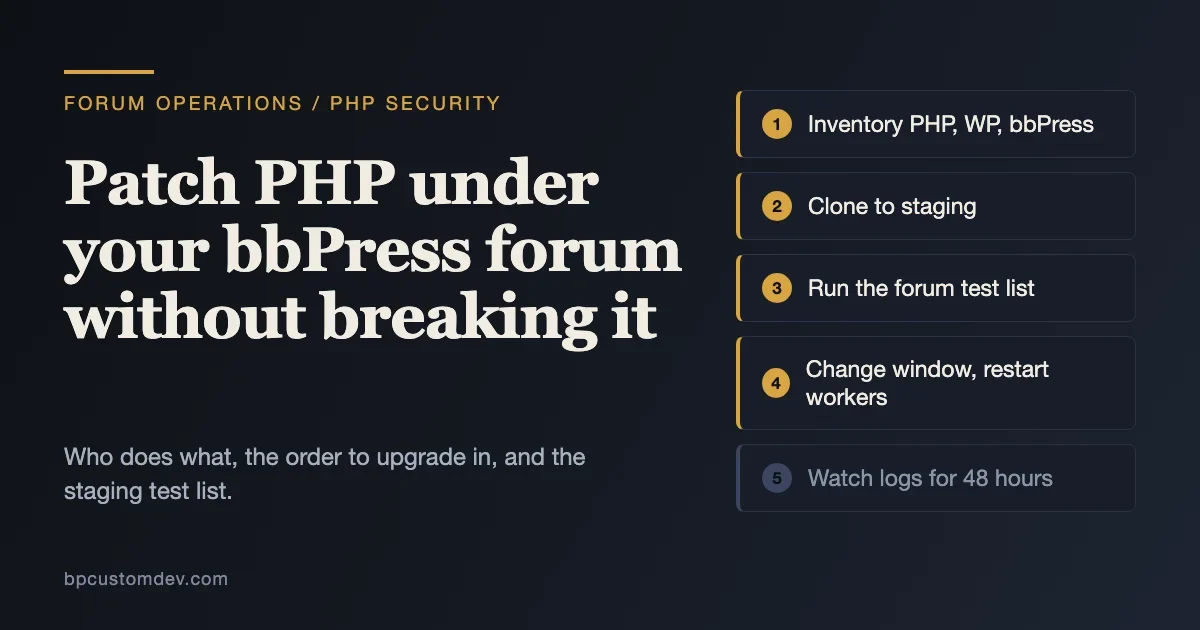
On 21 October 2026 the PHP project released 8.5.12, 8.4.27, 8.3.36 and 8.2.35 to fix two critical flaws that can allow unauthenticated remote code execution. If your community runs on bbPress, your forum runs on that PHP, and nothing in bbPress, WordPress or your theme can fix the problem for you. The interpreter has to be updated.
This post is the operations companion to our general explainer. Our sister site tweakswp has the technical patch-and-check guide, PHP2Shell: Check Your WordPress PHP Version Now, and What to Do If You Cannot Patch, which covers how to find your PHP version, the vendor backport table for old branches and the compromise checks. Here we cover the part that is specific to a forum: who needs to do what, in which order, and what to test on a copy of the site before and after the change so that a security fix does not cost you your members’ posts, notifications or search.
One thing up front. We checked what we could check ourselves, and we say clearly where we did not run something. We linted every PHP file in the current bbPress release under PHP 8.5.5 and found no syntax problems, which is a useful but small signal. We did not run a full forum through a staged PHP upgrade for this post, so the test list below is a plan you run, not a set of results we are reporting. Every version number and date comes from the primary pages listed at the end.
The decision in one paragraph
Patch PHP this week. If your host manages PHP, ask for the exact patched version and the date it went live on your plan. If you manage your own server, update the packages, restart the PHP workers and confirm the version from the site. If your PHP is 8.1 or older, the PHP project issued no fix, so you need a vendor backport or a move to a supported branch, and that move is the part that needs a test plan. A forum is a good candidate for a careful test, because it has logged-in users writing content all day, email notifications, search and often a handful of add-ons.
What actually changed, and why a forum owner should care
The PHP security team described the two issues in its 21 October advisory. In the first, out-of-memory handling can interrupt PHP while internal request data is only partly set up, and cleanup may then treat the invalid data as valid. In the second, request-owned internal state can survive after its memory has been freed, and a later request handled by the same worker may use that stale state. Both are rated CVSS v4.0 9.2, and the advisory says there are no complete mitigations and that updating is the only safe choice.
Patchstack lists the affected setups as PHP-FPM, Apache with mod_php, php-cgi, FrankenPHP and LiteSpeed. That is effectively every way a bbPress forum is served. The patched releases are for the supported branches only:
PHP branch | Patched release | Upstream security support ends |
|---|---|---|
8.5 | 8.5.12 | 31 Dec 2029 |
8.4 | 8.4.27 | 31 Dec 2028 |
8.3 | 8.3.36 | 31 Dec 2027 |
8.2 | 8.2.35 | 31 Dec 2026 |
8.1 and older | No project fix | Already ended |
The dates are from php.net’s supported versions page. Note the last column for 8.2: a forum you move to 8.2.35 today is safe from this bug but needs another PHP move within about ten weeks. If you are going to do the work of testing a forum on a newer PHP, test the branch you intend to stay on, not the one you are passing through.
For a forum in particular, the worker-memory angle matters. Wiz, the security firm that reported the flaws, says the bugs allow reads of worker memory that can hold passwords, tokens and API keys. A forum server’s PHP workers handle member logins, password resets and outgoing mail credentials. That does not mean your forum was breached. It means the secrets on that server belong on your rotation list if you cannot rule out an earlier break-in, and it is the reason the tweakswp guide ends with a rotation section.
Who does what
Most forum owners are not the people who change PHP. A short responsibility split avoids the usual week of waiting for someone else.
Question | Owner | What you need back |
|---|---|---|
Which PHP runs the forum right now? | Site owner or developer | The version shown in Tools, Site Health, Info, Server, plus the SAPI |
Has the patched build been installed on the server? | Host or sysadmin | The exact version and the date it was applied |
Does the forum work on the target version? | Developer or QA | A completed test list on a staging copy |
When is the change window? | Community manager | A time with low posting activity and a notice to members |
Who watches it afterwards? | Developer and moderators | Error log review and a member report channel for 48 hours |
If you have no developer, the host is your route for the first two rows, and you should ask direct questions. WooCommerce’s developer blog, written for store owners but true for anyone, says Automattic-hosted platforms (WordPress.com, WordPress VIP, Pressable and WP Cloud) are already protected and that other hosts may be updating, but you should still check. A reply such as “we monitor all security issues” is not a version number.
Step 1: know what you are running
Three versions decide your plan: PHP, WordPress and bbPress. The bbPress page on WordPress.org currently lists bbPress 2.6.20, last updated on 15 October 2026, with a requirement of WordPress 6.0 or higher and PHP 7.2 or higher, and a tested-up-to value of WordPress 7.1.3. It shows more than 100,000 active installations. The page’s changelog section points to the releases page and does not list individual changes, and we did not review them line by line.
Two things follow from those numbers. First, the plugin’s stated minimum is PHP 7.2. If your server is on 7.0 or 7.1, you cannot run the current bbPress at all, so the order of operations in the next section matters. Second, the label says which WordPress version was tested. It does not say which PHP versions were tested, so a PHP upgrade is a test you still own. The forum software comparison we published earlier this year gives the wider picture of how bbPress fits against other forum software, if you are deciding whether to keep investing in it at all.
From the command line on the server, these WP-CLI commands give you the inventory. Run them from the WordPress root.
wp core version
wp plugin list --fields=name,status,version,update --format=table
wp theme list --fields=name,status,version,update --format=table
wp cli info | grep -i "php binary\|php version"
The last line shows the PHP of the command-line binary, which on servers with several PHP versions can differ from the version that serves your forum. Use the Site Health screen for the version that visitors reach. Write all of it in one place: PHP version and SAPI, WordPress version, bbPress version, theme, and every active plugin with its version.
Size the forum
A baseline of content counts gives you a check that nothing disappeared in the upgrade. bbPress stores forums, topics and replies as WordPress post types named forum, topic and reply, so WP-CLI can count them.
wp post list --post_type=forum --post_status=publish --format=count
wp post list --post_type=topic --post_status=publish --format=count
wp post list --post_type=reply --post_status=publish --format=count
wp user list --format=count
Save the four numbers. After the upgrade, the same commands should return the same results, give or take the posts members wrote in between. On a large forum these counts run quickly because they are simple counts, but do not run them in a loop during peak hours.
Step 2: choose the order of operations
The safest order depends on where you start. Update the software on the PHP you have now, then change PHP, and change only one thing at a time so a problem has one cause.
- On PHP 7.2 to 8.1 with current WordPress and bbPress. Take the PHP change on its own. Patch inside your branch if your branch is supported (8.2 or newer), or move to the target branch after staging.
- On PHP 7.0 or 7.1. The current bbPress needs 7.2 at least, so you are already running an older bbPress or an older WordPress. Move PHP to a supported branch first on staging, then update WordPress and bbPress on staging, and test the whole stack together. This is the case where a developer is worth the fee.
- On an old bbPress with a new PHP. Some sites received PHP upgrades from their host without anyone checking the forum. If that is you, update bbPress and test now. The version you run might be the one that logs notices on every page.
- On PHP 8.2 today. Apply the 8.2.35 patch now, and plan the move to 8.3 or newer for the new year. WooCommerce recommends 8.3 or newer, and Patchstack suggests aiming for 8.4 or 8.5.
If your branch has no upstream fix and you cannot move this week, the tweakswp guide has the vendor backport table, the partial mitigations Patchstack lists and the offline option. Read it before you decide to wait. Patchstack and the UK National Cyber Security Centre, as quoted by WooCommerce, both say that where immediate remediation is not feasible, taking the system offline is a legitimate option. For a forum that means a maintenance page, and a 503 status, not a blank page.
Step 3: build a staging copy you can trust
A staging copy is only useful if it is on the same PHP version you plan to run, with the same plugins and a recent copy of the database. Most managed hosts offer a staging button. If yours does not, use a clone on a separate subdomain, block search engines on it, and make sure it cannot send real emails to members. That last point is the one people forget on forums: a staging copy with live notification settings will email your whole subscriber list when you test a reply.
# On the live server: export the database
wp db export forum-live.sql

# On staging: import and rewrite URLs
wp db import forum-live.sql
wp search-replace 'https://forum.example.com' 'https://staging.example.com' --all-tables --skip-columns=guid

# Stop staging from emailing real members and from being indexed
wp option update blog_public 0
wp config set WP_DEBUG true --raw
wp config set WP_DEBUG_LOG true --raw
wp config set WP_DEBUG_DISPLAY false --raw
To stop outgoing mail on staging, use a mail-catching plugin or a server-level setting, since WordPress itself has no switch for it. Whatever you choose, send one test email first and confirm it lands in the catcher rather than a real inbox. Then set the staging PHP version to your target in the host panel, and check Site Health on staging to confirm the version it actually runs.
Step 4: run the forum test list
This list follows the way members and moderators use a bbPress forum. Run it on the staging copy on the target PHP, with WP_DEBUG_LOG on, and read the log after each group. A visible failure is easy to find. The harder problem is the PHP warning or deprecation notice that does not break the page today and tells you where the next PHP release will break it.
Area | What to do | What a pass looks like |
|---|---|---|
Browsing | Open the forum index, a forum, a long topic with several pages of replies, and a member profile | Pages load, counts match, pagination links work |
New topic | Post a topic as a normal member, with formatting, a link and an image | Topic appears, author and timestamps correct, no log entries |
Replies | Reply to the topic, then reply to the reply, then edit your own reply | Reply counts update, edit history works, order is correct |
Subscriptions | Subscribe to a topic and a forum, then post as another user | Subscriber email arrives in the mail catcher with working links |
Favourites and notices | Favourite a topic, mark one resolved if your theme or an add-on supports it | State persists on reload |
Search | Search for a phrase from an old topic and one from a new reply | Both are found, results page paginates |
Attachments | Upload an image or file in a reply if you allow it | Upload succeeds, size limits are enforced, file is served |
Moderation | As a moderator, close, spam, trash and restore a topic, edit another member’s reply, merge two topics | Counts adjust, nothing disappears without a trace |
Roles and privacy | View a private or hidden forum as a logged-out visitor and as the wrong role | Access denied as before, no content leaked in the page title or search |
Registration and login | Register a test member, reset a password, log in on mobile width | Emails arrive, forms submit, no notices on the login page |
Admin | Open Forums, Topics and Replies lists, bulk actions, Settings, Forums | No fatal error, no blank screens, bulk actions apply |
Scheduled jobs | Run due cron events and read the log | No fatal errors or repeated warnings |
For the scheduled jobs row, WP-CLI will run due events on demand:
wp cron event run --due-now
wp cron event list --fields=hook,next_run_relative --format=table
tail -n 100 wp-content/debug.log
Two groups need extra attention on a forum. Subscriptions and email are the first, because forums send a lot of mail and a PHP change can expose a mail configuration that only worked by accident. The second is any custom template. If your theme contains a bbpress folder or a bbpress.php file, those are your own templates, bbPress will not update them, and they are the most likely place for old PHP habits to hide.
The syntax check we ran
For this post we downloaded bbPress 2.6.20 from WordPress.org and ran PHP’s built-in lint (php -l) over every PHP file in the package with PHP 8.5.5 on a laptop. There were 194 files and no syntax errors or compile-time warnings. Treat that as a floor, not a clean bill of health. A lint pass tells you that the files parse on that PHP version. It does not run the code, so it cannot catch a function that behaves differently, a deprecated call that only runs when someone uses a feature, or a failing add-on. You can run the same quick check on your own plugins and theme:
find wp-content/plugins wp-content/themes wp-content/mu-plugins -name "*.php" -print0 | xargs -0 -n1 php -l 2>&1 | grep -v "^No syntax errors" | head -50Run it with the PHP binary of your target version, for example php8.3, not the default one. For a deeper scan, PHPCompatibilityWP, a PHP_CodeSniffer ruleset, flags code that will fail or produce deprecations on a target version. The tweakswp guide has the install and scan commands in its section on moving from PHP 7.4 or 8.0.
Step 5: deal with add-ons and custom code
bbPress itself is rarely the problem. The add-ons are. A forum that has been running for years often carries a handful of plugins that add attachments, signatures, thanks buttons, topic ratings, email digests or a custom look, and some of them have not had an update in a long time. Sort them into three groups using the inventory from step 1.
- Actively maintained, recent update. Update on staging, test the feature, move on.
- Not updated in more than a year. Run the lint and compatibility scan, test the feature on the target PHP, and decide whether you still need it. Many of these features are now built into bbPress or your theme.
- Abandoned, or a custom plugin nobody has the source for. This is the item that blocks the upgrade. You have three honest options: replace it with a maintained alternative, pay a developer to fork and fix it, or retire the feature. Staying on an unpatched interpreter so that one thank-you button keeps working is no longer a defensible trade.
If you are weighing the bigger question of whether to keep a bbPress forum, our guides on wpForo, bbPress and Jetonomy and on migrating from bbPress to a modern forum plugin cover that decision. An urgent security patch is not the moment to migrate a forum, since a migration is its own project with its own test plan. Patch PHP now on the current stack, and make the platform decision on a calm week.
For forums with BuddyPress group forums, add BuddyPress to the test list. Open a group, post in its forum, and confirm the activity stream entry appears. Our article on adding forums to BuddyPress groups explains how the pieces fit together if you are not sure whether your site uses that integration.
Step 6: the change window
Pick the time with the least posting activity, which your analytics or a count of replies by hour will show. A PHP change on a managed host is usually a setting and a few seconds of restart. On a server you manage, it is a package update and a service restart. Either way, do these things in order.
- Post a short notice in the forum, and put the forum in a maintenance state if your plan includes a risky step. A 503 status keeps search engines from treating the pause as removal.
- Take a full backup of the files and the database, and confirm the backup file is not empty.
- Record the current PHP version and the baseline counts from step 1.
- Apply the change: update the package or switch the version in the host panel, and restart PHP workers (Patchstack’s guidance includes restarting all workers).
- Confirm the new version in Site Health, not just in the panel.
- Run the quick version of the test list: load the forum, post a topic, reply, receive a subscription email, search, and open the admin.
- Re-run the count commands and compare.
- Remove the maintenance state and watch the error log for the first hour.
Keep your rollback in mind, but be honest about it. Switching back to the previous PHP version is often one click on a managed host. If the previous version is unpatched, rolling back puts the exposure back too, so a rollback should be a short-term step while you fix the real cause, not a place to stay.
Step 7: the first 48 hours
Forum problems show up in member reports before they show up in logs. Give moderators a single place to report odd behaviour, and ask them to watch for four things: replies that do not post, notification emails that do not arrive or arrive twice, search that returns nothing, and profile pages that error. Check the PHP error log at the end of the first day and the end of the second, and look for repeated entries rather than single ones.
grep -i "deprecated\|warning\|fatal" wp-content/debug.log | sed 's/^\[[^]]*\] //' | sort | uniq -c | sort -rn | head -20That groups log lines by message so the most frequent show first. Turn WP_DEBUG_LOG back off on the live site when you are done, or at least make sure the log file is not publicly downloadable. After you have settled, spend an hour on the compromise checks in the tweakswp guide (administrators, plugin checksums, scheduled events and unexpected PHP files in the uploads folder), because patching closes the door but does not tell you whether someone used it earlier.
The longer-term path: a forum or community on a maintained stack
This week is for patching PHP on the stack you have, not for migrating. A migration during an emergency adds a second moving part to a change that should have one. Once the patch is in and the logs are quiet, the next question is worth asking calmly: is bbPress still the right base for this community, or should the forum sit on something with an active roadmap? There are three honest answers, and the second and third are paths we build for clients.
Stay on bbPress
If your forum is simple, well moderated and does what members need, staying is a fair choice. bbPress 2.6.20 shipped on 15 October 2026 and the plugin page shows more than 100,000 active installations. Keep it, test it on each PHP move as described above, and keep your add-on list short.
Move the forum to Jetonomy
Jetonomy is our forum, Q&A and ideas plugin. From its product page: the free plugin offers four space types (Forum, Q&A with accepted answers, an Ideas board with voting and a public roadmap, and a Feed), keeps its data in its own database tables, and includes a one-click bbPress importer that brings across topics, replies, users, timestamps and attachments. The page also says old URLs keep working so search rankings can carry over. We would still test that on staging and check your redirects before you rely on it. The page lists version 2.0.3, updated on 18 October 2026. Pro adds features such as reactions, polls, private messaging, file attachments and analytics, from $69 a year or $199 lifetime for one site, per the same page. Our own guides cover the comparison and the move: wpForo, bbPress and Jetonomy compared and how to migrate from bbPress without losing your community.
Move the whole community to BuddyNext
If the forum sits inside a wider community with profiles, groups, messaging and activity, the larger move is to BuddyNext, with Jetonomy handling the forum. BuddyNext’s own README describes it as a community platform for WordPress with an activity feed, spaces, member profiles, messaging and moderation in one plugin, and it requires WordPress 6.9 or newer and PHP 8.1 or newer. The product page labels the free tier as the complete community, and Pro as adding monetization, email campaigns, AI and real-time features and analytics.
BuddyNext’s importer reads a BuddyPress community (including bbPress forums and rtMedia) or a BuddyBoss Platform community. According to its README, it covers profile fields and member types, groups with privacy and roles, activity, friendships, follows and reactions, forums, avatars and covers, albums and media, and private messages, with forums needing Jetonomy and media and messages needing WPMediaVerse. It runs from Tools, Import to BuddyNext in the admin or through WP-CLI:
wp buddynext-import stats
wp buddynext-import migrate-all
wp buddynext-import verify --samples=20
The first command reads the source and writes nothing. The README is blunt about the limit: the plugin cannot undo a migration, so rehearse on a staging copy and keep a tested backup. Notifications are deliberately not imported. Our own migration guide for BuddyPress to BuddyNext lists what moves and what does not, and what your theme and hosting need.
One practical link to this week’s news: both products ask for PHP 8.1 or newer, and 8.1 has no upstream patch. If you move, target a patched 8.3 or later. If you would like a developer to scope it, send us your plugin and theme list and the forum counts from step 1, and we will tell you which of these three paths fits.
What this costs, and when to bring in a developer
For a small forum on a current PHP with maintained plugins, the work is a few hours: inventory, a staging copy, the test list, the change. For a forum on PHP 7.x with older add-ons, plan for days, because the plugin audit and any replacements take the time, not the PHP switch. Bring in a developer when any of these are true: you are on PHP 7.0 or 7.1, you depend on an add-on with no maintainer, you have custom templates or custom code you do not understand, or you cannot afford a failed change window. A short written scope helps in all of those cases: the inventory table, the test list with owners, and the date you need it done by. That is what we ask for first when a forum owner contacts us, and it is the same document you would want to have anyway.
Common questions
Does bbPress have its own fix for the PHP flaws?
No fix is needed in bbPress. The flaws are in PHP itself, and the php.net advisory says updating PHP is the only safe choice.
Does the bbPress “tested up to” label cover my PHP version?
No. The label refers to the WordPress version the authors tested against. The plugin page lists a minimum PHP version (7.2 for the current release) but no tested maximum, so a PHP upgrade is a test you run.
Is PHP 8.2 good enough?
Patch to 8.2.35 now. The php.net supported versions page shows security support for 8.2 ending on 31 December 2026, so plan the next move.
Can I wait until the holidays?
Not on a branch with no fix. Patchstack reported probing and hosting-partner incident reports on the day of release. We have no confirmed count of compromised WordPress sites, and the picture may have changed since. Do the staging work this week and keep the patch itself short.
Should I move my forum to something newer instead?
That is a separate decision, and the platform comparisons linked above can help. Patch first, then decide with a clear head.
What we could not verify
- bbPress 2.6.20’s individual changes. The plugin page links to a releases page instead of listing them, and we did not review it.
- Runtime behaviour of bbPress on PHP 8.2 to 8.5. We ran a syntax lint only. We did not stage a full forum for this post.
- Host-by-host patch status, beyond the Automattic platforms WooCommerce names.
- Whether any bbPress site has been compromised through these CVEs. We have seen no such report.













